Have you ever wondered how to write a blog post that is clickable and engages your audience on all fronts?
The first time I wrote an entire blog post, I edited and backspaced a lot. Even when I submitted it for review, I was expecting a load of criticism.
Yes, it wasn’t perfect at first, but from that point till now, I’ve learned a lot of tricks in the trade that get me to a near-perfect blog post that ranks on the first page of Google. I will be sharing these trade secrets in this post, so sit tight and enjoy the ride.
If you are familiar with Search Engine Optimization (SEO), you will know it is specific to both the user and search engines.
If you’re trying to figure out how to write a blog post that actually ranks on search engines, gets cited by AI, and converts readers into customers, then you need more than just “tips.”
You need a system.
The way blog content works today has changed. It’s no longer just about writing well, it’s about structuring your content so that search engines, AI systems, and users can all understand, trust, and act on it.
What is a blog post?
A blog post is a structured piece of content designed to answer a specific user query, provide value, and guide the reader toward a desired action such as subscribing, contacting a business, or making a purchase.
In simple terms, a blog post is a piece of writing published on a website to entertain or educate.
Usually, blog posts are written content but may contain infographics, images, or even embedded videos which are all used to further the purpose of that post.
In modern SEO, understanding how to write a blog post means going beyond writing it involves aligning content with search intent, structuring it for readability, and optimizing it for both traditional search engines and AI-driven systems.
Elements of a good blog post
What makes a good blog post?
Usually, I would say SEO, but that is just one of the crucial factors that makes a good blog post. There are several other factors your blog post needs to have.
Here’s what makes a good blog post:
Readability
Comprehensiveness
Visually appealing
Self-explanatory
Answers a question
Skimmable
Optimized
SEO is basically making sure your content is optimized for search engines, but you also have to think of the people who will read your post.
Now, the fact doesn’t change that SEO cares about the users, but it does not guarantee that every post ranking high has valuable content. I’ve seen high-ranking posts with less value than expected.
Why should you learn how to write a blog post that is engaging?
There are several reasons why your blog post needs to be engaging. Some are
It increases your chances of getting return visits
It increases your conversion rates
It establishes a connection with the audience
It increases the possibility of users sharing your post on social media
It moves the readers to comment, and this is a good signal for search engines
This is how to write a blog post that magically keeps your audience hooked;
Understand search intent
Perform keyword and topic research
Choose a good topic
Research
Create a structured outline
Write for humans first
Craft a good headline
Give an irresistible intro
Get to the point
Deliver facts with experience
Add a personal touch
Optimize for SEO
Write flow sentences
Use short paragraphs
Insert additional references
Use infographics
Finish off strongly
Optimize for AEO
Optimize for GEO
Edit and improve readability
Promote your posts
1. Understand search intent
The first step in learning how to write a blog post is understanding why someone is searching in the first place. Every keyword has intent behind it, and your content must align with that intent if you want to rank.
There are generally three types of intent: informational, navigational, and transactional. A query like “how to write a blog post” is clearly informational, meaning the user is looking for guidance, not a sales pitch. If your content doesn’t match that expectation, it won’t perform well.
At SARMLife, this is a core principle behind every content strategy. You can explore this further in our internal guide on search intent in SEO:
Understanding intent ensures your blog post is relevant from the start, which improves both rankings and engagement.
2. Perform keyword and topic research
Once intent is clear, the next step in how to write a blog post is identifying the right keywords and supporting topics. This goes beyond picking one keyword, it involves building a content ecosystem around it.
Your primary keyword should be supported by related terms, questions, and subtopics that help search engines understand the depth of your content. This is where topic clusters come in.
When done correctly, keyword research ensures your blog post is not only optimized but also competitive.
Here are some things to note:
i. Choose a good topic
When selecting what topic you want to write about, you must first be clear about your niche, target audience, and content bucket.
You also have to choose a topic that you and the audience will love.
Writing can be a bit tasking and overwhelming, so you want to select a topic that interests you, piques your curiosity, and energizes you.
When I have a massive workload, including writing a good and optimized blog post, I opt for topics that I’m more familiar with and are less technical.
By doing this, I reduce the mental stress associated with technical blog posts, meet up with deadlines, and also write a killer post.
Use the right tools to conduct topic research and focus on user-generated content from platforms like answerthepublic and Quora.
Optimize these topic ideas and move to the next step.
ii. Research the topic
Ubersuggest and Google pretty much got you covered on research. Research the topic to see if it’s an existing subject that people talk about. Study patterns of previously published posts (the headline, content structure, word count, and outline).
It’s basically fieldwork to get a lay of competitors’ work and do better than what they already have.
Research also helps you optimize your content for search engines. When your topic is a current subject, your keywords are on point, and your writing is superb, search engines will love you.
One of the biggest mistakes people make when learning how to write a blog post is jumping straight into writing without a clear structure.
Before creating an outline, I optimize all my ideas and have my headlines sorted out. This is to let me fully understand the entirety of the post; what it should and should not contain.
An outline acts as a blueprint. It ensures your content flows logically, covers all necessary points, and remains easy to read. More importantly, it helps you organize your content in a way that is easy for AI systems to extract and summarize.
When you fully grasp what your blog post is about, you create an imaginary boundary around it that lets you know when you are going off point and gets you into your audience’s mind to predict what they will want to see in that type of blog post.
A strong outline typically includes:
A clear introduction
Logical sections that answer specific questions
A conclusion or call to action
This structure improves readability and makes your content more effective for both users and search engines.
This isn’t just a guessing game. You need to check other reference posts, research questions users frequently ask about the subject, and insert questions that can easily be explained as part of your main content.
4. Write for Humans First
Understanding how to write a blog post also means recognizing that writing for search engines alone is no longer effective. Your primary focus should always be the reader.
Your content should be clear, engaging, and easy to understand. Avoid unnecessary complexity and focus on delivering value quickly. Readers should be able to scan your content and immediately find what they need.
At the same time, your writing should naturally incorporate your target keyword without forcing it. This balance ensures your content feels authentic while still being optimized for search.
Here are some tips to keep in mind when writing for humans:
i. Craft a good headline
I wrote a post about Proven ways you can make money blogging in 2024. It was a perfect blog post with thorough research, statistics, comprehensive explanations, and in-depth points. Still, I was surprised to see other posts doing better because, in my opinion, this particular post was the BOMB!
So, I started analyzing the post and saw that nothing was wrong with the keywords or content, but the headline was the possible cause.
Headline rules you should follow:
Your headline should NOT be completely different from existing headlines.
Your headline should have your focus keyword or, at the very least, one of your keywords.
It should be similar but not the same as any existing headline. You can verify this by adding a quotation mark to the headline and searching on a good search engine (Google, Bing, etc.)
Make your headline a very long-tail keyword. This means making your headline something that a searcher can type out when searching as much as possible. This increases the chances of your post popping up for that search query because it is precisely what the searcher is looking for.
Your headline should not be more than 70 characters. I keep mine at 60 and the highest at 65.
Use numbers, trigger words, and add a promise at the end (what the reader will gain from the post).
Now that you’ve gone through all the trouble of getting a good topic, researching, creating a headline, and even an outline, your introduction will determine if your reader will stay through to the end or keep reading. The introduction is where you put your copywriting skills to work.
The introduction can be as long as 10-20 sentences, but what matters most is the first 2-3 lines, known as the hook. This is where you hook your readers and let them in on what you are offering. You want them curious and anticipating the rest of the post.
There are different types of introductions:
Sharing a story
Empathizing with a pain point
Giving mind-blowing statistics
Asking a question
Going straight to the subject matter
Stating a well-known fact
Addressing a controversy
Sharing what they will learn at the end of the post
Whichever introduction you decide to go with, you want to make sure that it is delivered well and don’t forget to add your focus keyword naturally in the first 10% of your post.
iii. Get to the point
Your introduction should already give your readers insight into what they are about to read. Get to the point of the post.
It would help if you gave a background explanation before hitting the nail on the head. This is where your outline helps you, and your outline already gives you what you need to write and be on point.
Although there are times when you suddenly come up with an idea while writing, it’s all good as long as it is related to the subject and not just added words to increase your word count.
iv. Deliver facts with experience
The body of your post is expected to contain verified data and facts. Statistics cover a lot, especially from authority websites, but you can also add personal experiences.
If you notice in this post, I have been adding my experience regarding writing blog posts because I want to connect with you and make you aware that I understand the struggles and that I’ve been there as well.
Your experience is also a fact, so make sure to add it to your post regardless of your niche.
v. Add a personal touch
Your personal touch equates to your personality. Let your personality reflect in your writing (if you are a humorous person, sassy, casual, etc.) Your brand tone should be informative, authoritative (I highly advise against this, though), relaxed, luxurious, etc.
Your writing should be identifiable to your audience and shouldn’t differ from one blog post to another.
5. Optimize for SEO
Once your content is written, the next step is optimizing it for search engines. This involves refining your content so that it is easily discoverable and properly indexed.
Here are some other tips to keep in mind when optimizing for SEO:
i. Write flow sentences
Flow sentences are significant when writing blog posts. You don’t want to write a blog post where one paragraph is disjointed from the next.
The reader needs to be able to move smoothly from one sentence to the next, and without this, it is impossible to understand the full intent of the post. You can achieve sentence flow by using punctuation and connecting words correctly.
Also, when you are moving on to the next paragraph, make sure it is not entirely different from the previous one.
If you are bringing up an entirely new point, it is best to use it as a subheading instead, as this lets the reader know that the previous conversation has ended and another one is beginning.
ii. Use short paragraphs
Long paragraphs shouldn’t be found in your blog posts. Most readers skim through a post till they find what they are looking for.
Short paragraphs make your post skimmable, which improves the user experience and encourages the reader to go through each line.
iii. Insert additional references
Additional references are external links you insert in your blog post to let readers know that they are verified facts. It can also include links to your other content or social media pages.
If you own a website and have a YouTube account with videos related to the subject matter, you can insert links to them naturally within the post.
iv. Use infographics
Infographics give a summary of your post in a visual format. Most readers actually appreciate infographics because it saves them a lot of time, and they can easily download and share them on their social media pages.
This is also a win for you because they do the marketing for the post without you paying a dime. Make sure to insert your website URL on the infographics so it is not pirated on the web.
It is best to insert the infographics earlier in the post and use Alt Text to describe it to search engines.
v. Finish off strongly
Your conclusion is just as important as your body. For readers who usually skim through to the end of posts, your introduction can convince the reader to read through the body.
When writing your conclusion, these are the main points you need to note:
AEO is a critical part of modern content strategy and a key element of how to write a blog post today. It focuses on making your content easy for AI systems to extract and present as direct answers.
To optimize for AEO, your content must be structured clearly and answer questions directly. Each section should provide a concise and complete response to a specific query.
For example, instead of writing long, vague explanations, you should define concepts clearly and provide immediate value. This increases your chances of being featured in AI Overviews and voice search results.
Including a well-structured FAQ section further strengthens your AEO strategy, as it aligns perfectly with how AI systems process and deliver information.
7. Optimize for GEO
GEO focuses on making your content more visible and usable in AI-generated responses. When learning how to write a blog post, this is what separates average content from authority content.
To optimize for GEO, your content must be:
Clear and factual
Well-structured
Comprehensive
AI systems prioritize content that provides complete and reliable answers. This means your blog post should not just touch on topics but fully explain them.
Adding authoritative links, maintaining a consistent tone, and ensuring accuracy all contribute to stronger GEO performance. When your content is seen as a reliable source, it is more likely to be cited and referenced.
8. Edit and improve readability
Editing is where your blog post transforms from good to great. A key part of how to write a blog post is refining your content so that it is easy to read and free of unnecessary complexity.
This involves simplifying sentences, improving flow, and ensuring consistency. Your content should feel natural and effortless to read, especially on mobile devices.
Strong editing improves user experience, which directly impacts engagement and rankings.
Your writing doesn’t stop at writing, and you need to promote this on your social media platforms and social apps.
Also, create links to social media platforms that the readers can use when they intend to share your content.
Create awareness as much as you can and sit back for the magic effect.
FAQs on How to Write a Blog Post
How do you write a blog post for SEO?
To write a blog post for SEO, start with keyword research, create a structured outline, write high-quality content, and optimize it with internal links and metadata.
How long should a blog post be?
A high-performing blog post is typically between 1,500 and 2,500 words, depending on the topic and competition.
What makes a blog post rank on Google?
A blog post ranks when it aligns with search intent, provides value, is well-structured, and is optimized for both SEO and user experience.
How do you optimize a blog post for AI search?
To optimize for AI search, structure your content clearly, answer questions directly, and include concise explanations that are easy to extract.
FINAL THOUGHTS
Learning how to write a blog post that ranks,converts and gets cited is essential in 2026.
At SARMLife, we’ve kept our blog posts ranking very high on search engines, and these tips are what we implement when writing each blog post.
Your next blog post will be able to cross that milestone using these tips.
The goal is not just to have your blog posts visible when people search for them but to be able to hook your readers, reduce the bounce rate for your site, and make them return to your blog.
You should save this post or download the Pinterest infographic and return to it when you want to write your next blog post.
Do you want your content to get ranked and cited by AI models, then get our SEO Writing service where we implement proven techniques to optimize your content.
Images are more than just visual decorations for your readers on your pages, they are searchable assets that can help you generate quality backlinks to your website and protect your brand.
Over the years at SARMLife, we’ve come to treat images as more than site decorations; they are now a core part of our SEO strategy especially for backlinks.
To optimize your images for backlinks, you need to understand how to do an image search, specifically, how to do a Google reverse image search.
Knowing how to do a Google reverse image search is a practical way to protect your brand and uncover hidden opportunities.
You can use it to check if someone borrowed your graphics without credit or hunt down potential backlink. The process is rewarding, the payoff can be real traffic and quality leads, and it fits neatly alongside image optimization strategies we already built into our SEO writing services.
What is reverse image search?
Reverse image search is a search method where you start with an image instead of words.
You upload or paste the image URL into a search engine like Google, and the algorithm scans the web for visually similar images or matching files.
It can reveal the original source of a picture, show where else it appears online, help locate higher-resolution versions, and even expose fake profiles that recycle the same photo.
This technology is powered by computer vision and machine learning models that compare patterns, shapes, colors, and objects across billions of indexed images.
In simple terms, reverse image search helps answer questions like:
Most marketers underestimate the SEO value of images.
Reverse image search can directly support SEO strategies by helping you identify new backlinks and brand mentions.
Finding backlink opportunities
If another website uses your images without credit, a reverse image search helps you identify the page. You can then request proper attribution or a backlink, turning uncredited usage into SEO value.
Monitoring brand assets
Businesses often create original graphics, charts, and branded visuals. Reverse image search allows you to track where those visuals appear online.
Discovering content syndication opportunities
Sometimes publishers reuse visuals in articles, news stories, or blog posts. These can become opportunities for content collaboration or citations.
Supporting image SEO strategy
Images optimized with descriptive filenames, alt text, and captions can appear in Google Images results, which can drive additional organic traffic.
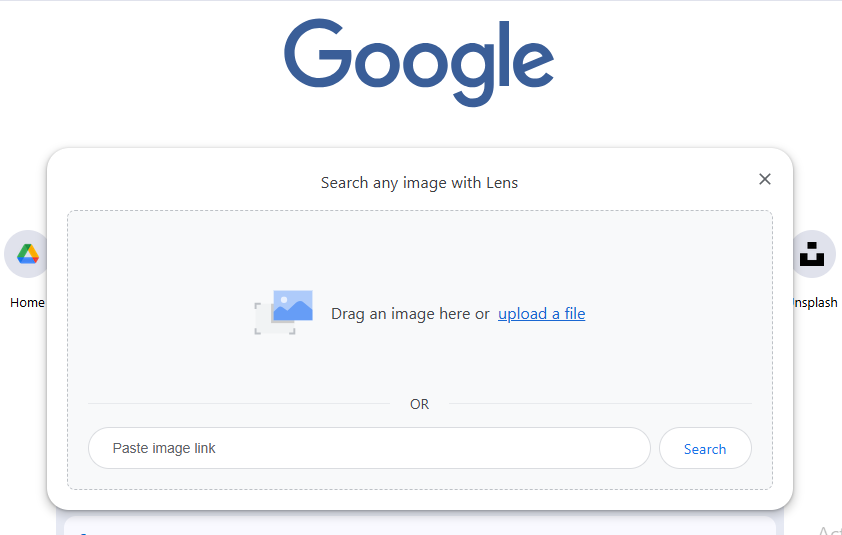
Google Lens is Google’s own visual search tool. It lets you upload an image or scan objects directly with your phone or desktop and find where similar images appear online. It’s a key tool for tracking image performance and protecting your visual content.
Why it’s worth using
Identifies objects, text, and locations in images
Finds visually similar images online
Shows webpages where the image appears
Works directly within Google Search and Chrome.
Pricing
Free for all users with a Google account.
TinEye
TinEye is a specialized reverse image search engine that focuses on tracking where your images show up online. It’s a great addition to Google search if you want to be thorough in monitoring your visual content.
Why it’s worth using
Detects modified versions of images
Helps monitor unauthorized image use
Finds exact matches, even if images have been slightly altered.
Lets you see where your images have been used over time.
Helps turn uncredited image use into backlinks or proper attribution
Pricing
Free for basic searches; paid plans available for larger scale tracking.
Yandex Images
Yandex Images search is especially useful for discovering results outside of Google’s ecosystem. It’s effective for international tracking and for finding versions of your images that might not show up in Google.
Why it’s worth using
Provides a different set of results from Google.
Helps uncover additional instances of your images online.
Ideal for global SEO and visual content monitoring.
Pricing
Free to use.
Bing Visual Search
Bing Visual Search is Microsoft’s reverse image search tool. It offers another perspective on where your images appear and can complement Google Lens results.
Why it’s worth using
Finds visually similar images, products, and pages.
Helps track uncredited use or potential competitors.
Supports broader monitoring of your brand’s visual content.
Pricing
Free to use.
Pixsy
Pixsy is designed for creators and photographers. It combines reverse image search with copyright enforcement, letting you monitor and act on unauthorized image use.
Why it’s worth using
Tracks uncredited usage of your images across the web.
Offers tools to request attribution or copyright takedowns.
Turns image tracking into actionable SEO and brand protection strategies.
Pricing
Free basic monitoring with paid enforcement plans.
Copyseeker
Copyseeker monitors online use of your images and helps you claim credit where it’s due. It’s a practical companion to Google reverse image search for anyone managing multiple visual assets.
Why it’s worth using
Alerts you when images are reused on new websites.
Helps secure image attribution
Supports SEO through backlink recovery
Pricing
Subscription-based
PimEyes
PimEyes is focused on facial recognition and helps identify images of people online. While Google detects images generally, PimEyes zeroes in on specific faces, making it useful for personal or brand monitoring.
Why it’s worth using
Finds where faces appear online.
Helps protect personal and brand identity.
Works alongside Google reverse image search to ensure nothing is missed.
Pricing
Free for basic searches; paid subscription for full tracking.
How to do a Google reverse image search on Mobile Devices
Using your phone camera
Most modern phone camera apps now have a direct image search feature that allows you to scan QR codes and search the web for visual matches of snapped images.
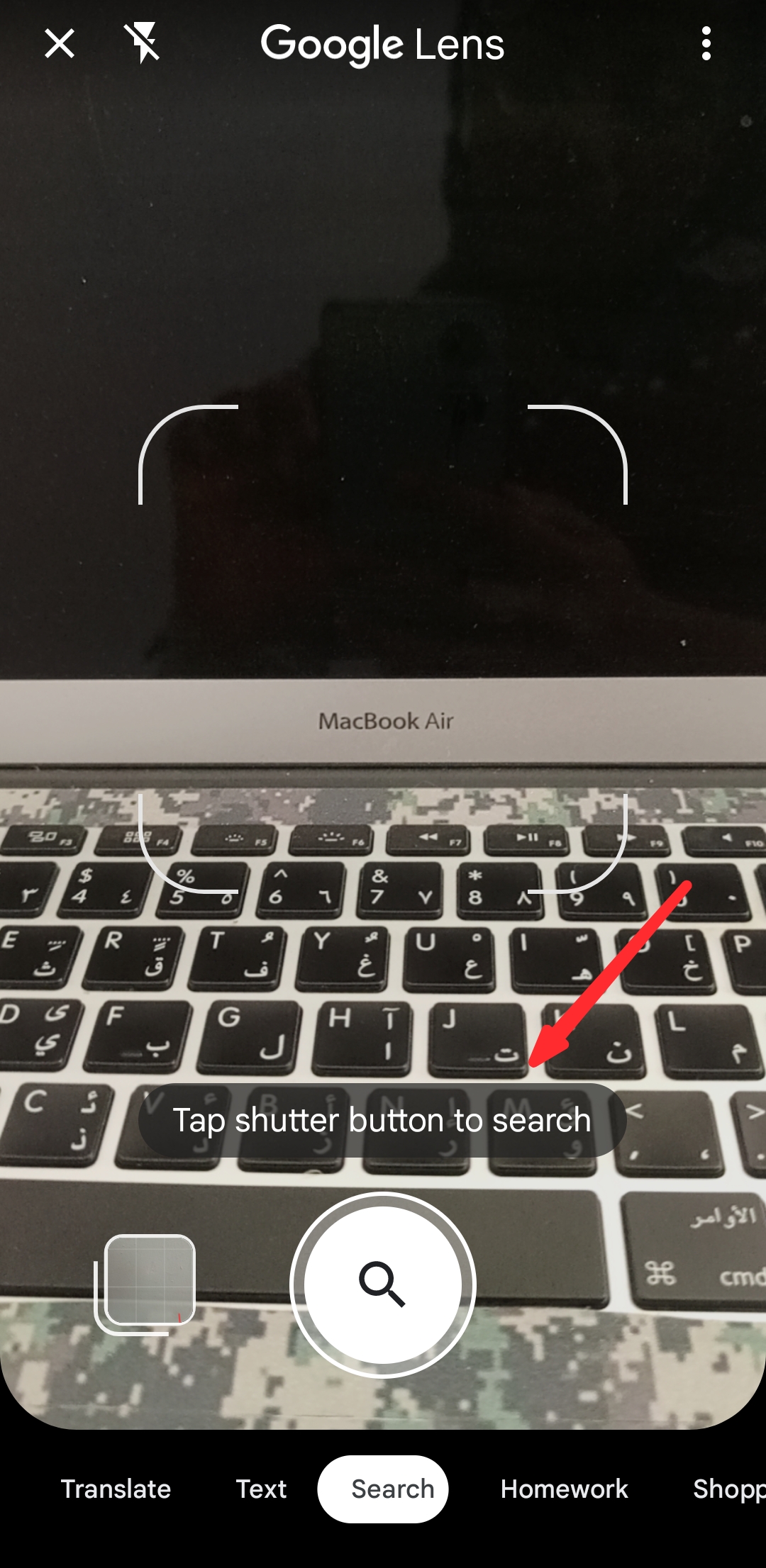
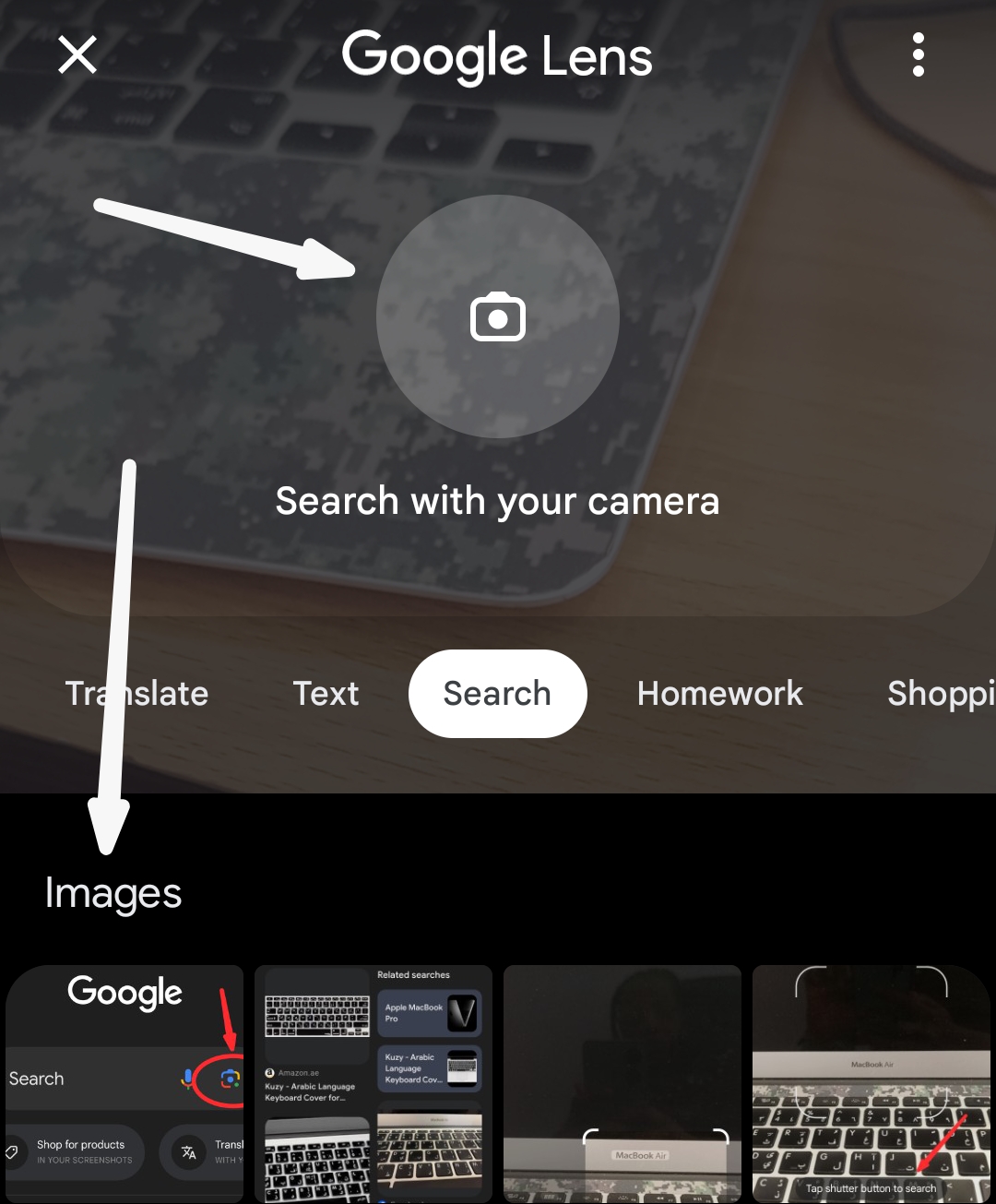
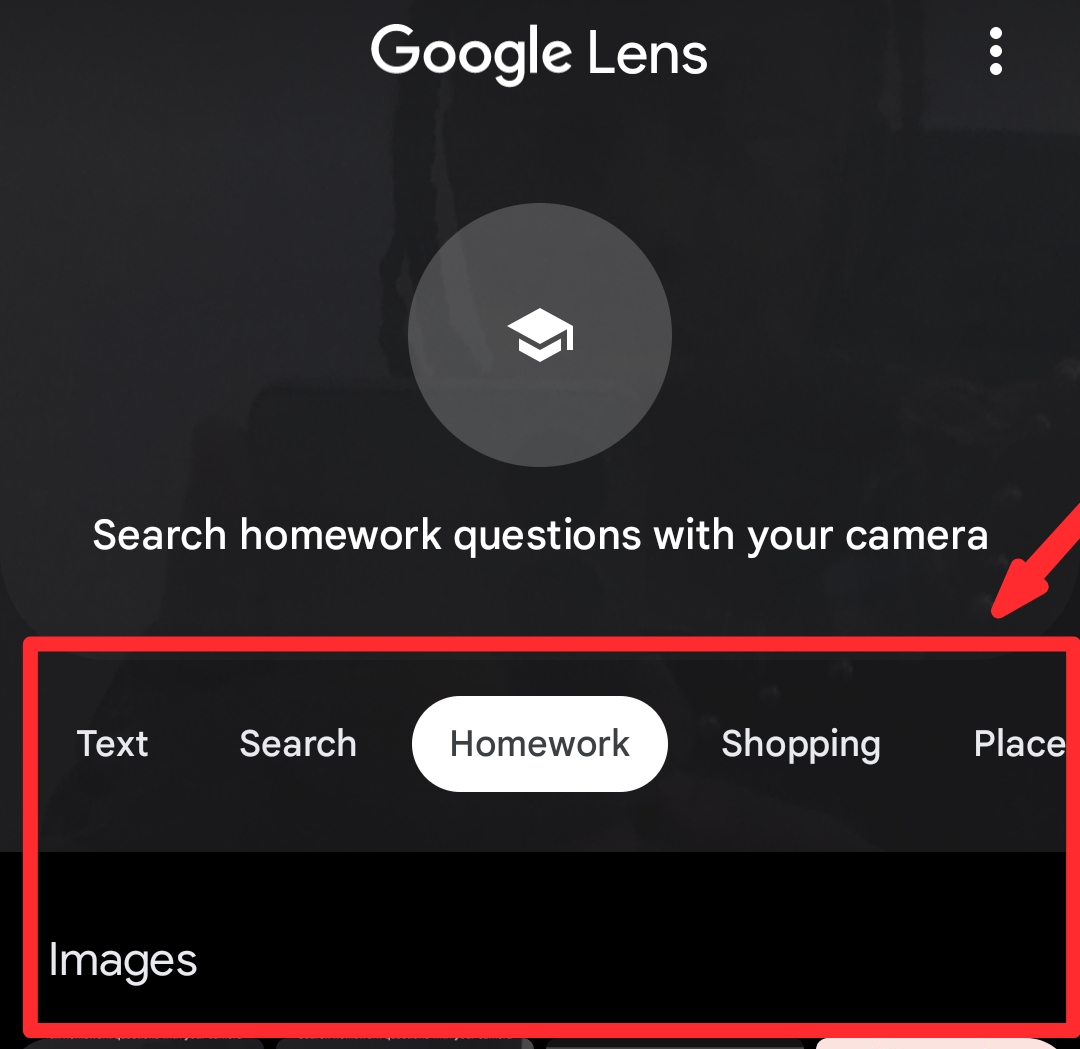
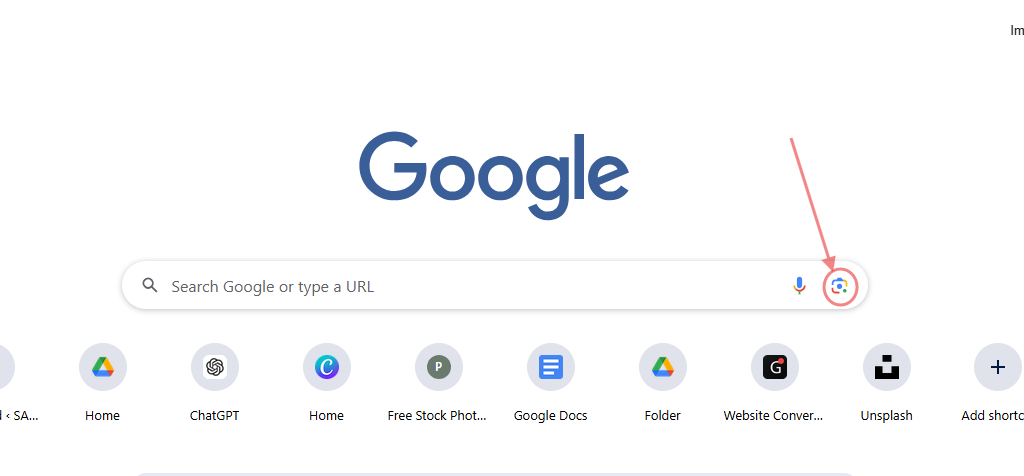
Open your phone camera app and click on the Google lens icon
Focus your camera on the object
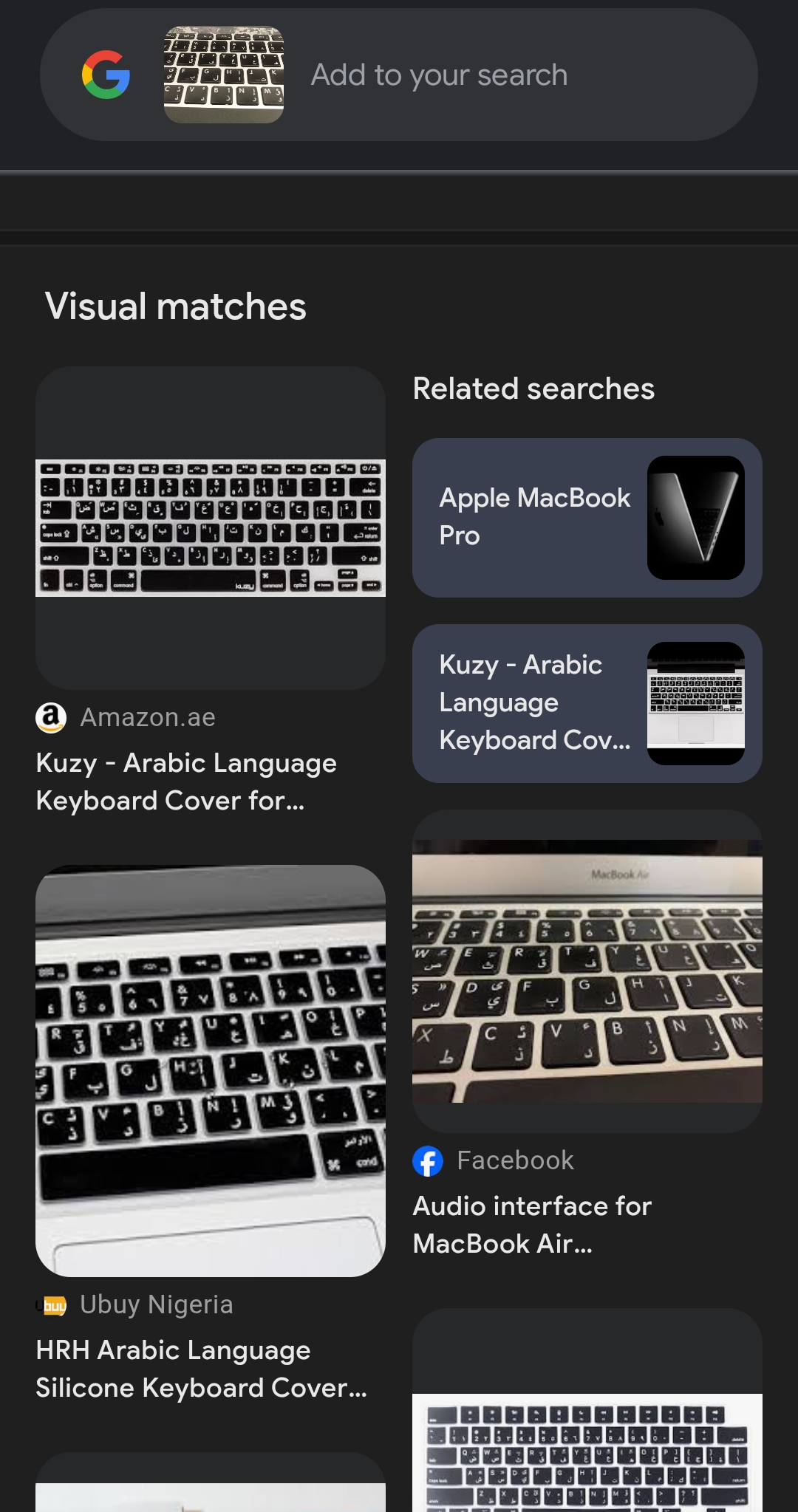
Click and search. Google will display visual matches of the image.
Using the Google App
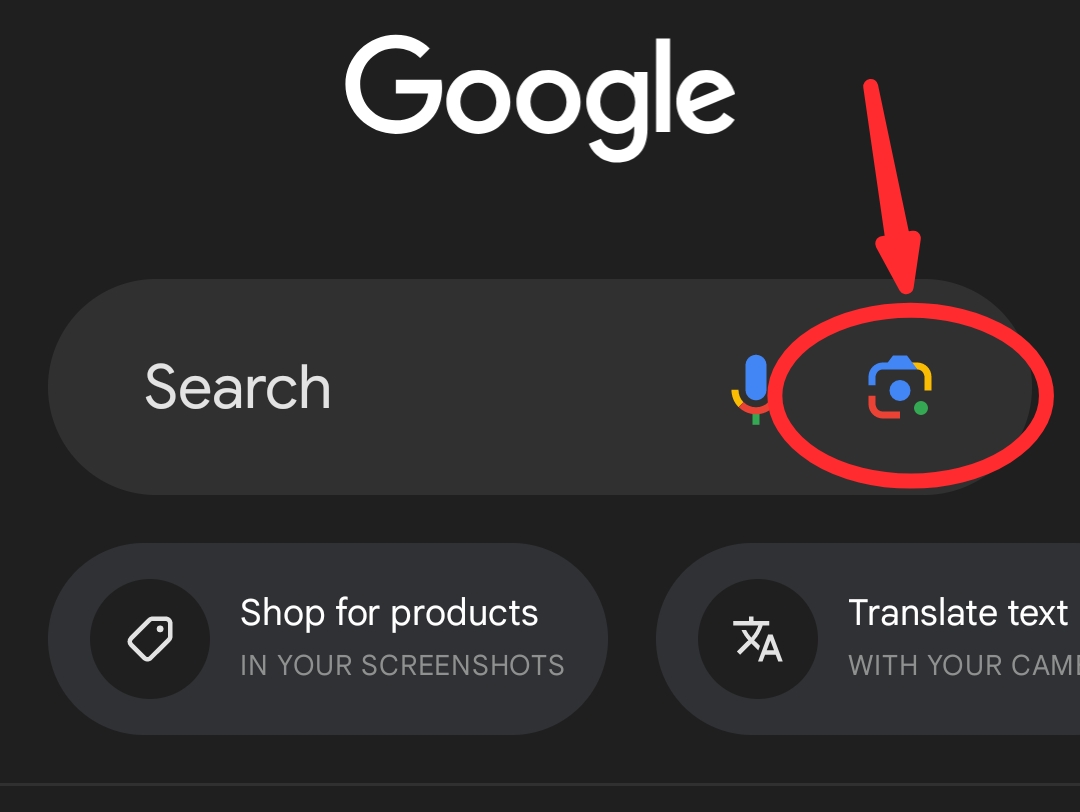
Open your Google App and select the camera icon.
Take a picture of the image you want to search for, or select from your phone file
Google will display visual matches of the image.
Using the Chrome app
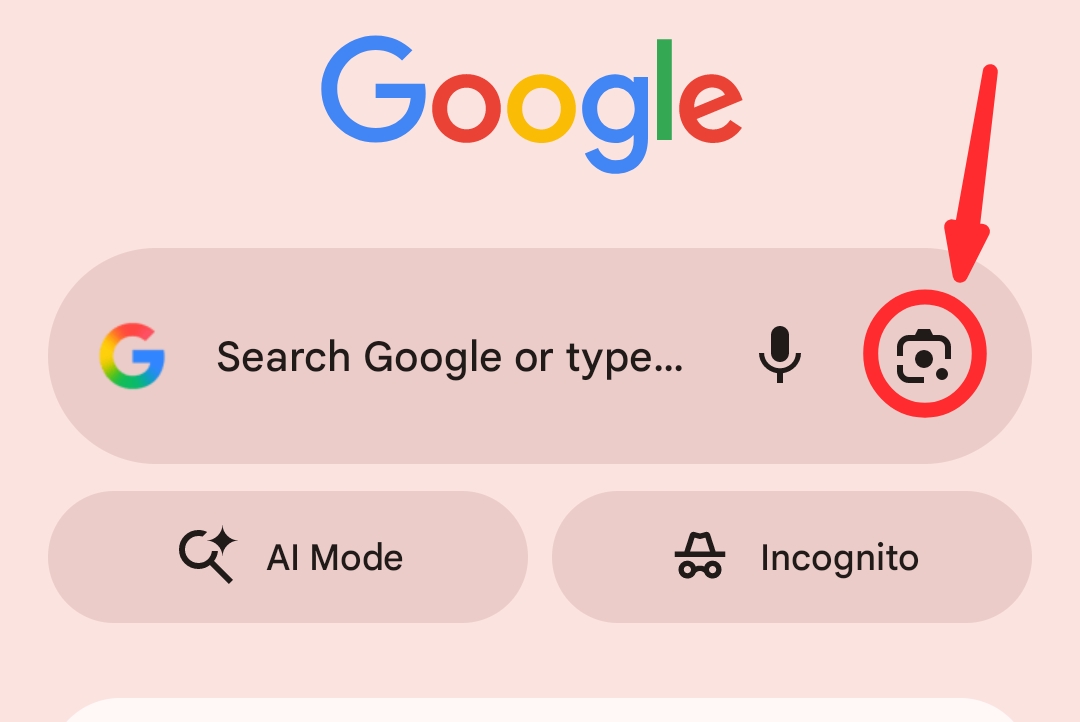
Open the Chrome app and click on the image icon
Follow the prompts as explained for Google app above.
Using a website image
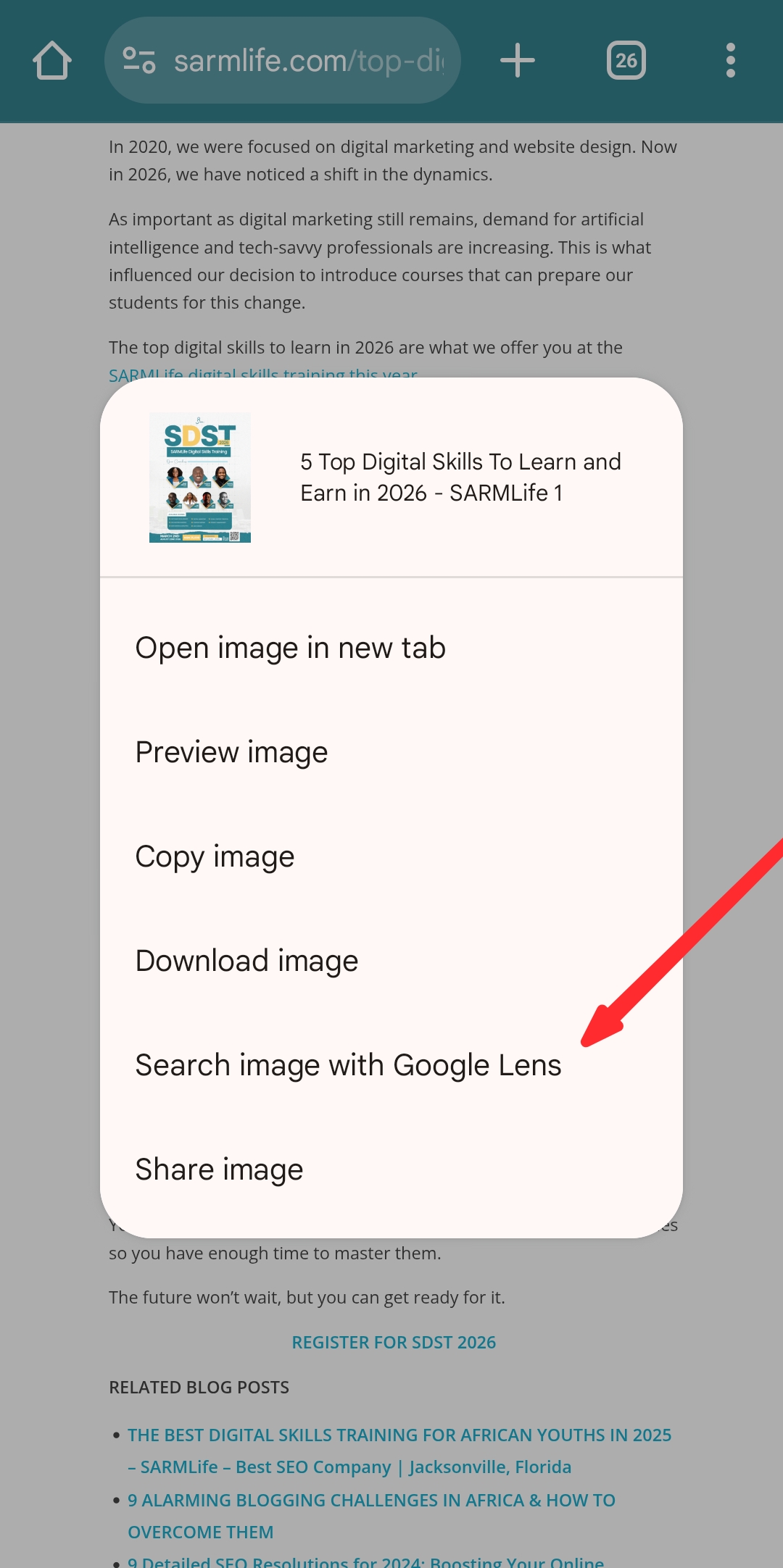
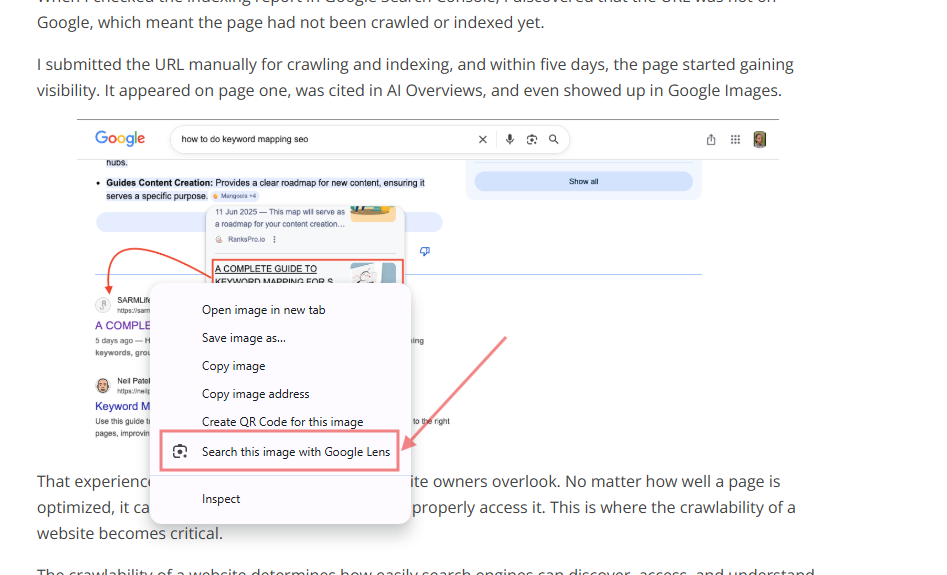
Open the webpage and scroll to the image. Long-press on the image and select ‘search image with Google lens’ from the options shown
Lens will analyze the image and display visually similar results, websites that feature it, and contextual information.
How to do a Google reverse image search on Desktop
Using Image Address
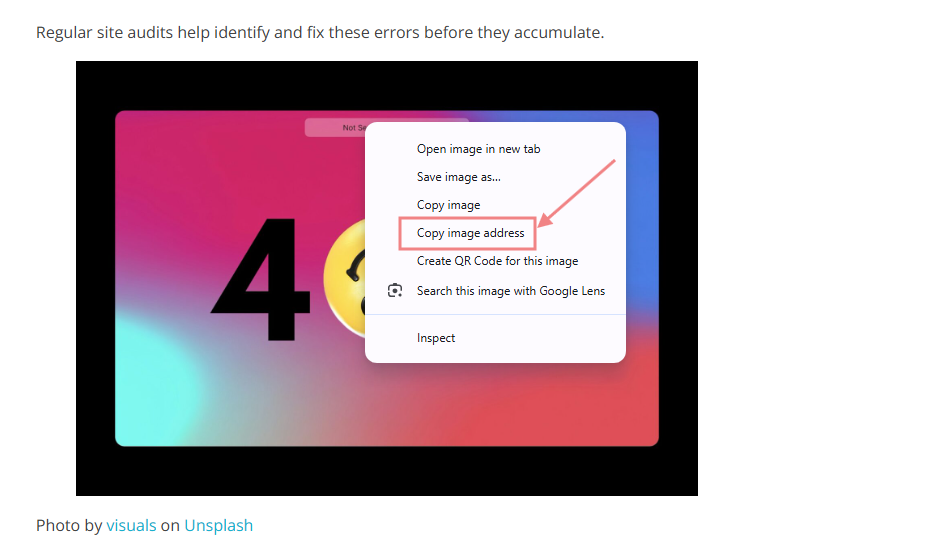
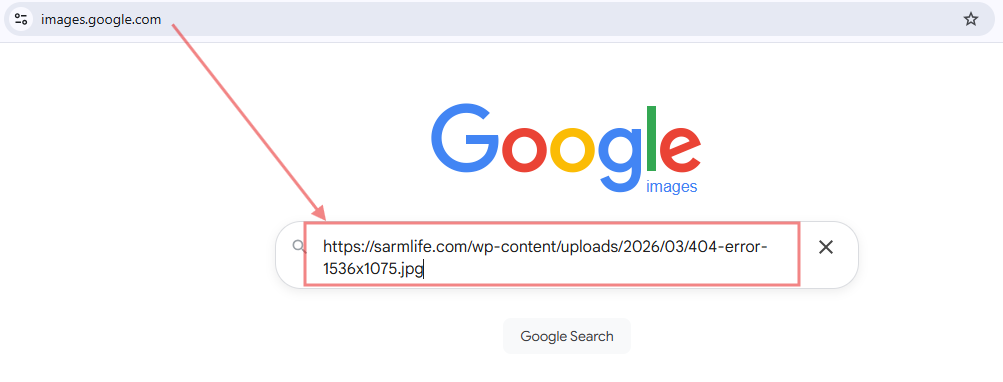
Right-click an image online, copy its URL.
Paste it into Google Images’ search bar.
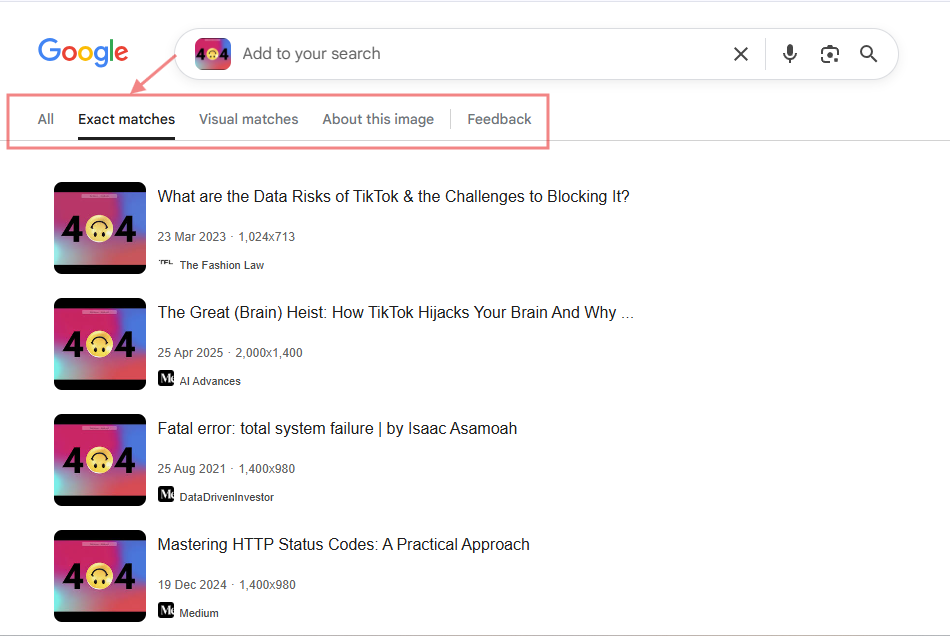
Google will find where that exact image appears across the web
Using a website image
Right-click any image on a web page and choose “Search image with Google lens.” This works best for identifying the source or usage of web-hosted images.
Drag and drop an image directly into the Google Images search box.
OR
Upload the image from your desktop, and Google will scan for matches and visually similar images across the internet.
Use cases for reverse image search
To find backlink opportunities
Spot websites using your images without credit. Reach out to request proper attribution or a backlink, turning unauthorized use into SEO value.
To identify an image’s original source
Whether it’s a chart, photo, or illustration, a reverse image search can trace an image back to its creator or original publication.
To find different versions of an image
Locate higher resolution, cropped, or altered versions of an image. This is useful for content curation or verifying authenticity.
To get more information on an image
Identify objects, products, locations, or people within an image. Useful for research, fact-checking, or content verification.
To discover copyright violations
Detect unauthorized use of your brand assets or creative content. Platforms like Pixsy and Copyseeker can help enforce copyrights and protect your intellectual property.
Tips for effective reverse image search
Upload clear photos
Blurry, low-resolution, or heavily cropped images reduce the accuracy of results. Use the highest-quality version available.
Crop to focus
If only part of an image is relevant, crop it to improve recognition and avoid misleading results.
Add descriptive keywords alongside your image to refine searches and locate contextually relevant sources.
Search for high resolution results
When possible, filter for larger image sizes. High-resolution images are more likely to be indexed and offer better matches.
Analyze search result pages
Don’t just look at the top match. Examine all results for backlinks, duplicate images, and potential unauthorized usage.
Final Thoughts
Learning how to do a Google reverse image search is an important skill especially when it comes to SEO.
Reverse image searches can help you identify potential backlink opportunities by identifying websites that are using your images without crediting you as a source. You can also use it to identify unauthorized use of your brand elements and stop it.
However, although indirectly, the popularity of reverse image searches emphasizes the importance of optimizing your images. You never know when and how it can appear in Google image results.
For example, if you have a blog post on ‘SEO statistics’ and you create an original, optimized chart with proper image attributes (keyword, file name, alt text, caption, etc); your image can pop up as a ‘related image’ to a reverse image search on SEO statistics.
At SARMLife, we consistently incorporate effective image optimization strategies into our SEO writing service.
What is an optimized blog post without optimized images?
This ensures that your images can appear in Google image result page for relevant searches, hence driving significant traffic to your website via image search.
FAQs on reverse image search
What is reverse image search and what’s it used for?
Reverse image search is a search method where you start with an image instead of words. You upload or paste the image URL into a search engine like Google, and the algorithm scans the web for visually similar images or matching files.
How do I do a reverse image search on my phone?
The easiest way is to use the Google app or Chrome app, where you can tap the Google Lens icon in the search bar and upload an image from your camera roll.
Why is my reverse image search not working?
Common reasons include using a low-quality or heavily cropped image that’s hard for the algorithm to recognize. The image may also be too new and hasn’t been indexed by search engines yet, or it may simply not exist anywhere else online.
Can I use a reverse image search on a screenshot?
Yes, absolutely. A screenshot is just another type of image file. Simply upload the screenshot from your device’s photo gallery to the search engine to perform a reverse image search.
How can I find the source of an AI-generated image?
Finding the exact source of an AI-generated image is often impossible, as they don’t have an “original” location like a photograph. However, a reverse image search may help you find other places where the image has been shared, or identify the specific AI model or artist if they are mentioned.
Ready to show up in ALL search result pages including Google images? Get any of our SEO writing service plans today!
Some people may think learning how to write meta descriptions for SEO is a useless and time-wasting task because Google often replaces manually written meta descriptions with automated ones generated from your content when presenting search results to users.
So, why do you need to learn how to write meta descriptions?
Well, there is no such thing as too much SEO.
If you’re trying to build your online presence on search engines, you should be willing to exploit all avenues to increase your ranking on search engine results pages (SERPs) and direct more traffic to your website.
There have been constant updates in Google’s search technology, including how meta descriptions appear in different search queries; what happens when Google goes with your meta description instead of one generated from your content? You’re left with no meta description, significantly reducing your chances of searchers going to your website for answers to their queries.
If you are still interested in learning how to craft attractive meta descriptions for your website, this is your cue to stay and read on.
What Are Meta Descriptions?
Meta descriptions are summaries or snippets that provide insight into a web page’s content.
They typically appear in search engine results pages (SERPs) beneath the page’s title and URL. These meta descriptions give users a preview of what they can expect to find on the linked page and play a crucial role in attracting clicks from search engine users.
Do you still need clarification?
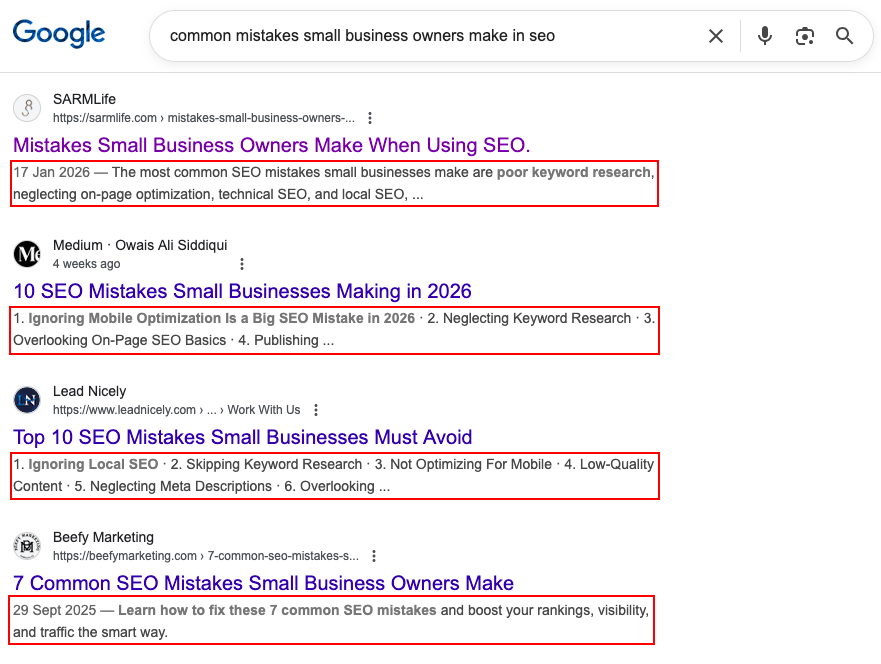
See those tiny body of texts under the URL and title? Those are meta descriptions!
There are different benefits of having a meta description for your posts. Here are some reasons you need to learn how to write meta descriptions:
a. Improved search engine visibility
An engaging and relevant meta description can entice users to click on your link, increasing your click-through rate (CTR). Meta descriptions can include keywords related to your content.
Search engines often highlight these keywords in the search results, making your listing more attractive to users searching for specific terms.
Think of your meta descriptions as the welcome sign to your website, almost like a shop’s front door; people see them first on search engines, so make them catchy!
b. Increased click-through rate (CTR)
Click-through rate is one of the most important metrics to monitor, and an increase in this leads to more traffic for your website, which is the goal of any website. Meta descriptions are a great way to raise your click-through rate by grabbing your reader’s attention on SERPs.
Meta descriptions help readers quickly assess whether your page has the information they want, improving the overall user experience. When users find your content relevant to their search query through an eye-catching meta description, they are more likely to stay on your page, reducing the bounce rate (the percentage of users who leave your site immediately after arriving).
What Makes a Great Meta Description?
Before the nitty gritties of learning how to write meta descriptions, let’s take a look at why they are so important.
a. Length and character limit
Like many other search engines, Google typically displays meta-descriptions between 150 and 160 characters, including spaces in search results. However, it’s important to note that search engines may truncate longer descriptions, so it’s best to aim for 155 characters.
b. Keyword placement
Include relevant keywords that users are likely to search for. Place important keywords toward the beginning of the meta-description, but avoid keyword stuffing, as it can negatively affect your SEO. Doing keyword research on platforms such as Ubersuggest may help when trying to put keywords into your meta descriptions.
c. Clarity and relevance
An excellent meta description is concise. It should provide a clear and brief summary of what the page is about, allowing users to understand its content quickly.
Avoid using technical jargon or industry-specific terms that might confuse users. Use language that the average person can easily comprehend.
Also, ensure the meta-description aligns with the user’s search intent. Your description should hint at informative content if a user seeks information. If they seek a product, emphasize its features and benefits.
Great meta descriptions strike a balance between clarity and relevance. Clarity ensures that users understand what the page is about, while relevance ensures they find the information or solutions they want.
d. Call to action (CTA)
A CTA provides clear instructions to the user on what to do next. It can guide them toward the desired action, whether clicking on the link, signing up, making a purchase, or any other action you want them to take on your website.
A well-crafted CTA can make your meta description more engaging and persuasive. It encourages users to interact with your content, increasing the likelihood of a click-through. Using words like “Now,” “Today,” or “Limited time offer” in your CTA can create a sense of urgency, motivating users to take immediate action.
Ensure your CTA is directly related to the content and purpose of the page. Misleading CTAs can lead to high bounce rates and damage your website’s credibility.
How to write meta descriptions for SEO in 2026
Here are my top tips on how to write meta descriptions in 2026:
a. Research your keyword.
Keyword research is the backbone of any SEO strategy. Researching what your readers are most likely to type in a search engine’s search bar using tools such as Ubersuggest, Google Trends, Google Search Console, AnswerThePublic, etc., is crucial to forming a good and attractive meta description.
Knowing what your readers will most likely want and putting it front and center for them to see in your meta description will increase your website’s traffic for that particular query.
However, it can be highly detrimental to include keywords unrelated to a potential user search query as they may interpret it as you do not have content on your website relevant to what they want.
b. Use action-oriented language (use active voice).
Using action-oriented language in an active voice is an excellent approach for meta descriptions. It can make your meta descriptions more interactive and encourage users to take whatever action your website wants them to.
When creating action-oriented meta descriptions in an active voice, focus on verbs and phrases that drive users to take specific actions.
Ensure the language aligns with the content and purpose of the linked page, and keep the descriptions concise within the character limit to maximize their impact on search engine results.
c. Evoke curiosity.
Although your meta description gives a brief insight into your website’s description, don’t forget that the primary goal of a meta description is to get the searcher to click on your URL and consume your content. Curiosity plays a role here.
Eliciting curiosity in your meta descriptions is a powerful strategy to entice users to click on your search results. When users are curious about what lies behind the link, they are more likely to click through to your page.
Here are some tips for crafting meta descriptions that evoke curiosity:
I. Make it a question format.
For example, “How do you write a meta description?” Or “Do you want to know the secret to financial success?”
ii. Give a hint of what the page entails.
Let your readers know what your page is about. For example, “Find out the simple hack to increase your website traffic” or “Discover the trick that will elevate your productivity.”
iii. Use captivating language.
Use descriptive and intriguing language that makes your readers want to know more. For example, “Explore the amazing world of ancient civilizations.”
iv. Emphasize the unusual or unique.
Try to capitalize on unexpected and unique things about your content. What makes your content stand out? Why should your readers click on your content and stay glued to it?
It’s important to avoid using clickbait tactics in your meta-descriptions. Clickbait may initially attract clicks, but it often leads to a poor user experience and can damage your website’s credibility.
Here are some guidelines on how to write meta descriptions without using clickbait:
i. Be accurate and honest.
Ensure your meta description accurately represents the content of the linked page. Don’t promise something the page doesn’t deliver.
ii. Avoid exaggeration.
Refrain from using exaggerated or hyperbolic language that misrepresents the content. Maintain a realistic tone.
iii. Don’t mislead.
Avoid misleading users with false claims or sensational statements. Honesty is vital to building trust with your audience.
e. Do A/B testing for your meta descriptions.
A/B testing, or split testing, is an effective way to optimize your meta descriptions for improved click-through rates (CTR) and user engagement.
A/B testing for meta descriptions can help you adjust your messaging to better resonate with your target audience. It allows you to make data-driven decisions to improve user engagement and ultimately drive better results for your website.
A/B testing for meta-descriptions involves creating two or more variations of a meta-description for a specific web page and comparing their performance to determine which one is more effective regarding click-through rates (CTR) and other relevant metrics.
Good vs Bad Meta Descriptions (Example Table)
One of the fastest ways to understand how to write meta descritions for SEO is to compare strong meta descriptions with weak ones.
Here are clear examples:
Good vs Bad Meta Description Examples
Scenario
Bad Meta Description
Why It Fails
Good Meta Description
Why It Works
Blog post about SEO tips
SEO tips for your website. Learn more here.
Too vague, no value, no hook
Learn practical SEO tips that improve rankings, traffic, and click-through rate in 2026.
Clear benefit, time relevance, keyword-rich
Product page
Buy shoes online at the best price.
Generic, no differentiation
Shop lightweight running shoes with free delivery and 30-day returns.
Specific, benefit-driven, persuasive
How-to guide
Learn how to write meta descriptions.
Doesn’t explain why or who it’s for
Learn how to write meta descriptions for SEO that improve rankings and increase clicks.
Matches search intent and target keyword
Service page
We offer digital marketing services.
No USP, no CTA
Get data-driven digital marketing services that grow traffic, leads, and revenue.
Clear value proposition
Local business
Best restaurant in Lagos.
Keyword stuffing, no context
Enjoy freshly prepared local and continental dishes in Lagos, available for dine-in and delivery.
Natural language + local relevance
Meta Description Templates
Below are proven meta description templates you can adapt based on user intent and page type:
– Informational Intent (Learning / How-To)
How-To Template Learn how to [action] using [method] to achieve [result]. Step-by-step guide for beginners.
Educational Template Discover what [topic] means, why it matters for SEO, and how to apply it effectively in 2026.
Beginner-Friendly Template New to [topic]? Learn the basics, best practices, and common mistakes to avoid.
– Commercial Intent (Considering Options)
Comparison Template Compare the best [tools/services] for [goal], including features, pricing, and use cases.
Solution-Oriented Template Looking for a better way to [solve problem]? Learn proven strategies that deliver results.
Benefit-Driven Template Improve your [metric] with [solution] designed to increase performance and efficiency.
– Navigational / Brand Intent
Brand Authority Template Explore expert insights from [brand] on [topic], backed by real-world experience.
Trust-Building Template Trusted by professionals, learn how [brand] helps users achieve [result].
– Transactional Intent (Ready to Act)
Conversion-Focused Template Get [specific product or service] designed to help you [primary benefit]. Start today.
Urgency Template Upgrade your [process] with tools built for speed, accuracy, and growth.
– Local & Niche Intent
Local SEO Template Discover [service] in [location] with flexible options, transparent pricing, and expert support.
Niche Audience Template Designed for [specific audience], learn how to [goal] without wasting time or resources.
You can edit and swap the above examples as needed for your website SEO, but remember to stick to the guidelines above.
Common Mistakes When Writing Meta Descriptions
a. Stuffing keywords
Website or blog managers stuff many relevant keywords into their meta description to appear relevant to the searchers’ query. The downside is that it may make your website seem spammy. Instead, use keywords naturally and create a meaningful description that entices users to click.
b. Duplicating meta descriptions
Each page on your website should have a unique meta-description. Using the same description for multiple pages can confuse search engines and users.
c. Ignoring character limits
Search engines typically display meta descriptions in search results with a specific character limit (usually around 150-160 characters).
If your meta description exceeds this limit, it will be trimmed, and users will see an incomplete or disjointed description, making your website appear unprofessional and less trustworthy.
On mobile devices, character limits are even more critical because screen space is limited. Ignoring character limits can lead to severe truncation issues on smaller screens, affecting the mobile user experience.
It’s crucial to adhere to character limits to ensure your meta descriptions are compelling and provide a positive user experience.
Keeping your descriptions concise, within the recommended limit, and well-structured will help you convey the most relevant information to users and improve your website’s performance in search engine results.
FINAL THOUGHTS
Writing compelling and eye-catching meta-descriptions is vital for anyone looking to boost their website’s visibility in search engine results and attract more organic traffic.
By avoiding common pitfalls such as stuffing keywords, duplicating meta descriptions, and ignoring character limits, you can create meta descriptions that entice searchers, improve your site’s click-through rates, and reduce bounce rates.
Remember that meta-descriptions are a technical SEO element and your virtual elevator pitch to potential visitors. Each click and visitor could turn into a customer or a client, so ensure you go all in with it.
And there’s no such thing as too much SEO, so go ahead and revisit your website’s meta descriptions, make the necessary improvements, and watch your click-through rates rise.
The power to boost your site’s visibility is in your hands. Seize the opportunity and make every meta description count!
How often do you optimize your meta descriptions for SEO?
Google’s search results have become more interesting and varied. Instead of just links, you now see different types of information, like quick answers, pictures, and more. These different results are SERP features, which make online searches more interesting.
Several Google SERP features include Featured Snippets, Knowledge Panels, Rich Snippets, and People Also Ask. Each Google SERP feature has its unique purpose and benefits.
In today’s digital world, where being seen online is important, knowing how to fit your content into these special search results can make a big difference. Whether you want your content to be in a quick answer, local search, or something else, this post will teach you how.
What are SERP features?
SERP refers to the Search Engine Results Page. It is Google’s response to a user’s search query.
SERP features, however, are Google’s responses to search queries that go past the traditional “blue links.” This includes featured snippets, a knowledge panel, image packs, map packs, and video carousels.
Common Google SERP features
January 2014 marked the first time Google introduced SERP features, with ‘Featured Snippets’ and ‘People Also Ask’ appearing on desktop search results. Since then, it has grown to introduce many more.
Here’s what you need to know about the most common ones:
Featured Snippets
Featured snippets are excerpts of a website’s content displayed at the top of the results page in an attempt by Google to provide direct answers to a user’s query.
Knowledge Panels
According to Google, “Knowledge panels are information boxes that appear on Google when you search for entities (people, places, organizations, things) that are in the knowledge graph.” Knowledge panels provide users with a brief overview of information on a particular topic to assist them in quickly grasping the key points.
Rich Snippets
Simply put, rich results are visually enhanced search results. They are a type of search result that presents additional information from the page rather than a basic snippet that only includes the title, description, and URL.
People Also Ask
People Also Ask is a SERP feature displayed by Google that presents a list of related questions users have searched for after their initial query. It appears below the search results and aims to further address the information the user needs and provide additional context.
Local Pack
A Local pack, or the Google Map Pack or Snack Pack, is a prominent section in Google search results that showcases the top-ranking local listings for your search query or current location. It appears at the top of the search engine results page (SERP) when a user searches with local intent, such as “restaurants near me” or “best mechanics in Lagos.”
Video and Image Carousels
Video and image carousels are another type of SERP feature that displays a series of videos or images related to the search query. Depending on the relevance and type of content available, they can appear at various positions on the search results page.
Optimizing for SERP features might seem like something you can overlook, but here are some of the benefits you would be missing out on:
a. Increased Visibility
Visibility is key in the world of SEO, and attaining it is the goal of all SEO efforts. The following is how SERP features boost your visibility to searchers:
Prominent placement: SERP features occupy prime real estate on the search results page, often above traditional organic listings. This increased visibility makes your website more likely to be seen by potential customers.
Eye-catching formats: Features like video carousels, rich snippets, and knowledge panels stand out visually from the text-heavy results page, grabbing user attention and driving clicks.
b. Improved Click-Through Rate (CTR)
Your Click-through rate is an essential metric in SEO that often significantly impacts your ranking on result pages. Here’s how SERP features help improve that:
Direct answers: Features like featured snippets and knowledge panels provide instant answers to user queries, reducing the need to click through to your website. However, this can still increase brand awareness and potential future visits.
Enhanced user experience: Features like interactive maps and carousels offer a richer and more engaging experience, making users more likely to click and explore your content further.
Increased trust and credibility: Appearing in prominent SERP features like knowledge panels and rich snippets signals to users that your website is a reliable source of information, boosting their confidence to click.
SERP features significantly raise your chances of ranking higher by:
Optimizing for features: Following best practices for structured data, content formatting, and relevance can increase your chances of triggering SERP features for relevant keywords, indirectly improving your organic ranking.
Enhanced user engagement: Features like People Also Ask and interactive elements can increase dwell time on your website, which is a ranking factor considered by search engines.
Authority and relevance: Appearing in various SERP features can showcase your website’s expertise and relevance to specific topics, potentially influencing ranking algorithms in your favor.
d. Attract More Qualified Leads
SERP features also help you attract the leads your website needs. Here is how:
Targeted audience: Features like local packs and People Also Ask highlight your website to users actively searching for your products or services, increasing the likelihood of qualified leads.
Detailed information: Features like rich snippets and knowledge panels offer users a concise overview of your offerings, helping them make informed decisions about contacting you.
Brand recognition: Consistent presence in SERP features builds brand awareness and trust, making users more likely to choose you over competitors.
e. Increased Credibility
Searchers are more likely to click links they trust to answer their search query needs, and SERP features greatly increase your credibility with the following:
Google’s endorsement: Appearing in SERP features, especially knowledge panels and rich snippets, signifies Google’s recognition of your website as a reliable source of information, enhancing your credibility.
Transparency and trust: Features like People Also Ask and interactive elements encourage user engagement and address potential concerns, building trust and transparency.
Competition edge: Standing out from competitors through SERP features demonstrates your commitment to user experience and content quality, cementing your position as a trustworthy authority.
Optimizing your content for different Google SERP features
Here’s a breakdown of how to optimize your content for each SERP feature you mentioned:
This feature is a great way to get instant answers to search queries. Featured snippets are the easiest SERP feature to rank for. Here’s how you can do it:
Conciseness is vital: Aim for clear, concise answers to specific questions users might ask, ideally under 280 characters.
Structure matters: Use bullet points, numbered lists, or tables to make information understandable.
Target relevant keywords: Research and include relevant keywords in your content, focusing on those with high search volume and low competition.
Optimize for voice search: Use natural language and conversational tone for potential voice search triggers.
2. Knowledge Panels
This feature gives users a snapshot of the information they seek. Below is a guide on how to rank for it.
Claim your entity on Google: Verify your business or organization on Google Search Console and Google My Business, now Google Business Profile, to ensure accurate information appears in the panel.
Provide comprehensive information: Include detailed descriptions, contact information, website links, and high-quality images or logos.
Structure your website: Use schema markup to help Google understand your website’s structure and highlight relevant information.
Build backlinks: Increase your website’s authority and relevance by earning backlinks from high-quality websites.
3. Rich Snippets
Like meta descriptions, rich snippets tell the searcher more about that webpage. Here are a few tips to optimize your website for it:
Implement schema markup: Use structured data to explicitly tell Google what information you provide, like recipes, events, or products.
Focus on specific information: Highlight relevant details like ratings, prices, availability, or event dates.
Use high-quality visuals: Include compelling images or videos that accurately represent your content.
Optimize for mobile: Ensure your rich snippets display correctly on mobile devices, where most users search.
4. People Also Ask
Searchers are interested in pages that can answer their questions, even if it’s not the one they typed in the search bar. Here’s how to always be available to answer them:
Analyze existing questions: Look at the ‘People Also Ask’ section for your target keywords and identify frequently asked questions.
Integrate questions and answers: Address these questions within your content, either directly or in dedicated FAQ sections.
Use natural language: Employ conversational language and answer questions in a helpful and informative way.
Link to relevant pages: If your website has dedicated pages addressing specific questions, link to them within your content.
5. Local Pack
Do you want people to come to you? Optimize your business to show up on local packs. Here’s how:
Claim your GBP listing: Optimize your Google Business Profile listing with accurate information, high-quality photos, and positive reviews.
Target local keywords: Ensure your content and website title include keywords relevant to your location and target audience.
Encourage user engagement: Respond to reviews, answer questions on your listing, and keep your information updated.
Build local backlinks: Get backlinks from local websites and directories to improve your local SEO.
6. Video and Image Carousels
Are you tired of scrolling through hundreds of articles? So are your readers. Change the game by ranking high with a different type of content. Below is how:
Create high-quality visuals: Use engaging images and videos relevant to your target keywords and search intent.
Optimize file names and descriptions: Include relevant keywords in your file names and image alt text for better searchability.
Leverage YouTube and Google Images: Optimize your videos and images for these platforms using relevant tags and descriptions.
Embed videos and images in your content: Use videos and images strategically within your content to break up text and enhance user experience.
Optimizing your content for SERP features can help improve your website’s visibility and reach a wider audience.
Each search result is unique, and understanding how search results work is vital. You must adapt your content to fit these special results to succeed online. This helps you get noticed, provide helpful info to your audience, and achieve your online goals.
Start optimizing your content for the specific Google search features that matter to you. Keep an eye on what’s new in SEO, and be ready to tweak your content strategy when needed.
How many SERP features do you optimize your content for?
If you’ve ever felt alone in your blogging journey, it is a sign that you need to have a community, and there are many blogging communities out there for you.
But first, what is a blogging community?
A blogging community is simply a way for bloggers to interact with and share ideas, pain points, challenges, and solutions. Consider a blogging community as a social platform for bloggers.
And having a community doesn’t mean you’re weak as a person or can’t stand on your own as a blogger. Instead, a blogging community is a place to get strength, support, help, and resources and make valuable contributions to another blogger’s progress.
I also see a blogging community as a place for potential friendships and long-term networking.
Starting as a blogger, I struggled with the thought of quitting so many times. There were times I needed help with guest posting or for someone to comment on my blog posts because I wasn’t getting much traffic, and my blogging community always came through.
For real, wouldn’t it be great to know that you aren’t alone in your journey as a blogger?
Anyhoo! Now that you know what a blogging community is, let me share with you the top 19 blogging communities in the blogging world that YOU SHOULD JOIN ASAP.
Yes, there’s a special blogging community waiting for you at the end. Keep reading so you do not miss it!
What to look for in a blogging community?
I’ll give you quick tips on what to look for in a blogging community if you’re a little not sure.
Blogging Community goals: As a blogger, the first thing to look for in a community are the goals that bind it. What are the community’s mission, vision, and goals? Do the goals align with your goals and that of your blog?
A sense of accountability: Accountability is crucial for you as a blogger, so finding a blogging community with a sense of accountability is even vital. A community that just wings it is not a good choice. There is no sense of accountability if a community doesn’t have rules regarding goals and deadlines.
A desire to lift each other: There is no good in putting others down for the sake of competition, and if you find a blogging community with the desire to lift its members, you’ve found the right community. A community that desires its members’ success and progress is a community worth keeping.
The desire to grow: As a blogger, it is crucial to look for growth in a community. If a community is not growing, its members make no effort. WATCH OUT FOR THAT!
The greatest of all, love: What is a community without love? Find a community that has a love for all its members. Find a community that genuinely cares about you as an individual and blogger.
Let’s check out these ah-mah-zing communities…
TOP 19 BLOGGING COMMUNITIES
1. DoSplash
DoSplash is a new blogging community with consistent blog posts from different bloggers. There are different niches, so you do not have to worry about your niche fitting into the blogging community.
You also have the luxury of looking through other bloggers’ posts to develop ideas for your blog posts.
Blog Engage says everything about its community on its website. Blog Engage doesn’t only serve as a platform for bloggers to interact, but the community goes as far as promoting and marketing your posts to various platforms. Isn’t that amazing?
This blogging community has many community features, like adding like-minded bloggers to your list, commenting on other bloggers’ posts, private messaging, guest blogging, joining groups, and more.
Triberr is another blogging community with great features for its members. You get more shares, traffic, and so much more. You do not need to worry about promoting your blog posts, especially if you’re new to blogging.
Triberr helps you import your content and share it. You also get to meet notable influencers.
Blokube is a great blogging community that supports the sharing and promotion of blog posts. When you submit your blog articles, there will be a review by those involved; then, your posts get shared on the main page.
Medium isn’t just a blogging platform but a blogging community for bloggers out there. You get to read inspiring stories, and it’s a large platform to share your blog posts.
You also have the luxury of going over published blog posts for an idea of what to write.
BizSugar offers a unique space for individuals to share and explore diverse content related to business, marketing, technology, and other relevant topics. Users in the community can submit articles, blog posts, news, and other valuable content that can benefit the small business community.
If you want an engaging and informative community to share your knowledge and insights, BizSugar might be the perfect platform for you and your blog.
BlogHer is an online community and media platform that offers a welcoming space for women to connect, share their stories, and participate in discussions on various topics ranging from lifestyle, parenting, health, food, and more.
Whether you want to connect with like-minded individuals, share your experiences, or gain valuable insights, BlogHer is an excellent community for you.
If you’re a woman who loves these topics, you might get an idea or two on what to write for your blog posts if you join the community.
Blogging Wizard is a community that offers valuable information, tips, and guides for bloggers and online entrepreneurs. It also covers a wide range of aspects of blogging, including content creation, website monetization, SEO (Search Engine Optimization), social media marketing, and email marketing.
If you want to take your blogging efforts to the next level, Blogging Wizard might greatly help.
Blogging Tips is a community dedicated to assisting bloggers in their journey by providing them with valuable advice, tips, and information. The community features many articles, guides, and tutorials from experienced bloggers and industry experts.
They are designed to help bloggers enhance their skills, grow their audience, and improve their overall performance.
The Blog Societies is a community that connects and supports lifestyle bloggers. It is an excellent platform for bloggers to share valuable resources, collaborate, and build long-lasting relationships within the blogging and influencer marketing industry.
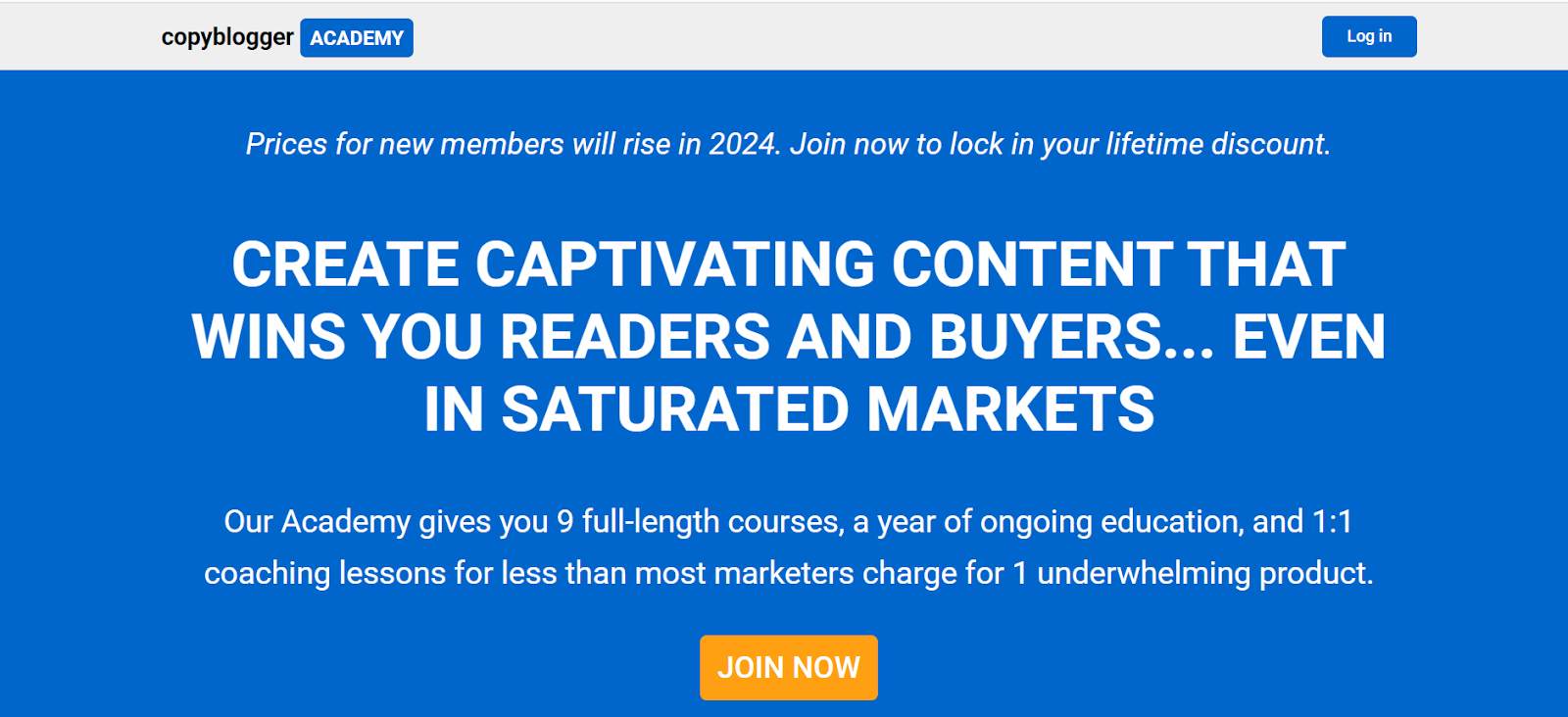
Copyblogger Academy is an educational platform or community closely associated with Copyblogger, a well-known online resource for content marketing and copywriting.
This community offers many resources, such as informative blog articles, insightful e-books, and comprehensive courses.
Blogging for Devs is a community platform that caters to the needs of tech creators, developers, and freelancers. It is a great place for those who want to showcase their writing skills and establish their presence in the tech world.
If you’re a developer or tech creator and want to put yourself out there through your writing, this community is for you.
The Creative Academy for Writers community is a platform for writers to share their thoughts and get helpful advice from other writers.
Writing is crucial in your blogging journey, so if you need to brush up on your writing skills, you can check out the Creative Academy for Writers community.
14. Reddit
Reddit may not be your typical blogging community, but it has several resources to help grow your blog.
When you join Reddit, you can subscribe to the subreddits that align with your interests and participate in discussions or share content related to the specific community.
If you are seeking answers to any of your blogging-related queries, the Blogger Community can be a great resource.
This community is known for its helpfulness and can assist you with any requests. Whether you have questions about blog design, content creation, or promotion, this community has a wealth of knowledge to help you achieve your blogging goals.
BlogAdda is a blogging community for Indian bloggers to exhibit their writing skills, connect with other bloggers, and cooperate with brands for diverse campaigns and promotions.
It is an excellent place for bloggers to immerse themselves in the blogging world, share their opinions, experiences, and perspectives, and learn from other bloggers.
Scoop.it is a platform for curating content, enabling users to discover, organize, and share content on particular subjects of interest.
By using this platform, individuals and organizations can collect relevant information from various sources on the internet, curate it into a well-organized collection, and then share it with their followers.
The platform also supports users collaborating to create content.
Blogit is a platform that accepts writeups from bloggers. The platform promotes inclusivity and provides an opportunity for bloggers to showcase their work to a broad audience.
It also has a community that fosters growth, and bloggers can always ask for help when needed.
You know a few things about a blogging community already, so what are the benefits?
5BENEFITS OF BLOGGING COMMUNITIES
1.An additional support system: You might have friends and family members who support you, but there is nothing wrong with having an additional support system, especially those with similar goals. As a blogger, you definitely have some pain points you’re experiencing, and discussing them with your friends and family members might not be the best because they might not have the right advice to give you.
However, sharing your pain points with your community of fellow bloggers is a better option because some of them might have also had similar experiences and how they overcame those pain points. A community provides that additional support your friends and family can’t give you. Sometimes, you need to listen to and learn from those who have been in the blogging world before you. It makes your journey easier.
2.An open door to access the blogging world: You keep learning, right? And having a community even helps by adding more knowledge to your bank of knowledge. Wouldn’t it be nice to be in a conference where you get to see and learn from great bloggers and influencers just because your community gives you that access? There are some instances where bloggers get the opportunity of a lifetime thanks to their blogging community.
A community that desires to see its members grow will always find means of making sure its members get excellent opportunities. You might not get certain opportunities if you depend solely on yourself and your abilities. For instance, you might get to travel and meet new business people, especially if you’re focused on turning your blogging into a business.
You might also get to attend business seminars and discuss all that is going on in your industry. The best part is you might even get people willing to invest in your business. Having a blogging community gives you golden access to golden opportunities.
3.A place where you can vent out your anger: You love your clients, readers, and customers, no doubt. However, there are times when you just want to stop all you’re doing because they are giving you a headache. A community where love reigns will be more than glad to provide you with tips on how to handle your relationships with your clients. They might even give you ideas on how to drive traffic to your business. Isn’t that great?!
4.Help you see the bigger picture: Sometimes, how we view certain things isn’t all there is to them. However, having a blogging community will help you with your limited vision.
Let’s say you have an idea, but it’s pretty vague. You might be missing something. But someone else in your blogging community might see what you’re missing exactly. So, with the extra eye, you might get a clearer picture.
5.An opportunity to make valuable contributions: Having a community isn’t only about taking and receiving something; it is also about giving and contributing something valuable. There are things you might have learned as a blogger, and there are people in your community who desire to grow. Your duty as a member is to help others grow by contributing something of value to their lives.
Even as you do this, you’re also making a good name for yourself and your business. You might not feel comfortable sharing all your secrets, but at least share with others your challenges, the difficulties you’ve faced, and how you overcame them. Who knows, there might be someone whose life would be blessed because of your story.
I hope you can see the benefits of a blogging community.
Let me also share what having a blogging community does not mean.
WHAT A BLOGGING COMMUNITY ISN’T
Having a blogging community DOES NOT MEAN:
You should not do any work, or you should depend totally on your blogging community. A community is basically there to support you.
You should always ask for financial help. The people in your blogging community also have their needs, so consider them.
You would do well as a blogger. It would be best if you also put in the effort. A community will mainly help when it sees you already have something you’re doing, a business you’re running, or an idea you’re implementing.
Your fellow bloggers would share all their business secrets or issues. Try to work things out by yourself. However, seek help when it gets overwhelming or confusing.
You should compare yourself with your fellow bloggers. Keep being the best version of yourself for yourself and your business. There is no reason to be toxic, and there is always room for everyone. Simply stand out and do your best.
A SPECIAL BLOGGING COMMUNITY
Guess what?!
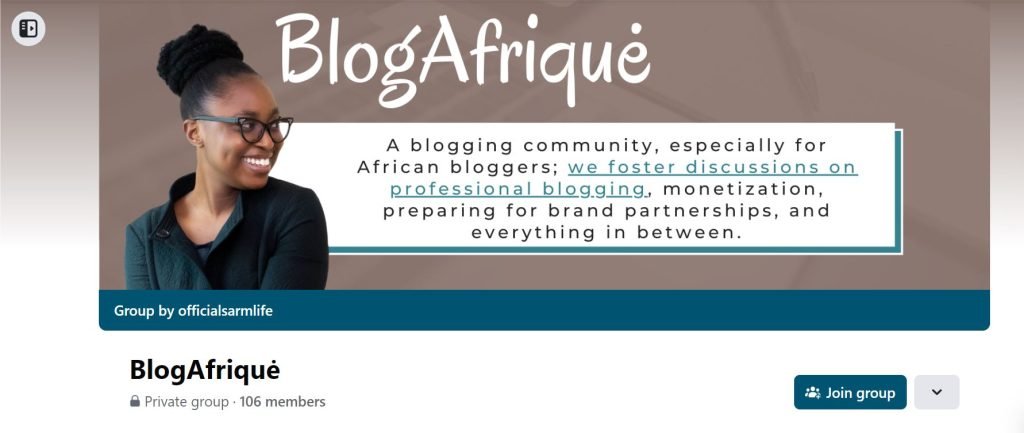
SARMLife has a blogging community, BlogAfriquė. BlogAfriquė is a blogging community by SARMLife created specifically for African bloggers to address issues that are specific to the African blogger.
The community hosts a bi-annual retreat at the beginning of the year and closer to the end of the year to keep their community motivated. We allow our community members to share blogging-related posts, and Ruth shares helpful articles, freebies, and posts to keep members engaged and helped.
We have so many discussions on professional blogging, monetization, preparing for brand partnerships, and everything else. You can join BlogAfriquėhere.
As a blogger, you need a place to get strength, help, encouragement, and support.
You’ve just read that a community can also serve that purpose. Please note that this post doesn’t support total dependence on a community because even your community can fail you.
However, I encourage you to find a blogging community that desires your growth as an individual and a blogger. Find a blogging community that will push you to be the better version of yourself. Even as you find that community, be a contributor of something good to the lives of others.
Living in an era where content is the new black or orange has placed content writers in high demand. While we are still trying to maintain quality, the increased workload has made it almost impossible for us to avoid using content writing tools for SEO purposes.
This blog post is dedicated to all hardworking content writers who need content writing tools for SEO to improve the quality of their content and meet deadlines. The reward for us is when we see those blog posts that we write ranking on the first page of Google’s SERPs.
What is content writing?
Content writing is the entire process of planning, writing, and publishing content in written formats. These pieces of content take various forms, but whatever form they take, the endpoint is usually to convey a message to a particular audience.
Depending on the quality of your content, it has the ability to convert your audience into paying and returning clients.
The importance of SEO in content writing includes:
Visibility
No matter the platform you are writing for, the end game for every writer is to be able to showcase their work in front of an audience.
For example, when you write content for blogs, you want to see it show up on the first page of a SERP for its focus keyword. When you write content for social media, you want to see it get the needed engagement and traction.
Whatever content you write, what makes your efforts worthwhile is when it is visible to your target audience. What better way to do this than through SEO?
SEO allows your content to be visible to people who are searching for it.
Engagement
Due to the fact that SEO is based on research, it allows you to discover what people want to read about in the exact format that they want.
This lets you create personalized content, which promotes engagement.
Brand building
When your visibility increases, it helps you develop a strong online presence, which is advantageous to your brand.
As more people engage with your content, they become familiar with your brand, its values, and its offerings, fostering a positive brand reputation.
Builds credibility
When you consistently produce high-quality content that is optimized for search engines and users, earn quality backlinks from reputable websites, and optimize your website to enhance user experience, it will help to build your credibility as an authority in your niche.
Niche relevance
SEO-driven content ensures that your brand is associated with specific keywords and topics that are relevant to your target audience. By incorporating relevant keywords into your content, you align your website with the search queries that your audience is using. This targeted approach effectively positions your brand as a relevant resource for users seeking information or solutions within your niche.
Free marketing
Organic traffic is the icing on the cake when it comes to SEO. Unlike other paid marketing options, SEO is more long-term and rewards consistent, quality content with adequate research and cost-effective strategies.
How to choose the best content writing tools.
Selecting your most suitable content writing tools for SEO requires careful consideration of various factors to optimize your content creation process and achieve your SEO goals effectively.
Here are some factors to consider when choosing the best content writing tools for SEO:
Your Content Needs and Requirements
Assess your content writing needs and identify the specific tasks you want to automate or enhance with the use of these tools. Consider whether you need tools for keyword research, content optimization, plagiarism checking, grammar assistance, or a tool that combines these functionalities.
Ease of Use and Good User Interface
Prioritize content writing tools for SEO that offer a user-friendly interface and easy navigation, especially if you are a beginner. This little factor can significantly affect your workflow and productivity.
Accuracy and Reliability
Ensure that the content writing tools for SEO that you choose provide you with accurate and reliable data. This is crucial for making informed decisions about your content strategy and optimizing your content for search engines.
Pricing and Budget
Evaluate the pricing plans of these tools and compare the functionalities offered by different plans. Select tools that align with your budget and provide the features and functionalities you need without breaking the bank.
Free Trials or Demos
Take advantage of the free trials or demos offered by many content writing tools for SEO. This allows you to experiment with the tool’s functionalities before making a purchase.
Integrations with Existing Tools
Consider how well the tools you choose integrate with your existing content management system (CMS), analytics platform, and other relevant tools. It needs to have seamless and hitch-free integration with your existing tools for overall efficiency.
Customer Support and Resources
You need to consider the level of customer support provided by the developer. Access to comprehensive tutorials and responsive customer support can be your saving grace when troubleshooting issues arise.
Content Writing Tools for SEO Writing
Grammarly
If you are a content writer, I am absolutely sure you’ve heard of Grammarly at least once. This is because it is one of the best content-writing tools available.
The essential features of Grammarly cover spelling, punctuation, and grammar, but it doesn’t stop there. When you upgrade to the paid plan, you get plagiarism checks, vocabulary, and even sentence tone checkers.
One thing that distinguishes Grammarly is that it uses AI systems to detect subtle writing errors, making its reviews and feedback very accurate and spot on.
Although AI systems have certain disadvantages, including the inability to identify word structures outside of their programming, the benefits outweigh the disadvantages. You can manually correct your writing where you deem appropriate.
The free version of Grammarly, though limited, is far better than most spellcheckers and editing tools as it offers a variety of features, including:
Integration with several browsers
Integration with Google Docs
AI system for spelling, punctuation, and grammar errors
Availability on mobile devices
Readability metrics
As expected, the premium version offers far more value than the free version and gives writers literally all the features needed to have a WOW effect on readers. It goes beyond the basic suggestions and checks word tone, style, ineffective word usage, and plagiarism. Another feature of the premium version is outsourcing your writing to an actual human proofreader, although this comes at an additional cost.
Grammarly Premium makes sure your writing has clarity and emotional appeal and is free from plagiarism.
Developed by SEMRush, this writing assistant has all the features necessary for content optimization, and the good news is that these features are automated. Unlike other content writing tools for SEO, the features are not exactly embedded in the tool but come from various integrations, including all the SEMRush tools.
I like this tool because it shows you recommendations and gives you feedback as you write. This means that you don’t have to wait till you’re done writing to make necessary corrections. You also get to finish your work faster and learn on the go.
The SEMRush Writing Assistant offers:
SEO suggestions
Real-time feedbacks
Google Docs integration
Integration with other SEMRush tools
It can be used as a WordPress plugin
The limitation of the SWA is that you cannot access it unless you have an active SEMRush subscription which starts at $120 per month.
There are several ways you can use the SEMRush Writing Assistant:
Inside SEMRush: This allows you to check the viability of your content right from the SEMRush platform, although this prevents you from styling options or image insertion.
As a Google Docs Plugin: More preferable than the first option, although you need to have a Google Workspace account. Then you have to install the plugin to your Google docs from the GSuite Workspace market, after which you enable the add-on via your Google Docs.
As a WordPress plugin: This is the most preferred option as it is easy to use with more available options. All you need to do is go to your WordPress plugin page, search for the SWA, and install and activate. Click on the ‘Flat mode’ in your post editor, log in to your account, and your SWA is ready for work.
For any content creator or writer, answerthepublic gives you insight into your customer’s minds. It compiles a list of search queries based on specific keywords. It then categorizes these queries into several forms, including:
Questions like why, where, how, who, what, can will, etc
Prepositions like without, near, with, to, without, etc.
Comparisons like versus, and, or, like, etc
Alphabetical: displays results in alphabetical order
Related
and presents it in an appealing visual format.
This tool is best for researching market trends and observing queries around specific keywords in any niche. These keywords are predictions of what your audience will search for, and it is an accurate analysis as these data are updated frequently.
The free version offers you search insights and allows you to download the displayed data, although you have a limited number of searches per day.
The paid version allows you access to unlimited daily searches, unlimited users, data comparison, and CSV export.
There is no free trial for answerthepublic, and the pro plan starts at $99 monthly with a 20% discount if you want to pay for an entire year.
Initially, when I started writing, I always loved using Microsoft Word for all of my writing until I discovered Google Docs.
Besides the fact that Google Docs automatically saves your writings to your drive or device to prevent the risk of losing your writing, it also allows you to add plugins that can help your content writing process.
Working with a team allows you to collaborate on a document and automatically syncs all inputs.
When writing blog posts, I always use Google Docs, and it’s incredible how I can highlight a particular phrase or word, search the internet for related posts, and automatically insert the links. This saves you the stress of having to insert URLs or add related links to your writings manually.
If you are using WordPress as your blogging platform, what you see on your Google Docs is what you will see at the backend of your website, so you hardly have to edit your texts.
If you aren’t using Google Docs as a blogger or writer, you should try it!
Possibly the best keyword tool for SEO writers, Ubersuggest brings all your SEO needs to fulfillment. Developed by Neil Patel, it offers insight into keywords, content analysis, website analysis, competitor analysis, link tracking, and many other features.
It has a reliable and vast database of keywords and uses the API (Application Programming Interface) for Adwords, specifically Google Keyword Planner and Google Suggest, to get its data. This gives its users insights that help their SEO strategies and ranks them better in search engines.
If you are looking for an SEO tool that covers all the aspects of SEO, then this has got you covered. The free version offers you limited access to keyword analysis and content analysis. There is also a 7-day free trial that gives you a preview of what you can have access to in the premium version.
There are three categories of the paid version:
Individual: $12 monthly or a $ 120-lifetime access
Business: $20 monthly or a $ 200-lifetime access
Enterprise: $40 monthly or a $ 400-lifetime access
One of the best tools is the Hemingway editor when it comes to streamlining writing styles and writing clarity. Perfect for writing concision and word phrasing, it shows the readability of the article and aspects of the writing that need corrections by using different color codes.
Yellow: Phrases highlighted in yellow indicate long, complex sentences.
Blue: Highlighted blue phrases show weak verbs and phrases. You might want to edit these phrases with context words and more impactful verbs.
Green: Green highlights are indicative of passive voice.
Red: Red highlights show that the highlighted phrase is difficult to read, and the readers will likely not get its meaning.
Purple: Phrases highlighted with purple usually indicate that you can shorten the selected phrase or that the highlighted word has a simpler alternative.
There are two ways to use the Hemingway editor. You can use it as a free tool online or download it as an app. The online Hemingway editor is entirely free, but the App version comes with a one-time fee of $19.99.
Although the features for both the online and app versions are the same, a significant difference is that you cannot download or upload your corrected work using the online version, but you can do that via the app. The app also gives you download options, including HTML, Markdown, or Word document.
The app version also allows you to use it without an internet connection, while an internet connection is necessary for the online version.
This makes it to my list because it is one of the few AI tools that can actually help you with SEO. The Jasper AI has integration with Surfer SEO to help writers and bloggers with on-page SEO.
What is Jasper AI?
Jasper AI is a GPT-3 (Third-generation generative Pre-trained Transformer) content writing tool that helps you create and edit content. The fact that it is a GPT-3 tool means that it can use a small amount of input text to generate large amounts of relevant texts using the internet data, making it a perfect choice for long-form and short-form content.
Another reason you will love this tool is that it offers a lot of templates:
Long-form assistant: to write long articles from start to finish.
AIDA Framework: Utilizes the AIDA model for copywriters (Attention, Interest, Desire, and Action)
Content Improver: To copy and paste pieces of your writing to make it better.
Facebook Ad Primary Text: Create highly converting copy for the ‘primary text’ section of your Facebook ads.
Google Ads Headline: To create highly converting copy for your Google Ads’ headline section.
Marketing angles: To add vibrancy to your marketing by researching different angles.
Video description: To create unique descriptions in your YouTube videos.
Email Subject Line: For compelling subject lines to get readers to open your mail.
Real Estate Listing – Residential: Creating enticing real estate listings that sell homes fast.
PAS Framework: For creating new marketing ideas using the PAS framework (Problem-Agitate-Solution)
Pricing for Jasper AI. starts at $29 per month for the starter plan and $59 per month for the Boss mode. There is an option to pay yearly with 2-month payments off.
Well, if you have an app that allows you to make amazing graphics for your content in record time and offer millions of templates, then maybe you don’t need Canva.
Visual content is just as important as written content. In fact, your written content is not complete without pictures, infographics, or short videos. Canva makes it easier for content creators to develop graphics they can use to hook their readers.
With millions of templates ranging from infographics, websites, concept maps, planners, posters, invoices, ebook covers, YouTube intro, blog graphics, Instagram posts, videos, and the list goes on! It is a must-have for all content writers and bloggers.
Pricing: The free version is available and has a lot of templates from which you can select.
As the name implies, this tool majorly helps generate topic ideas for your writing. This is the tool for you if you are continually hitting a creative block or running out of topics.
When you open the site, you get to add a noun that best describes what you want to talk about. Hubspot allows you to add up to five nouns, and it gives you days, weeks, or months’ worth of blog topic ideas that you can use.
You can access more ideas when you sign in to the platform using your website’s URL.
The Hubspot blog topic generator is completely free.
Improve your writing: In less than a month of using appropriate tools, the quality of your writing is sure to increase. As the tool makes corrections, you also learn aspects of your writing that need improvement.
Improve reader experience: One of the benefits of most content writing tools for SEO is that they optimize your content to be reader-friendly. These include paragraphing and flowing sentences.
Optimize for search engines: Yes, your content gets to go through SEO scrutiny and editing—keyword stuffing, paragraph length, keyword research, word count, etc.
Organize your content: Content writing tools help organize your content layout and make it visually appealing to your readers.
Professional content: After editing and revising your content, the final product is usually professional.
Instant feedback: Most tools instantly revise your content as you write and make suggestions where necessary.
My content SEO Tools: top picks
These content writing tools for SEO have a lot of advantages, and they are sure to improve your writing quality and optimize for search engines.
My top picks from these tools would be
AnswerThePublic,
UberSuggest,
Google Docs,
Grammarly, and
Canva
What tools have you tried out? Do you think they help improve your writing skills? Did I fail to include your go-to content-writing tool?
Being an African blogger is no small feat; several blogging challenges, like the lack of helpful blogging communities and the indifference and disinterest of people to gain knowledge, can become tasking.
These blogging challenges peculiar to African bloggers seem insurmountable, being that every blogger’s main goal is first to share knowledge; when this goal is endangered, it leaves the blogger at a loss and sometimes frustrated.
This is not a biased post to either coarse or discourage you from blogging, but it is an in-depth post on the realities of blogging in Africa.
Initially, the outline of this post was missing the pros of being an African blogger, but while writing it out, I had the sudden inspiration to include the pros of being an African blogger because that is also one of its realities.
Blogging Challenges: Why blogging in Africa is different
Africa as a continent with 54 countries, has a current population of 1.3 billion and is expected to reach 2.5 billion people by 2050. It is one of the world’s fastest-growing regions, with 60% of its population 25 years of age or younger.
Out of these countries in Africa, most are either developing or underdeveloped. This implies that access to technology and the internet enjoyed in other developed countries is limited in Africa.
30 African countries (including Nigeria) are listed as having a low human development index as of 2020 by the United Nations, which is equivalent to an underdeveloped country.
Why the statistics?
These statistics will help you understand why there are a lot of blogging challenges for as opposed African bloggers as opposed to other geographic regions. An underdeveloped country has a minimal amount of technology and internet accessibility as compared to developing or developed countries.
When you hear ‘underdeveloped,’ think illiteracy, technical backwardness, a high level of unemployment, and so on.
With over half of Africa being underdeveloped, the average blogger has to deal with problems oftentimes beyond their control, such as lack of or limited access to the internet, lack of relevant technology, lack of technical knowledge needed for blogging, ignorance, and misconceptions of the general public.
The World economic forum report on Africareflects the limitations but mostly the hope of growth for African bloggers; blogging seems to be the new norm for future Africans.
Ignorance is one of the blogging challenges faced in Africa, and oftentimes, it is a result of the refusal to invest in knowledge, either personally or through mentorship. Ignorance is beyond a disease or the result of an economy; it’s actually a choice.
Generally, Blogging in Africa is perceived as one of the various internet schemes of ‘making money fast.’ The lack of gainful employment on the continent has led to people venturing into blogging as a way to make quick cash and survive the harsh economy.
This perception has given African bloggers the wrong initiative to blog, and it has oftentimes led to frustration because before you can make money blogging, you need time and patience.
As a mentor said, “The first rule of money is creating value.” Before your blog can become profitable, you need first to create value. It is through this that you build your audience and drive traffic to your website.
Imagine a scenario where a blogger starts blogging but has little to no knowledge of the selected niche and also lacks the dedication to either unlearn, learn, or relearn. It results in low productivity, which frustrates not just himself but those who believe in him.
HOW TO OVERCOME: Blogging is not a get-rich-quick scheme. Be patient with your journey, and while being patient, ensure you have a great understanding of blogging and blog growth strategies to help you succeed. You don’t want to be ignorant, not use the right strategies, and expect miracle results.
Meet the right mentors, join the right communities, and invest in yourself and your business. Learn how to reinvest your profits back into your business until you become sustainable enough to spend your profits.
This is one of the peculiar blogging challenges in Africa.
While doing my content research and writing this blog post, my network went off a couple of times. Sometimes, I’d have to put on my flight mode and put it off right back to reboot and see if the network might come back. I do the same for my data connection as well.
That’s the dilemma of being in a region with limited technology.
I remember vividly an incident that happened earlier in 2021 where SARMLife hosted a writing workshop, but the network failed, and though we tried a number of other network providers, it was all to no avail.
Specifically, in Nigeria, internet connectivity varies by location and network provider. The speed of internet connectivity can be as low as 2 kb/s, which means a single web page without multimedia can take a few minutes to load compared to a site with several multimedia files.
This slows down the blogger and ultimately reduces productivity.
Electricity, on the other hand, is so unstable and unpredictable. Due to this, your electronic devices can be left uncharged for hours unless you have access to a generator or solar panel.
HOW TO OVERCOME: Get a power bank to deal with electricity issues or pinpoint a location close to you where you can makeshift into a workstation, even if you need to pay for it!
Also, have several network providers in case one fails; you can switch to another. You are ready for success regardless!
3. DATAPLANS.
Solomon Buchihad a rant recently on his Instagram account where he talked about the exploitation of network providers when it comes to data plans. It was a bit funny, but it was the truth.
He said, “The amount of money spent on data plans by most youths is absurd. Then, the rate at which the data is being deducted is not reconcilable with the amount of data consumed. It’s a race to find the most affordable data plan and the network provider that is the lesser of evils.”
I cannot mention the peculiar blogging challenges in Africa and not mention data plan issues. When we talk about the path to becoming a blogger, we’re talking about online video classes, podcasts, live webinars, online conferences, video uploads, social media, etc., and these consume a lot of data.
Currently, I use MTN as a network provider and have a monthly data subscription of #6,500 for roughly 36GB, which is sometimes not enough, depending on my activities for that month.
There are months when I buy data twice just to be able to have internet connectivity.
HOW TO OVERCOME: Plan your online time to avoid wasting data on frivolities. Get your work done at the planned time, and freeze unused apps to avoid running your data on several background activities.
3. LACKOFMENTORSHIP.
Having a mentor is key to making it. A mentor is someone who has become what you want to become, or at least someone who is becoming what you want to be. In other words, someone who is ahead of you in your field.
It implies that you have someone tell you where the mines are and tell you how to avoid them. What is the importance of this? You’ll be able to get to the other side of the minefield alive!
Due to the few number of successful or prominent bloggers in Africa, it has reduced the possibility of getting an African based mentor.
Also, mentorship is oftentimes a paid one, and the issue of cost may arise.
HOW TO OVERCOME: If you cannot afford a paid mentor, you can join a community, attend free webinars, and follow your desired mentor on their social media account pages. The truth is, there is a lot of free information available online, and all you need to do is find the right one for you.
You can utilize the free tips you find online and gather results. From there, you can gain the confidence, affordability, and ‘worthiness’ to pursue mentorship.
4. EXCHANGE RATES.
Another peculiarity in the blogging challenges faced in Africa is the exchange rates when converting foreign currencies.
Money is usually the first limitation for any business (blogging included), but it gets worse when you take the exchange rate into consideration.
Nowadays, people don’t want to transact in local currencies anymore, so the cost of products and services has been increasing daily.
I remember taking a class during the pandemic, and there was a ‘cheap’ offer for a product I needed, but the exchange rate made it unaffordable for me.
The lack of adequate blogging resources locally, like mentorship, courses, and so on, has driven a larger population of African bloggers to search outside of the continent, but the problem of exchange rates arises.
The high exchange rate makes the online learning experience for the bloggers not one to look forward to.
Getting access to paid mentorship, learning communities, and materials for the African blogger gets more difficult as a result of this factor.
Beyond learning, as a blogger, you need to pay for website designing, website hosting, plug-in software, and a whole lot more, which can result in a hitch of long-term goals and affect sustainability.
There are things that are essential, but there are also things that are necessary to have and get as a blogger, most of which are outsourced. Even the products and services offered internally are now being priced in dollars.
Currently in Nigeria, the exchange rate of naira to a dollar is more than nine hundred officially, #900 is equivalent to $1 and it keeps flunctuating!
HOW TO OVERCOME: When it comes to this blogging challenge, well, what can we do? Not to be the bearer of bad news, though, there are good local agencies with affordable resources that you can use. Also, service exchange can be a way of getting blogging resources that you can’t afford to pay with money.
5. LACKOFAfrican-Based Community
This is one of the blogging challenges I discovered early on when i became serious with blogging.
Most blogging communities are not geographically designed, i.e., they aren’t designed to meet specific geographic needs.
Looking at the unique circumstances of the African region, it would suffice to conclude that there are a lot of communities to offer support and show a clear-cut-out path to success as an African blogger, but sadly, the reverse is the case.
The effect of communities cannot be underrated. Nothing gives a man strength like support. The psychological and physical effect of being surrounded by like minds, getting support, answers to questions, and having the same goal isn’t minute.
Sometimes, our human nature to be accepted and belong to a group of people helps us gain strength from the crowd, which is why a man can get up after being beaten in the ring due to the chanting of his name.
Currently, Africa lacks a functioning African-based blogging community, which is what SARMLife hopes to rectify with the BlogAfriqué Facebook Community.
6. WITHDRAWAL OF ONLINE EARNINGS.
I’ve had no personal experience with this, but according to Enstine Muki in his blog, it’s not about earning, but it’s about withdrawing. This happens to be one of the dire blogging challenges faced by several African bloggers.
Imagine not being able to withdraw your hard-earned money because the financial authorities need to confirm the legitimacy of your source and your work.
PayPal, which is often used by foreign countries outside of Africa, is limited in Africa because it doesn’t cover the majority of the countries.
Some countries can only send money but cannot receive payments, although apart from PayPal, there are other alternatives like Western Union and MoneyGram, and there are several apps that are available for receiving and sending foreign currencies.
NOTE: Make sure to verify all platforms before using them. Also, alert the person you’re making the transaction with to inform them of your selected platform.
7. BAD PUBLICITY.
Fraudsters have given the continent a bad name, which can be limiting and also result in some African countries being banned from certain online privileges or, at the very least, having strict guidelines for access.
This is one of the blogging challenges that seem to be insurmountable.
The rate of internet crime, even within the continent, has made people wary of online opportunities, which makes them unable to differentiate real from fake.
The SDST (SARMLife Digital Skills Training) program of 2021 was priced at #7,000 and upon posting on Twitter, people thought it was fake!
Opportunities have been lost this way, and even when you approach others for collaboration, guest posting, mentorship, etc., the genuity of your approach can be questioned.
When you offer products or services, people might think you’re a scammer.
HOW TO OVERCOME: Remain credible and trustworthy. Regardless of the bad eggs, anyone can spot a good person from afar. Also, make sure you have a secured website and include client testimonials in your website’s homepage and social media pages.
Remain amazing, and great opportunities won’t be far from you!
NICHE PROFITS
Making a profit through blogging is achievable, but the amount of profit usually differs depending on your niche. This is a problem that is applicable to all bloggers, but bringing it home, the interests of Africans are generally limited to certain industries.
Based on personal research, I realized especially in Nigeria, where I reside, gossip blogs, food blogs, lifestyle blogs, and health blogs get more audience than any other niche. The percentage of persons interested in educational blogs or faith blogs is significantly lower, as seen in the follower count of prominent bloggers in each niche.
An additional challenge is POVERTY. The lack of funds to pursue passion is real. As much as we want to profit from our products and services and reach out to the masses without reducing the price of our value, the truth is some persons will still not be able to afford such value.
Truthfully, when SARMLife was growing (although we’re still growing), she faced some of these challenges, from getting the right data plan to frustrating network connectivity to a lack of collaborators and sponsors; she’s literally seen it all!
We were able to jump these hurdles thanks to God and to the hard work of the entire team, including myself.
Currently, the monthly profit from SARMLife (in naira and dollars) is way beyond what we started with, and she’s adding value to lives – which we hope to continue doing.
Today, I’m proud to say SARMLife has had over 100 SDST students, more than 10 SEO clients, several 1:1 coaching sessions with struggling bloggers, and so on. These trainings have seen tremendous results, and I’m not even joking.
Some of our students have started earning up to 5-figures monthly, working with top brands in their niche, and even pursuing digital careers.
I’m saying all this to let you know that your dreams are possible. You can build your sustainable and profitable blog in Africa from scratch. It’s the growth that makes it worth it.
If you want to go for it but have questions, you can book a FREE 1:1 sessionwith Ruth Adeyemi right here!
With all these blogging challenges, I guess the question right now would be, HOW can there be an advantage to all these?
Here are some of the advantages of being an African blogger:
1. You get to be a pioneer of whatever niche you select.
One day, I’d love to ask Linda Ikeji, a Nigerian entertainment blogger, how much opposition she got when she made the decision to go into Blogging because I’m sure there were a lot of them but today when you talk of the bloggers that have made a name of them in Africa, I’m sure her name would be there.
Sincerely she carved a path for others to follow, especially in Nigeria, and that makes her a pioneer in that niche.
2. Fulfillment
Fulfillment will come when the reason you started Blogging and your results start to align. The difference between the two points is TIME.
Offering value to people also brings fulfillment.
3. The chance to teach/become a coach.
Maybe you didn’t think of this, but you can get to be a coach! Impart people with knowledge, skill, and experience you’d gain.
You get to give them a chance to change their lives and become an expert in that field.
Blogging is gradually becoming known and accepted in Africa, however, there are still a lot of grounds to cover which increases the opportunities of becoming a coach.
4. Self-employment
Blogging can be a full-time job with profits if you’re able to learn and be patient. In a continent where the rate of employment is low, you can become self-employed and even employ others.
5. Popularity
Of course, by being a pioneer and coach and making impart in the lives of people, you increase your popularity.
The chance to become globally known is also there if you put in the work and have a global mindset. Nothing can stop a determined heart with a growth mindset.
6. Mentorship Opportunities.
You get to mentor others by showing them it is possible. You carve a path and allow them to walk through.
When I think of blogging in Africa, it always seems to me like this treasure mine that is unexplored.
There are a lot of niches and opportunities that haven’t been uncovered yet. If only we can overcome the challenges that pose a threat, we can make and redefine blogging from our African point of view.
TIPS FOR UPCOMING BLOGGERS IN AFRICA
Here are some tips that show how upcoming African bloggers can work through these blogging challenges peculiar to them:
You are probably finding it difficult to decide on a particular blog platform to use for your website because you are swamped with several options that seem good; but, are they great? Which of these several platforms is the best blogging platform? And why?
This is what you are about to find out
Each of the platforms available come with its own perks and disadvantages. Weighing the benefit-risk ratio will enable you to determine which of these platforms is best for you.
What are blogging platforms?
Blogging platforms are majorly softwares that allow you to create, manage and publish contents on a website.
These platforms are like the land on which you build a home for your website to be able to house several posts/uploads.
It is important to be deliberate in your choice of blog platform because the platform you choose should be able to help your website grow optimally; this implies that you cannot be lax about your choice.
The differences between these blogging platforms can range from cost, type, customizable themes to choice of ads and hosting services.
Keep in mind that your blog cannot grow past the boundaries of whichever platform you decide to use.
I have carefully curated 10 popular blogging platforms that are trending right now and outlined the pros and cons of each of them. Out of these ten (10) platforms, you will have to narrow it down to the best according to your preferences.
10 BEST BLOGGING PLATFORMS
1.WordPress.org
WordPress.org is among the popular blogging platforms in the digital space. It powers over 41% of all websites on the internet. WordPress.org is free and enables you to build the website of your choice in barely an hour. It is a self-hosted platform that gives you the liberty to choose your domain name and web hosting provider.
Building a WordPress.org website will cost you $100 to over $30,000, depending on your requirements. Although WordPress.org is free, it requires you to have a domain name that costs $14.99 per year and a self-hosting that starts with $7.99/month.
Pros:
● WordPress.org enables you to have authority over every sect of your blog.
● It grants you unlimited access to over 56,000 free WordPress plugins.
● WordPress.org is very compatible with Search Engine Optimization (SEO).
● It gives you the liberty to select from thousands of free themes and customize the website of your choice.
● WordPress.org is the best blogging platform for you to make money because it allows you to build an online store, create online courses, and have paid membership programs.
Cons:
● There is a need to garner some experience and training to manage your website effectively.
WordPress.com, compared to WordPress.org, offers a primary blogging platform which is also simple to use and specially tailored for beginners.
WordPress.com gives you the liberty to have your hosting name. In WordPress.com, if you want to advance your site, you can purchase your custom domain name that comes with extra features, such as more storage space, an eCommerce store, more themes, and other unique features depending on the package you are paying for.
A personal plan for WordPress.com costs $4 per month, which is billed yearly. Click here WordPress price list to see the price for their other plans.
Pros:
● WordPress.com is easy to use.
● It requires no technical expertise.
● There is a guarantee for a free website that has WordPress.com as its domain.
Cons:
● Limitation of customization tools for your website.
● You cannot run your ads; instead, WordPress.com runs its own.
Blogger is among the oldest and free blogging platforms and is owned by Google.
Blogger is free with a blogger subdomain that ends with blogspot.com. If you want a custom domain, you need a third-party domain registrar.
Pros:
● Blogger is free, and hosting is easy.
● It requires no technical expertise to run.
Cons:
● Blogger doesn’t allow you to add extra features as your blog gains popularity.
● Google can suspend your blog anytime.
● The themes on Blogger are quite poor.
● Blogger is boring and doesn’t have advanced features to make your blogging journey enjoyable.
4. Squarespace
Squarespace is also among the best blogging platforms because it allows you to design your website in a few minutes. Squarespace is known for having outstanding designs that can be created in minutes. It comes with Artificial Intelligence (A.I).
Squarespace plans begin with $12 per month with unlimited storage. The pricing for its online store starts at $18 per month.
Wix builds website platforms, but apart from using it to build a website, it is a platform to start your blog. Wix is mobile-friendly, and creating a website on Wix is easy. You do not need any technical expertise to do so.
Wix comes with a free plan, and the start paid packages begin with $4.50 per month.You can also check their other paid packages here.
Pros:
● No technical expertise is required to create a website on Wix.
● It is easy to manage and control your website on Wix.
● You can customize your site to your taste because it provides templates and third-party apps to choose from.
● A free account comes with Wix.com subdomain plus Wix advertisements.
● There are limited eCommerce features on Wix.
● You can’t change any chosen template.
● Your site cannot be migrated to another host.
6. Constant Contact Website Builder
Constant Contact Website Builder is known for its email marketing service. It is also best known for its eCommerce platform and website building. This website builder takes you through a step-by-step process of building a website, unlike Wix. Creating a website with Constant Contact Website is easy and can be done in minutes.
Constant Contact has three price packages: a free plan, a starter plan at $10 per month, and a business plan at $20 per month.
Tumblr is a micro-blogging platform designed for short forms of blogging. It comes with social network features. This blogging platform is best for someone who takes blogging as a hobby or for personal purposes.
Pros:
● Tumblr is easy to set up and manage.
● It hosts your blog for free with tumblr.com as its sub-domain.
● It is easy to publish your images and videos with Tumblr.
● It comes with social features such as re-blogging and sharing.
● You cannot do extensive blog writing with Tumblr.
● You do not have control of your Tumblr site.
● Tumblr comes with limited features.
● Backup is difficult.
9. Ghost
Ghost is a free blogging platform, and it is very similar to WordPress. The only difference between Ghost and WordPress is that Ghost Focuses on blogging, writing, and publishing.
Ghost helps you create a membership community with your blog and makes it possible to monetize your blog.
The self-hosted version of Ghost needs a custom domain for about $14.99 per year,and its web hosting starts from about $7.99 per month.
Pros:
● Ghost is self-hosted and gives you control more than any other blogging platform.
Medium is a site where you share your thoughts and ideas with a broader audience. It is mainly focused on blogging and has limited features to monetize your blog.
Pros:
● Medium enables you to focus mainly on writing instead of designing a website.
● Medium is best for the expression of thoughts and opinions.
● It connects you to other readers and writers.
Cons:
● Medium has limited features to customize your brand.
● You cannot use your domain name unless you pay for a custom domain, which costs $5 per month or $50 per year.
● Limited marketing options for monetizing your sites.
Differences between WordPress.org and WordPress.com
Do you know that WordPress.com and WordPress.org are not the same? Many people mix up the two, but they are entirely different. As a result of this confusion, many bloggers select the wrong blogging platform. It’s amazing the world of difference between ;org’ and ‘com’.
1.With WordPress.org, you can make money from your site by running your ads without sharing your earnings with anyone. However, with WordPress.com, your users see those ads, and you can’t make money from it, except you upgrade to a paid WordPress.com plan starting from $48 per year.
2.In WordPress.org, you own your website and all its information. Your site will not be suspended or deleted, while in WordPress.com, your site can be deleted at any time if they think it violates their terms of service.
3.WordPress.org allows you to upload WordPress plugins and applications to your website. But it is not the case with WordPress.com.
4. In WordPress.org, you can customize your site the way you desire, while in WordPress.com, you cannot upload any free themes. Free plan users can only download from the free theme collection, while premium and business plan users can select premium themes.
5.With WordPress.org, you can use powerful tools like Google Analytics for analytics and tracking. However, with WordPress.com, there is a restriction of statistics because you cannot add Google Analytics. Only business plan users may install Google Analytics.
6.In WordPress.org, you can use self-hosted WordPress to create an online store to sell your digital or physical products or have a paid membership program, while WordPress.com does not offer any eCommerce plans unless you switch to the business or VIP plan.
What to look out for when choosing a platform?
First, what do you desire in a blogging platform? If you are just starting your blogging journey with little or no knowledge about blogging, you want to set up an easy-to-use and configure blog preferably with a free option.
You also want a platform that is fully optimizable for your niche as there are platforms that are more specific for a particular blog type while there are also some platforms that are configurable to suit all niches.
While you would want to start with a blogging platform that is not complicated, it is also best to think of your blog’s future in the long run. Therefore, in choosing a blogging platform,determine what is sustainable and profitable.
You don’t want to pay for something you cannot use, therefore it is best to opt for a free plan on the website of your choice where you can then transition to the paid option after getting the hang of it.
As you gain more experience, it is expected that you might want to restructure your website (like we did!); this means that you want to opt for a platform that allows you to make changes without overriding your site’s growth overtime.
Conclusion
Now, you’ve read through and seen a lot of amazing benefits that each of these platforms have and sincerely, I feel like you might be faced with a tough decision so I’ll help you out.
To decide on which of these blogging platforms is best for you, make a list of what you need your ‘future’ blogging platform to have; for instance, you might need a blogging platform that allows you to choose your own ads or one that allows you to personalize themes.
After you are done with your checklist, compare and select the platform that can check off between 90%-100% of your list (it is possible).
If you want to know how to make money blogging this year, this post is for you.
When I started blogging in 2019, I had a truckload of passion and zero interest in monetization.
But, I started expecting more from blogging and knew I needed a good monetization strategy.
I got serious with blogging, took courses, and tried many things (including Google AdSense). In 2021, we made a little over ₦1,000,000/$1,230—an accomplishment considering we made ₦100,000/$123 the previous year (2020).
Fast forward to 2022, we made approximately $15,000+ (almost $16,000) organically!
If someone ever told you you couldn’t make money blogging, it’s either the person told you a lie or they’re doing something wrong.
You can’t make money overnight from your blog, but if you put the right strategy in place, you can achieve it.
In this post, I’ll come clean about how I made that much in a year and how you can too! It doesn’t matter your niche; you can even beat that!
Let’s go!
What you need to have before you can monetize your blog.
To make money blogging, you must have a clear niche with a defined target audience.
What is a niche?
A niche is a topic or area you will write on—for example, sustainable fashion, DIY baking, online side hustles, etc. It won’t be easy to monetize your blog if you are not clear on what you do and who your content is for.
You want a defined target audience for your topic or niche to attract the right people. While choosing a niche, research to see if there is enough audience to monetize. Conduct thorough keyword research to determine what topics people are searching for and how much competition exists.
Check to see if people are already creating content on that topic. Check if there are Facebook groups in that niche and if people are asking questions or searching for that particular topic. This will help you to know if there is already a demand for this niche. Be sure to select a niche you are interested in and passionate about, as it will make blogging much more enjoyable and sustainable long term.
A good content writing skill
You need good writing skills to create content that will attract your target audience. If your blog post is terrible, nobody will read it, and you won’t be able to grow a readership, and if you don’t grow your audience, you can’t make money blogging.
Learning how to create valuable and engaging content on a consistent schedule is essential. Focus on in-depth, well-researched content that provides true value for your readers. Content quality and consistency are vital in growing your audience.
Hence, it is crucial to improve your content writing skill. The only way to improve at writing is by writing and learning how to improve your writing. You can watch YouTube videos, read books, take classes, or pay for coaching. Whatever you do, make sure you get better at content writing.
It may take a while but remember that Rome was not built in a day. As you keep writing, you will get better at it.
A good traffic source
To monetize your blog, you need a good amount of traffic to your site. Optimize your blog for SEO to increase your website traffic. Research to find out what people are searching for in your niche and include relevant keywords and internal links between your posts.
You can also increase your traffic by promoting your blog on your social media pages and doing guest blogging.
An active email list
To monetize your blog, you need an active email list to build a deeper relationship with your audience. These people will most likely buy from you because you have created the know, like, trust factor with them.
To build an email list, you need to create a lead magnet that people will give you their email in exchange for it. It doesn’t have to be complicated; it can be a checklist, an ebook, a list, a video, etc. Think about something valuable to your audience and offer it for free. You can test different lead magnets to see which one works best. Promote your lead magnet on your blog so people can know about it.
A monetization game plan
There are several ways to make money blogging, including ads, affiliates, sponsors, digital products, consulting, and more. You need to choose a strategy that works for you and your audience. It is a good idea to start with just one or two plans, then expand as your traffic and audience grow.
A sponsored post is a social media or website post where you get paid by a brand or business to promote their products or services to your audience through your blog posts or social media posts.
b. How to make money with sponsored posts.
There are two ways to go about this:
i. Promotion only.
The brand or business brings you the post to promote, so you don’t have to do any work; you just post it.
ii. Content creation + promotion
You write the post yourself. Sometimes you may have to use the product or service before writing about your experience. Since you will be doing more work for this type of sponsored post, you can charge more for this.
If you have a good following on social media, you can even charge a higher price to promote it on your social media platform too.
c. How to get started with a sponsored post
i. Reasonable traffic
You will need a good amount of traffic to your website before reaching out to brands or small businesses to pitch them. Brands and small business owners are looking to reach a new audience, so you must show them that, one, you have their target audience, and two, you have a good amount of traffic coming to your site.
ii. Competition research
Research other people in your niche to see the people they work with; it will give you an idea of brands or businesses that pay and people you could likely work with. Write a list to see which one aligns with you, and research other brands like them, so you can have a comprehensive list of brands to reach out to get your first sponsored post-gig.
iii. Media Kit creation
Create a media kit to reach out to the brands to pitch what you do. You will use a media kit to introduce yourself, who you are, what you do, and your target audience. It also includes your audience demographic and your web traffic.
Send an email with your media kit pitching yourself to the brands you align with. The best place to start is by offering a free post for them. Or you can offer to do it at a smaller fee, that is if you are just starting. If not, you can include your rate in your media kit.
The idea of the free work is to impress them and then pitch paid work. The free work is meant to give you experience and data to work with so you can get feedback and position yourself for the paid sponsored post-gig.
Email a few brands because you might get plenty of nos and a few yeses. When you get a yes, you are on your way to making your first sponsored post.
And if you know someone who runs a business with the same target audience as you, you can offer to do it for them for free to get a review and then use that to pitch yourself to brands or small businesses.
2. Create and Sell Digital Products
a. What are digital products?
Digital products are intangible products or items delivered electronically or online, such as ebooks, digital planners, courses, music, software, etc.
b. Why digital products?
With digital products, you don’t need inventory or any overhead cost; the production cost is relatively low compared to physical products. They are easy to deliver, so you don’t have to worry about shipping and delivery. This way, you have a passive source of income.
c. 12 digital product ideas you can create
Here are some digital products you can create regardless of your niche:
i. Ebooks
Ebooks are books that are written and delivered online. You can write ebooks on different topics and for various purposes. It can be a recipe book, an ebook on “how to put your baby to sleep,” a resource book containing a list of things you used for your DIY project, a list of vendors they can purchase from, etc. The good thing about ebooks is that they are easy to make and deliver.
Research to see what niche-related topics people are interested in; you can check Amazon to see what is already available and read the good and bad reviews. The bad review will tell you what’s missing in the market. You can survey your audience to see what topics they are interested in, and if you had a blog post that did so well and got several questions or feedback on it, you could consider creating an ebook from it.
ii. Online courses
There is a prediction the online education market will reach US$ 350 Billion by 2025 due to the flexibility it provides learners. It means online courses are going nowhere soon, and there is an opportunity to tap into them. You can share your knowledge or skills in a course; this will let you explore the topic.
Whether you know how to bake, play the piano, do DIY decorations, plan a wedding, or paint, you can teach others something. Creating an online course involves some work and investment, but it can make you money if done right.
iii. Workshops or Masterclass
With workshops or masterclasses, you can teach one topic in a live class or prerecorded video, showing people how to do something step by step. For example, if you blog about baking, you can host a workshop to teach people how to bake and ice a chocolate cake using ingredients in your home. The topics are usually specific with one outcome. The good thing about it is that it is easier to create than an online course. You can host one live class and sell the replay when you are done. Make sure you choose a topic that interests your audience.
iv. Templates
You can create templates that make people’s lives easier so they don’t have to start from scratch. You can create templates for others using Google Sheets, Microsoft Excel, Notion, Canva, etc. Examples include social media content templates, productivity templates on Notion, pricing sheets on Microsoft Excel, and website design templates; the list is endless. If you already have a template you use, you can sell it to others and make money, or you can create one from scratch to solve people’s problems.
v. Audiobook or Audio file
Audiobooks have increased lately; more people are listening to them. Like ebooks, you can create audiobooks or audio files on different topics. You can sell audiobooks, audio mini-courses, mediations, instructional audio, etc.
vi. Printables
Printables are digital products that can be printed for use—things like planners, journals, calendars, cards, etc. If you already have printables you use every day, you can turn them into a product, or you can create one that meets the needs of people. You can research marketplaces like Esty and Creative Marketplace, where they are sold, to see what people buy.
vii. Swipe files
A swipe file is a document that is a valuable asset for a particular goal. For example, copywriters have a swipe file of copies for inspiration or reference. If you have a swipe file you use for your work, you can sell that to others.
viii. Membership subscription or Paid community
A paid membership is where people pay monthly to be part of an exclusive community. One of the biggest benefits of having a membership is the recurring revenue.
Depending on your audience’s wants, you can offer different things in a membership. Some memberships are community-based; others include monthly tutorials and monthly coaching calls. Others have access to a library of video training; some get monthly templates, like social media templates, etc. The ideas are limitless; you can create a membership that solves a need of your audience.
To get started, you need to research what your audience is struggling with and how to solve that problem with your membership. For example, if you have a food blog and your audience needs new recipes every week, you can create a membership that delivers weekly recipes. You can also add other perks, like a Facebook community where you answer their questions, making your membership more valuable to your members.
You can also create a content-based membership where people pay to access content unavailable on your blog or social platform. The good part is that even with a small audience, you can launch a membership and profit from it.
ix. Software
You can offer software as a service (SAAS) if you know how to code. For example, Convert Kit is an email platform created by a blogger for other bloggers because, during his blogging career, he wanted an email platform designed for bloggers, so he made one. You can also create software that solves a problem even if you don’t have coding skills; you can get people to help you with it, although it may involve a huge investment.
x. Music
You can make music and sell it directly to others. Many people are creating content these days and need to include music in their content.
xi. Stock photos or Videos
So many creatives and business owners need stock photos and videos to create content. If you take photos for your blog or make videos yourself, you can consider selling them to others.
xii. Lightroom presets
If you already use Lightroom presets for your photos, you can sell them to others. Presets are like templates; they make photo editing easier.
d. What digital product should you create?
When choosing a digital product to create, think about your target audience’s problems or challenges and find a way to solve them with your digital product.
You want to research to see if there is demand for the product before you make it. The best way is to do a prelaunch to test if there is interest in it so you don’t waste time creating what nobody wants. Make sure you validate your ideas to see what sticks.
When choosing the type of digital product to create, consider what you want to share with your audience and the best format, whether it is an ebook, a course, a template, etc. And you can research to see the type of digital products they buy or are interested in.
If you have a food blog, you can make a recipe book and organize cooking workshops or masterclasses where you teach a specific recipe from start to finish. You can also create an online course to teach different recipes or help people go from novice to expert chef. The opportunities are endless. Ensure to choose a format that matches the outcome that your audience desires.
e. Tools you can use to create the digital products
Here are some tools you can use to create digital products:
i. Google Docs or Microsoft Word
You can use Google Docs or Microsoft Word to write your thoughts, map your workflow, and write ebooks and presentation slides.
ii. Canva
Canva is a design tool for non-designers. Design templates are available; you can design ebooks, printables, templates, and presentation slides for your workshops, masterclasses, and courses. You can also record them inside Canva. The free version allows you to access templates, photos, and videos. If you need more, you can upgrade.
iii. Zoom
You can use Zoom to host live workshops, masterclasses, and courses where you can interact with your students or record your presentation and upload it to a host platform.
iv. Google Meet
You can use Google Meet instead of Zoom to host live workshops, masterclasses, and courses where you can interact with your students or record presentations.
v. Loom or ScreenPal
You can use either Loom or ScreenPal to capture your screen and presentation.
f. What platforms can you sell and host your digital products?
There are different platforms to host your digital products. Here is the list of some:
i. Gumroad.
Gumroad is one of the most popular and simple platforms for selling digital products. You can integrate it into your site or use it as a stand-alone platform. It has a payment gateway and allows you to host your digital products. You can upload ebooks, albums, games, films, online courses, Lightroom presets, stock photos, templates, etc. The platform has a free version.
ii. Podia.
Podia helps you to build a website where you can sell and host digital products like online courses, membership, downloads, webinars, workshops, and bundles. It also has a community feature for membership subscriptions and online courses with community options. There is a free version that allows you to get started.
iii. Sellfy.
Sellfy is a simple platform that allows you to sell and host digital products like, digital art, videos and films, tutorials, music, audiobook, photography, videos and photo effects, online memberships, online events, and promotions. It also has agile tools that help with sales and marketing. You can integrate it on your website or use it as a stand-alone tool. You can also get started with a free trial.
iv. Shopify.
Shopify is an eCommerce platform that allows customers to sell physical and digital products like ebooks, templates, printables, digital art, etc. It also allows you to host your digital products, and the platform provides a free trial.
v. Teachable.
Teachable is an excellent platform for digital products related to knowledge and education, like online courses, workshops, group coaching, etc. The platform allows you to customize the learning experience and has a free plan allowing you to host one course.
vi. Kajabi.
Kajabi is an all-in-one platform that allows you to host, market, and sell digital products like membership, online courses, etc. You can create landing pages, build sales funnels, integrate payment gateways like Stripe and PayPal, and manage your customers. The price is higher than other platforms, but it is worth it. You can get started with a 14-day free trial.’
vii. Marketplaces
Marketplaces like Esty and Creative Market allow you to host and sell simple digital products like printables, digital art, templates, swipe files, stock photos, downloadable files, etc.
Etsy marketplace
Creative market
g. How to sell your digital products
Create quality and valuable content that will create desire and demand for your digital products.
Create a marketing strategy for your digital products. What channels will you be promoting it? How long will you promote it?
Promote it on your blog, social media, and email list.
You can do the prelaunch strategy, where you sell to a small group of people at a discounted price, then launch out with the full price.
Ensure you deliver on your promise so you can get good reviews and testimonials. You will use the reviews to drive more sales.
3. Affiliate Marketing
a. What is affiliate marketing?
You get paid to recommend products or services to your readers. When someone buys through your referral link, you get paid some percentage.
b. How to get started with affiliate marketing?
i. Build trust with your audience.
Before promoting any product, you need to build trust with your audience. Your audience needs to trust you because it can impact your recommendation. Hence, the first thing to do is to build the know, like, and trust factors.
ii. Find out their pain point.
Find out their pain points and research products or service that will be helpful to them.
You want to bring a solution to your audience, so it is essential to research their pain point. What challenges do they have, and what solutions are they looking for? You can do a survey and talk with some people to learn more.
iii. Try out the products to see how they work.
After your research, find products or services to solve your audience’s pain point and try it out to see if it works. It is essential to recommend only products or services that work. Document your experience using the product; this will be shared as content.
iv. Make social proofs of products or services.
Use social proof from using the product or service to promote.
Customers believe other customers, so you need to test and experience the product—that is your social proof. Create content sharing your experience and results with the product or service, and include your links. When someone makes a purchase, you get a commission.
Be honest with your audience and ensure you don’t break that trust. Only recommend things you have tried and believe in.
v. How to find companies or brands that offer affiliate programs
If you like a particular brand, check their site to see if they offer affiliate programs. Still, affiliate networks like Impact, CJ, ShareASale, and Amazon Affiliate Program allow you access to affiliate marketing programs.
4. Sell Your Services
If you have a skill set related to your blog, you can offer that as a service and get paid.
a. What services can you sell?
You can sell your cooking, writing, photography skills, etc. You can also work on DIY projects for people.
For example, at SARMLife, we started offering paid SEO services to our clients, and it’s been a game changer for us and one of our primary sources of revenue.
b. How to sell your service
You need to create content that positions you as an expert. Use your blog post to show your capability.
Talk about your services in your blog, social media, and email. Let people know you offer that service.
Create a “how to work with me” or “service” page to inform people about your services. Include a portfolio for your work and reviews. It is a good way of promoting yourself.
5. Become a Coach
Coaching or consulting is guiding others in your expertise or showing them how to achieve the same result as you. You can offer this service if you’re an expert in your niche or have achieved some results. Some people are interested in learning with a high touch point, and 1-1 or group coaching provides that opportunity.
a. How to get started with coaching
i. Position yourself as an expert in your niche.
Create authority-building posts that let people see you as an expert. Share your experience and your unpopular opinions about your niche. Share how you were able to achieve some of the results you got. This will pique people’s interest and create a desire for your coaching.
ii. Build your portfolio
Help a few people get free results to show that your framework is effective and works for everyone.
You can announce on your email list or social media platforms that you are offering free coaching or consulting spots to a few people.
With these, you can get started, and after building your portfolio to a reputable state, you can start charging for the value you offer.
iii. Document your process.
This is important because this is the process you will be taking people through. You want to create a framework for your coaching or consultation; this way, you can get your clients consistent results.
iv. Create a case study from the people you’ve worked with.
Create and share it with your audience. You can write a blog post on the case study, share it with your email list, and create content around it on your social media. This strategy will let people see how you have helped others. Don’t forget to include a call to action to work with you.
v. Package your coaching or consultation service.
You want to create an offer that is enticing to people and put a price on it. What transformation are they looking for? How can you get them that transformation with your coaching? This is what you will package together as your coaching program.
b. How to sell your coaching or consultation
Talk about your coaching service in your blog, emails, and social media posts. People can’t buy what they don’t know about, so talk about it.
Share social proof reviews and testimonials of people that have worked with you and got results. This will help to build trust.
Share case studies of your past clients or people you have helped to help build trust and position you as an authority.
Create valuable posts. You can teach, shift perspective, share stories of how your clients achieved results, etc.
Include the call to action to “book a session with you or join your coaching program” in your blog posts.
Include your coaching service in your “how to work with me” page so people can know about it.
c. Tools you need for your coaching
A payment platform: you can use Stripe, PayPal, or other payment gateways like ThriveCart, SamCart, etc.
A scheduling tool: you can use Calendly or Acuity.
A platform to host the session: you can use Zoom, Google Meet, or Telegram.
A communication channel: you can use Slack, WhatsApp, Telegram, Instagram, or Email to communicate with your clients.
A feedback loop: you need to create a system that allows you to collect feedback and testimonials.
6. Freelancing
With freelancing, you can make money writing for others. If you have good writing skills, this is an excellent way to make money blogging. There are platforms where you can sign up to get jobs.
a. How to get started with freelancing
i. Ensure you improve your writing skills.
Others will also compete for the job, and the companies will want to give it to the best person. Make sure your writing skill is good enough to win.
ii. Create a writing portfolio.
A portfolio shows your writing skill and the type of work you have created. You can use your best work and write as a guest blogger for other bloggers.
iii. Get testimonials from the people you have written for.
Social proof is essential because it will help you build more trust.
iv. Learn how to write a good bio.
A good bio will help sell your service. Write a bio that makes you stand out and be memorable. If you have achieved results with your blog, ensure you include that in your bio.
v. Learn how to write a pitch for jobs.
You will need to write pitches to get the job on most freelancing sites. Your pitch should tell them why they should hire or work with you, and your pitch should talk about how you will add value to their brand or business with your writing.
vi. Register on freelancing sites.
Sites like Fiverr, Upwork, Writers Work, ProBlogger Job Board, Freelancer.com, iWriter, Guru, BloggingPro, and others.
vii. Use social media platforms like LinkedIn to find jobs.
Consider your profile as your bio, set it up to reflect that you are open to work, and include a link to your portfolio. You can also use the search feature on Twitter to find jobs; some companies post about their job openings.
7. Speaking Gigs
A speaking gig is where you are invited as a guest speaker to an event and get paid for it. It can be another source of income for you if done right.
a. How to get speaking gigs
i. Position yourself as an expert in your niche.
Creating authority-building posts will let people see you as an expert. Share your experience and your unpopular opinions about your niche. These will help you stand out.
ii. Practice public speaking
This helps you to become better and more confident. Just like anything else, practicing is the only way to improve speaking. Practice in front of your mirror, try going live on social media to teach others, and host live sessions on Zoom. Also, learn from other speakers you admire.
iii. Research event organizers in your niche.
Build relationships with them and other speakers; people usually recommend people they know, and social media has made it easier to network with people.
Research, follow them on social media, and build relationships with them. Like and comment on their posts; watch and respond to their stories. Listen to their podcast if they have one. Be genuine in building the relationship. These strategies will help you introduce yourself and start a conversation naturally.
iv. Contact event organizers and offer your service
After following them for a while and understanding their mission and what they offer their audience, you can contact event organizers and offer your service for free or a fee. You may have to start with free gigs but use them to hone your skill and get testimonials.
v. Create your portfolio
When you have a few speaking gigs, you can create a portfolio and add testimonials.
vi. Update your “how to work with me” page
Add your speaking service to your “how to work with me” page and let people know you can be a speaker at their event. Talk about it on your social media and email too.
8. Host A Summit
A summit is a virtual event—live or prerecorded—that brings multiple speakers to talk about one topic or theme. The summits usually have a specific desired transformation for the attendees. You can use the interview, presentation, or a mix of both styles. The presentation or interview can be live or prerecorded, depending on your choice.
The prerecorded summits are mostly convenient because everything has been prepared beforehand, so you don’t need to worry about speakers having emergencies or something coming up.
Hosting a summit can be a lot of work, but you can pull it off with adequate planning. Planning at least three months ahead of time is essential so you have everything ready for the event.
a. How to get started with hosting a summit
i. Decide what your summit will be about.
What transformation are you offering people? You just need to have one transformation for your attendees.
ii. Create a unique name
Choose a name that reflects that transformation and your audience. Don’t use a generic name; let it speak to the target audience and the transformation they will get.
iii. Decide your topics
Decide on the topics you will cover during the summit and decide on your speakers. I will show you how to get speakers in the next part.
iv. Decide the date & time
Decide when you will host the summit. What month will you be hosting it? Don’t forget to consider your audience. Think about their calendar and select a time of the year that suits you and them. If you are targeting moms, you want to avoid summer because they will be busy.
v. Decide the duration
Decide the date and how many days you will host the summit. Will it be one day, three days, or five days? Remember that the longer the days, the more people will drop off. You can start with a day or 2-day summit and continue testing.
vi. Decide on the style of your summit
Decide on the style of your summit and the length of each session. Would it be an interview style? A presentation style? Or both? How many minutes will it be? I have seen summits ranging from 15-minute to 1-hour presentations.
vii. Create a schedule
Create a schedule and to-do list for the summit so you can stay on top of your tasks like writing sales pages, emails, and social media posts, interviewing your speakers, or following up on them to submit their presentations, etc.
viii. Create a marketing strategy and timeline for your summit.
Devise a plan to promote your summit and get people to attend. You can promote the summit on your blog, social media, and email list and get your speakers to promote it to their audience. This will increase your visibility and help you reach more people. If you have a budget, you can include ads. However, you don’t need ads to have a successful summit.
b. How to get speakers
Getting the right speakers is one of the most important parts of hosting a summit because it can make or break your summit. Don’t just go with the first name that comes to your mind; find people who can deliver on your topics.
Do a brainstorming session and write the names of people who fit into your summit. Take out some time to research people that can be a good fit. Social media, especially Instagram and LinkedIn, are good places to search for speakers. You can also ask people you know to recommend speakers to you.
Write a comprehensive list and send out the invitations to confirm them as speakers.
c. Tools and platforms you need to host a summit
i. A hosting platform:
You need a place to host your summit. You can do it on your site using some plugins or host it on other places like YouTube or online hosting platforms like Podia, Teachable, etc.
ii. Landing page:
You can create landing pages with your website or use tools like Leadpages.
iii. Organizational tools:
Planning and hosting a summit can be a lot, so you need organizational tools that will help you streamline your activities. You can use Notion, Asana, Airtable, or other tools, or work with a team using these tools and monitor your progress.
iv. Community:
Having a community makes your summit better. You can organize giveaways and Q&A sessions; these will increase participation. Most people use Facebook groups for the community.
v. Email marketing platform:
You need to send out emails to your attendees, so you need an email platform. If you already have one, you can use it; if not, you can use platforms like Convertkit, MailerLite, GetResponse, etc.
vi. Others:
If you want to interview your speakers, you need a good microphone, webcam, and editing tools for your video.
d. How to monetize your summit
You can sell tickets to the replay to make money from your summit. It means people have a certain period to watch it for free, but they must purchase it if they want access to the replay and other bonuses.
You can sell your products or services and get sponsorship, which means you will sell advertising spots to brands and businesses wanting to reach new audiences.
9. Start A YouTube Channel
Since you are already creating content for your blog, you can start a YouTube channel to have more distribution and build more audience. It will help you create another source of income.
a. How to start a Youtube channel
i. Get a name for your channel.
You can use your name, the same name from your blog, or choose another name—the choice is yours.
ii. Decide on your niche.
It shouldn’t be hard because you already have a niche, except if you want to choose a different niche for your channel. You can decide to stick with your original niche and try to incorporate more personal content and stories.
iii. Set up your channel
Set up your channel, and upload a profile picture, channel art, and channel description.
iv. Research other creators in your niche
Research other creators in your niche to see what types of content they are creating, their best-performing videos, and the kinds of titles and thumbnails that are working.
v. Keyword research
Do keyword research to see what people are searching for and what’s trending. Include relevant keywords in your title, content, description, and tags.
vi. Create high-quality videos.
Create high-quality videos consistently and engage with your audience. You can start with at least one video per work or more. Create a schedule so people know when to expect your content.
vii. Promote your channel
Promote your channel on your blog, social media platforms, and email list.
viii. Tools and equipment needed
The truth is that you don’t need fancy equipment to get started. You can start with your phone and use natural light for your videos, and that’s if you have a good source of natural light. If not, you will need an artificial light like a ring light or a softbox.
Here is a list of some equipment:
A camera or a phone with a good camera
Microphone
Lighting: ring light, softbox, LED light
b. How to monetize your channel
You can monetize your YouTube channel through brand deals or sponsorship, Google AdSense, affiliate marketing, your products or services, and digital products.
10. Start a Podcast
Starting a podcast will allow you to create different content and tap into a diverse audience pool outside your existing audience. You will be able to go deeper with your content. Instead of just writing, you can have in-depth conversations about your niche. For example, Smart Passive Income started as a blog but evolved into a podcast with in-depth discussions.
a. How to get started with podcasting
i. Decide your niche or topic.
Since you already have a niche, you can stick with it. Next, decide on the topics you will cover in your show and consider how to bring more value to your listeners.
ii. Choose a name for your podcast.
It doesn’t have to be complicated. You can use the name of your blog or your brand. Or choose a name that reflects your podcast’s content, or go with an abstract name. Do whatever works for you, but don’t dwell on this.
iii. Determine the show format.
Will you interview guests? Talk solo? Do a roundtable discussion? Figure out how you want to structure each episode. A solo show is easier to produce, but having guests is a great way to add variety and different perspectives. Consider a blend of both. Experiment with other formats to keep things interesting. Think about a format that matches your strengths and allows you to create great content.
iv. Decide on your podcast art cover and design.
If you already have a brand, you can use your branding. Remember that the podcast cover is the first thing people see when they find your podcast, so you want it to be attractive and pull people in to listen.
v. Brainstorm and map out the first season of your podcast.
How many episodes will it be? What topics will you cover, and if you will be bringing guests, who will you be inviting? Having a plan before you begin is essential so there is continuity.
vi. Get the necessary equipment.
You will need a microphone to record your voice and audio editing software to assemble the show. You may also want headphones. Invest in professional podcasting equipment like a microphone, audio interface, and editing software for good sound quality. You can use Garage Band with a Mac or Audacity for editing for other laptops.
vii. Set up your podcast hosting.
Hosting platforms like Fusebox, PodBean, Buzzsprout, and more will help you distribute your podcast episodes to platforms like Apple Podcasts, Spotify, and more. Your hosting platform will provide an RSS feed to submit to podcast directories, allowing you to embed players on your website. Ensure you choose a service that fits your needs and budget. Also, consider options that provide analytics to track your listeners and engagement.
viii. Record your podcast.
You have everything ready, and it’s time to hit the record button, but first, outline your talking points. Start with the end in mind. What do you want your listeners to learn from the episode? What stories or examples will you use? How will the points flow?
Create a structure to hook your listeners from the beginning to the end. If you are doing an interview-style podcast, write out the questions you want to ask and determine the show’s flow. It will make your show more engaging for your listeners.
As you keep on recording, you will get better. You don’t need to record the entire episode in one take. You will make mistakes, and that’s okay. Pause the recording and start from where you made a mistake. Editing is where the magic happens. Take out the mistakes and long pauses to create a cohesive show. When you are done, save the file as an MP3 and upload it to your podcast hosting service.
b. How to monetize your podcast
You can monetize your podcast through brand sponsorship, affiliate marketing, your products or services, digital products, and a membership—where you offer exclusive content to only members. Initially, you won’t get brand sponsorship until your podcast grows; hence it will be easier to start with affiliate marketing.
11. Ads Placement
You can make money blogging by selling advertisement space on your blog. However, this is our least favorite option. There are two ways to do this.
Option one: Offer ad placement directly to companies; you will have to find them yourself.
Option two: Sign up on advertising networks so they can show ads on your blog. They pay you for taking up space on your blog. You can use platforms like Google AdSense, Mediavine, or AdThrive. The last two require you to fill out an application to join the network, and a minimum page view is needed (60,000 and 100,000, respectively).
After signing up on the platform, they will show ads tailored to your blog. You can customize where ads appear on your site.
How to set up Google AdSense for your blog
You can set up Google AdSense in three easy steps:
Step one: use your Gmail account or sign up for one to access AdSense.
Step two: fill out your phone number and mailing address associated with your bank account to get paid.
Step three: Add code to your site to connect to AdSense. Google will take care of the rest.
Google pays per 1000 impressions, meaning you need high traffic to your blog to make money from ad placement.
12. Sell Physical Products
You can make money selling physical products on your blog. It can be your products or merchandise like T-shirts, mugs, journals, etc. You can use print on demand company to sort it out for you. You can also do drop shipping, where you don’t have to touch the products; they will be delivered directly to your customer.
How to research the right product
To find the right products, research to see what people want. You can check Google Trends to see what’s trending. Do people have a pain point that you can get a product to solve it? Or are they interested in a specific product? Or maybe they have been asking you about a particular product. For example, if you have a food blog sharing different recipes, you can sell products like food spices or kitchen wares.
How to source your products
There are different ways to source your products. To start a print-on-demand, you must find a reliable company that can deliver. For other products, you can find local vendors or use international marketplaces like Alibaba and AliExpress.
FAQs on how to make money blogging
Can I make money blogging?
Yes, you can make money blogging.
How much can I make as a blogger?
You can make quite a lot of money as a blogger, but you must put in the work. SARMLife made approximately $15,000 in 2022, but we didn’t achieve this overnight.
Can I make money blogging as a beginner?
Yes, you can.
It will not be an overnight success, but it is possible. You can start with a monetization strategy that only requires a small audience.
Which blogging platform is the best when it comes to making money blogging?
Although platforms like Squarespace, Blogger, Ghost, and more exist, WordPress is still our all-time favorite.
Do I need to be an expert to make money from my blog?
No.
You don’t need to be an expert; you can share your experience and teach what you know. There will always be people who need what you offer. And if you continue to create content in that niche, people will start seeing you as an expert.
Final Thoughts
There are different ways to make money blogging; you just have to find the one for you!
You can start with a single monetization strategy and work from there. Don’t try to cut corners because every good and lasting thing takes time.
The most important thing when monetizing your blog is to get your foundation right before you monetize.
Define your niche, target audience, get good at writing, give value, have a good SEO strategy, and you’re on your way to being a six-figure blogger and more!
Which of these monetization strategies will you use? You can start by selling a digital course or coaching.
READ ALSO: SECRET SEO TECHNIQUE TO INCREASE WEBSITE TRAFFIC BY 121% IN 10 DAYS (coming soon)
Migrating my website from WIX to WordPress has not been easy, from thinking about the right theme, the appropriate pictures, and the standard format like privacy policy and signup forms to pestering the web developer and so on.
Can I also talk about SEO for a second? I almost cried after spending about 2 hours optimizing ONE blog post.
SARMLife started as a WIX blog in 2019, fueled by a passion to share my experiences. However, it has since grown into a global SEO agency with a functioning website and a Nigerian-registered digital school.
After my experience migrating from WIX to WordPress, I decided to share what I have learned in order to make the path easier for you.
So, how did I go from a WIX blog to crushing SEO goals with a WordPress website?
WHY DID I MOVE FROM WIX?
For the longest time, I thought WIX was the best blogging platform. Yes, it is among the best, and it worked for me in my early days, but as my blogging and SEO goals began to expand, WIX was no longer appropriate.
Before I continue, I’d like to give a quick definition of a BLOG & a WEBSITE.
A blog is a type of website that is frequently updated, while a website is mostly fixed once designed. Changes can be made to a website once in a while, but it’s not regularly updated as a blog would. Mind you, a website can have a blog on it; nevertheless, it is still a website even without a blog.
SARMLife started as a hobby blog, but with the SARMLife Sponsorship Program, blog & digital skills Courses, digital school, a shop, and internship opportunities in 2021, the need to switch to a website became prominent.
WHY I TRANSITIONED FROM WIX TO WORDPRESS
WordPress houses about 1.3 billion active websites, according to Netcraft’s survey. Besides that, most global sites, apart from those built from scratch, are housed on WordPress.
With a global mindset as well, I decided to join the community of WordPress users. Of course, the stats were not the only reason.
I moved from WIX to WordPress for the following reasons;
For proper optimization of my blog through SEO. It was difficult, if not almost impossible, to do SEO on WIX.
For a better Marketplace option. WIX had a shop option, but I needed to pay before using that option, whereas, on WordPress, I got to use WooCommerce for free.
The email provider that WIX partnered with only let me send three emails to my subscribers per month as of 2019, but now, you can send 200 emails per month. the FREE plan.
There weren’t so many design options. Yes, WIX is a drag-and-drop website, but options like Astra, Elementor, Blossom themes, and the likes that WordPress provides were not present.
There were so many limitations; I can’t name them all. There were also some limitations i didn’t discover until when I needed them.
NOTE: WIX is a great platform to host your blog if you want to start a hobby blog. If you are a geek, you can code a lot of things into WIX and make it work for you. But if you want to make money through blogging without a large social media following or deep pockets for marketing, WIX isn’t for you!
OUR PROCESS: MIGRATING FROM WIX TO WORDPRESS
Migrating from WIX to WordPress wasn’t a comfortable journey, as I mentioned earlier.
The strategic planning with my team was top-notch, and I am thankful for every one of them. The web developer brought his “A-game,” too.
I remember the first/second week when he thought he was done, haha! When he showed me the website, I was irritated because it looked too masculine. I don’t blame him; he is a man, after all, and besides, I didn’t give him design specifics.
After another week of searching for the right design, we came up with a nice design and aesthetic. However, the more we grew, the more we needed change, and the website you now see has undergone several updates and readjustments.
You will agree with me that the website looks super professional, a little in-between masculinity and femininity, and above all, perfect. The weeks and months of intense work were worth it, after all.
HOW TO TRANSITION YOUR WEBSITE FROM WIX TO WORDPRESS
Here is a step-by-step guide to transitioning your website from WIX to WordPress:
1. Buy and Register a Domain Name
If you don’t already have a domain name, you will need to purchase one. A domain name is your website’s address on the internet. You can purchase a domain name from a registrar like GoDaddy or Namecheap.
Once you have purchased a domain name, you will need to register it with your WordPress host. This will make it possible for people to visit your website by typing in your domain name into their web browser.
If you have already purchased a domain name with another provider, all you need to do is to connect the existing domain.
2. Choose a WordPress Host
A WordPress host is a company that provides the servers and storage space for your WordPress website. There are many different WordPress hosts to choose from, so it is important to compare pricing and features before making a decision.
You can also consider factors such as bandwidth, storage, support, security, and so on. The factor that should matter the most is the one that will greatly influence your type of website and your blogging goals.
Once you have chosen a WordPress host, you will need to install WordPress on your hosting account.
Most WordPress hosts offer one-click WordPress installation, which makes it very easy to get started. However, your installation process will depend on the host you are using.
If you are unable to install WordPress using your hosting account’s one-click installer, you can follow the manual installation instructions that your host provides.
4. Add a WordPress Theme to Your Website
A WordPress theme is a template that controls the look and feel of your website. There are thousands of free and premium WordPress themes available.
To add a WordPress theme to your website, follow these steps:
Go to the Appearance » Themes page in your WordPress dashboard.
Click the Add New button.
Browse the available themes or search for a specific theme.
Click the Install button next to the theme you want to use.
Once the theme is installed, click the Activate button.
5. How to Choose a WordPress Theme
When it comes to choosing your WordPress theme, there are a lot of factors to consider. Not every beautiful theme might fit your brand or business image.
Scroll down to the SEO section and click the Edit button next to the Site URL field.
Enter the URL of your new WordPress site and click the Save button.
It may take up to 48 hours for the redirect to take effect.
NOTE: Redirection can only be done if you are using the paid WIX version, if not, you might need to create a kind of alert to notify your audience of the change.
WHAT WE LEARNED FROM TRANSITIONING
If we all share what we’ve learned during this process of transitioning from WIX to WordPress, you might get tired of reading because we learned a lot. To save you the energy, here is what my Executive Assistant learned during the transitioning process.
“Transitioning from WIX to WordPress taught me patience. Patience in the sense that I had to keep my fingers crossed and hoped for the best. I also got to know the importance of teamwork. SARMLife team fought through the waiting and transitioning period, and I’m proud to say, we came out better and more energetic. As cliché as that might sound, it is the truth.”
Abosede Olatunji
The transitioning period taught me that positivity/optimism is highly needed. There were times when I felt bothered because I felt like the waiting time took forever. Even in those moments, I had to encourage myself and the SARMLife team to keep on and be positive.
I am glad the transition happened because it brought out the best in us, I would say.
Ruth showed herself to be a leader indeed; yes, the team had its moments of “back and forth arguments,” but we came back from those moments and saw the light together.
There were opportunities we came across as well; there were moments we had to brainstorm together and pen down ideas. I enjoyed these moments because they taught me how good of an advisor I am (lol).
One of those good moments I enjoyed was when I wrote a book, an e-book specifically.
I stayed up late at night to make sure I got the right content from our previously used Creative Writing book. I enjoyed the process because it made me believe in myself as a writer.
And yay! I wrote my first ever e-book, “MASTERING THE ART OF BLOGGING,” which is available in the store. I’m excited we waited, and we are back, baby!!!
OUR PROGRESS SO FAR AND MOVING FORWARD.
Since we’ve moved from WIX to WordPress, our website has grown far beyond what we could’ve imagined! From ranking on Google’s first page to podcast interviews and brand collaborations both within and outside the United States.
We have catered and are still catering to clients both online and offline, which made us create a service page on our website. You can also see our client portfolio on the SARMLife homepage.
Moving forward, we are not willing to compromise on the exceptional service that we offer, and we will continue to provide you with content to help you LIVE and LEAD as a business and brand.
As usual, our blog section will be updated every Saturday. Also, the SARMLife shop, which currently contains some of our digital courses, will be updated constantly.
For any new development, be it our free webinars, blog post updates, digital skills training, or internship opportunities, we will update you via email.
Remember, our blog content is detailed and informative, so make sure to follow us on our social media channels, especially on Instagram. You can also join our Facebook community to stay connected with your fellow bloggers and business owners.