Video-SEO-hacks-2025-SARMLife

Video SEO Hacks: How to Optimize Your Videos for Search in 2025

If your business isn’t leveraging video content for SEO in 2025, you’re leaving visibility and conversions on the table.

Gone are the days when SEO was limited to keyword-rich blog posts and backlinks. Today, video content isn’t just trending; it’s dominating. 

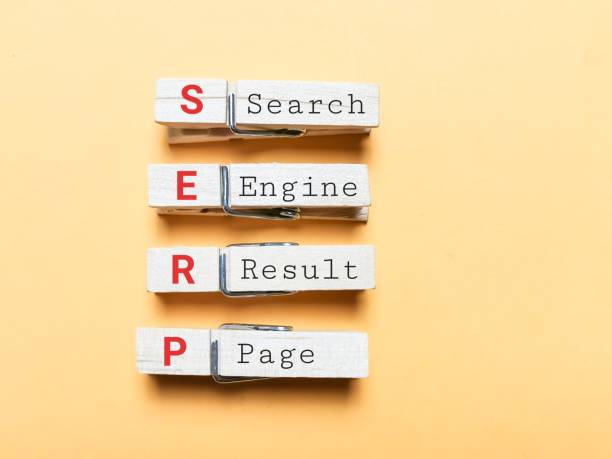
With platforms like YouTube doubling as search engines and Google integrating video results directly into SERPs, it’s clear: understanding and applying video SEO strategies is non-negotiable if you want to be seen.

In this blog post, we’ll unpack the latest video SEO strategies, walk you through how visual content boosts video SEO rankings, and show you how SARMLife helps creators, businesses, and marketers turn video into a serious SEO weapon.

RELATED BLOG POSTS

Why Visual and Video Content Matters for SEO

Video content has become the heartbeat of modern digital strategy. Here’s why it’s a critical component of your SEO playbook:

  • Boosts engagement: Pages with video are 53x more likely to rank on Google’s first page.
  • Improves time on page: Users stay longer when there’s a video to watch, signaling value to search engines.
  • Reduces bounce rate: Well-placed videos lower the bounce rate by giving users what they came for quickly.
  • Enhances UX: Google’s algorithm favors content that provides a seamless, engaging user experience, and videos do just that.

According to Vbout, adding video to a landing page can result in conversion by up to 80%. Wyzowl’s 2024 Video Marketing Statistics report showed that 91% of marketers believe video has contributed to the significant increase in user understanding of their product or service. 

That’s not just video SEO marketing fluff; it’s a clear sign that videos are becoming a foundational pillar of online visibility.

Key Elements of Visual SEO

SARMLife - Best SEO Company | Jacksonville, Florida

Photo by Search Engine Land

1. Image Optimization Techniques

Images still matter, and when optimized, they support your video strategy by enhancing the overall content experience. Here’s how to make them work for you:

  • Alt text: Always describe your image using natural, keyword-infused language. Alt text improves accessibility and helps search engines “read” your visuals.
  • File naming: Ditch generic names like “IMG_20250611.jpg.” Instead, use descriptive, SEO-friendly names like “youtube-video-seo-guide-2025.jpg.”
  • Compression: Use tools like TinyPNG or Squoosh to reduce file size without losing quality. Formats like WebP are now preferred for speed.
  • Responsive images: Ensure your visuals adjust to all screen sizes and resolutions. This system is essential for mobile-first indexing.
  • Lazy loading: Load images, especially when they enter the viewport. This process improves page load time, which is another critical video SEO ranking factor.

2. Image Schema & Structured Data

Structured data ensures search engines display your content more richly in SERPs. For visuals, using the ImageObject schema can increase the probability of your content appearing in Google Images and Discover.

Use cases:

  • Product images with structured markup in e-commerce
  • Infographics with HowTo schema
  • Step-by-step tutorials with both text and image breakdowns

By combining compelling imagery with schema, your visuals not only catch the eye but also earn rankings.

Core Techniques for Video SEO
SARMLife - Best SEO Company | Jacksonville, Florida

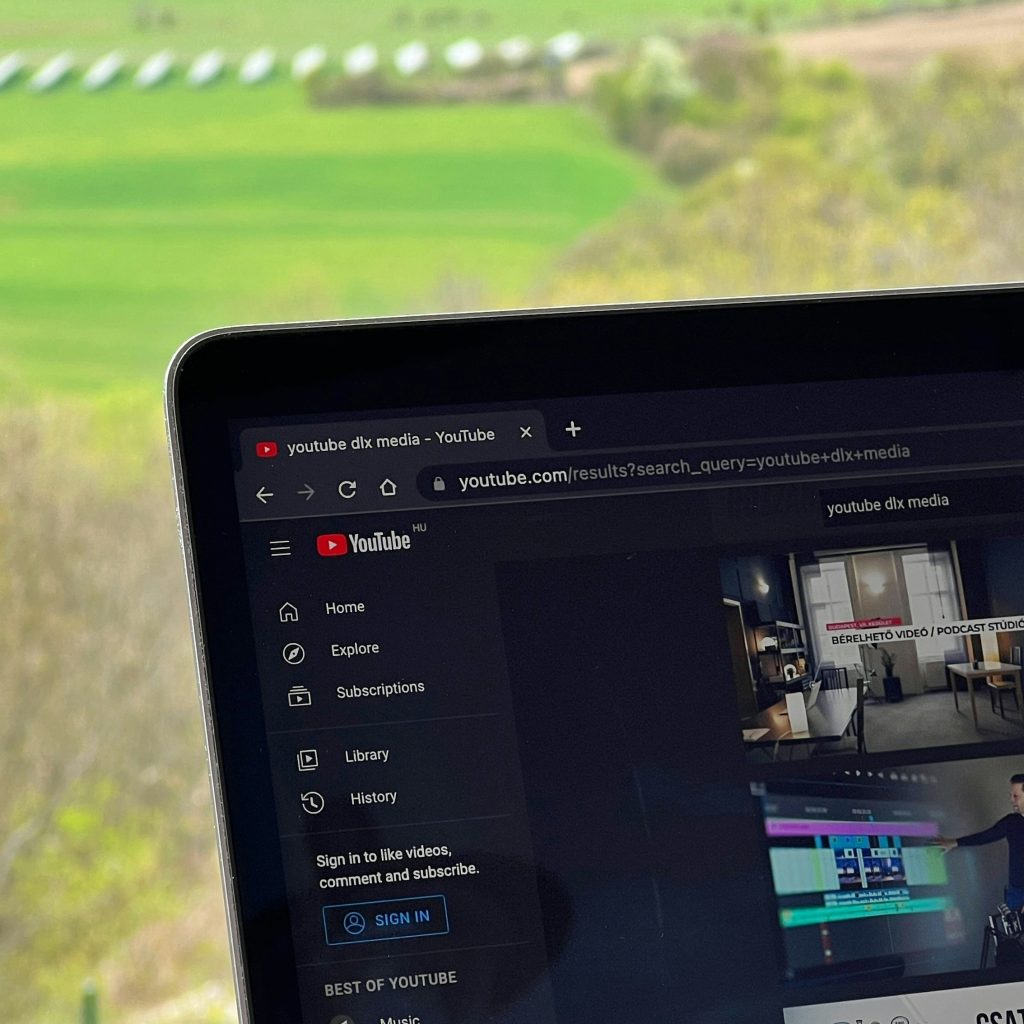
Photo by dlxmedia.hu on Unsplash

On-Page Optimization for Videos

Optimizing where and how your video appears on a webpage is just as important as the content itself.

  • Titles and descriptions: Use your target keyword early in the title and include compelling CTAs. Example: “Video SEO Hacks in 2025 | Rank Higher on Google with These Tips.”
  • Surrounding text: Context is everything. Include relevant blog content or captions near the video to give Google more to crawl.
  • Above the fold: Position your video high on the page, preferably before a user needs to scroll.

Technical Enhancements

These are non-negotiable if you’re serious about visibility:

  • Video schema markup: This helps Google understand the video content. Include fields like description, uploadDate, and duration.
  • XML video sitemap: This informs search engines about the location of your videos and how to crawl them efficiently.
  • Hosting vs. embedding: Hosting on YouTube provides reach and built-in traffic, while self-hosting or using Vimeo offers brand control. The right choice depends on your goals.

YouTube SEO Essentials

As the world’s second-largest search engine, YouTube demands its optimization strategy:

  • Use keywords in titles, tags, and descriptions: Research your niche and use high-ranking phrases like “Video SEO for YouTube” or “YouTube SEO course.”
  • Custom thumbnails: These have a significant impact on click-through rates. Make them bold, branded, and relevant.
  • Add chapters: Use timestamps to help viewers and Google understand your video’s structure.
  • End screens and cards: Direct traffic to your other content and increase watch time.
  • Encourage interaction: Likes, comments, and shares all signal to YouTube that your video should be promoted.

Pain Points & Strategic Opportunities

video seo

Photo by Digital Vidya

Let’s address the common obstacles most creators and businesses face with video SEO and how to turn them into opportunities:

Challenges

  • Large file sizes that affect website load speed
  • Lack of SEO expertise when integrating video into blogs or landing pages
  • No structured data to help Google understand and index the media

Solutions

  • Use compression tools like HandBrake or CloudConvert.
  • Apply structured data and submit video XML sitemaps.
  • Partner with SARMLife to manage the entire process, from tech to content, in a single cohesive strategy

Common Mistakes to Avoid in Video SEO

SARMLife - Best SEO Company | Jacksonville, Florida

Photo by Fat Guy Media

Even seasoned marketers can get tripped up. Here are the pitfalls to steer clear of:

  • No metadata: If your videos lack descriptions, tags, or transcripts, search engines can’t understand them.
  • Forgetting mobile: Videos must scale across all devices. Always test on mobile and tablet.
  • Weak CTAs: Your video should direct users to the next step, such as subscribing, reading a blog, or booking a call.
  • Keyword stuffing: In 2025, natural language beats robotic phrasing. Think user intent, not just keyword frequency.

Avoiding these mistakes will cause your content to actually perform, not just exist.

The Future of Video SEO in AI-Powered Search

SARMLife - Best SEO Company | Jacksonville, Florida

Photo by Freepik

The SEO landscape is evolving, and video optimization is at the forefront of these changes.

Here’s where things are heading:

  • Voice search and conversational keywords: AI search tools, such as Search Generative Experience (SGE), prioritize human language. Your scripts and subtitles should reflect this.
  • Multimodal indexing: Google is analyzing both visual content and text transcripts to determine relevance.
  • AI-generated summaries: Search engines are pulling key points from your videos. Clear scripting equals better results.

Your video strategy must evolve beyond “upload and hope.” Strategic scripting, optimization, and technical enhancements are the new standard.

How SARMLife Helps You Optimize Multimedia for SEO

At SARMLife, we don’t treat video content as an afterthought; it’s part of your SEO strategy from day one.

Here’s how we help you win:

  • SEO-centric storytelling: We write content that integrates videos and images naturally to keep users engaged and search engines happy.
  • Multimedia SEO strategies: From schema to sitemaps, we implement every technical detail needed for visibility.
  • Visual-first content planning: Whether you’re publishing on YouTube or embedding in a WordPress blog, we create content that performs where your audience is.
  • Proven results: A SARMLife client saw a 30% increase in video impressions and earned a spot in Google Discover within two months of implementing our strategy.

Our approach is rooted in one fundamental belief: content should be both searchable and scannable yet unforgettable.

Final Thoughts: Time to Let Video Work for You

SARMLife - Best SEO Company | Jacksonville, Florida

Photo by Freepik

Visual and video SEO is no longer optional. It’s fundamental. And the best part is that you don’t have to do it alone.

SARMLife can help you:

  • Create high-impact, keyword-aligned video content
  • Implement the technical details that search engines require
  • Craft multimedia campaigns that look good and rank

Whether you’re a coach building a YouTube funnel, an entrepreneur launching an online course, or a brand expecting to stand out in a saturated space, we’ve got the video SEO tools and strategies so that your content will be impossible to ignore.

FAQs about Video SEO Hacks

What is video SEO, and why is it important?

Video SEO means optimizing videos to appear in search engine results. It increases your visibility, boosts engagement, and improves ranking.

How do images affect SEO rankings?

Optimized images lower bounce rates and improve site experience, both of which positively impact your rankings.

What is image alt text, and why does it matter?

Alt text gives you a textual description of your image, helping search engines understand its content. It’s also crucial for accessibility.

Should I host videos on my site or YouTube?

YouTube offers discoverability, while self-hosting gives branding control. Many brands benefit from a hybrid approach.

How can SARMLife help with content optimization?

SARMLife provides end-to-end multimedia content support—strategy, writing, optimization, and implementation—built to rank and convert.

Are you ready to rank higher in 2025? Start by optimizing just one video. Then, let SARMLife help you scale with a data-driven video SEO strategy that’s built for what’s next.

READ MORE: LATEST ON-PAGE SEO PRACTICAL GUIDE FOR BEGINNERS 

Google Mobile First Indexing Optimization

How to Optimize Your Website for Google Mobile First Indexing in 2025

In today’s world, smartphones have gone beyond digital communication devices. They are now our hand extensions. Google recognized this fact and made a game-changing decision that changed the SEO landscape for good: mobile first indexing.

Mobile first indexing in SEO is an initiative by Google that primarily uses a website’s mobile version for ranking and indexing. This concept has evolved over the years and continues to grow. The first indication of Google’s involvement in the mobile-first indexing test was in 2016. 

Two years after its initial introduction in 2016, Google began rolling out a larger-scale version of the mobile-first indexing initiative. 

This action forced many websites to cave. By 2020, more than 70% had migrated to prioritizing mobile versions for ranking purposes. 

The 2025 mobile first indexing update allows only websites with excellently optimized mobile versions to rank. 

In other words, if the web version of your website does not match the mobile version or lacks one, your content will not rank, regardless of how optimized that content is.

Hence, if you have wondered why your fully optimized content does not rank, you may have a mobile-first indexing problem. This article will examine Google’s mobile first indexing in 2025, its SEO implications, and how to leverage it to remain on Google’s first page in 2025.

Mobile Optimization for SEO: Why It Matters

SARMLife - Best SEO Company | Jacksonville, Florida

Photo by Freepik

The evolution of Google’s ranking signals has capped at prioritizing user experience on mobile devices. This means that Google now uses a mobile version lens when criticizing certain SEO elements on your website and content. 

For instance, Google understands that more pages are now viewed via mobile devices. Hence, every website needs to prioritize page load speed for mobile users. For Google, why rank them when people don’t wait to see what they’re about?

Mobile usability is another important feature. Your website must have readable content, and its touch target must be excellently optimized.

When the performance of the mobile version of your website is low, critical user behavior data, such as bounce rate and session duration, will drop significantly. In essence, a poorly optimized mobile version of a website will lose users, rank low, and have poor conversion rates. 

RELATED BLOG POSTS

Key Elements of Mobile Optimization

Google mobile first indexing

Photo by Solen Feyissa on Unsplash

Performance is the primary determinant of how visible you will be on Google. The performance of your website’s mobile version goes beyond user experience.

As Google has focused on a mobile-first approach as the ranking standard, be aware that every design decision affects your ranking directly.  

Hence, if you want your website to thrive in the mobile first indexing SEO landscape, here are the optimization fundamentals you should master.

1. Responsive Design vs. Dynamic Serving

One of the foremost decisions you will make when optimizing your website for mobile first indexing on Google is how you intend to serve content. Google recommends a responsive design for serving content optimally on your website. 

This method utilizes the exact URL and employs CSS to adapt your layout, regardless of the size or type of mobile device. 

Using a responsive design on your website when optimizing for mobile first indexing will ensure the site’s functionality and content consistency across devices.

Another mobile-first optimization method you can employ is dynamic serving. This method delivers different, yet suitable, HTML depending on the device from which the user is viewing the site.

Dynamic serving SEO is a good choice. However, this method requires constant maintenance, which can often pose a challenge for search engine optimization (SEO). 

2. Page Load Speed and Core Web Vitals

Page load speed is another key factor you must master if you want to achieve good mobile optimization. The average load time for any website on a mobile network is 2.5 seconds.

Any load time higher than that may mean your site has a slow page load speed. Here are ways you can improve your page speed.

  • Optimize the images on your website.
  • Reduce heavy script usage.
  • Minimize the server response times.
  • Take advantage of browser caching.

Regarding speed assessment, you will need the Google Core Web Vitals. This mobile-first optimization fundamental is essential, especially for Cumulative Layout Shift (CLS), Largest Contentful Paint (LCP), and First Input Delay (FID).

These metrics directly affect your site’s Google ranking and the performance perception of your users. 

3. Touch Navigation and Design

Your mobile-first website should have a smooth and intuitive touch design. Ensure your interactive buttons are not too tiny for fingers to tap on. The generally accepted dimensions are 48 pixels for the height and width of your button icons. 

Additionally, ensure your interactive buttons have sufficient space. When clustered, users will have multiple accidental taps, which can be discouraging. 

Test toggles, sliders, and dropdown menus on different screen sizes. This testing ensures they function consistently across various devices.

4. Font Size and Readability

Many website owners and developers overlook this fundamental, but that is a risky game to play. No user wants to stay on a website that does not display words clearly or correctly for reading and comprehension.

Hence, prioritize font size and readability when optimizing your website for mobile first indexing. Google does not overlook this factor when ranking your website. 

The minimum font size for body text should be 16px. This font size allows readers to view your content without needing to zoom the page. Additionally, ensure that all text is rendered clearly and neatly for smaller screens.

Furthermore, writing articles in blocks of long paragraphs is a bad idea. Doing that makes reading difficult for users, and it gives your page an untidy look. Use short blocks of paragraphs containing at most three lines. 

Keep your sentences shorter, use correct headings and subheadings, and you can include features that collapse sections. Enhancing this mobile-first fundamental will improve user experience, especially on devices with smaller screens.

Common Mobile First Indexing SEO Mistakes to Avoid

SARMLife - Best SEO Company | Jacksonville, Florida

Photo by Search Engine Land

While optimizing your website for mobile first indexing is good, it is not enough. It is pertinent to note that even fully mobile-optimized site versions can suffer if mistakes are made. 

The list below shows common mistakes you can make that may affect your ranking and how to avoid them. 

  • Blocking CSS or JavaScript: This mistake will stop Googlebot from correctly rendering your site’s mobile version layout. To prevent this mistake, ensure you keep the elements crawlable. 
  • Intrusive interstitials: Google often penalizes mobile sites with disruptive or intrusive overlays or pop-ups. These elements negatively impact your site’s user experience (UX). Ensure you eliminate or minimize these disruptions. 
  • Inconsistent content across devices: When your content appears inconsistently on various devices, Google will de-rank your site. Ensure the content on your mobile version is consistent with the web version.
  • Slow mobile load speeds: You will lose website users and visitors if your page takes more than 2.5 seconds to load. Minimize your scripts and optimize your images to speed up your mobile load.
  • Mismatching structured data: When your schema markup on mobile differs from your desktop version, you will lose rich snippet visibility. The solution to this problem is to maintain the current schema markup. 

How SARMLife Helps Businesses Adapt to Mobile-First Indexing

SARMLife - Best SEO Company | Jacksonville, Florida

Photo by White Label IQ

SARMLife is your go-to digital company if you want to be at the forefront of mobile-first website transformation. We optimize our clients’ websites to meet Google’s SEO standards, no matter the periodic updates on the search engine’s algorithm.

Our excellent content writing and formatting service gives your website a clear and readable look. If you do not need fresh content but want an improvement in your website rankings, we still have you covered.

Our professional team of SEO experts can transform any poorly performing website into a Google first-page website. We will restructure your website and give it a mobile-first look so it can adapt to any device users are viewing from.

The perfect combination of our technical expertise and strategic insights will keep your website on steroids.

Final Thoughts

SARMLife - Best SEO Company | Jacksonville, Florida

Photo by Freepik

Optimizing your website for Google’s mobile first indexing is no longer an option in 2025. It is a necessary choice you must make to stay in the market, no matter your niche. 

Google is moving its ranking dependence from websites’ mobile speed, content parity, and usability. Hence, you need a proactive approach to keep your website constantly optimized for mobile use. That is one of the primary ways you will remain visible today.

You need constant audits, strategic mobile optimization structures, and excellently optimized website performance and design.

Regardless of your business size, SARMLife can help you achieve these for a place on Google’s first page within your budget. 

Are you ready to do things differently? Let me know in the comments. 

READ MORE: 7 PRACTICAL TIPS ON HOW TO WRITE SEO HEADLINES IN 2025

how-to-create-content-buckets-that-converts-SARMLife

HOW TO CREATE CONTENT BUCKETS THAT CONVERT FOR BLOGS [2025]

Have you ever felt overwhelmed by the constant need to create content? If yes, you’re not alone. This is a common challenge, and in the rush to keep the consistent flow, many bloggers jump from one random idea to another without a clear plan.

The major problem is a lack of direction, which makes it harder to build authority, attract the right audience, and improve SEO rankings. This is where creating content buckets comes in.

Creating content buckets provides a structured approach to content creation. They help you organize your blog, making it easier to plan, create, and maintain a steady flow of valuable posts that align with your niche and audience needs.

This post will examine how to create content buckets, how they work, and why they’re essential for a solid blogging strategy.

RELATED BLOG POSTS

What Are Content Buckets?

Content buckets are subcategories or themes within a content pillar. They help you break down broad topics into more specific blog post ideas. 

Content Buckets vs. Content Pillars

Content pillars are a concept from the hub-and-spoke model. They are core themes or overarching topics on which a brand wants to focus its content and communicate with its audience. Think of them as a broad category of specific and specialized topics your blog consistently focuses on.

Content pillars serve as the foundation or building blocks of a content strategy, ensuring the creation of relevant, valuable, and consistent content that resonates with the audience.  

For example, if your blog is about digital marketing, your content pillars (categories) might be:

  • SEO
  • Social media marketing
  • Content marketing

Each pillar represents a significant aspect of your blog’s niche.

With content buckets, developing new ideas and organizing content into more specific angles is easy. This allows for covering various topics while staying within a structured framework.

Under the SEO pillar, your content buckets (subcategories) might include:

  • Keyword research
  • On-Page SEO
  • Technical SEO
  • Link building
abstract-networking-concept-still-life-composition

Photo by Freepik on Freepik

Importance of Content Buckets for Your Blog

Here are some major reasons why you should learn how to create content buckets for your content:

Content ideation

One of the biggest struggles for beginners in blogging is creating content that resonates with their audience. Visibility in blogging isn’t just about writing; it’s about consistently creating high-quality, high-value content. However, you can’t achieve this without proper content ideation.

This stage might seem easy, but your content will automatically suffer if your ideas are weak. Poor content ideas lead to poor engagement, poor SEO performance, and a struggling blog.

With content buckets, brainstorming becomes easier, and content creation becomes less time-consuming. You’ll always have a structured list of core topics and subtopics to write about, ensuring your content stays focused, consistent, and aligned with your marketing goals and audience’s needs.

Improves content organization

Learning and implementing how to create content buckets ensure your blog follows a structured and organized approach instead of randomly selecting ideas. Without this structure, your blog can feel scattered, making it hard for your audience to navigate or understand what your brand is truly about.

Content pillars also act as a blueprint, preventing inconsistency and topic overload. This helps you avoid publishing unrelated or disconnected blog posts.

Boosts SEO strategy

Content buckets play a significant role in SEO, impacting how search engines like Google view and categorize your content. Search engines prioritize structured content because it’s easier to crawl, index, and understand.

By organizing your blog subtopics under well-defined buckets, you position your content for higher visibility. This improves your search rankings, attracts organic traffic, strengthens your online presence, and, over time, increases conversions.

Search engines also reward websites with in-depth, well-researched, and interconnected content. Structuring your blog around supporting subtopics makes your content more authoritative, increasing its chances of ranking higher.

white-scrabble-tiles-on-a-black-surface-with-the-word-seo

Photo by FreeBoilerGrants on Pexels

Improves audience engagement

When visitors land on your blog and find multiple pieces of well-structured content covering the topic they are interested in, they are likelier to stay on your site.

Learning how to create content buckets prevent redundant content, ensuring you’re not creating multiple posts with the same format, angle, or message that could bore your readers. Instead, they help you diversify your content while keeping it interconnected, encouraging visitors to explore more of your blog.

By mapping out content buckets strategically, you can create a content journey that keeps your audience engaged and encourages repeat visits (a critical factor for building a loyal audience).

How to Create Content Buckets for Your Blog

1. Define the blog’s niche.

Before anything else, you need to establish your blog’s niche. This gives you a clear direction and prevents you from writing about unrelated topics. It also provides a starting point for generating content pillars that align with marketing goals, positions your blog as an authority in your space, and makes it easier to attract the right audience.

To do this effectively, ask the following questions:

  • What is the purpose of my blog?
  • What does my blog stand for?
  • What differentiates my blog from competitors?
  • How do I want my audience to perceive my content?
  • What problems does my blog solve?

For instance, let’s say you’re starting a personal finance blog. Instead of covering every financial topic, you might choose a niche like “budgeting and saving for young professionals.”

This ensures your content remains consistent and attracts young people looking for specific financial advice tailored to their lifestyle.

2. Conduct audience research.

You are not writing for yourself; your audience is the main focus. Without knowing who your audience is, you might create content that doesn’t resonate or post on platforms where your audience isn’t even present.

Audience research helps you identify:

  • Who they are: their demographics, interests, and pain points.
  • Where they are: the platforms they engage with most (e.g., Instagram, LinkedIn, or YouTube).
  • The content they prefer: long blog posts, step-by-step tutorials, infographics, or short blog posts.

Use tools like AnswerThePublic to analyze competitors’ strategies and identify content gaps. This will help you tailor your content and fill content gaps accordingly.

how-to-create-content-buckets

Photo by Tima Miroshnichenko on Pexels

3. Perform keyword research.

Once you’ve identified your niche and audience, keyword research is next. This ensures your blog posts align with what people are searching for, helping you rank higher on search engines.

Use tools like Ubersuggest, Semrush, or Google Keyword Planner to analyze:

  • high-volume search terms related to your niche
  • low-competition keywords you can easily rank for
  • long-tail keywords that target more specific queries

For a personal finance blog, instead of targeting the broad keyword “budgeting,” a keyword research tool may recommend more focused queries such as “how to budget on a low income” or “50/30/20 budget rule for beginners.”

4. Choose three to five core content pillars.

Based on your keyword research, you should already have a sense of the pillar themes that can serve as the basis for your blog. It is crucial to keep these pillars to three to five main themes

For a personal finance blog, your content pillars might be:

  • Budgeting and saving
  • Investing for beginners
  • Debt management
  • Side hustles and passive income

5. Break each pillar into content buckets.

The next stage is to divide your arching themes into content buckets, which are your subcategories that enable you to delve further into each subject.

Example (for the “Budgeting & Saving” pillar):

  • Budgeting Methods: 50/30/20 rule
  • Savings Challenges: No-spend months, 52-week savings challenge
  • Expense Tracking: Best apps for tracking spending

6. Map out blog topics for each bucket.

Now that you have your content buckets, it’s time to generate blog topics under each bucket. You’re no longer stuck thinking about what to write at this stage. You already have a blueprint of content ideas.

Example (for the “side hustles & passive income” pillar):

  • Best side hustles for college students
  • How to make passive income with digital products

7. Create high-quality content.

After carefully outlining content pillars and buckets, you must ensure that each blog post contains well-researched, valuable, engaging, easy-to-read content optimized for SEO and, most importantly, actionable.

Avoid writing weak content.

8. Repurpose content.

This is key to getting the maximum value from your blog post. Your blog post must not be sitting in the corner of the archives, collecting dust. Repurposing content allows you to reach a wider audience across different platforms.

9. Optimize for internal linking.

Internal linking is often overlooked in blogging, yet it’s a powerful SEO strategy that encourages visitors to stay on your site longer.

Every new blog post should include at least two or three links to relevant posts on your website. This helps to:

  • improve site structure and make it easier for Google to index your content
  • keep readers engaged, which reduces bounce rates
  • drive more traffic to older blog posts, ensuring they remain valuable over time
person-writing-on-a-notebook-beside-macbook

Photo by Judit Peter on Pexels

Final Thoughts

Building a successful blog goes beyond writing random posts. It requires a clear and structured strategy, and this is where learning how to create content buckets comes in. 

This concept helps you stay organized, consistently create high-quality content, and improve your blog’s SEO and audience engagement.

Apply this concept today, and watch your blog become a valuable resource for your readers!

Are you having trouble creating your content bucket? Send us a DM on Instagram.

READ MORE: 5 Importance of Blog Marketing for Business Growth – SARMLife

A SIMPLIFIED SUMMARY OF 2024 GOOGLE’S RECENT SEO UPDATES – SARMLife

However, by understanding the basics of Google’s recent SEO updates, you can ensure your website is well-positioned to rank well in search results.

Google is constantly updating its search algorithm to improve the quality of its search results, making it difficult for website owners to keep up with the latest trends and best practices. 

However, by understanding the basics of Google’s recent SEO updates, you can ensure your website is well-positioned to rank well in search results.

In this blog post, I’ll update you on these recent SEO updates and why they are important.

You’ll also see the most recent SEO updates from Google, how these updates impact SEO, and what you, as a website owner and SEO professional, can do to adapt to these updates.

Types of major updates made by Google

Google makes several major and minor updates yearly, and Google has been able to categorize its major updates into these different types:

  • Core Updates help rank websites that are more relevant and helpful to users higher in search results. Google’s core updates are released more frequently and usually reflect some changes in ranking signals.
  • Spam Updates help remove spammy websites from search results. These updates are usually more targeted at specific spammy techniques that are becoming popular, like when link stuffing was rampant, and Google had to release a spam update to address it.
  • Helpful Content Updates are used to rank websites that produce high-quality content that is helpful to users higher in search results.
  • Product Reviews Update can help to rank product reviews that are more helpful and informative higher in search results.
  • Page Experience Update ranks websites with a good user experience, such as fast loading times and mobile-friendly design, higher in search results.

In addition to these major updates, Google makes many smaller changes to its search algorithm throughout the year. 

These minor changes are typically not announced publicly, but they can still significantly impact website rankings.

Why are SEO updates being made constantly?

SEO Word gram
Photo by Merakist on Unsplash

As a blogger or SEO expert, these changes can become burdensome to the extent of asking what the purpose is.

  • To improve the quality of search results

Google aims to provide users with the most relevant and high-quality search results. By updating its algorithm, Google can improve the accuracy of its search results and make it easier for users to find the information they seek.

  • To keep up with the changing web

The web constantly evolves, and new websites and content are always created. Hence, Google updates its algorithm to ensure it can index and rank this new content effectively.

  • To combat spam

Spammers are constantly developing new techniques to manipulate Google’s search results. Google needs to update its algorithm to stay one step ahead of spammers and ensure that spammy websites do not pollute their results.

  • To improve the user experience

Google wants to provide users with the best possible search experience. By updating its algorithm, Google can improve the relevance of its search results, make it easier for users to find the information they seek, and reduce the time it takes for pages to load.

RELATED POSTS:

Google’s recent SEO updates

November 2023 Core Update

This last core update is the fourth core update in 2023, and it closely follows the release in November, which is a rare thing for Google to do. 

The Google November 2023 Core Update is notable for its speed and volatility, with some websites seeing significant ranking fluctuations in a short period.

Like the other core updates, the November update aimed to improve the relevance and quality of search results. 

According to Google, the update is an improvement to a different core system than the October update, but the overall guidance for core updates remained the same.

Websites focusing on creating high-quality content were not negatively affected by the update. However, some websites that the October update had positively impacted experienced some negative effects.

If your website experienced some negative effects from the update, you should focus on improving its content and overall quality.

Glasses, reflection code and business man with software engineer information technology and coding research for web and html analytics. Hacker IT developer geek reading data for online system update
Photo by Kobus Louw on iStock

October 2023 Core Update

The October 2023 Core Update is the third core update of the year, following the March and August Core Updates. Google announced the update on October 5 and completed it within 13 days and 23 hours.

The October 2023 Core Update is expected to impact website rankings significantly, so SEO professionals must be aware of it and make any necessary website changes.

Google has not released any specific information about the October 2023 Core Update, but based on previous core updates, we can expect it to focus on the following areas:

  • Content quality: 

Google will continue prioritizing websites with high-quality, informative, and relevant content for users’ search queries.

  • User experience: 

Google will also prioritize websites that provide a good user experience, including page loading speed, mobile-friendliness, and security.

  • Relevance: 

Google will keep prioritizing websites that are relevant to users’ search queries. This means websites should focus on creating content targeted to their specific audience that addresses their users’ needs.

Google has only disclosed a little. However, some general trends have been observed. 

For example, websites that provide high-quality, informative content and a good user experience seem to have performed well in the update.

SEO professionals can focus on the following to improve their website’s performance in the October 2023 Core Update and future core updates:

  • Create high-quality, informative content that is relevant to users’ search queries.
  • Improve the user experience on their website, including factors like page loading speed, mobile-friendliness, and security.
  • Avoid spammy practices, such as keyword stuffing and link-building schemes.
  • Review your previous content and re-optimize.

October 2023 Spam Update

The October 2023 Spam Update was a significant algorithm update designed to target and remove spammy websites from search results. Google announced this update on October 4, 2023, and began rolling it out on the same day. Google completed the rollout on October 10, 2023.

The October 2023 Spam Update targeted a wide range of spammy tactics, including:

  • Cloaking: Cloaking is a technique where a website presents different content to users and search engines. For example, a website might cloak low-quality content to search engines to rank higher in search results.
  • Hacked content: Hacked content is content that has been added to a website without the owner’s knowledge or consent. Hackers often add spammy links or content to hacked websites to redirect users to malicious websites or promote their products or services.
  • Auto-generated content: Auto-generated content is content created using software algorithms. Auto-generated content is often low-quality and uninformative and often used to spam search results.
  • Scraped content: Scraped content is content that has been copied from another website without permission. Scraped content is often low-quality and unoriginal and often used to spam search results.

The October 2023 Spam Update also targeted spammy behavior in specific languages, including Turkish, Vietnamese, Indonesian, Hindi, Chinese, and others.

The October 2023 Spam Update had a significant impact on many websites. Some websites using spammy tactics saw their rankings drop significantly due to the update. 

Other websites that followed Google’s guidelines saw their rankings improve.

SEO professionals should be aware of the October 2023 Spam Update and should take steps to avoid using spammy tactics on their websites. 

If your website was affected by the spam update, Google recommends reviewing its spam policies to ensure you have not violated any.

September 2023 Helpful Content Update

The September 2023 Helpful Content Update is a significant algorithm update from Google designed to reward websites with high-quality content that is helpful and informative to users. 

This update aims to make it easier for users to find the information they seek by promoting websites that are providing value to users rather than websites that are simply trying to rank well in search results.

Google has identified several factors it considers when determining whether or not a website is producing helpful content; these factors include:

  • The quality and expertise of the content: Google wants to see content written by experts based on factual information.
  • The originality of the content: Google wants unique content, not a copy of what other websites have.
  • The usefulness of the content: Google wants to see helpful and informative content that will benefit users.
  • The purpose of the content: Google also wants content created to help users rather than content created primarily for search engine optimization (SEO) purposes.

Websites that produce helpful content are more likely to rank higher in search results. Conversely, websites that are found to be creating unhelpful content may see their rankings decline.

August 2023 Broad Core Update

The August 2023 Broad Core Update was a major algorithm update from Google that impacted websites across all niches. It was the second broad core update of the year, following the May 2023 Core Update.

Google did not release specific details about what changed in the August 2023 Broad Core Update, but SEO professionals reported seeing a wide range of ranking movements. Some websites saw their rankings improve significantly, while others saw their rankings decline.

The August 2023 Broad Core Update has been focused on improving the quality of search results for medical and health-related queries. However, it is important to note that this update potentially impacted all websites.

April 2023 Reviews Update

The April 2023 Reviews Update was a significant update to Google’s algorithm focused on improving the quality of reviews in search results. 

The update affected websites that publish reviews of products, services, destinations, media, and other topics.

Google also announced that the April 2023 Reviews Update would incorporate the extra “E” into the acronym for its quality guidelines, which is now “E-E-A-T” (Experience, Expertise, Authoritativeness, and Trustworthiness). 

This means Google now considers the reviewer’s experience when evaluating the quality of a review.

Google released that this update utilizes some signals to evaluate and determine if what is being reviewed has been handled, tested, and used.

These signals include:

  • Visual evidence: This signal includes images or videos that show the reviewer is using the product.
  • Audio: This signal might not apply to all products besides those requiring audio as a sign of authenticity.
  • Links to evidence of experience: This implies having links to prove an experience with the product if needed.
  • Quantitative measurements: This concerns the performance measurement of what is being reviewed.

The April 2023 Reviews Update significantly impacted many websites that publish reviews.

March 2023 Core Update

The March 2023 Core Update was a major algorithm update from Google released on March 15, 2023. It was the first broad core update of the year and the first one in over six months.

Core updates are Google’s largest and most comprehensive algorithm updates. They are designed to improve the overall quality of search results by rewarding websites that are high-quality, informative, and relevant to users’ search queries.

The March 2023 Core Update was reported to be one of the more volatile core updates in recent memory, with many websites experiencing significant ranking fluctuations. 

However, as with all core updates, the overall goal of the update was to improve the quality of search results and provide a better user experience.

  • Google is still prioritizing E-E-A-T. 

E-E-A-T stands for Experience, Expertise, Authoritativeness, and Trustworthiness. Google has long stated that E-E-A-T is a critical factor in its ranking algorithm, and the March 2023 Core Update further emphasized its importance.

  • High-quality content is still king. 

Google will always prioritize websites with high-quality content. 

  • User experience matters. 

Google wants to provide users with the best possible search experience. This includes factors such as page loading speed, mobile-friendliness, and ease of use. The update rewarded websites that provided a good user experience.

  • Spammy websites were penalized. 

Google is constantly working to improve its ability to detect and penalize spammy websites. Websites that engaged in spammy practices were penalized by the update.

Overall, the March 2023 Core Update was a significant algorithm update that impacted many websites.

February 2023 Product Reviews Update

The February 2023 Product Reviews Update was a broad core update to Google’s search algorithm specifically focused on improving the quality of product reviews in search results. 

The update was released on February 21, 2023, and took approximately two weeks to roll out fully.

Google’s definition of a high-quality product review includes the following factors:

  • Expertise: The reviewer should have expertise in the product or the category they are reviewing.
  • Trustworthiness: The reviewer should be trustworthy and unbiased.
  • Completeness: The review should be comprehensive and informative.
  • Originality: The review should be original and not copied.

Google also updated its guidance on product reviews. The guidance now has new ranking signals that will be used to evaluate product review content. 

These ranking signals include:

  • The reviewer’s expertise: 

Google will consider the reviewer’s expertise in the product or category of products that they are reviewing. This can be determined by factors such as the reviewer’s education, experience, and reputation.

  • Trustworthiness:

Google will consider the trustworthiness of the reviewer and the review itself. Factors such as the reviewer’s disclosure of any conflicts of interest, the accuracy of the information in the review, and the reviewer’s overall reputation play a huge role.

  • The quality of the content: 

Google will consider the quality of the review content itself determined by factors like the completeness of the review, the originality of the content, and the helpfulness of the review to users.

However, you should consider an observation made by Mordy Oberstein in an article where he noticed a pattern in some individual performances on Google’s SERP after this update was rolled out.

According to him, Google prioritized reviews where the reviewer had experienced the product first-hand rather than those who wrote their reviews in generic tones.

FINAL THOUGHTS

Google’s recent SEO updates have focused on improving search results’ quality and rewarding websites that provide helpful content to users. 

If you want your website to stay competitive in search, follow these updates closely and focus on creating high-quality content relevant to your target audience.

In addition, follow industry experts to ensure you’re always aware of the latest changes to Google’s SEO algorithms and how they may impact your website.

If you want to stay up-to-date on the latest Google SEO updates, I recommend following the Google Search Central blog and the Google Search Central Twitter account.

How do you currently keep up-to-date with industry news and SEO updates?

google-serp-feature-optimization-by-sarmlife

HOW TO OPTIMIZE YOUR CONTENT FOR EACH GOOGLE SERP FEATURE

Google’s search results have become more interesting and varied. Instead of just links, you now see different types of information, like quick answers, pictures, and more. These different results are SERP features, which make online searches more interesting.

Several Google SERP features include Featured Snippets, Knowledge Panels, Rich Snippets, and People Also Ask. Each Google SERP feature has its unique purpose and benefits.

In today’s digital world, where being seen online is important, knowing how to fit your content into these special search results can make a big difference. Whether you want your content to be in a quick answer, local search, or something else, this post will teach you how.

What are SERP features?

SERP refers to the Search Engine Results Page. It is Google’s response to a user’s search query.

SERP features, however, are Google’s responses to search queries that go past the traditional “blue links.” This includes featured snippets, a knowledge panel, image packs, map packs, and video carousels.

Common Google SERP features

January 2014 marked the first time Google introduced SERP features, with ‘Featured Snippets’ and ‘People Also Ask’ appearing on desktop search results. Since then, it has grown to introduce many more.

Here’s what you need to know about the most common ones:

Featured Snippets

Featured snippets are excerpts of a website’s content displayed at the top of the results page in an attempt by Google to provide direct answers to a user’s query. 

Knowledge Panels

According to Google, “Knowledge panels are information boxes that appear on Google when you search for entities (people, places, organizations, things) that are in the knowledge graph.” Knowledge panels provide users with a brief overview of information on a particular topic to assist them in quickly grasping the key points.

Rich Snippets

Simply put, rich results are visually enhanced search results. They are a type of search result that presents additional information from the page rather than a basic snippet that only includes the title, description, and URL.

People Also Ask

People Also Ask is a SERP feature displayed by Google that presents a list of related questions users have searched for after their initial query. It appears below the search results and aims to further address the information the user needs and provide additional context.

Local Pack

A Local pack, or the Google Map Pack or Snack Pack, is a prominent section in Google search results that showcases the top-ranking local listings for your search query or current location. It appears at the top of the search engine results page (SERP) when a user searches with local intent, such as “restaurants near me” or “best mechanics in Lagos.”

Video and Image Carousels

Video and image carousels are another type of SERP feature that displays a series of videos or images related to the search query. Depending on the relevance and type of content available, they can appear at various positions on the search results page.

RELATED POSTS: 

LATEST ON-PAGE SEO PRACTICAL GUIDE FOR BEGINNERS

8 EASY WAYS YOU CAN IMPROVE CORE WEB VITALS OF ANY …

HOW TO WRITE META DESCRIPTIONS FOR SEO + FREE …

HOW TO GET A FEATURED SNIPPET SPOT ON GOOGLE’S RESULT PAGE

Benefits of SERP features for your content.

Optimizing for SERP features might seem like something you can overlook, but here are some of the benefits you would be missing out on:

a. Increased Visibility

Visibility is key in the world of SEO, and attaining it is the goal of all SEO efforts. The following is how SERP features boost your visibility to searchers:

  • Prominent placement: SERP features occupy prime real estate on the search results page, often above traditional organic listings. This increased visibility makes your website more likely to be seen by potential customers.
  • Eye-catching formats: Features like video carousels, rich snippets, and knowledge panels stand out visually from the text-heavy results page, grabbing user attention and driving clicks.

b. Improved Click-Through Rate (CTR)

Your Click-through rate is an essential metric in SEO that often significantly impacts your ranking on result pages. Here’s how SERP features help improve that:

  • Direct answers: Features like featured snippets and knowledge panels provide instant answers to user queries, reducing the need to click through to your website. However, this can still increase brand awareness and potential future visits.
  • Enhanced user experience: Features like interactive maps and carousels offer a richer and more engaging experience, making users more likely to click and explore your content further.
  • Increased trust and credibility: Appearing in prominent SERP features like knowledge panels and rich snippets signals to users that your website is a reliable source of information, boosting their confidence to click.
click-through-rate

Photo by Vladimir Sukhachev on iStock

c. Potential for Higher Ranking

SERP features significantly raise your chances of ranking higher by:

  • Optimizing for features: Following best practices for structured data, content formatting, and relevance can increase your chances of triggering SERP features for relevant keywords, indirectly improving your organic ranking.
  • Enhanced user engagement: Features like People Also Ask and interactive elements can increase dwell time on your website, which is a ranking factor considered by search engines. 
  • Authority and relevance: Appearing in various SERP features can showcase your website’s expertise and relevance to specific topics, potentially influencing ranking algorithms in your favor.

d. Attract More Qualified Leads

SERP features also help you attract the leads your website needs. Here is how:

  • Targeted audience: Features like local packs and People Also Ask highlight your website to users actively searching for your products or services, increasing the likelihood of qualified leads.
  • Detailed information: Features like rich snippets and knowledge panels offer users a concise overview of your offerings, helping them make informed decisions about contacting you.
  • Brand recognition: Consistent presence in SERP features builds brand awareness and trust, making users more likely to choose you over competitors.

e. Increased Credibility

Searchers are more likely to click links they trust to answer their search query needs, and SERP features greatly increase your credibility with the following:

  • Google’s endorsement: Appearing in SERP features, especially knowledge panels and rich snippets, signifies Google’s recognition of your website as a reliable source of information, enhancing your credibility.
  • Transparency and trust: Features like People Also Ask and interactive elements encourage user engagement and address potential concerns, building trust and transparency.
  • Competition edge: Standing out from competitors through SERP features demonstrates your commitment to user experience and content quality, cementing your position as a trustworthy authority.

Optimizing your content for different Google SERP features

Here’s a breakdown of how to optimize your content for each SERP feature you mentioned:

google-serp-feature-optimization

Photo by Ekahardiwito Subagio Purwito on iStock

1. Featured Snippets

This feature is a great way to get instant answers to search queries. Featured snippets are the easiest SERP feature to rank for. Here’s how you can do it:

  • Conciseness is vital: Aim for clear, concise answers to specific questions users might ask, ideally under 280 characters.
  • Structure matters: Use bullet points, numbered lists, or tables to make information understandable.
  • Target relevant keywords: Research and include relevant keywords in your content, focusing on those with high search volume and low competition.
  • Optimize for voice search: Use natural language and conversational tone for potential voice search triggers.

2. Knowledge Panels

This feature gives users a snapshot of the information they seek. Below is a guide on how to rank for it.

  • Claim your entity on Google: Verify your business or organization on Google Search Console and Google My Business, now Google Business Profile, to ensure accurate information appears in the panel.
  • Provide comprehensive information: Include detailed descriptions, contact information, website links, and high-quality images or logos.
  • Structure your website: Use schema markup to help Google understand your website’s structure and highlight relevant information.
  • Build backlinks: Increase your website’s authority and relevance by earning backlinks from high-quality websites.

3. Rich Snippets

Like meta descriptions, rich snippets tell the searcher more about that webpage. Here are a few tips to optimize your website for it:

  • Implement schema markup: Use structured data to explicitly tell Google what information you provide, like recipes, events, or products.
  • Focus on specific information: Highlight relevant details like ratings, prices, availability, or event dates.
  • Use high-quality visuals: Include compelling images or videos that accurately represent your content.
  • Optimize for mobile: Ensure your rich snippets display correctly on mobile devices, where most users search.

4. People Also Ask

Searchers are interested in pages that can answer their questions, even if it’s not the one they typed in the search bar. Here’s how to always be available to answer them: 

  • Analyze existing questions: Look at the ‘People Also Ask’ section for your target keywords and identify frequently asked questions.
  • Integrate questions and answers: Address these questions within your content, either directly or in dedicated FAQ sections.
  • Use natural language: Employ conversational language and answer questions in a helpful and informative way.
  • Link to relevant pages: If your website has dedicated pages addressing specific questions, link to them within your content.

5. Local Pack

Do you want people to come to you? Optimize your business to show up on local packs. Here’s how: 

  • Claim your GBP listing: Optimize your Google Business Profile listing with accurate information, high-quality photos, and positive reviews.
  • Target local keywords: Ensure your content and website title include keywords relevant to your location and target audience.
  • Encourage user engagement: Respond to reviews, answer questions on your listing, and keep your information updated.
  • Build local backlinks: Get backlinks from local websites and directories to improve your local SEO.

6. Video and Image Carousels

Are you tired of scrolling through hundreds of articles? So are your readers. Change the game by ranking high with a different type of content. Below is how:

  • Create high-quality visuals: Use engaging images and videos relevant to your target keywords and search intent.
  • Optimize file names and descriptions: Include relevant keywords in your file names and image alt text for better searchability.
  • Leverage YouTube and Google Images: Optimize your videos and images for these platforms using relevant tags and descriptions.
  • Embed videos and images in your content: Use videos and images strategically within your content to break up text and enhance user experience.
google-serp-feature

Photo by Merakist on unsplash

Conclusion

Optimizing your content for SERP features can help improve your website’s visibility and reach a wider audience. 

Each search result is unique, and understanding how search results work is vital. You must adapt your content to fit these special results to succeed online. This helps you get noticed, provide helpful info to your audience, and achieve your online goals.

Start optimizing your content for the specific Google search features that matter to you. Keep an eye on what’s new in SEO, and be ready to tweak your content strategy when needed.

How many SERP features do you optimize your content for?

READ ALSO: SEO writing | 10 proven tips on writing blog posts that rank on Google

b2b-content-marketing-strategy-by-SARMLife

HOW TO CREATE AN EFFECTIVE B2B CONTENT MARKETING STRATEGY

Any business that wants to reach the right audience must have an effective content marketing strategy. When you create and distribute high-quality content, your business can attract potential customers, engage with them, build relationships, and drive sales.

However, creating an effective B2B (business-to-business) content marketing strategy can be challenging. There are several types of content businesses can create, and it can be challenging to know where to start.

Before we delve into creating an effective B2B content marketing strategy, I would like to take you through what a B2B business is, its key characteristics, and how it differs from B2C (business-to-consumer) businesses.

This is a crucial step to help you know if your business is a B2B business and if you need a B2C or a B2B content marketing strategy.

What are B2B businesses?

B2B, which means “business-to-business,” refers to companies/businesses that sell their goods or services to other businesses, not individual customers. 

It implies that B2B businesses focus on meeting other companies’ specific needs and demands instead of targeting the general public.

Key characteristics of B2B businesses

Here are some characteristics of business-to-business:

  • Larger transaction sizes

B2B transactions involve more money than B2C transactions, as businesses often purchase goods in bulk or require complex services.

  • Longer sales cycles

B2B sales cycles can be much longer than B2C ones, as a more complex decision-making process is often involved. It may involve multiple stakeholders within the buying company, negotiations, and pilot projects.

sales-cycle

Photo by Olivier Le Moal on iStock

  • Focus on relationships

Building solid relationships with potential and existing customers is crucial in B2B, as trust and reliability are critical factors in business partnerships.

  • Technical expertise

The complexity of B2B products and services is higher than that of B2C businesses, so salespeople and marketers need to have a strong understanding of the industry and the specific needs of their target customers.

  • Emphasis on ROI

B2B businesses often demonstrate their products or services’ return on investment (ROI) to potential customers. This means they must focus on the quantifiable benefits their offerings can provide other businesses.

Examples of B2B businesses

Here are some typical examples of B2B businesses:

  • Software companies
  • Marketing agencies
  • Manufacturers
  • Suppliers
  • Professional services firms
  • Accounting Firms
  • Logistics & Shipping
  • Web Hosting & Cloud
  • Cybersecurity
  • Recruitment Agencies

RELATED POSTS:

5 REASONS WHY CONTENT MARKETING IS IMPORTANT FOR …

5 Importance of Blog Marketing for Business Growth – SARMLife

BENEFITS OF BLOGGING FOR BUSINESS IN 2024: Why you should start now! – SARMLife

5 Unique Tips to Maximize your Guest Blogging efforts – SARMLife

B2B vs. B2C businesses

Although they both have important roles to play in the economy, B2B and B2C businesses consider different factors. 

Here’s a breakdown of their key differences:

FACTORSB2BB2C
Target AudienceOther businesses with specific needs and demands.Individual consumers with diverse preferences and motivations.
Sales CycleIt can be longer and more complex, involving multiple decision-makers, negotiations, and pilot projects.It can be shorter and simpler, often driven by impulse purchases or immediate needs.
MarketingIt focuses on logic, data, ROI, and building trust through industry expertise and case studies.It appeals to emotions, personal desires, and brand image through creative channels and storytelling.
Product/Service ComplexityOften more technical and intricate, catering to specific business functions and challengesGenerally easier to understand and use, designed for mass appeal and everyday needs
PricingMore flexible and negotiable, often based on volume discounts, contracts, and custom quotesFixed or standardized pricing that is influenced by competition and market trends
Customer RelationshipsLong-term, strategic partnerships with a high emphasis on communication, support, and account managementTransactional or one-time, with less emphasis on individual relationships
ExamplesMarketing agencies, accounting firms, software companies, manufacturers, and suppliersRetail stores, restaurants, media companies, consumer goods brands, and service providers (e.g., hairdressers, dentists)

INSERT A RELATED IMAGE

b2b-content-marketing-strategy

Photo by Campaign Creators on unsplash

Why you need a B2B content marketing strategy

Here are some significant reasons you need an effective B2B content marketing strategy:

a. To attract and engage potential customers

With a B2B content marketing strategy, you can create blog posts, infographics, webinars, and more that directly address your audience’s pain points, educate them on industry trends, and showcase your knowledge. 

This will attract qualified leads who are already interested in what you have to offer, making them more receptive to your future sales efforts.

b. To increase brand awareness

Think of content as a megaphone for your brand. You can spread brand awareness beyond your website by consistently creating high-quality and relevant content. 

Your content also gets shared on several social media platforms. It is discoverable through search engines, making your brand visible to a broader audience and establishing you as an authority in your field.

c. To drive sales

Content marketing is more than just awareness; it’s about lead generation, nurturing leads, and guiding them through your sales funnel. 

By crafting compelling content that addresses each stage of the buyer’s journey, you can educate potential customers about your product, showcase its benefits, and ultimately convince them why it’s the perfect solution for their needs.

d. To improve your search engine ranking

Search engines love fresh and relevant content. A consistent content marketing strategy ensures your website stays active and brimming with valuable information. 

Potential clients will find you more quickly if you employ this tactic, increasing your search engine ranking and keeping visitors interested. 

search-engine-ranking

Photo by KTStock on iStock

e. To create a community around your brand

Content marketing isn’t just a one-way street. By producing interactive content, holding Q&A sessions, and participating in online communities, you can build a loyal fan base for your company. 

This fosters a sense of belonging and trust, turning your customers into advocates who champion your brand and spread the word organically.

How to create an effective B2B content marketing strategy

I’ve seen people repeatedly get it wrong with their content marketing strategies.

One of the most important things to note when developing any content marketing strategy is that it should be tailored to your type of business. So, your B2B content marketing strategy will only be effective if your business is B2B.

And even at that, you also need to streamline your B2B content marketing strategy to suit your exact niche. 

Here are some more detailed tips on creating an effective B2B content marketing strategy:

1. Define your goals. 

The goal of your content marketing strategy needs to be defined. For example, do you want to increase visibility, drive sales, or generate leads? 

Before diving headfirst into content creation, take a moment to map out your aspirations. Having clear goals helps you tailor your content and measure success later on.

Once you have identified your objectives, you can create content to help you achieve them.

2. Identify your target audience.

Who are you creating content for? 

Picture your ideal customer. Who are they? What are their challenges and pain points? What kind of information do they seek? 

Understanding your target audience like this helps you create content that aligns with their needs and interests, ensuring it resonates and engages them effectively.

3. Choose the proper content formats. 

You can create different types of content, including blog posts, infographics, ebooks, and case studies. 

Variety is the spice of content! Don’t limit yourself to just blog posts. Explore different formats like white papers, infographics, webinars, podcasts, or short videos.

Choose the content formats that resonate with your target audience and the type of information you want to convey when selecting.

4. Create high-quality content. 

Quality is king in the content kingdom. Your content’s quality, research, writing, and engagement should be high. It should also be optimized for search engines. 

Rather than creating multiple pieces of content to put out to your audience, focus on offering value to them. 

Be it data-driven insights, expert opinions, or practical tips, ensure your content is informative, actionable, and stands out from the crowd.

5. Promote your content. 

Creating great content isn’t enough; you need to get it in front of the right eyeballs! 

Once you have created high-quality content, you need to promote it so people can find it. 

Utilize social media, email marketing, guest blogging, and industry forums to promote your content actively. Leverage search engine optimization (SEO) strategies to improve your website’s visibility and attract organic traffic.

6. Measure your results.

Data is your friend! It is crucial to track your results to see what is working and what is not. 

Track key metrics like website traffic, engagement rates, lead generation, and conversions to understand your content marketing performance. 

You can continuously enhance the effectiveness of your content strategy by using this data to fine-tune your approach and determine what works best.

content-marketing

Photo by Thapana Onphalai on iStock

Conclusion

Creating an effective B2B content marketing strategy takes time and effort but is worth it in the long run. 

By consistently creating and distributing high-quality content, businesses can draw in potential customers, engage them, build relationships, and drive sales.

If you are serious about growing your B2B business, implement the tips outlined in this blog post today.

READ ALSO: How to choose the best blogging platform for your blog in 2024 – SARMLife

content-gap-analysis-for-seo-by-SARMLife

HOW TO RUN AN EFFECTIVE CONTENT GAP ANALYSIS FOR SEO

A content gap analysis is a valuable tool for SEO. It can help you identify new keywords to target and create content that is more likely to rank in search engine results pages (SERPs).

By conducting a content gap analysis, you can identify keywords and topics your target audience is searching for that you are not currently covering in your content. 

Then, you can use this information to create new content that will be relevant to your target audience, and you can also use the information to update existing content to rank higher in SERPs.

In this blog post, we will discuss how to run an effective content gap analysis for SEO.

What Is a Content Gap Analysis?

A content gap analysis is a strategic process for evaluating the current content on your website or your marketing materials and identifying any missing pieces that could be valuable to your audience.

It’s like taking an inventory of your information offerings and pinpointing areas where you could fill the gaps to attract and engage your target audience better.

Why is Content Gap Analysis Important to SEO?

Content gap analysis is crucial for SEO for several key reasons:

a. Improves keyword research and targeting

By identifying missing content, you can discover new or under-utilized keywords with the potential for high search volume and low competition. This helps you target keywords relevant to your audience and improve your organic ranking for those terms.

b. Enhances topic research and generation

Analyzing competitor content and identifying gaps can give you ideas for fresh topics and content formats that address user’s needs your competitors haven’t covered. This strategy can help attract a wider audience and prevent your content from becoming repetitive or unoriginal.

c. Optimizes content format and structure

By understanding your audience’s preferences and content consumption habits, you can choose the proper format (e.g., blog post, video, infographic) for each topic and optimize its structure for clarity and searchability. 

This improves user engagement and click-through rates, which are SEO ranking factors.

d. Increases content quality and value

Filling content gaps ensures you provide comprehensive information on relevant topics, address user questions and concerns, and offer more value than your competitors. It improves user satisfaction and can lead to increased dwell time, backlinks, and social shares, all of which are positive SEO signals.

e. Identifies opportunities for featured snippets and SERP features

By focusing on topics with high search volume and user interest, you increase the chances of your content appearing in featured snippets, knowledge panels, or other SERP features. This increases your website’s visibility and click-through rate, boosting your SEO performance.

Overall, content gap analysis provides valuable insights that can inform your SEO strategy in a data-driven way.

website-analytics

Photo by Edho Pratama on unsplash

By understanding what your audience is looking for and what your competitors are missing, you can create content that fills the gaps, attracts more qualified traffic, and improves your website’s search engine ranking.

RELATED POSTS:

KEYWORD OPTIMIZATION IN SEO: 6 UNIQUE WAYS TO RANK HIGH

THE ULTIMATE PRO GUIDE TO SEO CONTENT WRITING – SARMLife

A COMPLETE GUIDE TO SEO ANALYSIS AND REPORT for …

A SIMPLIFIED SUMMARY OF 2023 GOOGLE’S RECENT SEO …

How to Run Content Gap Analysis

Ready to conquer content gaps and supercharge your website? Here’s how to dive deeper into each step you mentioned:

1. Identify your target keywords.

Keywords are the currency of SEO, and here is how to use them to run an efficient content gap analysis.

  • Uncover hidden gems: Use keyword research tools to find relevant keywords with high search volume and low competition. Think beyond the obvious!
  • Understand user intent: Go beyond just keywords. Analyze search queries and related topics to understand what users are seeking.
  • Keep it focused: Don’t spread yourself too thin. Prioritize a manageable set of target keywords based on their relevance and potential impact.

2. Analyze your existing content.

Don’t rest on your oars. SEO is a never-ending journey; always take a step back and look at your work occasionally. Follow these steps on how to analyze your existing content.

  • Content audit: Evaluate your existing content, its format, performance metrics, and topic coverage. Be honest about what’s working and what’s not.
  • Identify strengths and weaknesses: What topics are you already covering well? What are the gaps? Analyze user engagement and identify areas for improvement.
  • Keyword mapping: Map your existing content to your target keywords. This will help you identify gaps and optimize existing content for better visibility.

3. Carry out competitor research.

Competitors will always be a defining factor in your SEO journey, so remember to check what they do. Here’s how:

  • Spy on the best: Analyze the content strategies of your top competitors. What topics are they covering? What formats are they using? What gaps can you fill?
  • Learn from their successes: Identify their most successful content pieces and see what makes them tick. Adapt their strategies to your own brand and target audience.
  • Don’t just copy: While inspiration is vital, avoid plagiarism. Create unique content that adds value and differentiates you from the competition.

4. Identify content gaps.

Analyze the search results to see what content appears for your target keywords. Are there any missing topics or formats? Can you offer a fresh perspective? Here’s how to identify content gaps:

  • Look for unanswered questions: Use “People Also Ask” sections and forum discussions to identify your audience’s questions. Can you provide the answers they need?
  • Consider different content formats: Don’t limit yourself to just blog posts. Explore infographics, videos, podcasts, or interactive elements for a more engaging experience.

5. Prioritize your content gaps.

Work on your content gaps based on priority. Here are some ideas:

  • High impact, low effort: Focus on gaps you can fill with minimal resources and yet significantly impact your audience and SEO.
  • Quick wins: Prioritize gaps you can address quickly to maintain momentum and demonstrate the value of your content strategy.
  • Align with business goals: Prioritize gaps that contribute directly to your desired outcomes. Your content should support your overall business objectives.

6. Create a content plan.

Having a plan is essential when creating online content, and here’s how to create a plan:

  • Map out your content calendar: Schedule your content creation based on your priorities and resources. Be realistic and set achievable deadlines.
  • Assign roles and responsibilities: Delegate tasks based on expertise and workload. Collaboration is key!
  • Track your progress: Monitor your content creation process and adjust as needed. Stay flexible and adapt to new information and trends.

7. Monitor and adjust.

Always keep an eye out for any updates and constantly evaluate your content. Try these steps to monitor your content:

  • Analyze your content performance: Track metrics like traffic, engagement, and conversions to see what’s working and what’s not.
  • Stay up-to-date: Monitor industry trends, competitor activity, and user feedback to refine your content strategy constantly.
  • Embrace continuous improvement: Content gap analysis is an ongoing process. Regularly revisit your strategy, identify new gaps, and keep your content fresh and relevant.
content-gap-analysis-backend

Photo by Luke Chesser on unsplash

Remember, this is just a roadmap. Be creative, experiment with different approaches, and, most importantly, have fun! By following these steps and adding your unique flair, you can conquer content gaps and build a website that attracts, engages, and converts.

Tips for Conducting an Effective Content Gap Analysis

Here are some additional tips to enhance your content gap analysis for maximum effectiveness:

Keyword research

  • Consider local intent: If local SEO is important, include location-specific keywords and analyze search trends in your target area.

Content Analysis Tools

  • Embrace automation: Tools like Screaming Frog and SEO Site Checkup can crawl your website and identify missing meta descriptions, broken links, and other technical issues impacting content performance.
  • Analyze content depth: Tools like seoClarity and Copywritely can assess your existing content’s readability, engagement potential, and keyword optimization.
  • Track topic coverage: Tools like BuzzSumo and Semrush can help you identify your most successful content and analyze trending topics in your industry.

Competitive Analysis

  • Go beyond the obvious: Analyze your direct competitors and websites catering to similar user needs or offering complementary products/services. This strategy can reveal unexpected content gaps.
  • Look for format inspiration: Don’t just copy content topics; get inspired by how your competitors present information. Consider interactive elements, multimedia formats, and unique storytelling approaches.
  • Analyze backlinks and social shares: Tools like Ahrefs and Mention can show you which competitor content generates the most engagement and backlinks. This can help you prioritize topics with high potential for similar success.

Team Feedback

  • Gather diverse perspectives: Involve team members from different departments (marketing, sales, customer service) to get insights into user needs, industry trends, and potential content gaps.
  • Conduct surveys and interviews: Gather direct feedback from your target audience through surveys, user interviews, or focus groups to understand their pain points, information preferences, and content consumption habits.
  • Embrace brainstorming: Encourage open brainstorming sessions where team members can share ideas, identify new content opportunities, and refine existing content plans.
blog-post-analysis-backend-screen

Photo by Stephen Dawson on unsplash

By incorporating these tips, you can conduct a comprehensive and data-driven content gap analysis that uncovers hidden opportunities, fuels your content creation, and ultimately drives successful SEO and audience engagement.

Remember, the key is to be creative and resourceful. You should also constantly adapt your strategy based on new data and insights.

Conclusion

An effective content gap analysis is essential to any SEO strategy. By identifying new keywords to target and creating content that is more likely to rank in SERPs, you can improve your website’s visibility and attract more visitors.

If you are serious about improving your SEO, I encourage you to run a content gap analysis today. 

Following the steps outlined in this blog post can help you create content to reach your target audience and achieve your business goals.

How often do you conduct a content gap analysis for your website?

READ ALSO: Link Building for SEO: The Ultimate Guide + Email Template

HOW TO GET GOOGLE FEATURED SNIPPET – THE ULTIMATE GUIDE

Imagine this: You’ve just typed a question into Google, and there, right at the top of the search results, is a concise, information-packed snippet that answers your query. It’s what you were looking for. 

Now, consider this—what if that Google snippet featured your content? 

Getting your website into that coveted featured snippet spot on Google is not just a dream; it’s a reality you can achieve. 

In this post, I’ll show you how to get Google featured snippet using content tips I’ve tried with exceptional results.

But first,

SARMLife - Best SEO Company | Jacksonville, Florida

What are featured snippets? 

According to Google, featured snippets are “answer boxes” that give a short, concise, and descriptive response relevant to a searcher’s query.

The featured snippet is often called position zero because it comes before the traditional first result, and the visual format is also different.

Unlike regular results shown on Google’s search result page, the link to the source page is displayed first before a snippet describing the page, but for posts that make it to the point zero spot, the standard format where the source page link is displayed first is followed.

SARMLife - Best SEO Company | Jacksonville, Florida
Photo by Ahref

Types of featured snippets

In learning how to get Google featured snippets, you first need to know the types of featured snippets so you know how to optimize your content for the different types.

There are five main types of featured snippets:

Definition/Paragraph Snippets

These snippets give simple definitions to words. They can also come as a paragraph snippet containing a short excerpt of the web page relevant to the searcher’s query.

Lists/How To Snippets

These snippets show a short list, such as steps in a process, ingredients in a recipe, or products in a category. These list snippets could be in an ordered or unordered form.

Table Snippets

These snippet types show relevant information in a tabular form for the searcher. It is often used for queries that require comparison or contrast.

Video Snippets

Video snippets are often shown for queries requiring demonstration or when Google concludes that a video format best represents the searcher’s intent. For this type of snippet, Google cuts a section of a YouTube video or any social media video that best answers the query and embeds it as part of the SERP for that query.

PAA Snippets

These are also accordion snippets, shown in the drop-down answer section of the PAA part of the SERP.

RELATED POSTS:

Benefits of appearing in a featured snippet spot

I can’t possibly talk about how to get Google featured snippet without educating you on the benefits.

Here are some benefits of appearing in a featured snippet spot on Google’s search engine result page:

Increased visibility

Appearing in position zero of a search engine result page helps increase the visibility of your website. You can agree that a stage is the best way to get attention, which a featured snippet spot will earn you. 

You will draw attention to your website and content, and people who would not have seen you will have a chance to interact with your content.

Higher click-through rates (CTR)

A featured snippet spot will increase your organic click-through rates mainly because that spot earns your audience’s trust.

When your content appears as a featured snippet—even if you are not known as an authority figure in that niche—the chances of someone clicking on that particular result are higher than 50%.

There is this unsaid belief that if you can appear as the first result in a SERP, your content is top-tier, and whatever you say can be trusted.

Enhanced authority and credibility

When your organic click-through rate increases and you consistently focus on appearing in the featured snippet for niche-relevant queries, you will gain and, most importantly, retain the trust and credibility you have built.

Increased traffic

Appearing in the featured snippet spot will increase your organic CTR and traffic. You get to market your website to a larger audience, and because you took the stage position, you can draw people in.

Hand drawing Web Traffic graph concept with marker on transparent wipe board.
Photo by IvelinRadkov on iStock

Voice search ranking

One significant benefit of the featured snippet spot people don’t often talk about is the possibility of ranking for voice searches

The voice assistant often reads out voice search queries, and unlike regular searches, your voice assistant will not go through the SERP and load different web pages to get the answer. 

It will pick from the first result and read it to you as an answer. 

When you are in the featured snippet spot, chances are that the voice assistant will pick your web page, provided that the search results for voice searches use the same search algorithm as regular searches.

Increased SERP position

The more you rank for featured snippets, the more your SERP rankings increase. This is similar to how ranking on the first page helps to increase your visibility, domain authority, and trust.

When you are consistent with the quality of content you deliver to the extent of consistently ranking for featured snippets, Google begins to pay attention to your website as credible, reliable, and relevant.

Due to this, it starts to move your content higher in SERPs for other search queries/keywords.

How to get Google featured snippet for your content

Now that you have gained insight into how beneficial a featured snippet is, here is how to get Google featured snippets:

1. Identify featured snippet opportunities.

You can identify featured snippet opportunities by manually analyzing several keywords. This means you go on Google, type in your keywords list, and see if the SERP shows a featured snippet.

You can also use tools like Ahref or Semrush to help you technically identify featured snippet opportunities online.

I love how Samantha North broke down how she uses Ahref or Semrush to identify featured snippet opportunities she might be missing.

Here’s a breakdown of how to get Google featured snippet opportunities you might be missing out on using Ahref:

  • Identify all the keywords you are ranking for.
    • Go to your Ahref Site Explorer and type in your domain name.
    • Navigate to the ‘Organic Keyword Report’ to get a list of the keywords your site currently ranks for.
    • Click on the ‘SERP features’ filter and select the ‘featured snippet’ option.
    • Click ‘Apply’ to apply the filter to your results.

You will see a list of keywords you currently rank for, and a quote (‘’) sign before the URL indicates that the particular web page is now at position zero.

  • Identify your top 10 keywords.

This step aims to identify your ‘potential’ featured snippet post. It will be easier to get a featured snippet position for your blog posts already ranking on the first page of a SERP than to get a top position for a low-ranking post.

Here’s how you can do that on Ahref:

  • Go to your Site Explorer and type in your domain name.
  • Navigate to the ‘Organic Keywords’ Report to get a list of the keywords your site currently ranks for.
  • Click on the ‘position’ filter and enter ‘1-10.’ 
  • Click ‘Apply’ to apply the filter to your results.
  • Repeat 1 and 2 for your competitors.

Do the same processes for your competitor to compare the results with yours. If their top 10 results are different keywords from yours, you have a content gap you need to close up.

When you can identify their featured snippet post, navigate to the post and analyze the content to find something missing.

  • Create your superior content.

When you finish all the steps, try as much as possible to recreate a similar blog post with the added content.

2. Match user intent.

Understanding the user’s intent is crucial for featured snippet optimization because a featured snippet aims to get the correct answer to the searcher in record time.

Creating relevant content for the searcher will be challenging when you don’t understand the reasoning behind the search.

The way you can match the user intent with your content is to manually analyze the web pages in the featured snippet position as well as the top three results on the SERP. With these, you can meet the expectations of the searcher.

SARMLife - Best SEO Company | Jacksonville, Florida
Photo by FandagoSEO

3. Structure your content.

When creating or optimizing your content for a featured snippet, you must note the type of featured snippet you want to rank for and create your content accordingly.

For example, if the SERP for ‘top-rated movies’ has a table-featured snippet, you should include a table in your content. This means Google believes a table snippet is more beneficial than a list snippet for that particular keyword.

4. Optimize your content structure.

This step has helped me a lot when I tried to rank on the first page of Google, and it has also helped with my content.

Your content structure is crucial, and it will surprise you to discover that little changes like using the proper header tags or short paragraphs in your content can change the trajectory of your ranking.

Optimize your content structure before publishing. Here are some points to note in your content structure:

  • Use the proper header tags.
  • Use short paragraphs.
  • Include question-based keywords in your sub-headings.
  • Reduce your definitions to 45-60 words.
  • Always go straight to the point.
  • Use tables when you can.
  • Use the right heading tags for your listicles.
  • Start your answer with the question to keep context.
  • Use basic HTML tags to format your page.
  • Include keywords in your subheadings.
  • Include a list summary for your listicle posts.

5. Use schema markup.

Using schema markup or structured data can help improve your chances of ranking for featured snippets. Using schema data markup will help search engines understand your post’s content and context.

This can help boost your SERP rankings and position you for a featured snippet spot on Google.

According to AIOSEO, using FAQ, how-to, product, and recipe schema types gives you a higher chance of getting the featured snippet spot.

6. Improve page load speed.

Improving page load speed can help you get a featured snippet spot on Google because faster pages are more likely to be prioritized for featured snippets over slow-loading pages, giving you an advantage. 

Also, faster pages will provide a better user experience, which Google wants. 

Unhappy, sad senior man sitting at office desk with computer with gear icon and progress bar on monitor, holding head in despair, waiting for software update to install or new operating system to load
Photo by Lacheev on iStock

7. Build backlinks from relevant and reputable websites.

While backlinks might not directly impact the ranking for featured snippets, they play a crucial role in overall website SEO and authority. 

Building backlinks from reputable and relevant websites signals to Google that your content is trustworthy and authoritative, which can indirectly increase your chances of earning featured snippets.

Read SARMLife’s guide on link building to understand how to create a quality link profile for your website.

FINAL THOUGHTS

The quest for the featured snippet spot may take time and effort, but the rewards for increased visibility, traffic, and authority are worth every step. So, what are you waiting for?

With the right strategies and a commitment to optimizing your content, you can elevate your online presence and offer valuable solutions to your audience.

9 Top Content Writing Tools for SEO every blogger needs – SARMLife

Living in an era where content is the new black or orange has placed content writers in high demand. While we are still trying to maintain quality, the increased workload has made it almost impossible for us to avoid using content writing tools for SEO purposes.

This blog post is dedicated to all hardworking content writers who need content writing tools for SEO to improve the quality of their content and meet deadlines. The reward for us is when we see those blog posts that we write ranking on the first page of Google’s SERPs.

This blog post is dedicated to all hardworking content writers who need content writing tools for SEO to improve the quality of their content and meet deadlines.

What is content writing?

Content writing is the entire process of planning, writing, and publishing content in written formats. These pieces of content take various forms, but whatever form they take, the endpoint is usually to convey a message to a particular audience. 

Depending on the quality of your content, it has the ability to convert your audience into paying and returning clients.

Types of content

There are several types of content, including:

  • Blog posts
  • Podcasts
  • eBooks
  • Landing pages
  • Product Description
  • Social media contents
  • Video
  • Infographics
  • Newsletters
  • Article
  • Audiobook
  • PDFs
A close-up of hands typing on a computer

Description automatically generated
Photo by Kaitlyn Baker on Unsplash

The importance of SEO in content writing

The importance of SEO in content writing includes:

Visibility

No matter the platform you are writing for, the end game for every writer is to be able to showcase their work in front of an audience.

For example, when you write content for blogs, you want to see it show up on the first page of a SERP for its focus keyword. When you write content for social media, you want to see it get the needed engagement and traction.

Whatever content you write, what makes your efforts worthwhile is when it is visible to your target audience. What better way to do this than through SEO?

SEO allows your content to be visible to people who are searching for it.

Engagement

Due to the fact that SEO is based on research, it allows you to discover what people want to read about in the exact format that they want.

This lets you create personalized content, which promotes engagement.

Brand building

When your visibility increases, it helps you develop a strong online presence, which is advantageous to your brand.

As more people engage with your content, they become familiar with your brand, its values, and its offerings, fostering a positive brand reputation.

Builds credibility

When you consistently produce high-quality content that is optimized for search engines and users, earn quality backlinks from reputable websites, and optimize your website to enhance user experience, it will help to build your credibility as an authority in your niche.

Niche relevance

SEO-driven content ensures that your brand is associated with specific keywords and topics that are relevant to your target audience. By incorporating relevant keywords into your content, you align your website with the search queries that your audience is using. This targeted approach effectively positions your brand as a relevant resource for users seeking information or solutions within your niche.

Free marketing

Organic traffic is the icing on the cake when it comes to SEO. Unlike other paid marketing options, SEO is more long-term and rewards consistent, quality content with adequate research and cost-effective strategies.

How to choose the best content writing tools.

Selecting your most suitable content writing tools for SEO requires careful consideration of various factors to optimize your content creation process and achieve your SEO goals effectively.

Here are some factors to consider when choosing the best content writing tools for SEO:

Your Content Needs and Requirements

Assess your content writing needs and identify the specific tasks you want to automate or enhance with the use of these tools. Consider whether you need tools for keyword research, content optimization, plagiarism checking, grammar assistance, or a tool that combines these functionalities.

Ease of Use and Good User Interface

Prioritize content writing tools for SEO that offer a user-friendly interface and easy navigation, especially if you are a beginner. This little factor can significantly affect your workflow and productivity.

Accuracy and Reliability

Ensure that the content writing tools for SEO that you choose provide you with accurate and reliable data. This is crucial for making informed decisions about your content strategy and optimizing your content for search engines.

Pricing and Budget

Evaluate the pricing plans of these tools and compare the functionalities offered by different plans. Select tools that align with your budget and provide the features and functionalities you need without breaking the bank.

Free Trials or Demos

Take advantage of the free trials or demos offered by many content writing tools for SEO. This allows you to experiment with the tool’s functionalities before making a purchase.

Integrations with Existing Tools

Consider how well the tools you choose integrate with your existing content management system (CMS), analytics platform, and other relevant tools. It needs to have seamless and hitch-free integration with your existing tools for overall efficiency.

Customer Support and Resources

You need to consider the level of customer support provided by the developer. Access to comprehensive tutorials and responsive customer support can be your saving grace when troubleshooting issues arise.

Content Writing Tools for SEO Writing

Grammarly

SARMLife - Best SEO Company | Jacksonville, Florida

If you are a content writer, I am absolutely sure you’ve heard of Grammarly at least once. This is because it is one of the best content-writing tools available. 

The essential features of Grammarly cover spelling, punctuation, and grammar, but it doesn’t stop there. When you upgrade to the paid plan, you get plagiarism checks, vocabulary, and even sentence tone checkers.

One thing that distinguishes Grammarly is that it uses AI systems to detect subtle writing errors, making its reviews and feedback very accurate and spot on.

Although AI systems have certain disadvantages, including the inability to identify word structures outside of their programming, the benefits outweigh the disadvantages. You can manually correct your writing where you deem appropriate.

The free version of Grammarly, though limited, is far better than most spellcheckers and editing tools as it offers a variety of features, including:

  • Integration with several browsers
  • Integration with Google Docs
  • AI system for spelling, punctuation, and grammar errors
  • Availability on mobile devices
  • Readability metrics

As expected, the premium version offers far more value than the free version and gives writers literally all the features needed to have a WOW effect on readers. It goes beyond the basic suggestions and checks word tone, style, ineffective word usage, and plagiarism. Another feature of the premium version is outsourcing your writing to an actual human proofreader, although this comes at an additional cost.

Grammarly Premium makes sure your writing has clarity and emotional appeal and is free from plagiarism.

Pricing starts at $12 per month for the Grammarly premium and $15 per month for the Grammarly Business.

SEMRush Writing Assistant (SWA)

SEMRush - This blog post is dedicated to all hardworking content writers who need content writing tools for SEO to improve the quality of their content and meet deadlines.

Developed by SEMRush, this writing assistant has all the features necessary for content optimization, and the good news is that these features are automated. Unlike other content writing tools for SEO, the features are not exactly embedded in the tool but come from various integrations, including all the SEMRush tools.

I like this tool because it shows you recommendations and gives you feedback as you write. This means that you don’t have to wait till you’re done writing to make necessary corrections. You also get to finish your work faster and learn on the go.

The SEMRush Writing Assistant offers:

  • SEO suggestions
  • Real-time feedbacks
  • Google Docs integration
  • Integration with other SEMRush tools
  • It can be used as a WordPress plugin

The limitation of the SWA is that you cannot access it unless you have an active SEMRush subscription which starts at $120 per month. 

There are several ways you can use the SEMRush Writing Assistant:

  • Inside SEMRush: This allows you to check the viability of your content right from the SEMRush platform, although this prevents you from styling options or image insertion.
  • As a Google Docs Plugin: More preferable than the first option, although you need to have a Google Workspace account. Then you have to install the plugin to your Google docs from the GSuite Workspace market, after which you enable the add-on via your Google Docs.
  • As a WordPress plugin: This is the most preferred option as it is easy to use with more available options. All you need to do is go to your WordPress plugin page, search for the SWA, and install and activate. Click on the ‘Flat mode’ in your post editor, log in to your account, and your SWA is ready for work.

Answerthepublic

SARMLife - Best SEO Company | Jacksonville, Florida

For any content creator or writer, answerthepublic gives you insight into your customer’s minds. It compiles a list of search queries based on specific keywords. It then categorizes these queries into several forms, including:

  • Questions like why, where, how, who, what, can will, etc
  • Prepositions like without, near, with, to, without, etc.
  • Comparisons like versus, and, or, like, etc
  • Alphabetical: displays results in alphabetical order
  • Related

 and presents it in an appealing visual format.

This tool is best for researching market trends and observing queries around specific keywords in any niche. These keywords are predictions of what your audience will search for, and it is an accurate analysis as these data are updated frequently.

The free version offers you search insights and allows you to download the displayed data, although you have a limited number of searches per day.

The paid version allows you access to unlimited daily searches, unlimited users, data comparison, and CSV export.

There is no free trial for answerthepublic, and the pro plan starts at $99 monthly with a 20% discount if you want to pay for an entire year.

Google Docs

SARMLife - Best SEO Company | Jacksonville, Florida

Initially, when I started writing, I always loved using Microsoft Word for all of my writing until I discovered Google Docs. 

Besides the fact that Google Docs automatically saves your writings to your drive or device to prevent the risk of losing your writing, it also allows you to add plugins that can help your content writing process. 

Working with a team allows you to collaborate on a document and automatically syncs all inputs.

When writing blog posts, I always use Google Docs, and it’s incredible how I can highlight a particular phrase or word, search the internet for related posts, and automatically insert the links. This saves you the stress of having to insert URLs or add related links to your writings manually.

If you are using WordPress as your blogging platform, what you see on your Google Docs is what you will see at the backend of your website, so you hardly have to edit your texts.

If you aren’t using Google Docs as a blogger or writer, you should try it!

Ubersuggest

SARMLife - Best SEO Company | Jacksonville, Florida

Possibly the best keyword tool for SEO writers, Ubersuggest brings all your SEO needs to fulfillment. Developed by Neil Patel, it offers insight into keywords, content analysis, website analysis, competitor analysis, link tracking, and many other features.

It has a reliable and vast database of keywords and uses the API (Application Programming Interface) for Adwords, specifically Google Keyword Planner and Google Suggest, to get its data. This gives its users insights that help their SEO strategies and ranks them better in search engines.

If you are looking for an SEO tool that covers all the aspects of SEO, then this has got you covered. The free version offers you limited access to keyword analysis and content analysis. There is also a 7-day free trial that gives you a preview of what you can have access to in the premium version.

There are three categories of the paid version:

  • Individual: $12 monthly or a $ 120-lifetime access
  • Business: $20 monthly or a $ 200-lifetime access
  • Enterprise: $40 monthly or a $ 400-lifetime access

Hemingway Editor

SARMLife - Best SEO Company | Jacksonville, Florida

One of the best tools is the Hemingway editor when it comes to streamlining writing styles and writing clarity. Perfect for writing concision and word phrasing, it shows the readability of the article and aspects of the writing that need corrections by using different color codes.

  • Yellow: Phrases highlighted in yellow indicate long, complex sentences.
  • Blue: Highlighted blue phrases show weak verbs and phrases. You might want to edit these phrases with context words and more impactful verbs.
  • Green: Green highlights are indicative of passive voice.
  • Red: Red highlights show that the highlighted phrase is difficult to read, and the readers will likely not get its meaning.
  • Purple: Phrases highlighted with purple usually indicate that you can shorten the selected phrase or that the highlighted word has a simpler alternative.

There are two ways to use the Hemingway editor. You can use it as a free tool online or download it as an app. The online Hemingway editor is entirely free, but the App version comes with a one-time fee of $19.99. 

Although the features for both the online and app versions are the same, a significant difference is that you cannot download or upload your corrected work using the online version, but you can do that via the app. The app also gives you download options, including HTML, Markdown, or Word document.

The app version also allows you to use it without an internet connection, while an internet connection is necessary for the online version.

Jasper AI

SARMLife - Best SEO Company | Jacksonville, Florida

This makes it to my list because it is one of the few AI tools that can actually help you with SEO. The Jasper AI has integration with Surfer SEO to help writers and bloggers with on-page SEO.

What is Jasper AI?

Jasper AI is a GPT-3 (Third-generation generative Pre-trained Transformer) content writing tool that helps you create and edit content. The fact that it is a GPT-3 tool means that it can use a small amount of input text to generate large amounts of relevant texts using the internet data, making it a perfect choice for long-form and short-form content.

Another reason you will love this tool is that it offers a lot of templates:

  • Long-form assistant: to write long articles from start to finish.
  • AIDA Framework: Utilizes the AIDA model for copywriters (Attention, Interest, Desire, and Action)
  • Content Improver: To copy and paste pieces of your writing to make it better.
  • Facebook Ad Primary Text: Create highly converting copy for the ‘primary text’ section of your Facebook ads.
  • Google Ads Headline: To create highly converting copy for your Google Ads’ headline section.
  • Marketing angles: To add vibrancy to your marketing by researching different angles.
  • Video description: To create unique descriptions in your YouTube videos.
  • Email Subject Line: For compelling subject lines to get readers to open your mail.
  • Real Estate Listing – Residential: Creating enticing real estate listings that sell homes fast.
  • PAS Framework: For creating new marketing ideas using the PAS framework (Problem-Agitate-Solution)

Pricing for Jasper AI. starts at $29 per month for the starter plan and $59 per month for the Boss mode. There is an option to pay yearly with 2-month payments off.

Canva

SARMLife - Best SEO Company | Jacksonville, Florida

Do content writers need Canva? 

Well, if you have an app that allows you to make amazing graphics for your content in record time and offer millions of templates, then maybe you don’t need Canva.

Visual content is just as important as written content. In fact, your written content is not complete without pictures, infographics, or short videos. Canva makes it easier for content creators to develop graphics they can use to hook their readers. 

With millions of templates ranging from infographics, websites, concept maps, planners, posters, invoices, ebook covers, YouTube intro, blog graphics, Instagram posts, videos, and the list goes on! It is a must-have for all content writers and bloggers.

Pricing: The free version is available and has a lot of templates from which you can select.

The paid version is valued at $13 per month.

Hubspot’s blog topic generator

SARMLife - Best SEO Company | Jacksonville, Florida

As the name implies, this tool majorly helps generate topic ideas for your writing. This is the tool for you if you are continually hitting a creative block or running out of topics.

When you open the site, you get to add a noun that best describes what you want to talk about. Hubspot allows you to add up to five nouns, and it gives you days, weeks, or months’ worth of blog topic ideas that you can use.

You can access more ideas when you sign in to the platform using your website’s URL. 

The Hubspot blog topic generator is completely free.

Why you need SEO content writing tools.

A tabletop view of a female typing on a laptop.
Photo by Avel Chuklanov on Unsplash
  • Improve your writing: In less than a month of using appropriate tools, the quality of your writing is sure to increase. As the tool makes corrections, you also learn aspects of your writing that need improvement.
  • Improve reader experience: One of the benefits of most content writing tools for SEO is that they optimize your content to be reader-friendly. These include paragraphing and flowing sentences.
  • Optimize for search engines: Yes, your content gets to go through SEO scrutiny and editing—keyword stuffing, paragraph length, keyword research, word count, etc.
  • Organize your content: Content writing tools help organize your content layout and make it visually appealing to your readers.
  • Professional content: After editing and revising your content, the final product is usually professional.
  • Instant feedback: Most tools instantly revise your content as you write and make suggestions where necessary.

My content SEO Tools: top picks

These content writing tools for SEO have a lot of advantages, and they are sure to improve your writing quality and optimize for search engines.

My top picks from these tools would be

  1. AnswerThePublic,
  2. UberSuggest,
  3. Google Docs,
  4. Grammarly, and
  5. Canva

What tools have you tried out? Do you think they help improve your writing skills? Did I fail to include your go-to content-writing tool?

21 BEST WORDPRESS SEO PLUGINS YOU NEED – SARMLife

As you probably know, SEO is the talk of the decade. While the end goal of most SEO strategies is to increase organic traffic to a website, there are several other reasons to optimize your website.

This is where plugins come in.

SEO plugins help you simplify SEO and save time. It doesn’t matter if you are a beginner or an SEO expert; plugins are necessary.

This post focuses more on plugins that are either created or compatible with WordPress websites, and this is because, when it comes to making your sites rank on the first page of Google, having a WordPress site takes you steps closer to your goal.

SEO plugins are your best bet for self-managing your website’s optimization, but how do you choose? This post selects the best WordPress SEO plugins you need for 2024.

wordpress-seo-plugins-sarmlife.

What are plugins?

Plugins, also called ‘add-ons‘ or ‘extensions,’ generally refer to a software component that is made to enhance or add to the functionalities of an existing computer program without altering the program’s initial function(s).

Basically, you can add functions to a computer program without affecting the program.

When it comes to SEO plugins, the main focus is to be able to assist the content management system by expanding its SEO functionalities.

SEO plugins are extensions installed in a browser, software, or content management system like WordPress that allows for an expansion of function or the performance of specific and technical optimization tasks that the program cannot perform.

How do plugins work?

Most plugins use a programming interface (API) to attach themselves to a computer program. 

This API allows the plugins to access and control functions on the existing program and carry out their specific functions.

However, plugins will not work without an existing program with which it is compatible.

What to consider when selecting a plugin

  • Compatibility: If you are downloading and installing a plugin, it is important to check its compatibility with your site or the version of your content management system. Some plugins might require you to update your CMS before it can function properly.
  • Easy installation: Most WordPress SEO plugins are easy to install and use. However, you need to consider if there is backup support for the plugin and the possibility of using that plugin without support.
  • Cost: If you are just starting out as a blogger, I will advise you to stick to free or low-cost plugins. There are several WordPress SEO plugins that are free and with enough functionality to help you scale your SEO strategies.
  • The Plugin function(s): This is very important because your active installed plugins should be relevant to your website and SEO goals. For example, you have no business with a WooCommerce plugin if you do not have an online store.
  • Technical knowledge: Stick to plugins that are on par with your technical knowledge or, at the very least, have 24/7 customer support for when you’re stuck.

Why WordPress?

Besides the tons of search engine-optimized themes available, it can load web pages faster and optimize for mobile devices. The SEO plugins in WordPress are specific to their platform. This means that you do not have to worry about the plugin being compatible with your website.

These WordPress SEO plugins help improve your SEO game without requiring you to be tech-savvy.  

Most of these plugins are easy to install, compatible with all kinds of websites (e-commerce, blog, vlogs, educational, etc.), and include paid and free versions.

Why do you need a plug-in for WordPress?

Text

Description automatically generated

There are several in-built features embedded in WordPress accounts that help to optimize your sites for search engines. 

However, there is a limit to their functionalities, and there might also be a need to add extra features depending on your optimization goals.

More powerful extensions can be added to your website to help carry out specific SEO functions.

It is possible to optimize your sites and rank well on search engines without plugins, but that also means that you are a step behind those who use a plugin.

The best thing to do is install a beginner-friendly free WordPress SEO plugin. This way, it doesn’t cost you capital, and you get to enjoy the benefits of an SEO plugin, albeit limited.

Aspects of SEO that you need plug-ins for

There are different reasons you’ll need WordPress SEO plugins aside from visibility and organic traffic.

You’ll also need SEO for:

  • Website crawling
  • XML Sitemaps
  • Media optimization
  • Snippet featuring
  • Broken link checking
  • Caching
  • Redirection
  • Backlinking
  • Social media SEO
  • Google AMP SEO
  • Others

These various aspects are like the SEO needs that you need to consider when selecting the plugin to use for your website.

21 Best WordPress SEO Plugins you need

Yoast SEO 

SARMLife - Best SEO Company | Jacksonville, Florida

This particular plugin is one of the most popular plugins among WordPress users, which helps with both on-page and off-page site optimization.

As effective and versatile as the Yoast plugin is, it is also beginner-friendly. This plugin is best for your websites to rank higher in search engines. 

The plugin appears on each post and reviews your content while also giving suggestions on how you can improve each blog post for search engines.

These suggestions include keywords and readability and show how your page will appear on Google’s SERPs when uploaded on the net.

The fantastic thing about Yoast is that the free version contains all the necessary functions needed to have a fully optimized post.

Key Features of Yoast SEO plugin

  • Content analysis
  • Readability analysis
  • Schema blocks
  • Google preview
  • Automated technical SEO 
  • Automatic XML generator
  • Fast site loading speed

In addition to all these goodies, the Yoast plugin also comes with several extensions compatible with the free version, including WooCommerce SEO, Yoast video SEO, and Yoast local SEO, among a few others.

All in One SEO (AIOSEO)

SARMLife - Best SEO Company | Jacksonville, Florida

Prioritizing user experience, AIOSEO is the best plugin for higher rankings and increasing your site’s traffic. 

As the name implies, it goes beyond just optimizing your site but starts right from website set-up and into everything needed for search engine optimization. It also contains functions that help to uncover new SEO growth opportunities.

AIOSEO is an easy yet powerful SEO plugin that effortlessly integrates with other important tools and social media platforms.

It is user-friendly, beginner-friendly, and incredibly easy to install. When you install the AIOSEO, it automatically generates all the necessary features, which you can later customize in the settings.

Key Features of the AIOSEO

  • Easy installation
  • Comes with a marketing toolkit
  • Beginner-friendly
  • Optimized for several search engines
  • XML sitemaps
  • Optimized search appearance
  • Social media integration
  • Schema markup for SEO
  • Optimized SEO meta title
  • Optimized SEO meta description
  • 404 error page monitoring
  • Redirection management
  • Can integrate with other plugins, including speed and caching plugins

Rank Math

SARMLife - Best SEO Company | Jacksonville, Florida

Named the first WordPress SEO plugin to use artificial intelligence (AI) and one of the fastest-growing SEO plugins, it is also the plugin of choice to increase site traffic while saving time.

The free version of Rank Math offers more SEO features than any other plugin’s unpaid version and provides features that will otherwise be paid for in other plugins. The paid version also contains AI content analysis, which is peculiar to this plugin, alongside SEO rank tracking.

Using the Rank Math plugin, you can import data from previous plugins to avoid data loss when converting. This plugin can be used instead of AIOSEO and not together to prevent conflict plugin. 

Like the AIOSEO, it contains all the features necessary to have a fully optimized post and site on several search engines besides Google.

In a WordPress review, it was said that the features of Rank Math are so numerous that if you need any SEO function to optimize your site, Rank Math probably has it, i.e., they cover everything and anything SEO.

This is arguably one of the best WordPress SEO plugins ever!

Key Features of Rank Math

  • Easy installation
  • Simple and well-designed user interface
  • Ability to disable unwanted  modules
  • Loading speed optimization
  • Quick customer support
  • Add meta title and meta description
  • XML sitemap 
  • Schema markup
  • Google Search Console integration
  • Controlled access to features
  • Local SEO

SchemaPro

SARMLife - Best SEO Company | Jacksonville, Florida

SchemaPro is a plugin that allows you to add schema.org structured data markup automatically to WordPress sites in the recommended format. 

This optimizes your content and improves how Google presents it on its result page. This process helps sites to enhance their ranking and the way they appear on search engines. 

Although most plugins have in-built schema markups that provide the same function, you might want to consider SchemaPro if you need more variety of schema types.

The SchemaPro also simplifies adding schema markups to posts.

Key Features of SchemaPro

  • Easy to install
  • Runs in the background
  • Enable several schema types
  • Google Structured Data Testing tool
  • Recommended structured data markup by Google
  • Free plugin extensions
  • Compatible with several plugins

XML Sitemaps plugin

SARMLife - Best SEO Company | Jacksonville, Florida

When it comes to indexing your site, this plugin does it better. It creates a special XML sitemap that will help search engines index your site better.

It lets the crawlers get a complete and simplified view of your website’s structure and also retrieves this information completely and easily.

If you understand the importance of site indexing and how it makes it easy for Google to crawl and index your web pages, you will discover that this sitemap is one of the most necessary WordPress SEO plugins to have.

Key Features of XML Sitemaps

  • It supports several WordPress-generated pages.
  • Notifies search engines of new content
  • It does not affect the website
  • Custom XML site sheet
  • Add or remove posts from the sitemap

SEOPress

SARMLife - Best SEO Company | Jacksonville, Florida

This is another plugin that must be included when talking about the best WordPress SEO plugins because it is easy, efficient, and powerful. It contains features similar to other plugins, including adding meta titles, meta descriptions, redirection, and XML sitemaps.

Installation is easy, and it is suitable for beginners and advanced SEO experts. If you are looking for a simplified plugin that addresses your SEO needs, you might want to consider SEOPress, although it has limited features compared to Rank Math, Yoast, and AIOSEO.

Key Features of SEOPress

  • Installation wizard
  • XML sitemaps
  • HTML sitemaps
  • SERP preview for mobile and desktop
  • Social media previews
  • Redirections
  • Content analysis
  • Google and Bing Instant Indexing
  • Optimized titles and descriptions
  • Image SEO

MonsterInsights

SARMLife - Best SEO Company | Jacksonville, Florida

Ever thought of being able to access your site’s analytics quickly on your WordPress dashboard? The MonsterInsight plugin allows you to easily install Google Analytics on WordPress and access it on your WordPress dashboard.

It shows all the details found in Google Analytics and includes eCommerce SEO which shows the progress of your products.

Personally, this is one of the active WordPress SEO plugins that I use for my website, and it has made SEO easy for me.

Key Features of MonsterInsights

  • WooCommerce Google Analytics Integration
  • eCommerce add-on
  • Easy installation
  • Real-time stats
  • Ads and Affiliate link tracking
  • Headline analyzer
  • Google Analytics AMP
  • Performance tracking

SEO Framework

SARMLife - Best SEO Company | Jacksonville, Florida

Are you looking for the best SEO plugin without ads? SEO framework focuses on increasing site speed and optimizing content for search engines. It is fast, lightweight, and visually appealing to its users.

The user interface is flexible and organized to make navigation easy for users and gives easy access to most SEO functions compared to other plugins.

Key Features of SEO Framework

  • User-friendly interface
  • Compatible with several extensions
  • Spam comments extension
  • Preconfigured SEO settings

Slim SEO

SARMLife - Best SEO Company | Jacksonville, Florida

Compared to other WordPress SEO plugins, the unique selling point of Slim SEO is in its automation. It can automatically generate meta tags, schema markup, redirections, and sitemaps.

The downside to Slim SEO is that it cannot do an on-page SEO analysis, but you can configure how your content will appear on social media.

Key Features of Slim SEO

  • Automatic generation of several SEO functions
  • Redirects for author pages
  • Modification and sharing option for contents
  • Easy configuration
  • Addition of custom codes to headers and footers.

WP Optimize

WP Optimize is an all-in-one plugin, unlike some other WordPress SEO plugins that helps you optimize your website for search engines. It helps you with website caching, database optimization, and even image optimization as well.

The WP Optimize WordPress SEO plugin also helps with deferring CSS and Javascripts for fast loading time.

This plugin works for WordPress versions 4.5 and above.

Key Features of WP Optimize

  • Database cleanup
  • Website Caching
  • Image compression

a3 Lazy Load

The main goal of this particular plugin is to assist with site speed, which can be hugely affected by large-sized images and the time it takes to load.

a3 Lazy Load is a WordPress plugin that helps you lazy load your images. This means that images will only be loaded when they are needed, which can improve your website’s loading times.

This plugin has over 100,000+ active installations and is compatible with WordPress versions above 5.6.

Key Features of a3 Lazy Load

  • support different image format
  • Support WebP images
  • Video lazy load feature
  • customizable loading behavior
  • Mobile-focused
  • Backup support

Ahref’s SEO Plugin

Ahrefs is a well-known SEO tool that can help you track your website’s backlinks, keyword rankings, and competitors.

The Ahref’s SEO plugin for WordPress allows you to integrate Ahrefs’ data into your WordPress dashboard.

It combines your website’s data from Ahref. Google Analytics and Google’s Search Console data show you how your posts are performing based on specific keywords.

If you are looking for one of the best WordPress SEO plugins that helps you with content and build your backlink profile, then this is for you.

Key Features of Ahref’s SEO Plugin

  • Content auditing
  • Backlink tracking
  • Rank monitoring
  • Competitor research
  • Performance score
  • GA and GSC integration

Broken Link Checker

Described as the “fastest and most accurate” broken link checker on WordPress, this SEO plugin helps you find and fix broken links on your website.

Broken links can negatively impact your website’s SEO, so it is important to fix them as soon as possible. The 700,000+ active installations for this plugin show how necessary this plugin is.

Key Features of Broken Link Checker

  • Automatic scanning
  • Detailed broken link reporting
  • Advanced search filtering
  • Select link-checking engines
  • Email notifications
  • Edit or unlink broken links

WPSmush

WPSmush is one of the most important WordPress SEO plugins that help you optimize your images for the web. WPSmush can automatically compress your images without sacrificing quality, convert your images to WebP format and also resize your images.

All these can help to improve your website’s loading times and SEO.

WP Smush has over 1,000,000 active installations on WordPress and has won the Plugin Madness Champion awards twice.

Key Features of WPSmush

  • Gutenberg Block Integration
  • Automatic image optimization
  • Built-in lazy loading
  • Background optimization
  • Image format conversion
  • Image size reduction
  • Incorrect Image Size Detection
  • All media optimization

Elementor

Elementor is the best WordPress page builder used by over 5 million people. It allows you to create beautiful and responsive websites without writing any code.

Key Features of Elementor

  • Drag-and-drop interface
  • Wide range of widgets (40+)
  • Responsive designs
  • Template library
  • Multiple language support

Imagify

Imagify is a WordPress plugin that helps you optimize your images for search engines. Imagify is an advanced plugin that allows you to optimize your images with a single click and just like the WPSmush plugin, it does not sacrifice quality as well.

Key Features of Imagify

  • Bulk image optimization
  • Image compression
  • Image resizing
  • Image file format conversion
  • Automatic image optimization
  • WebP conversion

JetPack

Jetpack is a WordPress plugin that includes a number of features to help you improve your website’s SEO security. It also helps to grow your traffic and back-up your website.

Jetpack also has features that support quality website performance, including image optimization features, site speed, and eCommerce features.

Key Features of JetPack

  • Automatic site security
  • Automatic backup
  • Site change details
  • Examine incoming traffic
  • Anti-spam features
  • Sitemap generation and submission
  • Social sharing buttons
  • Automated-Related posts display

LuckyWP Table of Contents

LuckyWP Table of Contents plugin automatically generates optimized tables of contents for your blog posts/pages.

This can help to improve the readability of your posts, and it can also help to make them more scannable for visitors.

Key Features of LuckyWP Table of Contents

  • Automatic & optimized TOC
  • Customizable TOC
  • Color themes
  • Smooth scroll

WooCommerce

WooCommerce is a WordPress plugin that allows you to create an online store and customize it to fit your brand’s aesthetic and purpose. It also makes it easy to sell and buy products/services online.

Key Features of WooCommerce

  • Customizable storefront
  • Product catalog management
  • Payment processing
  • Integration with payment platforms
  • Shipping option configuration

Contact Form by WPForms

Contact Form by WPForms is a contact form builder plugin that allows you to create contact forms and other types of forms on your website.

Key Features of Contact Form by WPForms

  • Drag-and-drop form builder
  • Wide range of form fields
  • Customizable templates
  • Mobile friendly
  • Spam protection

SEO Squirrly

SARMLife - Best SEO Company | Jacksonville, Florida

SEO Squirrly is one of the few WordPress SEO plugins that are good for SEO beginners willing to optimize their content for search engines.

This plugin assists you in writing entirely optimized posts by giving suggestions as you write.

Key Features of SEO Squirrly

  • Real-time keyword optimization
  • Competitor analysis
  • Keeps data from previous plugins
  • Sharable content reports

Final Thoughts

A list that contains the best SEO plugins for WordPress can be relative because it may vary from individual perspectives and experiences. However, as earlier stated, there are some factors to consider when selecting your plugins.

It is also important to note that when using SEO plugins for your website, it is usually best to limit them as possible without compromising your SEO needs.

Why?

To avoid plugin conflict

When you have a bunch of plugins installed on your website, it can reduce your site’s loading speed. This doesn’t speak well to search engines and will make your website slip down in search results.

It will be challenging to select specific plugins as the best because your SEO needs can differ, so these explanations should help make your selection process a bit easier. 

READ ALSO: SEO writing | 10 proven tips on writing blog posts that rank on Google