how-to-create-content-buckets-that-converts-SARMLife

HOW TO CREATE CONTENT BUCKETS THAT CONVERT FOR BLOGS [2025]

Have you ever felt overwhelmed by the constant need to create content? If yes, you’re not alone. This is a common challenge, and in the rush to keep the consistent flow, many bloggers jump from one random idea to another without a clear plan.

The major problem is a lack of direction, which makes it harder to build authority, attract the right audience, and improve SEO rankings. This is where creating content buckets comes in.

Creating content buckets provides a structured approach to content creation. They help you organize your blog, making it easier to plan, create, and maintain a steady flow of valuable posts that align with your niche and audience needs.

This post will examine how to create content buckets, how they work, and why they’re essential for a solid blogging strategy.

RELATED BLOG POSTS

What Are Content Buckets?

Content buckets are subcategories or themes within a content pillar. They help you break down broad topics into more specific blog post ideas. 

Content Buckets vs. Content Pillars

Content pillars are a concept from the hub-and-spoke model. They are core themes or overarching topics on which a brand wants to focus its content and communicate with its audience. Think of them as a broad category of specific and specialized topics your blog consistently focuses on.

Content pillars serve as the foundation or building blocks of a content strategy, ensuring the creation of relevant, valuable, and consistent content that resonates with the audience.  

For example, if your blog is about digital marketing, your content pillars (categories) might be:

  • SEO
  • Social media marketing
  • Content marketing

Each pillar represents a significant aspect of your blog’s niche.

With content buckets, developing new ideas and organizing content into more specific angles is easy. This allows for covering various topics while staying within a structured framework.

Under the SEO pillar, your content buckets (subcategories) might include:

  • Keyword research
  • On-Page SEO
  • Technical SEO
  • Link building
abstract-networking-concept-still-life-composition

Photo by Freepik on Freepik

Importance of Content Buckets for Your Blog

Here are some major reasons why you should learn how to create content buckets for your content:

Content ideation

One of the biggest struggles for beginners in blogging is creating content that resonates with their audience. Visibility in blogging isn’t just about writing; it’s about consistently creating high-quality, high-value content. However, you can’t achieve this without proper content ideation.

This stage might seem easy, but your content will automatically suffer if your ideas are weak. Poor content ideas lead to poor engagement, poor SEO performance, and a struggling blog.

With content buckets, brainstorming becomes easier, and content creation becomes less time-consuming. You’ll always have a structured list of core topics and subtopics to write about, ensuring your content stays focused, consistent, and aligned with your marketing goals and audience’s needs.

Improves content organization

Learning and implementing how to create content buckets ensure your blog follows a structured and organized approach instead of randomly selecting ideas. Without this structure, your blog can feel scattered, making it hard for your audience to navigate or understand what your brand is truly about.

Content pillars also act as a blueprint, preventing inconsistency and topic overload. This helps you avoid publishing unrelated or disconnected blog posts.

Boosts SEO strategy

Content buckets play a significant role in SEO, impacting how search engines like Google view and categorize your content. Search engines prioritize structured content because it’s easier to crawl, index, and understand.

By organizing your blog subtopics under well-defined buckets, you position your content for higher visibility. This improves your search rankings, attracts organic traffic, strengthens your online presence, and, over time, increases conversions.

Search engines also reward websites with in-depth, well-researched, and interconnected content. Structuring your blog around supporting subtopics makes your content more authoritative, increasing its chances of ranking higher.

white-scrabble-tiles-on-a-black-surface-with-the-word-seo

Photo by FreeBoilerGrants on Pexels

Improves audience engagement

When visitors land on your blog and find multiple pieces of well-structured content covering the topic they are interested in, they are likelier to stay on your site.

Learning how to create content buckets prevent redundant content, ensuring you’re not creating multiple posts with the same format, angle, or message that could bore your readers. Instead, they help you diversify your content while keeping it interconnected, encouraging visitors to explore more of your blog.

By mapping out content buckets strategically, you can create a content journey that keeps your audience engaged and encourages repeat visits (a critical factor for building a loyal audience).

How to Create Content Buckets for Your Blog

1. Define the blog’s niche.

Before anything else, you need to establish your blog’s niche. This gives you a clear direction and prevents you from writing about unrelated topics. It also provides a starting point for generating content pillars that align with marketing goals, positions your blog as an authority in your space, and makes it easier to attract the right audience.

To do this effectively, ask the following questions:

  • What is the purpose of my blog?
  • What does my blog stand for?
  • What differentiates my blog from competitors?
  • How do I want my audience to perceive my content?
  • What problems does my blog solve?

For instance, let’s say you’re starting a personal finance blog. Instead of covering every financial topic, you might choose a niche like “budgeting and saving for young professionals.”

This ensures your content remains consistent and attracts young people looking for specific financial advice tailored to their lifestyle.

2. Conduct audience research.

You are not writing for yourself; your audience is the main focus. Without knowing who your audience is, you might create content that doesn’t resonate or post on platforms where your audience isn’t even present.

Audience research helps you identify:

  • Who they are: their demographics, interests, and pain points.
  • Where they are: the platforms they engage with most (e.g., Instagram, LinkedIn, or YouTube).
  • The content they prefer: long blog posts, step-by-step tutorials, infographics, or short blog posts.

Use tools like AnswerThePublic to analyze competitors’ strategies and identify content gaps. This will help you tailor your content and fill content gaps accordingly.

how-to-create-content-buckets

Photo by Tima Miroshnichenko on Pexels

3. Perform keyword research.

Once you’ve identified your niche and audience, keyword research is next. This ensures your blog posts align with what people are searching for, helping you rank higher on search engines.

Use tools like Ubersuggest, Semrush, or Google Keyword Planner to analyze:

  • high-volume search terms related to your niche
  • low-competition keywords you can easily rank for
  • long-tail keywords that target more specific queries

For a personal finance blog, instead of targeting the broad keyword “budgeting,” a keyword research tool may recommend more focused queries such as “how to budget on a low income” or “50/30/20 budget rule for beginners.”

4. Choose three to five core content pillars.

Based on your keyword research, you should already have a sense of the pillar themes that can serve as the basis for your blog. It is crucial to keep these pillars to three to five main themes

For a personal finance blog, your content pillars might be:

  • Budgeting and saving
  • Investing for beginners
  • Debt management
  • Side hustles and passive income

5. Break each pillar into content buckets.

The next stage is to divide your arching themes into content buckets, which are your subcategories that enable you to delve further into each subject.

Example (for the “Budgeting & Saving” pillar):

  • Budgeting Methods: 50/30/20 rule
  • Savings Challenges: No-spend months, 52-week savings challenge
  • Expense Tracking: Best apps for tracking spending

6. Map out blog topics for each bucket.

Now that you have your content buckets, it’s time to generate blog topics under each bucket. You’re no longer stuck thinking about what to write at this stage. You already have a blueprint of content ideas.

Example (for the “side hustles & passive income” pillar):

  • Best side hustles for college students
  • How to make passive income with digital products

7. Create high-quality content.

After carefully outlining content pillars and buckets, you must ensure that each blog post contains well-researched, valuable, engaging, easy-to-read content optimized for SEO and, most importantly, actionable.

Avoid writing weak content.

8. Repurpose content.

This is key to getting the maximum value from your blog post. Your blog post must not be sitting in the corner of the archives, collecting dust. Repurposing content allows you to reach a wider audience across different platforms.

9. Optimize for internal linking.

Internal linking is often overlooked in blogging, yet it’s a powerful SEO strategy that encourages visitors to stay on your site longer.

Every new blog post should include at least two or three links to relevant posts on your website. This helps to:

  • improve site structure and make it easier for Google to index your content
  • keep readers engaged, which reduces bounce rates
  • drive more traffic to older blog posts, ensuring they remain valuable over time
person-writing-on-a-notebook-beside-macbook

Photo by Judit Peter on Pexels

Final Thoughts

Building a successful blog goes beyond writing random posts. It requires a clear and structured strategy, and this is where learning how to create content buckets comes in. 

This concept helps you stay organized, consistently create high-quality content, and improve your blog’s SEO and audience engagement.

Apply this concept today, and watch your blog become a valuable resource for your readers!

Are you having trouble creating your content bucket? Send us a DM on Instagram.

READ MORE: 5 Importance of Blog Marketing for Business Growth – SARMLife

SEO writing | 11 proven tips on writing blog posts that rank on Google

“What is the use of writing great blog posts that won’t rank on the first page of Google’s SERPs and people won’t see?” – Ruth Adeyemi, founder of SARMLife.

Have you ever wondered how bloggers are now able to grow their blogs without investing in paid advertisements or how organic traffic seems to roll in after just a few posts? It’s all in SEO writing.

Beyond writing valuable content for my readers, I always ensure the content is fully optimized for search engines. To do this, I follow a strict SEO writing process that has never failed me.

Over the years, I’ve had to upgrade these processes to match Google’s algorithm updates and recent SEO changes. For example, long-form content is no longer as essential for SEO ranking as it was.

This post contains my thoroughly explained SEO writing process that will help you create fully optimized blog posts that can rank on the first page of Google.

Beyond writing valuable content to my readers, I always make sure that these contents are fully optimized for search engines using my SEO writing process.

What is a blog post?

A blog post is a single piece of published content on a blog site accessible via the World Wide Web. The content is majorly written content that may or may not be supported with images (images are a MUST for optimization, though

For instance, what you are currently reading is referred to as a blog post.

What is SEO writing?

Simply put, SEO (search engine optimization) writing is creating and writing content optimized for search engines. 

Blogspot defines SEO writing as writing content to rank on the first page of search engines such as Google.

Optimizing starts with the content creation process, from the topic ideas to the writing and the images; this content is deliberately created and organized to ensure it fits the baseline requirements of search engine optimization and even goes beyond it.

Features of an optimized blog post

The features of an SEO (search engine optimized) blog post are pretty direct but also easy to miss, especially when you are batch-creating content. We created an SEO checklist to ensure you don’t miss anything while creating optimized content for your website or clients.

For you to write what counts as an optimized blog post, it needs to have these features:

·   A good, compelling headline

The headline is the title of your blog post; it is the first sentence any searcher will see. An important tip to note when creating your headlines is that they need to give your reader a brief overview of what your post is about.

Your headline should be compelling but straight to the point. Do not use sugar-coated words, as they send a red flag to the reader.

·   A good introduction

Some blog writers are a little lax about what they put in their introductions. The introduction is the first impression your reader gets, and it also determines whether the reader will continue the blog post or leave. You want your introduction to explain to the reader exactly what value they will get from the post. It is similar to the abstract of a research paper (a concise summary of the main work).

Advisably, the words you use in your introduction should be simple, sincere, and straight.

There are different types of introductions you can use for your blog posts, as explained in one of our Instagram posts.

·   An organized, paragraphed layout

Did you know that long paragraphs reduce readability and prevent your readers from scanning through the entire post? Research has discovered that most readers scan the whole post before deciding if it is read-worthy or not. 

If your blog posts contain long paragraphs, more than half of your readers will bounce out and not likely return.

Break down your paragraphs into smaller, digestible chunks.

·   A long-enough and valuable content

The content of your blog post has to answer the reader’s questions, and this is where good research comes in. You need to identify the pain points of your target audience and give them content that is beneficial to them. Your content should also contain verified facts and visual engagements.

All these features are determined during your research, i.e., the headline, the outline, and the content.

·  Links to authority websites

You might think that having an external link in your blog post will make you lose originality, but this couldn’t be more wrong. Having external links to authority websites in your niche will make your content more credible to your readers. However, please do not make it excessive.

When you talk about verified facts and statistics, you want to ensure your readers know the source.

Plus, can I mention that it is good for your SEO?

SEO writing process

Many writers have been stuck with SEO writing, or as some people call it, SEO blog writing and the frustration can make you question your writing skills. Maybe you own a website, or you hope to take your SEO content writing game to the next level as a freelancer to land high-paying clients. 

Whichever class you belong to, I’m here to guide you step by step and show you how to write a compelling, fully optimized blog post.

The SEO writing process can be tasking, but it is achievable when you follow a laid-down template.

The SEO writing process:

  • Identify your audience
  • Know your content bucket
  • Come up with topic ideas
  • Optimize the topic ideas
  • Research the topic ideas
  • Research keywords
  • Research content around the keywords
  • Create your headline
  • Create your SEO outline
  • Write your content
  • Insert visual content 

Since SEO writing skills go beyond just blog writing, most of what makes your blog posts optimized is the research you put into it before typing away at your keypads, just like I’m doing right now.

·  Identify your audience.

I cannot emphasize this enough!

If you check out our blog post on How to make money blogging in 2024 – the ultimate guide, I wrote there that one of the most significant milestones that any blogger can cross is the ability to recognize and know their target audience. Why is this important?

Your target audience is the one interested in your content and will want to click open that blog post because it addresses either their curiosity, fears, or pains. If you don’t know your target audience, you cannot create content relevant to a specific group of people. 

You end up with no niche and no audience.

When you know your audience, you begin to find out about their pain points by doing surveys, checking out the posts of others in your niche, checking out commonly searched words, and direct interaction with people in that niche.

·  Know your content bucket.

A content bucket is a segment of the entire content you want to relay to your audience. Each content bucket should address various aspects of your business while also reflecting your overall message as a brand/business.

Content buckets are vital because they help you narrow down your ideas and distribute content across your audience.

For example, if you are a fashion blogger, your content bucket might include accessories, dresses, color combinations, or even make-up.

When you want to write a blog post, you select the content bucket and find topic ideas around it. Check out Topic ideas for different niches HERE

·  Come up with topic ideas.

This particular process might not need you to go online because you can develop topic ideas based on your experience, expertise, and interactions with people. Otherwise, you can check other similar websites and get inspiration from their content; it is entirely legal.

I recently wrote some ideas for a friend in a different niche from mine. At first, I had no idea what topics were good and not-so-good, but I ended up checking other blogs in the same niche as hers. The summary is that the content was created while also maintaining originality.

If your content bucket of choice as a relationship expert is breakups, you might think of topic ideas like:

  • Why new couples breakup
  • How to avoid a breakup
  • How to maintain long-distance relationships
  • What ladies/men do after a terrible breakup

Mind you, these are JUST ideas and have not been verified yet.

·  Optimize the topic ideas.

For search engine optimization, you want to ensure your topic ideas are relevant to people’s interests.

This is where you use https://www.answerthepublic.com 

This site gives you a compilation of all the questions people are asking about a particular keyword.

Now that you have a topic idea, log on to the site, type in your keyword of choice (1-3 words), and watch the magic!

Take, for instance, that your keyword of choice is simply ‘breakup,’ you’ll see a screen similar to this:

SARMLife - Best SEO Company | Jacksonville, Florida

Now, you have dozens of options, and all you have to do is pick one.

The above image is just a part of the result page. You don’t have to be worried about coming up with relevant topic ideas anymore. You have over a hundred ideas in a single content bucket. Imagine having up to five content buckets! Mind-blowing!

·  Research the topic ideas.

You now have a verified idea you can use. The next step is to run that idea through Google.

From answerthepublic.com, your idea might be ‘how to break up with someone you love’ – this is what you type in Google search.

Why?

You want to compare them with existing blog posts, and you do this by checking the similar keywords used by the top-ranking websites. In addition to the keywords, you also check the headline structures and the meta description.

SARMLife - Best SEO Company | Jacksonville, Florida

From the above example, you can see that ‘break up with someone’ is the keyword frequently used by most top-ranking websites.

Let me also share a tip with you. 

One of the points in my SEO checklists is that your focus keyword should be part of your headline and URL. To fully confirm what focus keyword others use, you can check these two places and then research that keyword.

Any website with its focus keyword in both places is knowledgeable in SEO writing, and you should visit these websites for content inspiration.

Now, you have a keyword to verify.

·  Research keyword(s).

This part is so exciting! Ubersuggest is the best keyword research website out there, in my opinion.

When you upload your keyword on ubersuggest, it analyzes that word. It gives you real-time data, including search volume, cost per click, SEO difficulty, other keyword ideas, and content ideas you can use along with the keyword you entered.

SARMLife - Best SEO Company | Jacksonville, Florida

From the above example, you’ll notice the keyword overview, which consists of:

  • Search volume
  • SEO difficulty
  • Paid difficulty
  • Cost per click

Scrolling down, you see the keyword ideas, which give you statistics on other keywords you can use.

It shows the trend for each keyword and the top-ranking websites for it, alongside the keyword overview statistics for each keyword idea.

After this is the content ideas segment, where you see existing content with that keyword; in this case, the keyword is ‘break up with someone.’ 

The fantastic thing about this content idea segment is that it shows you the monthly estimated visits to that website and the keywords that bring this organic traffic. It also shows the number of backlinks, so you know if the website is really credible, and the number of social media links (Facebook).

You know what? You get this much information for free and even more information when you subscribe to the paid version.

The paid version, among other features, provides breakdown statistics on which device generates the highest search volume (mobile or desktop).

·  Research content around the keywords.

This is the same step as researching the topic ideas from AnswerthePublic. The only difference is that you have specific keywords to type in Google search.

In this case, your focus keyword can be ‘when to break up with someone’ or ‘break up with him’ because the search volume is 1,900 and 1,600, respectively. Also, you can still go with the focus keyword ‘break up with someone,’ which has a search volume of 1,000.

Or you can use all these keywords while deciding on one focus keyword.

For example, ‘when to break up with someone’ can be my focus keyword, while the other two can be my other keywords.

Note: One of the best SEO writing tips to hold on to is using a medium tail keyword as your focus keyword and long tail keywords as your other keyword ideas. All your keywords should not be more than five (5) or less than three (3).

If your focus keyword is ‘when to break up with someone,’ you use Google search query to find content related to that query, noting the headline and content structures.

·  Create your headline.

SARMLife - Best SEO Company | Jacksonville, Florida

From the above SERP of the focus keyword ‘when to break up with someone,’ you can see several headline structures around the keyword.

As earlier stated, you need to have a compelling headline that will make the reader want to click on your page. Sharethrough Headline Analyzer is a good, free, and accessible platform for writing a compelling headline, and you can also use it to verify the viability of your headline.

The platform analyzes your headline’s engagement and impression scores and suggests ways you can make it better. 

Before you write out a headline, note these points for SEO:

  • Your focus keyword must be in your headline with no added word(s) in between. Use any of the formats below:
  1. Prefix, (focus keyword), suffix.
  2. (Focus keyword), suffix.
  3. Prefix, (focus keyword).
  • Your headline should not be too long to avoid being cut off like the ones below.
SARMLife - Best SEO Company | Jacksonville, Florida
  • Use context words.
  • Use numbers, preferably odd numbers.

Run any headlines you come up with through the headline analyzer, follow these rules, and ensure your scores are above average.

·  Create your SEO outline.

To create your outline, check out the top-ranking websites from the Google search query you carried out.

Compare at least five (5) different websites and note their content structure.

Afterward, create your outline and include a new point that is relevant to your content. OR

You can elaborate on a point mentioned briefly in other posts.

The endpoint is to ensure you give your readers added value; that will be the reason your post is preferred to others.

SARMLife - Best SEO Company | Jacksonville, Florida
SAMPLE SEO-OPTIMIZED OUTLINE

·  Write your content.

You have your keywords, outline, and content inspiration. All you have to do is write.

However, it is important to know that writing isn’t just writing. When it comes to an optimized post, you have to be intentional and a little bit technical, especially when it comes to the placement of your keywords, links, images, and even your subheadings.

Here are my favorite SEO content writing tips to keep in mind when writing your optimized blog posts:

  • Go straight to the point.
  • Use simple English (8th grade English).
  • Include your keywords in your sub-headings.
  • Allow sentence flow between paragraphs.
  • Build from the basics.
  • Include relevant internal and external links.
  • Use the right formatting style.
  • Use AI minimally.
  • Integrate keywords naturally.

·  Insert visual content.

Your SEO blog post isn’t complete without visuals. Make sure your images’ sizes are small to reduce your site’s loading speed.

Also, add Alt texts to your images; this is very important for SEO.

If you follow these SEO writing processes, your blog posts will be sure to make the front pages.

If you need me to assist you with your SEO writing, or you need more detailed and vocal coaching, you can set up a meeting with me HERE or check out our SEO writing services.

google-serp-feature-optimization-by-sarmlife

HOW TO OPTIMIZE YOUR CONTENT FOR EACH GOOGLE SERP FEATURE

Google’s search results have become more interesting and varied. Instead of just links, you now see different types of information, like quick answers, pictures, and more. These different results are SERP features, which make online searches more interesting.

Several Google SERP features include Featured Snippets, Knowledge Panels, Rich Snippets, and People Also Ask. Each Google SERP feature has its unique purpose and benefits.

In today’s digital world, where being seen online is important, knowing how to fit your content into these special search results can make a big difference. Whether you want your content to be in a quick answer, local search, or something else, this post will teach you how.

What are SERP features?

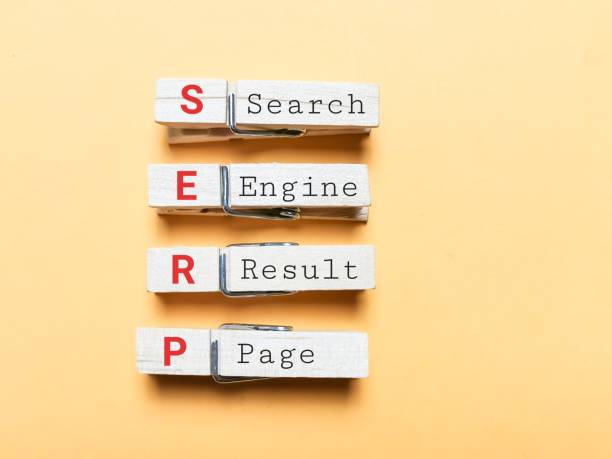
SERP refers to the Search Engine Results Page. It is Google’s response to a user’s search query.

SERP features, however, are Google’s responses to search queries that go past the traditional “blue links.” This includes featured snippets, a knowledge panel, image packs, map packs, and video carousels.

Common Google SERP features

January 2014 marked the first time Google introduced SERP features, with ‘Featured Snippets’ and ‘People Also Ask’ appearing on desktop search results. Since then, it has grown to introduce many more.

Here’s what you need to know about the most common ones:

Featured Snippets

Featured snippets are excerpts of a website’s content displayed at the top of the results page in an attempt by Google to provide direct answers to a user’s query. 

Knowledge Panels

According to Google, “Knowledge panels are information boxes that appear on Google when you search for entities (people, places, organizations, things) that are in the knowledge graph.” Knowledge panels provide users with a brief overview of information on a particular topic to assist them in quickly grasping the key points.

Rich Snippets

Simply put, rich results are visually enhanced search results. They are a type of search result that presents additional information from the page rather than a basic snippet that only includes the title, description, and URL.

People Also Ask

People Also Ask is a SERP feature displayed by Google that presents a list of related questions users have searched for after their initial query. It appears below the search results and aims to further address the information the user needs and provide additional context.

Local Pack

A Local pack, or the Google Map Pack or Snack Pack, is a prominent section in Google search results that showcases the top-ranking local listings for your search query or current location. It appears at the top of the search engine results page (SERP) when a user searches with local intent, such as “restaurants near me” or “best mechanics in Lagos.”

Video and Image Carousels

Video and image carousels are another type of SERP feature that displays a series of videos or images related to the search query. Depending on the relevance and type of content available, they can appear at various positions on the search results page.

RELATED POSTS: 

LATEST ON-PAGE SEO PRACTICAL GUIDE FOR BEGINNERS

8 EASY WAYS YOU CAN IMPROVE CORE WEB VITALS OF ANY …

HOW TO WRITE META DESCRIPTIONS FOR SEO + FREE …

HOW TO GET A FEATURED SNIPPET SPOT ON GOOGLE’S RESULT PAGE

Benefits of SERP features for your content.

Optimizing for SERP features might seem like something you can overlook, but here are some of the benefits you would be missing out on:

a. Increased Visibility

Visibility is key in the world of SEO, and attaining it is the goal of all SEO efforts. The following is how SERP features boost your visibility to searchers:

  • Prominent placement: SERP features occupy prime real estate on the search results page, often above traditional organic listings. This increased visibility makes your website more likely to be seen by potential customers.
  • Eye-catching formats: Features like video carousels, rich snippets, and knowledge panels stand out visually from the text-heavy results page, grabbing user attention and driving clicks.

b. Improved Click-Through Rate (CTR)

Your Click-through rate is an essential metric in SEO that often significantly impacts your ranking on result pages. Here’s how SERP features help improve that:

  • Direct answers: Features like featured snippets and knowledge panels provide instant answers to user queries, reducing the need to click through to your website. However, this can still increase brand awareness and potential future visits.
  • Enhanced user experience: Features like interactive maps and carousels offer a richer and more engaging experience, making users more likely to click and explore your content further.
  • Increased trust and credibility: Appearing in prominent SERP features like knowledge panels and rich snippets signals to users that your website is a reliable source of information, boosting their confidence to click.
click-through-rate

Photo by Vladimir Sukhachev on iStock

c. Potential for Higher Ranking

SERP features significantly raise your chances of ranking higher by:

  • Optimizing for features: Following best practices for structured data, content formatting, and relevance can increase your chances of triggering SERP features for relevant keywords, indirectly improving your organic ranking.
  • Enhanced user engagement: Features like People Also Ask and interactive elements can increase dwell time on your website, which is a ranking factor considered by search engines. 
  • Authority and relevance: Appearing in various SERP features can showcase your website’s expertise and relevance to specific topics, potentially influencing ranking algorithms in your favor.

d. Attract More Qualified Leads

SERP features also help you attract the leads your website needs. Here is how:

  • Targeted audience: Features like local packs and People Also Ask highlight your website to users actively searching for your products or services, increasing the likelihood of qualified leads.
  • Detailed information: Features like rich snippets and knowledge panels offer users a concise overview of your offerings, helping them make informed decisions about contacting you.
  • Brand recognition: Consistent presence in SERP features builds brand awareness and trust, making users more likely to choose you over competitors.

e. Increased Credibility

Searchers are more likely to click links they trust to answer their search query needs, and SERP features greatly increase your credibility with the following:

  • Google’s endorsement: Appearing in SERP features, especially knowledge panels and rich snippets, signifies Google’s recognition of your website as a reliable source of information, enhancing your credibility.
  • Transparency and trust: Features like People Also Ask and interactive elements encourage user engagement and address potential concerns, building trust and transparency.
  • Competition edge: Standing out from competitors through SERP features demonstrates your commitment to user experience and content quality, cementing your position as a trustworthy authority.

Optimizing your content for different Google SERP features

Here’s a breakdown of how to optimize your content for each SERP feature you mentioned:

google-serp-feature-optimization

Photo by Ekahardiwito Subagio Purwito on iStock

1. Featured Snippets

This feature is a great way to get instant answers to search queries. Featured snippets are the easiest SERP feature to rank for. Here’s how you can do it:

  • Conciseness is vital: Aim for clear, concise answers to specific questions users might ask, ideally under 280 characters.
  • Structure matters: Use bullet points, numbered lists, or tables to make information understandable.
  • Target relevant keywords: Research and include relevant keywords in your content, focusing on those with high search volume and low competition.
  • Optimize for voice search: Use natural language and conversational tone for potential voice search triggers.

2. Knowledge Panels

This feature gives users a snapshot of the information they seek. Below is a guide on how to rank for it.

  • Claim your entity on Google: Verify your business or organization on Google Search Console and Google My Business, now Google Business Profile, to ensure accurate information appears in the panel.
  • Provide comprehensive information: Include detailed descriptions, contact information, website links, and high-quality images or logos.
  • Structure your website: Use schema markup to help Google understand your website’s structure and highlight relevant information.
  • Build backlinks: Increase your website’s authority and relevance by earning backlinks from high-quality websites.

3. Rich Snippets

Like meta descriptions, rich snippets tell the searcher more about that webpage. Here are a few tips to optimize your website for it:

  • Implement schema markup: Use structured data to explicitly tell Google what information you provide, like recipes, events, or products.
  • Focus on specific information: Highlight relevant details like ratings, prices, availability, or event dates.
  • Use high-quality visuals: Include compelling images or videos that accurately represent your content.
  • Optimize for mobile: Ensure your rich snippets display correctly on mobile devices, where most users search.

4. People Also Ask

Searchers are interested in pages that can answer their questions, even if it’s not the one they typed in the search bar. Here’s how to always be available to answer them: 

  • Analyze existing questions: Look at the ‘People Also Ask’ section for your target keywords and identify frequently asked questions.
  • Integrate questions and answers: Address these questions within your content, either directly or in dedicated FAQ sections.
  • Use natural language: Employ conversational language and answer questions in a helpful and informative way.
  • Link to relevant pages: If your website has dedicated pages addressing specific questions, link to them within your content.

5. Local Pack

Do you want people to come to you? Optimize your business to show up on local packs. Here’s how: 

  • Claim your GBP listing: Optimize your Google Business Profile listing with accurate information, high-quality photos, and positive reviews.
  • Target local keywords: Ensure your content and website title include keywords relevant to your location and target audience.
  • Encourage user engagement: Respond to reviews, answer questions on your listing, and keep your information updated.
  • Build local backlinks: Get backlinks from local websites and directories to improve your local SEO.

6. Video and Image Carousels

Are you tired of scrolling through hundreds of articles? So are your readers. Change the game by ranking high with a different type of content. Below is how:

  • Create high-quality visuals: Use engaging images and videos relevant to your target keywords and search intent.
  • Optimize file names and descriptions: Include relevant keywords in your file names and image alt text for better searchability.
  • Leverage YouTube and Google Images: Optimize your videos and images for these platforms using relevant tags and descriptions.
  • Embed videos and images in your content: Use videos and images strategically within your content to break up text and enhance user experience.
google-serp-feature

Photo by Merakist on unsplash

Conclusion

Optimizing your content for SERP features can help improve your website’s visibility and reach a wider audience. 

Each search result is unique, and understanding how search results work is vital. You must adapt your content to fit these special results to succeed online. This helps you get noticed, provide helpful info to your audience, and achieve your online goals.

Start optimizing your content for the specific Google search features that matter to you. Keep an eye on what’s new in SEO, and be ready to tweak your content strategy when needed.

How many SERP features do you optimize your content for?

READ ALSO: SEO writing | 10 proven tips on writing blog posts that rank on Google

9 Top Content Writing Tools for SEO every blogger needs – SARMLife

Living in an era where content is the new black or orange has placed content writers in high demand. While we are still trying to maintain quality, the increased workload has made it almost impossible for us to avoid using content writing tools for SEO purposes.

This blog post is dedicated to all hardworking content writers who need content writing tools for SEO to improve the quality of their content and meet deadlines. The reward for us is when we see those blog posts that we write ranking on the first page of Google’s SERPs.

This blog post is dedicated to all hardworking content writers who need content writing tools for SEO to improve the quality of their content and meet deadlines.

What is content writing?

Content writing is the entire process of planning, writing, and publishing content in written formats. These pieces of content take various forms, but whatever form they take, the endpoint is usually to convey a message to a particular audience. 

Depending on the quality of your content, it has the ability to convert your audience into paying and returning clients.

Types of content

There are several types of content, including:

  • Blog posts
  • Podcasts
  • eBooks
  • Landing pages
  • Product Description
  • Social media contents
  • Video
  • Infographics
  • Newsletters
  • Article
  • Audiobook
  • PDFs
A close-up of hands typing on a computer

Description automatically generated
Photo by Kaitlyn Baker on Unsplash

The importance of SEO in content writing

The importance of SEO in content writing includes:

Visibility

No matter the platform you are writing for, the end game for every writer is to be able to showcase their work in front of an audience.

For example, when you write content for blogs, you want to see it show up on the first page of a SERP for its focus keyword. When you write content for social media, you want to see it get the needed engagement and traction.

Whatever content you write, what makes your efforts worthwhile is when it is visible to your target audience. What better way to do this than through SEO?

SEO allows your content to be visible to people who are searching for it.

Engagement

Due to the fact that SEO is based on research, it allows you to discover what people want to read about in the exact format that they want.

This lets you create personalized content, which promotes engagement.

Brand building

When your visibility increases, it helps you develop a strong online presence, which is advantageous to your brand.

As more people engage with your content, they become familiar with your brand, its values, and its offerings, fostering a positive brand reputation.

Builds credibility

When you consistently produce high-quality content that is optimized for search engines and users, earn quality backlinks from reputable websites, and optimize your website to enhance user experience, it will help to build your credibility as an authority in your niche.

Niche relevance

SEO-driven content ensures that your brand is associated with specific keywords and topics that are relevant to your target audience. By incorporating relevant keywords into your content, you align your website with the search queries that your audience is using. This targeted approach effectively positions your brand as a relevant resource for users seeking information or solutions within your niche.

Free marketing

Organic traffic is the icing on the cake when it comes to SEO. Unlike other paid marketing options, SEO is more long-term and rewards consistent, quality content with adequate research and cost-effective strategies.

How to choose the best content writing tools.

Selecting your most suitable content writing tools for SEO requires careful consideration of various factors to optimize your content creation process and achieve your SEO goals effectively.

Here are some factors to consider when choosing the best content writing tools for SEO:

Your Content Needs and Requirements

Assess your content writing needs and identify the specific tasks you want to automate or enhance with the use of these tools. Consider whether you need tools for keyword research, content optimization, plagiarism checking, grammar assistance, or a tool that combines these functionalities.

Ease of Use and Good User Interface

Prioritize content writing tools for SEO that offer a user-friendly interface and easy navigation, especially if you are a beginner. This little factor can significantly affect your workflow and productivity.

Accuracy and Reliability

Ensure that the content writing tools for SEO that you choose provide you with accurate and reliable data. This is crucial for making informed decisions about your content strategy and optimizing your content for search engines.

Pricing and Budget

Evaluate the pricing plans of these tools and compare the functionalities offered by different plans. Select tools that align with your budget and provide the features and functionalities you need without breaking the bank.

Free Trials or Demos

Take advantage of the free trials or demos offered by many content writing tools for SEO. This allows you to experiment with the tool’s functionalities before making a purchase.

Integrations with Existing Tools

Consider how well the tools you choose integrate with your existing content management system (CMS), analytics platform, and other relevant tools. It needs to have seamless and hitch-free integration with your existing tools for overall efficiency.

Customer Support and Resources

You need to consider the level of customer support provided by the developer. Access to comprehensive tutorials and responsive customer support can be your saving grace when troubleshooting issues arise.

Content Writing Tools for SEO Writing

Grammarly

SARMLife - Best SEO Company | Jacksonville, Florida

If you are a content writer, I am absolutely sure you’ve heard of Grammarly at least once. This is because it is one of the best content-writing tools available. 

The essential features of Grammarly cover spelling, punctuation, and grammar, but it doesn’t stop there. When you upgrade to the paid plan, you get plagiarism checks, vocabulary, and even sentence tone checkers.

One thing that distinguishes Grammarly is that it uses AI systems to detect subtle writing errors, making its reviews and feedback very accurate and spot on.

Although AI systems have certain disadvantages, including the inability to identify word structures outside of their programming, the benefits outweigh the disadvantages. You can manually correct your writing where you deem appropriate.

The free version of Grammarly, though limited, is far better than most spellcheckers and editing tools as it offers a variety of features, including:

  • Integration with several browsers
  • Integration with Google Docs
  • AI system for spelling, punctuation, and grammar errors
  • Availability on mobile devices
  • Readability metrics

As expected, the premium version offers far more value than the free version and gives writers literally all the features needed to have a WOW effect on readers. It goes beyond the basic suggestions and checks word tone, style, ineffective word usage, and plagiarism. Another feature of the premium version is outsourcing your writing to an actual human proofreader, although this comes at an additional cost.

Grammarly Premium makes sure your writing has clarity and emotional appeal and is free from plagiarism.

Pricing starts at $12 per month for the Grammarly premium and $15 per month for the Grammarly Business.

SEMRush Writing Assistant (SWA)

SEMRush - This blog post is dedicated to all hardworking content writers who need content writing tools for SEO to improve the quality of their content and meet deadlines.

Developed by SEMRush, this writing assistant has all the features necessary for content optimization, and the good news is that these features are automated. Unlike other content writing tools for SEO, the features are not exactly embedded in the tool but come from various integrations, including all the SEMRush tools.

I like this tool because it shows you recommendations and gives you feedback as you write. This means that you don’t have to wait till you’re done writing to make necessary corrections. You also get to finish your work faster and learn on the go.

The SEMRush Writing Assistant offers:

  • SEO suggestions
  • Real-time feedbacks
  • Google Docs integration
  • Integration with other SEMRush tools
  • It can be used as a WordPress plugin

The limitation of the SWA is that you cannot access it unless you have an active SEMRush subscription which starts at $120 per month. 

There are several ways you can use the SEMRush Writing Assistant:

  • Inside SEMRush: This allows you to check the viability of your content right from the SEMRush platform, although this prevents you from styling options or image insertion.
  • As a Google Docs Plugin: More preferable than the first option, although you need to have a Google Workspace account. Then you have to install the plugin to your Google docs from the GSuite Workspace market, after which you enable the add-on via your Google Docs.
  • As a WordPress plugin: This is the most preferred option as it is easy to use with more available options. All you need to do is go to your WordPress plugin page, search for the SWA, and install and activate. Click on the ‘Flat mode’ in your post editor, log in to your account, and your SWA is ready for work.

Answerthepublic

SARMLife - Best SEO Company | Jacksonville, Florida

For any content creator or writer, answerthepublic gives you insight into your customer’s minds. It compiles a list of search queries based on specific keywords. It then categorizes these queries into several forms, including:

  • Questions like why, where, how, who, what, can will, etc
  • Prepositions like without, near, with, to, without, etc.
  • Comparisons like versus, and, or, like, etc
  • Alphabetical: displays results in alphabetical order
  • Related

 and presents it in an appealing visual format.

This tool is best for researching market trends and observing queries around specific keywords in any niche. These keywords are predictions of what your audience will search for, and it is an accurate analysis as these data are updated frequently.

The free version offers you search insights and allows you to download the displayed data, although you have a limited number of searches per day.

The paid version allows you access to unlimited daily searches, unlimited users, data comparison, and CSV export.

There is no free trial for answerthepublic, and the pro plan starts at $99 monthly with a 20% discount if you want to pay for an entire year.

Google Docs

SARMLife - Best SEO Company | Jacksonville, Florida

Initially, when I started writing, I always loved using Microsoft Word for all of my writing until I discovered Google Docs. 

Besides the fact that Google Docs automatically saves your writings to your drive or device to prevent the risk of losing your writing, it also allows you to add plugins that can help your content writing process. 

Working with a team allows you to collaborate on a document and automatically syncs all inputs.

When writing blog posts, I always use Google Docs, and it’s incredible how I can highlight a particular phrase or word, search the internet for related posts, and automatically insert the links. This saves you the stress of having to insert URLs or add related links to your writings manually.

If you are using WordPress as your blogging platform, what you see on your Google Docs is what you will see at the backend of your website, so you hardly have to edit your texts.

If you aren’t using Google Docs as a blogger or writer, you should try it!

Ubersuggest

SARMLife - Best SEO Company | Jacksonville, Florida

Possibly the best keyword tool for SEO writers, Ubersuggest brings all your SEO needs to fulfillment. Developed by Neil Patel, it offers insight into keywords, content analysis, website analysis, competitor analysis, link tracking, and many other features.

It has a reliable and vast database of keywords and uses the API (Application Programming Interface) for Adwords, specifically Google Keyword Planner and Google Suggest, to get its data. This gives its users insights that help their SEO strategies and ranks them better in search engines.

If you are looking for an SEO tool that covers all the aspects of SEO, then this has got you covered. The free version offers you limited access to keyword analysis and content analysis. There is also a 7-day free trial that gives you a preview of what you can have access to in the premium version.

There are three categories of the paid version:

  • Individual: $12 monthly or a $ 120-lifetime access
  • Business: $20 monthly or a $ 200-lifetime access
  • Enterprise: $40 monthly or a $ 400-lifetime access

Hemingway Editor

SARMLife - Best SEO Company | Jacksonville, Florida

One of the best tools is the Hemingway editor when it comes to streamlining writing styles and writing clarity. Perfect for writing concision and word phrasing, it shows the readability of the article and aspects of the writing that need corrections by using different color codes.

  • Yellow: Phrases highlighted in yellow indicate long, complex sentences.
  • Blue: Highlighted blue phrases show weak verbs and phrases. You might want to edit these phrases with context words and more impactful verbs.
  • Green: Green highlights are indicative of passive voice.
  • Red: Red highlights show that the highlighted phrase is difficult to read, and the readers will likely not get its meaning.
  • Purple: Phrases highlighted with purple usually indicate that you can shorten the selected phrase or that the highlighted word has a simpler alternative.

There are two ways to use the Hemingway editor. You can use it as a free tool online or download it as an app. The online Hemingway editor is entirely free, but the App version comes with a one-time fee of $19.99. 

Although the features for both the online and app versions are the same, a significant difference is that you cannot download or upload your corrected work using the online version, but you can do that via the app. The app also gives you download options, including HTML, Markdown, or Word document.

The app version also allows you to use it without an internet connection, while an internet connection is necessary for the online version.

Jasper AI

SARMLife - Best SEO Company | Jacksonville, Florida

This makes it to my list because it is one of the few AI tools that can actually help you with SEO. The Jasper AI has integration with Surfer SEO to help writers and bloggers with on-page SEO.

What is Jasper AI?

Jasper AI is a GPT-3 (Third-generation generative Pre-trained Transformer) content writing tool that helps you create and edit content. The fact that it is a GPT-3 tool means that it can use a small amount of input text to generate large amounts of relevant texts using the internet data, making it a perfect choice for long-form and short-form content.

Another reason you will love this tool is that it offers a lot of templates:

  • Long-form assistant: to write long articles from start to finish.
  • AIDA Framework: Utilizes the AIDA model for copywriters (Attention, Interest, Desire, and Action)
  • Content Improver: To copy and paste pieces of your writing to make it better.
  • Facebook Ad Primary Text: Create highly converting copy for the ‘primary text’ section of your Facebook ads.
  • Google Ads Headline: To create highly converting copy for your Google Ads’ headline section.
  • Marketing angles: To add vibrancy to your marketing by researching different angles.
  • Video description: To create unique descriptions in your YouTube videos.
  • Email Subject Line: For compelling subject lines to get readers to open your mail.
  • Real Estate Listing – Residential: Creating enticing real estate listings that sell homes fast.
  • PAS Framework: For creating new marketing ideas using the PAS framework (Problem-Agitate-Solution)

Pricing for Jasper AI. starts at $29 per month for the starter plan and $59 per month for the Boss mode. There is an option to pay yearly with 2-month payments off.

Canva

SARMLife - Best SEO Company | Jacksonville, Florida

Do content writers need Canva? 

Well, if you have an app that allows you to make amazing graphics for your content in record time and offer millions of templates, then maybe you don’t need Canva.

Visual content is just as important as written content. In fact, your written content is not complete without pictures, infographics, or short videos. Canva makes it easier for content creators to develop graphics they can use to hook their readers. 

With millions of templates ranging from infographics, websites, concept maps, planners, posters, invoices, ebook covers, YouTube intro, blog graphics, Instagram posts, videos, and the list goes on! It is a must-have for all content writers and bloggers.

Pricing: The free version is available and has a lot of templates from which you can select.

The paid version is valued at $13 per month.

Hubspot’s blog topic generator

SARMLife - Best SEO Company | Jacksonville, Florida

As the name implies, this tool majorly helps generate topic ideas for your writing. This is the tool for you if you are continually hitting a creative block or running out of topics.

When you open the site, you get to add a noun that best describes what you want to talk about. Hubspot allows you to add up to five nouns, and it gives you days, weeks, or months’ worth of blog topic ideas that you can use.

You can access more ideas when you sign in to the platform using your website’s URL. 

The Hubspot blog topic generator is completely free.

Why you need SEO content writing tools.

A tabletop view of a female typing on a laptop.
Photo by Avel Chuklanov on Unsplash
  • Improve your writing: In less than a month of using appropriate tools, the quality of your writing is sure to increase. As the tool makes corrections, you also learn aspects of your writing that need improvement.
  • Improve reader experience: One of the benefits of most content writing tools for SEO is that they optimize your content to be reader-friendly. These include paragraphing and flowing sentences.
  • Optimize for search engines: Yes, your content gets to go through SEO scrutiny and editing—keyword stuffing, paragraph length, keyword research, word count, etc.
  • Organize your content: Content writing tools help organize your content layout and make it visually appealing to your readers.
  • Professional content: After editing and revising your content, the final product is usually professional.
  • Instant feedback: Most tools instantly revise your content as you write and make suggestions where necessary.

My content SEO Tools: top picks

These content writing tools for SEO have a lot of advantages, and they are sure to improve your writing quality and optimize for search engines.

My top picks from these tools would be

  1. AnswerThePublic,
  2. UberSuggest,
  3. Google Docs,
  4. Grammarly, and
  5. Canva

What tools have you tried out? Do you think they help improve your writing skills? Did I fail to include your go-to content-writing tool?