How-to-write-seo-headlines-in-2026

HOW TO WRITE SEO HEADLINES THAT ACTUALLY GET CLICKS IN 2026

Imagine spending hours creating strong, well-researched content—only for it to rank on Google and still get ignored.

On average, it takes over four hours to write a great post, and let’s be honest—the least you’d expect is for people to see your hard work. However, the reality is that out of 7.5 million blog posts published daily, over 90% get little to no attention.

For years, people have focused on other SEO strategies like keywords, backlinks, or site speed while barely paying attention to one of the most crucial factors: how to write SEO headlines. But here’s a shocking truth: 6 out of 10 people share an article after just glancing at the headline, while less than half read the post.

This is because from the title, they are able to determine if the content will match their search purpose, and most times, they do. This is why writing an optimized headline is crucial for SEO.

If this post had been written last year, I might have ended this introduction right around here. However, search has changed and while headlines are still an important aspect to ranking, the game has changed.

A great headline no longer guarantees traffic, clicks or shares. Your page can appear on page one, show up in AI Overviews, and still record zero clicks.

And it’s not because the headline or content is bad.

Search has changed. AI now summarizes answers directly on the results page regardless of your title. In fact, the only place your title will appear (if you are being cited by AI overviews) is when a searcher decides to check the web pages that are being cited.

This means that users often decide whether to click after they’ve already seen the explanation.

In this search era, your headline isn’t just competing with other blue links, it’s competing with AI-generated summaries”.

The question now is: “how to write SEO headlines that ranks and brings clicks even after the user already got an answer to their queries”

The answer is simple and is the difference between being visible and being chosen.

Structure your headlines in a way that signals relevance to search engines, set expectations for readers, and most importantly, create the gap that makes someone choose your page over an AI summary.

I will be showing you exactly how to write SEO headlines that rank and attract clicks in this blog post.

RELATED BLOG POSTS

What Is an SEO Headline?

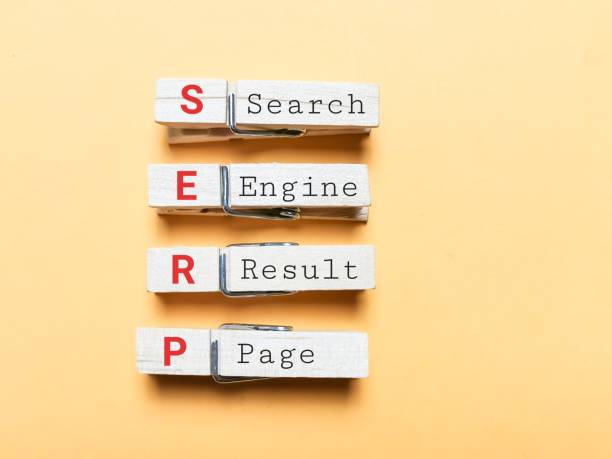
SEO headlines are titles shown to searchers when a page appears on the search engine results page (SERP). A well-crafted SEO headline can be optimized with important keywords to rank higher in search results, increasing visibility and the chances of clicks (organic traffic). 

SEO headlines help search engines understand what a page is about and determine the likelihood of a searcher visiting it. 

Why Headlines Matter for SEO

An SEO-friendly headline has a significant function: drawing in users and search engines to your blog. More than just a title, a compelling headline is your first chance to engage readers, improve search engine visibility, and drive traffic by highlighting the importance of your content. 

Here’s why you need to learn how to write SEO headlines:

Headlines as an SEO ranking factor

Wooden blocks spelling "SEO" and “ranking” with a magnifying glass beside them

Photos by 8photo on Freepik

Google uses various characteristics, such as headlines, to determine a page’s position in the search results list. 

A well-optimized headline improves rankings and helps search engines understand your content. When your headline aligns with the user’s intent, your chances of ranking on the first page of the search results are higher.

Impact on click-through rate (CTR)

Learning how to write SEO headlines and implementing strategic keyword placement is more than getting search engines to recognize your content; it’s about connecting with users actively searching for specific information.

When users find their search term in a headline, they are compelled to click, knowing that the content meets their needs and intent. This increases the organic click-through rate, a metric used to measure how often people click on a search result.

A compelling headline ensures your content is listed naturally in search engines, leading to greater visibility, more clicks, and, ultimately, higher rankings.

Relevance to search queries

One of the most essential factors for visibility is ensuring your content aligns with what users are searching for. A well-written headline that directly matches user queries improves the chances of ranking higher on search engines. Search engines prioritize content that best aligns with user intent, and they know this by how users react to the content. 

A relevant headline also signals to users that your content matches their needs, increasing engagement, reducing bounce rates, and improving dwell time.  

Headlines impact a brand’s first impression and perception

Headlines communicate what a brand is about in a few words. A vague and non-factual headline will create a negative first impression and can turn users away instantly. 

First impressions matter, and a compelling headline establishes credibility and trust by setting the tone for the content that follows.  

Beyond engagement, headlines contribute to a brand’s overall reputation. Users subconsciously associate a headline’s clarity and relevance with the content’s authority and the brand behind it. 

A well-structured, informative headline builds trust, strengthens brand identity, and ensures your content is perceived as valuable and reliable.

A display of SEO-related words

Photo by Tumisu on Pixabay

Elements of a Good SEO Headline

Writing great headlines isn’t about coming up with something you perceive to be “catchy.” It requires an accurate understanding of your audience and the strategic use of proven headline techniques that have consistently grabbed readers’ attention over the years.

The hardest part of crafting a good headline is ensuring it appeals to humans and search engines.

When you think of great SEO titles, think of something clear, not ambiguous, emotional, punchy, concise, and compelling. 

Let’s break down what makes a headline click-worthy.

Clarity and accuracy

Headlines are meant to convey a clear message to readers. However, too much creativity can sometimes make the message unclear.

For example, using metaphors or figures of speech that are hard to decipher can be a significant turnoff for users who are quickly skimming through search results.

A headline like “Cracking the SEO Code: The Secret Sauce to Google’s Heart” might sound intriguing, but it’s vague and doesn’t immediately tell users what to expect. Someone looking for SEO strategies might not associate “cracking the code” or “secret sauce” with practical, actionable tips. 

In an attempt to be clever, some people resort to exaggerated or misleading claims. For example, “5 Proven Ways to Increase Sales by 1074% in Just Three Days.”

This is an exciting and enticing headline. However, if the content doesn’t deliver on that promise, it destroys credibility. 

Always back up your claims with proper research and ensure your title reflects the actual value of your content.

Keyword optimization

Keywords are important in telling search engines whether content matches the user’s intent. Including the target keyword in your SEO headline helps users determine whether your content meets their needs.

The SEO title should contain a primary keyword. However, using unrelated keywords or stuffing your headline with too many keywords can appear to be spamming and can be penalized by search engines.

For example, a title like “Best Weight Loss Tips: Weight Loss Diet for Fast Weight Loss and Weight Loss Exercises” is an obvious case of keyword stuffing. 

The phrase “weight loss” is overused unnaturally, making the headline look forced rather than helpful. 

A well-optimized title would be “Effective Weight Loss Tips: Best Diet and Exercise for Fast Results.”

This way, the keyword is included strategically without making the title look spammy.

To get the best results:

  • Ensure the keyword accurately reflects the page’s content
  • Place the keyword strategically within the title.

Search intent

Depending on your keyword and how your headline is structured, the search intent can move from informational to commercial.

For example, if your keyword is chocolate cake, and your headline is structured as “How to prepare the best chocolate cake without sugar”; the search intent is mostly informational.

Your content should reflect that intent and really teach how that kind of chocolate cake can be made, rather than focusing on the ingredients and where they can be purchased.

Learning how to write an SEO title goes beyond the title itself, and considers other elements of your content. This is because search engines evaluate content based on how users interact with it, so every piece of content (headlines included) must align with user search intent.  

Every SEO headline should reflect the intent behind a search query. A headline that doesn’t match what users seek can lead to higher bounce and lower click-through rates (CTR).  

Also, your SEO title should be tailored to attract the specific audience you want to reach. Two people using the same search query may have different needs or interests. 

how-to-write-seo-headlines

Photo by Pixabay on pexels

Emotional appeal

One of the things I mention when teaching students how to write SEO titles that get clicks is emotional appeal.

A great headline should evoke an emotional response. Humans are psychological beings who act based on emotions, so your headline must compel users to click.

The use of power words and numbers can help you achieve this. Power words trigger a response in searchers that can drive click-through rates and boost conversion. They are persuasive words that push users to take action, either to buy your products, click your headline, join your email list, etc.

Using numbers also clearly shows users what to anticipate. They help to break up a long title. A SearchPilot SEO experiment revealed that deleting a title’s number resulted in a 16% drop in website traffic.

Length and formatting

Did you know your SEO title has limited space on the SERPs? You can be cut off when your headline appears too long. The character count for your headlines should be between 55 and 60 to avoid being truncated in SERPs.

Practical Tips on How to Write SEO Headlines that get clicks

Here are some of my top SEO title best practices:

1. Conduct keyword research.

Creating an SEO-friendly headline starts with solid keyword research

Whether your content idea comes from your list of content buckets or tools like AnswerThePublic, the next step is analyzing the Search Engine Results Page (SERP) to see what’s already ranking for the same topic.

Here’s how to do it effectively:

  • Insert your idea in the Google search box.
  • Search for articles covering the same concept and carefully analyze the first to third page of Google results.
  • Identify recurring keywords or commonly used phrases in top-ranking headlines.
  • Pick at least three potential keywords and analyze them using tools like Semrush or Ubersuggest to check for:
    • search volume (How many people are searching for it?)
    • SEO difficulty (How hard is it to rank for this keyword?)
    • paid difficulty (How competitive is it for paid ads?)

Pro Tip: If your brand has little domain authority, avoid keywords with an SEO difficulty score of 50+. Ranking with them is difficult.

2. Analyze SERPs and match search intent.

Now that you have your focus keyword, the next step is to analyze the SERP to understand what’s already ranking and what users expect when they search for this term.

To do this:

  • Search your focus keyword on Google and study the content of the top-ranking pages.
  • Check the content structure. Is it a guide, how-to post, listicle, or educational post?
  • Check the headline styles of the top results. What kinds of titles are attracting clicks? What words do they use?
  • Identify content gaps. What’s missing from existing articles that you can cover better?
  • Define your target audience. Beginners or advanced users? What do they already know about the topic?

This process gives you a head start on understanding the search intent of the query or term. You can also use the Keyword Overview tool in Semrush or Ubersuggest to gain deeper insights into search intent and audience behavior.

The aim is to create a headline that stands out from the competitors and corresponds with user intent. Users may not respond to a question-based headline if they anticipate a “how-to” guide. Matching search intent gives you a better chance of ranking and attracting visitors.

3. Add power words.

We already have a foundation for the keyword and a draft for the headline. Experiment with different power words to evoke emotions at this stage and ensure that your title gets the most user clicks.

4. Add numbers.

Consider adding a number if it won’t make the title useless. Numbers and statistics tend to improve SEO.

In cases where adding a number is ineffective or does not match your research on search intent, consider adding the year the content was written.

Ensure that the headline matches the content of the article. Your goal isn’t to write a clickbait headline that doesn’t pay off for the reader. Your goal is to deliver what you promise in the headline.

5. Analyze headlines.

Use tools like Sharethrough Headline Analyzer to check your headline’s relevance, clarity, catchiness, context, and emotional impact.

Opt for a percentage that is equal to or higher than 80%.

6. Optimize character count.

Optimize the length of the headline to be between 55 and 60 characters.

Come up with different ideas or tweak the initial headline to ensure it does not exceed the character count.

7. Test headlines.

You don’t have to settle for your initial headline; test different variations by evaluating their performance on social media engagement, analyzing their click-through rate (CTR), and comparing their impact on search rankings.

Refining headlines is a process, and testing ensures you’re using the best version possible.

Pro Tip: Check out SEMRush’s practical template for headline optimization.

three-white-and-black-scrabble-tiles-on-brown-wooden-surface 

Photo by Pixabay on Pexels

How AI Overviews Are Changing SEO Headline Writing

AI Overviews have quietly changed how people interact with search results and headlines are feeling the heat.

In the past, a strong SEO headline only had to do three things:

  • Rank well
  • Describe your content
  • Get clicks

Today, that’s no longer enough.

With AI Overviews, users are often shown a summarized answer before they ever see your page. By the time they scroll to organic results, the basic question has already been answered. Even when you are being cited by AI overviews, the result is still the same.

This means your headline is no longer competing only with other blog posts. It’s competing with AI-generated summaries.

As a result, learning how to write SEO headlines has shifted from describing content to positioning value.

How to write SEO headlines that compete with AI summaries

AI Overviews haven’t made SEO headlines less important instead, they’ve made them more strategic. Here’s how you can leverage AI sumaries and write SEO titles that earn you clicks regardless.

  1. Understand that rankings no longer guarantee clicks
    • Ranking on page one or even being referenced in AI Overviews does not automatically lead to traffic. When a headline simply repeats what the AI has already explained, users have no reason to click.
  2. Avoid headlines that fully resolve the query
    • Clear but complete headlines often lose in AI-led SERPs. If the answer feels finished in the search results, curiosity disappears.
  3. Create a reason to go deeper
    • AI Overviews are good at explaining what something is, but they struggle with:
      • Why something isn’t working
      • What people are getting wrong
      • How strategies change in real situations
      • What to do next
        Headlines should signal that your content fills this gap.
  4. Signal value beyond accuracy
    • Instead of focusing only on being correct, headlines should hint at:
      • Depth
      • Perspective
      • Application
      • Consequences
  5. Balance clarity for AI with curiosity for users
    • AI systems favor clear, relevant phrasing. Users click when something feels unresolved. High-performing headlines satisfy both by being understandable and intriguing.
  6. Write headlines that position insight, not summaries
    • Headlines that only explain tend to get absorbed by AI. Headlines that suggest analysis, outcomes, or interpretation are more likely to earn the click.
  7. Focus on headline intent, not headline length
    • In AI-driven search, the key question isn’t how long your headline is, but what it’s trying to accomplish. Effective headlines:
      • Acknowledge the underlying problem
      • Reflect modern search behavior
      • Signal usefulness beyond the AI summary
  8. Lean into results, mistakes, and strategic shifts
    • Headlines that reference outcomes, errors, or changing strategies consistently outperform purely instructional ones in AI-heavy SERPs.

Headline Patterns That Improve CTR (With Examples).

Here are some headline patterns you can use to consistently improve CTR, especially for pages that already rank but struggle to attract clicks.

  1. The “Why it’s not working” pattern:
    • Why Your SEO Headlines Are Ranking but Still Getting Ignored
    • Your Marketing Strategy Looks Right — So Why Isn’t It Working?
    • Why Following the Rules Still Isn’t Getting Results
  2. The “Hidden cost” pattern
    • Poor SEO Headlines in 2026 are costing you clicks
    • The Real Cost of Ignoring Customer Feedback
    • What Poor Onboarding Is Actually Costing Your Business
  3. The “Assumption breaker” pattern
    • Why Great SEO Headlines won’t get you clicks in 2026
    • Why More Traffic Doesn’t Always Mean More Sales
    • Productivity Isn’t the Problem — Focus Is
  4. The “Before you do this” pattern
    • How to Evaluate SEO Headlines Before You Publish
    • Read This Before Launching Your Next Campaign
    • What to Fix Before Scaling Your Business
  5. The “Clarity gap” pattern
    • Why SEO Headlines Don’t Perform the Way You Expect
    • Why This Strategy Sounds Good but Fails in Practice
    • What Most People Miss When Planning Long-Term Growth
  6. The “Comparison” pattern
    • SEO Headlines vs Click Headlines: What’s the Real Difference?
    • Manual vs Automated Reporting: Which One Actually Works?
    • Short-Term Wins vs Long-Term Strategy: What Matters More?
  7. The “Reality check” pattern
    • Why Keyword-Focused Headlines Aren’t Enough Anymore
    • What Real Progress Looks Like (And Why It Takes Longer Than You Think)
    • Why Fast Results Are Rare — and What to Aim for Instead
  8. The “AI-aware” pattern
    • How AI Overviews Are Changing SEO Headline Writing
    • Making Decisions in a World of AI Summaries
    • How AI Is Changing the Way People Evaluate Information
  9. The “Problem first” pattern
    • Your SEO Headlines Look Fine — So Why Isn’t Anyone Clicking?
    • When Effort Isn’t the Issue: Identifying the Real Blocker
    • Why Doing More Isn’t Fixing the Problem
  10. The “Framework signal” pattern
    • A Practical Framework for Writing High-CTR SEO Headlines
    • A Simple Framework for Making Better Decisions
    • How to Evaluate What’s Working Without Guesswork

FAQs on How To Write SEO Headlines in 2026 That Get You Clicks

Do SEO headlines still matter if AI Overviews answer the query?

Yes. SEO headlines determine whether users click after seeing an AI summary.

Why do my SEO headlines rank but get no clicks?

This usually happens when the headline repeats what the AI Overview or featured result already explains. If the answer feels complete in the SERP, users have no reason to click.

Should SEO headlines focus on keywords or clicks?

Both, but keywords first before clicks.
Keywords help search engines understand relevance, while click-driven framing helps users choose your page. A headline needs both clarity for AI and curiosity for humans.

How are AI Overviews changing headline writing?

AI Overviews summarize definitions and basics, which means headlines must now signal depth, insight, application, or outcomes instead of just explaining what something is.

What makes an SEO headline competitive in AI-driven search?

Competitive headlines acknowledge the problem behind the query and clearly signal that the page offers value beyond the AI summary.

What does it mean to utilize search engine optimization (SEO) when writing a headline?

To utilize search engine optimization (SEO) when writing a headline means crafting the headline so that search engines can clearly understand what the page is about, while still making it compelling enough for people to click.

Final Thoughts

Learning how to write SEO headlines is no longer about inserting keywords and hoping for traffic. It’s about balancing search intent, clarity, and curiosity in a way that gives users a reason to click after the answer is already visible.

The goal now is strategic headline writing: using keywords with intention, structuring headlines for clarity, and signaling depth, insight, or application rather than summarizing the page.

Apply strategic keyword placement, proper formatting, emotional triggers through power words, optimizing for second click intent and so on, to create a headline that generates clicks, shares, and engagement.

When done right, your headline becomes the bridge between AI summaries and meaningful engagement.

Share additional tips you know on how to write an SEO title in the comments.

READ MORE: 6 Common Google SERP Features & Best Ways to Optimize for Them

simple-ways-to-build-topic-clusters-for-seo-SARMLife

7 SIMPLE WAYS TO BUILD TOPIC CLUSTERS FOR SEO – SARMLife

While Google algorithms constantly change, some pages will always maintain a high ranking. 

Why? 

Search engines prioritize content that delivers the most valuable and relevant results to users’ queries.

But what makes content relevant enough to be seen and loved by search engines?

It is not about targeting keywords or writing quality content alone. It’s about building topic clusters for SEO. 

Google introduced the concept of topic authority in 2023, and since then, it has become a critical part of SEO. SEO has shifted from a purely keyword-based approach to a more user-focused discipline.

Building topic authority is the best trick, especially since one of the biggest struggles of blogging is generating fresh content ideas. The best way to tackle this is to organize your content into topic clusters for SEO. 

A solid topic cluster strategy generates endless ideas and creates a logical site structure, improving user experience and search engine visibility. 

This article will share a few tips on how you can build cluster topics.

RELATED BLOG POSTS

What is a Topic Cluster in SEO?

A topic cluster in SEO is a group of pages on your website that covers a specific topic in great detail.

It consists of one or two pillar pages (detailed guide) linking to a set of related subpages (the more specific cluster pages), which, in turn, link back to the pillar page(s).

Have you ever wondered why every link you click in a blog post leads you to another page on the same site? It feels like the site has covered everything related to that specific topic.

That’s topic clustering at work!

Topic clustering is crucial in helping search engines understand your website’s structure. Organizing your content this way makes it easier for search engines like Google to recognize your site’s authority on a specific subject. This increases your chances of ranking high in the SERPs for various keywords relevant to that topic.

For example, imagine you run a website about healthy eating. Your pillar page could be a complete guide on “Healthy Eating Tips for Beginners.” From there, the page can link to several more specific cluster pages, such as:

  • Top 10 Superfoods to Include in Your Diet
  • How to Create a Balanced Meal Plan
  • The Benefits of Organic Eating
  • The Importance of Fiber in Your Diet
  • Meal Prep for Beginners

Each cluster page will link back to the pillar page, improving the content hierarchy and making it easier for search engines to crawl and index your related content.

What is the difference between topic clusters and pillar pages?

A pillar page is a single piece of content, while topic cluster is the entire interconnected blog posts that are built around that pillar page.

So, where a pillar page offers a general overview of the topic in view, the topic clusters (supporting blog posts) cover specific sections of the pillar page in great detail.

Here’s a real life example of this:

SARMLife has a pillar page on ‘On-Page SEO Guide‘ and we have topic clusters that cover specific aspects of local SEO including:

It is important to also note that you cannot have one without the other.

A pillar page cannot work properly without a topic cluster, and a topic cluster must be anchored by a pillar page.

Topic Clusters vs. Pillar Pages Comparison Table

S/NTOPIC CLUSTERSPILLAR PAGES
1. A group of interlinked pagesOne central page
2. Deep, specific coverageHigh-level overview
3. Targets long-tail, specific keywordsTargets a broad keyword
4. Links back to the pillar pageLink out to cluster pages
5. Builds topical authorityProvides context
6. Helps you win visibility in AI overviewsHelps Google understand the topic
7. Needs a pillar pageCan rank moderately alone

Why Topic Clusters Matter for SEO in 2026

A display of blank sticky notes on a blackboard

Photo by gpoint studio on Freepik

Topic clusters are a secret weapon for SEO success. By developing content around a core topic, supporting cluster pages, and using internal linking, websites can increase their topical authority and provide a better user experience.

Topic clusters should be your go-to strategy for grouping blog posts, organizing product or service pages, or structuring knowledge base content.

Importance of topic clusters for SEO

Using topic clusters is an effective way of structuring your website in an SEO-optimized way. Grouping and organizing topics and subtopics helps to signal your site’s credibility, authority, and expertise in a particular niche to the search engine. 

Over time, this approach helps you gain traffic for long-tail keywords with lower search volume.

Additionally, by using descriptive anchor text to connect the pillar pages to the cluster pages, you’re strengthening your website’s internal linking structure, which can enhance indexing and crawlability.

Importance of topic cluster for Google

Topic clusters also help Google understand your site. The more subtopics or cluster pages on your website, the more supportive content Google sees, primarily through internal linking. This helps distribute page rank and improve positions in the SERPs.

Using topic clusters also improves Experience, Expertise, Authoritativeness, and Trustworthiness (E-E-A-T), a ranking signal to search engines like Google. It shows Google your site is credible and reliable.

By pairing topic clusters with off-page SEO tactics like backlink development, you can maximize the effectiveness of this strategy. As more external sites link to your content, Google will rank your site higher, granting you even more authority.

Importance of topic cluster for users

To users, a pillar page is like a one-stop shop for all answers related to a particular topic. Implementing topic clusters can reduce bounce rates and increase user engagement, making your site more valuable.

Users visiting your website will receive more than the answers they initially sought. They’ll be directed by your clusters to more relevant content, helping them find answers to questions they hadn’t even thought of yet. This level of comprehensive content makes you an authority and a trusted leader, especially when users are ready to take action.

How to Build Topic Clusters for SEO

Building topic clusters for SEO involves three critical factors: pillar pages, cluster pages, and internal linking. 

The step-by-step process of creating a topic cluster includes the following:

1. Select the core topic.

The first step in creating topic clusters for SEO is to choose the core topic. Although this seems like the easiest part of topic clustering, don’t be deceived. 

Choosing a high-level topic requires extensive brainstorming. This core topic will shape the pillar page and must be broad enough to cover many subtopics.

To choose the right topic, ask the following questions:

  • What is the purpose of the website?
  • What type of content do I regularly publish?
  • Are these topics relevant to what I do?
  • Can I create several pieces of content from this topic?
  • Do these topics serve a specific user intent?

2. Conduct keyword research.

An image of a cartoon showing a copywriter girl with a laptop with the word “keyword research” displayed

Photo by Upkylyak on Freepik

After choosing the topic, the next step is to conduct a keyword research analysis. The keywords help structure the topic clusters. Find all the possible keywords you can rank for in a core topic.

To get the best results, follow these steps:

a. Find core (short-tail) keywords: 

Start with broad, high-traffic keywords related to the topic. 

To get this, enter the core topic into the Google search bar and check for:

  • Google auto-suggestions 
  • The People Also Ask section, and
  • Related searches at the bottom of the page

This is to get keywords or phrases that are ranking for that topic.

b. Analyze keyword:

Use tools like Ubersuggest, Semrush, and Google Keyword Planner to analyze the keyword’s search volume, keyword intent, and difficulty.

c. Analyze search intent:

Ensure your search intent aligns with what users want to see when they search for the keyword. 

Are they looking for informational, navigational, transactional, or commercial content? 

Getting search intent right will ensure users take action after reading your content.

d. Select supporting keyword:

After choosing the main keyword, use tools like Ubersuggest, Semrush, Google Keyword Planner, or AnswerThePublic to find lower-competition, long-tail keywords that will serve as subtopics.

In this case, target medium- or long-tail keywords with lower search volume and SEO difficulty.

By structuring your keyword research this way, you ensure your topic cluster covers all necessary angles while improving SEO rankings.

3. Create pillar pages.

Once you’ve compiled a list of potential keywords, the next step is to determine the focus of your pillar page and the number of cluster pages that will support it. Pillar pages are comprehensive, well-researched, detailed, in-depth pages that broadly cover the main topic and serve as the foundation for implementing the topic cluster strategy.

The number of cluster pages you create per pillar page depends on the breadth of your pillar page content. You can aim for anywhere between 8 and 10 cluster pages.

Then, proceed to create your pillar page.

To create a well-optimized pillar page, you must ensure the following:

  • It covers the topic in detail and does not go too deep into the subtopics for the cluster pages.
  • It covers all aspects of the topic while strategically linking to cluster pages using descriptive anchor texts to signal its importance to search engines.
  • It is easily readable by users and scannable by search engines. Do this using a clear and logical structure of header tags (H1, H2, H3).
  • It contains strong calls to action (CTAs) to encourage engagement, whether by encouraging users to read another post or leading them to cluster pages.

For instance:

If your core keyword is “Healthy Eating,” a pillar page could be titled: 

The Ultimate Guide to Healthy Eating: A Beginner’s Approach

This page briefly introduces concepts such as meal planning, food groups, portion control, and dietary choices. It links to cluster pages that discuss each subtopic in detail.

a person creating a content plan

Photo by MART  PRODUCTION on Pexels

4. Develop cluster content.

The concept of topic clustering can be very tedious, considering the number of pages you have to write.

However, while you can have as many cluster pages as your pillar page can take, ensure that each is of high quality. It is better to have fewer well-researched, authoritative pages than hundreds that are poorly researched.

Once you have the topic clusters, assign the keywords you’ve identified to each cluster. The content of each cluster page should address a specific subtopic of the pillar page, improve website structure, and help search engines understand topic relationships.

An example of a cluster page for the pillar page titled “The Ultimate Guide to Healthy Eating: A Beginner’s Approach” would be:

  • The Best Vegetables for a Balanced Diet
  • How to Create a Balanced Meal Plan
  • Whole Grains vs. Refined Carbs: Which Is Healthier?
  • Portion Control: How Much Should You Really Eat?

Each cluster page would link to the pillar page, strengthening the site’s authority on the topic.

5. Optimize existing content for cluster pages.

Good news! You don’t always have to write new content for your cluster pages. You might have content on your website that can serve as cluster pages; all you have to do is optimize them using these steps:

  • Add the newly researched keyword to the title, meta description, subheadings, image alt tags, and URL.
  • Make the content more detailed and readable.
  • Review the internal links and add new ones that link to your pillar page.
  • Use relevant images and CTA.

Tip 1: During your research, analyze competitors to identify content gaps. Use these insights to create additional cluster pages that will provide more value to your users.

Tip 2: To make the pillar and cluster pages more engaging, ensure they contain high-quality images, infographics, videos, etc.

6. Implement internal linking.

Internal linking is the engine that build topic clusters for SEO. A topic cluster cannot succeed without strong internal linking. 

Importance of internal linking for topic clustering

  • It helps Google understands the content hierarchy because when multiple cluster pages link back to one pillar page, Google understands that “This page is the main authority on this topic.”
  • Users are able to navigate easily from broad topics to more specific ones increasing user experience.
  • It merges ranking signals, so instead of competing with each other, your pages work together.
  • It also helps Google find and crawl new cluster pages faster and understand the relationship between your pages.
  • It strengthens semantic relevance which are important for AI Overviews.

Here are some best practices for internal linking for SEO.

How to improve topic clusters with internal links

  • Assign one clear pillar page per topic cluster
  • Link every cluster page back to the pillar
  • Link the pillar page to all cluster pages
  • Use consistent, descriptive anchor text
  • Link ONLY topically related cluster pages to each other
  • Place internal links early in the content
  • Ensure no cluster page is orphaned
  • Fix broken or redirected internal links
  • Link weaker pages to high authority pages
  • Maintain a clear link hierarchy
  • Update internal links when new content is published

7. Optimize and update topic clusters. 

SEO is never a one-time task; you have to be ready to update your pillar and cluster pages regularly. 

Here are a few tips:

  • Always track your website performance using tools like Google Analytics and Google Search Console.
  • As algorithms change, content also becomes outdated. To update outdated content, invest in fresh SEO statistics and new research.
  • You should add new cluster pages over time.
  • Ensure your content still aligns with what users are searching for. Continually optimize for search intent.
  • Research ranking pages to improve engagement metrics.

Pro Tip: Revisit pillar and cluster pages every 3-6 months to update outdated content and improve internal linking.

topic-clusters-for-seo

Photo by Pixabay on Pexels

FAQs on Topic Clusters

What is a topic cluster in SEO?

A topic cluster in SEO is a group of pages on your website that covers a specific topic in great detail.

What are the components of a topic cluster?

The components of a topic cluster includes the pillar page, the subpages/cluster pages, and the internal links.

How do you create a topic cluster strategy?

To create a topic cluster strategy, follow these steps:
1. Choose one core topic that aligns with your business and audience
2. Create a pillar page that covers the topic at a high level
3. Research long-tail and supporting subtopics around the core topic
4. Create cluster pages that each focus on one specific subtopic
5. Link every cluster page back to the pillar page
6. Link the pillar page to all cluster pages
7. Use consistent, descriptive internal anchor text
8. Avoid overlapping keywords between pillar and clusters
9. Build clusters gradually, starting with the highest-intent subtopics
10. Update and expand the cluster as new questions and queries appear

What is the difference between topic clusters and pillar pages?

A pillar page is a single piece of content, while topic cluster is the entire interconnected blog posts that are built around that pillar page.

How can I improve topic clustering with better internal links?

You can improve topic clustering with internal links by doing the following:
1. Assign one clear pillar page per topic cluster
2. Link every cluster page back to the pillar
3. Link the pillar page to all cluster pages
4. Use consistent, descriptive anchor text
5. Link ONLY topically related cluster pages to each other
6. Place internal links early in the content
7. Ensure no cluster page is orphaned
8. Fix broken or redirected internal links
9. Link weaker pages to high authority pages
10. Maintain a clear link hierarchy
11. Update internal links when new content is published

Final Thoughts

Topic clusters are a necessary addition to your content strategy in 2026 if you are aiming to increase your visibility across search engines, answer engines and generative engines.

Building topic clusters for SEO can help establish topical authority, drive traffic, and, most importantly, improve the user experience.

The best part is that you can follow these steps to make your content irresistible to search engines and users. With topic clusters, you can build a powerful, authoritative website that ranks higher and attracts engaged readers.

Don’t miss out.

Have you ever implemented the topic cluster strategy? Share your results with us in the comments.

READ MORE: THE ULTIMATE PRO GUIDE TO SEO CONTENT WRITING 

follow-and-nofollow-links

3 Key Differences Between Follow and Nofollow Links in SEO

If you’ve ever worked in a digital marketing or SEO agency, you’re likely familiar with the terms “follow links” and “nofollow links.” They refer to particular types of links you can find on a web page. 

Though follow and nofollow links may look the same on a website to the average visitor, they function differently and have very different implications when it comes to a website’s performance on search engines.

Here’s a simpler explanation: links are essentially highways on the web. Some highways bring a stream of vehicles directly to your site, accompanied by endorsements (follow links), while others only display a signpost in your direction without any guarantee (nofollow links). 

For a website owner, blogger, or aspiring entrepreneur, grasping the distinction is essential.

This article will unpack the definition and workings of follow links and nofollow links, explain the impact of these types of links on SEO, provide guidelines on when and where to use each type, teach you what they look like in HTML, and explain how to check them. 

After reading this, you should be able to make better decisions that will enhance your website’s visibility.

RELATED BLOG POSTS

What Is a Nofollow Link?

no-follow-link-attribute

Photo Source: Lead Nicely

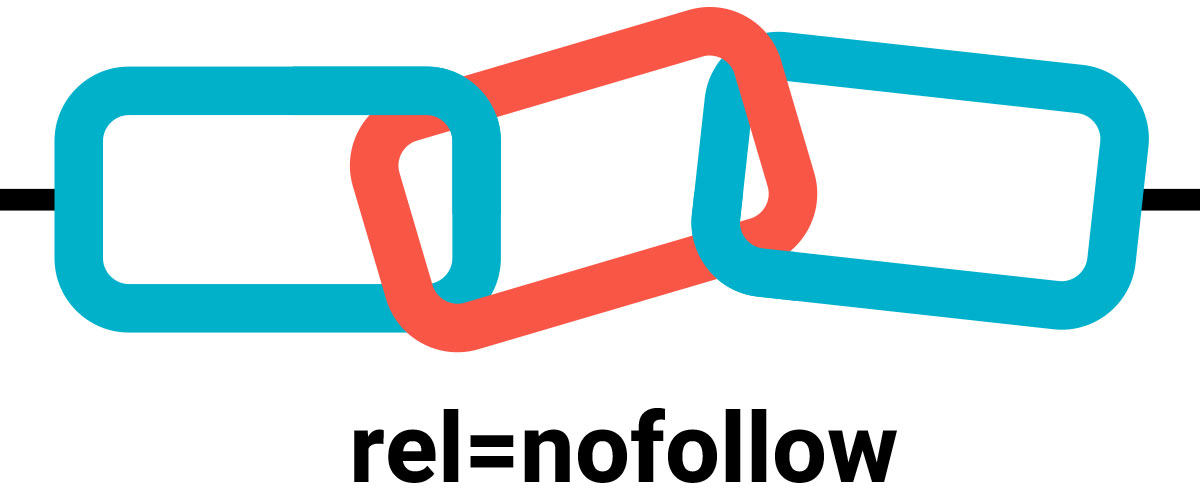
When we think about links, a no-follow link instructs search engines not to transfer ranking value or ‘link juice’ to the target page. In 2005, Google introduced this feature as a response to combating link spam, particularly in blog comments.

From a technical standpoint, a no-follow link is identified by the rel=”nofollow” attribute in the HTML markup. For example:

<a href=”https://example.com” rel=”nofollow”>Example</a>

To a user, the link looks and behaves like any other link—they can click on it and navigate to the target page. 

To search engines, however, it acts as a special indicator that states, “I am linking to this page, but I neither endorse it nor wish to pass any ranking credit to it.”

This feature, of course, doesn’t imply that no-follow links do not have a purpose. Like any other links, no-follow links continue to drive referral traffic and enhance brand visibility while also improving your backlink profile. 

As the two types of links function differently, we are going to analyze the no-follow links in comparison to the follow (dofollow) links.  

Key Differences Between DoFollow and Nofollow Links In SEO

linking-in-seo

Photo Source: SEOptimer

We begin by looking at these three key differences that set these two links apart:

Impact on SEO (Link Equity)  

This factor is, by far, the most critical difference.  

Follow (DoFollow) Links: Unlike others, these generate SEO value (commonly referred to as link juice) for other websites. 

If an influential site links to your blog with a follow link, it acts as an “endorsement” in the eyes of the search engines. This process is particularly good for your ranking.  

For example, imagine Forbes linking to your small business with a follow link. Google promotes your visibility by considering the link as “Forbes trusts this site.”

Nofollow Links: These links do not pass on link equity and therefore do not have any direct impact on your search ranking. 

However, Google has changed its perspective over the years, and the “nofollow” tag is no longer a strict instruction but a “hint” to be considered. 

Therefore, nofollow links may have some indirect benefits for search engine optimization, especially if they originate from authoritative websites.

Example: A nofollow link from Wikipedia may not pass SEO juice, but it can still generate enormous referral traffic and, in a way, signal relevance to the search engines. 

If you want to improve search rankings, you need follow links. However, nofollow links should not be ignored—they contribute to authority-building, traffic-driving, and enhancing a website’s backlink profile.

link-chain

Photo Source: LinkedIn

Use Cases: When to Use Each Type

Both follow and nofollow links are necessary. The issue is not about selecting one, but about knowing when to apply each.

When to Use a Nofollow Link

Nofollow links are suitable for use when there is no intention to pass SEO credit to another page. Some examples include:

  • Sponsored Content: Google requires that all paid advertisements or sponsored content include the rel=”sponsored” or nofollow attribute. These tags serve as a barrier to advertising firms buying rank through ads. 
  • Blogs, Forum Postings, and Other UGC (User-Generated Content) Submissions: Blog comments, forum posts, and other forms of user-generated content generally acquire nofollow tags automatically to combat spam. 
  • Low-Quality Sites: Use no-follow links to cite websites that you do not trust, thereby avoiding any association between your site and the low-quality site. 
  • Irrelevant or Duplicate Pages: Do you have off-topic or duplicate content to link to? If so, using nofollow makes it safer. 

Example: Imagine you have a fashion blog, and someone comments with a link to their unrelated cryptocurrency site. Since you make it no-follow, you do not automatically award them any SEO credit. 

When to Use a Follow Link

Follow links serve as a go-ahead signal—they are to be used when authority needs to be passed. Some of the common use cases include:

  • Internal Links: Using follow links to link your pages to one another not only allows easier crawling of your site by search engines but also helps distribute ranking power. 
  • Credible External Sources: Linking to and citing well-known sites (government sites, research papers, or reputable blogs) improves your own site’s trustworthiness.

Example: If you’re writing a healthcare blog and link to a CDC study, the follow link indicates that you are referencing a reliable source.  

Protect your site’s SEO reputation with nofollow links. With follow links, you can share trust and authority.  

Appearance: How They Look in HTML  

To a regular user, follow and nofollow links look exactly the same, or at least identical. The reason is that they are both clickable, blue texts. The difference is in the HTML.  

Example of a Follow Link:  

<a href=”https://example.com”>Example</a>

Example of a Nofollow Link:  

<a href=”https://example.com” rel=”nofollow”>Example</a>

This tiny addition to the code changes how search engines see the link.

How to Identify Follow and Nofollow Links  

follow-and-nofollow-links

Photo Source: Reliablesoft

How do you easily determine if a link is a dofollow or nofollow? Here are a few techniques to make sure:

Inspect with Developer Tools:

  • Right-click on a webpage and select Inspect.
  • Look at the link’s HTML. If you see rel=”nofollow”, it’s a nofollow. If not, it’s a follow link by default.

Check Page Source:

  • Press Ctrl + U (Windows) or Command + Option + U (Mac).
  • Search for the link in the code and check if “nofollow” is present.

Browser Extensions:

  • Tools like NoFollow Simple (Chrome) or SEO Minion highlight follow vs nofollow links on all pages..

SEO Tools:

  • Tools like Ahrefs, SEMrush, and Moz show detailed backlink reports, including whether links are follow or nofollow.

Regularly check your backlink profile to confirm that your site has a healthy mix of both link types.

The Importance of Follow and Nofollow Links  

seo-linking

Photo Source: SEO Siren

Some people assume that nofollow links are “worthless” because they don’t pass link juice. That’s not true.  

Here’s the distinction: 

  • Visit & Exposure: A nofollow link on a popular page (think Reddit or Wikipedia) can generate a surge of visitors.  
  • Authentic Link Profile: To Google, a well-balanced backlink profile consists of a blend of follow and nofollow links. Having all follow links can raise a red flag.  
  • Brand Awareness: Although nofollow links may not transfer authority, they still effectively showcase your brand to the target audience.  

Think of follow links as your SEO currency, and nofollow links as your brand visibility and equilibrium—both matter.  

Final Thoughts   

linking-hands-together

Photo Source: Andrius Budrikas on Unsplash

In SEO, links labeled ‘follow’ and ‘nofollow’ might have a well-defined but minor difference. A simple tag in HTML is all it takes to differentiate, but the two have widely different impacts.  

In SEO, follow links pass value and help you rank higher than your competitors; therefore, link-building campaigns should be focused on acquiring such links.  

While nofollow links do not pass any link juice, they still offer brand visibility, traffic, and balance to your backlink profile.

Savvy SEOs understand the importance of both types of SEO links and the nuances in their application. Use follow links to improve your search engine positions and use nofollow links to maintain compliance, prevent search engine penalties, and access new markets. 

FAQs on Follow and Nofollow Links

Do nofollow links have a negative impact on SEO? 

NO.
Nofollow links do not harm SEO. They do not contribute to link juice, but they are crucial for maintaining a credible link profile, especially for large enterprises. 

Does Google crawl nofollow links? 

Yes, Google can crawl nofollow links; however, the search engine may decide not to pass link authority to them.

What is the SEO difference between dofollow and nofollow links?

Follow links pass on SEO value (ranking power), but nofollow links do not.

What is the difference between a nofollow link and a nofollow meta tag? 

A nofollow link is applied for a single link, a nofollow meta tag instructs search engines to ignore all outbound links on the webpage.

Want to get the most out of your website’s links? DM us on Instagram — we’ll help you grow your link profile the right way.

READ MORE: INTERNAL LINKING FOR SEO – 9 BEST PRACTICES AND TIPS – SARMLife 

how-to-create-content-buckets-that-converts-SARMLife

HOW TO CREATE CONTENT BUCKETS THAT CONVERT FOR BLOGS [2025]

Have you ever felt overwhelmed by the constant need to create content? If yes, you’re not alone. This is a common challenge, and in the rush to keep the consistent flow, many bloggers jump from one random idea to another without a clear plan.

The major problem is a lack of direction, which makes it harder to build authority, attract the right audience, and improve SEO rankings. This is where creating content buckets comes in.

Creating content buckets provides a structured approach to content creation. They help you organize your blog, making it easier to plan, create, and maintain a steady flow of valuable posts that align with your niche and audience needs.

This post will examine how to create content buckets, how they work, and why they’re essential for a solid blogging strategy.

RELATED BLOG POSTS

What Are Content Buckets?

Content buckets are subcategories or themes within a content pillar. They help you break down broad topics into more specific blog post ideas. 

Content Buckets vs. Content Pillars

Content pillars are a concept from the hub-and-spoke model. They are core themes or overarching topics on which a brand wants to focus its content and communicate with its audience. Think of them as a broad category of specific and specialized topics your blog consistently focuses on.

Content pillars serve as the foundation or building blocks of a content strategy, ensuring the creation of relevant, valuable, and consistent content that resonates with the audience.  

For example, if your blog is about digital marketing, your content pillars (categories) might be:

  • SEO
  • Social media marketing
  • Content marketing

Each pillar represents a significant aspect of your blog’s niche.

With content buckets, developing new ideas and organizing content into more specific angles is easy. This allows for covering various topics while staying within a structured framework.

Under the SEO pillar, your content buckets (subcategories) might include:

  • Keyword research
  • On-Page SEO
  • Technical SEO
  • Link building
abstract-networking-concept-still-life-composition

Photo by Freepik on Freepik

Importance of Content Buckets for Your Blog

Here are some major reasons why you should learn how to create content buckets for your content:

Content ideation

One of the biggest struggles for beginners in blogging is creating content that resonates with their audience. Visibility in blogging isn’t just about writing; it’s about consistently creating high-quality, high-value content. However, you can’t achieve this without proper content ideation.

This stage might seem easy, but your content will automatically suffer if your ideas are weak. Poor content ideas lead to poor engagement, poor SEO performance, and a struggling blog.

With content buckets, brainstorming becomes easier, and content creation becomes less time-consuming. You’ll always have a structured list of core topics and subtopics to write about, ensuring your content stays focused, consistent, and aligned with your marketing goals and audience’s needs.

Improves content organization

Learning and implementing how to create content buckets ensure your blog follows a structured and organized approach instead of randomly selecting ideas. Without this structure, your blog can feel scattered, making it hard for your audience to navigate or understand what your brand is truly about.

Content pillars also act as a blueprint, preventing inconsistency and topic overload. This helps you avoid publishing unrelated or disconnected blog posts.

Boosts SEO strategy

Content buckets play a significant role in SEO, impacting how search engines like Google view and categorize your content. Search engines prioritize structured content because it’s easier to crawl, index, and understand.

By organizing your blog subtopics under well-defined buckets, you position your content for higher visibility. This improves your search rankings, attracts organic traffic, strengthens your online presence, and, over time, increases conversions.

Search engines also reward websites with in-depth, well-researched, and interconnected content. Structuring your blog around supporting subtopics makes your content more authoritative, increasing its chances of ranking higher.

white-scrabble-tiles-on-a-black-surface-with-the-word-seo

Photo by FreeBoilerGrants on Pexels

Improves audience engagement

When visitors land on your blog and find multiple pieces of well-structured content covering the topic they are interested in, they are likelier to stay on your site.

Learning how to create content buckets prevent redundant content, ensuring you’re not creating multiple posts with the same format, angle, or message that could bore your readers. Instead, they help you diversify your content while keeping it interconnected, encouraging visitors to explore more of your blog.

By mapping out content buckets strategically, you can create a content journey that keeps your audience engaged and encourages repeat visits (a critical factor for building a loyal audience).

How to Create Content Buckets for Your Blog

1. Define the blog’s niche.

Before anything else, you need to establish your blog’s niche. This gives you a clear direction and prevents you from writing about unrelated topics. It also provides a starting point for generating content pillars that align with marketing goals, positions your blog as an authority in your space, and makes it easier to attract the right audience.

To do this effectively, ask the following questions:

  • What is the purpose of my blog?
  • What does my blog stand for?
  • What differentiates my blog from competitors?
  • How do I want my audience to perceive my content?
  • What problems does my blog solve?

For instance, let’s say you’re starting a personal finance blog. Instead of covering every financial topic, you might choose a niche like “budgeting and saving for young professionals.”

This ensures your content remains consistent and attracts young people looking for specific financial advice tailored to their lifestyle.

2. Conduct audience research.

You are not writing for yourself; your audience is the main focus. Without knowing who your audience is, you might create content that doesn’t resonate or post on platforms where your audience isn’t even present.

Audience research helps you identify:

  • Who they are: their demographics, interests, and pain points.
  • Where they are: the platforms they engage with most (e.g., Instagram, LinkedIn, or YouTube).
  • The content they prefer: long blog posts, step-by-step tutorials, infographics, or short blog posts.

Use tools like AnswerThePublic to analyze competitors’ strategies and identify content gaps. This will help you tailor your content and fill content gaps accordingly.

how-to-create-content-buckets

Photo by Tima Miroshnichenko on Pexels

3. Perform keyword research.

Once you’ve identified your niche and audience, keyword research is next. This ensures your blog posts align with what people are searching for, helping you rank higher on search engines.

Use tools like Ubersuggest, Semrush, or Google Keyword Planner to analyze:

  • high-volume search terms related to your niche
  • low-competition keywords you can easily rank for
  • long-tail keywords that target more specific queries

For a personal finance blog, instead of targeting the broad keyword “budgeting,” a keyword research tool may recommend more focused queries such as “how to budget on a low income” or “50/30/20 budget rule for beginners.”

4. Choose three to five core content pillars.

Based on your keyword research, you should already have a sense of the pillar themes that can serve as the basis for your blog. It is crucial to keep these pillars to three to five main themes

For a personal finance blog, your content pillars might be:

  • Budgeting and saving
  • Investing for beginners
  • Debt management
  • Side hustles and passive income

5. Break each pillar into content buckets.

The next stage is to divide your arching themes into content buckets, which are your subcategories that enable you to delve further into each subject.

Example (for the “Budgeting & Saving” pillar):

  • Budgeting Methods: 50/30/20 rule
  • Savings Challenges: No-spend months, 52-week savings challenge
  • Expense Tracking: Best apps for tracking spending

6. Map out blog topics for each bucket.

Now that you have your content buckets, it’s time to generate blog topics under each bucket. You’re no longer stuck thinking about what to write at this stage. You already have a blueprint of content ideas.

Example (for the “side hustles & passive income” pillar):

  • Best side hustles for college students
  • How to make passive income with digital products

7. Create high-quality content.

After carefully outlining content pillars and buckets, you must ensure that each blog post contains well-researched, valuable, engaging, easy-to-read content optimized for SEO and, most importantly, actionable.

Avoid writing weak content.

8. Repurpose content.

This is key to getting the maximum value from your blog post. Your blog post must not be sitting in the corner of the archives, collecting dust. Repurposing content allows you to reach a wider audience across different platforms.

9. Optimize for internal linking.

Internal linking is often overlooked in blogging, yet it’s a powerful SEO strategy that encourages visitors to stay on your site longer.

Every new blog post should include at least two or three links to relevant posts on your website. This helps to:

  • improve site structure and make it easier for Google to index your content
  • keep readers engaged, which reduces bounce rates
  • drive more traffic to older blog posts, ensuring they remain valuable over time
person-writing-on-a-notebook-beside-macbook

Photo by Judit Peter on Pexels

Final Thoughts

Building a successful blog goes beyond writing random posts. It requires a clear and structured strategy, and this is where learning how to create content buckets comes in. 

This concept helps you stay organized, consistently create high-quality content, and improve your blog’s SEO and audience engagement.

Apply this concept today, and watch your blog become a valuable resource for your readers!

Are you having trouble creating your content bucket? Send us a DM on Instagram.

READ MORE: 5 Importance of Blog Marketing for Business Growth – SARMLife

google-serp-feature-optimization-by-sarmlife

HOW TO OPTIMIZE YOUR CONTENT FOR EACH GOOGLE SERP FEATURE

Google’s search results have become more interesting and varied. Instead of just links, you now see different types of information, like quick answers, pictures, and more. These different results are SERP features, which make online searches more interesting.

Several Google SERP features include Featured Snippets, Knowledge Panels, Rich Snippets, and People Also Ask. Each Google SERP feature has its unique purpose and benefits.

In today’s digital world, where being seen online is important, knowing how to fit your content into these special search results can make a big difference. Whether you want your content to be in a quick answer, local search, or something else, this post will teach you how.

What are SERP features?

SERP refers to the Search Engine Results Page. It is Google’s response to a user’s search query.

SERP features, however, are Google’s responses to search queries that go past the traditional “blue links.” This includes featured snippets, a knowledge panel, image packs, map packs, and video carousels.

Common Google SERP features

January 2014 marked the first time Google introduced SERP features, with ‘Featured Snippets’ and ‘People Also Ask’ appearing on desktop search results. Since then, it has grown to introduce many more.

Here’s what you need to know about the most common ones:

Featured Snippets

Featured snippets are excerpts of a website’s content displayed at the top of the results page in an attempt by Google to provide direct answers to a user’s query. 

Knowledge Panels

According to Google, “Knowledge panels are information boxes that appear on Google when you search for entities (people, places, organizations, things) that are in the knowledge graph.” Knowledge panels provide users with a brief overview of information on a particular topic to assist them in quickly grasping the key points.

Rich Snippets

Simply put, rich results are visually enhanced search results. They are a type of search result that presents additional information from the page rather than a basic snippet that only includes the title, description, and URL.

People Also Ask

People Also Ask is a SERP feature displayed by Google that presents a list of related questions users have searched for after their initial query. It appears below the search results and aims to further address the information the user needs and provide additional context.

Local Pack

A Local pack, or the Google Map Pack or Snack Pack, is a prominent section in Google search results that showcases the top-ranking local listings for your search query or current location. It appears at the top of the search engine results page (SERP) when a user searches with local intent, such as “restaurants near me” or “best mechanics in Lagos.”

Video and Image Carousels

Video and image carousels are another type of SERP feature that displays a series of videos or images related to the search query. Depending on the relevance and type of content available, they can appear at various positions on the search results page.

RELATED POSTS: 

LATEST ON-PAGE SEO PRACTICAL GUIDE FOR BEGINNERS

8 EASY WAYS YOU CAN IMPROVE CORE WEB VITALS OF ANY …

HOW TO WRITE META DESCRIPTIONS FOR SEO + FREE …

HOW TO GET A FEATURED SNIPPET SPOT ON GOOGLE’S RESULT PAGE

Benefits of SERP features for your content.

Optimizing for SERP features might seem like something you can overlook, but here are some of the benefits you would be missing out on:

a. Increased Visibility

Visibility is key in the world of SEO, and attaining it is the goal of all SEO efforts. The following is how SERP features boost your visibility to searchers:

  • Prominent placement: SERP features occupy prime real estate on the search results page, often above traditional organic listings. This increased visibility makes your website more likely to be seen by potential customers.
  • Eye-catching formats: Features like video carousels, rich snippets, and knowledge panels stand out visually from the text-heavy results page, grabbing user attention and driving clicks.

b. Improved Click-Through Rate (CTR)

Your Click-through rate is an essential metric in SEO that often significantly impacts your ranking on result pages. Here’s how SERP features help improve that:

  • Direct answers: Features like featured snippets and knowledge panels provide instant answers to user queries, reducing the need to click through to your website. However, this can still increase brand awareness and potential future visits.
  • Enhanced user experience: Features like interactive maps and carousels offer a richer and more engaging experience, making users more likely to click and explore your content further.
  • Increased trust and credibility: Appearing in prominent SERP features like knowledge panels and rich snippets signals to users that your website is a reliable source of information, boosting their confidence to click.
click-through-rate

Photo by Vladimir Sukhachev on iStock

c. Potential for Higher Ranking

SERP features significantly raise your chances of ranking higher by:

  • Optimizing for features: Following best practices for structured data, content formatting, and relevance can increase your chances of triggering SERP features for relevant keywords, indirectly improving your organic ranking.
  • Enhanced user engagement: Features like People Also Ask and interactive elements can increase dwell time on your website, which is a ranking factor considered by search engines. 
  • Authority and relevance: Appearing in various SERP features can showcase your website’s expertise and relevance to specific topics, potentially influencing ranking algorithms in your favor.

d. Attract More Qualified Leads

SERP features also help you attract the leads your website needs. Here is how:

  • Targeted audience: Features like local packs and People Also Ask highlight your website to users actively searching for your products or services, increasing the likelihood of qualified leads.
  • Detailed information: Features like rich snippets and knowledge panels offer users a concise overview of your offerings, helping them make informed decisions about contacting you.
  • Brand recognition: Consistent presence in SERP features builds brand awareness and trust, making users more likely to choose you over competitors.

e. Increased Credibility

Searchers are more likely to click links they trust to answer their search query needs, and SERP features greatly increase your credibility with the following:

  • Google’s endorsement: Appearing in SERP features, especially knowledge panels and rich snippets, signifies Google’s recognition of your website as a reliable source of information, enhancing your credibility.
  • Transparency and trust: Features like People Also Ask and interactive elements encourage user engagement and address potential concerns, building trust and transparency.
  • Competition edge: Standing out from competitors through SERP features demonstrates your commitment to user experience and content quality, cementing your position as a trustworthy authority.

Optimizing your content for different Google SERP features

Here’s a breakdown of how to optimize your content for each SERP feature you mentioned:

google-serp-feature-optimization

Photo by Ekahardiwito Subagio Purwito on iStock

1. Featured Snippets

This feature is a great way to get instant answers to search queries. Featured snippets are the easiest SERP feature to rank for. Here’s how you can do it:

  • Conciseness is vital: Aim for clear, concise answers to specific questions users might ask, ideally under 280 characters.
  • Structure matters: Use bullet points, numbered lists, or tables to make information understandable.
  • Target relevant keywords: Research and include relevant keywords in your content, focusing on those with high search volume and low competition.
  • Optimize for voice search: Use natural language and conversational tone for potential voice search triggers.

2. Knowledge Panels

This feature gives users a snapshot of the information they seek. Below is a guide on how to rank for it.

  • Claim your entity on Google: Verify your business or organization on Google Search Console and Google My Business, now Google Business Profile, to ensure accurate information appears in the panel.
  • Provide comprehensive information: Include detailed descriptions, contact information, website links, and high-quality images or logos.
  • Structure your website: Use schema markup to help Google understand your website’s structure and highlight relevant information.
  • Build backlinks: Increase your website’s authority and relevance by earning backlinks from high-quality websites.

3. Rich Snippets

Like meta descriptions, rich snippets tell the searcher more about that webpage. Here are a few tips to optimize your website for it:

  • Implement schema markup: Use structured data to explicitly tell Google what information you provide, like recipes, events, or products.
  • Focus on specific information: Highlight relevant details like ratings, prices, availability, or event dates.
  • Use high-quality visuals: Include compelling images or videos that accurately represent your content.
  • Optimize for mobile: Ensure your rich snippets display correctly on mobile devices, where most users search.

4. People Also Ask

Searchers are interested in pages that can answer their questions, even if it’s not the one they typed in the search bar. Here’s how to always be available to answer them: 

  • Analyze existing questions: Look at the ‘People Also Ask’ section for your target keywords and identify frequently asked questions.
  • Integrate questions and answers: Address these questions within your content, either directly or in dedicated FAQ sections.
  • Use natural language: Employ conversational language and answer questions in a helpful and informative way.
  • Link to relevant pages: If your website has dedicated pages addressing specific questions, link to them within your content.

5. Local Pack

Do you want people to come to you? Optimize your business to show up on local packs. Here’s how: 

  • Claim your GBP listing: Optimize your Google Business Profile listing with accurate information, high-quality photos, and positive reviews.
  • Target local keywords: Ensure your content and website title include keywords relevant to your location and target audience.
  • Encourage user engagement: Respond to reviews, answer questions on your listing, and keep your information updated.
  • Build local backlinks: Get backlinks from local websites and directories to improve your local SEO.

6. Video and Image Carousels

Are you tired of scrolling through hundreds of articles? So are your readers. Change the game by ranking high with a different type of content. Below is how:

  • Create high-quality visuals: Use engaging images and videos relevant to your target keywords and search intent.
  • Optimize file names and descriptions: Include relevant keywords in your file names and image alt text for better searchability.
  • Leverage YouTube and Google Images: Optimize your videos and images for these platforms using relevant tags and descriptions.
  • Embed videos and images in your content: Use videos and images strategically within your content to break up text and enhance user experience.
google-serp-feature

Photo by Merakist on unsplash

Conclusion

Optimizing your content for SERP features can help improve your website’s visibility and reach a wider audience. 

Each search result is unique, and understanding how search results work is vital. You must adapt your content to fit these special results to succeed online. This helps you get noticed, provide helpful info to your audience, and achieve your online goals.

Start optimizing your content for the specific Google search features that matter to you. Keep an eye on what’s new in SEO, and be ready to tweak your content strategy when needed.

How many SERP features do you optimize your content for?

READ ALSO: SEO writing | 10 proven tips on writing blog posts that rank on Google

9 Top Content Writing Tools for SEO every blogger needs – SARMLife

Living in an era where content is the new black or orange has placed content writers in high demand. While we are still trying to maintain quality, the increased workload has made it almost impossible for us to avoid using content writing tools for SEO purposes.

This blog post is dedicated to all hardworking content writers who need content writing tools for SEO to improve the quality of their content and meet deadlines. The reward for us is when we see those blog posts that we write ranking on the first page of Google’s SERPs.

This blog post is dedicated to all hardworking content writers who need content writing tools for SEO to improve the quality of their content and meet deadlines.

What is content writing?

Content writing is the entire process of planning, writing, and publishing content in written formats. These pieces of content take various forms, but whatever form they take, the endpoint is usually to convey a message to a particular audience. 

Depending on the quality of your content, it has the ability to convert your audience into paying and returning clients.

Types of content

There are several types of content, including:

  • Blog posts
  • Podcasts
  • eBooks
  • Landing pages
  • Product Description
  • Social media contents
  • Video
  • Infographics
  • Newsletters
  • Article
  • Audiobook
  • PDFs
A close-up of hands typing on a computer

Description automatically generated
Photo by Kaitlyn Baker on Unsplash

The importance of SEO in content writing

The importance of SEO in content writing includes:

Visibility

No matter the platform you are writing for, the end game for every writer is to be able to showcase their work in front of an audience.

For example, when you write content for blogs, you want to see it show up on the first page of a SERP for its focus keyword. When you write content for social media, you want to see it get the needed engagement and traction.

Whatever content you write, what makes your efforts worthwhile is when it is visible to your target audience. What better way to do this than through SEO?

SEO allows your content to be visible to people who are searching for it.

Engagement

Due to the fact that SEO is based on research, it allows you to discover what people want to read about in the exact format that they want.

This lets you create personalized content, which promotes engagement.

Brand building

When your visibility increases, it helps you develop a strong online presence, which is advantageous to your brand.

As more people engage with your content, they become familiar with your brand, its values, and its offerings, fostering a positive brand reputation.

Builds credibility

When you consistently produce high-quality content that is optimized for search engines and users, earn quality backlinks from reputable websites, and optimize your website to enhance user experience, it will help to build your credibility as an authority in your niche.

Niche relevance

SEO-driven content ensures that your brand is associated with specific keywords and topics that are relevant to your target audience. By incorporating relevant keywords into your content, you align your website with the search queries that your audience is using. This targeted approach effectively positions your brand as a relevant resource for users seeking information or solutions within your niche.

Free marketing

Organic traffic is the icing on the cake when it comes to SEO. Unlike other paid marketing options, SEO is more long-term and rewards consistent, quality content with adequate research and cost-effective strategies.

How to choose the best content writing tools.

Selecting your most suitable content writing tools for SEO requires careful consideration of various factors to optimize your content creation process and achieve your SEO goals effectively.

Here are some factors to consider when choosing the best content writing tools for SEO:

Your Content Needs and Requirements

Assess your content writing needs and identify the specific tasks you want to automate or enhance with the use of these tools. Consider whether you need tools for keyword research, content optimization, plagiarism checking, grammar assistance, or a tool that combines these functionalities.

Ease of Use and Good User Interface

Prioritize content writing tools for SEO that offer a user-friendly interface and easy navigation, especially if you are a beginner. This little factor can significantly affect your workflow and productivity.

Accuracy and Reliability

Ensure that the content writing tools for SEO that you choose provide you with accurate and reliable data. This is crucial for making informed decisions about your content strategy and optimizing your content for search engines.

Pricing and Budget

Evaluate the pricing plans of these tools and compare the functionalities offered by different plans. Select tools that align with your budget and provide the features and functionalities you need without breaking the bank.

Free Trials or Demos

Take advantage of the free trials or demos offered by many content writing tools for SEO. This allows you to experiment with the tool’s functionalities before making a purchase.

Integrations with Existing Tools

Consider how well the tools you choose integrate with your existing content management system (CMS), analytics platform, and other relevant tools. It needs to have seamless and hitch-free integration with your existing tools for overall efficiency.

Customer Support and Resources

You need to consider the level of customer support provided by the developer. Access to comprehensive tutorials and responsive customer support can be your saving grace when troubleshooting issues arise.

Content Writing Tools for SEO Writing

Grammarly

SARMLife - Best SEO Company | Jacksonville, Florida

If you are a content writer, I am absolutely sure you’ve heard of Grammarly at least once. This is because it is one of the best content-writing tools available. 

The essential features of Grammarly cover spelling, punctuation, and grammar, but it doesn’t stop there. When you upgrade to the paid plan, you get plagiarism checks, vocabulary, and even sentence tone checkers.

One thing that distinguishes Grammarly is that it uses AI systems to detect subtle writing errors, making its reviews and feedback very accurate and spot on.

Although AI systems have certain disadvantages, including the inability to identify word structures outside of their programming, the benefits outweigh the disadvantages. You can manually correct your writing where you deem appropriate.

The free version of Grammarly, though limited, is far better than most spellcheckers and editing tools as it offers a variety of features, including:

  • Integration with several browsers
  • Integration with Google Docs
  • AI system for spelling, punctuation, and grammar errors
  • Availability on mobile devices
  • Readability metrics

As expected, the premium version offers far more value than the free version and gives writers literally all the features needed to have a WOW effect on readers. It goes beyond the basic suggestions and checks word tone, style, ineffective word usage, and plagiarism. Another feature of the premium version is outsourcing your writing to an actual human proofreader, although this comes at an additional cost.

Grammarly Premium makes sure your writing has clarity and emotional appeal and is free from plagiarism.

Pricing starts at $12 per month for the Grammarly premium and $15 per month for the Grammarly Business.

SEMRush Writing Assistant (SWA)

SEMRush - This blog post is dedicated to all hardworking content writers who need content writing tools for SEO to improve the quality of their content and meet deadlines.

Developed by SEMRush, this writing assistant has all the features necessary for content optimization, and the good news is that these features are automated. Unlike other content writing tools for SEO, the features are not exactly embedded in the tool but come from various integrations, including all the SEMRush tools.

I like this tool because it shows you recommendations and gives you feedback as you write. This means that you don’t have to wait till you’re done writing to make necessary corrections. You also get to finish your work faster and learn on the go.

The SEMRush Writing Assistant offers:

  • SEO suggestions
  • Real-time feedbacks
  • Google Docs integration
  • Integration with other SEMRush tools
  • It can be used as a WordPress plugin

The limitation of the SWA is that you cannot access it unless you have an active SEMRush subscription which starts at $120 per month. 

There are several ways you can use the SEMRush Writing Assistant:

  • Inside SEMRush: This allows you to check the viability of your content right from the SEMRush platform, although this prevents you from styling options or image insertion.
  • As a Google Docs Plugin: More preferable than the first option, although you need to have a Google Workspace account. Then you have to install the plugin to your Google docs from the GSuite Workspace market, after which you enable the add-on via your Google Docs.
  • As a WordPress plugin: This is the most preferred option as it is easy to use with more available options. All you need to do is go to your WordPress plugin page, search for the SWA, and install and activate. Click on the ‘Flat mode’ in your post editor, log in to your account, and your SWA is ready for work.

Answerthepublic

SARMLife - Best SEO Company | Jacksonville, Florida

For any content creator or writer, answerthepublic gives you insight into your customer’s minds. It compiles a list of search queries based on specific keywords. It then categorizes these queries into several forms, including:

  • Questions like why, where, how, who, what, can will, etc
  • Prepositions like without, near, with, to, without, etc.
  • Comparisons like versus, and, or, like, etc
  • Alphabetical: displays results in alphabetical order
  • Related

 and presents it in an appealing visual format.

This tool is best for researching market trends and observing queries around specific keywords in any niche. These keywords are predictions of what your audience will search for, and it is an accurate analysis as these data are updated frequently.

The free version offers you search insights and allows you to download the displayed data, although you have a limited number of searches per day.

The paid version allows you access to unlimited daily searches, unlimited users, data comparison, and CSV export.

There is no free trial for answerthepublic, and the pro plan starts at $99 monthly with a 20% discount if you want to pay for an entire year.

Google Docs

SARMLife - Best SEO Company | Jacksonville, Florida

Initially, when I started writing, I always loved using Microsoft Word for all of my writing until I discovered Google Docs. 

Besides the fact that Google Docs automatically saves your writings to your drive or device to prevent the risk of losing your writing, it also allows you to add plugins that can help your content writing process. 

Working with a team allows you to collaborate on a document and automatically syncs all inputs.

When writing blog posts, I always use Google Docs, and it’s incredible how I can highlight a particular phrase or word, search the internet for related posts, and automatically insert the links. This saves you the stress of having to insert URLs or add related links to your writings manually.

If you are using WordPress as your blogging platform, what you see on your Google Docs is what you will see at the backend of your website, so you hardly have to edit your texts.

If you aren’t using Google Docs as a blogger or writer, you should try it!

Ubersuggest

SARMLife - Best SEO Company | Jacksonville, Florida

Possibly the best keyword tool for SEO writers, Ubersuggest brings all your SEO needs to fulfillment. Developed by Neil Patel, it offers insight into keywords, content analysis, website analysis, competitor analysis, link tracking, and many other features.

It has a reliable and vast database of keywords and uses the API (Application Programming Interface) for Adwords, specifically Google Keyword Planner and Google Suggest, to get its data. This gives its users insights that help their SEO strategies and ranks them better in search engines.

If you are looking for an SEO tool that covers all the aspects of SEO, then this has got you covered. The free version offers you limited access to keyword analysis and content analysis. There is also a 7-day free trial that gives you a preview of what you can have access to in the premium version.

There are three categories of the paid version:

  • Individual: $12 monthly or a $ 120-lifetime access
  • Business: $20 monthly or a $ 200-lifetime access
  • Enterprise: $40 monthly or a $ 400-lifetime access

Hemingway Editor

SARMLife - Best SEO Company | Jacksonville, Florida

One of the best tools is the Hemingway editor when it comes to streamlining writing styles and writing clarity. Perfect for writing concision and word phrasing, it shows the readability of the article and aspects of the writing that need corrections by using different color codes.

  • Yellow: Phrases highlighted in yellow indicate long, complex sentences.
  • Blue: Highlighted blue phrases show weak verbs and phrases. You might want to edit these phrases with context words and more impactful verbs.
  • Green: Green highlights are indicative of passive voice.
  • Red: Red highlights show that the highlighted phrase is difficult to read, and the readers will likely not get its meaning.
  • Purple: Phrases highlighted with purple usually indicate that you can shorten the selected phrase or that the highlighted word has a simpler alternative.

There are two ways to use the Hemingway editor. You can use it as a free tool online or download it as an app. The online Hemingway editor is entirely free, but the App version comes with a one-time fee of $19.99. 

Although the features for both the online and app versions are the same, a significant difference is that you cannot download or upload your corrected work using the online version, but you can do that via the app. The app also gives you download options, including HTML, Markdown, or Word document.

The app version also allows you to use it without an internet connection, while an internet connection is necessary for the online version.

Jasper AI

SARMLife - Best SEO Company | Jacksonville, Florida

This makes it to my list because it is one of the few AI tools that can actually help you with SEO. The Jasper AI has integration with Surfer SEO to help writers and bloggers with on-page SEO.

What is Jasper AI?

Jasper AI is a GPT-3 (Third-generation generative Pre-trained Transformer) content writing tool that helps you create and edit content. The fact that it is a GPT-3 tool means that it can use a small amount of input text to generate large amounts of relevant texts using the internet data, making it a perfect choice for long-form and short-form content.

Another reason you will love this tool is that it offers a lot of templates:

  • Long-form assistant: to write long articles from start to finish.
  • AIDA Framework: Utilizes the AIDA model for copywriters (Attention, Interest, Desire, and Action)
  • Content Improver: To copy and paste pieces of your writing to make it better.
  • Facebook Ad Primary Text: Create highly converting copy for the ‘primary text’ section of your Facebook ads.
  • Google Ads Headline: To create highly converting copy for your Google Ads’ headline section.
  • Marketing angles: To add vibrancy to your marketing by researching different angles.
  • Video description: To create unique descriptions in your YouTube videos.
  • Email Subject Line: For compelling subject lines to get readers to open your mail.
  • Real Estate Listing – Residential: Creating enticing real estate listings that sell homes fast.
  • PAS Framework: For creating new marketing ideas using the PAS framework (Problem-Agitate-Solution)

Pricing for Jasper AI. starts at $29 per month for the starter plan and $59 per month for the Boss mode. There is an option to pay yearly with 2-month payments off.

Canva

SARMLife - Best SEO Company | Jacksonville, Florida

Do content writers need Canva? 

Well, if you have an app that allows you to make amazing graphics for your content in record time and offer millions of templates, then maybe you don’t need Canva.

Visual content is just as important as written content. In fact, your written content is not complete without pictures, infographics, or short videos. Canva makes it easier for content creators to develop graphics they can use to hook their readers. 

With millions of templates ranging from infographics, websites, concept maps, planners, posters, invoices, ebook covers, YouTube intro, blog graphics, Instagram posts, videos, and the list goes on! It is a must-have for all content writers and bloggers.

Pricing: The free version is available and has a lot of templates from which you can select.

The paid version is valued at $13 per month.

Hubspot’s blog topic generator

SARMLife - Best SEO Company | Jacksonville, Florida

As the name implies, this tool majorly helps generate topic ideas for your writing. This is the tool for you if you are continually hitting a creative block or running out of topics.

When you open the site, you get to add a noun that best describes what you want to talk about. Hubspot allows you to add up to five nouns, and it gives you days, weeks, or months’ worth of blog topic ideas that you can use.

You can access more ideas when you sign in to the platform using your website’s URL. 

The Hubspot blog topic generator is completely free.

Why you need SEO content writing tools.

A tabletop view of a female typing on a laptop.
Photo by Avel Chuklanov on Unsplash
  • Improve your writing: In less than a month of using appropriate tools, the quality of your writing is sure to increase. As the tool makes corrections, you also learn aspects of your writing that need improvement.
  • Improve reader experience: One of the benefits of most content writing tools for SEO is that they optimize your content to be reader-friendly. These include paragraphing and flowing sentences.
  • Optimize for search engines: Yes, your content gets to go through SEO scrutiny and editing—keyword stuffing, paragraph length, keyword research, word count, etc.
  • Organize your content: Content writing tools help organize your content layout and make it visually appealing to your readers.
  • Professional content: After editing and revising your content, the final product is usually professional.
  • Instant feedback: Most tools instantly revise your content as you write and make suggestions where necessary.

My content SEO Tools: top picks

These content writing tools for SEO have a lot of advantages, and they are sure to improve your writing quality and optimize for search engines.

My top picks from these tools would be

  1. AnswerThePublic,
  2. UberSuggest,
  3. Google Docs,
  4. Grammarly, and
  5. Canva

What tools have you tried out? Do you think they help improve your writing skills? Did I fail to include your go-to content-writing tool?