

Images are more than just visual decorations for your readers on your pages, they are searchable assets that can help you generate quality backlinks to your website and protect your brand.
Over the years at SARMLife, we’ve come to treat images as more than site decorations; they are now a core part of our SEO strategy especially for backlinks.
To optimize your images for backlinks, you need to understand how to do an image search, specifically, how to do a Google reverse image search.
Knowing how to do a Google reverse image search is a practical way to protect your brand and uncover hidden opportunities.
You can use it to check if someone borrowed your graphics without credit or hunt down potential backlink. The process is rewarding, the payoff can be real traffic and quality leads, and it fits neatly alongside image optimization strategies we already built into our SEO writing services.
What is reverse image search?
Reverse image search is a search method where you start with an image instead of words.
You upload or paste the image URL into a search engine like Google, and the algorithm scans the web for visually similar images or matching files.
It can reveal the original source of a picture, show where else it appears online, help locate higher-resolution versions, and even expose fake profiles that recycle the same photo.
This technology is powered by computer vision and machine learning models that compare patterns, shapes, colors, and objects across billions of indexed images.
In simple terms, reverse image search helps answer questions like:
- Where did this image originally come from?
- Who else is using this image?
- Is there a higher resolution version available?
- Is this image authentic or manipulated?
RELATED POSTS
- 6 Common Google SERP Features & Best Ways to Optimize for them
- A COMPREHENSIVE GUIDE TO GOOGLE WEB STORIES – SARMLife – Best SEO Company | Jacksonville, Florida
- HOW TO GET GOOGLE FEATURED SNIPPET – THE ULTIMATE GUIDE – SARMLife – Best SEO Company | Jacksonville, Florida
- THE ULTIMATE GUIDE TO GOOGLE ALGORITHM – SARMLife
Why reverse image search matter for SEO
Most marketers underestimate the SEO value of images.
Reverse image search can directly support SEO strategies by helping you identify new backlinks and brand mentions.
Finding backlink opportunities
If another website uses your images without credit, a reverse image search helps you identify the page. You can then request proper attribution or a backlink, turning uncredited usage into SEO value.
Monitoring brand assets
Businesses often create original graphics, charts, and branded visuals. Reverse image search allows you to track where those visuals appear online.
Discovering content syndication opportunities
Sometimes publishers reuse visuals in articles, news stories, or blog posts. These can become opportunities for content collaboration or citations.
Supporting image SEO strategy
Images optimized with descriptive filenames, alt text, and captions can appear in Google Images results, which can drive additional organic traffic.
Platforms that offer reverse image search

Photo Source: iStock
Google Lens
Google Lens is Google’s own visual search tool. It lets you upload an image or scan objects directly with your phone or desktop and find where similar images appear online. It’s a key tool for tracking image performance and protecting your visual content.
Why it’s worth using
- Identifies objects, text, and locations in images
- Finds visually similar images online
- Shows webpages where the image appears
- Works directly within Google Search and Chrome.
Pricing
Free for all users with a Google account.
TinEye
TinEye is a specialized reverse image search engine that focuses on tracking where your images show up online. It’s a great addition to Google search if you want to be thorough in monitoring your visual content.
Why it’s worth using
- Detects modified versions of images
- Helps monitor unauthorized image use
- Finds exact matches, even if images have been slightly altered.
- Lets you see where your images have been used over time.
- Helps turn uncredited image use into backlinks or proper attribution
Pricing
Free for basic searches; paid plans available for larger scale tracking.
Yandex Images
Yandex Images search is especially useful for discovering results outside of Google’s ecosystem. It’s effective for international tracking and for finding versions of your images that might not show up in Google.
Why it’s worth using
- Provides a different set of results from Google.
- Helps uncover additional instances of your images online.
- Ideal for global SEO and visual content monitoring.
Pricing
Free to use.
Bing Visual Search
Bing Visual Search is Microsoft’s reverse image search tool. It offers another perspective on where your images appear and can complement Google Lens results.
Why it’s worth using
- Finds visually similar images, products, and pages.
- Helps track uncredited use or potential competitors.
- Supports broader monitoring of your brand’s visual content.
Pricing
Free to use.
Pixsy
Pixsy is designed for creators and photographers. It combines reverse image search with copyright enforcement, letting you monitor and act on unauthorized image use.
Why it’s worth using
- Tracks uncredited usage of your images across the web.
- Offers tools to request attribution or copyright takedowns.
- Turns image tracking into actionable SEO and brand protection strategies.
Pricing
Free basic monitoring with paid enforcement plans.
Copyseeker
Copyseeker monitors online use of your images and helps you claim credit where it’s due. It’s a practical companion to Google reverse image search for anyone managing multiple visual assets.
Why it’s worth using
- Alerts you when images are reused on new websites.
- Helps secure image attribution
- Supports SEO through backlink recovery
Pricing
Subscription-based
PimEyes
PimEyes is focused on facial recognition and helps identify images of people online. While Google detects images generally, PimEyes zeroes in on specific faces, making it useful for personal or brand monitoring.
Why it’s worth using
- Finds where faces appear online.
- Helps protect personal and brand identity.
- Works alongside Google reverse image search to ensure nothing is missed.
Pricing
Free for basic searches; paid subscription for full tracking.
How to do a Google reverse image search on Mobile Devices
Using your phone camera
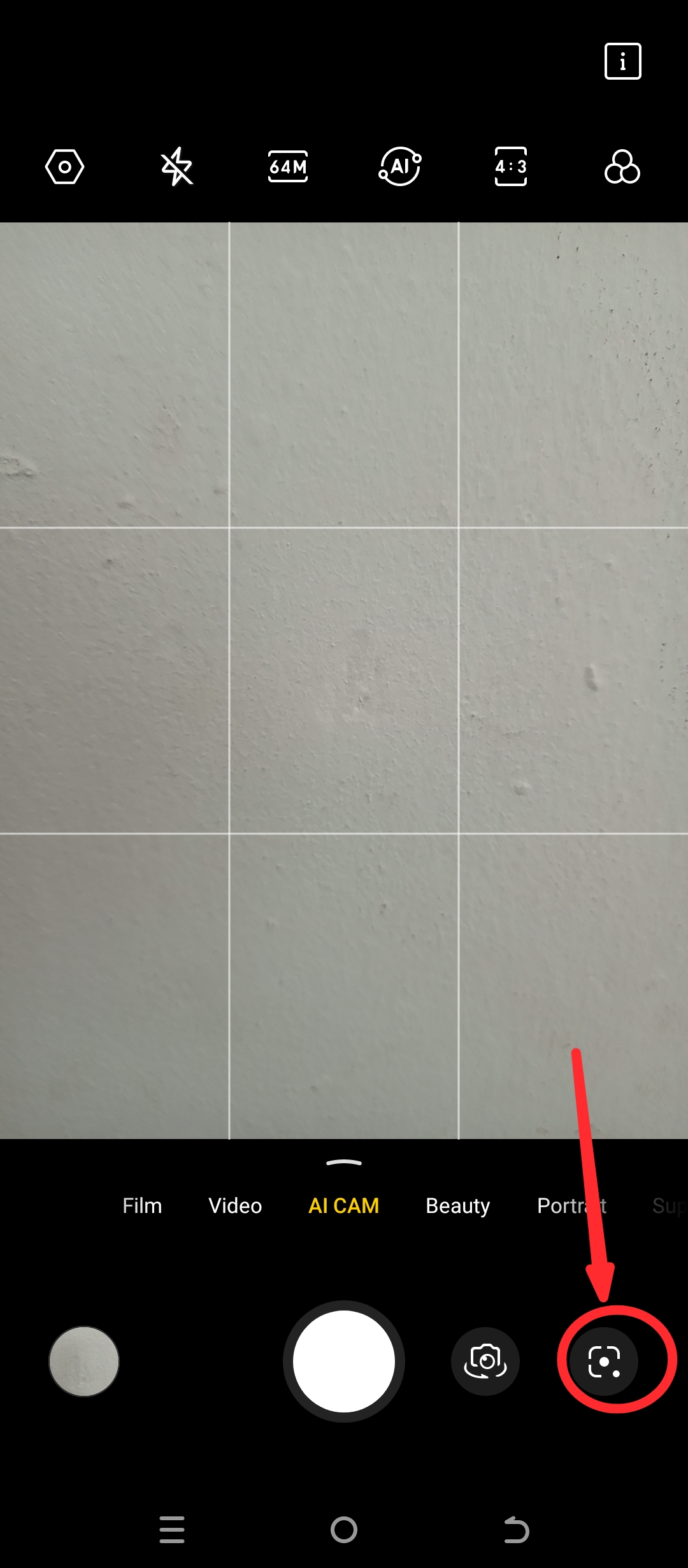
Most modern phone camera apps now have a direct image search feature that allows you to scan QR codes and search the web for visual matches of snapped images.
Open your phone camera app and click on the Google lens icon
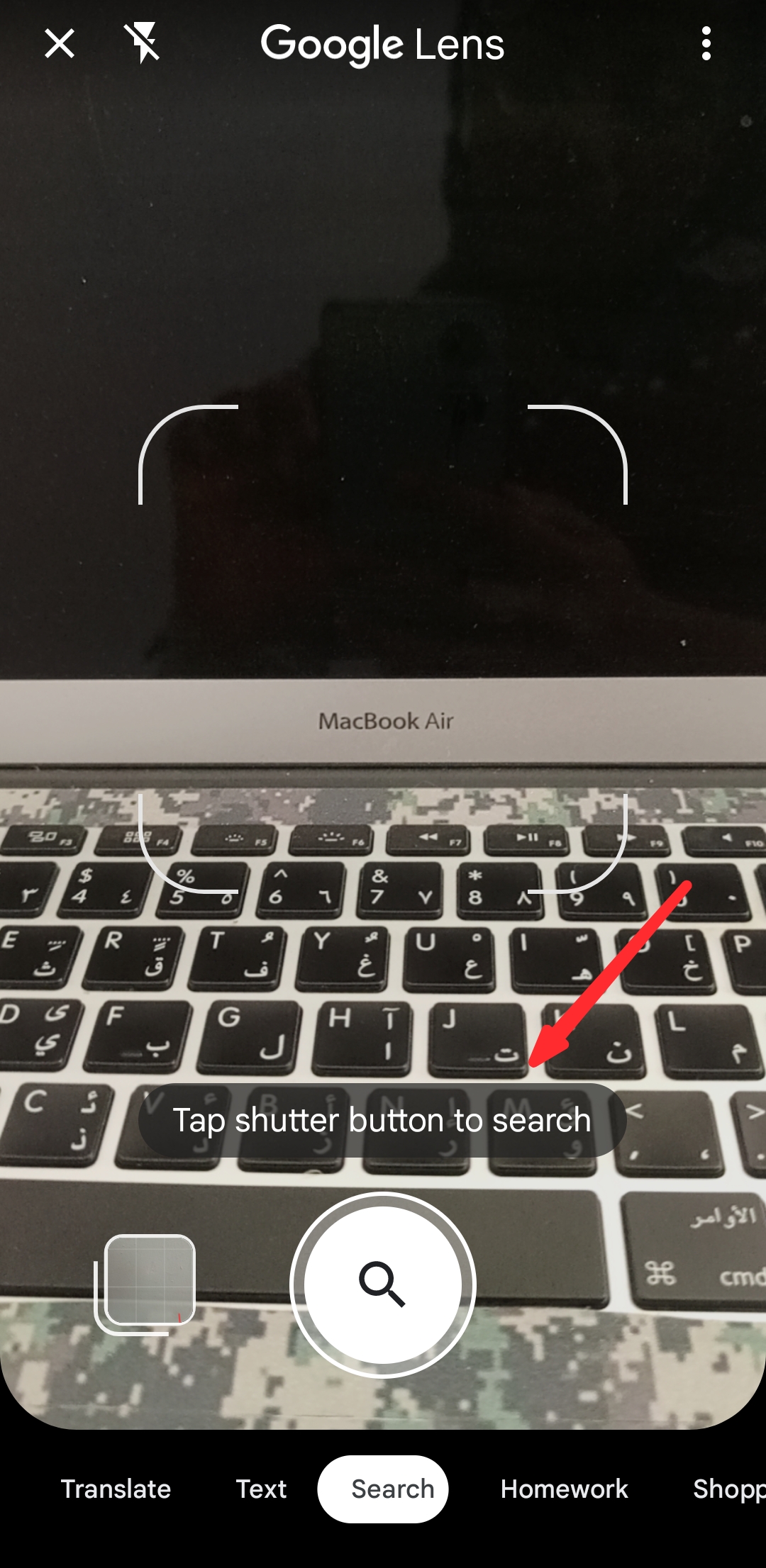
Focus your camera on the object
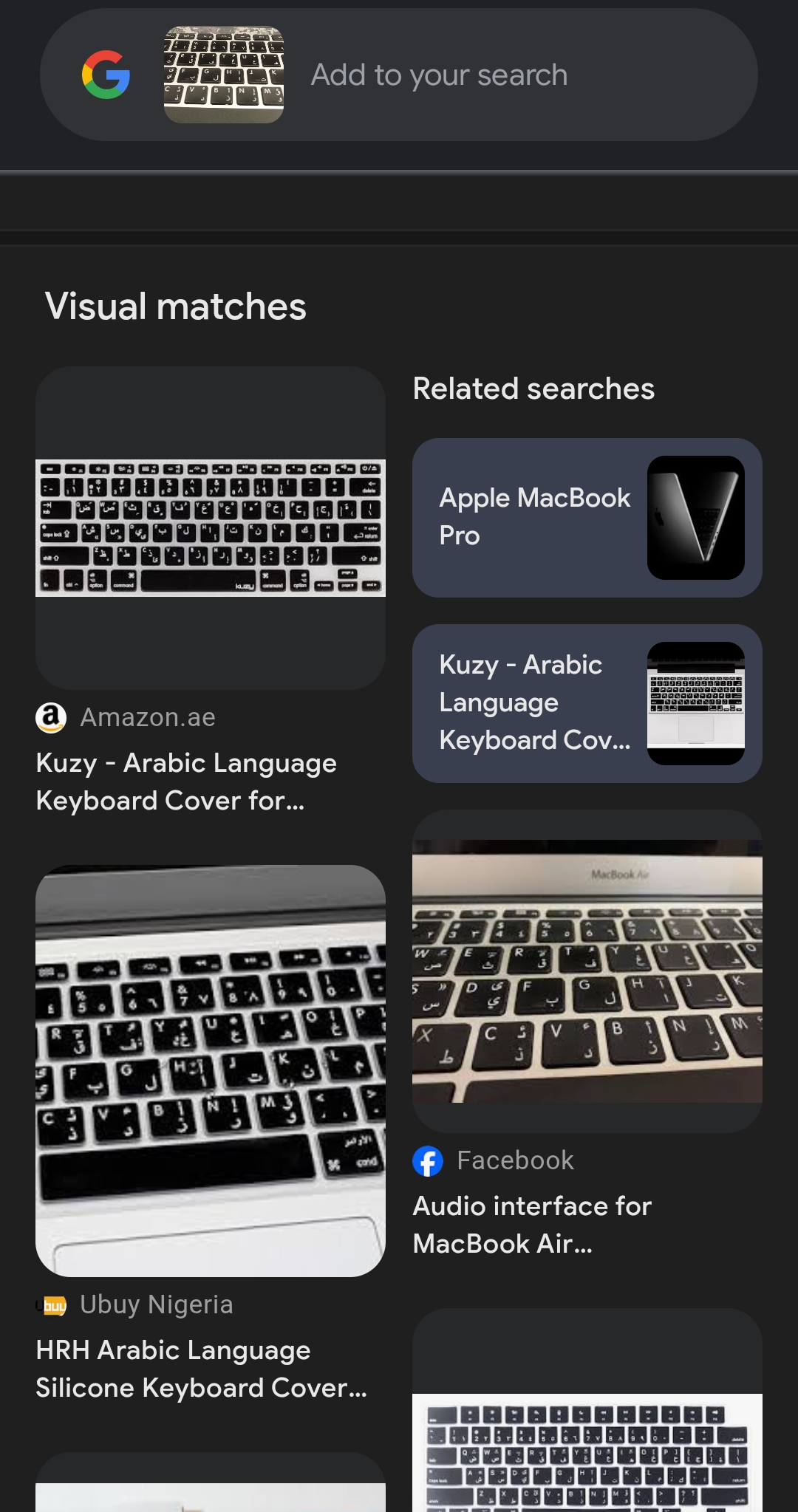
Click and search. Google will display visual matches of the image.
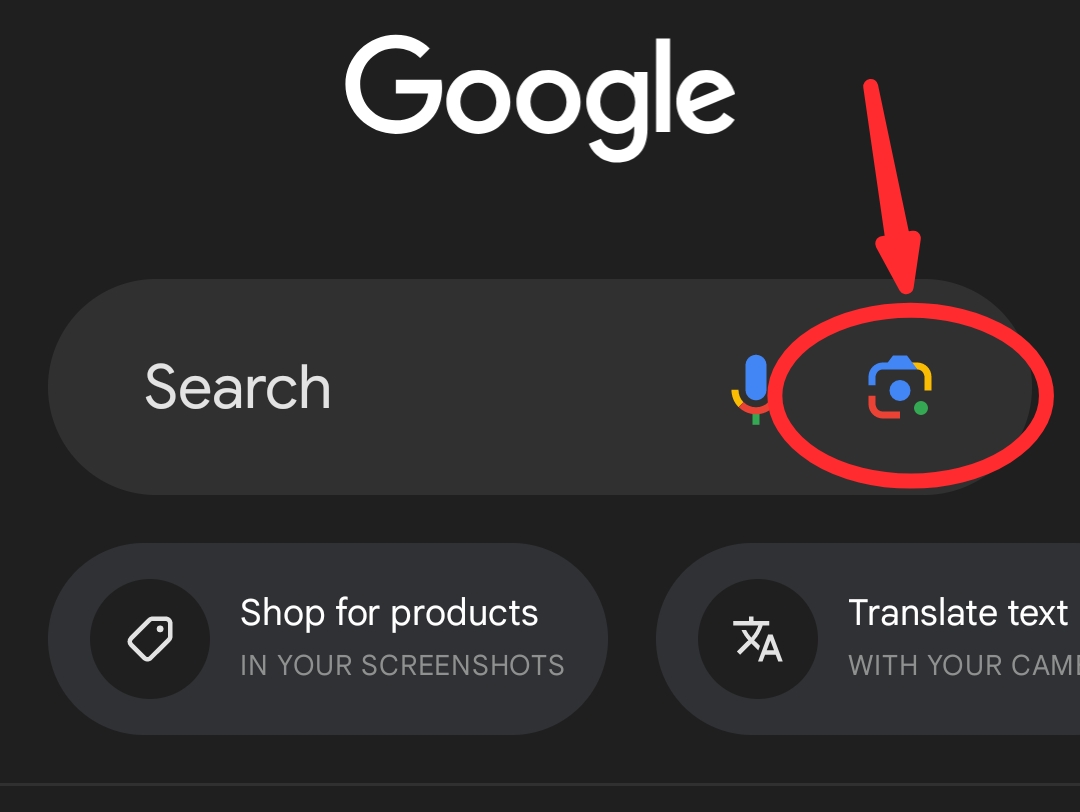
Using the Google App
Open your Google App and select the camera icon.
Take a picture of the image you want to search for, or select from your phone file
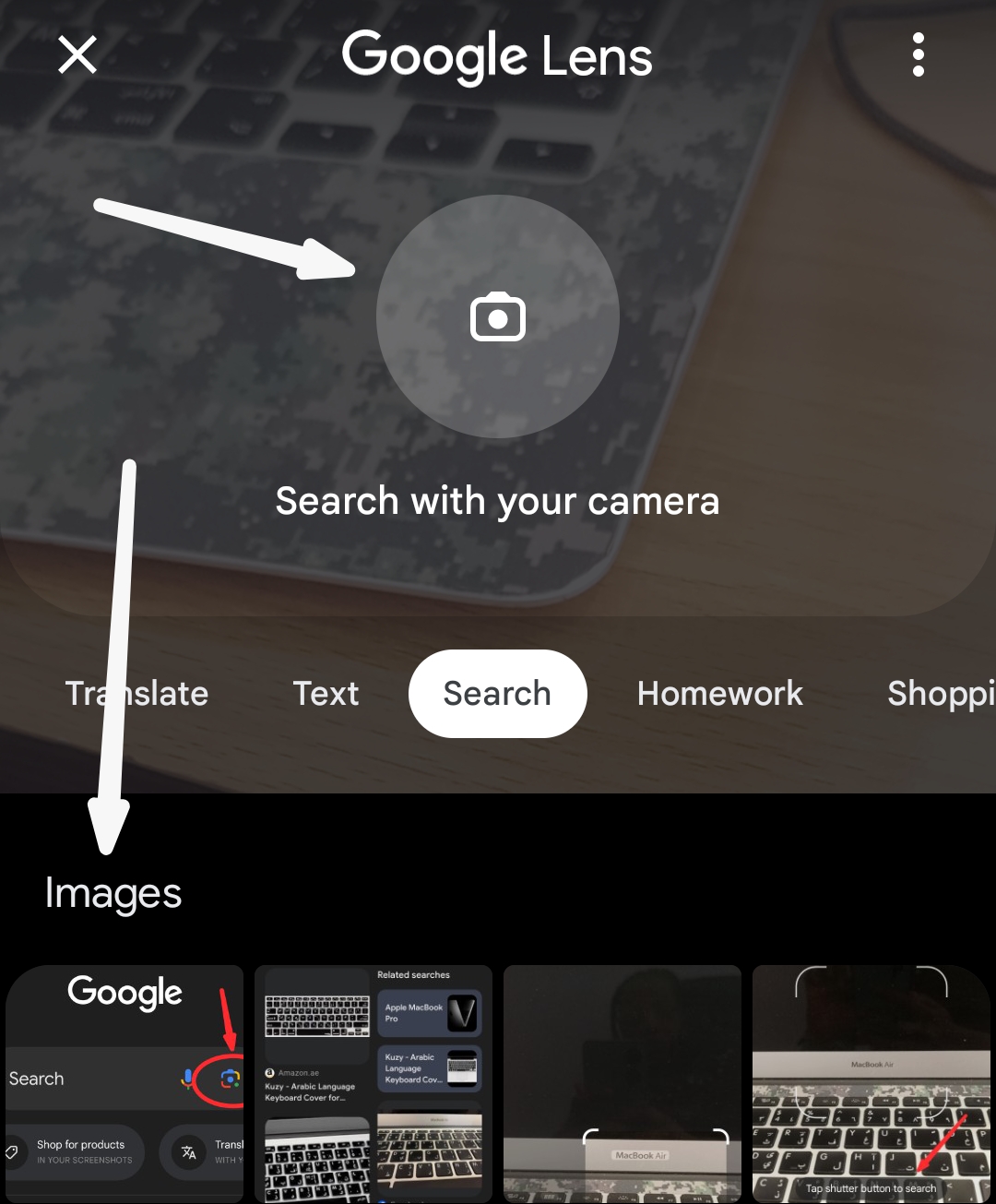
Google will display visual matches of the image.
Using the Chrome app
Open the Chrome app and click on the image icon
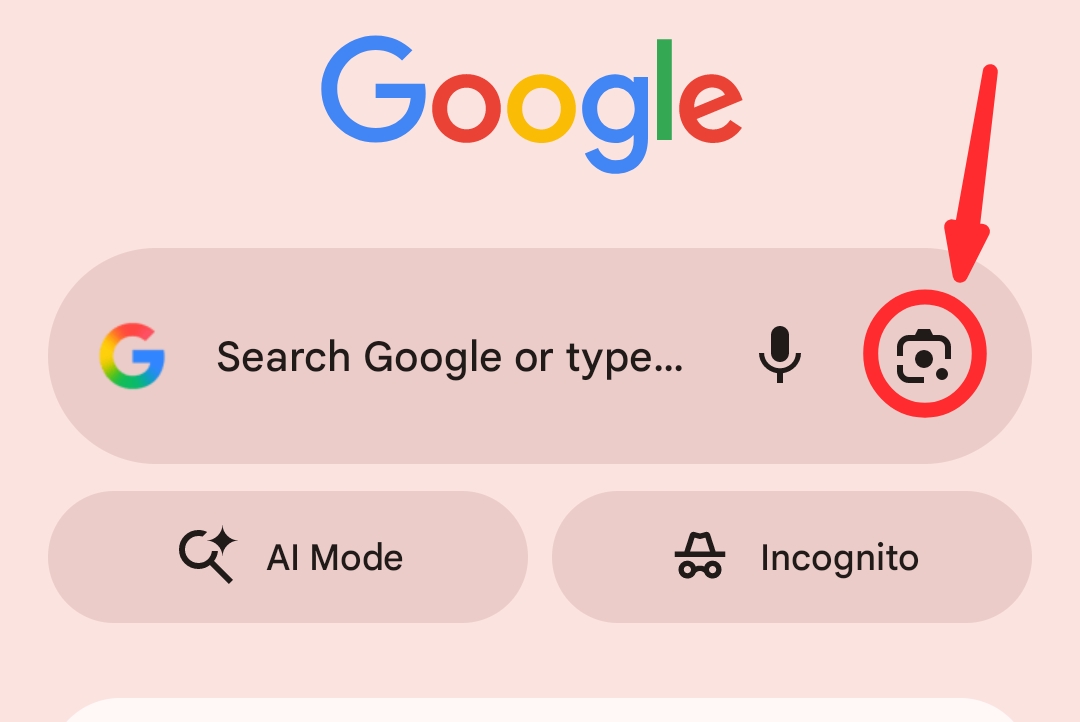
Follow the prompts as explained for Google app above.
Using a website image
Open the webpage and scroll to the image. Long-press on the image and select ‘search image with Google lens’ from the options shown
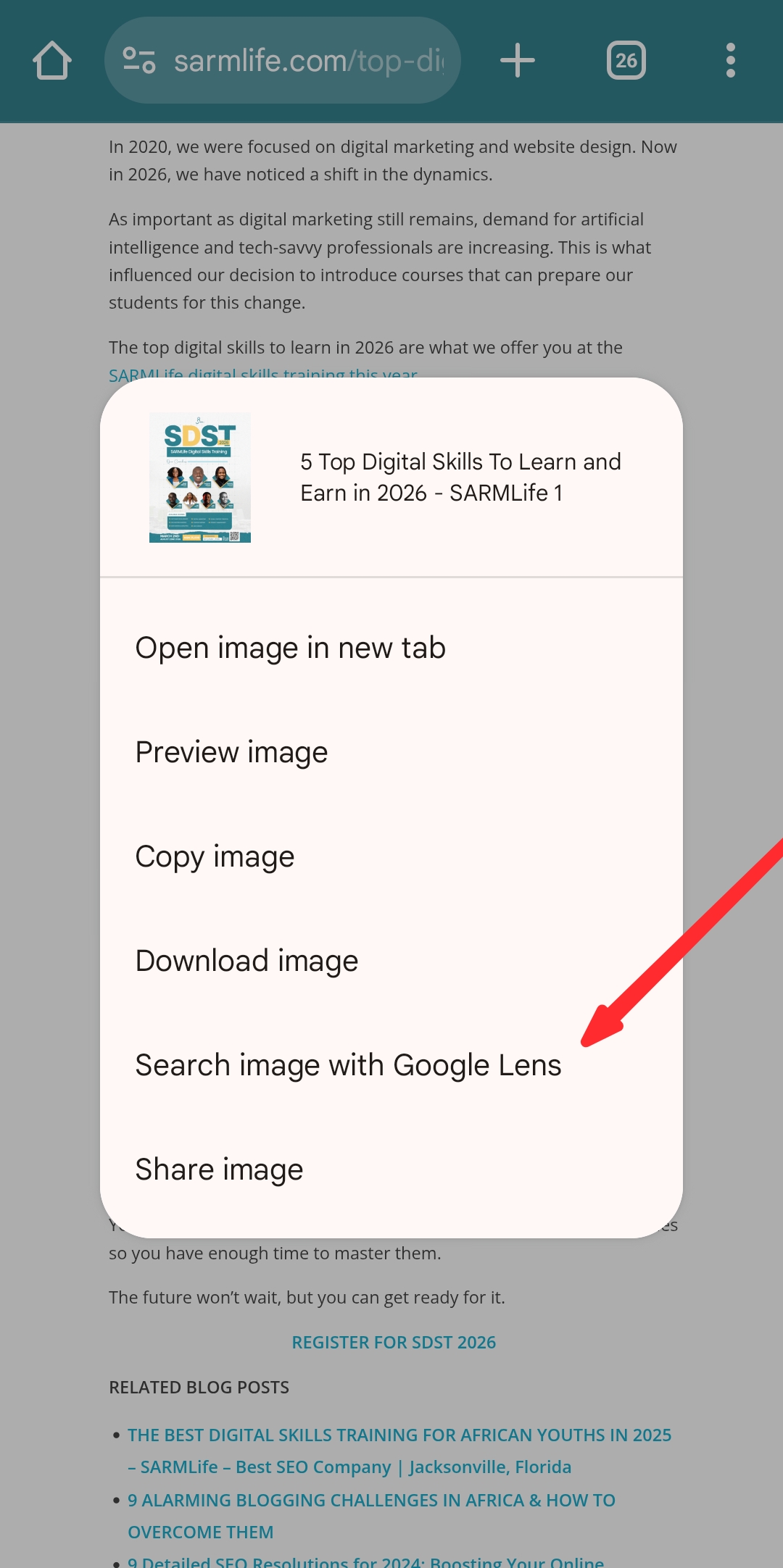
Google will display visual matches of the image.
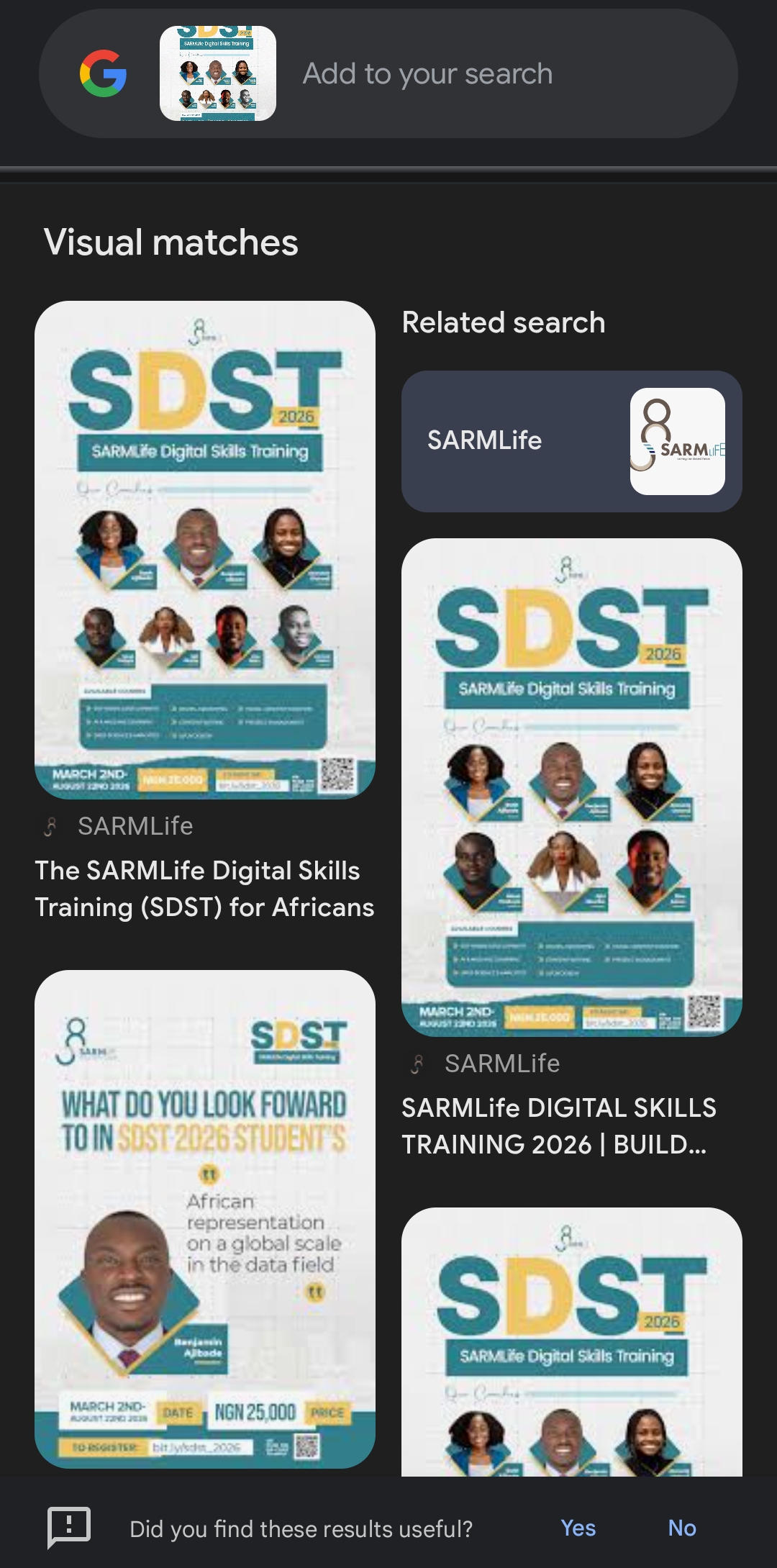
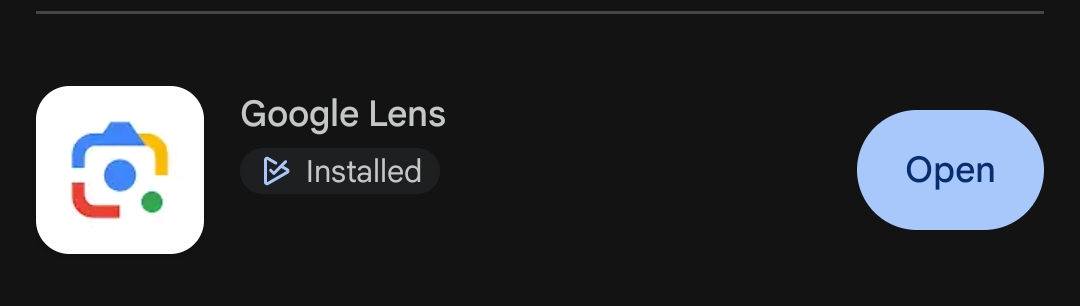
Using the Google Lens app
Open Google Lens app, tap the search bar
Take a photo or upload one from your gallery.
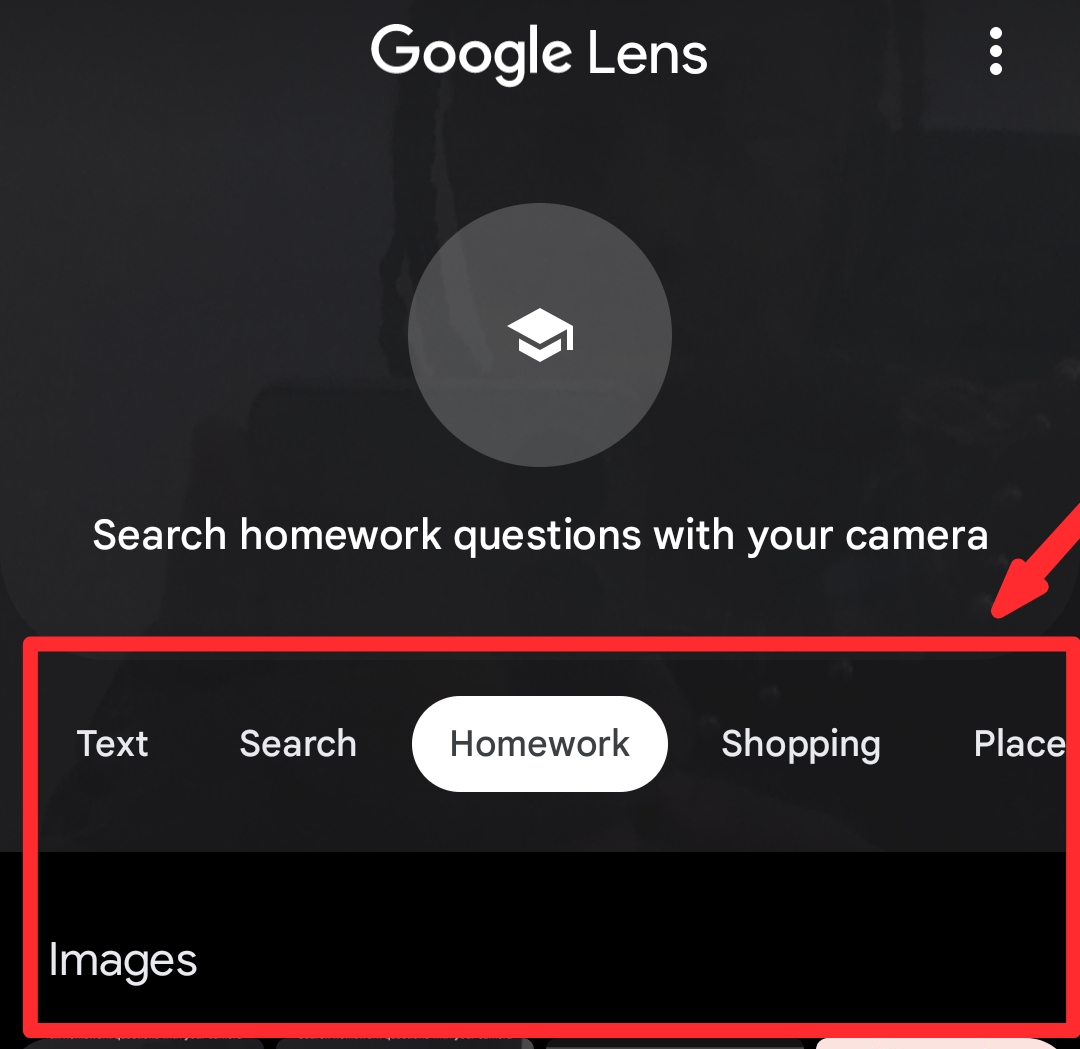
Lens will analyze the image and display visually similar results, websites that feature it, and contextual information.
How to do a Google reverse image search on Desktop
Using Image Address
Right-click an image online, copy its URL.
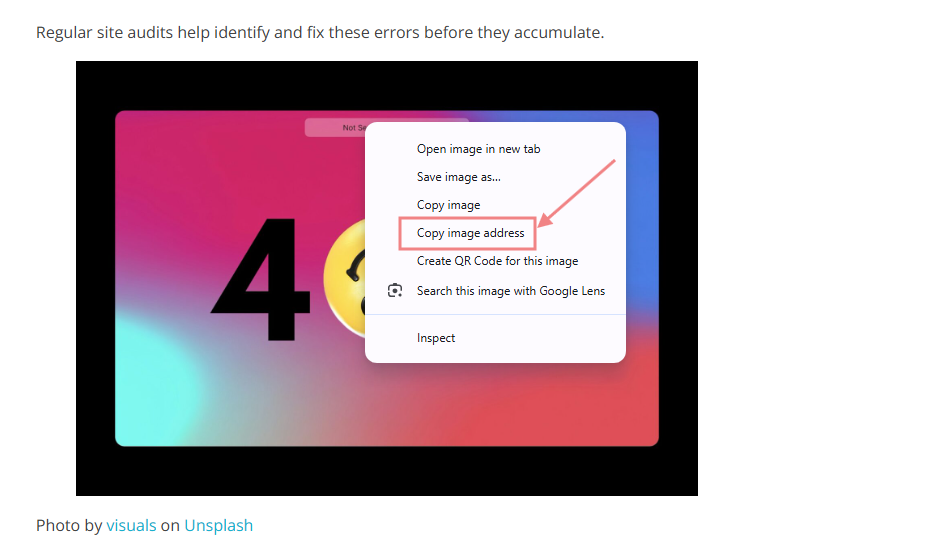
Paste it into Google Images’ search bar.
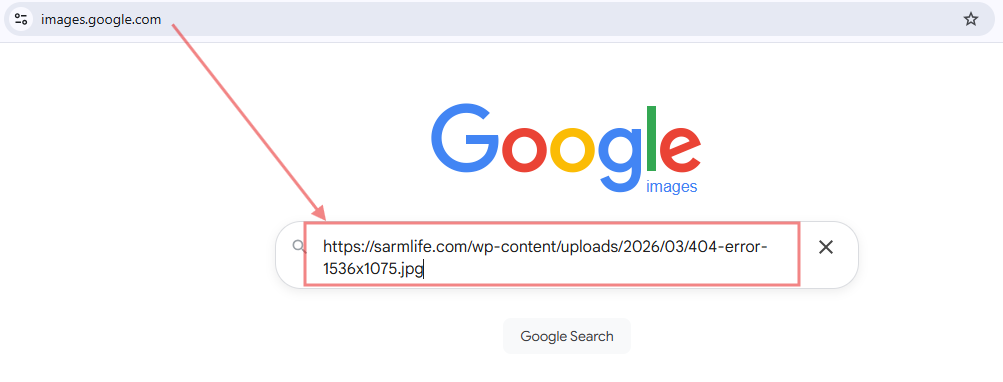
Google will find where that exact image appears across the web
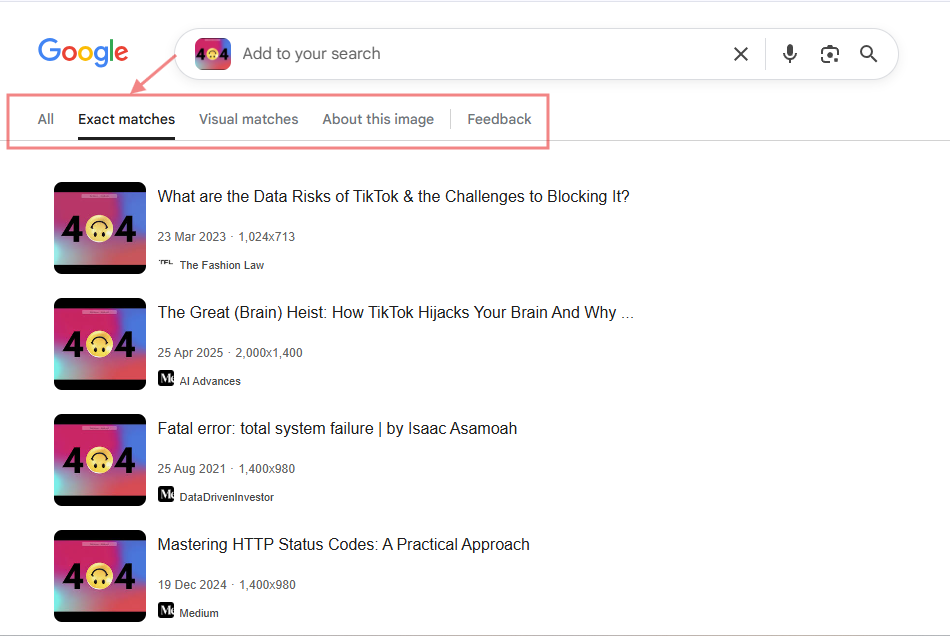
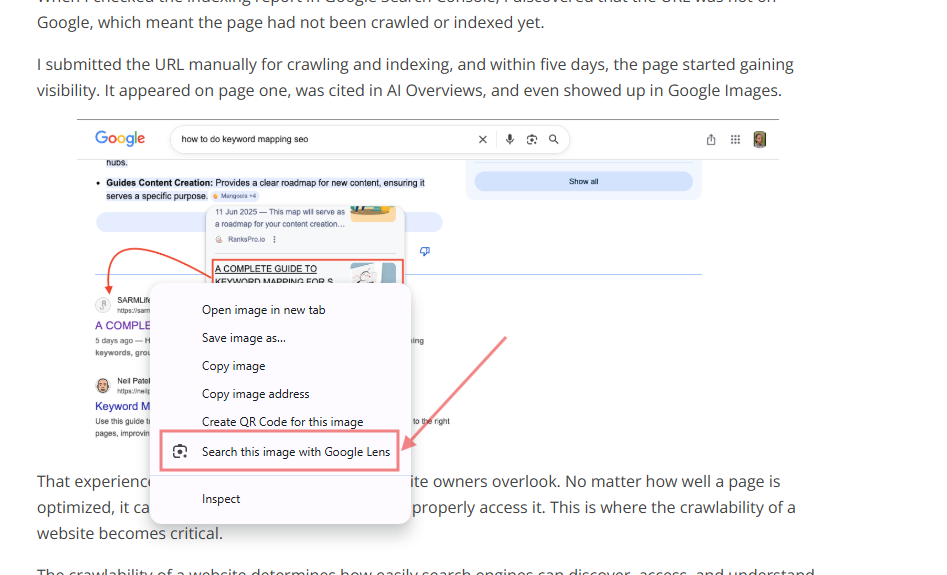
Using a website image
Right-click any image on a web page and choose “Search image with Google lens.” This works best for identifying the source or usage of web-hosted images.
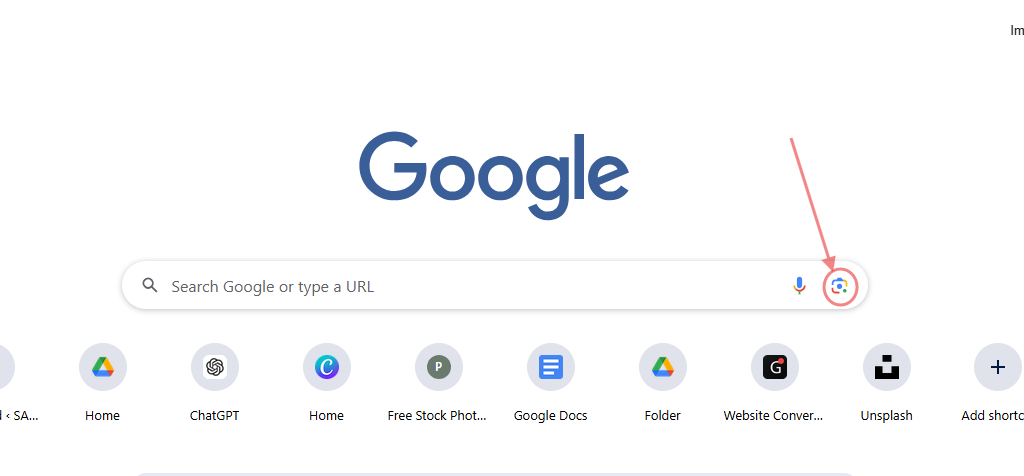
Using images from Desktop storage
Open images.google.com and click the camera icon.
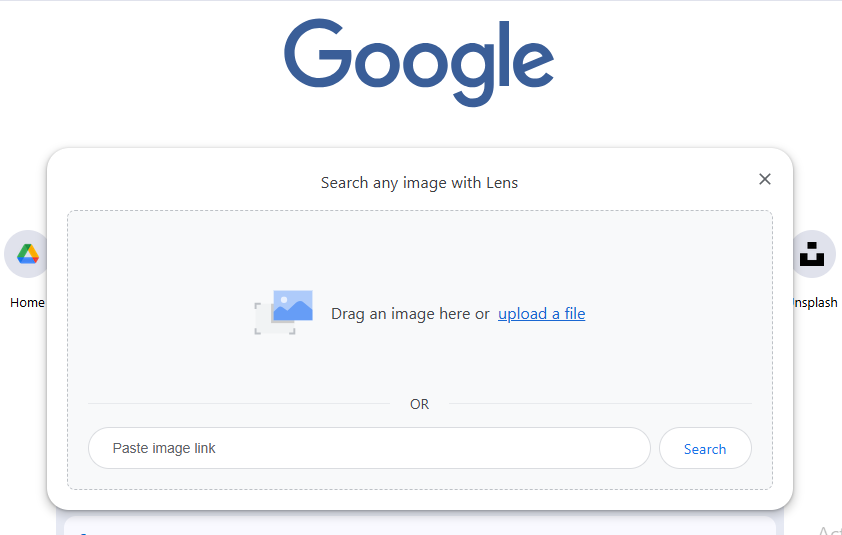
Drag and drop an image directly into the Google Images search box.
OR
Upload the image from your desktop, and Google will scan for matches and visually similar images across the internet.
Use cases for reverse image search
To find backlink opportunities
Spot websites using your images without credit. Reach out to request proper attribution or a backlink, turning unauthorized use into SEO value.
To identify an image’s original source
Whether it’s a chart, photo, or illustration, a reverse image search can trace an image back to its creator or original publication.
To find different versions of an image
Locate higher resolution, cropped, or altered versions of an image. This is useful for content curation or verifying authenticity.
To get more information on an image
Identify objects, products, locations, or people within an image. Useful for research, fact-checking, or content verification.
To discover copyright violations
Detect unauthorized use of your brand assets or creative content. Platforms like Pixsy and Copyseeker can help enforce copyrights and protect your intellectual property.
Tips for effective reverse image search
Upload clear photos
Blurry, low-resolution, or heavily cropped images reduce the accuracy of results. Use the highest-quality version available.
Crop to focus
If only part of an image is relevant, crop it to improve recognition and avoid misleading results.
Use other reverse image search tools
Complement Google Lens with TinEye, Yandex, Bing Visual Search, or creator-focused platforms to get more comprehensive results.
Combine with keywords
Add descriptive keywords alongside your image to refine searches and locate contextually relevant sources.
Search for high resolution results
When possible, filter for larger image sizes. High-resolution images are more likely to be indexed and offer better matches.
Analyze search result pages
Don’t just look at the top match. Examine all results for backlinks, duplicate images, and potential unauthorized usage.
Final Thoughts
Learning how to do a Google reverse image search is an important skill especially when it comes to SEO.
Reverse image searches can help you identify potential backlink opportunities by identifying websites that are using your images without crediting you as a source. You can also use it to identify unauthorized use of your brand elements and stop it.
However, although indirectly, the popularity of reverse image searches emphasizes the importance of optimizing your images. You never know when and how it can appear in Google image results.
For example, if you have a blog post on ‘SEO statistics’ and you create an original, optimized chart with proper image attributes (keyword, file name, alt text, caption, etc); your image can pop up as a ‘related image’ to a reverse image search on SEO statistics.
At SARMLife, we consistently incorporate effective image optimization strategies into our SEO writing service.
What is an optimized blog post without optimized images?
This ensures that your images can appear in Google image result page for relevant searches, hence driving significant traffic to your website via image search.
FAQs on reverse image search
What is reverse image search and what’s it used for?
Reverse image search is a search method where you start with an image instead of words.
You upload or paste the image URL into a search engine like Google, and the algorithm scans the web for visually similar images or matching files.
How do I do a reverse image search on my phone?
The easiest way is to use the Google app or Chrome app, where you can tap the Google Lens icon in the search bar and upload an image from your camera roll.
Why is my reverse image search not working?
Common reasons include using a low-quality or heavily cropped image that’s hard for the algorithm to recognize. The image may also be too new and hasn’t been indexed by search engines yet, or it may simply not exist anywhere else online.
Can I use a reverse image search on a screenshot?
Yes, absolutely. A screenshot is just another type of image file. Simply upload the screenshot from your device’s photo gallery to the search engine to perform a reverse image search.
How can I find the source of an AI-generated image?
Finding the exact source of an AI-generated image is often impossible, as they don’t have an “original” location like a photograph. However, a reverse image search may help you find other places where the image has been shared, or identify the specific AI model or artist if they are mentioned.
Ready to show up in ALL search result pages including Google images? Get any of our SEO writing service plans today!
READ MORE: HOW TO DO IMAGE SEO OPTIMIZATION | THE COMPLETE GUIDE – SARMLife
Add a Comment