Regarding how Google ranks websites, various lists and schools of thought exist.
However, all SEO experts can agree that Core Web Vitals play a significant role in Google’s ranking system.
Core Web vitals are a set of crucial performance metrics defined by Google and have become a game-changer in the SEO world. When the Core Web Vitals of your website are low, it reduces your ranking.
The good news is there are easy and actionable ways to improve Core Web Vitals for your website and ensure it’s not only user-friendly but also favored by search engines.
What Are Core Web Vitals?
Core Web Vitals are a set of factors that measure critical aspects of your website relevant to accessing a positive user experience.
It evaluates a website’s actual user experience regarding visual stability, interaction, and loading speed, influencing a page’s position in search results.
As crucial as Core Web Vitals are to SEO, it is important to note that it is just one of the several other important ranking factors Google has.
So, focusing on ONLY your Core Web Vitals will not automatically push you to the top of SERPs.
However, you need to combine several SEO strategies to get on the top page of Google.
The primary importance of optimizing your Core Web Vitals will be to improve your SEO score and rankings in SERPs.
However, there are other benefits of improving Core Web Vitals relative to this importance. They include:
Improved user experience
The metrics that indicate a good Core Web Vital are closely related to metrics focusing on user experiences.
When you improve your Core Web Vitals, you also invest in a positive user experience on your website, which is an influential ranking factor.
Higher page rankings
Of course, Google will favor a site with good Core Web Vitals.
Users anticipate being taken to a website that loads rapidly, keeps a consistent layout, and reacts to their interactions immediately when they click on a search result.
Google ensures users have a seamless and positive browsing experience by prioritizing websites that excel in these areas.
Mobile search performance
Working on your Core Web Vitals is vital for outstanding mobile search performance. It means that your website will do well in mobile searches.
SERP special feature eligibility
Improving your Core Web Vitals can lead to inclusion in special search features like featured snippets, voice search results, image packs, knowledge packs, etc.
The websites featured in these special spots are fully optimized with updated and relevant content and good website performance.
A good Core Web Vital performance will give you a competitive edge over other websites in your niche because you are more likely to rank for mobile results, be included in voice search results, show up in special features on a search engine result page, and so many other benefits.
More page views
When a page loads quickly, is responsive to user input, and has great UX design, users will likely stay on the page longer.
This increases the likelihood of reading more content, clicking on more links, and engaging with the page in other ways, increasing your page views.
LCP is the time it takes for the largest content element on a page to load. This metric is important because it reflects the perceived loading performance of a page. When a page loads quickly, it gives users a sense that it is responsive and ready to interact.
A good LCP is below 2.5 seconds. If a page has a high LCP, it means the largest content element takes too long to load, making the page feel slow and unresponsive to users.
FID is the time it takes for a user to interact with a page for the first time, such as clicking on a specific link or tapping a button. This metric measures the responsiveness of a page. When a page is responsive, it is ready to respond to user input quickly, making it feel more fluid and interactive.
A good FID is below 100 milliseconds. If a page has a high FID, it means the browser takes too long to respond to user input.
CLS measures the amount of movement of the main content on a page after it has started loading. It measures the visual stability of a page. When a page is visually stable, it means its layout does not shift after it has started loading, making the page more consistent and predictable for users.
A good CLS is below 0.1. If a page has a high CLS, it means the layout shifts too much after loading, making the page feel unstable and jarring for users.
The time it takes for the largest content element on a page to load
Below 2.5 seconds
First Input Delay (FID)
The time it takes for a user to first interact with a page
Below 100 milliseconds
Cumulative Layout Shift (CLS)
The amount of movement of the main content on a page after it has started loading
Below 0.1 second
Easy Ways to Improve Core Web Vitals
1. Optimize images and videos.
Optimizing images and videos is crucial for improving Core Web Vitals, particularly Largest Contentful Paint (LCP), the time it takes for the largest content element on a page to load.
Since images and videos often constitute a significant portion of a page’s content, optimizing them can substantially enhance page load speed and the overall user experience.
Here’s a checklist for optimizing images and videos for better Core Web Vitals:
Choose the proper image format.
Compress images.
Resize images to fit.
Utilize lazy loading.
Employ image sprites
Optimize video formats and dimensions.
Compress videos.
Transcode videos for different devices.
Utilize video hosting services.
Implement video preloading.
Images and videos can be a significant source of page load time, so optimizing them for size and quality is essential.
2. Minimize server response time.
Server response time is the time it takes for servers to respond to requests from the user’s browser.
This can be affected by several factors, such as the amount of traffic on the server and the efficiency of the server software.
Minimizing server response time is crucial for improving Core Web Vitals, particularly Largest Contentful Paint (LCP) and First Input Delay (FID).
Here are some actionable steps to minimize server response time:
These strategies help you minimize the server response time, contributing to improved Core Web Vitals scores, a better user experience, and potentially higher search engine rankings.
3. Optimize your web fonts.
Web fonts can enhance a web page’s visual appeal and overall aesthetic. However, they can also contribute to slower page loading, resulting in a negative user experience.
By optimizing your web fonts and how they are loaded, you can improve Core Web Vitals and enhance your website’s performance.
Here are some effective strategies for efficiently loading web fonts:
Subset your fonts.
Use a font-weight stack.
Use a font hosting service.
Prioritize font loading.
Optimize font file formats.
Preload your fonts.
Utilize font embedding.
Manage font variations.
Monitor and optimize font performance.
These tips can help you effectively load web fonts without compromising the visual appeal of your website while improving Core Web Vitals and overall page performance.
Prioritizing interactive elements is crucial for optimizing Core Web Vitals, particularly First Input Delay (FID).
6. Eliminate render-blocking resources.
Eliminating render-blocking resources is a crucial step towards improving Core Web Vitals, as it directly impacts a web page’s loading performance and perceived responsiveness.
Render-blocking resources on your website prevent the browser from rendering/displaying the page until fully loaded. This can include CSS stylesheets, JavaScript files, and images.
Here are some effective strategies to eliminate render-blocking resources and enhance Core Web Vitals:
These steps will enhance the loading performance of your web pages, directly affect the Largest Contentful Paint (LCP) and First Input Delay (FID) units of your website, and ultimately lead to a better user experience, increased engagement, and improved SEO rankings.
7. Manage content stability.
Content stability refers to how much the content on a page shifts or moves after it has started loading.
This can be due to several factors, such as images loading late, CSS animations, or JavaScript that changes the page layout.
Content shifts can be a bad user experience, making it difficult for users to read and navigate the page. They can also make the page feel “jumpy” or unstable.
To improve content stability, follow these essential tips:
By following these tips, you can improve content stability on your pages and provide a better user experience for your visitors.
8. Avoid intrusive interstitials.
Avoiding intrusive interstitials is crucial for enhancing Core Web Vitals and providing a positive user experience. Intrusive interstitials are pop-ups or overlays that appear over the content of a page, often obstructing the user’s view of the website’s primary content.
They can be disruptive and annoying, leading to user frustration and a decreased willingness to engage with the website. Also, intrusive interstitials can negatively impact page load times and interactivity, diminishing user experience.
Here are some helpful tips:
Use considerate pop-ups: If you must use pop-ups, make them non-intrusive, easily closable, and relevant to the user’s context.
Prioritize user experience: Evaluate the necessity of each interstitial and consider alternative ways to convey the message.
Provide clear opt-out options: Allow users to close or opt out of interstitials easily to avoid frustration.
Limit frequency and timing: Avoid bombarding users with multiple interstitials at once or inopportune times.
Consider user preferences: Respect user preferences for interstitial blocking and provide clear privacy controls.
Minimizing these disruptions can enhance user engagement, improve SEO performance, and ultimately achieve your business goals.
You can easily improve the Core Web Vitals of your website by following the tips in this blog post.
This will help to improve your website’s SEO performance and make it more user-friendly. As a result, you will attract more visitors and improve your conversion rate.
Remember, Core Web Vitals are an ever-evolving area of SEO. As search engines like Google release new algorithm updates, staying up-to-date on the latest best practices for optimizing these metrics is important.
How do you optimize your website for optimal user experience?
In 2014, Google announced it would give websites the ‘mobile-friendly’ label and possibly make mobile-friendliness a ranking factor. Since then, mobile optimization has been an essential part of SEO.
As crucial as mobile SEO is, some website owners are still not getting it right with their optimization.
There are essential mobile SEO best practices you must follow. For example, mobile SEO strategies for regular blog websites differ slightly from mobile SEO practices for e-commerce websites.
In this blog post, I will show you how to optimize your website for mobile devices while still maintaining a balance with other devices like desktops and tablets.
What is mobile SEO optimization?
Mobile SEO is the entire process of optimizing your website to improve its performance on mobile devices in terms of speed, usability, and search visibility, especially under mobile-first indexing.
It ensures your website is easy to use and navigate on mobile devices and that your content and technical elements are optimized for mobile search engines.
Mobile SEO is important for several reasons including the fact that Google prioritizes the mobile version of your website when indexing.
Also, mobile search accounts for over half of all internet search traffic, so if you haven’t optimized your website for mobile, you are missing out on many potential visitors.
Google now crawls, index and rank a website based on the mobile version, not desktop. This is referred to as mobile FIRST indexing. This means that if your website is not mobile-friendly, you will be pushed down in search results.
ii. Improved search engine rankings
Mobile-friendliness is one of Google’s critical ranking factors and as earlier explained, when your website is optimized for mobile devices, Google prioritizes you over websites that are not, and this pushes you up on search engine result pages.
iii. Increased traffic
Ranking and traffic go hand-in-hand.
Low ranks = low traffic
High ranks = high traffic.
When your mobile friendly website gets to rank at the top of search results, traffic automatically increases to that page because if Google cn trust your content, searchers will too.
iv. Improved user experience
Mobile friendliness improves users experience with your website.
Google also uses certain user experience signals to determine if searchers are enjoying their experience on your site. When they get positive experience signals, they continue to push your content to the top of search results. If reverse is that case, they will push your content to the bottom of the result pages.
It is no news that a larger percentage of searchers use mobile devices. Hence, having more people with positive experiences on your website is the best.
A bounce rate measures how many users leave your website after viewing only one page.
It is one of the experience signals Google uses to determine a user’s experience with your website. A high bounce rate indicates your website is not providing a good user experience and can significantly bring down your rankings.
Mobile optimization can reduce your bounce rate by making your website more user-friendly on mobile devices.
vi. Increased conversions
Increased conversions are the ultimate goal of any website. Mobile optimization can increase conversions by increasing good user experience and making it easier for users to find the necessary information and take the desired action.
vii. Local searches
Local searches are more likely to be conducted on mobile devices, which means that if you are a local business, mobile optimization is essential for appearing in local search results.
For example, a local restaurant that optimizes its website for mobile will likely appear in search results when a potential customer searches for “restaurants near me” on their smartphone.
Mobile SEO best practices
Here are some of the best practices for mobile optimization:
1. Use responsive web design.
Responsive web design (RWD) is an approach that makes websites look good and function well on all devices, regardless of screen size. It is important for mobile SEO because it ensures your website will be easy to use and navigate for mobile users.
Here are some benefits of using RWD for mobile SEO:
i. Improved user experience:
RWD websites are easier to use and navigate on mobile devices because the content and design adapt to the screen size. Mobile users won’t have to zoom in and out or scroll horizontally to view your website.
ii. Improved search rankings:
Mobile-friendly websites are given priority when it comes to ranking. This goes for Google and other search engines. If your website is responsive, you’ll rank higher in mobile search results.
iii. Increased traffic:
By making your website responsive, you’re ensuring it’s accessible to a broader range of users.
To implement RWD for your website, you need to use a responsive theme, or you outsource a web developer to create a custom responsive design.
Once your website is responsive, you’ll need to test it using several mobile devices to confirm it looks good and functions well on all of them.
The time it takes for a web page to load is called page speed. It is an important factor in mobile SEO because mobile users have shorter attention spans than desktop users. If your website takes too long to load, mobile users will likely bounce back to the search results.
There are many things you can do to optimize your page speed for mobile SEO, including:
i. Optimize your images:
Resize and compress your images for mobile devices. It will help to reduce the size of your web pages and improve their loading speed.
ii. Use a content delivery network (CDN):
A CDN is defined as a network of servers that delivers the content of your website to users using the closest server to them. This can help to improve your website’s loading speed for mobile users all over the world.
iii. Minify your code:
Minifying your code involves removing unnecessary whitespace and comments from your HTML, CSS, and JavaScript files. This can reduce the size of your web pages and improve their loading speed.
iv. Enable browser caching:
Browser caching allows users’ browsers to store copies of your website’s files on their devices. It means when users return to your website, their browsers won’t have to download the files again, improving the loading speed of your website.
v. Use a lightweight theme or template:
If you are using WordPress or another CMS platform, choose a theme or template that is designed for mobile and is lightweight and fast-loading.
You can use Google PageSpeed Insights to test your website’s loading speed and identify improvement areas.
3. Use mobile-friendly navigation.
Mobile-friendly navigation is a critical component of mobile SEO. Mobile users have smaller screens and shorter attention spans than desktop users, so it is crucial to make your website easy to navigate on mobile devices.
Here are some tips for creating mobile-friendly navigation:
i. Use a hamburger menu:
A hamburger menu is a small icon with three horizontal lines. When users tap the hamburger menu, it reveals a list of navigation options. Hamburger menus are an excellent way to save space on mobile screens.
ii. Use large fonts and buttons:
Ensure your navigation fonts are large enough to be tapped with a finger rather than having to zoom in first.
iii. Use clear and concise labels:
Avoid using jargon or technical terms in your navigation labels. Use clear and concise language that users can easily understand.
iv. Use a consistent navigation structure:
Keep your navigation structure consistent throughout your website. It will make navigation easier for mobile users.
v. Test your navigation on real devices:
Once you have created your mobile navigation, test it on real mobile devices to ensure it is easy to use.
Mobile devices generally have small screens and slow internet connections compared to desktop computers, so your images and media should load quickly and look good on mobile devices.
Here are some tips for optimizing images and media for mobile SEO:
i. Resize images:
Resize your images to the appropriate dimensions for mobile devices. This will help to reduce the size of your web pages and improve their loading speed.
ii. Compress images:
Compress your images using a lossless compression format that allows them to retain their quality after compression, such as PNG or JPEG 2000.
iii. Use lazy loading:
Lazy loading is a technique used to delay the loading of images until they are needed. It can help to improve the loading speed of your web pages, especially for pages with several images.
iv. Use responsive videos:
Responsive videos automatically resize to fit the device’s screen they are viewed on. This ensures your videos look good and function well on all devices.
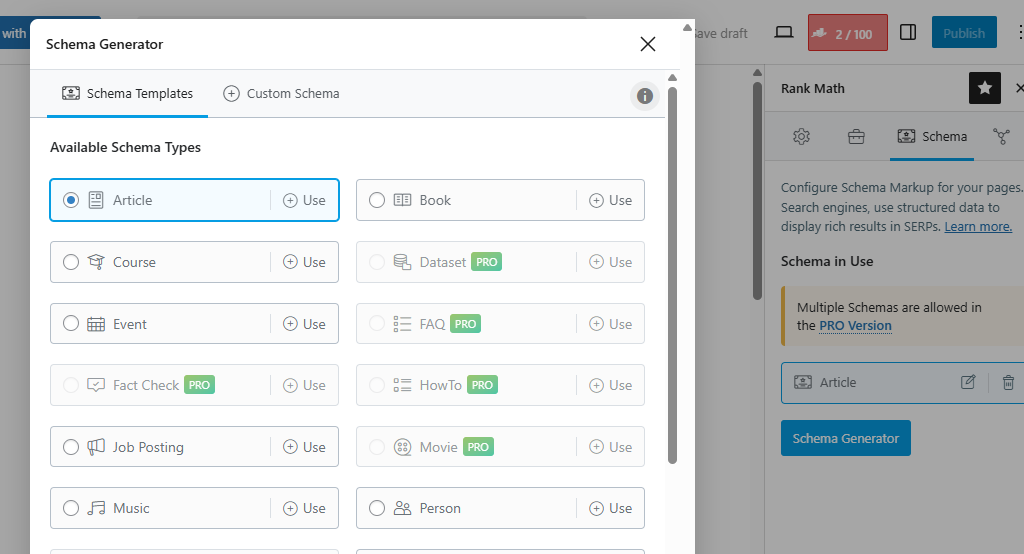
5. Use structured data.
Structured data is a way of marking up your website content so that search engines can better understand it. Structured data can provide information about your website’s content, such as the type of content, the author, the publication date, and more.
Search engines use structured data to improve the accuracy and relevance of their search results. This means that if you use structured data on your website, you’re more likely to rank higher in mobile search results.
You can also use structured data to generate rich snippets, which can make your website’s search results more appealing to mobile users and encourage them to click on your website.
Rich snippets are enhanced search results with additional information, such as star ratings, reviews, and event listings.
Jump links allow users to jump to a specific section of your web page. They are also known as anchor links or table of contents links.
They are typically placed at the top of a page and are often used on long pages to help users quickly find the information they seek.
Jump links are an essential mobile SEO best practice because they can improve the user experience for mobile users.
To implement page jump links on your website, you can use the following HTML code:
<a id=“section-1”></a>
<h1>Section 1</h1>
<a id=“section-2”></a>
<h1>Section 2</h1>
<a id=“section-3”></a>
<h1>Section 3</h1>
You can then create links to these sections from anywhere on your page using the following HTML code:
<a href= “#section-1”>Section 1</a>
<a href=“#section-2”>Section 2</a>
<a href= “#section-3”>Section 3</a>
You can also use JavaScript to create jump links. This can be useful to create more dynamic and interactive jump links.
Here are some tips for using jump links for mobile SEO:
Use clear and concise labels for your jump links. It will help mobile users to understand what each link will take them to.
Place your jump links in a prominent location at the top of your page so mobile users can find them effortlessly.
Use a consistent style for your jump links to show your website as professional and polished.
Once you have created your jump links, test them on real mobile devices to ensure they are easy to use.
7. Use mobile-friendly pop-ups.
Pop-ups are an effective way to capture email addresses, promote special offers, and generate leads. However, it’s best to use mobile-friendly pop-ups optimized for mobile devices.
Mobile-friendly pop-ups are designed to look good and function well on mobile devices. They are typically smaller and simpler than desktop pop-ups, and they are easy to close with a single tap.
Here are two major reasons for using mobile-friendly pop-ups for mobile SEO optimization:
i. Improved user experience:
Mobile-friendly pop-ups are less intrusive and annoying than traditional pop-ups. This is important for mobile users, who have smaller screens and shorter attention spans.
ii. Increased conversions:
Mobile-friendly pop-ups can be just as effective as desktop pop-ups at converting users. Some studies have shown that mobile-friendly pop-ups can be even more effective than desktop pop-ups.
8. Use Accelerated Mobile Pages (AMP).
Accelerated Mobile Pages (AMP) is an open-source initiative that aims to create web pages that load quickly on mobile devices. It provides a better user experience for mobile users, increasing engagement and conversions.
AMP pages use a stripped-down version of HTML and CSS, as well as several other optimizations, to load significantly faster than traditional web pages.
Google now gives preference to AMP pages in its mobile search results. If your website has AMP pages, it increases your chance of ranking higher in mobile search results.
9. Avoid Flash.
Flash is a multimedia platform for creating animations, videos, and interactive content.
However, many mobile devices do not support Flash, so it is best to avoid using it on your website to improve your mobile SEO.
Several alternatives to Flash include HTML5 and CSS3.
If you have Flash content on your website, consider using a fallback option for mobile users. This could be a simple text-based explanation of the content or a link to a non-Flash version.
The list of mobile SEO best practivces is not complete until you’ve done your testing.
Once you have made changes to your website to improve its mobile SEO, you should test it across various mobile devices to ensure it looks good and functions well on all devices.
This checklist alone captures the most critical mobile SEO best practices.
FAQs on Mobile SEO Best Practices
What are the most important mobile SEO best practices?
The most important mobile SEO best practices include optimizing page speed, ensuring mobile-first indexing readiness, improving user experience, and meeting Core Web Vitals benchmarks.
Does mobile SEO affect rankings?
Yes. Search engines use mobile-first indexing, meaning your mobile site determines your rankings across all devices.
How do I improve mobile page speed?
Compress images, use a CDN, use caching, and optimize server response time.
Why is mobile UX important for SEO?
Poor mobile UX increases bounce rates and reduces engagement, both of which negatively impact rankings.
What is mobile-first indexing?
Mobile-first indexing means search engines primarily use the mobile version of your website for indexing and ranking.
FINAL THOUGHTS
Regarding your website’s responsiveness, Google expects an optimal website where users across different devices can have a smooth experience.
Google’s primary focus is on user experience, and all other direct or indirect factors that affect this smooth experience, as seen in all recent Google algorithm updates.
Hence, the importance of understanding all mobile SEO best practices and implementing them cannot be over-emphasized.
Optimizing your website for mobile devices is another way to improve the user experience metrics on your website because, when you optimize for mobile devices, you indirectly optimize for mobile speed. It can also impact the bounce rate of your website and the average time per session.
What other mobile SEO best practices do you implement on your website?
The English language defines authority as having legitimate power or influence over something.
In other words, it means earning the right to have dominion over something or someone.
This term also applies to the SEO world because websites with a reputation for good, trustworthy, and reliable content are held in high esteem and ranked higher than the rest.
In SEO, this term is ‘Domain Authority (DA).’
A well-known and well-published website like “The Wall Street Journal” or “The Times” will most likely get higher rankings when they write and publish content on the Internet, as opposed to a freelance writer just starting their blogging journey.
In this blog post, I’ll show you (7) tried and tested ways to increase your domain authority and adequately understand what it is, how it works, and how to make it work for you.
What Is Domain Authority?
It is vital to understand what domain authority (DA) is and isn’t to know how to increase domain authority for your website.
DA is a metric developed by the Seattle-based software company “Moz” that reflects the likelihood and dominance of a website on search engine result pages (SERPs).
In simpler terms, it is a scoring system to show how high or low a website will likely rank as an answer to a user’s query.
Google does not consider domain authority when ranking websites, whereas Moz shows how well your website will likely rank on search engines based on your SEO efforts.
How Is Domain Authority Calculated?
Tools like Moz and Ahrefs calculate DA by combining multiple factors, including link profile, referring domains, content quality, and so on, into a single domain authority score.
This score can be used for competitive analysis or tracking a website’s “ranking strength” over time.
However, it is important to note that domain authority is calculated relative to other websites in the same niche.
For example, suppose a food blogging website suddenly gains many backlinks or becomes more popular with searchers due to external factors that cause its domain authority to rise. In that case, it will likely cause a decline in the domain authority of other food blogging websites that revolve around the same content.
How to Check Your Website’s Domain Authority
Moz allows you to conduct a limited number of monthly free domain authority queries. Its free tool shows the DA level, number of links, and top pages for the site.
To start, type in your domain name. You’ll then be prompted to make a free account. Once you’re done, click on the activation email to get started.
When checking your website’s domain authority using tools on the web, there are different tools to use to check your DA, and the results from each one may vary.
Now that you know how domain authority is calculated, you may wish to determine your website’s score using any of these tools. Still, it is crucial to consider the following factors when choosing a tool to check your DA score:
Index size: How many URLs are contained within the software’s index?
Frequency of index crawling: How often is the index refreshed?
Correlation with actual rankings: Does a higher domain score equate to better rankings?
What Is a Good Domain Authority Score, and What Isn’t?
The truth is that the answer to this question is relative.
It is easy to think of DA as a grade from 1 to 100, and it may seem reasonable to aim for the highest score possible. Still, as mentioned before, domain authority measures your “rankability,” so you need a score higher than your competitors.
For example, a 78 DA score may not hold weight in a niche where the average DA score is 86, but a score of 35 may be celebrated in a space where the average DA is 20. So, when checking your DA, always compare it with your competitors.
Why Is Domain Authority Important?
According to Wildfireconcepts, a recent study found that domain ratings and keyword rankings are closely linked, proving that domain authority can be helpful when estimating if a website will appear in SERPs.
Understanding your site’s organic traffic and how likely it will rank in SERPs makes you more equipped to build your brand and create an engaging website. It also shows areas where your SEO efforts are lacking and what you can do to improve them.
Regularly checking your DA is an excellent way to monitor the effect of your other SEO efforts and ensure you are heading in the right direction.
How to Increase Domain Authority on Search Engines
There are several ways to increase DA, but here are seven (7) tried, tested, and foolproof methods to increase your domain authority:
1. Acquire high-quality backlinks.
Your link profile is the most crucial metric for your domain authority. If your website has a strong link profile, it is likely to get a higher DA score than one that doesn’t.
A website is said to have a good link profile when:
It has incoming links (backlinks) from high-authority websites.
Incoming links are from related websites.
It doesn’t have low-quality links.
It has links from several unique domains.
There are several ways you can strengthen your link profile by getting backlinks. First, you can look at your top referral sources and find similar sites for backlink opportunities.
You could also contact businesses with websites posting content similar to yours to build relationships with them and encourage mutual linking to each other’s content for mutual benefit.
While domain authority is not necessarily part of the usual SEO strategies, it still relies on the same fundamentals as the others to rate websites.
Writing content that is accurate, current, easy to understand, and relevant is a surefire way to build your credibility online, which may, in turn, lead to other blog posts linking back to you for their readers to get more insight into what they’re writing about; this upgrades your link profile and domain authority.
Also, correctly formatting and optimizing your content are helpful tips to keep in mind.
The list below helps to have your website properly indexed and generally makes your work seem more appealing to the searcher, which is the primary goal of SEO:
You can strengthen your brand identity by boosting your reputation as an expert in your niche. This strategy will help increase traffic and the number of external links.
By becoming known in the real world, people respect you and your brand and will prefer your content over others, increasing your CTR, domain authority, and, ultimately, your rankings on SERPs.
5. Technical SEO.
Once you get your technical SEO right in the early stages of your blog, you won’t have to bother about it again.
However, bad technical SEO, or one that isn’t correctly done, can harm your domain authority and ranking.
Here are a couple of things you can do to improve your technical SEO:
Utilizing these few tips will help maximize your domain authority.
6. Audit your site and remove harmful links.
Regarding SEO generally, link building is an essential strategy because your domain authority, ranking potential, and sustainability depend on the strength of your link profile.
However, as important as it is, having many low-quality and spammy links can do more harm than good to any website. It is better to have fewer good links than numerous harmful ones.
Google practically analyzes every link from and to your website, and having links from a spammy website can reduce your domain authority or, in a worst-case scenario, get you penalized by Google.
You should check your website for harmful links and eliminate them immediately.
You can use several SEO tools to check for harmful links. The first step is to analyze your website’s link profile.
If you cannot remove the links, you can disavow or ignore them, which means that web crawlers won’t consider unnatural or spammy backlinks when indexing your website.
7. Improve your internal links.
Another way to increase your domain authority is to improve your internal link structure. You can keep your visitors engaged by providing links to other informative web pages on your site.
In addition to helping index your pages, internal links facilitate search engine bots’ crawling of your website.
An additional benefit of having a well-thought-out internal link structure is the flow of link juice between pages.
Link juice refers to the SEO value of a page passed to other web pages. It validates your website for the search engines, as more links pointing toward a page show that it’s trustworthy.
All of these add up to increase your site’s domain authority.
Several SEO plugins are available to help with these strategies, like keyword research, link building, mobile friendliness, etc.
For instance, the Link Assistant addon from AIOSEO will automatically create an internal link report for your website and recommend relevant pages you can link to.
Now that you understand how domain authority works, its effect on your website, and how to calculate and improve yours, you can use this knowledge to take your SEO strategies to a different level.
Domain authority can be challenging to understand initially, but keeping it in mind when going about your other SEO activities is foolproof to increase your ranking and your website’s exposure to searchers.
CTA: What is your current domain authority? What steps will you take to improve it?
Everyone who knows something about SEO can understand the difference between plain and quality backlinks and why it is essential to focus on selecting and building an effective backlink strategy for your website.
This blog post will show you how to build quality backlinks even if you don’t have much SEO experience and also emphasize strategies that will increase your backlink profile and SERP position.
Let’s get right down to it.
What are backlinks?
Backlinks are called ‘inbound links,’ ‘incoming links,’ ‘external links,’ and so on. They are hyperlinks from another website, connecting to a page on your website through an anchor text.
When determining a page’s prominence, search engines use measurement metrics, and the website’s backlink profile is highly considered.
The quantity and quality of backlinks that point to a website are important ranking signals for most search engines, including Google.
There are different factors to consider when determining if a backlink is good quality. These are the features that differentiate a regular backlink from a quality one.
They are:
Relevance: The link should be related to your content.
Authority: It should come from a respected source.
Trustworthiness: From a reliable and trustworthy website.
Natural: Earned naturally, not bought or forced.
Diverse: From different types of websites.
Editorial: placed by editors or authors.
Contextual: Makes sense in the content.
Follow Link: Preferably a follow link for SEO.
Traffic Potential: Can bring visitors to your site.
Low Spam: Avoid links from spammy sites.
Anchor Text: The clickable text should make sense.
Consistent: Build them over time steadily.
How to build quality backlinks to your website in 2024
1. Identify relevant websites.
The first and most crucial step is identifying relevant websites if you want to build quality backlinks.
Relevant websites are websites in the same niche or industry as yours and with a similar target audience.
When you get a backlink from a relevant website, it tells Google that your website is also relevant to that topic and is a trusted source of information.
There are a few different ways to identify relevant websites for link building:
Search engines
Search engines like Google can help you find websites that rank for keywords related to your niche.
For example, a simple search like ‘SEO blogs’ if you are in the SEO industry can give you more than enough relevant websites.
However, focus on lesser known websites to increase your backlink chances.
Industry directories
Many industry directories list websites by niche. These directories can be a great way to find relevant websites you may not have found otherwise.
Social media
Using social media sites like Twitter and LinkedIn, you can look for relevant websites, bloggers, and influencers in your industry.
Competitor analysis
Look at your competitors’ backlink profiles to see which websites link to them. These websites are likely to be relevant to your business as well.
Here are some additional tips for identifying relevant websites:
Consider the website’s topic and niche. Is it similar to yours?
Look at the website’s target audience. Are they the same as yours?
Check the website’s quality and authority. Is it well-designed and informative? Does it have a good reputation?
Review the website’s backlink profile. Does it have backlinks from other high-quality websites?
Once you have compiled a list of relevant websites, contact the site’s owners and editors. This strategy increases the likelihood that they will link to your website.
2. Create valuable content.
Another way to build quality backlinks is to invest in quality content creation.
When you create informative, engaging, and valuable content, other websites are likelier to link to it than ‘ordinary’ content because they want to provide visitors with the best possible resources.
Here are some tips to consider when creating valuable content:
Write about topics that are important to your target audience.
What are they interested in? What problems do they have? Write content to help them solve their problems or learn more about the topics they care about.
Do your research.
Your content must be accurate and up-to-date. Be sure to reference your sources so that readers can learn more about the subjects you are covering.
Write in a clear and concise style.
Do not use technical terms or jargon that your audience might not understand.
Make your content visually appealing.
Make your content more engaging by breaking up the text with pictures, videos, and infographics.
Promote your content.
Share your content on social media, other websites, relevant online communities, and forums. Ask other bloggers and industry influencers to share your content by contacting them.
Create different types of content.
Create content such as blog posts, articles, infographics, and videos. This will give you a more comprehensive range of content to promote and help you find websites that are interested in linking to it.
Make sure your content is search engine-friendly.
It will help people find your content when they search for relevant keywords.
3. Network with bloggers and website owners.
When you contact other website owners and bloggers in your industry, you can build relationships with them.
Here are some tips for building backlinks through outreach and networking:
Identify relevant websites and bloggers.
Make a list of websites and bloggers in your industry relevant to your target audience and likely to oblige your request.
Personalize your messages.
Personalize your messages when you contact website owners and bloggers via email or direct messages on social media.
Address them by name and reference something specific about their website or blog.
Offer value.
Don’t just ask for a backlink; instead, suggest a backlink as a reward for a favor you are willing to offer them. Offer to guest blog for them, share their content on your social media channels, or promote their products or services to your audience.
Be persistent.
Keep going even if you don’t hear back from everyone you contact. Just keep following up and building relationships.
Create link roundups or request to be in one.
Link roundups are blog posts that list links to other websites and articles on a specific topic.
You can create link roundups to which the websites mentioned will link back. Or, you can reach out to other bloggers in your industry and ask them to include your website in their link roundups.
4. Guest post.
Guest posting is one of the best ways to build quality backlinks, mainly when writing for relevant websites with a significant audience in your niche.
When you guest post, you write an article for another website in your industry.
It is a great way to get your content in front of a new audience and build relationships with other website owners.
To build backlinks through guest posting, you need to follow these steps:
Identify relevant websites.
Make a list of websites in your industry that are relevant to your target audience. You can find relevant websites by using search engines, industry directories, and social media.
Target high-quality websites.
When you’re guest posting, focus on targeting high-quality websites with a good reputation. This strategy will help you build more valuable backlinks.
Research the websites.
Once you have a list of relevant websites, take some time to research them. Read their content, see what topics they cover, and identify the authors who write for them.
Pitch your guest post ideas.
Pitch topics relevant to the website’s audience that you can provide value on.
Write a high-quality guest post.
Writing a high-quality article is crucial once your guest post pitch is accepted. Make sure your article is well-written, informative, and engaging.
Include a link back to your website.
Include a link to your website in the author bio of any guest posts you write. It is a crucial step for building backlinks through guest posting.
Write high-quality content.
The quality of your guest post is essential in determining whether it will be accepted and published. Your guest posts must be well-written, informative, and engaging.
Promote your guest posts.
Once your guest post has been posted, share it on your website and social media. It will help you get more exposure for your content and build more backlinks.
While you want to guest post for relevant websites in your niche, you can also focus on reaching out to prominent bloggers to either guest post on your website, collaborate on a post, or create a crowdsourced blog post with experts in your industry.
5. Broken link building.
Broken link building is a link-building strategy that entails locating broken links on other websites and notifying the owners.
They might agree to replace the broken link with a link to your website if you can offer a working link to a resource of a similar nature on your website.
To build quality backlinks using broken link building, you can follow these steps:
Find broken links.
You can use various tools to find broken links on other websites, such as Google Search Console, Ahrefs, and SEMrush.
Identify relevant websites.
Once you have a list of broken links, you need to identify the websites they are on. The websites should be relevant to your industry and have a good reputation.
Reach out to the website owners.
Once you have a list of relevant websites with broken links, you need to contact the website owners and let them know about the broken links. Personalize your messages and offer to provide a working link to a similar resource on your website.
Follow up.
If you are still waiting to hear back from a website owner, follow up with them. You might need to send a few emails before they respond.
Be polite and professional.
When you’re reaching out to website owners, be polite and professional. Address them by name and explain why you’re contacting them.
Make it easy for them to fix the broken link.
When you offer a working link to a similar resource on your website, make it easy for the website owner to fix the broken link. You can do this by providing them with the exact URL of the resource on your website.
Broken link building is an efficient method for obtaining high-quality backlinks from other websites because it demonstrates your interest in the content and your keen eye, increasing your credibility with the website owner.
6. Directory listings.
Directory listings are an excellent way to develop quality backlinks, particularly for local businesses.
Directories are websites that list businesses in a particular industry or location. When you create a listing in a directory, you typically need to provide your website address. It is a great way to get backlinks from high-quality websites.
To build quality backlinks using directory listings, you can follow these steps:
Identify relevant directories.
Make a list of directories that are relevant to your industry and location. You can find directories by searching online or asking other businesses in your industry for recommendations.
Create listings in the directories.
Once you have a list of relevant directories, create listings in each directory. Also, include your website address in your listing.
Optimize your listings.
Once you have created listings in the directories, optimize them. This means including relevant keywords in your listing and ensuring your listing is complete and accurate.
Submit your listings.
Once you have optimized your listings, submit them to the directories. Some directories may review your listings before publication, while others may publish your listings immediately.
Be complete and accurate.
When creating directory listings, include complete and accurate information about your business. This includes your business name and address, phone number, website address, and email address.
Use relevant keywords.
When optimizing your directory listings, use relevant keywords. It will help people find your listings when they search for those keywords.
Monitor your listings.
Once you have submitted your directory listings, monitor them. Your listings must be accurate and up-to-date.
Directory listings are a way to build high-quality backlinks because they practically put you out there and increase your chances of being mentioned in a roundup post. It could be a post of local businesses in a specific area or a roundup post of your type of service in a geographic location.
7. Press releases.
Press releases are a great way to get your company in the news and build backlinks simultaneously.
When you write a press release, you announce a newsworthy event by your business or website, such as a new product launch, a partnership, or an award.
You then distribute the press release to journalists or help a reporter using platforms like HARO.
Journalists may write about your press release if it is engaging and well-written, exposing you to a new audience and generating backlinks to your website.
8. Local SEO strategies.
To build quality backlinks using local SEO strategies, you need to focus on getting backlinks from websites that are relevant to your local area.
This includes websites such as:
Local news organizations
Local chambers of commerce and business associations
Local government websites
Local universities and colleges
Local tourism websites
Local directories and listing websites
You can build backlinks from these websites using a variety of strategies, such as:
Guest blogging:
Write guest blog posts for local websites and blogs. In your author bio, mention your website with a link.
Sponsor local events and charities. It is a great way to get your name out there and build relationships with local businesses.
Local outreach:
Contact other local businesses and ask if they want to link to your website. You can also offer to link to their website in return.
When constructing backlinks using local SEO strategies, it is crucial to concentrate on obtaining backlinks from websites with a solid reputation and relevance to your local area.
Here are some additional pointers for building high-quality backlinks while utilizing local SEO techniques:
Optimize your website for local search.
This includes incorporating relevant keywords into your website’s title, meta descriptions, and header tags. Your Google Business Profile should be complete and up-to-date.
Get involved in your local community.
Attend local events, join local business associations, and support local charities. This strategy is a great way to build relationships with local businesses and get your name out there.
Create high-quality, locally relevant content.
This could include blog posts, articles, infographics, or videos. When you produce high-quality content, other websites are likelier to link to it.
9. Ask for mentions.
Google has stated that social media relevance is not a ranking factor; however, some noticeable trends in social media mentions and SERP rankings indicate this might be a good use.
Having your business mentioned across the web, including on social media platforms, can signal search engines like Google that your website is relevant in your niche.
To build quality backlinks by “asking for mentions,” you need to:
Focus on high-quality websites and influencers.
Not all websites and influencers are created equal. Target high-quality websites and influencers with a good reputation when asking for mentions. It will help you build more valuable backlinks.
Research the websites and influencers.
Once you have a list of relevant websites and influencers, take some time to research them. Read their content, see what topics they cover, and identify the authors who write for them.
Reach out to the websites and influencers.
Personalize your messages and explain why mentioning your website or product would be valuable to them and their audience.
Make it easy for them to mention you.
You can do this by providing them with a link to your website and a brief product or service description.
Don’t be pushy.
When you ask for a mention, it’s important to remember that you’re asking for a favor. Don’t be pushy or demanding. If a website or influencer says no, don’t take it personally.
Be patient.
Building backlinks through the “ask for mentions” method can take time. Keep going even if you don’t see results immediately. Just keep reaching out to websites and influencers and building strategic relationships.
Here are some specific examples of when to ask for mentions:
If you have a new product or service, contact relevant bloggers and influencers and ask them to review it. In exchange, you can offer to send them a free sample or to give them exclusive access to your product or service.
If you have published a new blog post or article, contact other bloggers and influencers in your industry and ask them to share it. You can also reach out to websites that compile lists of the best blog posts or articles on a particular topic.
If you have been featured on another website or publication, you can ask your audience to share the news. You can also contact other websites and publications and ask them to mention your feature.
Asking for mentions is a great way to build quality backlinks, but doing it professionally and respectfully for the websites and influencers you’re contacting is essential.
When deciding on the exact strategy to build high-quality backlinks, it is crucial to understand that what works for one website may not work for all websites.
Link building is not a one-size-fits-all process. Hence, it is crucial to understand how a website works and conduct proper research before deciding on any link-building strategy. Niche, website structure, and marketing strategy can affect your link-building success rate.
What link-building strategy have you used before, and how well did it work for you?
Some people may think learning how to write meta descriptions for SEO is a useless and time-wasting task because Google often replaces manually written meta descriptions with automated ones generated from your content when presenting search results to users.
So, why do you need to learn how to write meta descriptions?
Well, there is no such thing as too much SEO.
If you’re trying to build your online presence on search engines, you should be willing to exploit all avenues to increase your ranking on search engine results pages (SERPs) and direct more traffic to your website.
There have been constant updates in Google’s search technology, including how meta descriptions appear in different search queries; what happens when Google goes with your meta description instead of one generated from your content? You’re left with no meta description, significantly reducing your chances of searchers going to your website for answers to their queries.
If you are still interested in learning how to craft attractive meta descriptions for your website, this is your cue to stay and read on.
What Are Meta Descriptions?
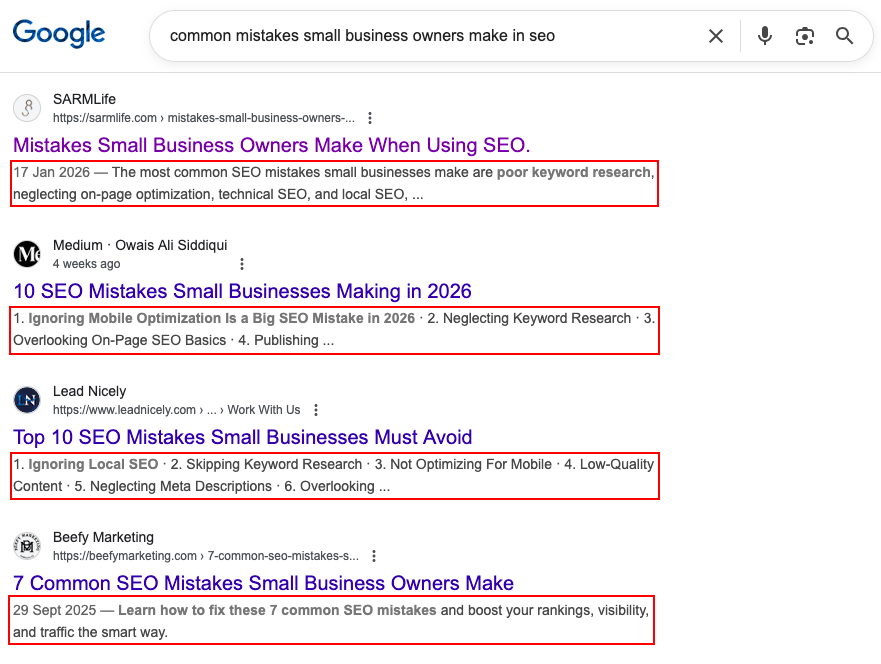
Meta descriptions are summaries or snippets that provide insight into a web page’s content.
They typically appear in search engine results pages (SERPs) beneath the page’s title and URL. These meta descriptions give users a preview of what they can expect to find on the linked page and play a crucial role in attracting clicks from search engine users.
Do you still need clarification?
See those tiny body of texts under the URL and title? Those are meta descriptions!
There are different benefits of having a meta description for your posts. Here are some reasons you need to learn how to write meta descriptions:
a. Improved search engine visibility
An engaging and relevant meta description can entice users to click on your link, increasing your click-through rate (CTR). Meta descriptions can include keywords related to your content.
Search engines often highlight these keywords in the search results, making your listing more attractive to users searching for specific terms.
Think of your meta descriptions as the welcome sign to your website, almost like a shop’s front door; people see them first on search engines, so make them catchy!
b. Increased click-through rate (CTR)
Click-through rate is one of the most important metrics to monitor, and an increase in this leads to more traffic for your website, which is the goal of any website. Meta descriptions are a great way to raise your click-through rate by grabbing your reader’s attention on SERPs.
Meta descriptions help readers quickly assess whether your page has the information they want, improving the overall user experience. When users find your content relevant to their search query through an eye-catching meta description, they are more likely to stay on your page, reducing the bounce rate (the percentage of users who leave your site immediately after arriving).
What Makes a Great Meta Description?
Before the nitty gritties of learning how to write meta descriptions, let’s take a look at why they are so important.
a. Length and character limit
Like many other search engines, Google typically displays meta-descriptions between 150 and 160 characters, including spaces in search results. However, it’s important to note that search engines may truncate longer descriptions, so it’s best to aim for 155 characters.
b. Keyword placement
Include relevant keywords that users are likely to search for. Place important keywords toward the beginning of the meta-description, but avoid keyword stuffing, as it can negatively affect your SEO. Doing keyword research on platforms such as Ubersuggest may help when trying to put keywords into your meta descriptions.
c. Clarity and relevance
An excellent meta description is concise. It should provide a clear and brief summary of what the page is about, allowing users to understand its content quickly.
Avoid using technical jargon or industry-specific terms that might confuse users. Use language that the average person can easily comprehend.
Also, ensure the meta-description aligns with the user’s search intent. Your description should hint at informative content if a user seeks information. If they seek a product, emphasize its features and benefits.
Great meta descriptions strike a balance between clarity and relevance. Clarity ensures that users understand what the page is about, while relevance ensures they find the information or solutions they want.
d. Call to action (CTA)
A CTA provides clear instructions to the user on what to do next. It can guide them toward the desired action, whether clicking on the link, signing up, making a purchase, or any other action you want them to take on your website.
A well-crafted CTA can make your meta description more engaging and persuasive. It encourages users to interact with your content, increasing the likelihood of a click-through. Using words like “Now,” “Today,” or “Limited time offer” in your CTA can create a sense of urgency, motivating users to take immediate action.
Ensure your CTA is directly related to the content and purpose of the page. Misleading CTAs can lead to high bounce rates and damage your website’s credibility.
How to write meta descriptions for SEO in 2026
Here are my top tips on how to write meta descriptions in 2026:
a. Research your keyword.
Keyword research is the backbone of any SEO strategy. Researching what your readers are most likely to type in a search engine’s search bar using tools such as Ubersuggest, Google Trends, Google Search Console, AnswerThePublic, etc., is crucial to forming a good and attractive meta description.
Knowing what your readers will most likely want and putting it front and center for them to see in your meta description will increase your website’s traffic for that particular query.
However, it can be highly detrimental to include keywords unrelated to a potential user search query as they may interpret it as you do not have content on your website relevant to what they want.
b. Use action-oriented language (use active voice).
Using action-oriented language in an active voice is an excellent approach for meta descriptions. It can make your meta descriptions more interactive and encourage users to take whatever action your website wants them to.
When creating action-oriented meta descriptions in an active voice, focus on verbs and phrases that drive users to take specific actions.
Ensure the language aligns with the content and purpose of the linked page, and keep the descriptions concise within the character limit to maximize their impact on search engine results.
c. Evoke curiosity.
Although your meta description gives a brief insight into your website’s description, don’t forget that the primary goal of a meta description is to get the searcher to click on your URL and consume your content. Curiosity plays a role here.
Eliciting curiosity in your meta descriptions is a powerful strategy to entice users to click on your search results. When users are curious about what lies behind the link, they are more likely to click through to your page.
Here are some tips for crafting meta descriptions that evoke curiosity:
I. Make it a question format.
For example, “How do you write a meta description?” Or “Do you want to know the secret to financial success?”
ii. Give a hint of what the page entails.
Let your readers know what your page is about. For example, “Find out the simple hack to increase your website traffic” or “Discover the trick that will elevate your productivity.”
iii. Use captivating language.
Use descriptive and intriguing language that makes your readers want to know more. For example, “Explore the amazing world of ancient civilizations.”
iv. Emphasize the unusual or unique.
Try to capitalize on unexpected and unique things about your content. What makes your content stand out? Why should your readers click on your content and stay glued to it?
It’s important to avoid using clickbait tactics in your meta-descriptions. Clickbait may initially attract clicks, but it often leads to a poor user experience and can damage your website’s credibility.
Here are some guidelines on how to write meta descriptions without using clickbait:
i. Be accurate and honest.
Ensure your meta description accurately represents the content of the linked page. Don’t promise something the page doesn’t deliver.
ii. Avoid exaggeration.
Refrain from using exaggerated or hyperbolic language that misrepresents the content. Maintain a realistic tone.
iii. Don’t mislead.
Avoid misleading users with false claims or sensational statements. Honesty is vital to building trust with your audience.
e. Do A/B testing for your meta descriptions.
A/B testing, or split testing, is an effective way to optimize your meta descriptions for improved click-through rates (CTR) and user engagement.
A/B testing for meta descriptions can help you adjust your messaging to better resonate with your target audience. It allows you to make data-driven decisions to improve user engagement and ultimately drive better results for your website.
A/B testing for meta-descriptions involves creating two or more variations of a meta-description for a specific web page and comparing their performance to determine which one is more effective regarding click-through rates (CTR) and other relevant metrics.
Good vs Bad Meta Descriptions (Example Table)
One of the fastest ways to understand how to write meta descritions for SEO is to compare strong meta descriptions with weak ones.
Here are clear examples:
Good vs Bad Meta Description Examples
Scenario
Bad Meta Description
Why It Fails
Good Meta Description
Why It Works
Blog post about SEO tips
SEO tips for your website. Learn more here.
Too vague, no value, no hook
Learn practical SEO tips that improve rankings, traffic, and click-through rate in 2026.
Clear benefit, time relevance, keyword-rich
Product page
Buy shoes online at the best price.
Generic, no differentiation
Shop lightweight running shoes with free delivery and 30-day returns.
Specific, benefit-driven, persuasive
How-to guide
Learn how to write meta descriptions.
Doesn’t explain why or who it’s for
Learn how to write meta descriptions for SEO that improve rankings and increase clicks.
Matches search intent and target keyword
Service page
We offer digital marketing services.
No USP, no CTA
Get data-driven digital marketing services that grow traffic, leads, and revenue.
Clear value proposition
Local business
Best restaurant in Lagos.
Keyword stuffing, no context
Enjoy freshly prepared local and continental dishes in Lagos, available for dine-in and delivery.
Natural language + local relevance
Meta Description Templates
Below are proven meta description templates you can adapt based on user intent and page type:
– Informational Intent (Learning / How-To)
How-To Template Learn how to [action] using [method] to achieve [result]. Step-by-step guide for beginners.
Educational Template Discover what [topic] means, why it matters for SEO, and how to apply it effectively in 2026.
Beginner-Friendly Template New to [topic]? Learn the basics, best practices, and common mistakes to avoid.
– Commercial Intent (Considering Options)
Comparison Template Compare the best [tools/services] for [goal], including features, pricing, and use cases.
Solution-Oriented Template Looking for a better way to [solve problem]? Learn proven strategies that deliver results.
Benefit-Driven Template Improve your [metric] with [solution] designed to increase performance and efficiency.
– Navigational / Brand Intent
Brand Authority Template Explore expert insights from [brand] on [topic], backed by real-world experience.
Trust-Building Template Trusted by professionals, learn how [brand] helps users achieve [result].
– Transactional Intent (Ready to Act)
Conversion-Focused Template Get [specific product or service] designed to help you [primary benefit]. Start today.
Urgency Template Upgrade your [process] with tools built for speed, accuracy, and growth.
– Local & Niche Intent
Local SEO Template Discover [service] in [location] with flexible options, transparent pricing, and expert support.
Niche Audience Template Designed for [specific audience], learn how to [goal] without wasting time or resources.
You can edit and swap the above examples as needed for your website SEO, but remember to stick to the guidelines above.
Common Mistakes When Writing Meta Descriptions
a. Stuffing keywords
Website or blog managers stuff many relevant keywords into their meta description to appear relevant to the searchers’ query. The downside is that it may make your website seem spammy. Instead, use keywords naturally and create a meaningful description that entices users to click.
b. Duplicating meta descriptions
Each page on your website should have a unique meta-description. Using the same description for multiple pages can confuse search engines and users.
c. Ignoring character limits
Search engines typically display meta descriptions in search results with a specific character limit (usually around 150-160 characters).
If your meta description exceeds this limit, it will be trimmed, and users will see an incomplete or disjointed description, making your website appear unprofessional and less trustworthy.
On mobile devices, character limits are even more critical because screen space is limited. Ignoring character limits can lead to severe truncation issues on smaller screens, affecting the mobile user experience.
It’s crucial to adhere to character limits to ensure your meta descriptions are compelling and provide a positive user experience.
Keeping your descriptions concise, within the recommended limit, and well-structured will help you convey the most relevant information to users and improve your website’s performance in search engine results.
FINAL THOUGHTS
Writing compelling and eye-catching meta-descriptions is vital for anyone looking to boost their website’s visibility in search engine results and attract more organic traffic.
By avoiding common pitfalls such as stuffing keywords, duplicating meta descriptions, and ignoring character limits, you can create meta descriptions that entice searchers, improve your site’s click-through rates, and reduce bounce rates.
Remember that meta-descriptions are a technical SEO element and your virtual elevator pitch to potential visitors. Each click and visitor could turn into a customer or a client, so ensure you go all in with it.
And there’s no such thing as too much SEO, so go ahead and revisit your website’s meta descriptions, make the necessary improvements, and watch your click-through rates rise.
The power to boost your site’s visibility is in your hands. Seize the opportunity and make every meta description count!
How often do you optimize your meta descriptions for SEO?
When the news came to switch to Google Analytics 4 from Universal Analytics, some users were not too keen on the changes. While change isn’t easy, this switch is worth the effort.
As of July 1, 2023, Universal Analytics stopped collecting new data from websites. So, if you still haven’t switched to GA4, the data you currently see in your analytics is outdated, with no further insight into your audience.
You must switch as soon as possible because you are already missing out on your user data between July 1 and the current date.
What is GA4?
GA4 (Google Analytics 4) is the latest version of Google Analytics, and it is designed to be more privacy-focused and future-proof than the previous version, Universal Analytics.
It also focuses on collecting data from websites and apps, using event-based data instead of session-based data.
Although all privacy features in Universal Analytics are available in GA4, Google Analytics 4 also uses a unique default IP anonymization feature that does not register a user’s IP address.
It also uses other privacy features, such as the consent mode, which allows users to control how their data is collected and used, and ad personalization features.
b. Future-proof:
GA4 is designed to be future-proof. It uses a new measurement model that is more flexible and scalable than the one used by Universal Analytics. This means that GA4 can adapt to the latest privacy regulations and technological changes.
The machine learning model integrated into Google Analytics 4 combines artificial intelligence with computer science, which shows that GA4 is ready to stand up to the technological advancements in the world today. Data Driven states, “GA4 fills in data gaps and provides sophisticated insights about user behavior, trends, and anomalies.”
c. Cross-platform:
GA4 can collect data from both websites and apps. This makes it a more comprehensive analytics tool for businesses with a presence on both platforms. It also collects information across devices using a unique user measurement ID for each user.
For example, if a user logs on to your website or app via two different devices, GA4 tracks the user through these devices and maps out the user funnel, identifying the two devices as a single user. It lets you get accurate information on how users interact with your platforms, even using different devices.
d. Event-based:
GA4 collects data based on events rather than sessions. It means it can track a user’s journey across multiple devices and platforms by taking note of the specific actions taken by each user. These actions can include video views, form submissions, file downloads, site searches, and button clicks.
According to Google support, any interaction by a user can be captured as an event.
e. Predictive analytics:
GA4 uses machine learning to provide predictive analytics. This is the use of artificial intelligence to predict the future behavior of your users.
German online retailer baur used GA4’s predictive insight to build a predictive audience for its Google Ads campaign.
The company increased its conversion rate by using an audience of likely purchasers to 87%. The company also calculated that 70% of those customers could only be reached using the predictive audience in Google Ads.
This feature can help businesses understand their users better and make more informed decisions.
Google Analytics 4 and Universal Analytics are web analytics tools that help you track website traffic and user behavior. However, there are some key differences between the two platforms.
Here are some major differences between GA4 and Universal Analytics:
1. New Report Dashboard
The new report dashboard for GA4 is designed to be more user-friendly and to provide more insights into your users. It is a more flexible and customizable way to view your data.
You can change the colors, fonts, and layout of your reports. You can also customize the data you see.
The new dashboard is divided into four sections:
Home:
This section provides a high-level view of your data. It includes charts and graphs that show your most important metrics, such as sessions, users, and engagement.
Reports:
This section is where you can create custom reports. You can add and remove cards, change the order of the cards, and customize the colors and fonts.
Explore:
This section allows you to explore your data in more detail. You can use filters and segments to drill down into your data and find patterns.
Advertising:
This section has to do with everything involving your Ad campaigns. It gives you an advertising snapshot of your most relevant data, model comparisons, and conversion paths for each user.
2. Data Collection
GA4 can collect data from both websites and apps. However, Universal Analytics only collects data from websites. This makes GA4 a more comprehensive analytics tool for businesses with a website and an app.
Google Analytics 4 collects data using a variety of methods, including:
Web tracking:
GA4 can track website traffic using the Google Analytics tag. The tag is a small piece of code you add to your website’s code. The tag collects data about the pages users visit, their time on each page, and the links they click.
GA4 can track app usage using Google Analytics for Firebase SDK. The SDK is a code you add to your app’s code before you can access and collect app usage data.
The SDK collects data about the events that users perform in your app, such as opening the app, updating the app, viewing a screen, or making a purchase.
Event tracking:
GA4 also allows you to track custom events if you need more than the automatically collected and enhanced measurement events. Custom events are events that are specific to your website or app. You can use custom events to track anything, such as a user signing up for your newsletter or purchasing.
You can also track your app or website for system errors so that you know when a system crashes.
You also need to have access to the Tag Manager container for your website and at least an Editor role in the GA4 account.
Cross-Platform tracking:
GA4 uses a unique identifier called a User-ID to track users across multiple devices and platforms. This feature is generated when a user signs in to your platform.
For example, if a user signs in to your website using their email address, you can generate a unique user ID that you can reference throughout your website or app.
It allows you to see how users interact with your website or app over time, regardless of their device.
GA4 also collects data about the user’s device, such as the type of device, the operating system, and the browser. You can use this data to understand how users access your website or app.
However, it is up to you to ensure that a third party cannot use the data collected to discover the user’s identity. You also have to make sure that your use of the user ID follows the Google Analytics Terms of Service.
Here is a full list of events and user properties automatically collected by Google for Firebase.
GA4 also collects data from other Google products, such as Google Ads and Google Search. This data can be used to improve your marketing campaigns and better understand your users.
Here are some of the key things to keep in mind about GA4 data collection:
Data collection is opt-in: Users must consent to data collection before their data is collected.
Data is collected anonymously: GA4 does not collect personally identifiable information (PII) by default.
Data is collected in real-time: GA4 collects data in real-time, so you can see the latest data as soon as it is collected. Data can change between 24-48 hours.
Data is used to improve your website or app: GA4 data can enhance your website or app by understanding your users and their behavior.
The real-time report in GA4 is a report that shows you the latest data about your website or app traffic as it happens. It is updated every minute to see how your traffic changes in real-time.
The real-time report can show you data up to 700 rows, according to Google Support.
Here are some things you can track in the real-time report:
The number of users per minute for the past 30 minutes
User source or device: where your users are coming from
New users
Returning users
Engaged content
Triggered events
Conversions
You can also use the real-time report to track custom events.
4. User Snapshot
The user snapshot feature in Google Analytics 4 is a report showing a snapshot of data for a single user.
According to Google, “It includes information about the user’s device, app version, and location, along with the top events the user triggered, and the relevant user properties.”
The user snapshot feature can be used to:
Understand individual user behavior:
The user snapshot feature can help you understand how an individual interacts with your website or app. You can see what pages they visit, what events they are triggering, and what devices they use.
Identify trends:
You can identify specific trends in user behavior. For example, you can see if certain pages are more popular with certain types of users or if certain events are more likely to be triggered by users from specific locations.
Here are some things you can see in a user snapshot report:
User ID: The user ID is a unique identifier assigned to each user. This ID can be used to track users across multiple sessions and devices.
Device: The device the user uses to access your website or app
App version: The version of the app that the user is using
Location: The location of the user
Top events: The top events that the user has triggered
User properties: The user properties that have been set for the user
5. Measurement Model
GA4 uses a new measurement model that is based on events and parameters. Events are actions that users take on your website or app. Parameters are additional information about an event.
This contrasts with Universal Analytics, which uses a session-based measurement model.
Here are some key concepts in the GA4 measurement model:
Events:
Events are actions users take on your website or app. Events can be anything from clicking a button to making a purchase.
Parameters:
Parameters are additional information about an event. Parameters can be used to track the time it takes a user to complete a task.
User ID:
The user ID is a unique identifier assigned to each user. This ID can be used to track users across multiple sessions and devices.
Sessions:
A session is a group of events the same user triggers within a certain period.
Measurement ID:
The measurement ID is a unique identifier assigned to each property in GA4. This ID is used to track data across multiple properties.
6. New Engagement Metrics
Google Analytics 4 has several new engagement metrics that can measure how users interact with your website or app.
An engaged session has one or more events. This metric measures how often users interact with your website or app.
Average Engagement Time:
The average engagement time is the total time spent in engaged sessions divided by the number of engaged sessions. This metric measures how long users spend interacting with your website or app.
Engagement Rate:
The engagement rate is the number of engaged sessions divided by the total number of sessions. This metric measures the percentage of sessions that are engaged.
Session Depth:
Session depth is the number of events in a session. This metric can measure how many pages or screens users view in a single session.
Pages per Session:
Pages per session are the pages or screens viewed in a single session. This metric can measure how much content users consume in a single session.
7. Predictive Analytics
GA4 uses machine learning to provide predictive analytics. This can help businesses make more informed decisions by predicting users’ future behavior through artificial intelligence.
This is a new feature that Universal Analytics does not offer.
You can use predictive analytics to identify users likely to churn, target users with specific marketing campaigns, and make more informed decisions about your website or app.
GA4 uses a variety of factors to make predictions, including:
User behavior:
GA4 looks at user behavior on your website or app to make predictions. It includes the pages they visit, the events they trigger, and their time on each page.
Demographics:
GA4 also looks at user demographics. This includes their age, gender, and location.
Intent:
GA4 looks at user intent as well. It includes what they seek on your website or app and what they try to achieve.
Here are some benefits of using the predictive analytics feature in GA4:
Identify users who are likely to churn:
The predictive analytics feature can be used to identify users who are likely to stop using your website or app, and the user snapshot can allow you to identify the problems and then devise effective strategies to keep the users on your platforms.
Make more informed decisions about your website or app:
For example, you can use the predictive analytics feature to decide which pages to prioritize or which features to add to your website or app.
The predictive analytics feature in GA4 can be a valuable tool for understanding user behavior and making more informed decisions about your website or app.
However, it is essential to note that predictive analytics is not a perfect science. The predictions generated by GA4 are based on historical data and may not be accurate for all users.
8. Customization
Google Analytics 4 is a customizable platform, meaning you can tailor it to your needs. Here are some ways you can customize GA4:
Custom dimensions and metrics:
GA4 allows you to create custom dimensions and metrics. You can track data specific to your website or app.
For example, you can create a custom dimension to track the number of times a user views a specific page or a custom metric to track the amount of time a user spends on a specific page.
Custom audiences:
GA4 allows you to create custom audiences. It means you can group users based on their behavior or demographics.
For example, you can create a custom audience of users who have visited your website more than once or from a specific country.
Custom reports:
GA4 allows you to create custom reports. It means you can view data in a way specific to your needs.
For example, you can create a custom report to track your marketing campaigns’ performance or your users’ engagement.
Custom integrations:
Google Analytics 4 allows you to integrate with other Google products, such as Google Ads and Google Analytics 360.
You can use GA4 data to improve your marketing campaigns and get more user data.
Google Analytics 4, unlike Universal Analytics, gives you a lot of control over how you use the platform. It means you can tailor GA4 to your specific needs and get the most out of the data it collects.
Here are some benefits of customizing GA4:
Track data that is specific to your website or app:
Custom dimensions and metrics allow you to track data specific to your website or app. It can help understand user behavior and make more informed decisions about your website or app.
Target specific audiences with your marketing campaigns:
Custom audiences allow you to target specific audiences with your marketing campaigns. It can help you improve the ROI of your marketing campaigns.
You should customize the platform to your needs to get the most out of GA4.
9. Cross-Platform Tracking
Cross-platform tracking, or cross-device tracking, is a feature in GA4 that allows you to track users across multiple devices and platforms.
Google Analytics 4 uses user ID to track users across multiple devices and platforms. This ID is assigned to users when they first interact with your website or app.
The user ID is then used to track the user’s activity across all their devices, so long as they are signed in to their Google account and their Ad Personalization feature is enabled (usually enabled by default).
You should enable cross-platform tracking because nowadays, people access the internet through several devices, including voice assistants and multiple devices.
The fantastic thing about cross-platform tracking in GA4 is that it recognizes the user as an individual even if they use multiple devices, and it also integrates the engagements of that user across all the devices used.
This gives you accurate information when tracking the conversion funnel of your users.
Here are some benefits of cross-platform tracking in GA4:
Track users across multiple devices and platforms:
Cross-platform tracking lets you track how users interact with your website or app on their phone, tablet, and computer.
Identify lost customers:
Cross-platform tracking can help you identify lost customers. You can use this information to target these customers with specific marketing campaigns to win them back.
Personalize the user experience:
Cross-platform tracking can be used to personalize the user experience. For example, you can show different content to users based on the device they are using.
Improve the ROI of your marketing campaigns:
Cross-platform tracking can help you improve the ROI of your marketing campaigns. You can target your campaigns more effectively and measure their effectiveness more accurately.
10. Privacy
GA4 is designed to be more privacy-focused than Universal Analytics. It allows users to control how their data is collected and used.
GA4 has several privacy features that are designed to protect user privacy.
These features include:
Consent management:
GA4 allows you to manage consent for data collection. You can ask users for their consent before collecting their data.
Data minimization:
GA4 minimizes the amount of data that it collects. GA4 only collects the data that is necessary for it to function. It does not log in or store IP addresses.
GA4 allows you to export your data if you switch to a different analytics platform.
The privacy features of GA4 are designed to protect user privacy while still allowing you to collect the data you need to track your website or app traffic.
Here are some benefits of using the privacy features in GA4:
Protect user privacy:
The privacy features help to protect user privacy by minimizing the amount of data that is collected and by pseudonymizing data.
The privacy features can help you build trust with users by demonstrating your commitment to protecting their privacy.
Improve the user experience:
The privacy features in GA4 help you improve the user experience by reducing the collected data and making it easier for users to opt out of data collection.
GA4 offers a different set of reports than Universal Analytics. The reports in GA4 are more focused on user behavior and engagement, making it easier to understand how users interact with your website or app.
You can also customize your GA4 reports to focus on the user data that is most important to you.
Here is a table summarizing the key differences between GA4 and Universal Analytics:
Here are the steps to switch from Universal Analytics to GA4:
Create a new GA4 property: Go to your Google Analytics account and click the Admin tab.
Select the account you want to switch (if you have only one Universal Analytics account, it’s automatically selected).
In the Property column, select the Universal Property you use for your UA account.
In the Property column, click the GA4 Setup Assistant.
Click the Get Started button under this prompt: “I want to create a new Google Analytics 4 property.”
If your website already uses a gtag.js tag, you can select the option that shows: “This Wizard can also enable data collection using your existing tags.”
Click on Create Property.
Give your property a name: Enter a name for your new GA4 property.
Select your website or app: Select the website or app you want to track with GA4.
Enable data collection: Click on the Enable button to enable data collection for your new GA4 property.
Install the GA4 tracking code: You must install the GA4 tracking code on your website or app to track your traffic. You can find the tracking code in the Tracking Code section of your GA4 property.
Migrate your data from Universal Analytics using the Data Transfer Tool. You can find the Data Transfer Tool in the Tools section of your GA4 property.
Start using GA4: Once you have completed the steps above, you can start using GA4 to track your website or app traffic. You can find the GA4 reports in the Reports section of your GA4 property.
Here are some additional things to remember when switching from Universal Analytics to GA4:
GA4 is a new product, still under development.
GA4 uses a different data model than Universal Analytics.
You must migrate your data from Universal Analytics to GA4 to keep historical data.
You will need to adjust your reporting and analysis methods.
Recent GA4 Updates
Since the announcement that Google Analytics will replace Universal Analytics, Google has kept updating GA4 to ensure you get all the important data, export it, and track user interactions with your website or app.
Here are some updates to GA4 in the last few months that I think are crucial to SEO Analysis:
i. Behavioral modeling in path and funnel explorations
This is the latest update to Google Analytics 4, added on August 17, 2023.
Behavioral modeling data is now available in path and funnel explorations in Google Analytics 4. This has to do with declining consent for analytics cookies on your website.
This update lets you get data from users who decline your consent banner so you don’t miss out on valuable insights.
When a website visitor or app user declines analytics cookies or equivalent app identifiers, your reports are missing data about them.
Behavioral modeling fills in the data gaps by modeling the behavior of users who decline analytics cookies based on the behavior of similar users who accept analytics cookies.
ii. E-commerce dimensions and metrics available in the custom report builder
Google added this feature on July 20, 2023; it enables you to create your e-commerce reports from scratch or edit standard e-commerce reports.
These are the e-commerce dimensions that are now available in the custom report builder:
Item affiliation
Item brand
Item category
Item category 2
Item category 3
Item category 4
Item category 5
Item ID
Item list ID
Item list name
Item list position
Item location ID
Item name
Item promotion creative name
Item promotion creative slot
Item promotion name
Item variant
Shipping tier
These are the e-commerce metrics that are now available in the custom report builder:
Gross item revenue
Gross purchase revenue
Item refund amount
Item revenue
Items added to cart
Items checked out
Items clicked in promotion
Items purchased
Items viewed
Items viewed in list
Items viewed in promotion
Purchase revenue
Refund amount
Shipping amount
Tax amount
iii. Six new dimensions and metrics in the Google Analytics 4 audience builder
On June 5, 2023, Google added five new dimensions to the Google Analytics 4 audience builder, namely:
Country
Manual term (UTM Term)
Mobile device information
Minute
New vs. Returning
They also added a new metric, session duration, to give more insight into users’ interactions with your platforms.
iv. Funnel reports
This update was introduced on May 2, 2023; it allows you to create customized sales funnel reports to see users’ exact steps to complete a task.
It also lets you see how many users drop off between each step and the specific step where they drop off.
This update allows you to create relevant funnels for your specific business goals and reference the information in your purchase journey reports.
Google Analytics 4 is a far cry from Universal Analytics. It is better and more scalable, and I love that it offers several customization options.
If you still need to switch to GA4, you must do so NOW! Also, you need to export your data from Universal Analytics to GA4 because Google announced that Universal Analytics would stop processing data starting July 1, 2023. It means you cannot access previously processed data from your Universal Analytics account.
If you have switched to GA4 already, you should keep up with the new changes.
Are you encountering any issues switching from Universal Analytics to GA4? If you have switched, how has the new experience been so far?
Just as ChatGPT is becoming the new normal and the noise is going down, Google hits us with another AI update called Bard.
Google Bard is likely a response to Bing’s ChatGPT and its integration into the search engine, or has it always been on the horizon for Google?
Regardless, we get to experience yet another AI wonder.
The fact that this new tool is coming straight from Google has raised the question of what this means for SEO and SERPs, especially organic searches.
As much as Google hasn’t stopped releasing updates to how searches are answered, from knowledge graphs to featured snippets and rich snippets, are we set to experience major changes to Google Search?
Will Google Bard pose a threat to SEO writers and experts? How much of a change will Bard bring to how we see SEO?
Read this blog post to find out.
What is Google Bard?
Google Bard is an experimental conversational AI chatbot by Google that can predict reasonable responses based on the prompts it receives.
It is powered by LaMDA (Language Model for Dialogue Applications), a conversational AI model trained on information obtained from web data and public dialogue.
The model reads through trillions of words and picks up the patterns that make up human language.
These patterns allow it to predict the appropriate responses for different prompts.
The drama that birthed Google Bard
When OpenAI released ChatGPT, it took the world by storm to the extent that its platform could not contain the number of people who wanted access to the chatbot.
It was such an amazing experience, and I remember wanting to write a blog post about it but couldn’t get access, and when I finally did, I was ecstatic.
Afterward, Bing announced that it would add ChatGPT to its search engine, which was mind-blowing. Many people started using Bing to see how ChatGPT would work with a search engine.
This created the idea that Google was falling behind in technology, which is probably why many people think Google created Bard in response to ChatGPT.
However, Google’s CEO said Bard was created to “translate deep research and breakthroughs into products that truly help people.”
The launch of Google Bard was announced 68 days after the launch of ChatGPT on February 6, 2023. However, the announcement of Bard failed based on a factual error showcased in the demo.
According to Google Bard, at the time of the demo, it claimed that the James Webb Space Telescope took the first-ever picture of an exoplanet. However, it happened in 2004, and James Webb Space Technology took its picture of an exoplanet in September 2022.
Due to this error, Alphabet’s shares lost a hundred billion dollars in market value in just one day. People lost trust in Google’s ability to make a breakthrough in conversational AI technology.
Google, however, opened access to Bard on March 21, 2023, but access was limited to people in the US or UK; users also had to be over 18 years of age and join a waitlist.
However, on May 10, 2023, Google removed the waitlist and granted access to users from 180 countries.
How was Google Bard trained?
Many have wondered how Google Bard works and if it was trained with the same model as ChatGPT (GPT-3.5).
Although Google doesn’t explain the training process, we are sure it involved LaMDA, a large language model (LLM) built on a neural network architecture called Transformer.
LaMDA, according to Google, can engage in a free-flowing conversation with an open-ended nature that allows it to move from one topic to another.
It means that a conversation about a newly released American song can transition into the rise of K-pop and the division of Korea.
a. Factual grounding from external knowledge sources
This means Google Bard can consult external knowledge sources like an information retrieval system, a calculator, and a language translator to make its responses accurate and not just give responses that sound plausible but are nonsensical.
In other words, it can fact-check its responses, and when necessary, it can reference its sources.
According to the LaMDA research paper, it states that:
“We quantify factuality using a groundedness metric, and we find that our approach enables the model to generate responses grounded in known sources rather than responses that merely sound plausible.”
Sensibleness: This evaluates if the answer makes sense or not.
Specificity: This assesses the contextual relevance of the response to the prompt.
Interestingness: This measures if the answers are insightful and inspire curiosity.
b. Data annotation by crowd workers
According to the associated research paper on LaMDA, it was stated that “We find that crowd-annotated data is an effective tool for driving significant additional gains.”
Data annotation by crowd workers means Google employed the services of humans to evaluate the data before feeding it back to the model.
How does Google Bard work?
Google Bard came amidst much controversy, and we kept getting many unanswered questions like, “How does it work?”
The way Google Bard works is closely related to its training, which is the same for most language learning models.
Google Bard was trained using a lightweight version of LaMDA. This version of LaMDA is a smaller model that does not use much computing power, making it easy for Google to scale to more users and get more feedback.
What happens when you place a prompt in Google Bard?
Google did an amazing thing with Bard by giving it internet access. The researchers behind the creation of LaMDA recognized a problem with large language models—they were mimicking answers—which led to factual errors. These errors occur because they only reproduce and predict from the data given to them.
However, there is something called the temporal generalization problem, which is changes in facts based on new technology, scientific research, etc. The large language models will still reproduce the old facts when these facts change.
This is why the concept of freshness was introduced to Google Bard through its ability to access information retrieval systems (search engines).
“Bard seeks to combine the breadth of the world’s knowledge with the power, intelligence, and creativity of our large language models. It draws on information from the web to provide fresh, high-quality responses.”
So, when you input your prompts on Google Bard, it uses the data it has been trained with and fact-checks with the information retrieval system to give fresh, sensible, and specific answers.
Uses of Google Bard
There are many uses for Google Bard, and it’s impossible to list them all.
Here are some of its uses:
Generates codes
Generates topic ideas
Summarizes texts
Writes outlines
Translates texts
Solves math problems
Develops a detailed plan
Makes simple inquiries
Gives real-life advice
The list is endless!
You can use Google Bard in English, Japanese, and Korean; it is available in over 180 countries!
How to use Google Bard for SEO (with sample prompts)
Here are some SEO tasks I’ve done with Google Bard:
1. Content idea generation
You can use Google Bard to generate ideas for any niche of your choice. It helps you to save time trying to come up with new ideas.
The answers you get may not be perfect, but you can tweak them to fit your preferences.
I asked Google Bard to come up with five blog post ideas for an SEO agency, and it gave me some comprehensive ideas I can develop into power blog posts and regular posts as well.
Here is another prompt where I asked Bard to develop blog post ideas for a fashion brand, and the answers were fairly good.
2. Keyword Suggestions
You should know that when doing SEO, you must ensure your choice of keywords is verified and thoroughly accessed because your keyword choice can make or break your content’s visibility in search engines.
Remember, it is a KEYword!
So, no matter how great a chatbot or any large language model software is, try to do keyword research as manually as possible using the right keyword tools.
Also, I asked Google Bard to develop keyword suggestions for a blog post on ‘The Ultimate Guide to SEO for Small Businesses.’ Here’s the list it gave me.
Only a few of these keyword suggestions seem related to the blog post idea. Most of them are also too long and won’t do.
However, I can work with a few of them. The next step is to list these keywords and carry out proper keyword research on them.
I also asked Bard to separate these keywords based on their length (short, medium, and long-tailed).
3. Keyword intent
You can also use Google Bard to check for the search intent of various keywords. You can ask Bard to give you the search intent of all the keywords it listed, as I did here:
Or ask for a specific intent like this:
I discovered that the quality of my result was richer when I requested a specific type of intent instead of asking Bard to separate all the intents (i.e., navigational, transactional, informational, and commercial).
4. Headline generation
I was impressed with the optimized headline options I got from Google Bard.
It gave me five (5) different options, and this was the best of the three drafts.
To confirm the authenticity of these headline ideas, I verified them using IsItWP Headline Analyzer, and these were the headline scores they got:
Some of the headlines did fairly well, while one of the headlines even got a green color! The headline suggestion by Bard seems to be above average, and these were just five (5) options from a single draft.
5. Outline generation
You can use Google Bard to generate an SEO-optimized outline. It is useful and saves time with content research.
However, you still need to do basic content research to ensure you are getting all the points required for the post you are working on.
I tested out Google Bard on the blog post idea: ‘Ultimate Guide to SEO for Small Businesses,’ and these were the results I got:
This is the first draft, but I needed more detail for this particular content.
The second draft is a more appropriate outline for this particular blog post. If you want to rely on using Google Bard for SEO, go through all the drafts before exporting the answers to wherever you want to use them.
This last draft is too simple and does not hold the context of the blog post topic.
6. Content writing
You can use Google Bard to come up with your blog post content.
While Bard might not give you that 1,500-word blog post, you can use it effectively if you provide prompts for your subheadings instead of the entire post.
For example, suppose I’m writing a post on ‘Guide to SEO for Small Businesses’ instead of giving Bard a prompt on writing content for the topic. In that case, it’s more effective if I give it a prompt for each subheading, e.g., define SEO, benefits of SEO for small businesses, etc.
Here is Google Bard giving me content for my introduction:
The next picture is Google Bard giving me content for my first subheading:
If you notice, you will discover that most of the lines in the introduction are also in the definition of Local SEO I just got.
Here it is if you need another reminder to ensure you go through AI-generated content and not just copy and paste.
And although the first part of the definition was less detailed than I wanted, Bard ensured to include additional information to make up.
The last part of the answer to my prompt contained information on ‘important factors that affect Local SEO ranking.’ While I think that would have easily been another subheading, it still makes sense as the last part of the definition.
7. Code generation
Of course, I had to try using Bard to generate SEO-relevant codes.
First, I used it to generate a hreflang code for people with multiple versions of their websites in different languages.
Afterward, I tried generating a redirection code, but Bard wasn’t having it with me, as you can see here:
Either Bard needs to learn how to generate a redirection code, or I’m using the wrong prompts.
It also included a source for additional information on creating a robots.txt file.
Lastly, I attempted to create a schema markup code for a recipe page, and I must admit that I was impressed with the results.
Not only did I get my code, but I also got meaningful additional information.
Google Bard explained what schema markup was all about and shared tips for adding schema to recipe pages.
It indicated the case study source used to generate the schema code.
It gave me links to search schema markup-related topics on Google.
That was impressive, and if it gave answers for all prompts like this, I doubt we would have any complaints.
8. Statistics
Google Bard can also create statistics content for you.
At first, I got this type of response when I tried using Bard to create statistics.
Then, I changed the phrasing of my prompts and finally got an answer.
However, you have to be careful when using statistics generated by Bard because some of the statistics I got were inaccurate, nor were the sources indicated.
Google Bard can perform other tasks, such as translating keywords from one language to another. It can also summarize and paraphrase writing pieces to make them simpler or more professional.
Like every other chatbot, the results from Google Bard largely depend on your prompt.
Like the example I gave when discussing using Bard for keyword intent, I couldn’t get a more accurate output until I used specific prompts. The same goes for using Bard to write your content.
I discovered this when using Bard: break your prompts into smaller chunks to get the best output, especially when dealing with informative or long-form content.
Pros of using Bard for SEO
Here are some pros I’ve discovered about using Google Bard for SEO purposes:
a. Integration with Docs and Gmail
Using Google Bard, you can export your files to Google Docs or as an email draft.
This is convenient if you want to create simple content. However, you cannot export different answers to the same document.
For example, if you are working on a blog post using several prompts, you cannot export all the answers to a single document. Each time you export your answers, a new document automatically opens.
b. Additional information
Using Google Bard, you get additional information as part of your answers.
For example, if you ask for local SEO tools, you can get local SEO tips to enhance your SEO strategy.
Here’s an example of me asking for powerful blog post ideas, and Google Bard gave me additional tips for writing these types of posts.
c. Answer sources
Google Bard gives you the sources of some of its answers.
However, the sources are not always accurate.
Here’s an example:
From the keyword suggestion prompt, I asked Google Bard for its sources, and initially, it claimed to have gotten them from these platforms:
However, when I clicked on the second draft, the sources were not completely aligned with the first draft.
The differences might indicate that Bard didn’t use the sources as claimed. However, it could also mean that it used all the sources listed but put them in different lists.
When I created a content writing prompt for Bard, I scrolled down and discovered that it gave me links to some sources it used in answering that particular prompt.
Unlike the previous scenario where I had to request the sources, they didn’t have hyperlinks.
It’s safe to say that the sources cited by Google Bard are functional sites with slightly relevant content to what is being discussed on the chatbot.
Here’s an example:
This website is one of the cited sources by Google Bard on my prompt: ‘Write a 500-word introduction for a blog post on The Ultimate Guide to SEO for Small Businesses’.
While this might not be in the same context, it is still about SEO.
Here’s what Google has to say about Bard citing sources:
d. Alternative drafts
Google Bard gives you different drafts with different answers to choose from.
There are some prompts where I get two drafts, while I also get three for some.
Here’s a sample of a prompt showing three different drafts:
e. Option to further search via Google
Using Google Bard, you also get an option to further your search through Google, probably because Bard outsources answers from information retrieval systems, and Google has strong leverage over other search engines.
The button to further your search via Google is at the end of the answer to your prompt.
A click will take you to another tab to google your prompt and get relevant blog posts.
You can also search for related topics to your prompts directly from Google Bard. It analyzes the prompts you have inputted and suggests related searches.
For example, my prompt was ‘Guide to SEO for Small Businesses,’ and Bard could predict these three queries to further my search.
f. Future improvements
One of the advantages of Google Bard is that it knows what’s currently in the market, gets feedback from its wide range of users/testers, and gets more opportunities to improve its features.
The future improvements for Bard are numerous; this is an advantage because they don’t need to commercialize what has been tested and failed. Rather, Google can improve its successes and make better user options.
Despite how great Google Bard is, there are some limitations.
Google itself states on Bard’s homepage that it has a lot of limitations, and as such, you have to be watchful when using it and make significant suggestions to improve its features.
Here are some limitations of Google Bard:
a. Inability to hold context
Bard cannot hold context (i.e., it cannot remember previous conversations). While I tried to verify this claim, I discovered that Bard could hold context adequately.
Here is a sample:
Before this prompt, Bard had given me some blog post ideas, and I had asked it some follow-up questions. I then proceeded to ask another question without including the subject.
As you can see, I used ‘this’ to see if Bard could understand what ‘this’ in the context of my question meant.
And surprisingly, it did!
While it might be true that Bard cannot hold context in some cases, this attempt shows that it can remember previous conversations to a certain extent.
b. Hallucinations
According to Google, when prompted, Bard may give false positive and false negative answers. This can make you skeptical about trusting this chatbot mindlessly, and rightly so.
c. Biases
Google has stated that Bard can potentially create biases based on the training data it has learned over time because it is obtained from varying sources with different viewpoints and stereotypes. This learning model can incorporate specific opinions and leave out the rest.
This limitation might make Bard develop a kind of ‘personality,’ resulting in inappropriate or inaccurately biased results.
Impact of Google Bard on SEO and Search
The controversy about how Bard will change Google Search might have stemmed from the statement released by Sundar Pichai, the CEO of Google and Alphabet.
“Soon, you will see AI-powered features in Search that distill complex information and multiple perspectives into easy-to-digest formats, so you can quickly understand the big picture and learn more from the web: either that’s seeking out additional perspectives, like blogs from people who play both piano and guitar or going deeper on a related topic, like steps to get started as a beginner. These new AI features will begin rolling out on Google Search very soon.”
First, ‘features’ refer to a part of something and not necessarily the entirety of it.
Here’s an example of an AI-powered search result from Google.
We need to understand that Google has always updated the way Search is done over the years, and it is only appropriate they integrate AI features into their search engine, but that doesn’t mean that Bard will change Search.
Yes, there might be significant changes in Search that Bard may influence; however, Bard cannot replace Google Search, just like ChatGPT did not replace Bing.
Google Bard might only be a feature in Search, just like featured snippets, knowledge panels, and PAA was added to how results were shown on Google’s SERP.
However, if Bard is made a major part of Google Search, It might affect the results, especially regarding organic traffic.
Recent Google Bard Updates to Know!
As I stated earlier, Google has the advantage of getting insight from other AI chatbots like ChatGPT, and if they leverage these insights coupled with customer feedback, they have an advantage.
In two months, Google Bard has made several significant updates, some unprecedented changes.
I’ll explain these details with screenshots to show you how they work.
1. Images in Bard
Google Bard can now bring you images from Google Search and its response. It allows you to visualize the concepts of what you are searching for.
I tried to see this feature’s reliability and requested images along with my prompts.
Here are the results:
The incredible thing about this feature is that, with just a click on the image, Bard will take you to the source of the image.
For example, when I clicked on the images I got in the response, it took me to the source website.
2. Google Lens in Bard
Aside from the fact that you can now see images in your responses, you can also upload images along with texts, just like when using Google Lens to search the Internet.
All you need to do is go to this section on Bard.
After clicking on the link, you will get this prompt:
Note that this feature is only available in English.
3. Location-Specific Information
According to Google, Bard can now give more specific responses based on your location, but only if you allow it to.
This feature allows Bard to respond to relevant and accurate queries, like when looking for a local business near you.
You can update your location here:
I couldn’t get a screenshot for this feature because Bard says I can’t update my location.
You can manage your preferences in the location settings.
4. Export Tables to Google Sheets
Like the Gmail and Google Docs export options, exporting to Google Sheets allows you to seamlessly export tables developed by Google Bard to your Sheets.
This is good news for people still learning to use Google Sheets/Microsoft Excel.
You can ask Google Bard to create a personalized table for you and include the needed features. Afterward, you can export the table to Google Sheets with all the features.
When you click on the ‘export sheet’ option, it shows you when your Google Sheet has been created at the bottom of the page:
When you open the sheet, it directly opens a Google Sheet for you and redirects you to the file like this:
You can edit the table and add other data as needed.
5. Improved Math and Data Analysis
Here’s what Google says about this new feature:
“Starting with English, we’ve updated Bard to detect computational prompts and run code in the background, making Bard better at mathematical tasks, coding questions, and string manipulations.”
It means that Bard can detect questions that are mathematical problems and use the appropriate code to generate a response.
For example, if you ask Bard, “What is the square root of 16?” Bard can now detect it as a mathematical question and run the code to calculate the square root of 16.
This will give you a more accurate response than if Bard tried to answer the question based on its understanding of the English language.
Here are some screenshots of Bard solving some mathematical problems:
6. Export Python Codes to Replit
Google Bard is improving its coding abilities and quality. Here are some recent codes generated by Google Bard:
A structured markup CSS code
A sample Python code
Note that the export option for codes is limited to Gmail and Docs. However, Google is trying to update these options, starting with Python code.
When Bard generates Python code for you, it allows you to export to Colab or Replit.
I couldn’t take screenshots of the Replit platform because I don’t have a Replit account. However, you can create an account if necessary.
Here’s a screenshot of Python code in Colab.
7. Modify Responses
Google Bard allows you to modify your responses to make them more professional, simpler, shorter, longer, or casual.
This shows that the responses from Bard will soon become more to the user’s liking, and I hope they can add more modifications to Bard to make its output alignable with the user’s preferences.
8. Share Your Conversations
You can now share part or all of your Bard conversations with friends, teammates, or your social media audience. Google Bard has made it easy by creating a link and allowing you to choose what you want to share.
It starts with you clicking the share button.
Select the part of your chat you want to share.
And copy the link directly and share it on your platform of choice or directly on LinkedIn, Facebook, Twitter, or Reddit.
9. Pinned and Recent Threads
On Google Bard, you can pin your chats and revisit them when necessary. This comes in handy when you constantly use Google Bard and need to keep track of the content you have on the platform.
Pinning your threads will help you quickly access your important threads on Google Bard.
You can either pin, rename, or delete your threads on Google Bard:
Here’s how your pinned threads look on Google Bard:
10. Voice Output for Prompts
Voice search is here to stay, and the populace encourages it more as the days pass. This might be why Google strives to ensure that it incorporates voice technology in the recent updates to Bard.
The recent Bard update allows you to select a voice output option if you want the result read.
I tried to confirm if one gets a voice output for voice input and discovered that you must manually select the voice output option to get the results read.
It may be inconvenient, mainly because most people do voice searches to avoid the hassle of manually reading results. It would be great if the voice output had a manual option and an automatic action.
For example, if I’m using my voice to ask Bard about a particular topic, I might want the answers automatically read out.
However, I love the way the voice output for codes is read. Instead of just reading out the letters and whatnot, the voice output explains the codes logically.
11. New Places, New Languages
As of July 13, 2023, Google Bard is said to be available in over 40 new languages, including Simplified and Traditional Chinese, Hindi, Spanish, Arabic, German, etc.
Its access has also been extended to all 27 European Union (EU) countries and Brazil.
Here’s a list of some of the languages supported by Bard, as seen on the FAQ page of BARD:
English
Japanese
Korean
Arabic
Bahasa Indonesia
Bengali
Chinese
Croatian
Czech
Danish
Dutch
Estonian
Farsi
Finnish
French
German
Gujarati
Greek
Hebrew
Hindi
Hungarian
Italian
Kannada
Latvian
Lithuanian
Malayalam
Marathi
Norwegian
Polish
Portuguese
Romania
Russian
Serbian
Slovak
Slovenian
Spanish
Swahili,
Swedish
Tamil
Telugu
Thai
Turkish
Ukrainian
Urdu
Vietnamese.
Google has mentioned that it hopes to include more languages, but currently, Bard covers most of the languages used on the Internet.
However you choose to use Google Bard, it is important to be careful of the information you input into the software. Human reviewers may process your Bard conversations for research and quality purposes.
Final Thoughts
From my research into using Bard for search engine optimization, I think Google was right to emphasize that Bard is still an experiment, which means we should expect more features and improvements to how it currently works.
Google Bard presently has limitations that can impact SEO if used independently, like hallucinations, inability to hold context and incorrect information.
However, I like that it is integrated with major apps like Google Docs and Gmail, making it easy to export your answers.
The ability to provide additional information and further your queries through Google Search is a smart move, and I hope these features survive the updates that Bard might go through.
Aside from Google Bard, the use of artificial intelligence to simplify SEO is something that should be embraced but used with caution.
No matter how much data a system is trained with, it cannot accurately reproduce human emotion, which is a needed ingredient in creating content that resonates with your audience.
So, regardless of your AI chatbot of choice, ensure your final content has human input.
CTA: Are you embracing the integration of artificial intelligence into search engines? What are your thoughts?
When we launched our Do-It-for-You SEO services at SARMLife in 2021, we had two significant goals for our clients.
Rank their posts on the first page of Google, and
Increase website traffic to their blogs.
I noticed that most clients were always anxious about their website’s traffic and wanted to see results as fast as possible. Knowing that SEO isn’t a magic trick but also understanding my clients’ anxiety, I knew I had to make it work for them.
To achieve these results, I used what I now call the “SARMLife SEO technique,” which involves organically increasing website traffic through on-page, content, and technical SEO revamping, with results pouring in within days!
For my first client, she began to see organic results within two weeks of using the SARMLife SEO technique on her site—from 82 unique monthly site visits to 3.3k visits in less than two weeks.
Her website went from this:
To this in 10 days
After implementing the SARMLife SEO technique on my client’s pages and even our official website, we’ve had keywords ranking on the first page of Google and some ranking for featured snippets.
So, what is the SARMLife SEO technique? How do you increase website traffic using the SARMLife SEO technique?
Read until the end of the post to get the details.
The SARMLife’s SEO Technique Case Study
Mid-may, 2022, the founder of In Quiet Trust came to us with the desire to improve her website traffic for increased brand deals. She had been doing well in the motherhood blogging space, but she wanted a sustainable traffic generation where she didn’t have to show up on social media consistently.
Well, guess what? SEO came to the rescue.
Luckily for her, we had been testing our SARMLife SEO Technique theory on the SARMLife website and were ready to try it on another website to know if our theory needed more cooking or if we were good to go!
With her website, it was like MAGIC! Within ten days, we saw a HUGE JUMP on her website site visits; it was exhilarating.
WHAT DIFFERENT APPROACH DID WE USE THAT YOU DON’T ALREADY KNOW? WHAT ARE THE INGREDIENTS OF OUR SEO TECHNIQUE?
It’s simple.
After testing our theory on our website and several other clients’ websites, here is the FULL BREAKDOWN of our trademark SEO style.
MUST-HAVE INGREDIENTS
STEP 1: You need a fully functioning website
It must have been live for at least six months
It must have blog posts already on the website
It must have fully functional pages, at least your standard Home, About, Services, Shop, etc.
STEP 2: SEO Audit
STEP 3: On-page SEO strategies
STEP 4: Technical SEO strategies – STEP 4
STEP 5: Content SEO strategies (not needed for the first IMMEDIATE RESULTS seen in this case study, but HIGHLY useful for sustainability)
The SARMLife’s SEO TECHNIQUE Recipe: How to Increase Website Traffic Organically
Before I share the detailed process, please note that increasing the website traffic of a newly built website takes at least six months. Therefore, the key part of winning this technique is that your test website must have been live for at least six months, giving search engines enough time to rank all its existing pages.
SEO AUDIT – STEP 2
To start using this technique, the second thing you need to do to see similar results after verifying the website’s age is to perform an SEO audit on your website.
At SARMLife, we use Ubersuggest to perform all our SEO audits, but you can use websites like Semrush.
We performed an SEO audit for the In Quiet Trust’s website, and below is a snippet of our SEO report. VIEW THE FULL REPORT
ISSUES DISCOVERED AT THE BEGINNING Using UberSuggest
The website interface may differ when using a different audit tool, but the results are similar.
Next up, what did we do with the audit results?
ON-PAGE SEO STRATEGIES – STEP 3
From here on out, we dug deeper into some of the on-page SEO issues with a high/medium negative impact on her website traffic.
For the client in this case study, we looked at the results of her website audit and fixed all the on-page SEO issues described below.
a. Word Count
Insufficient text on a page hampers Google’s comprehension of the content, leading to difficulty ranking for targeted search terms. Adding more text provides valuable information to both Google’s crawlers and users, increasing the chances of ranking. Content with fewer than a few hundred words is considered thin and highly unlikely to rank well.
Low Word Count – Words are less than 2200.
b. Meta Description
Meta descriptions are crucial in improving click-through rates for your content in search results. They preview what users should expect on the page they’re about to open.
No Meta Description– Neglecting to include an optimized and compelling meta description often results in search engines using the first sentence of the page, which may fail to capture the searcher’s interest and discourage them from clicking.
Duplicate Meta Description – Duplicate meta descriptions create challenges in ranking because search engine crawlers struggle to differentiate between pages and determine which ones should be ranked and which should not.
c. Blocked Pages
To prevent certain pages from appearing in search results, you can utilize the robots.txt file, robots meta tag, or X-Robots-Tag in the HTTP header. Determining which pages you want search engines to index and which ones you want to exclude is crucial. By employing these methods to block specific URLs, you communicate your intention to restrict access to that content to search engine crawlers.
d. Heading Tags
Search engine crawlers favor well-structured content with a clear hierarchy of heading tags. The H1 tag is most important as it conveys the content’s main topic to search engines. Having only one H1 tag per page is essential to ensure clarity and optimize search engine understanding.
No H1 Heading Tag – You want an H1 tag on every page on your website unless irrelevant.
Duplicate Heading Tag– Avoid using the same H1 tag on different pages.
e. Title Tags
Having original and unique title tags for each page is crucial.
Long Title Tags – If a tag exceeds 65 characters, it gets truncated in search engine result pages (SERPs), thus rendering it ineffective and defeating its intended purpose.
Short Title tags – When a tag has fewer than 30 characters, it becomes challenging to rank the page because search engines cannot comprehend the page’s intent.
Duplicate Title Tags – Duplicate title tags can complicate ranking as search engine crawlers struggle to determine which content should be prioritized. Creating distinct and relevant title tags for each page is essential to achieve better rankings and avoid competition among your pages.
No Title Tag – Performing a site audit will help you avoid this.
More than 1 Title Tag – For each page, craft a single title tag relevant to the content and compelling enough to attract clicks and encourage readers to explore your content further.
As seen in the image below, we ignored some issues because those 23 pages were pages like the Home page or the About page, which typically only require a few words.
Likewise, the two pages with duplicate title tags had the same content but different content styles. For example, one of the title tags led to a blog post on “Make Easter Magic with Osmo Little Genius Starter Kit,” and the other tag led to a Google Web Story on the same topic.
Eventually, we found a solution to avoid these duplicates, but I wanted to share WHY you see the issues below for transparency’s sake.
We left those seven (7) blocked for the blocked pages because they included pages like Privacy Policy, Terms and Conditions, and other pages that search engines DO NOT need to rank.
As I often say, there will always be on-page errors on a website, but your job as an SEO expert is to prioritize fixing them based on their impact level.
NOTE: There are more on-page SEO issues than these, but these are the most relevant for this case study as they are commonly found on our client’s website.
TECHNICAL SEO STRATEGIES – STEP 4
a. Error codes
Broken links (4xx) – 4xx status errors occur when visitors to your website cannot access specific pages. Various factors can cause these errors and should be investigated thoroughly. They result in a negative user experience, indirectly affecting your website’s SEO and rankings.
Redirections (3xx) – Redirecting URLs to different destinations is often necessary and appropriate. However, incorrect implementation of redirects can have serious consequences. Two common instances of improper redirect usage are redirect chains and loops, which you should avoid to prevent negative impacts.
Temporary Redirects– Use 301 permanent redirects to retain traffic and pass on link juice when redirecting pages on your website. Temporary redirects such as 302, 303, and 307 are suitable if you intend to disable them in the future. However, for optimal SEO benefits and to preserve the authority of the redirected pages, it is recommended to utilize 301 permanent redirects.
b. Load Time
The load time of a website refers to the duration it takes for the complete rendering of the site’s HTML code in a browser, excluding non-HTML elements like images, CSS, and Java. A fast load time is crucial for the ranking and visibility of your content. It is increasingly important for websites to load quickly, as faster load times are more favorable for optimal user experience and search engine rankings.
c. URL structure
URLs exceeding 120 characters can potentially hinder your chances of ranking well in search results.
Long URLs – Google generally prefers shorter URLs than this character limit. When URLs contain too many words, Google may perceive them as relevant only to specific long-tail phrases rather than broader search terms. Therefore, keeping your URLs concise and avoiding excessive length is advisable.
Poorly formatted URL for SEO – To maintain a simple and effective URL structure, prioritize the use of relevant keywords in the slug of your URL. Restrict the URL to include only numbers, letters, and dashes, while avoiding unnecessary characters like !, @, #, $, %, ^, &, *, (, ), [, ], ?, {, } etc. By adhering to this approach, you can ensure that your URLs remain concise, readable, and optimized for search engines.
NOTE: There are more technical SEO issues than these, but these are the most relevant for this case study as they are commonly found on our client’s website.
The moment we fixed all these issues on the In Quiet Trust’s website, she went from crumbs to thousands of views in 10 days, and within months, she had amassed millions of pageviews!
SEE BELOW:
Before working with us10 days later3 months later6 months later1 year later
Other Ways to Increase Website Traffic
Here are some other techniques you can combine with SARMLife SEO to increase website traffic exponentially.
1. Content Marketing
This is an important SEO strategy if you want to sustain the results from the SARMLife SEO technique.
Content gives you various ways to attract new users and retain existing ones.
No matter your niche, you can consistently develop blog post ideas to engage your audience.
Here are the most important aspects of content marketing you need:
a. Content SEO
This refers to creating and optimizing your content to rank high in search engines.
This aspect of SEO focuses on just your content and uses that to engage your visitors while establishing your authority and expertise in your niche.
It includes your writing and how it is structured to appear on your website. So, it’s more than putting words together.
Here are some aspects of content SEO to practice:
i. Evergreen topics
These topics remain relevant through the years, not just during certain seasons. For example, writing a topic on how to travel light, lose weight, or write like a pro are topics people still want to know about, at least for the next 50-100 years!
Getting evergreen content on your website is the key ingredient for sustainability.
If your content is irrelevant to people in a few years, no matter how optimized, it will not keep them on your website.
ii. Searcher’s intent
Another key aspect of content SEO is nailing the searchers’ intent. Are they just looking for information? Do they want to buy now or in the future? Are they looking for direction? Getting the right answers to these questions is also crucial.
Imagine structuring your content for someone wanting to purchase only to discover that they wanted detailed information. Even when they want information, how they want to see it might differ.
For example, the intent behind an informational keyword might be to see a kind of checklist, while the intent behind another informational keyword might be to read a detailed guide.
If you mix up the structure, you might not rank and attract traffic to your content.
It is necessary to carry out proper keyword and content research to determine the intent of the searcher before developing your content on your website to avoid mixing up the structures.
iii. Keyword optimization
This part of content SEO is where you research the best keyword options for your content. Your keyword is used to target a specific group of people and determine the content path.
Keyword optimization is done to determine the type of traffic coming to your website. If you are a fashion blogger, your choice of keywords will be related to your niche to ensure the traffic to your website is from people interested in fashion.
Keywords are crucial because that is what search engines use to match a searcher’s query with your content.
You can use several tools to carry out keyword research, and tips you can also follow to ensure you settle on the best keyword option for your posts.
You need to implement the right strategies, from keyword mapping to keyword placement.
iv. Headline optimization
Your headlines are the first point of contact with your website. Your headline is also a part of your content and needs to be optimized. There are certain rules for optimizing your headline, and here are some of them:
This is the process of creating optimized images for search engines, and it involves using high-quality images, including alt texts, and the appropriate file sizes and formats for your images.
Images boost engagement and increase the readability of your content. It also makes it easy for readers to visualize and retain important information, which is why it’s an important part of SEO.
Tips for optimizing site images
Here are some golden tips for optimizing the images on your websites:
Voice search optimization is the process of optimizing your website’s content for voice searches.
Voice searches have become the future of search, and we see new advances daily. As great as voice searches are, they have increased the competition for organic ranking because there’s only one spot for a voice search result.
However, there are ways to optimize your content for voice search and increase your ranking.
Internal links are links to other pages on your website and are a great way to increase your website’s domain authority and rankings.
The more you link to pages on your website, the more signals search engines get about the value/quality of that post. The more likely it will also send traffic to that page, especially if it is fully optimized.
Internal links are almost more important than external links; however, you have to strike a balance between the two.
This is your cue to create more high-quality posts you can link to from your other blog posts.
e. Backlinks
Backlinks are links from other websites to your website.
This also shows search engines that the content on pages with many backlinks is important and valuable to your audience.
When search engines get this signal, it increases the chances that your post will increase in rankings, automatically driving traffic to your website.
2. Social Media Marketing
Google has constantly stated that it does not use social signals to rank web pages, which means it doesn’t matter if your post has a lot of engagement on social media.
You can trust Google on that because there has not been any direct correlation between social media and high ranks.
However, it is advantageous when you increase the awareness of your brand with social media posts. You need to take specific strategies to make some of the 4.76 billion social media users click on the link to your posts via the different social media platforms.
Social media marketing is an excellent way for new blogs to get considerable traffic to their posts.
Here’s what you need to understand about social media marketing and how it affects your website:
You know that Google doesn’t care how often your blog posts have been shared on Instagram or Twitter, and high social shares don’t mean Google will put your post as the number one search result for a query.
However, imagine you have built enough social media awareness for your website or brand, established yourself as an expert among your audience, and have an active and engaged community.
Whenever you share the links to your blog posts on your platforms, people are more likely to click on them.
Here is an example we all know:
Only a few knew about ChatGPT until social media became abuzz with it. The traffic to the platform started increasing until they had to start putting people on hold because it was packed!
Local SEO is optimizing your website and content for local searches; it is an excellent strategy for a local or small business owner.
Optimizing your website for local audiences can also help increase traffic to your website and generate leads. When you attract local customers, they will likely buy your products or services.
To optimize for local searches, here are the main things to do:
List your business in local directories.
Update your Google Business Profile.
Use location-based keywords for content.
Build location-specific pages on your site.
Update customer reviews.
Use local language for content.
Optimize your site for mobile users.
READ MORE: LOCAL SEO GUIDE (Coming soon)
4. Email Marketing
This is another strategy to increase website traffic, but it might be more advantageous for websites that have been around longer and have built an email list.
Email marketing involves sending commercial messages to your audience using emails. You can use emails to send welcome messages, order confirmations, blog post alerts, and niche tips to your audience.
With email marketing, you can only send messages to those who have signed up for your newsletters via your website.
The primary purpose of building an email list—for a website owner—is to engage your audience and direct them to your website. To direct traffic to your website through emails, you first need to embed your offers on your website.
For example, you can use emails to send promotional offers and resource updates to your audience. These offers and resources should be embedded in your website so interested parties will be redirected.
The same goes for blog post updates. Create engaging blog post update newsletters and send them to your email list.
As effective as this can be, you also need to utilize some strategies to ensure your email marketing is successful:
Create a compelling lead magnet.
Segregate your audience.
Personalize your messages.
Use emotional words.
Send timely emails.
Use catchy subject lines.
Limit promotional emails.
Carry out A/B testing for your emails.
Only send out valuable emails.
Keep emails short and precise.
Include visual content.
Add social proofs to your emails.
Write a clear CTA.
Automate.
Make sure your emails are mobile-friendly.
5. Paid Ads
Paid Ads involve spending money to get more people to see your content. You can use paid ads on different platforms, including search engines and social media.
You should combine paid advertising with organic efforts to maximize the traffic inflow to your website. You can also discontinue your paid ads if your organic traffic is good enough.
There are different ways to utilize paid ads because there are different types. To decide on the type of paid ads you need, consider your target audience and where they are often found online.
For example, most of your target audience will be on Instagram and Facebook if you are in the fashion industry. You want to focus on these platforms. For SEO experts, your target audience will primarily be on search engines, Twitter and Instagram, so it is essential to concentrate heavily on these platforms.
Paid ads are one of the surefire ways to increase website traffic if you have the budget. However, organic traffic has proven to be as good as paid ads and maybe even better.
The SARMLife SEO technique is something I continuously use, and I see results every time; you can also use it for your website or when working with clients.
Nothing gives me more joy than seeing the results of my SEO efforts in real-time.
With the SARMLife SEO, it’s a guarantee that your website’s traffic will increase in a short amount of time.
Of course, there are other ways to increase website traffic. While the SARMLife SEO technique is foremost every time I work with a client, I combine different methods of increasing website traffic because I’m an SEO perfectionist.
Will you use my SEO technique to drive instant traffic to your blog?
If you want to know how to make money blogging this year, this post is for you.
When I started blogging in 2019, I had a truckload of passion and zero interest in monetization.
But, I started expecting more from blogging and knew I needed a good monetization strategy.
I got serious with blogging, took courses, and tried many things (including Google AdSense). In 2021, we made a little over ₦1,000,000/$1,230—an accomplishment considering we made ₦100,000/$123 the previous year (2020).
Fast forward to 2022, we made approximately $15,000+ (almost $16,000) organically!
If someone ever told you you couldn’t make money blogging, it’s either the person told you a lie or they’re doing something wrong.
You can’t make money overnight from your blog, but if you put the right strategy in place, you can achieve it.
In this post, I’ll come clean about how I made that much in a year and how you can too! It doesn’t matter your niche; you can even beat that!
Let’s go!
What you need to have before you can monetize your blog.
To make money blogging, you must have a clear niche with a defined target audience.
What is a niche?
A niche is a topic or area you will write on—for example, sustainable fashion, DIY baking, online side hustles, etc. It won’t be easy to monetize your blog if you are not clear on what you do and who your content is for.
You want a defined target audience for your topic or niche to attract the right people. While choosing a niche, research to see if there is enough audience to monetize. Conduct thorough keyword research to determine what topics people are searching for and how much competition exists.
Check to see if people are already creating content on that topic. Check if there are Facebook groups in that niche and if people are asking questions or searching for that particular topic. This will help you to know if there is already a demand for this niche. Be sure to select a niche you are interested in and passionate about, as it will make blogging much more enjoyable and sustainable long term.
A good content writing skill
You need good writing skills to create content that will attract your target audience. If your blog post is terrible, nobody will read it, and you won’t be able to grow a readership, and if you don’t grow your audience, you can’t make money blogging.
Learning how to create valuable and engaging content on a consistent schedule is essential. Focus on in-depth, well-researched content that provides true value for your readers. Content quality and consistency are vital in growing your audience.
Hence, it is crucial to improve your content writing skill. The only way to improve at writing is by writing and learning how to improve your writing. You can watch YouTube videos, read books, take classes, or pay for coaching. Whatever you do, make sure you get better at content writing.
It may take a while but remember that Rome was not built in a day. As you keep writing, you will get better at it.
A good traffic source
To monetize your blog, you need a good amount of traffic to your site. Optimize your blog for SEO to increase your website traffic. Research to find out what people are searching for in your niche and include relevant keywords and internal links between your posts.
You can also increase your traffic by promoting your blog on your social media pages and doing guest blogging.
An active email list
To monetize your blog, you need an active email list to build a deeper relationship with your audience. These people will most likely buy from you because you have created the know, like, trust factor with them.
To build an email list, you need to create a lead magnet that people will give you their email in exchange for it. It doesn’t have to be complicated; it can be a checklist, an ebook, a list, a video, etc. Think about something valuable to your audience and offer it for free. You can test different lead magnets to see which one works best. Promote your lead magnet on your blog so people can know about it.
A monetization game plan
There are several ways to make money blogging, including ads, affiliates, sponsors, digital products, consulting, and more. You need to choose a strategy that works for you and your audience. It is a good idea to start with just one or two plans, then expand as your traffic and audience grow.
A sponsored post is a social media or website post where you get paid by a brand or business to promote their products or services to your audience through your blog posts or social media posts.
b. How to make money with sponsored posts.
There are two ways to go about this:
i. Promotion only.
The brand or business brings you the post to promote, so you don’t have to do any work; you just post it.
ii. Content creation + promotion
You write the post yourself. Sometimes you may have to use the product or service before writing about your experience. Since you will be doing more work for this type of sponsored post, you can charge more for this.
If you have a good following on social media, you can even charge a higher price to promote it on your social media platform too.
c. How to get started with a sponsored post
i. Reasonable traffic
You will need a good amount of traffic to your website before reaching out to brands or small businesses to pitch them. Brands and small business owners are looking to reach a new audience, so you must show them that, one, you have their target audience, and two, you have a good amount of traffic coming to your site.
ii. Competition research
Research other people in your niche to see the people they work with; it will give you an idea of brands or businesses that pay and people you could likely work with. Write a list to see which one aligns with you, and research other brands like them, so you can have a comprehensive list of brands to reach out to get your first sponsored post-gig.
iii. Media Kit creation
Create a media kit to reach out to the brands to pitch what you do. You will use a media kit to introduce yourself, who you are, what you do, and your target audience. It also includes your audience demographic and your web traffic.
Send an email with your media kit pitching yourself to the brands you align with. The best place to start is by offering a free post for them. Or you can offer to do it at a smaller fee, that is if you are just starting. If not, you can include your rate in your media kit.
The idea of the free work is to impress them and then pitch paid work. The free work is meant to give you experience and data to work with so you can get feedback and position yourself for the paid sponsored post-gig.
Email a few brands because you might get plenty of nos and a few yeses. When you get a yes, you are on your way to making your first sponsored post.
And if you know someone who runs a business with the same target audience as you, you can offer to do it for them for free to get a review and then use that to pitch yourself to brands or small businesses.
2. Create and Sell Digital Products
a. What are digital products?
Digital products are intangible products or items delivered electronically or online, such as ebooks, digital planners, courses, music, software, etc.
b. Why digital products?
With digital products, you don’t need inventory or any overhead cost; the production cost is relatively low compared to physical products. They are easy to deliver, so you don’t have to worry about shipping and delivery. This way, you have a passive source of income.
c. 12 digital product ideas you can create
Here are some digital products you can create regardless of your niche:
i. Ebooks
Ebooks are books that are written and delivered online. You can write ebooks on different topics and for various purposes. It can be a recipe book, an ebook on “how to put your baby to sleep,” a resource book containing a list of things you used for your DIY project, a list of vendors they can purchase from, etc. The good thing about ebooks is that they are easy to make and deliver.
Research to see what niche-related topics people are interested in; you can check Amazon to see what is already available and read the good and bad reviews. The bad review will tell you what’s missing in the market. You can survey your audience to see what topics they are interested in, and if you had a blog post that did so well and got several questions or feedback on it, you could consider creating an ebook from it.
ii. Online courses
There is a prediction the online education market will reach US$ 350 Billion by 2025 due to the flexibility it provides learners. It means online courses are going nowhere soon, and there is an opportunity to tap into them. You can share your knowledge or skills in a course; this will let you explore the topic.
Whether you know how to bake, play the piano, do DIY decorations, plan a wedding, or paint, you can teach others something. Creating an online course involves some work and investment, but it can make you money if done right.
iii. Workshops or Masterclass
With workshops or masterclasses, you can teach one topic in a live class or prerecorded video, showing people how to do something step by step. For example, if you blog about baking, you can host a workshop to teach people how to bake and ice a chocolate cake using ingredients in your home. The topics are usually specific with one outcome. The good thing about it is that it is easier to create than an online course. You can host one live class and sell the replay when you are done. Make sure you choose a topic that interests your audience.
iv. Templates
You can create templates that make people’s lives easier so they don’t have to start from scratch. You can create templates for others using Google Sheets, Microsoft Excel, Notion, Canva, etc. Examples include social media content templates, productivity templates on Notion, pricing sheets on Microsoft Excel, and website design templates; the list is endless. If you already have a template you use, you can sell it to others and make money, or you can create one from scratch to solve people’s problems.
v. Audiobook or Audio file
Audiobooks have increased lately; more people are listening to them. Like ebooks, you can create audiobooks or audio files on different topics. You can sell audiobooks, audio mini-courses, mediations, instructional audio, etc.
vi. Printables
Printables are digital products that can be printed for use—things like planners, journals, calendars, cards, etc. If you already have printables you use every day, you can turn them into a product, or you can create one that meets the needs of people. You can research marketplaces like Esty and Creative Marketplace, where they are sold, to see what people buy.
vii. Swipe files
A swipe file is a document that is a valuable asset for a particular goal. For example, copywriters have a swipe file of copies for inspiration or reference. If you have a swipe file you use for your work, you can sell that to others.
viii. Membership subscription or Paid community
A paid membership is where people pay monthly to be part of an exclusive community. One of the biggest benefits of having a membership is the recurring revenue.
Depending on your audience’s wants, you can offer different things in a membership. Some memberships are community-based; others include monthly tutorials and monthly coaching calls. Others have access to a library of video training; some get monthly templates, like social media templates, etc. The ideas are limitless; you can create a membership that solves a need of your audience.
To get started, you need to research what your audience is struggling with and how to solve that problem with your membership. For example, if you have a food blog and your audience needs new recipes every week, you can create a membership that delivers weekly recipes. You can also add other perks, like a Facebook community where you answer their questions, making your membership more valuable to your members.
You can also create a content-based membership where people pay to access content unavailable on your blog or social platform. The good part is that even with a small audience, you can launch a membership and profit from it.
ix. Software
You can offer software as a service (SAAS) if you know how to code. For example, Convert Kit is an email platform created by a blogger for other bloggers because, during his blogging career, he wanted an email platform designed for bloggers, so he made one. You can also create software that solves a problem even if you don’t have coding skills; you can get people to help you with it, although it may involve a huge investment.
x. Music
You can make music and sell it directly to others. Many people are creating content these days and need to include music in their content.
xi. Stock photos or Videos
So many creatives and business owners need stock photos and videos to create content. If you take photos for your blog or make videos yourself, you can consider selling them to others.
xii. Lightroom presets
If you already use Lightroom presets for your photos, you can sell them to others. Presets are like templates; they make photo editing easier.
d. What digital product should you create?
When choosing a digital product to create, think about your target audience’s problems or challenges and find a way to solve them with your digital product.
You want to research to see if there is demand for the product before you make it. The best way is to do a prelaunch to test if there is interest in it so you don’t waste time creating what nobody wants. Make sure you validate your ideas to see what sticks.
When choosing the type of digital product to create, consider what you want to share with your audience and the best format, whether it is an ebook, a course, a template, etc. And you can research to see the type of digital products they buy or are interested in.
If you have a food blog, you can make a recipe book and organize cooking workshops or masterclasses where you teach a specific recipe from start to finish. You can also create an online course to teach different recipes or help people go from novice to expert chef. The opportunities are endless. Ensure to choose a format that matches the outcome that your audience desires.
e. Tools you can use to create the digital products
Here are some tools you can use to create digital products:
i. Google Docs or Microsoft Word
You can use Google Docs or Microsoft Word to write your thoughts, map your workflow, and write ebooks and presentation slides.
ii. Canva
Canva is a design tool for non-designers. Design templates are available; you can design ebooks, printables, templates, and presentation slides for your workshops, masterclasses, and courses. You can also record them inside Canva. The free version allows you to access templates, photos, and videos. If you need more, you can upgrade.
iii. Zoom
You can use Zoom to host live workshops, masterclasses, and courses where you can interact with your students or record your presentation and upload it to a host platform.
iv. Google Meet
You can use Google Meet instead of Zoom to host live workshops, masterclasses, and courses where you can interact with your students or record presentations.
v. Loom or ScreenPal
You can use either Loom or ScreenPal to capture your screen and presentation.
f. What platforms can you sell and host your digital products?
There are different platforms to host your digital products. Here is the list of some:
i. Gumroad.
Gumroad is one of the most popular and simple platforms for selling digital products. You can integrate it into your site or use it as a stand-alone platform. It has a payment gateway and allows you to host your digital products. You can upload ebooks, albums, games, films, online courses, Lightroom presets, stock photos, templates, etc. The platform has a free version.
ii. Podia.
Podia helps you to build a website where you can sell and host digital products like online courses, membership, downloads, webinars, workshops, and bundles. It also has a community feature for membership subscriptions and online courses with community options. There is a free version that allows you to get started.
iii. Sellfy.
Sellfy is a simple platform that allows you to sell and host digital products like, digital art, videos and films, tutorials, music, audiobook, photography, videos and photo effects, online memberships, online events, and promotions. It also has agile tools that help with sales and marketing. You can integrate it on your website or use it as a stand-alone tool. You can also get started with a free trial.
iv. Shopify.
Shopify is an eCommerce platform that allows customers to sell physical and digital products like ebooks, templates, printables, digital art, etc. It also allows you to host your digital products, and the platform provides a free trial.
v. Teachable.
Teachable is an excellent platform for digital products related to knowledge and education, like online courses, workshops, group coaching, etc. The platform allows you to customize the learning experience and has a free plan allowing you to host one course.
vi. Kajabi.
Kajabi is an all-in-one platform that allows you to host, market, and sell digital products like membership, online courses, etc. You can create landing pages, build sales funnels, integrate payment gateways like Stripe and PayPal, and manage your customers. The price is higher than other platforms, but it is worth it. You can get started with a 14-day free trial.’
vii. Marketplaces
Marketplaces like Esty and Creative Market allow you to host and sell simple digital products like printables, digital art, templates, swipe files, stock photos, downloadable files, etc.
Etsy marketplace
Creative market
g. How to sell your digital products
Create quality and valuable content that will create desire and demand for your digital products.
Create a marketing strategy for your digital products. What channels will you be promoting it? How long will you promote it?
Promote it on your blog, social media, and email list.
You can do the prelaunch strategy, where you sell to a small group of people at a discounted price, then launch out with the full price.
Ensure you deliver on your promise so you can get good reviews and testimonials. You will use the reviews to drive more sales.
3. Affiliate Marketing
a. What is affiliate marketing?
You get paid to recommend products or services to your readers. When someone buys through your referral link, you get paid some percentage.
b. How to get started with affiliate marketing?
i. Build trust with your audience.
Before promoting any product, you need to build trust with your audience. Your audience needs to trust you because it can impact your recommendation. Hence, the first thing to do is to build the know, like, and trust factors.
ii. Find out their pain point.
Find out their pain points and research products or service that will be helpful to them.
You want to bring a solution to your audience, so it is essential to research their pain point. What challenges do they have, and what solutions are they looking for? You can do a survey and talk with some people to learn more.
iii. Try out the products to see how they work.
After your research, find products or services to solve your audience’s pain point and try it out to see if it works. It is essential to recommend only products or services that work. Document your experience using the product; this will be shared as content.
iv. Make social proofs of products or services.
Use social proof from using the product or service to promote.
Customers believe other customers, so you need to test and experience the product—that is your social proof. Create content sharing your experience and results with the product or service, and include your links. When someone makes a purchase, you get a commission.
Be honest with your audience and ensure you don’t break that trust. Only recommend things you have tried and believe in.
v. How to find companies or brands that offer affiliate programs
If you like a particular brand, check their site to see if they offer affiliate programs. Still, affiliate networks like Impact, CJ, ShareASale, and Amazon Affiliate Program allow you access to affiliate marketing programs.
4. Sell Your Services
If you have a skill set related to your blog, you can offer that as a service and get paid.
a. What services can you sell?
You can sell your cooking, writing, photography skills, etc. You can also work on DIY projects for people.
For example, at SARMLife, we started offering paid SEO services to our clients, and it’s been a game changer for us and one of our primary sources of revenue.
b. How to sell your service
You need to create content that positions you as an expert. Use your blog post to show your capability.
Talk about your services in your blog, social media, and email. Let people know you offer that service.
Create a “how to work with me” or “service” page to inform people about your services. Include a portfolio for your work and reviews. It is a good way of promoting yourself.
5. Become a Coach
Coaching or consulting is guiding others in your expertise or showing them how to achieve the same result as you. You can offer this service if you’re an expert in your niche or have achieved some results. Some people are interested in learning with a high touch point, and 1-1 or group coaching provides that opportunity.
a. How to get started with coaching
i. Position yourself as an expert in your niche.
Create authority-building posts that let people see you as an expert. Share your experience and your unpopular opinions about your niche. Share how you were able to achieve some of the results you got. This will pique people’s interest and create a desire for your coaching.
ii. Build your portfolio
Help a few people get free results to show that your framework is effective and works for everyone.
You can announce on your email list or social media platforms that you are offering free coaching or consulting spots to a few people.
With these, you can get started, and after building your portfolio to a reputable state, you can start charging for the value you offer.
iii. Document your process.
This is important because this is the process you will be taking people through. You want to create a framework for your coaching or consultation; this way, you can get your clients consistent results.
iv. Create a case study from the people you’ve worked with.
Create and share it with your audience. You can write a blog post on the case study, share it with your email list, and create content around it on your social media. This strategy will let people see how you have helped others. Don’t forget to include a call to action to work with you.
v. Package your coaching or consultation service.
You want to create an offer that is enticing to people and put a price on it. What transformation are they looking for? How can you get them that transformation with your coaching? This is what you will package together as your coaching program.
b. How to sell your coaching or consultation
Talk about your coaching service in your blog, emails, and social media posts. People can’t buy what they don’t know about, so talk about it.
Share social proof reviews and testimonials of people that have worked with you and got results. This will help to build trust.
Share case studies of your past clients or people you have helped to help build trust and position you as an authority.
Create valuable posts. You can teach, shift perspective, share stories of how your clients achieved results, etc.
Include the call to action to “book a session with you or join your coaching program” in your blog posts.
Include your coaching service in your “how to work with me” page so people can know about it.
c. Tools you need for your coaching
A payment platform: you can use Stripe, PayPal, or other payment gateways like ThriveCart, SamCart, etc.
A scheduling tool: you can use Calendly or Acuity.
A platform to host the session: you can use Zoom, Google Meet, or Telegram.
A communication channel: you can use Slack, WhatsApp, Telegram, Instagram, or Email to communicate with your clients.
A feedback loop: you need to create a system that allows you to collect feedback and testimonials.
6. Freelancing
With freelancing, you can make money writing for others. If you have good writing skills, this is an excellent way to make money blogging. There are platforms where you can sign up to get jobs.
a. How to get started with freelancing
i. Ensure you improve your writing skills.
Others will also compete for the job, and the companies will want to give it to the best person. Make sure your writing skill is good enough to win.
ii. Create a writing portfolio.
A portfolio shows your writing skill and the type of work you have created. You can use your best work and write as a guest blogger for other bloggers.
iii. Get testimonials from the people you have written for.
Social proof is essential because it will help you build more trust.
iv. Learn how to write a good bio.
A good bio will help sell your service. Write a bio that makes you stand out and be memorable. If you have achieved results with your blog, ensure you include that in your bio.
v. Learn how to write a pitch for jobs.
You will need to write pitches to get the job on most freelancing sites. Your pitch should tell them why they should hire or work with you, and your pitch should talk about how you will add value to their brand or business with your writing.
vi. Register on freelancing sites.
Sites like Fiverr, Upwork, Writers Work, ProBlogger Job Board, Freelancer.com, iWriter, Guru, BloggingPro, and others.
vii. Use social media platforms like LinkedIn to find jobs.
Consider your profile as your bio, set it up to reflect that you are open to work, and include a link to your portfolio. You can also use the search feature on Twitter to find jobs; some companies post about their job openings.
7. Speaking Gigs
A speaking gig is where you are invited as a guest speaker to an event and get paid for it. It can be another source of income for you if done right.
a. How to get speaking gigs
i. Position yourself as an expert in your niche.
Creating authority-building posts will let people see you as an expert. Share your experience and your unpopular opinions about your niche. These will help you stand out.
ii. Practice public speaking
This helps you to become better and more confident. Just like anything else, practicing is the only way to improve speaking. Practice in front of your mirror, try going live on social media to teach others, and host live sessions on Zoom. Also, learn from other speakers you admire.
iii. Research event organizers in your niche.
Build relationships with them and other speakers; people usually recommend people they know, and social media has made it easier to network with people.
Research, follow them on social media, and build relationships with them. Like and comment on their posts; watch and respond to their stories. Listen to their podcast if they have one. Be genuine in building the relationship. These strategies will help you introduce yourself and start a conversation naturally.
iv. Contact event organizers and offer your service
After following them for a while and understanding their mission and what they offer their audience, you can contact event organizers and offer your service for free or a fee. You may have to start with free gigs but use them to hone your skill and get testimonials.
v. Create your portfolio
When you have a few speaking gigs, you can create a portfolio and add testimonials.
vi. Update your “how to work with me” page
Add your speaking service to your “how to work with me” page and let people know you can be a speaker at their event. Talk about it on your social media and email too.
8. Host A Summit
A summit is a virtual event—live or prerecorded—that brings multiple speakers to talk about one topic or theme. The summits usually have a specific desired transformation for the attendees. You can use the interview, presentation, or a mix of both styles. The presentation or interview can be live or prerecorded, depending on your choice.
The prerecorded summits are mostly convenient because everything has been prepared beforehand, so you don’t need to worry about speakers having emergencies or something coming up.
Hosting a summit can be a lot of work, but you can pull it off with adequate planning. Planning at least three months ahead of time is essential so you have everything ready for the event.
a. How to get started with hosting a summit
i. Decide what your summit will be about.
What transformation are you offering people? You just need to have one transformation for your attendees.
ii. Create a unique name
Choose a name that reflects that transformation and your audience. Don’t use a generic name; let it speak to the target audience and the transformation they will get.
iii. Decide your topics
Decide on the topics you will cover during the summit and decide on your speakers. I will show you how to get speakers in the next part.
iv. Decide the date & time
Decide when you will host the summit. What month will you be hosting it? Don’t forget to consider your audience. Think about their calendar and select a time of the year that suits you and them. If you are targeting moms, you want to avoid summer because they will be busy.
v. Decide the duration
Decide the date and how many days you will host the summit. Will it be one day, three days, or five days? Remember that the longer the days, the more people will drop off. You can start with a day or 2-day summit and continue testing.
vi. Decide on the style of your summit
Decide on the style of your summit and the length of each session. Would it be an interview style? A presentation style? Or both? How many minutes will it be? I have seen summits ranging from 15-minute to 1-hour presentations.
vii. Create a schedule
Create a schedule and to-do list for the summit so you can stay on top of your tasks like writing sales pages, emails, and social media posts, interviewing your speakers, or following up on them to submit their presentations, etc.
viii. Create a marketing strategy and timeline for your summit.
Devise a plan to promote your summit and get people to attend. You can promote the summit on your blog, social media, and email list and get your speakers to promote it to their audience. This will increase your visibility and help you reach more people. If you have a budget, you can include ads. However, you don’t need ads to have a successful summit.
b. How to get speakers
Getting the right speakers is one of the most important parts of hosting a summit because it can make or break your summit. Don’t just go with the first name that comes to your mind; find people who can deliver on your topics.
Do a brainstorming session and write the names of people who fit into your summit. Take out some time to research people that can be a good fit. Social media, especially Instagram and LinkedIn, are good places to search for speakers. You can also ask people you know to recommend speakers to you.
Write a comprehensive list and send out the invitations to confirm them as speakers.
c. Tools and platforms you need to host a summit
i. A hosting platform:
You need a place to host your summit. You can do it on your site using some plugins or host it on other places like YouTube or online hosting platforms like Podia, Teachable, etc.
ii. Landing page:
You can create landing pages with your website or use tools like Leadpages.
iii. Organizational tools:
Planning and hosting a summit can be a lot, so you need organizational tools that will help you streamline your activities. You can use Notion, Asana, Airtable, or other tools, or work with a team using these tools and monitor your progress.
iv. Community:
Having a community makes your summit better. You can organize giveaways and Q&A sessions; these will increase participation. Most people use Facebook groups for the community.
v. Email marketing platform:
You need to send out emails to your attendees, so you need an email platform. If you already have one, you can use it; if not, you can use platforms like Convertkit, MailerLite, GetResponse, etc.
vi. Others:
If you want to interview your speakers, you need a good microphone, webcam, and editing tools for your video.
d. How to monetize your summit
You can sell tickets to the replay to make money from your summit. It means people have a certain period to watch it for free, but they must purchase it if they want access to the replay and other bonuses.
You can sell your products or services and get sponsorship, which means you will sell advertising spots to brands and businesses wanting to reach new audiences.
9. Start A YouTube Channel
Since you are already creating content for your blog, you can start a YouTube channel to have more distribution and build more audience. It will help you create another source of income.
a. How to start a Youtube channel
i. Get a name for your channel.
You can use your name, the same name from your blog, or choose another name—the choice is yours.
ii. Decide on your niche.
It shouldn’t be hard because you already have a niche, except if you want to choose a different niche for your channel. You can decide to stick with your original niche and try to incorporate more personal content and stories.
iii. Set up your channel
Set up your channel, and upload a profile picture, channel art, and channel description.
iv. Research other creators in your niche
Research other creators in your niche to see what types of content they are creating, their best-performing videos, and the kinds of titles and thumbnails that are working.
v. Keyword research
Do keyword research to see what people are searching for and what’s trending. Include relevant keywords in your title, content, description, and tags.
vi. Create high-quality videos.
Create high-quality videos consistently and engage with your audience. You can start with at least one video per work or more. Create a schedule so people know when to expect your content.
vii. Promote your channel
Promote your channel on your blog, social media platforms, and email list.
viii. Tools and equipment needed
The truth is that you don’t need fancy equipment to get started. You can start with your phone and use natural light for your videos, and that’s if you have a good source of natural light. If not, you will need an artificial light like a ring light or a softbox.
Here is a list of some equipment:
A camera or a phone with a good camera
Microphone
Lighting: ring light, softbox, LED light
b. How to monetize your channel
You can monetize your YouTube channel through brand deals or sponsorship, Google AdSense, affiliate marketing, your products or services, and digital products.
10. Start a Podcast
Starting a podcast will allow you to create different content and tap into a diverse audience pool outside your existing audience. You will be able to go deeper with your content. Instead of just writing, you can have in-depth conversations about your niche. For example, Smart Passive Income started as a blog but evolved into a podcast with in-depth discussions.
a. How to get started with podcasting
i. Decide your niche or topic.
Since you already have a niche, you can stick with it. Next, decide on the topics you will cover in your show and consider how to bring more value to your listeners.
ii. Choose a name for your podcast.
It doesn’t have to be complicated. You can use the name of your blog or your brand. Or choose a name that reflects your podcast’s content, or go with an abstract name. Do whatever works for you, but don’t dwell on this.
iii. Determine the show format.
Will you interview guests? Talk solo? Do a roundtable discussion? Figure out how you want to structure each episode. A solo show is easier to produce, but having guests is a great way to add variety and different perspectives. Consider a blend of both. Experiment with other formats to keep things interesting. Think about a format that matches your strengths and allows you to create great content.
iv. Decide on your podcast art cover and design.
If you already have a brand, you can use your branding. Remember that the podcast cover is the first thing people see when they find your podcast, so you want it to be attractive and pull people in to listen.
v. Brainstorm and map out the first season of your podcast.
How many episodes will it be? What topics will you cover, and if you will be bringing guests, who will you be inviting? Having a plan before you begin is essential so there is continuity.
vi. Get the necessary equipment.
You will need a microphone to record your voice and audio editing software to assemble the show. You may also want headphones. Invest in professional podcasting equipment like a microphone, audio interface, and editing software for good sound quality. You can use Garage Band with a Mac or Audacity for editing for other laptops.
vii. Set up your podcast hosting.
Hosting platforms like Fusebox, PodBean, Buzzsprout, and more will help you distribute your podcast episodes to platforms like Apple Podcasts, Spotify, and more. Your hosting platform will provide an RSS feed to submit to podcast directories, allowing you to embed players on your website. Ensure you choose a service that fits your needs and budget. Also, consider options that provide analytics to track your listeners and engagement.
viii. Record your podcast.
You have everything ready, and it’s time to hit the record button, but first, outline your talking points. Start with the end in mind. What do you want your listeners to learn from the episode? What stories or examples will you use? How will the points flow?
Create a structure to hook your listeners from the beginning to the end. If you are doing an interview-style podcast, write out the questions you want to ask and determine the show’s flow. It will make your show more engaging for your listeners.
As you keep on recording, you will get better. You don’t need to record the entire episode in one take. You will make mistakes, and that’s okay. Pause the recording and start from where you made a mistake. Editing is where the magic happens. Take out the mistakes and long pauses to create a cohesive show. When you are done, save the file as an MP3 and upload it to your podcast hosting service.
b. How to monetize your podcast
You can monetize your podcast through brand sponsorship, affiliate marketing, your products or services, digital products, and a membership—where you offer exclusive content to only members. Initially, you won’t get brand sponsorship until your podcast grows; hence it will be easier to start with affiliate marketing.
11. Ads Placement
You can make money blogging by selling advertisement space on your blog. However, this is our least favorite option. There are two ways to do this.
Option one: Offer ad placement directly to companies; you will have to find them yourself.
Option two: Sign up on advertising networks so they can show ads on your blog. They pay you for taking up space on your blog. You can use platforms like Google AdSense, Mediavine, or AdThrive. The last two require you to fill out an application to join the network, and a minimum page view is needed (60,000 and 100,000, respectively).
After signing up on the platform, they will show ads tailored to your blog. You can customize where ads appear on your site.
How to set up Google AdSense for your blog
You can set up Google AdSense in three easy steps:
Step one: use your Gmail account or sign up for one to access AdSense.
Step two: fill out your phone number and mailing address associated with your bank account to get paid.
Step three: Add code to your site to connect to AdSense. Google will take care of the rest.
Google pays per 1000 impressions, meaning you need high traffic to your blog to make money from ad placement.
12. Sell Physical Products
You can make money selling physical products on your blog. It can be your products or merchandise like T-shirts, mugs, journals, etc. You can use print on demand company to sort it out for you. You can also do drop shipping, where you don’t have to touch the products; they will be delivered directly to your customer.
How to research the right product
To find the right products, research to see what people want. You can check Google Trends to see what’s trending. Do people have a pain point that you can get a product to solve it? Or are they interested in a specific product? Or maybe they have been asking you about a particular product. For example, if you have a food blog sharing different recipes, you can sell products like food spices or kitchen wares.
How to source your products
There are different ways to source your products. To start a print-on-demand, you must find a reliable company that can deliver. For other products, you can find local vendors or use international marketplaces like Alibaba and AliExpress.
FAQs on how to make money blogging
Can I make money blogging?
Yes, you can make money blogging.
How much can I make as a blogger?
You can make quite a lot of money as a blogger, but you must put in the work. SARMLife made approximately $15,000 in 2022, but we didn’t achieve this overnight.
Can I make money blogging as a beginner?
Yes, you can.
It will not be an overnight success, but it is possible. You can start with a monetization strategy that only requires a small audience.
Which blogging platform is the best when it comes to making money blogging?
Although platforms like Squarespace, Blogger, Ghost, and more exist, WordPress is still our all-time favorite.
Do I need to be an expert to make money from my blog?
No.
You don’t need to be an expert; you can share your experience and teach what you know. There will always be people who need what you offer. And if you continue to create content in that niche, people will start seeing you as an expert.
Final Thoughts
There are different ways to make money blogging; you just have to find the one for you!
You can start with a single monetization strategy and work from there. Don’t try to cut corners because every good and lasting thing takes time.
The most important thing when monetizing your blog is to get your foundation right before you monetize.
Define your niche, target audience, get good at writing, give value, have a good SEO strategy, and you’re on your way to being a six-figure blogger and more!
Which of these monetization strategies will you use? You can start by selling a digital course or coaching.
READ ALSO: SECRET SEO TECHNIQUE TO INCREASE WEBSITE TRAFFIC BY 121% IN 10 DAYS (coming soon)
You will agree that there’s always a part of SEO that isn’t ‘techy’ but not basic.
SEO analysis was something I wasn’t too keen on, but I needed to learn because it is the key to every good SEO strategy.
I always include SEO analysis and reports when working with clients and for my brand. If not, how will you measure your growth? How do you keep track of changes in the algorithm?
You can do many things with a proper SEO analysis of your site and blog.
Are you looking for how to make SEO analysis simple? Read on!
What Is SEO Analysis?
SEO analysis is the process of evaluating your website to discover SEO issues and evaluate your SEO strategies’ effectiveness.
With SEO analysis, you can better understand how your website is faring and the specific corrections you need to make to your strategies. So, you are not making a wide guess; you know where your SEO is hurting and can diagnose it accurately.
You can discover issues that range from low-ranking content and spammy backlinks to site security and crawlability issues.
SEO analysis is like playing doctor with your website as the patient.
Some website owners outsource SEO analysis and reporting to SEO agencies. This idea is usually good if the SEO issues with your website are more technical than content-related or something you can fix easily.
There was a time when I had to contact a technical SEO expert to work on my website, and he did a fantastic job. He even worked on areas of SEO that I didn’t know were important.
However, you must understand SEO analysis to the extent that you do not need to contact an expert for all the issues you discover.
Why SEO Analysis Is Important
Knowing what SEO analysis is can give you an insight into its importance. But I am here to provide you with even more reasons why you need an SEO analysis for your website:
a. Measures the effectiveness of SEO strategies
Imagine you paid huge money to learn SEO from an expert; maybe you even signed up for one of our SEO services! How would you know if the actions you’ve taken on your site are effective?
How much difference is your SEO strategy making on your website’s performance?
This is why you need to understand SEO analysis because it allows you to measure the effectiveness of your SEO strategies.
b. Pinpoints holes in your strategy
Aside from knowing how effective your SEO strategies are, SEO analysis also shows you the optimization errors on your website. It shows you the exact problem with your website and content.
It doesn’t just tell you that you have a hole but also where it is.
c. Helps you rank higher
SEO analysis indirectly helps you rank higher organically because most tools will show you the problem and suggest how to improve it.
Showing you what to change allows you to correct essential issues that reduce your ranking potential.
d. Achieves your goals faster
Achieving your SEO goals is faster when you schedule time for site analysis. You don’t have to guess or skim around the main issues; you know precisely what is wrong and the action you must take to rectify it.
e. Increases your competitiveness
Website analysis allows you to spy into your competitor’s data and discover the keywords they are ranking for, where they get their backlinks, and the content gaps between your site and theirs.
This valuable insight allows you to match content strategy with competition and even outdo them.
f. Algorithm update alert
By carrying out analysis on your website, you can notice changes that are caused by Google algorithm updates. This helps you to know what part of your content needs to be updated to fit the algorithm changes.
g. Makes optimization easy
SEO analysis makes optimization easy by giving you actionable insight into your website’s code, content, and structure. It also helps you understand your keywords’ performance in real-time and search rankings.
There is no exact time to analyze your website; you can schedule site analysis based on how often you change your strategy.
You can also do an SEO analysis when you notice these things:
Declining traffic
If you notice a consistent decline in your site’s traffic and conversion, it might be due to the SEO issues with your content and site. It could be due to bad content, low page speed, or crawlability problems.
Content not being indexed
If you want to know which of your pages Google has indexed, you can search with this “site:domain.com.”
It shows you all the pages on your website Google has indexed. If the number of search results shown does not tally with the amount of content you have, you have indexing issues, and it is time for SEO analysis.
If the number of search results is smaller than expected, your pages are not being indexed. If it is more, it probably means you have several indexed duplicate pages.
High bounce rates
A high bounce rate is usually a result of low page speed and bad content structure. A detailed analysis will show you the pages with high bounce rates and what you can do to reduce these rates.
So, if you notice your site visits have a high bounce rate, you must analyze your site.
Types of SEO Analysis
To perform a site analysis, you have to understand that there are different types of SEO analysis.
Here are the different types of SEO analysis and issues you will often encounter under them:
1. Technical SEO analysis
This is an analysis of the technical health of your website.
What is technical SEO?
Technical SEO is the part of SEO that directly or indirectly affects the ability of web crawlers to crawl and index your website and improve organic rankings.
It also involves certain aspects of your website that can affect user experience.
Technical SEO is also essential for your content to get to your audience. You don’t want all the investments in your content to go to waste.
Technical SEO analysis checklist
To do a technical SEO analysis of your website, these are the relevant things you need to check:
i. Crawlability and Indexing
This is the most crucial aspect of your analysis. If your website’s content isn’t crawlable, then whatever you do goes down the drain.
If your content is not being crawled, it simply means Google can’t rank them.
These are some of your site’s data that are relevant to the crawlability and indexing of your pages:
5xx error code:
5xx error codes are server-based error codes that prevent a user from accessing specific pages on your site.
If web crawlers come across pages with 5xx errors, they can remove them from the search index, meaning that your page will rank less, and you’ll lose traffic.
Robots.txt files are code files that tell web crawlers the URL of pages you want to crawl.
It does not mean that robots.txt files can keep a page out of Google. According to Google developers, if other pages use descriptive texts to point to a page with a robots.txt file, Google can still index that URL without visiting the page.
Instead, you use these files to manage the crawler traffic to your website to prevent the crawling of unimportant pages.
When performing SEO analysis, you will sometimes see issues affecting your robots.txt files, including missing robots.txt files, format errors, blocked internal resource issues, etc.
XML sitemaps list the important pages on your website and show them to Google crawlers. It is like a map for your web pages, allowing Google to find them quicker.
Sitemaps make it easier for web crawlers to understand your website’s structure and ensure all your important pages are crawled.
Add them to your Google Search Console account to ensure Google finds your sitemaps.
Whenever you need to check your sitemaps, you can go to the ‘sitemap’ section on the page and check if Google has indexed all the pages in your sitemap.
Most SEO analysis tools like Ubersuggest, AISEO, SEMrush, and others will clearly show you the crawlability issues with your websites.
They also give suggestions and additional information to help you understand each report, like this example from SEMrush SEO Analyzer:
ii. Site Security
The primary issue with a website’s security is usually the use of encrypted HTTPS protocol. However, there are other security issues aside from your SSL certificate.
You will see the SEO issues on your site, including your site’s security status.
SEMrush’s SEO Analyzer also does a good SEO analysis for websites, and you can use it to check your website’s security and HTTPS status.
Here are ways you can make your site’s security better:
Get an SSL certificate for your website.
Redirect all HTTP pages to HTTPS.
Make sure your security protocols are up to date.
All your subdomains should support SNI.
All your pages are secured.
All your plugins are updated.
Prevent SQL injections.
Back up your data.
Protect against DDoS attacks.
Download only secure plugins.
iii. Site Speed
If your website isn’t loading fast, chances are you are losing many visitors. Site speed is a crucial ranking factor because it directly affects user experience on your site.
Using your SEO analysis tool, you can check how fast the average page on your site loads.
The easiest way, however, is to use Google PageSpeed Insights. It will show you the most crucial issues relevant to your SEO strategy and what you are doing right!
This is an essential part of your on-page SEO analysis because mobile optimization is a key ranking factor on Google.
Most users surf the internet from their cell phones, making it crucial.
You can easily check if a page is usable on mobile devices using Google’s mobile-friendly test. However, to check and monitor the mobile optimization status for your entire site, you need to use the Google Search Console or your SEO analysis tool of choice.
How to optimize your site for mobile devices:
Use responsive designs.
Improve your page speed.
Use mobile-friendly themes.
Avoid intrusive interstitials.
Do mobile testing for your website.
Enable lazy loading.
Enable browser caching.
Use AMP markups.
Compress images.
Decrease HTTP requests.
v. Core Web Vitals
This technical SEO factor also affects the performance of your website to users, which means that these factors also directly affect user experience on your site.
It is a new ranking factor and a group of metrics that prioritizes user experience.
Using Google’s PageSpeed Insights shows your performance scores for these factors. You can also get your Core Web Vitals using the Google Search Console.
Largest Contentful Paint (LCP)
Largest Contentful Paint is the loading performance of your website, which measures how fast your web page’s main content loads. Ideally, a good LCP should be within 2.5 seconds of loading.
In these 2.5 seconds, LCP should span 75% of all web pages on your site.
First Input Delay (FID)
First Input Delay is the Core Web Vital that measures interactivity, i.e., how fast your site responds to a user’s interaction.
It captures the load responsiveness of each user on your site and is to be within 100 milliseconds of clicking.
It means the time it takes for a user to click on an icon on your page and the browser’s response to loading the destination page is crucial to SEO.
Cumulative Layout Shift (CLS)
Cumulative Layout Shift measures the visual stability of your web pages. When elements shift during viewpoint, it is referred to as layout shifts.
CLS measures how much of the visual elements shifted on your page and the distance they were shifted.
All layout shifts are expected to occur within 500 milliseconds of a user’s input.
2. On-page SEO analysis
This is an analysis of your content; it evaluates the performance of your content both to search engines and users.
What is on-page SEO?
On-page SEO refers to the processes involved in optimizing your web pages. Unlike technical SEO, which deals with the website in general, on-page SEO has to do with the content of a web page.
According to Search Engine Journal, on-page SEO includes headlines, HTML tags, links, keywords, and images.
You need to check some relevant data to conduct an on-page SEO analysis of your website. You can get an in-depth insight into your content’s health using a good SEO analyzer.
However, if your SEO analyzer allows you to manually check specific SEO attributes of your site, look out for the following:
i. Cannibalization
Cannibalization occurs when multiple pages on your website have the same or similar keywords. This means that two or more pages are competing for traffic within the same site.
Google will get confused about which pages to rank for a search query, and rather than selecting just one of them, it shares ranking across all the pages with similar keywords.
When you discover cannibalization from pages on your site, you can redirect weaker pages to a main one or combine all the pages and create a single source page for that topic.
Meta Description is a summarized version of your blog post on the search engine result page for a searcher’s query. They are essential for organic traffic because they can be the deciding factor for a user to click your post leading to high CTR.
You can use SEO analyzers to determine if your meta description is optimized for engines and users.
Crawling my website on AIOSEO Analyzer shows me all the critical SEO issues I have on my website, including a lengthy meta description, alt attribute issues, and even header tag issues.
iv. Formatting
Formatting relates to how your content is arranged to make it readable for users.
It includes using header tags and images to make content easily skimmable.
Header tags:
You need to have appropriate header tags for your content.
For example, you cannot use an H1 tag twice on your content. H1 tags are usually reserved for headlines and appear only once on a page.
Image audit:
You should optimize all the images used on your page; you shouldn’t have low-quality or high-sized images that will slow down your page speed.
Most SEO analyzers will show you the readability of your pages.
However, if you are using a hosting provider like WordPress, you can see the readability of each post from the backend of your website before they are uploaded to the internet.
v. Links
Links are essential to SEO; they show search engines that your content is valuable enough to be referenced by others in your niche.
External links:
External links are links to other websites from your site. It shows you respect other experts’ opinions and are all about value for your readers, making search engines tag your content as reliable.
Internal links:
Internal links are links to other pages on your website that help search engines better understand your site structure and contents.
My website’s SEO analysis on AISEO Analyzer shows I have an uneven ratio between my internal and external links.
While this might not directly affect ratings, there should be a good balance between your internal and external links.
Some of the common link issues on your website can include the following:
This analyzes other factors outside your website that can affect your SEO health.
What is off-page SEO?
Off-page SEO is the actions taken outside of your site that may directly or indirectly affect your rankings on search result pages.
Off-page SEO is important for Google to determine your brand trustworthiness beyond your blog posts. It considers factors such as brand mentions and backlinks from websites in your niche.
Off-page SEO analysis checklist
Here are the most important off-page SEO factors to consider when doing an SEO analysis on your site:
i. Backlinks
Backlinks are links to your site from relevant websites in your niche. You need to develop a link-building strategy for your website to get credible backlinks.
Backlinks are one of Google’s top ranking factors. Based on the new way Google’s algorithm is tailored, websites with high domain authority are prioritized for search results, mainly when the searcher uses voice search.
High domain authority shows your level of experience, expertise, authority, and trust (E-E-A-T) in your niche, aligning with Google’s guidelines for determining content quality.
NOTE: The fact that you have a low domain authority does not mean you cannot rank for organic results. SARMLife’s current domain authority is 11, yet we have had posts ranking above relevant sites in the SEO industry.
Domain authority contributes to top ranks, especially when it’s YMYL content, but Google ranks web pages, not websites.
Here are some major backlink issues you can see on your website:
No backlinks
Spammy links
Links from spammy sites
Press release links
Random nofollow links
You can check for backlink issues with your website using your favorite SEO analyzers like Ubersuggest, Ahref, SEMrush, and others.
ii. Local SEO
This is an essential off-page SEO for businesses. You need to optimize your website for local searches.
Using the Moz Local tool, you can get valuable insight into how your business is faring in local directories and social media platforms, including Google searches, Google Maps, Facebook, Bing, Foursquare, etc.
4. Traffic analysis
Analyze the visitors coming to your site and find ways to improve your SEO strategies.
What is traffic analysis?
Traffic analysis is an analysis of the visitors coming to your website. It shows you details on organic and paid results, the source of traffic, and user interactions on your website.
The best tools to use for traffic analysis are Google Analytics and Google Search Console. These tools show you in-depth information as efficiently as possible and give you information on each metric’s significance.
Traffic analysis metrics
You get to see many metrics on your analytics tool that are impossible to mention.
Here are some of these metrics:
Total clicks
New users
Gender
Traffic source
Browers
Pages
Devices
Countries
Total impression
Average CTR
Average position
How to Perform SEO Analysis on Your Website
Now that you know the essential things to look out for in an analysis, what is the best process for conducting an SEO analysis on your website?
Do you go to the SEO analyzer and type in your domain? How do you make an effective SEO analysis? The end goal of an analysis is not just to know what is wrong with your SEO strategy but also to fix it.
To perform SEO analysis on your website, follow this process:
a. Set your goals.
Before analyzing your site for SEO issues, you must have your goals down. What do you want to achieve? What are the major SEO challenges you need to address?
When you have a goal, staying focused on the metrics you need to track is more effortless.
b. Decide your metrics.
When you do an SEO analysis, you will see many metrics and factors; they are so many that one can get distracted and curious about the numerous figures and data.
This is why the first step is essential. When you know your SEO goal, you will be able to understand the exact metrics that are relevant to you.
c. Choose your tool.
What SEO analyzer tool do you prefer?
Numerous SEO analyzers can give you in-depth insight into your site’s SEO health.
However, you need to consider different factors:
Pros and cons of each tool:
Some tools prioritize and are great at analyzing specific aspects of SEO but are weak in some other areas. Your tool choice will depend on your goal and the SEO analyzer’s ability to carry it out.
Budget:
The free features of most SEO analyzers are okay, but if you want a more detailed analysis, you must be ready to pay for it.
The prices also vary, so consider the amount you can spare for the analysis.
Experience:
Depending on how experienced you are, the user interface of some tools is easy to understand, even without technical knowledge. However, some require a certain level of expertise to understand and navigate.
d. Crawl your website.
This part is pretty much automated. All you need to do is to insert your domain name in your tool, and it will crawl all the pages on your website to detect SEO issues that it might have.
I often enjoy SEO analyzers that highlight the parts I am doing well and not just focus on the issues on the site.
e. Effect corrections.
Usually, your SEO tool will give you suggestions on each issue and how you can make it better. If the tool you use doesn’t, I suggest you switch.
These suggestions are effortless most of the time. However, some suggestions involve coding, and you might have to outsource.
f. Review your website.
When you are done making the corrections, it is best to run another diagnosis on the site to see if these corrections have been updated on the web. You can also test manually on your device.
For example, if you worked on page speed or mobile optimization issues, you can check whether these have been rectified on your device.
g. Create an action plan.
You will have discovered fundamental issues in your SEO strategy from the analysis. The next thing to do is to create an action plan to avoid future occurrences.
It might mean changes in your content writing processes, intentional link building, or image optimization.
Your action plan should indicate what to do, how, and when to do it.
h. Implement the strategies.
Implement these strategies continuously and also make sure to stay updated regarding industry changes that affect SEO.
NOTE: You can always outsource your SEO analysis to an expert.
SEO Analysis Report
After carrying out a thorough analysis of your SEO health, the next thing to do is to draw up a report. It doesn’t matter if you are doing the analysis yourself or from an agency; it is crucial to have an analysis to track your progress better.
What is an SEO report?
An SEO report summarizes the SEO issues discovered on a website that shows how a website performs over time.
SEO reports are relatively easy to create, and most SEO analysis tools automatically generate a report for your analysis.
For example, when I used the AIOSEO analyzer to analyze my website, I got a 13-page detailed report that included the issues and the solutions. It also had details like the date and categories.
It even had a table of content!
Features of an SEO report
If you are making an SEO report for yourself or a client, here are some features to keep in mind:
i. Easy to understand
SEO reports are meant to be easy to understand, even for an SEO baby; it doesn’t need to be filled with many technical terms.
ii. Focuses on a few metrics
Your report should highlight the few and most important metrics. If you need to include more metrics, you can use umbrella words.
iii. Outlines issues
Clearly state the SEO issues that are relevant to your SEO goals. The issues are more than just metrics and data; an SEO report should clearly state what issues each data represents.
iv. Recommendations
Give recommendations for each of the highlighted issues. How do you expect them to be solved, tools that can be used, and the time it will take to see results?
v. Outlines results over time
For each analysis, ensure to include both expected and seen results over time.
Importance of an SEO report
SEO reports are vital, and aside from the fact that they allow you to access relevant data regarding your SEO health easily, they also enable effortless communication between you and your clients.
Also, with SEO reports, you highlight the critical metrics, allowing you to review months of evaluation in record time. You don’t need to waste time reviewing a metric only to realize it isn’t relevant to your goals.
What metrics should be highlighted in an SEO report?
The metrics that need to be highlighted in an SEO report depend on the SEO goals of the clients. If all the client wants is to increase traffic, the highlighted metrics will differ from those focused more on conversion.
However, specific metrics are essential to a website’s SEO health regardless of the goal. For example, if you want conversions, you must attract enough traffic.
No matter what the client’s SEO goals are, there are some metrics every client will want to know about their website. These metrics include:
Overall SEO score
Organic traffic
Keyword ranking
Backlinks
Domain authority
New visits
The list can vary, so you can ask your client if they have any specific metric they would love to see in the report.
Here are some other metrics that can be based on the client’s goals:
Conversions
Content gap
Backlinks
Traffic sources
Dwell time
Top Tools for SEO Analysis and Report
These are my top tools for carrying out SEO analysis and report:
1. Ahref’s SEO Analyzer
Ahref’s SEO analyzer is an advanced SEO resource tool that analyzes your website’s elements and shows you technical SEO issues, link analysis, and how specific pages are faring on your site. Some of its main features are content explorer, keywords explorer, site auditing, and site explorer.
Pricing:
Trial Period – $7 for 7 days
Lite Plan – $99/month
Standard Plan – $179/month
Advanced Plan – $399/month
Agency Plan – $999/month
2. Ubersuggest.
Ubersuggest is a freemium SEO tool that allows you to crawl your website in minutes and generate a detailed analysis. It helps you check performance and technical issues affecting your website and gives suggestions to make your site more SEO-friendly.
Pricing:
Free version
Premium Plan
Individual Plan – $12/month
Business Plan – $20/month
Agency Plan – $40/month
Lifetime access
Individual Plan – $120
Business Plan – $200
Agency Plan – $400
3. AIOSEO
AIOSEO analyzer allows you to discover SEO issues affecting your website effortlessly, gives you information on the data, and shows you how to fix it. It also gives you a detailed SEO report showing the places needing improvement.
The icing on the cake is that this tool also gives a free SEO audit to ensure your website’s SEO issues are fixed!
Pricing: Free
4. Google Search Console
Arguably one of the best SEO analyzer tools, Google Search Console allows you to analyze your site from scratch and helps you identify crawl errors, keyword rankings, mobile responsiveness, indexed pages, and even show metrics important to your SERP rankings.
To use the Google Search Console, you must confirm that the domain is yours through DNS verification. You can also select analyzing the entire domain or a single URL.
Pricing: Free
5. Google Analytics
Some people pair using Google Analytics with Google Search Console, which is good, especially when you cannot afford the paid version of Google Analytics.
This tool focuses on customers and allows you to filter your search sources, determine your engagement metrics and identify pages on your site that lead to conversion and those that don’t.
Pricing: Free
6. SEObility
SEObility free SEO checker is another SEO analysis tool that checks if your site complies with search engine guidelines. It analyzes your website for technical errors, meta information analysis, link structure, and server errors.
It also gives you tips on optimizing your website for future success in SEO. With SEObility SEO checker, you can access 1,000 subpage audits, alerts, keyword monitoring, and email reporting.
Pricing: Free
Screaming Frog
This is one of the tested and trusted analysis tools out there.
Screaming Frog SEO Spider helps you to crawl your website for crawl issues. It can carry out big-scale analyses of larger websites.
Pricing:
Free version
Paid Plan – €149/month
8. SEMrush
SEMrush is one of the biggest SEO analyzer tools trusted by big brands like Tesla, Walmart, and even Forbes. SEMrush’s SEO Toolkit allows users to track keywords, build links, and conduct keyword analysis and competitive analysis.
It covers things from content marketing to PPC and social media marketing.
Pricing:
Pro Plan – $119.95/month
Guru Plan – $229.95/month
Business Plan – $449.95/month
9. SEOptimer
SEOptimer is an SEO analysis and reporting tool that checks over 70 data or metrics. It covers on-page SEO analysis, backlink analysis, usability, performance, and local SEO analysis.
It also helps you create customized white-label SEO audits and conduct keyword research.
Pricing:
Trial Period – 14 days free trial
Paid – $19.99/month
10. Moz Pro
Moz Pro offers a range of recharge tools that help with SEO, including crawling up to 3,000 links for a given URL to search for errors influencing your SEO health. It also allows you to track growth, build reports, and identify SEO opportunities for your site.
Pricing:
Trial Period – 30 days free trial
Standard Plan – $99/month
Medium Plan – $149/month
Large Plan – $249/month
Premium Plan – $599/month
Final Thoughts
The best strategy for your SEO analysis is to ensure you have a goal in mind. It makes it easier to understand what metrics to look out for and how you can measure your growth.
It’s also okay for you to outsource the SEO analysis of your website, and it doesn’t mean you are less of a blogger. Sometimes, you need to work with a professional SEO marketer or agency because some issues are more technical and severe than others.
For SEO reporting, it’s necessary to do it for the sake of records and to make your metrics more accessible. It’s like a summary book that you can quickly review to get facts or quick reminders.
Overall, you want to ensure your SEO content strategy is in place and that you are not going against any of Google’s guidelines on your website.
How often do you carry out SEO analysis on your website?