SARMLife-Local-SEO-guide

A SIMPLE GUIDE TO LOCAL SEO FOR SMALL BUSINESSES IN 2026

A few years ago, local SEO for small businesses was simple. If your business ranked on Google, that was enough. Customers clicked your website, called your number, or walked straight into your store.

Today, that journey looks very different. Customers don’t scroll anymore; they ask.

Let’s think like a real customer for a moment.

You have an important event to attend and urgently need a hairdresser. Past experiences have taught you to be careful, so finding someone reputable is non-negotiable. 

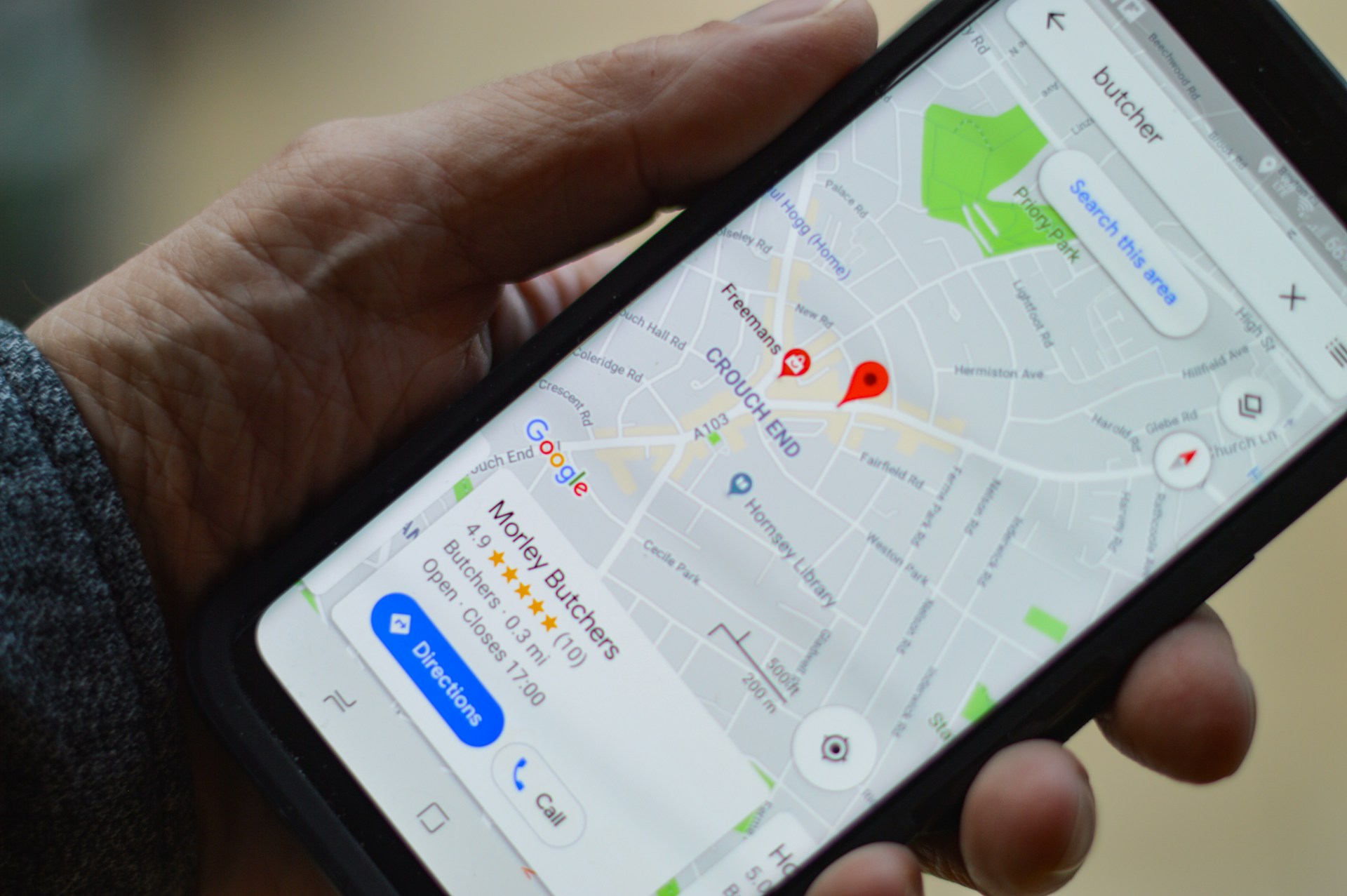
Instead of browsing websites, you open Google Maps or use voice search and ask, “Who is the best hairdresser in Jacksonville?”

Within seconds, Google responds with a short list, map results, reviews, business profiles, and an AI-generated answer. In many cases, the decision is made right there. 

Studies now show that 58.5% of all Google searches in the US now end without any click. This rise in zero-click search is largely driven by Google’s AI overviews and enhanced map results. 

This shift changes everything.

Local SEO for small businesses is no longer just about ranking; it’s about being selected by AI answers. Google Maps, AI Overviews, and local pack results now decide which businesses are seen, trusted, and chosen, often before a website visit ever happens.

Local search behavior has evolved rapidly. In fact, according to BrightLocal’s most recent local consumer survey, 78% use the Internet to find information about local businesses in their area more than once a week, and 21% search locally every day. More than half of these local searches now result in zero clicks, with users getting directions, phone numbers, reviews, and recommendations directly from Google Maps and AI snapshots.

The strategy for local SEO for small businesses in 2026 is not what it used to be, and this is where many small businesses get stuck.

Today, businesses with well-optimized Google Business Profiles, consistent local data, and strong trust indicators are significantly more likely to surface in AI-driven local answers than those relying on outdated SEO tactics.

This guide is built for service-based businesses, physical storefronts, and hybrid brands that want to win local visibility in 2026, not just on traditional search results, but inside AI-generated answers, local map packs, and zero-click experiences.

Let’s get right into local SEO for small businesses in 2026.

READ MORE: 7 Common Mistakes Small Business Owners Make When Using SEO – SARMLife – Best SEO Company | Jacksonville, Florida

WHAT IS LOCAL SEO?

SARMLife-local-SEO-for-small-businesses

Local SEO is the process of optimizing a business’s online presence so it appears prominently in location-based search results, especially in Google’s Map Pack, Google Business Profiles, and AI-generated local answers.

For example, when someone searches for “dentist in Jacksonville,” “best Italian restaurant,” or “shoemaker in FUNAAB,” Google immediately understands that the searcher is looking for a nearby service—even if a specific location isn’t mentioned. This is known as local intent.

Dentist-in-Jacksonville-Search-result

When Google detects this local intent, it automatically shifts how results are displayed. Instead of showing ten blue links, it prioritizes Map Pack listings, Google Business Profiles, AI Overviews that summarize local options, reviews, proximity, and business hours.

Shoe-Maker-In-FUNAAB-SERP-screenshot

Practicing local SEO for small businesses increases your business’s potential to appear in searches within your geographic region, often at the exact moment they are ready to take action. Unlike informational searches, local searches signal high purchase intent, which is why they convert so well. In fact, studies show that nearly 80% of local mobile searches result in a conversion, such as a call, visit, or booking.

In short, a strong strategy for local SEO for small businesses helps your business show up where it matters most: in front of nearby customers who are ready to buy, not just browse.

LOCAL SEO VS. ORGANIC SEO

At first glance, local SEO and traditional SEO may seem similar. Both aim to improve visibility on search engines, both rely on keywords, and both require quality content and technical optimization.

However, as complementary as these strategies are, they are different in their focus and objectives.

Local SEO for small businesses focuses on ranking a business for local searches using local keywords and directory listings. In contrast, organic SEO is focused on the global visibility of a business in online searches, establishing the trust, authority, and expertise of a business.

Local SEO for small businesses also focuses on searchers within a specific region, which is usually the best and most effective option for small businesses because you avoid the competition for generic keywords and get traffic to your site through specific and streamlined keywords. In contrast, organic SEO targets users regardless of location. 

LOCAL SEO VS. ORGANIC SEO COMPARISON TABLE

FactorsLocal SEOOrganic SEO
FocusLocal search resultsOrganic search results
Target audiencePeople who are searching for businesses in a specific locationPeople who are searching for products or services, regardless of their location
UrgencyActivePassive
KeywordLocal keywords, such as “coffee shops near me”Broader keywords, such as “coffee shops”
Search intentThe search intent is usually transactionalThe search intent varies based on the searcher.
ContentContent that is relevant to the local areaContent that is relevant to the products or services you offer
BacklinksBacklinks from local websites and citationsBacklinks from high-quality websites
GoalThe goal is to get into local listing packsThe goal is to appear at the top of SERPs
DevicesMostly from mobile devicesMobile devices and Desktops
ConversionWebsite clicks, phone calls, online purchases, and on-site purchasesWebsite clicks, online purchases
Conversion rateAs high as your visibility rate and proximity to the searcher.High for only the top-ranking results

The best way to improve your website’s ranking in the SERPs is to combine local SEO and organic SEO. By optimizing your website for both local and organic search, you can reach a wider audience and attract more customers.

LOCAL SEO FOR SMALL BUSINESSES

Local SEO for small businesses is no longer a “nice to have.” In many cases, it is the primary driver of growth. When people perform local searches, they are rarely browsing out of curiosity; they are looking to act quickly. 

8 in 10 US customers say they search for a local business online at least once a week. Local search connects businesses directly with customers who already have strong buying intent.

What makes local SEO for small businesses especially powerful is that its benefits go far beyond simple visibility. A strong local presence improves your reputation, strengthens trust, and directly impacts revenue. 

When your business consistently appears in local results, complete with accurate information, reviews, and proximity signals, customers are far more likely to choose you over competitors they know less about. This applies equally to small neighborhood businesses and larger brands with a local focus.

A growing percentage of local searches now result in zero clicks, meaning users get what they need (such as phone numbers, reviews, directions, and operating hours) directly from Google Maps or AI-generated summaries without ever visiting a website.

Google Maps and AI Overviews have effectively become decision engines, shaping choices before users even consider clicking through.

For small businesses, this reality has direct benefits.

IMPORTANCE OF LOCAL SEO FOR SMALL BUSINESSES

SARMLIFE- IMPORTANCE-OF-LOCAL-SEO

Boosts your online visibility 

Local SEO for small businesses boosts visibility by helping your business appear in local search results when potential customers are looking for products or services in your area. With the right local SEO strategies, you can even get your business featured in the Google Map Pack and appear prominently in search results.

Enhances credibility and trust

Practicing local SEO for small businesses can lead to more online reviews and ratings, which will significantly impact the decisions of your potential customers. 

Positive reviews build trust and credibility, encouraging more people to choose your business over your competitors.

Attracts more targeted traffic

When you implement specific strategies for local SEO for small businesses, your website/business page will receive more relevant and focused traffic if optimized for local terms and phrases. People who use local phrases are specifically and actively looking for what you have to offer, which increases the possibility that they will convert.

Cost-effectiveness and Measurable Results 

Local SEO for small businesses is more cost-effective than traditional advertising and other digital marketing strategies. It reduces wasted spending by targeting a defined audience within a specific geographic area. 

Results are measurable through tools that track calls, directions, impressions, and conversions, making it easier to refine strategies over time.

Improves conversion rates: 

Local searches have been known to have higher conversion rates than generic searches because most local searchers are active, and the search intent is usually transactional.

With local SEO for small businesses, you increase the chances of conversion because you focus on active searchers. 

Reduces ad costs: 

Over time, a strong strategy for local SEO for small businesses can even reduce reliance on paid advertising. When your business consistently appears in organic local results, the need for constant ad spending decreases. 

However, with local SEO for small businesses focused on local searches, results are swift, and there will be little to no need to create a budget for ads in your marketing campaign.

Increases localized backlinks

Local SEO for small businesses strategies require targeting more localized keywords and increasing your relevance and prominence in your local community. This increases your chances of getting more localized backlinks, especially when you create blog content that targets these keywords.

HOW LOCAL SEO WORKS

Local SEO for small businesses isn’t something that only happens behind the scenes. You see it in action every single day, often without even realizing it. The way people discover businesses has quietly shifted from browsing websites to being guided by search engines, maps, and AI-driven answers that narrow choices instantly.

Today, customers don’t “research” the way they used to. They ask a question, scan a short list, and make a decision. Local SEO is what determines whether your business is part of that list or completely invisible.

Here’s how local SEO for small businesses shows up in real-world search behavior.

1. GOOGLE’S MAP PACK/LOCAL PACK

I can’t talk about local SEO for small businesses without mentioning Google Map Pack because this is the goal of local SEO.

What Is Google’s Map Pack?

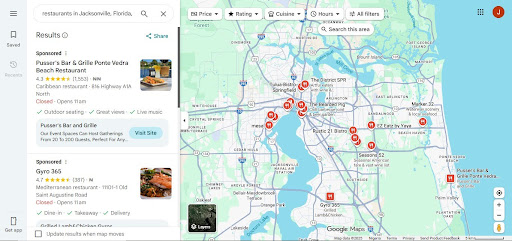
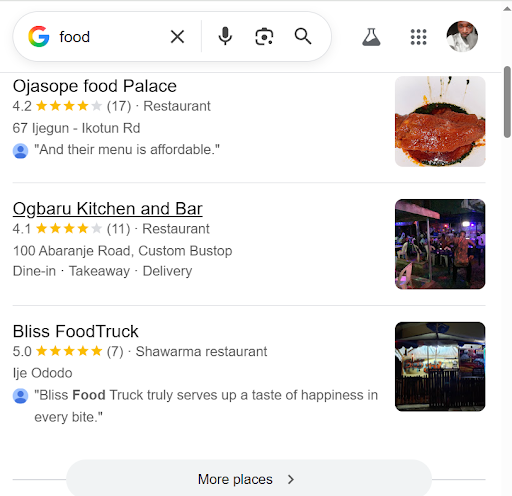
The Google Map Pack, or the Google Local Pack, is a prominent feature in Google’s search engine results pages (SERPs) that shows local business listings and a map in response to location-based search queries. 

When a user performs a search with local intent, such as “restaurants near me” or “plumbers in [city],” Google will present the Local Map Pack, displaying the top three local businesses that match the search criteria.

Restaurants-near-me-SERP-screenshot

The Map Pack usually appears near the top of the search engine results page. It is displayed alongside the Google Map, making it easy for the searcher to locate and engage with local businesses. 

This is why optimizing for the google Map Pack is an important part of local SEO for small businesses.

The Map Pack is highly valuable for businesses targeting local customers because it provides an excellent opportunity for increased visibility and easy customer engagement.

Businesses being featured in the Map Pack see93% more actions (phone calls, direction requests, and website visits), which, when played right, can lead to increased conversions and revenue for your local business.

For businesses aiming to improve their presence in the Map Pack, optimizing your local SEO, having an accurate and well-maintained Google Business Profile, and receiving positive customer reviews are crucial strategies to improve your chances of being listed in this section of Google’s search results.

Features of Google Map Pack

Here are some of the most important features of Google’s Map Pack:

  • Local Business Listings

The Map Pack shows three local business listings that match the search query. These listings provide essential details like the business name, address, phone number, and website link.

  • Google Map

Right next to the listings, you’ll see a map with markers indicating the locations of the businesses. This is what a searcher uses to determine the distance of your business from their location.

  • Top-of-Page Placement

The Map Pack appears at the top of Google’s search results page. It’s one of the first things a searcher sees when they search for local keywords, local businesses, or local services.

  • Local Intent

The Map Pack shows up when you search with local intent, like “coffee shops near me” or “dentists in [your city].” The purpose of the Map Pack is to help searchers see what’s closest to them.

  • Customer Reviews

Each business listing often includes customer reviews and ratings. They help customers see what others think of your business. 

  • Quick Contact Options

Customers can easily contact businesses since their phone numbers are usually listed. You can even include a “call” button for one-tap dialing.

  • Business Photos

Many listings also feature photos of the business, which is advantageous and allows your customers to get a glimpse of what to expect from your business.

How Google Map Pack Works

Google Map Pack is the top result for local searches. Appearing in Google’s Map Pack is like appearing in the featured snippets for organic searches. 

How does this happen?

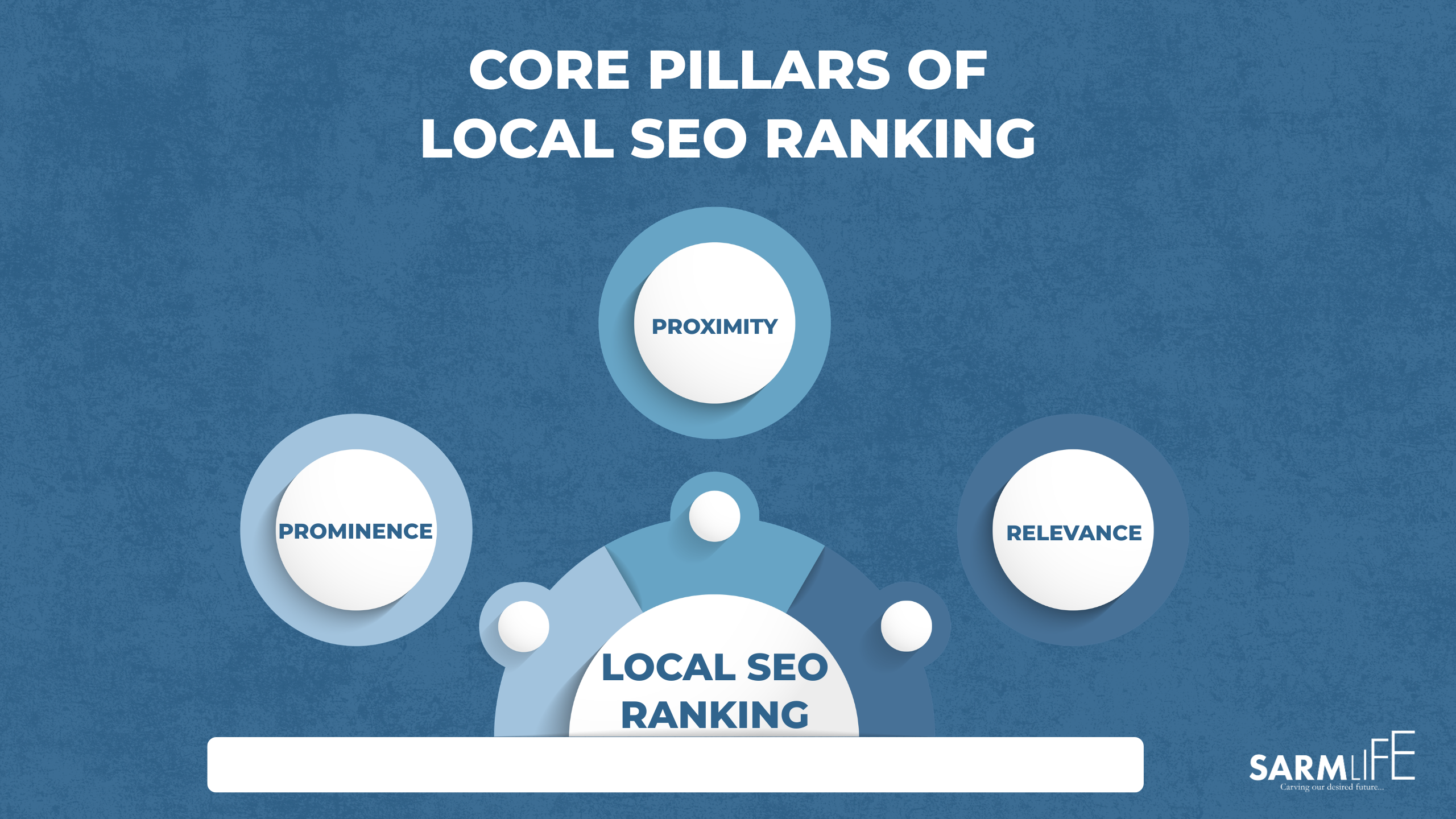
Google considers three crucial factors to rank a local business in the Map Pack:

  • Relevance:

Relevance refers to how well a local business listing matches a user’s search query. 

Google assesses whether your products, services, or content are closely related to what the user is searching for.

To improve your business’s relevance for niche-specific keywords and local searches, you should use accurate and descriptive information in your Google Business Profile, formerly Google My Business (GMB), including relevant keywords in your business name, description, categories, and other attributes.

For example, if a user searches for “Italian restaurants,” Google will prioritize local restaurant listings identified as Italian restaurants in their GMB profiles.

  • Prominence:

“Prominence” refers to the popularity, reputation, and visibility of a local business, both online and offline. It considers customer reviews, ratings, citations, backlinks, and online presence.

Businesses with positive reviews and high ratings are often seen as more prominent and trustworthy. The number of online mentions and links to a business also contributes to its prominence.

Google considers how well-known a business is in its local community and industry. Prominence helps Google determine how likely the business is to provide a positive user experience.

For example, a local restaurant with numerous positive reviews, several local news articles mentioning it, and a solid social media presence is more likely to have high prominence and be among the top results for a local search.

  • Proximity:

Proximity, also known as distance, refers to how close a business’s physical location is to the user performing the search. 

Google aims to show businesses that are closest to the user’s location.

When a user searches for a product or service, Google considers the distance between the user’s and the business’s locations to provide the most convenient options.

Users searching for “restaurants near me” or “gas stations nearby” will see results based on location.

For businesses targeting local customers, proximity is vital. Businesses in a specific area have a better chance of appearing in the Local Map Pack for relevant searches.

It means the search engine result for a local search with the same search phrase in the same country can vary based on the searcher’s city, town, or current location.

2. AI OVERVIEWS/SUMMARY

Local SEO for small businesses has gone beyond traditional searches. When someone asks a question like, “HVAC company near me?” or “Which dentist in Jacksonville has the best reviews?” 

Google no longer responds the way it used to. Instead of showing a long list of blue links, it often delivers an AI-generated overview that summarizes the “best” local options in just a few lines.

HVAC-company-near-me-;ocal-AI-overview-result

These AI Overviews act like instant recommendations. Rather than encouraging users to compare multiple websites, Google presents a short list of businesses it believes are most relevant, trustworthy, and locally appropriate.

What determines which businesses appear in these AI summaries is fundamentally different from traditional SEO. 

AI Overviews rely heavily on real-world local trust signals. Review quality, review volume, and review consistency play a major role, as do accurate business details across directories, proximity to the searcher, and consistent brand information across the web. 

This is why keyword-heavy pages alone no longer guarantee visibility. A business with fewer backlinks but stronger local signals can be selected ahead of a higher-authority website that lacks consistency or credibility at the local level. 

In many cases, users never click through to a website at all. They read the AI summary, check reviews, tap a call button, and move on.

If your business is not optimized for local signals, it will not appear in these AI Overviews, even if your website technically ranks in organic search.

3. LOCAL ORGANIC RESULTS

Below AI Overviews, Google still displays traditional organic search results.

HVAC-company-near-me-organic-SERP-screenshot.

These results are no longer purely based on overall website authority. When a search carries local intent, Google reshapes organic rankings to prioritize geographic relevance over global competition.

Local intent doesn’t always require a city name. Searches like “emergency plumber,” “wedding photographer,” or “family lawyer” are automatically treated as local queries. 

Google uses location data, search behavior, and contextual signals to determine that the user wants nearby solutions, then filters results accordingly.

This is why local organic results often feature service pages, city-specific landing pages, and businesses that clearly communicate where they operate. 

Pages that include local context, service areas, location references, and relevant internal linking are far more likely to appear than generic pages designed for a national audience.

Local SEO for small businesses ensures that your website sends clear, unambiguous signals about your geographic relevance. It tells Google exactly which locations you serve, what services you offer in those areas, and why your business deserves to be trusted locally. 

In practice, this means a smaller local business with strong location-focused optimization can outrank a larger competitor that lacks local specificity. 

Local organic visibility is no longer about who has the biggest website; it’s about who is most relevant to the searcher’s location at that moment.

LOCAL SEO TIPS FOR SMALL BUSINESSES IN JACKSONVILLE

Local SEO is the bridge between how your business exists in the real world and how search engines understand and recommend businesses digitally. 

For small businesses, success in local SEO doesn’t come from one strategy alone but from a combination of components that reinforce relevance, trust, and proximity. 

These core components work together to help Google, Maps, and AI local answers confidently choose your business, thus boosting your local search ranking.

Below are some tips for local SEO in Jacksonville:

GOOGLE BUSINESS PROFILE OPTIMIZATION 

Google Business Profile optimization is the foundation of local SEO. for small businesses. For most businesses, it is the primary way customers discover, evaluate, and contact them, even without ever visiting a website. 

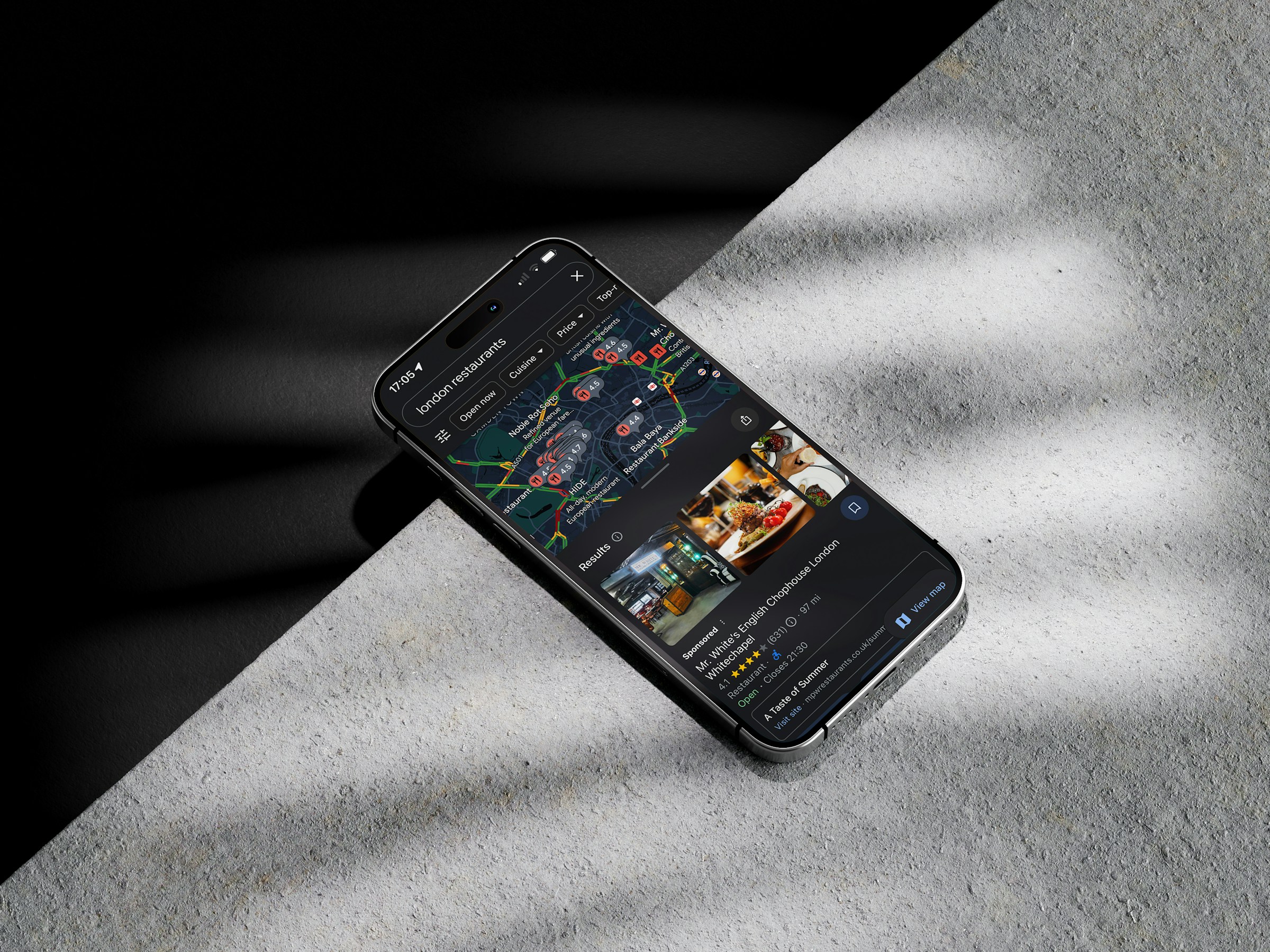
Your Google Business Profile is the listing that appears in Google Maps, the Local Map Pack, and inside AI-generated local summaries. When someone searches for a service nearby, this profile becomes your first impression and your strongest conversion asset.

What makes Google Business Profile so powerful is its ability to drive immediate action. Searchers can call your business, request directions, read reviews, check hours, and view photos directly from the search results.

This is why businesses with well-optimized, complete and consistent profiles see more phone calls, foot traffic, and qualified leads than those that rely on their website alone.

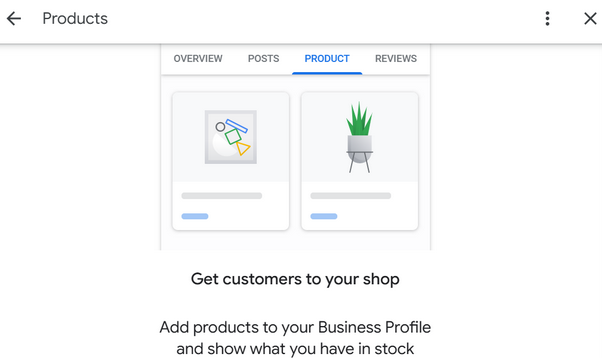
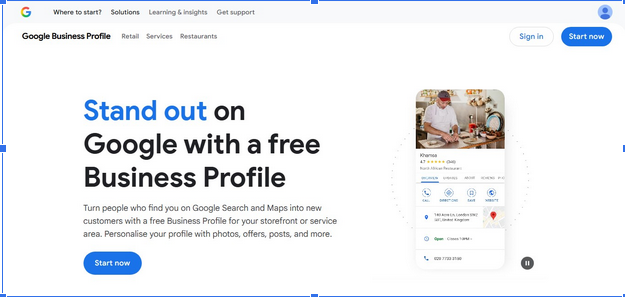
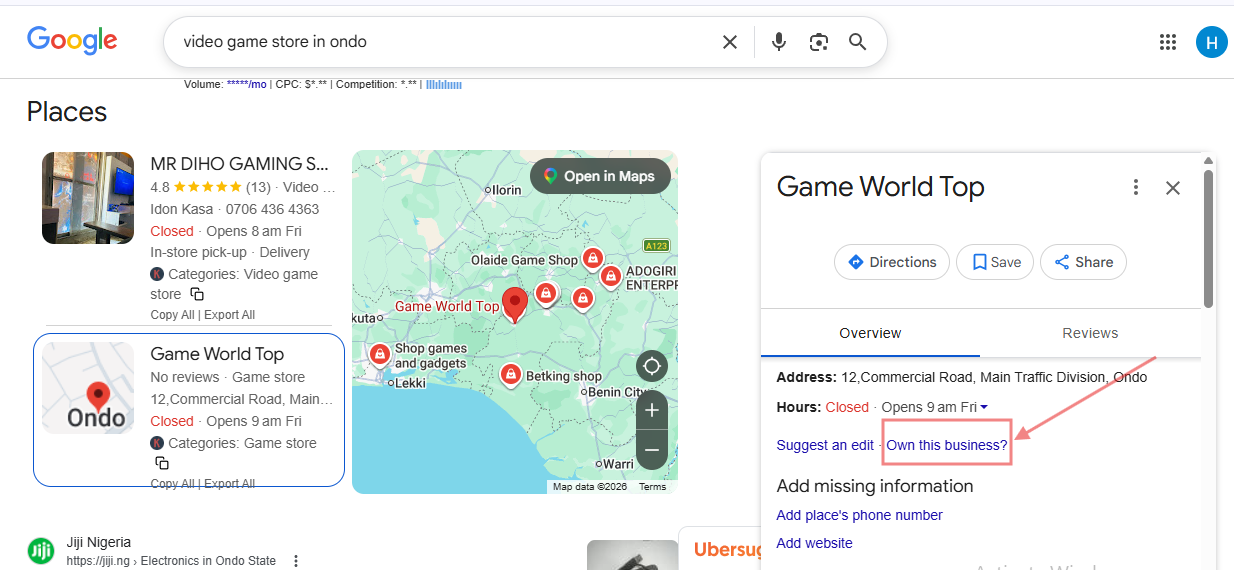
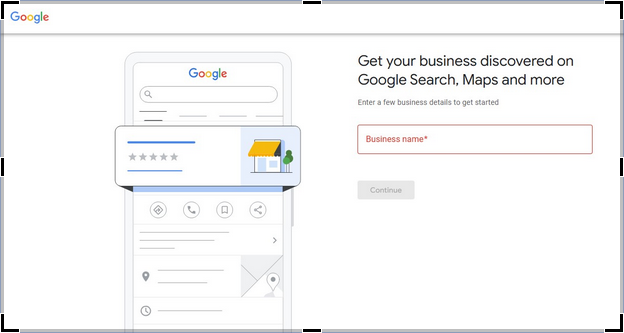
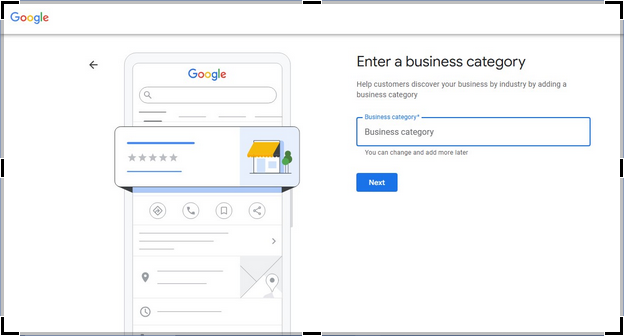
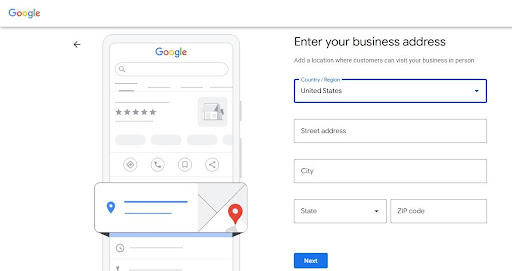
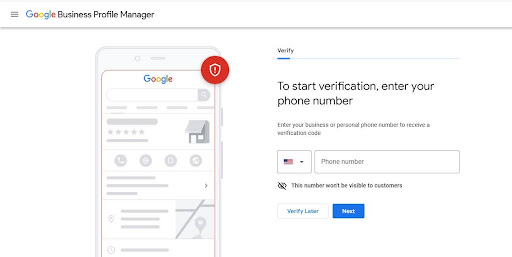
Follow the  step-by-step guide to create your Google Business Profile

Screenshot-of-Google-business-profile-setup

How to Optimize Your Google Business Profile 

  • Ensure Complete and Accurate Business Information

Your business name, address, and phone number (NAP) must be accurate and match your website and all other listings exactly. Even small inconsistencies can weaken Google’s confidence in your data and reduce your visibility in local results.

  • Select the Right Primary and Secondary Categories

Your primary category is one of the strongest ranking factors in local SEO. Choose the category that best represents your core service, not just what sounds appealing. Secondary categories should support your main offering without diluting relevance.

  • Write a Clear, Locally Relevant Business Description

Your description should explain what you do, who you serve, and where you operate in natural language. Keep the description between 100-200 words and avoid keyword stuffing.

  • Optimize Service Areas and Business Attributes

Service-area businesses should clearly define the locations they serve. Physical locations should select accurate attributes such as accessibility, payment options, and amenities. These details help your profile appear in filtered and AI-driven searches.

  • Actively Collect and Respond to Reviews

Review quantity, quality, recency, and freshness strongly influence both rankings and conversions. Beyond just building trust, reviews directly impact local SEO performance.

Encourage satisfied customers to leave reviews and respond to every review professionally (even the bad ones). Google sees active engagement as a trust signal, and AI systems factor review sentiment into recommendations.

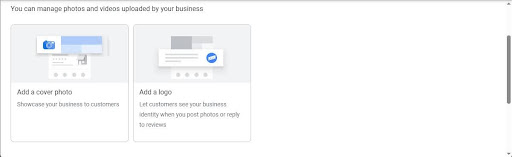
  • Upload High-Quality, Recent Photos and Videos

Businesses with regular photo updates tend to receive more clicks, calls, and direction requests. Visual content of your team, offerings, and space also helps Google validate your physical presence and service authenticity.

  • Publish Regular Google Business Profile Updates

Posting updates, offers, events, or announcements signals that your business is active. These posts can appear in branded searches and contribute to stronger engagement metrics.

  • Add Services, Products, and FAQs Thoughtfully

Listing services and products with clear and simple descriptions reinforces relevance for service-specific searches. Using FAQs allows you to answer common customer questions directly inside your profile, improving both usability and AI comprehension.

  • Monitor Insights and Adjust Strategically

Google Business Profile insights reveal how users find and interact with your listing. Tracking calls, direction requests, and search terms helps monitor and evaluate your optimization and identify growth opportunities.

LOCAL KEYWORD RESEARCH

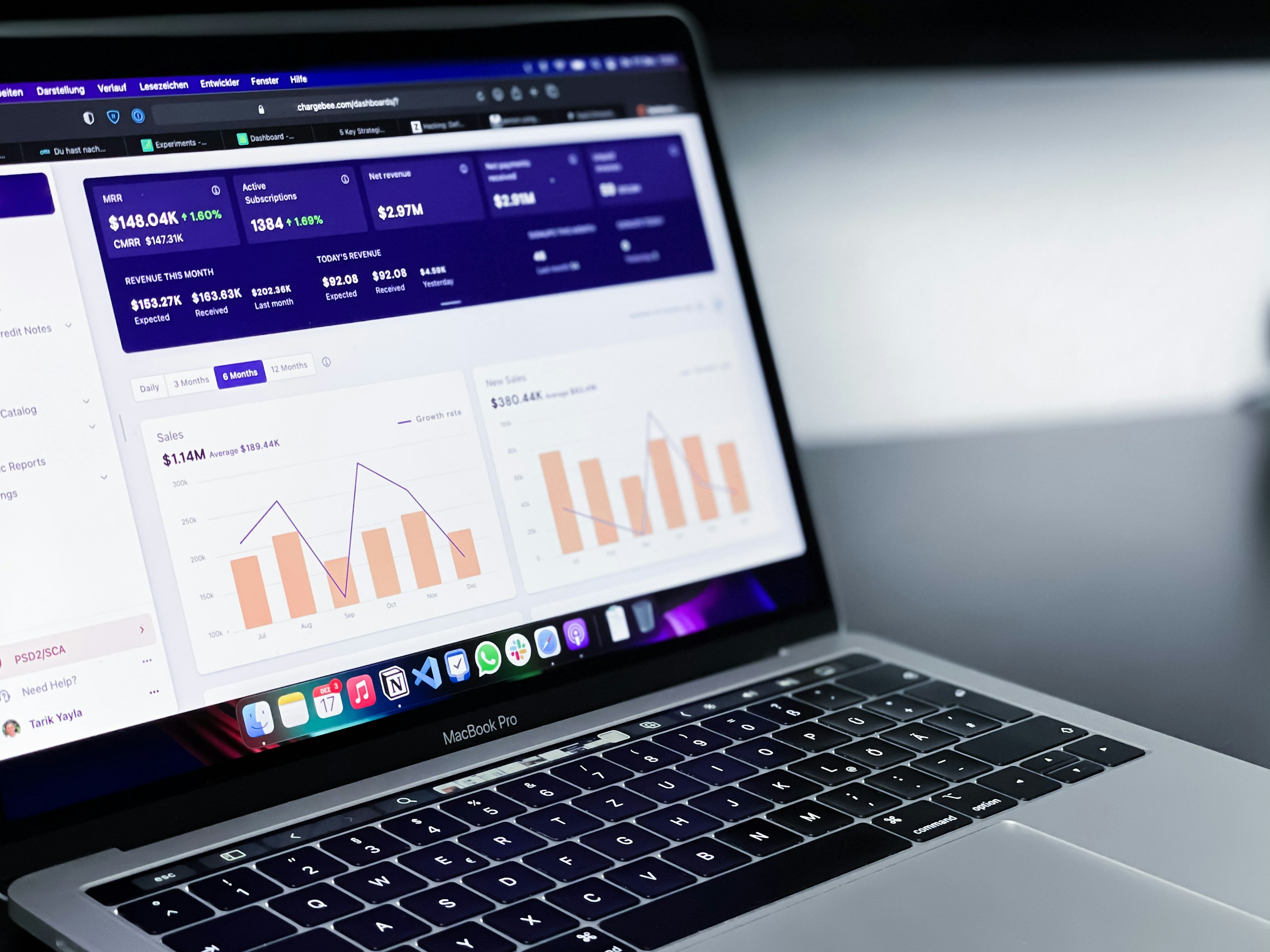
Local-keyword-research

Photo by Markus Winkler on Unsplash

If you are trying to leverage local SEO for small businesses, local keyword research is the foundation. It’s not just about finding keywords with search volume; it’s about identifying how real customers search when they are ready to take action in a specific location.

Unlike traditional SEO keywords, local keywords carry immediate commercial intent. When someone searches for “emergency plumber,” “best hair salon near me,” or “HVAC repair Jacksonville,” they are not researching; they are looking to hire. 

Local intent keywords are built around service + location + urgency or problem. They often include city names, neighborhoods, ZIP codes, landmarks, or phrases like “near me,” “open now,” or “same day.”

Even when a location is not typed, Google infers it from the searcher’s device, behavior, and history.

For example, someone in Jacksonville searching for “roof repair” will see completely different results than someone searching the same term in Orlando. Google automatically localizes the query, meaning businesses must send clear geographic signals to be eligible for those results.

Effective local keyword research focuses on:

  • Core service keywords are tied to specific locations; for example, a salon owner in Jacksonville benefits from keywords like “hair salon in Jacksonville,” “Jacksonville nail salon,” or “barber shop Jacksonville FL.
  • Problem-based queries that reflect urgent needs, e.g., phrases like “AC not cooling Jacksonville,” “emergency plumber near me,” “dentist open now for toothache,” or “locked out of car Jacksonville.”
  • Transactional phrases that indicate readiness to convert include, for example, “book massage therapist Jacksonville,” “same-day HVAC repair Jacksonville,” “best lawyer near me,” or “affordable wedding photographer Jacksonville.”
  • Long-tail variation keywords  are more specific and often less competitive, making them ideal for small businesses. Instead of targeting “dentist Jacksonville,” a practice might rank faster for “family dentist in Southside Jacksonville.”

Local keyword research also plays a critical role in AI Overviews and voice search. AI systems prefer precise, unambiguous answers. Pages that clearly associate a service with a location are far more likely to be referenced in AI-generated summaries than vague, broadly optimized pages.

Without proper local keyword research, businesses often make costly mistakes, targeting cities they don’t actually serve, competing for overly broad terms, or creating thin location pages that never gain traction.

READ MORE: KEYWORD OPTIMIZATION IN SEO: 6 UNIQUE WAYS TO RANK HIGH – SARMLif

How to Conduct Local Keyword Research for Small Businesses

Local keyword research helps you understand how real people in your area search for your services, what words or language they use, and what signals and keywords Google relies on to connect those searches with your business.

Unlike traditional SEO, the aim of local keyword research is not to chase massive traffic numbers. It focuses on visibility at the exact moment someone is ready to call, visit, book, or buy.

Here is a step-by-step process that shows how to properly conduct local SEO research

  • Define your core services

The first mistake most people make when starting local SEO for small businesses is purchasing SEO tools immediately instead of having a clear definition of main services first.

Before researching keywords, you must write down the services you offer, how customers are likely to describe those services, and problems customers complain about or emergency services you handle.

To do this, you must think like your customer. Avoid the use of technical language.

For example, a dentist may think of “oral prophylaxis,” but customers search for “teeth cleaning,” “dentist in Jacksonville,” or “tooth decay.”

  • Use Google as Your First Research Tool

Google is the most powerful local keyword research tool that shows real searches in real time.

  • Google Autocomplete: This tool reflects actual user behavior. It reveals how people frame their needs, which is far more valuable than theoretical keyword ideas.

When you start typing a service into Google, the suggestions that appear are based on popular searches, local trends, recent user behavior, and geographic relevance.

Type your services slowly into the Google search box and note variations.

E.g., 1 Dentist in…

Google-autocomplete-for-local-search

E.g., 2 Emergency dentist…

Emergency-dentist-Google-autocomplete-screenshot
  • “People Also Ask” boxes: Local searches often come with questions, especially for service-based businesses. 

The “People Also Ask” section shows concerns customers have, pricing questions, trust-related questions, or urgency-based concerns.

By including answers to these questions, you increase your chances of appearing in AI-generated local summaries and featured results.

Google-people-also-ask-screenshot
  • “People Also Search for Boxes”: Found at the bottom of the page, these can uncover location-specific modifiers or alternative services.
Google-people-also-search-for-screenshot
  • Identify long-tail keywords with low competition

Long-tail keywords are longer, more specific phrases that match typical customer searches. They face less competition, match voice searches, and attract high-quality leads.

These keywords typically have low search volume; however, they often outperform broad terms because the intent is crystal clear.

For small businesses, long-tail keywords are often the fastest way to ranking and conversions.

  • Study Competitors That Already Rank Locally

Local keyword research is not about reinventing the wheel but rather leveraging what has already been done. Your competitors are already doing some work for you.

Search your target services and observe businesses in the Map Pack and Top organic local pages.

Pay attention to repeated keywords in the headings, services emphasized, etc.

If multiple competitors use the same phrasing, Google has already validated that language.

  • Validate keywords using tools:

Keyword research tools help to confirm ideas but they should not dictate the strategy.

These tools will help you check search volume, search intent, identify variations, compare competitions, etc.

Do not ignore any keyword simply because volume looks low. A keyword with low monthly searches but high local intent can generate real revenue.

Local SEO rewards relevance, proximity, and trust, not raw numbers.

ON-PAGE LOCAL SEO FOR SMALL BUSINESSES

On-page local optimization is integral to ensuring small businesses rank for Local SEO. It is the process of making your website very clear about where you serve, who you serve, and what your services cover through several on-page signals.

Google and AI search systems rely on these on-page signals to confirm the accuracy of your local business data, validate relevance, and decide whether your website is consistent with what appears on your Google Business Profile, map listings, and citations.

In 2026, strong on-page local SEO for small businesses is no longer optional to ensure  your website is a trusted confirmation layer.

READ MORE: LATEST ON-PAGE SEO PRACTICAL GUIDE FOR BEGINNERS – SARMLife – Best SEO Company | Jacksonville, Florida

Local on-page optimization steps for increased local rankings

  • Create localized landing pages

Localized landing pages are dedicated pages designed to target one service in one geographic area. Their primary purpose is to help search engines, AI systems, and users clearly understand where your business operates and who you serve.

In 2026, these pages are important because local searches often happen without users typing a city name. Google, Maps, and AI Overviews rely on explicit location signals from your website to decide which businesses to show or recommend.

A strong location  page is not a generic service page with a city name added. It is a page that speaks directly to customers in that area, addresses local needs, and builds/strengthens trust through relevance. 

For example: “Emergency Plumbing Services in Jacksonville” performs far better than a generic “Plumbing Services” page.

A strong localized page includes: 

  • Clear mention of the location in the URL, title, and headings
  • Services offered in that area
  • Local customer problems and solutions
  • Testimonials or reviews from that location
  • Embedded map or service area reference
  • Local landmarks or neighborhoods
  • A strong local call-to-action
  • Structured Data Markup

Google has stated that when a searcher searches for a business on Google Maps or Google Search, it can display a knowledge panel that showcases specific details about the business, like the business hours, different departments, reviews, and more.

If you are wondering what structured data is, it is simply a code that categorizes your content. It provides search engines with machine-readable information about your business.

Using structured data markup in your local SEO strategy will not directly affect search rankings. However, it can increase the clickthrough rate (CTR) because Google could use your structured data markup to create a rich result.

An increase in your CTR has been shown to increase your ranking over time potentially.

There are different properties or schema categories from which you can select. It is best to choose the schema category that is most relevant to businesses.

To avoid complicated coding concerning your structured data, you can use Google’s Structured Data Markup Helper. Local businesses should prioritize business. schema, organization schema, service schema, review and rating markup, geo coordinates, and opening hours.

It will take you to the page, and you can start tagging the elements you want to mark up; when you are done, it will automatically create your markup code.

  • Local Content:
    Local SEO performs best when tour content reflects real local context. Consistently create local content that is relevant to your business. This is important to establish your local authority and also as a way to create opportunities for backlinks.

This includes content around local events, weather-related services, community partnerships, and neighborhood-specific challenges. As you create this localized content, include your main keyword and location organically.

You can write content on local events and tag the businesses involved to build links. You can also join local volunteers, get featured in local posts, write on topics relevant to your local community, or create a page on your website that references other businesses in the community.

READ MORE: THE ULTIMATE PRO GUIDE TO SEO CONTENT WRITING – SARMLife – Best SEO Company | Jacksonville, Florida

  • NAP Consistency on Website Pages 

As you utilize several local SEO strategies, it is important you maintain consistent business information across all platforms.

Having different NAPs (name, address, and phone number) for your business on other platforms is similar to having duplicate content. The problem is that you will compete with yourself for a position in search results because Google might see your businesses as different.

NAP information should appear on the contact page, in the footer, on location pages, in schema markup etc.

Your website should act as the single source of truth for your business information.

  • Local Reviews Embedded on Pages

Displaying reviews directly on your website strengthens trust and local relevance. They reinforce geographic relevance, real-world credibility and alignment with your Google Business Profile.

The number of positive reviews across different platforms, primarily from GBP, is an important ranking signal for Google for local searches.

Google believes that having many positive reviews reflects how good your business is and its relevance to customers in that niche. 

This means if you have 500 positive reviews on your profile, Google will likely rank you above someone with only 100 positive reviews.

Also, Google and AI systems often cross-reference reviews when getting summaries. 

Google considers the fact that it’s easy to buy reviews by paying someone or using several accounts to drop reviews on a profile. The countermeasure to this type of spammy review is to evaluate the quality of your reviews.

Here are some factors Google uses to determine if your reviews are of high quality:

  • Niche keywords in your review
  • The authenticity of the review
  • Name of city in reviews 
  • Internal Linking

Internal linking plays a major role in helping Google and AI systems understand which pages matter most for local relevance. It connects your content into a structured local ecosystem rather than isolated pages competing with each other.

For local SEO, internal links should intentionally pass authority from high-level pages, such as your homepage or core service pages, to location-specific landing pages. This signals priority and strengthens the visibility of your local pages in search results.

Well-structured internal linking also improves user experience. Visitors can easily navigate from general services to specific locations, increasing engagement and conversion rates. 

Anchor text matters here. Instead of generic phrases like “click here,” descriptive anchors such as “plumbing services in Texas” or “Florida digital marketing services” help clarify geographic relevance.

When done correctly, internal linking:

  • Consolidates local authority across your site
  • Prevents keyword cannibalization between location pages
  • Helps AI systems identify your most important local services
  • Improves crawlability and indexation

READ MORE: INTERNAL LINKING FOR SEO – 9 BEST PRACTICES AND TIPS – SARMLife

OFF-PAGE LOCAL SEO FOR SMALL BUSINESSES

Off-page local optimization focuses on everything that happens outside your website that influences how search engines and AI systems perceive your business. 

Strong off-page local optimization reinforces your authority, improves visibility in map packs and AI Overviews, and increases your chances of being selected rather than just indexed.

Here are some actionable off-page optimization steps that will help to increase your local rankings:

LOCAL CITATIONS AND BUSINESS LISTINGS

Local citations are online mentions of your business’s name, address, and phone number (NAP) across directories, platforms, and local websites. These citations act as digital references that help search engines verify your business information.

What matters most today is accuracy and consistency, not volume. Conflicting addresses, outdated phone numbers, or multiple business names weaken trust and reduce your eligibility for local rankings and AI-generated answers.

High-quality citation sources include Google Business Profile, Apple Maps, Bing Places, Yelp, Facebook, industry-specific directories, and reputable local business platforms. When your business details match perfectly across these sources, Google gains confidence in your legitimacy and location.

For AI systems, consistent citations reduce ambiguity. When data aligns across the web, AI can safely feature your business in summaries without risk of misinformation.

BING PLACES FOR SMALL BUSINESSES

Bing-Places-for-business-homepage-screenshot

Bing Places for Business is just like the Google Business Profile, with the significant difference being that they are available on different platforms. GBP is on Google, while Bing Places is on Bing.

It is a platform developed by Microsoft that allows local business owners to create and manage their businesses’ listings on the Bing search engine. The platform aims to enhance their businesses’ online visibility in local search results.

Listing your business on Bing is free, and you can complete your listing in just three steps:

  • Claim your listing:

Bing believes it already has a listing for your business, so it gives you the option of claiming an existing listing or creating a new one.

Using the bulk upload tool, you can also create a listing for all your business locations (if you have more than one).

  • Complete your listing profile:

All you need to do to complete your listing profile is fill in the necessary and accurate information about your business. You can include high-quality pictures of your business, your business logo, and any other pictures that are relevant to your niche.

You should also include your services, hours of operation, and how customers can reach your business (phone number, address, website, and social media).

  • Verify your listing:

Verifying your listing is crucial for you to be able to protect it from unverified changes. 

You will receive a PIN to verify your listing at your business address, email, or phone number. You must also input a valid address if you list your business on Bing Places for Business. And you can choose to hide your address from search results.

ONLINE DIRECTORIES FOR SMALL BUSINESSES

Online directories are online platforms that list/showcase businesses, organizations, and individuals. For example, you can have an online directory that lists ‘Lawyers in a City’ or ‘Local Restaurants.’ You can also find listings of charity organizations, NGOs, etc.

These directories are used to find businesses or professionals and contact information, such as addresses, phone numbers, and email addresses. 

You can also use them to find websites, product information, and reviews.

Note: Most directories list businesses or professionals in a specific niche. So, you need to find the widely used directories in your niche. 

Types of online directories to list your business

There are different online directories where you can list your business. However, you need to list your business in well-known and relevant directories for your niche.

Niche-specific directories are more beneficial than generic directories because customers using a niche-specific directory are more likely to pay for your service.

Nevertheless, widely known and used directories also offer similar benefits. Here are my online directories to list your business.

  1. Apple Maps

Apple Maps is a map service by Apple, first released in 2012 as a replacement for the previous Maps app. 

At first, it had inaccurate maps and poor navigation, but it has since been improved and offers new features such as street view, transit directions, and flyover modes.

And now, with Apple Business Connect, you can also add your business to Apple Maps, which allows Apple users to find your business on Maps, Apple Wallet, Siri, etc. 

Apple-Business-Connect-homepage-screenshot

Apple Business Connect supports both small businesses and large enterprises. It also has showcases and actions that can help you deliver timely information, share offers, and encourage customer engagement by ordering food, getting tickets, or booking reservations.

You can also use the Business Chat feature to communicate with your customers directly on Apple Maps.

The Apple Business Connect User Guide is a detailed guide showing you how to create a listing for your business using the Apple Business Connect Platform.

  1. The Real Yellow Pages

The Real Yellow Pages is a widely known business directory that lists businesses and organizations by category.

The-real-yellow-pages-homepage-screenshot

Currently, Yellow Pages has over 250 different subcategories, with categories such as

  • Home Services
  • Medical Services
  • Auto Services
  • Legal Services
  • Pet Services
  • Insurance
  • Restaurants and Catering
  • Beauty and Personal Care
  • Arts and Entertainment
  • Travel and Recreation
  • Financial Services
  • Clothing and Accessories
  • Shopping
  • Community and Government

Listed businesses on the Yellow Pages have their name, phone number, address, operating hours, business photo, website link, and ratings displayed during searches.

You can also add your years of experience and a concise business bio, which will be displayed alongside your business in the result pages.

People can search for businesses based on category, location, and the exact services offered, making it an excellent choice of online directory listing for any business owner.

To list your business on the Real Yellow Pages, get started via this link: Claim Your Yellow Pages Business Listing

  1. Foursquare

Foursquare is a popular tool/social media site that uses the user’s geographic location to discover places of interest closest to the user.

Foursquare-hompage-screenshot

The selling point of this platform could be its ability to give personalized recommendations based on the user’s browsing and check-in history.

You can list your business on the Foursquare City Guide platform and allow yourself to be found by over one million users.

When a user searches for a business on Foursquare, it shows a large map view, the rankings of each business, and basic information about the business.

TOOLS FOR LOCAL SEO FOR SMALL BUSINESSES

There are different uses for local SEO tools, ranging from tracking your performance, conducting competitor research, finding local keywords that you can use for your content, and automating your rank tracking.

Here are some tools that are great to have for your local SEO strategy:

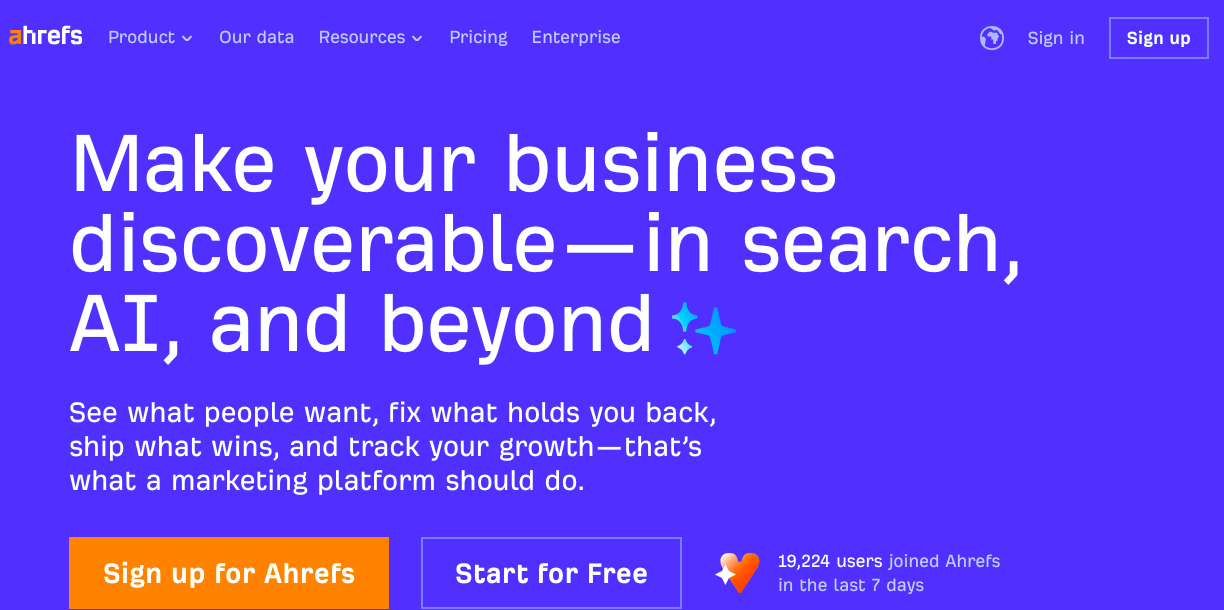
Ahrefs

Ahrefs is an all-in-one SEO toolset that offers a range of features to help you with your on-page, off-page, and technical SEO strategies.

Ahrefs-homepage

When it comes to local SEO, Ahrefs’ Site Explorer helps you analyze your local competitors’ websites and see what keywords they are ranking for, which can help you identify new keywords you can target.

You can also use Ahrefs to discover keywords based on location, which is excellent for localized keywords. You can track online brand mentions or niche-specific topics on which you can create content.

Ahrefs has four (4) different pricing options: 

  • Lite: $99/month.
  • Standard: $199/month.
  • Advanced: $399/month.
  • Enterprise: $999/month.

If you pay annually, you get two free months, and a paid version of Ahrefs gets you access to their core tools, including:

  • SEO Dashboard
  • Site Explorer
  • Keywords Explorer
  • SERP Comparison
  • Site Audit
  • Rank Tracker
  • Alerts

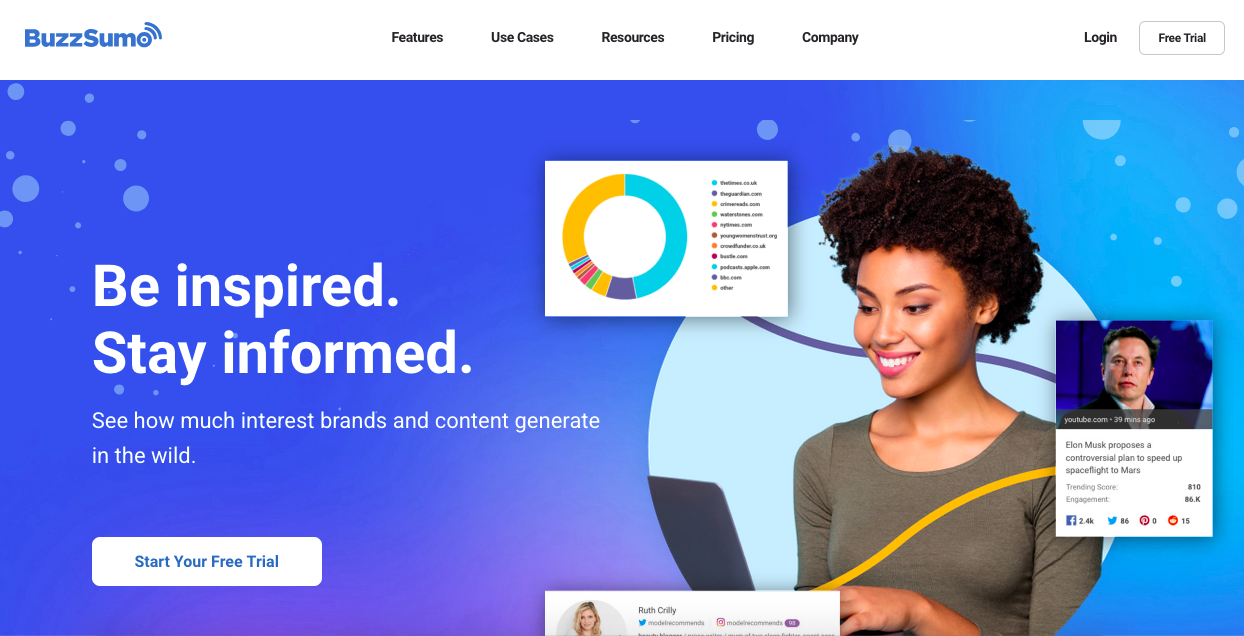
BuzzStream

BuzzStream is a link-building and outreach tool, which is excellent if you want to build the quality and quantity of your inbound links.

BuzzStream-homepage-screenshot

This tool allows you to manage your email outreaches from one place and helps you automate many processes, saving you time and increasing your productivity.

It can automate processes such as:

  • Researching prospects
  • Discovering email addresses
  • Sending follow-up emails
  • Tracking your reply rates

BuzzStream has four pricing plans:

  • Starter: $24/month.
  • Group: $99/month.
  • Professional: $299/month.
  • Custom: $999/month.

The starter plan includes contact info discovery, email templates, email scheduling, automated follow-ups, Chrome extension, link monitoring, and email performance reports.

You can try out the first three plans for free and reach out to the company if you want a solution customized to your company’s needs.

Whitespark Local Citation Finder

Whitespark offers a way to build new and relevant citations by showing you relevant places by country.

WhiteSpark-homepage-screenshot

It analyzes your competitors and helps you discover new opportunities based on the results. You can find and track all your online citations and identify new citation sites to submit your business.

There is a free version, and like all free versions, it has limited search results and offers only one campaign and three (3) searches per day.

The paid plans come with four different prices:

  • Small Business: $33/month.
  • Specialist: $41/month.
  • Agency: $49/month.
  • Enterprise: $124/month.

If you opt for a yearly plan, you can save up to 20%.

Birdseye

Birdeye is a platform that focuses on helping businesses reach their customers, optimize customer experience, and increase conversion rates.

With Birdeye, you can manage your listings in major directories from a single dashboard, send automated requests to customers to review your business, and use this to increase trust in your business.

Birdeye also allows you to create new listings on over 50+ platforms, determine the accuracy of existing business listings, and synchronize them across the platforms.

Birdeye pricing is based on the number of business locations and needs, and you can schedule a pricing appointment instead of going for the prices you get.

Here is the standard pricing for a single location:

  • Standard is priced at $299/month and covers listings, reviews, and campaigns.
  • Professional, priced at $399/month, has everything in standard plus interactions.
  • Premium is a custom quote plan covering surveys, ticketing, insights, and benchmarking.

Moz Local Search Tool

Moz Local can check your citations across several platforms, including Google, Google Maps, Facebook, Bing, and other local search engines and directories. 

Moz-Local-Homepage-screenshot

Moz alerts you when there is missing or inaccurate data so you can fix it.

Other cool features of Moz Local include syncing and managing your listings, profile optimization, automatic duplicate deletion, and alerts and notifications.

Moz Local Search Tool can help you with your local SEO strategy by helping you track your existing citations. All you need to do is enter your business’s name in the tool, and you will see a list of complete, incomplete, inconsistent, and duplicate mentions of your business online.

After this, you can proceed to fix these issues manually.

There are three pricing options for Moz Local:

  • Lite: $14/month.
  • Preferred: $20/month.
  • Elite: $33/month.

However, Moz allows you to pay annually and save up to 25%.

AI and Local SEO

Leveraging AI is important in today’s digital market. 

Using AI for local SEO for small businesses is also an important part of your overall strategy because it helps you save time by automating several tasks. You can automate repetitive tasks, track performance, review responses, and even create chatbots for customers to inquire, get answers, and enhance customer experience easily.

You can use AI-powered tools such as Birdeye that automate responses to clients and allow you to send bulk messages. Several AI-powered SEO tools can be used to automate some SEO processes. 

AI-softwares-on-phones

Photo by Solen Feyissa on Unsplash

  1. Content Creation

This is where artificial intelligence has made most of its mark. With tools like Google Bard and ChatGPT, content creation has become easier.

You need to optimize your prompts for maximum output because these intelligence tools work with the data fed to produce an output.

This means that, to a considerable extent, what you get from these tools is based on what you input.

When implemention local SEO for small businesses, you can use AI to create optimized content in a certain tone for your audience. You can create email templates for direct outreach, outlines for your blog posts, FAQs, and other content types.

  1. Keyword Tracking

There are several AI-integrated tracking tools and software today. In fact, most SEO tools have some form of artificial intelligence integrated into them.

Tools like SE Ranking, Rank Tracker, SEMrush, and Ahrefs can help you track competitor keywords, keywords you want to rank for, and those you already have on your website.

This allows you to know what keywords to include in your content campaign, the difficulty level of some keywords, and the average position of your keywords in SERPsas you do local SEO for small businesses.

  1. Brand Mentions

You can use several SEO tools like Locobuzz, Brand24, Sprout Social, and BrandMentions to set up brand tracking when doing local SEO for small businesses. 

With any of these tools, you get alerted whenever your brand is mentioned online.

This allows you to manage how your brand appears on any platform. Suppose your brand is mentioned with a wrong name, incorrect NAP, or other irregularities. In that case, you will get an alert. You will simply message whoever uploaded the information to make the necessary corrections. 

You can also contact them if they posted an outdated link or if you have a better alternative for the offer, link, or brand product.

  1. Predictive Analysis

You can use AI tools to predict search trends and customer behavior. For example, with Google Analytics 4, you can see predictive insights on your customer behavior that will show you their future preferences.

You can then create effective marketing campaigns based on these insights.

FAQs on Local SEO for small businesses

Is local SEO important for a small local business website?

Yes. Local SEO is essential for small businesses because it helps them appear in Google Maps, local search results, and AI-generated local answers when nearby customers are ready to take action. 

Why are local SEO services important for small businesses?

Local SEO services are important because they connect businesses with nearby customers who havehigh purchase intent at the exact moment they are ready to act. 

How do I optimize my Google Business Profile to boost local search rankings?

Optimization requires providingcomplete and accurate NAP data (Name, Address, Phone) that matches your website, selecting the correct primary and secondary categories, use of high-quality photos and proper online review management.

What is the best tool for managing local SEO performance?

There is no single best tool, but popular options include Google Business Profile Insights, Google Analytics 4, Google Search Console, Whitespark, Moz Local, and Ahrefs for tracking rankings, citations, and visibility.

Do I need to have a physical store to implement local SEO for my small business?

No, you do not need a physical store to implement local SEO. You can always start with having a Google Business Profile and optimizing it for your target keyword.

Where can I find an affordable local SEO consultant?

SARMLife offers affordable local SEO services that covers tasks like GBP creation, optimization, local SEO research, loacl schema markup, review management, among others.

Which online directories and platforms should my small business be listed on?

This depends on the directories peculiar to your type of business. However, you can always list your business on popular directories like Yelp.

Mistakes Small Business Owners Make When Using SEO.

7 Common Mistakes Small Business Owners Make When Using SEO

SEO-written-on-clouds

Photo Source: Freepik

Most SEO advice wasn’t created with small businesses in mind, and that’s why many of the mistakes small business owners make when using SEO aren’t caused by lack of effort, but by following the wrong guidance.

After working closely with a wide range of small businesses, I’ve noticed a pattern. The same SEO mistakes show up repeatedly, regardless of the industry. 

Unlike large companies with dedicated marketing teams and expansive budgets, small business owners rarely have the luxury of time, resources, or trial-and-error freedom. Yet, the biggest problem isn’t money.

Instead, many small businesses rely on quick fixes, copy-and-paste strategies, outdated SEO advice, and endless “test and learn” cycles without a clear direction. The result? Little to no growth, poor visibility, and missed opportunities.

At SARMLife, we’ve worked with numerous small business owners who came to us frustrated and discouraged by ineffective SEO efforts. After reviewing their websites, the issues were often obvious, and more importantly, they were the same issues we’d seen countless times before.

What makes SEO especially tricky is that many problems don’t look serious at first. They appear as “minor issues.” Over time, however, these small missteps quietly erode your ability to attract the right audience, rank competitively in search results, and convert website visitors into paying customers.

RELATED POSTS

Mistakes Small Business Owners Make When Using SEO and How to Fix Them

common-local-seo-mistakes

Photo Source: BizIQ

1. Wrong Keyword Research and Targeting

One of the most frequent mistakes small business owners make when using SEO is improper keyword targeting. Small businesses are no exception and often make the error of speculating that consumers are seeking rather than conducting adequate keyword research. They either do one of the following:

  • Target very generic keywords (e.g., “shoes” instead of “women’s running shoes in New York”) and compete against giant brands.
  • Use meaningless keywords that do not relate to the intention of their searches.
  • Stuff too many keywords into articles without considering readability.

Why it Matters

Today’s search engines are intelligent. Even with AEO, GEO and LLMs, relevance and intent come first. 

When your keywords do not align with what your public is genuinely looking for, you’re going to rank low or get the wrong traffic—the traffic that does not turn into consumers.

How to Fix it

  • Use tools like Ubersuggest, Ahrefs, or SEMrush to identify keywords that your target audience is currently searching for.
  • Opt for long-tail keywords that are intent-rich, such as the term “best natural hair care products in New York,” rather than the generic term “hair products.”
  • Select a combination of low-to-medium competition keywords with a decent search volume.
  • Also, don’t neglect to address customer questions and concerns. They often yield better results than one-word keywords.

When done correctly, keyword research positions your business in front of the people where they already are. 

2. Poor On-Page Optimization

On-page optimization is the basis of visibility. Still, innumerable small companies either disregard it or get it wrong. 

Some typical mistakes are:

  • Missing or duplicated title tags
  • Weak or unoptimized meta descriptions.
  • Wrong use of header tags (H1, H2, H3…etc).
  • Keyword stuffing instead of naturally meshing them into content.
  • Not offering internal linking to related pages.

Why it Matters

On-page factors are among the strongest indicators Google uses to understand your content. If your page doesn’t clearly convey its topic, Google won’t rank it for relevant searches. 

Worse, even with the traffic you do get, bad titles and descriptions will destroy your click-through rate.

How to Fix it

  • Make distinctive and descriptive titles and meta descriptions for each page.
  • Use headers to logically structure your content.
  • Optimize images with alt text for accessibility and for search engine purposes.
  • Add internal links to help readers navigate your site and stay engaged.

Think of on-page optimization like housekeeping: a messy house is going to turn away guests—and Google is going to distrust it too.

SEO-Breakdown

Photo by ZBRA Marketing on Unsplash

3. Technical SEO Problems

This is one of the most common mistakes small business owners make when using SEO. Despite having solid keywords and content, small businesses often struggle with technical SEO. And because they don’t know how to go about it, they end up ignoring it completely.

Among the most common technical SEO challenges are:

  • Failure to appropriately index the pages.
  • Crawl errors due to dead links or redirects.
  • Poorly structured site architecture that prevents proper navigation by search engines.
  • Duplicate content issues.

Why this Matters

If search engines can’t crawl and index your site, your content won’t appear in search results at all. Technical SEO may not be visible to your audience, but it has a direct impact on your site’s ability to rank.

How to Fix it

  • Utilize tools such as Google Search Console to verify crawl errors.
  • Have a sitemap and submit it to Google.
  • Ensure your site has a logical, easy-to-follow structure.
  • Continue to monitor for dead links and fix them on a regular basis.

In a nutshell, great content is irrelevant unless Google can effectively “read” your site.

4. Slow Website Speed

One of the least understood variables in SEO is site speed. Research reveals that most users abandon a page that takes more than three seconds to load. 

Small companies often resort to low-cost hosting companies, which can overwhelm the websites with low-optimized images or add more plugins, thereby slowing the site.

Why it Matters

Not only does a slow site annoy users, but it also hurts your ranking. Google has listed site speed as a proven ranking factor. A slow site flags poor user experience, and that is something the search engines do not reward.

How to Fix it

  • Invest in quality hosting.
  • Compress and enhance images.
  • Utilize caching plugins and content delivery networks (CDNs).
  • Test your site’s performance frequently with Google PageSpeed Insights and other performance testing tools.

A quick site conveys professionalism and enhances both SEO and user believability.

5. Ignoring Local SEO

One of the biggest mistakes small business owners make when using SEO is treating SEO like a one-size-fits-all strategy. 

If you’re running a bakery in New Jersey, ranking for “best cake shops in the United States is nice—but what really matters is ranking for “cake shops near me” when someone in New Jersey searches.

local-seo-search-result

Photo by henry perks on Unsplash

Ignoring local SEO means missing out on highly qualified traffic that’s ready to convert. 

Common local SEO mistakes small business owners make include:

  • Not setting up or optimizing a Google Business Profile.
  • Inconsistent business data (Name, Address, Phone) among listings.
  • Not encouraging customer reviews or mediocre online review management.

How to Fix it

  • Claim and verify Google Business Profile.
  • Standardize NAP across all online locations.
  • Actively listen to and respond to customers’ comments and concerns.
  • Utilize long-tail terms such as “boutique hotels in Tuscany” rather than generic terms.
  • Reach out to our team via email: hello@sarmlife.com to help you create, optimize and manage your business profile and online reviews.

Local SEO is often the difference between small firms going unnoticed and being seen by potential customers.

6. Producing Low-Quality Content

Many small business owners still believe that possessing content is sufficient. Therefore, they write flimsy, generic blog articles filled with keywords but lacking value. 

Others plagiarize the content of the competition, and that results in duplicate content penalties.

Why it Matters

Google’s algorithm is designed to reward high-quality, original, and valuable content. Your content has to fix real problems for your readers for you to rank—and even then, readers won’t hang around.

How to Fix it

  • Quality trumps quantity—write one great blog post rather than a dozen poor ones.
  • Ensure that you write something that educates, entertains, or responds to a question.
  • A combination of formats is often the best approach: blogs, videos, and infographics.
  • Revise outdated content to keep it current and relevant.

Your content is your online voice. Ensure that it conveys authority, clarity, and purpose.

7. Neglecting Analytics and Tracking

The most under-estimated blunder is failure to achieve results. 

Small enterprises either fail to set up tools like Google Analytics or utilize them poorly. Without proper SEO analysis, you have no data to measure growth and you will be navigating your SEO ship in the dark.

Why it Matters

SEO is not traffic- it’s results. You must identify which pages rank, which keywords are converting, and where traffic is coming from. Without data, you cannot fine-tune your approach.

How to Fix it

In SEO, whatever is tracked is optimized.

Don’t Make These Mistakes and Your Business Will Grow

components-of-seo

Photo source: Freepik

All of the above mistakes, taken in isolation, might seem trivial, but when combined, they might fatally jeopardize your online persona. By avoiding them, you will have:

  • Concise and Direct Objectives: With the blending of keywords, on-page optimization, and analytics, you get a quantifiable objectives strategy.
  • Optimized Business Strategies: Your business has a chance of competing with even larger companies when technical issues, local SEO, and quality content are correctly handled.
  • Sustainable Profits: SEO is no quick fix but a long-term investment. Correcting these errors secures the continued ability of your site to achieve traffic, leads, and customers far into the future.

Final Thoughts

SARMLife - Best SEO Company | Jacksonville, Florida

Photo Source: Freepik

SEO is no longer an option for small businesses– it’s a requirement. However, many small business owners inadvertently harm themselves and jeopardize their business’s success through preventable mistakes. 

From poor keyword targeting to overlooking local SEO, many of these errors stem from a choice between success and oblivion online.

At SARMLife, our vision is that with the proper knowledge and tools, every small business can utilize SEO to achieve visibility, trustworthiness, and revenue growth. 

Steer clear of the seven common mistakes above, and you’d have taken the first step in making SEO work for you and not against you.

FAQs on Common SEO Mistakes 

What are the most common SEO mistakes that small businesses make? 

The most common SEO mistakes small businesses make are poor keyword research, neglecting on-page optimization, technical SEO, and local SEO, slow site speed, low-quality content, and failure to monitor results. 

Why do small businesses fail at SEO? 

Small businesses fail at SEO primarily because they lack a clear strategy, are reliant on outdated methods, or do not track progress. 

How much do SEO mistakes cost businesses? 

The cost varies, but it often stems from lost traffic, slower conversion rates, and missed growth opportunities. 

Does page speed really affect SEO? 

Yes. Google has also reiterated that the site speed is a ranking factor. A slow site will likely negatively user experience and rankings. 

Why is ignoring local SEO a mistake? 

Since local SEO targets consumers who are actually ready to purchase in your local area, ignoring it will cost you leads and sales.

For more business strategies and tailored SEO support, send us an email at hello@sarmlife.com to stay updated.

Read More: Simple Local SEO Guide for Small Businesses – SARMLife

follow-and-nofollow-links

3 Key Differences Between Follow and Nofollow Links in SEO

If you’ve ever worked in a digital marketing or SEO agency, you’re likely familiar with the terms “follow links” and “nofollow links.” They refer to particular types of links you can find on a web page. 

Though follow and nofollow links may look the same on a website to the average visitor, they function differently and have very different implications when it comes to a website’s performance on search engines.

Here’s a simpler explanation: links are essentially highways on the web. Some highways bring a stream of vehicles directly to your site, accompanied by endorsements (follow links), while others only display a signpost in your direction without any guarantee (nofollow links). 

For a website owner, blogger, or aspiring entrepreneur, grasping the distinction is essential.

This article will unpack the definition and workings of follow links and nofollow links, explain the impact of these types of links on SEO, provide guidelines on when and where to use each type, teach you what they look like in HTML, and explain how to check them. 

After reading this, you should be able to make better decisions that will enhance your website’s visibility.

RELATED BLOG POSTS

What Is a Nofollow Link?

no-follow-link-attribute

Photo Source: Lead Nicely

When we think about links, a no-follow link instructs search engines not to transfer ranking value or ‘link juice’ to the target page. In 2005, Google introduced this feature as a response to combating link spam, particularly in blog comments.

From a technical standpoint, a no-follow link is identified by the rel=”nofollow” attribute in the HTML markup. For example:

<a href=”https://example.com” rel=”nofollow”>Example</a>

To a user, the link looks and behaves like any other link—they can click on it and navigate to the target page. 

To search engines, however, it acts as a special indicator that states, “I am linking to this page, but I neither endorse it nor wish to pass any ranking credit to it.”

This feature, of course, doesn’t imply that no-follow links do not have a purpose. Like any other links, no-follow links continue to drive referral traffic and enhance brand visibility while also improving your backlink profile. 

As the two types of links function differently, we are going to analyze the no-follow links in comparison to the follow (dofollow) links.  

Key Differences Between DoFollow and Nofollow Links In SEO

linking-in-seo

Photo Source: SEOptimer

We begin by looking at these three key differences that set these two links apart:

Impact on SEO (Link Equity)  

This factor is, by far, the most critical difference.  

Follow (DoFollow) Links: Unlike others, these generate SEO value (commonly referred to as link juice) for other websites. 

If an influential site links to your blog with a follow link, it acts as an “endorsement” in the eyes of the search engines. This process is particularly good for your ranking.  

For example, imagine Forbes linking to your small business with a follow link. Google promotes your visibility by considering the link as “Forbes trusts this site.”

Nofollow Links: These links do not pass on link equity and therefore do not have any direct impact on your search ranking. 

However, Google has changed its perspective over the years, and the “nofollow” tag is no longer a strict instruction but a “hint” to be considered. 

Therefore, nofollow links may have some indirect benefits for search engine optimization, especially if they originate from authoritative websites.

Example: A nofollow link from Wikipedia may not pass SEO juice, but it can still generate enormous referral traffic and, in a way, signal relevance to the search engines. 

If you want to improve search rankings, you need follow links. However, nofollow links should not be ignored—they contribute to authority-building, traffic-driving, and enhancing a website’s backlink profile.

link-chain

Photo Source: LinkedIn

Use Cases: When to Use Each Type

Both follow and nofollow links are necessary. The issue is not about selecting one, but about knowing when to apply each.

When to Use a Nofollow Link

Nofollow links are suitable for use when there is no intention to pass SEO credit to another page. Some examples include:

  • Sponsored Content: Google requires that all paid advertisements or sponsored content include the rel=”sponsored” or nofollow attribute. These tags serve as a barrier to advertising firms buying rank through ads. 
  • Blogs, Forum Postings, and Other UGC (User-Generated Content) Submissions: Blog comments, forum posts, and other forms of user-generated content generally acquire nofollow tags automatically to combat spam. 
  • Low-Quality Sites: Use no-follow links to cite websites that you do not trust, thereby avoiding any association between your site and the low-quality site. 
  • Irrelevant or Duplicate Pages: Do you have off-topic or duplicate content to link to? If so, using nofollow makes it safer. 

Example: Imagine you have a fashion blog, and someone comments with a link to their unrelated cryptocurrency site. Since you make it no-follow, you do not automatically award them any SEO credit. 

When to Use a Follow Link

Follow links serve as a go-ahead signal—they are to be used when authority needs to be passed. Some of the common use cases include:

  • Internal Links: Using follow links to link your pages to one another not only allows easier crawling of your site by search engines but also helps distribute ranking power. 
  • Credible External Sources: Linking to and citing well-known sites (government sites, research papers, or reputable blogs) improves your own site’s trustworthiness.

Example: If you’re writing a healthcare blog and link to a CDC study, the follow link indicates that you are referencing a reliable source.  

Protect your site’s SEO reputation with nofollow links. With follow links, you can share trust and authority.  

Appearance: How They Look in HTML  

To a regular user, follow and nofollow links look exactly the same, or at least identical. The reason is that they are both clickable, blue texts. The difference is in the HTML.  

Example of a Follow Link:  

<a href=”https://example.com”>Example</a>

Example of a Nofollow Link:  

<a href=”https://example.com” rel=”nofollow”>Example</a>

This tiny addition to the code changes how search engines see the link.

How to Identify Follow and Nofollow Links  

follow-and-nofollow-links

Photo Source: Reliablesoft

How do you easily determine if a link is a dofollow or nofollow? Here are a few techniques to make sure:

Inspect with Developer Tools:

  • Right-click on a webpage and select Inspect.
  • Look at the link’s HTML. If you see rel=”nofollow”, it’s a nofollow. If not, it’s a follow link by default.

Check Page Source:

  • Press Ctrl + U (Windows) or Command + Option + U (Mac).
  • Search for the link in the code and check if “nofollow” is present.

Browser Extensions:

  • Tools like NoFollow Simple (Chrome) or SEO Minion highlight follow vs nofollow links on all pages..

SEO Tools:

  • Tools like Ahrefs, SEMrush, and Moz show detailed backlink reports, including whether links are follow or nofollow.

Regularly check your backlink profile to confirm that your site has a healthy mix of both link types.

The Importance of Follow and Nofollow Links  

seo-linking

Photo Source: SEO Siren

Some people assume that nofollow links are “worthless” because they don’t pass link juice. That’s not true.  

Here’s the distinction: 

  • Visit & Exposure: A nofollow link on a popular page (think Reddit or Wikipedia) can generate a surge of visitors.  
  • Authentic Link Profile: To Google, a well-balanced backlink profile consists of a blend of follow and nofollow links. Having all follow links can raise a red flag.  
  • Brand Awareness: Although nofollow links may not transfer authority, they still effectively showcase your brand to the target audience.  

Think of follow links as your SEO currency, and nofollow links as your brand visibility and equilibrium—both matter.  

Final Thoughts   

linking-hands-together

Photo Source: Andrius Budrikas on Unsplash

In SEO, links labeled ‘follow’ and ‘nofollow’ might have a well-defined but minor difference. A simple tag in HTML is all it takes to differentiate, but the two have widely different impacts.  

In SEO, follow links pass value and help you rank higher than your competitors; therefore, link-building campaigns should be focused on acquiring such links.  

While nofollow links do not pass any link juice, they still offer brand visibility, traffic, and balance to your backlink profile.

Savvy SEOs understand the importance of both types of SEO links and the nuances in their application. Use follow links to improve your search engine positions and use nofollow links to maintain compliance, prevent search engine penalties, and access new markets. 

FAQs on Follow and Nofollow Links

Do nofollow links have a negative impact on SEO? 

NO.
Nofollow links do not harm SEO. They do not contribute to link juice, but they are crucial for maintaining a credible link profile, especially for large enterprises. 

Does Google crawl nofollow links? 

Yes, Google can crawl nofollow links; however, the search engine may decide not to pass link authority to them.

What is the SEO difference between dofollow and nofollow links?

Follow links pass on SEO value (ranking power), but nofollow links do not.

What is the difference between a nofollow link and a nofollow meta tag? 

A nofollow link is applied for a single link, a nofollow meta tag instructs search engines to ignore all outbound links on the webpage.

Want to get the most out of your website’s links? DM us on Instagram — we’ll help you grow your link profile the right way.

READ MORE: INTERNAL LINKING FOR SEO – 9 BEST PRACTICES AND TIPS – SARMLife 

SARMLife-Digital-Skills-Training-2026

SARMLife DIGITAL SKILLS TRAINING 2026 | BUILD FUTURE-READY SKILLS

SARMLife-Digital-Skills-Training-2026

What does success look like to you?

Nowadays, success looks more digitally oriented with digital careers reshaping what success looks like to young people. We have university graduates bagging remote tech jobs like marketing leads, software developers, data scientists, cloud computing experts, and so on.

With this, young Africans can thrive in careers that are relevant beyond the shores of their countries and contribute to the continent’s collective digital economy.

This is where you and I come in. How can we be a part of this drift?

SARMLife has found a way because with the SARMLife Digital Skills Training, we hope to recruit young minds like you eager to contribute to this robustly growing digital economy.

From the streets of busy Lagos, the gold coast of Ghana to the safari capital – Nairobi, young Africans are discovering that a single digital skill can change their lives forever. 

However, there are several challenges to learning a digital skill in Africa and we hope to mitigate some of them.

Now entering its 2026 edition, the SARMLife Digital Skills Training continues its mission to equip Africa’s youth with in-demand, employable, and transformative digital skills. 

With two distinct learning tracks (Tech and Marketing) for the 2026 edition, supported by practical mentorship, soft skills development, and career and employability-based webinars, SDST 2026 is going to help you gain future-ready skills that will amaze your future employers.

REGISTER FOR SDST 2026 TODAY

RELATED BLOG POSTS

The History of SDST

In 2019, Ruth Adeyemi was able to learn a digital skill during the course of her 1-year service to her home country, Nigeria.

This opportunity brought a realization of the extent of the digital divide in Africa, and the efforts that are being made to bridge this gap. It birthed a passion in her to give back to her community.

She pursued this passion and in 2019, SARMLife was able to sponsor two students in learning skills outside of their course of study. One of them learnt the Chinese language, while the other learnt fashion design. 

By 2020, SDST was born and we started with just five(5) digital courses valued at five thousand naira only (#5,000) with Nigeria being the sole target country. 

By 2025, SDST had extended to the point where we had participants from five different African countries excluding those in diaspora. In 2025 alone, we had over 300 registered students and 8 sponsors.

Besides the training, the SARMLife digital skills training (SDST) also includes mentorship, soft skill development, career fairs, and employability-based webinars.

We also got featured in two reputable media outlets – ThisDay and BusinessDay; and this is still scratching the surface of where SDST is going.

At its core, SARMLife’s vision for SDST remains “to equip Africans with the skills, support, and structure they need to turn their potential into purpose”.

From Ruth’s journey to learning a digital skill, SDST has evolved into a movement that hopes to empower thousands of Africans every year. 

SDST-2026-Top-Students-Prizes

REGISTER FOR SDST 2026 TODAY

The outcomes of SDST so far.

We are incredibly proud of the results we have been able to achieve with SDST. 

Here are some reviews from our students:

  • Dorcas Pinkrah Kyei – Ghana
Past-SDST-Student-Pinkrah-Kyei

“SDST has helped me to stand out in my career as an Administrative Officer. It has also taught me to leverage my already existing skills, like Graphic design and Excel, to work efficiently.”

Her pursuit of digital skills has opened her up to an opportunity to pursue her Master’s Degree in Project Management with a focus on Analytics at Northeastern University in Boston, USA.

  • Zainab Babalola Olajuwon – Nigeria
Zainab-Babalola-Past-SDST-Student

She started building her brand in the healthcare marketing space immediately after SDST, and she had a 3-month Internship contract with a US-based pharmaceutical company named The Academy of Population Health Pharmacy (aPHP)!

In her words:

“SDST has helped improve my career journey, and I cannot wait to do much more with the skillset I have acquired.”

  • Grace Doh – Ghana
Past-SDST-Student-Grace-Doh

She joined SDST as a Public Relations officer at the University of Health and Allied Sciences, and after that, she got a promotion. In less than 3 months post-SDST, she improved steadily on her digital skills. 

Grace joined SDST with a strong desire to learn digital skills to increase her employability/promotion prospects. 

What’s more impressive? She started her course with SDST during her maternity leave. After SDST 2024, she became the sole social media manager for the university and increased the followership from 2.6K on the university’s Facebook account in 3 months to 3K. 

Equally, she now manages the school’s official social media pages: Instagram, Twitter, and LinkedIn accounts.

NOTE: These are just a few of the successes we’ve registered so far. 

Several of our students can secure freelance roles, internships, or collaborative projects that allow them to apply what they learned in real-world settings. 

SDST-Top-Students-Over-the-years

Despite these successes, we do not relent on our efforts and we continuously communicate with the alumni to know how we can make SDST even better. 

The feedback and lessons from SDST 2025 directly shaped the 2026 program design. 

Alumni requested deeper course content, more flexible study timelines, and expanded mentorship support. With SDST 2026, we are introducing exciting features based on this feedback.

REGISTER FOR SDST 2026 TODAY

What Makes SDST 2026 Different?

Inside-SDST-2026

The alumni talked, and we listened.

The 2026 edition of the SARMLife Digital Skills Training (SDST) will feature new changes that are meant to provide the students with future-ready skills that will help them stay relevant in the coming years.

REGISTER FOR SDST 2026 TODAY

Here’s what makes SDST 2026 stand out:

1. A DUAL-TRACK LEARNING STRUCTURE

Two of the most common feedback we got from past SDST students were that they often got overwhelmed because the timeframe to learn all the courses was too short, and that some wanted more tech-related courses, while some wanted none.

With the previous editions of SDST, students were required to learn all of the courses, and this feedback meant that they would have preferred a bit more flexibility with choosing the courses they wanted to take.

With this in mind, we decided that for SDST 2026, we will offer the students a chance to choose between tech-based and non-tech-based courses.

  • The Tech Track

This track is designed for tech enthusiasts. 

Courses in this track include Software Development, UI/UX Design, AI & Machine Learning, Data Science, and analysis. 

  • The Non-Tech (Marketing) Track

This track is built for the storytellers, marketers, and strategists who are more interested in ideation, branding, and creativity. 

Courses in this track include Digital Marketing, Content Writing, Visual Content Creation, and Project Management.

This track-based structure offers a lot more flexibility than past SDST editions and allows the students to focus on courses where they have a significant interest.

However, we understand the possibility of some students being interested in learning ALL of the courses, and we also made provisions for them.

For students interested in both tracks, they can re-register for the second batch of SDST 2026 for FREE! 

2. INTEGRATION OF AI & REAL-WORLD APPLICATION

At SARMLife, we understand that the world is rapidly shifting toward AI-driven solutions. 

As part of our mission to provide access to in-demand skills, we have decided to integrate Artificial intelligence into our courses.

This starts with a full course on Artificial Intelligence and Machine Learning which is accessible to all Tech Track Students.

Aside from this, we also have Generative Engine Optimization as a part of the Digital Marketing Course, which is accessible to all Marketing Track Students.

We also ensured that for the other courses, the coaches will explain and show students the specific impact of AI and future projections.

This approach helps participants stay ahead of the curve and positions SDST 2026 as one of the most forward-thinking digital skills training programs in Africa.

REGISTER FOR SDST 2026 TODAY

3. INTENTIONAL MENTORSHIP STRUCTURE.

The mentorship program for SDST Students started last year, and 2026 is going to take it even further.

Each participant will be paired with experienced professionals and SDST alums, across key fields related to their chosen tracks.

Mentors will provide:

  • Check-ins and progress assessments
  • Real-life insights into career paths of interest.
  • Personalized feedback sessions to guide learners beyond the classroom.

This deeper mentorship model ensures that every student receives consistent guidance and motivation turning knowledge into confidence and career clarity.

4. CAREER READINESS AND EMPLOYABILITY 

The focus of SDST is not just about the skills, but also about the growth of the students.

Unlike many digital training programs, SDST 2026 doesn’t stop at learning. It prepares students for the world of work.

Learning a skill is one thing, but knowing how to use this skill is another. That is why SDST places strong emphasis on career readiness. 

We believe that a certificate is only valuable when it leads to real opportunities backed up with ability. That’s why SDST 2026 focuses heavily on employability and career growth.

Every participant will benefit from:

  • Soft Skills Development: This is a full course and will run through the entire SDST timeline. Training covers communication, leadership, and problem-solving skills among others.
  • Career Webinars: Interactive sessions with industry professionals and mentors guiding students on the right career paths.
  • Job Fairs and Workshops: Designed to connect learners with real employers and internship opportunities.

Through these, students learn how to position themselves for both African and global opportunities.
Additionally, SARMLife’s alumni and sponsor network continues to grow; offering collaboration, visibility, and internship opportunities with partner organizations.

SDST-2026-Coaches

5. ACCESSIBLE AND AFFORDABLE

SARMLife Digital Skills Training was created to make digital education accessible to all Africans — regardless of background or location.

With a minimal enrollment fee of NGN 25,000 (Twenty-Five Thousand Naira ONLY) and a strong focus on impact over profit, SDST 2026 provides a bridge for thousands who want to start or grow digital careers without financial or geographic barriers.

At its heart, SDST 2026 embodies the campaign message:

“Where a single skill can change your life.”

And for many Africans, that change begins here with SARMLife Digital Skills Training 2026.

REGISTER FOR SDST 2026 TODAY

Partnerships and collaborations expanding SDST’s reach.

With the envisioned scope of SDST 2026, we know we cannot do it alone. 

At SARMLife, we have always believed in collaborative efforts and that is how we have been able to achieve the amount of impact we have now.

The vision of SDST 2026 is to build a continent-wide system that supports and connects students with mentors, organizations, and industry leaders. We hope to be able to give them the first push into a prosperous digital future.

As we expand the SARMLife Digital Skills Training (SDST) program across more African countries, we’re opening the door to strategic partnerships that can help scale this mission. 

We need forward-thinking brands to sponsor students, organizations to offer internship spaces to deserving students, mentors willing to refine raw talents and turn them into forces within their industry, media houses willing to promote this opportunity to the masses, influencers who are willing to promote and sponsor interested followers, and passionate, empowered individuals willing to bring about change. 

These collaborations and partnerships will make it possible to:

  • Provide learners with access to professional tools and resources,
  • Offer useful and substantial prizes to top students,
  • Offer internship and job placement opportunities across industries,
  • Support innovation through sponsored projects, mentorships, and skill challenges, and
  • Amplify SDST’s message to reach more Africans across regions and languages.

If you or your organization shares our belief that a single skill can change a life, SARMLife invites you to be part of the story. Whether through sponsorship, mentorship, or collaboration, your contribution can help us equip more Africans with the skills and confidence they need to thrive in the global digital economy.

BECOME A SPONSOR TODAY

Register-for-SARMLife-Digital-Skills-Training-2026

Final Thoughts 

Every edition of SARMLife Digital Skills Training (SDST) reaffirms one simple truth — Africa’s greatest potential lies in its people. With every learner trained, every mentor connection built, and every story of transformation shared, SDST continues to shape a continent ready to thrive in the digital era.

As we step into SDST 2026, our mission remains unwavering: empowering Africans for the digital future.

Through accessible learning, practical mentorship, and meaningful community support, SARMLife is not just teaching digital skills, we are building pathways to independence, innovation, and impact.

This year’s theme, “Where A Single Skill Can Change Your Life,” is more than a tagline; it is the heartbeat of everything we do. It’s a reminder that one decision to learn, one course, one mentor, or one opportunity can open doors to a lifetime of transformation.

Whether you’re an aspiring learner, a mentor, or an organization seeking to make a difference, we invite you to be part of the SDST 2026 journey. Together, we can turn potential into purpose and ensure that Africa doesn’t just participate in the digital future — it leads it.

One skill can indeed change your life. Be a part of SDST 2026 and start your digital transformation journey.

Register for SDST 2026 NOW!

READ MORE: Top Digital Skills You Need to Thrive in 2026

Video-SEO-hacks-2025-SARMLife

Video SEO Hacks: How to Optimize Your Videos for Search in 2025

If your business isn’t leveraging video content for SEO in 2025, you’re leaving visibility and conversions on the table.

Gone are the days when SEO was limited to keyword-rich blog posts and backlinks. Today, video content isn’t just trending; it’s dominating. 

With platforms like YouTube doubling as search engines and Google integrating video results directly into SERPs, it’s clear: understanding and applying video SEO strategies is non-negotiable if you want to be seen.

In this blog post, we’ll unpack the latest video SEO strategies, walk you through how visual content boosts video SEO rankings, and show you how SARMLife helps creators, businesses, and marketers turn video into a serious SEO weapon.

RELATED BLOG POSTS

Why Visual and Video Content Matters for SEO

Video content has become the heartbeat of modern digital strategy. Here’s why it’s a critical component of your SEO playbook:

  • Boosts engagement: Pages with video are 53x more likely to rank on Google’s first page.
  • Improves time on page: Users stay longer when there’s a video to watch, signaling value to search engines.
  • Reduces bounce rate: Well-placed videos lower the bounce rate by giving users what they came for quickly.
  • Enhances UX: Google’s algorithm favors content that provides a seamless, engaging user experience, and videos do just that.

According to Vbout, adding video to a landing page can result in conversion by up to 80%. Wyzowl’s 2024 Video Marketing Statistics report showed that 91% of marketers believe video has contributed to the significant increase in user understanding of their product or service. 

That’s not just video SEO marketing fluff; it’s a clear sign that videos are becoming a foundational pillar of online visibility.

Key Elements of Visual SEO

SARMLife - Best SEO Company | Jacksonville, Florida

Photo by Search Engine Land

1. Image Optimization Techniques

Images still matter, and when optimized, they support your video strategy by enhancing the overall content experience. Here’s how to make them work for you:

  • Alt text: Always describe your image using natural, keyword-infused language. Alt text improves accessibility and helps search engines “read” your visuals.
  • File naming: Ditch generic names like “IMG_20250611.jpg.” Instead, use descriptive, SEO-friendly names like “youtube-video-seo-guide-2025.jpg.”
  • Compression: Use tools like TinyPNG or Squoosh to reduce file size without losing quality. Formats like WebP are now preferred for speed.
  • Responsive images: Ensure your visuals adjust to all screen sizes and resolutions. This system is essential for mobile-first indexing.
  • Lazy loading: Load images, especially when they enter the viewport. This process improves page load time, which is another critical video SEO ranking factor.

2. Image Schema & Structured Data

Structured data ensures search engines display your content more richly in SERPs. For visuals, using the ImageObject schema can increase the probability of your content appearing in Google Images and Discover.

Use cases:

  • Product images with structured markup in e-commerce
  • Infographics with HowTo schema
  • Step-by-step tutorials with both text and image breakdowns

By combining compelling imagery with schema, your visuals not only catch the eye but also earn rankings.

Core Techniques for Video SEO

SARMLife - Best SEO Company | Jacksonville, Florida

Photo by dlxmedia.hu on Unsplash

On-Page Optimization for Videos

Optimizing where and how your video appears on a webpage is just as important as the content itself.

  • Titles and descriptions: Use your target keyword early in the title and include compelling CTAs. Example: “Video SEO Hacks in 2025 | Rank Higher on Google with These Tips.”
  • Surrounding text: Context is everything. Include relevant blog content or captions near the video to give Google more to crawl.
  • Above the fold: Position your video high on the page, preferably before a user needs to scroll.

Technical Enhancements

These are non-negotiable if you’re serious about visibility:

  • Video schema markup: This helps Google understand the video content. Include fields like description, uploadDate, and duration.
  • XML video sitemap: This informs search engines about the location of your videos and how to crawl them efficiently.
  • Hosting vs. embedding: Hosting on YouTube provides reach and built-in traffic, while self-hosting or using Vimeo offers brand control. The right choice depends on your goals.

YouTube SEO Essentials

As the world’s second-largest search engine, YouTube demands its optimization strategy:

  • Use keywords in titles, tags, and descriptions: Research your niche and use high-ranking phrases like “Video SEO for YouTube” or “YouTube SEO course.”
  • Custom thumbnails: These have a significant impact on click-through rates. Make them bold, branded, and relevant.
  • Add chapters: Use timestamps to help viewers and Google understand your video’s structure.
  • End screens and cards: Direct traffic to your other content and increase watch time.
  • Encourage interaction: Likes, comments, and shares all signal to YouTube that your video should be promoted.

Pain Points & Strategic Opportunities

video seo

Photo by Digital Vidya

Let’s address the common obstacles most creators and businesses face with video SEO and how to turn them into opportunities:

Challenges

  • Large file sizes that affect website load speed
  • Lack of SEO expertise when integrating video into blogs or landing pages
  • No structured data to help Google understand and index the media

Solutions

  • Use compression tools like HandBrake or CloudConvert.
  • Apply structured data and submit video XML sitemaps.
  • Partner with SARMLife to manage the entire process, from tech to content, in a single cohesive strategy

Common Mistakes to Avoid in Video SEO

SARMLife - Best SEO Company | Jacksonville, Florida

Photo by Fat Guy Media

Even seasoned marketers can get tripped up. Here are the pitfalls to steer clear of:

  • No metadata: If your videos lack descriptions, tags, or transcripts, search engines can’t understand them.
  • Forgetting mobile: Videos must scale across all devices. Always test on mobile and tablet.
  • Weak CTAs: Your video should direct users to the next step, such as subscribing, reading a blog, or booking a call.
  • Keyword stuffing: In 2025, natural language beats robotic phrasing. Think user intent, not just keyword frequency.

Avoiding these mistakes will cause your content to actually perform, not just exist.

The Future of Video SEO in AI-Powered Search

SARMLife - Best SEO Company | Jacksonville, Florida

Photo by Freepik

The SEO landscape is evolving, and video optimization is at the forefront of these changes.

Here’s where things are heading:

  • Voice search and conversational keywords: AI search tools, such as Search Generative Experience (SGE), prioritize human language. Your scripts and subtitles should reflect this.
  • Multimodal indexing: Google is analyzing both visual content and text transcripts to determine relevance.
  • AI-generated summaries: Search engines are pulling key points from your videos. Clear scripting equals better results.

Your video strategy must evolve beyond “upload and hope.” Strategic scripting, optimization, and technical enhancements are the new standard.

How SARMLife Helps You Optimize Multimedia for SEO

At SARMLife, we don’t treat video content as an afterthought; it’s part of your SEO strategy from day one.

Here’s how we help you win:

  • SEO-centric storytelling: We write content that integrates videos and images naturally to keep users engaged and search engines happy.
  • Multimedia SEO strategies: From schema to sitemaps, we implement every technical detail needed for visibility.
  • Visual-first content planning: Whether you’re publishing on YouTube or embedding in a WordPress blog, we create content that performs where your audience is.
  • Proven results: A SARMLife client saw a 30% increase in video impressions and earned a spot in Google Discover within two months of implementing our strategy.

Our approach is rooted in one fundamental belief: content should be both searchable and scannable yet unforgettable.

Final Thoughts: Time to Let Video Work for You

SARMLife - Best SEO Company | Jacksonville, Florida

Photo by Freepik

Visual and video SEO is no longer optional. It’s fundamental. And the best part is that you don’t have to do it alone.

SARMLife can help you:

  • Create high-impact, keyword-aligned video content
  • Implement the technical details that search engines require
  • Craft multimedia campaigns that look good and rank

Whether you’re a coach building a YouTube funnel, an entrepreneur launching an online course, or a brand expecting to stand out in a saturated space, we’ve got the video SEO tools and strategies so that your content will be impossible to ignore.

FAQs about Video SEO Hacks

What is video SEO, and why is it important?

Video SEO means optimizing videos to appear in search engine results. It increases your visibility, boosts engagement, and improves ranking.

How do images affect SEO rankings?

Optimized images lower bounce rates and improve site experience, both of which positively impact your rankings.

What is image alt text, and why does it matter?

Alt text gives you a textual description of your image, helping search engines understand its content. It’s also crucial for accessibility.

Should I host videos on my site or YouTube?

YouTube offers discoverability, while self-hosting gives branding control. Many brands benefit from a hybrid approach.

How can SARMLife help with content optimization?

SARMLife provides end-to-end multimedia content support—strategy, writing, optimization, and implementation—built to rank and convert.

Are you ready to rank higher in 2025? Start by optimizing just one video. Then, let SARMLife help you scale with a data-driven video SEO strategy that’s built for what’s next.

READ MORE: LATEST ON-PAGE SEO PRACTICAL GUIDE FOR BEGINNERS 

Google Mobile First Indexing Optimization

How to Optimize Your Website for Google Mobile First Indexing in 2025

In today’s world, smartphones have gone beyond digital communication devices. They are now our hand extensions. Google recognized this fact and made a game-changing decision that changed the SEO landscape for good: mobile first indexing.

Mobile first indexing in SEO is an initiative by Google that primarily uses a website’s mobile version for ranking and indexing. This concept has evolved over the years and continues to grow. The first indication of Google’s involvement in the mobile-first indexing test was in 2016. 

Two years after its initial introduction in 2016, Google began rolling out a larger-scale version of the mobile-first indexing initiative. 

This action forced many websites to cave. By 2020, more than 70% had migrated to prioritizing mobile versions for ranking purposes. 

The 2025 mobile first indexing update allows only websites with excellently optimized mobile versions to rank. 

In other words, if the web version of your website does not match the mobile version or lacks one, your content will not rank, regardless of how optimized that content is.

Hence, if you have wondered why your fully optimized content does not rank, you may have a mobile-first indexing problem. This article will examine Google’s mobile first indexing in 2025, its SEO implications, and how to leverage it to remain on Google’s first page in 2025.

Mobile Optimization for SEO: Why It Matters

SARMLife - Best SEO Company | Jacksonville, Florida

Photo by Freepik

The evolution of Google’s ranking signals has capped at prioritizing user experience on mobile devices. This means that Google now uses a mobile version lens when criticizing certain SEO elements on your website and content. 

For instance, Google understands that more pages are now viewed via mobile devices. Hence, every website needs to prioritize page load speed for mobile users. For Google, why rank them when people don’t wait to see what they’re about?

Mobile usability is another important feature. Your website must have readable content, and its touch target must be excellently optimized.

When the performance of the mobile version of your website is low, critical user behavior data, such as bounce rate and session duration, will drop significantly. In essence, a poorly optimized mobile version of a website will lose users, rank low, and have poor conversion rates. 

RELATED BLOG POSTS

Key Elements of Mobile Optimization

Google mobile first indexing

Photo by Solen Feyissa on Unsplash

Performance is the primary determinant of how visible you will be on Google. The performance of your website’s mobile version goes beyond user experience.

As Google has focused on a mobile-first approach as the ranking standard, be aware that every design decision affects your ranking directly.  

Hence, if you want your website to thrive in the mobile first indexing SEO landscape, here are the optimization fundamentals you should master.

1. Responsive Design vs. Dynamic Serving

One of the foremost decisions you will make when optimizing your website for mobile first indexing on Google is how you intend to serve content. Google recommends a responsive design for serving content optimally on your website. 

This method utilizes the exact URL and employs CSS to adapt your layout, regardless of the size or type of mobile device. 
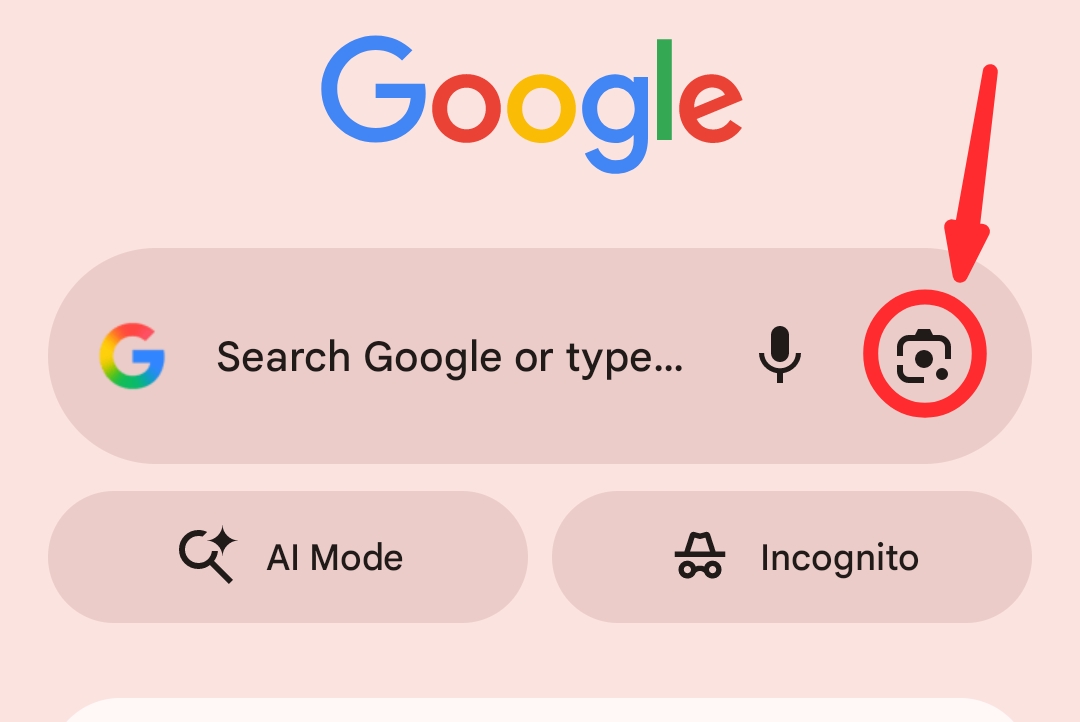
Using a responsive design on your website when optimizing for mobile first indexing will ensure the site’s functionality and content consistency across devices.

Another mobile-first optimization method you can employ is dynamic serving. This method delivers different, yet suitable, HTML depending on the device from which the user is viewing the site.

Dynamic serving SEO is a good choice. However, this method requires constant maintenance, which can often pose a challenge for search engine optimization (SEO). 

2. Page Load Speed and Core Web Vitals

Page load speed is another key factor you must master if you want to achieve good mobile optimization. The average load time for any website on a mobile network is 2.5 seconds.

Any load time higher than that may mean your site has a slow page load speed. Here are ways you can improve your page speed.

  • Optimize the images on your website.
  • Reduce heavy script usage.
  • Minimize the server response times.
  • Take advantage of browser caching.

Regarding speed assessment, you will need the Google Core Web Vitals. This mobile-first optimization fundamental is essential, especially for Cumulative Layout Shift (CLS), Largest Contentful Paint (LCP), and First Input Delay (FID).

These metrics directly affect your site’s Google ranking and the performance perception of your users. 

3. Touch Navigation and Design

Your mobile-first website should have a smooth and intuitive touch design. Ensure your interactive buttons are not too tiny for fingers to tap on. The generally accepted dimensions are 48 pixels for the height and width of your button icons. 

Additionally, ensure your interactive buttons have sufficient space. When clustered, users will have multiple accidental taps, which can be discouraging. 

Test toggles, sliders, and dropdown menus on different screen sizes. This testing ensures they function consistently across various devices.

4. Font Size and Readability

Many website owners and developers overlook this fundamental, but that is a risky game to play. No user wants to stay on a website that does not display words clearly or correctly for reading and comprehension.

Hence, prioritize font size and readability when optimizing your website for mobile first indexing. Google does not overlook this factor when ranking your website. 

The minimum font size for body text should be 16px. This font size allows readers to view your content without needing to zoom the page. Additionally, ensure that all text is rendered clearly and neatly for smaller screens.

Furthermore, writing articles in blocks of long paragraphs is a bad idea. Doing that makes reading difficult for users, and it gives your page an untidy look. Use short blocks of paragraphs containing at most three lines. 

Keep your sentences shorter, use correct headings and subheadings, and you can include features that collapse sections. Enhancing this mobile-first fundamental will improve user experience, especially on devices with smaller screens.

Common Mobile First Indexing SEO Mistakes to Avoid

SARMLife - Best SEO Company | Jacksonville, Florida

Photo by Search Engine Land

While optimizing your website for mobile first indexing is good, it is not enough. It is pertinent to note that even fully mobile-optimized site versions can suffer if mistakes are made. 

The list below shows common mistakes you can make that may affect your ranking and how to avoid them. 

  • Blocking CSS or JavaScript: This mistake will stop Googlebot from correctly rendering your site’s mobile version layout. To prevent this mistake, ensure you keep the elements crawlable. 
  • Intrusive interstitials: Google often penalizes mobile sites with disruptive or intrusive overlays or pop-ups. These elements negatively impact your site’s user experience (UX). Ensure you eliminate or minimize these disruptions. 
  • Inconsistent content across devices: When your content appears inconsistently on various devices, Google will de-rank your site. Ensure the content on your mobile version is consistent with the web version.
  • Slow mobile load speeds: You will lose website users and visitors if your page takes more than 2.5 seconds to load. Minimize your scripts and optimize your images to speed up your mobile load.
  • Mismatching structured data: When your schema markup on mobile differs from your desktop version, you will lose rich snippet visibility. The solution to this problem is to maintain the current schema markup. 

How SARMLife Helps Businesses Adapt to Mobile-First Indexing

SARMLife - Best SEO Company | Jacksonville, Florida

Photo by White Label IQ

SARMLife is your go-to digital company if you want to be at the forefront of mobile-first website transformation. We optimize our clients’ websites to meet Google’s SEO standards, no matter the periodic updates on the search engine’s algorithm.

Our excellent content writing and formatting service gives your website a clear and readable look. If you do not need fresh content but want an improvement in your website rankings, we still have you covered.

Our professional team of SEO experts can transform any poorly performing website into a Google first-page website. We will restructure your website and give it a mobile-first look so it can adapt to any device users are viewing from.

The perfect combination of our technical expertise and strategic insights will keep your website on steroids.

Final Thoughts

SARMLife - Best SEO Company | Jacksonville, Florida

Photo by Freepik

Optimizing your website for Google’s mobile first indexing is no longer an option in 2025. It is a necessary choice you must make to stay in the market, no matter your niche. 

Google is moving its ranking dependence from websites’ mobile speed, content parity, and usability. Hence, you need a proactive approach to keep your website constantly optimized for mobile use. That is one of the primary ways you will remain visible today.

You need constant audits, strategic mobile optimization structures, and excellently optimized website performance and design.

Regardless of your business size, SARMLife can help you achieve these for a place on Google’s first page within your budget. 

Are you ready to do things differently? Let me know in the comments. 

READ MORE: 7 PRACTICAL TIPS ON HOW TO WRITE SEO HEADLINES IN 2025

How to Optimize Your Content for Zero-Click Searches in 10 Ways

How to Optimize Your Content for Zero-Click Searches in 10 Ways

Have you noticed that more people are searching and not clicking? You’re not imagining it. Welcome to the season of zero-click searches.

With these search results, users get their answers on the search engine results page without visiting a website. As a business owner, content creator, or marketer, this can feel frustrating. You’re doing the work, but Google gets the credit.

But here’s the good news: zero-click doesn’t mean zero opportunity. If you know how to optimize correctly, zero-click results can help you build authority, visibility, and brand recognition. 

This article explores what zero-click searches are, why they matter, and how you can strategically position your content for them, starting today.

RELATED BLOG POSTS

What Are Zero-Click Searches?

zero-click-searches

Photo by SecureITWorld

Zero-click searches are search results that provide answers directly on the SERP, so users don’t need to click through to a website. Common examples include:

  • Featured Snippets
  • Knowledge Panels
  • People Also Ask boxes
  • Local Packs
  • Direct Answers (like time, currency conversions, or definitions)

With the rise of Google AI Overview, Bing Copilot, and voice search, these types of results are on the increase. According to Search Engine Land, over 57% of Google searches result in no clicks.

In this environment, content marketing strategies need to evolve. It’s not just about ranking; it’s about owning the real estate users engage with the most. Appearing in a zero-click format also builds mental availability. Even if users don’t click, your name is imprinted. And that’s powerful for brand recall, especially for businesses in saturated markets. 

Moreover, zero-click appearances often get voice search traction. When Google Assistant or Alexa answers a voice query, it usually pulls from featured snippets. As a result, your content can speak directly to users without a screen, and that kind of brand proximity is the future of ambient search.

Why Zero-Click Searches Matter for SEO

SARMLife - Best SEO Company | Jacksonville, Florida

Photo by PageTraffic

The shift toward instant answers on search engines is changing how we measure SEO success. Click-through rate (CTR) is no longer the only metric that counts.

  • Visibility beats visits: Even without clicks, being seen in a Featured Snippet boosts brand awareness.
  • Authority signaling: Getting featured means Google trusts your content.
  • Top-of-funnel exposure: You’re the first touchpoint in a customer’s journey.

While clicks may decrease, the value of SERP real estate has never been higher.

10 Strategies to Optimize for Zero-Click Searches

SARMLife - Best SEO Company | Jacksonville, Florida

Photo by Semrush

Here are some strategies to optimize for zero-click searches:

1. Target featured snippets.

Use concise paragraphs, tables, lists, and definitions to answer specific questions. Keep the answer within 40–60 words if possible.

Example: If someone searches “What is zero-click search?” and your content provides a brief, direct definition, you have a higher chance of being selected for a snippet.

2. Provide concise answers.

Use direct, jargon-free language. Place the most essential answer within the first 100 words of your section or article.

Example: When writing a how-to blog post, starting with a concise summary helps you grab the reader’s attention. This summary should provide a concise overview of the post’s content and what readers can expect to learn.

3. Use headers and bullet points.

Organize content with H2s, H3s, and bullet points. Search engines love scannable content.

Additionally, you can turn subheadings into questions that users are searching for using long-tailed or conversational keywords.

4. Implement schema markup.

Structured data helps Google understand your content. Implement:

  • FAQ schema
  • HowTo schema
  • Article and BlogPosting schema

Example: A recipe page with HowTo schema is more likely to show up in voice search and smart assistant results.

5. Include FAQ sections in your content.

Google pulls questions and answers from your page into PAA (People Also Ask) boxes—format FAQs with clear, straightforward answers.

Example: Use headings like “What is…” or “How do I…” to match natural search phrasing.

6. Optimize Google Business Profile.

Ensure your profile is complete, with your current contact info, services, images, and reviews. This method boosts your presence in the Local Pack, a typical zero-click result for local searches.

Example: A restaurant’s GBP with updated hours, photos, and FAQs can dominate zero-click results for local food queries.

7. Use visual and video content.

Video snippets and image packs are powerful zero-click formats. Add schema to video content, create transcriptions, and optimize file names and alt text for all images.

Example: A “how to tie a tie” video with structured data can land in the top carousel without a single click-through.

8. Build and claim knowledge panels.

Establish credibility with:

  • Wikidata entries
  • Schema for your brand and people
  • Consistent brand mentions on authority sites

This system increases the likelihood that Google will build a knowledge panel around your entity.

Example: Authors and businesses can appear with knowledge panels by getting listed in online databases and publishing consistent, branded content.

9. Own your branded SERP.

Optimize for your name or business. Ensure meta descriptions, About pages, and social profiles are updated and appear prominently on the first page.

Example: A consultant’s Google result shows their LinkedIn, portfolio, and client reviews.

10. Partner with SARMLife for strategic content.

Zero-click searches can feel discouraging: your content is ranking, but users aren’t clicking through. 

However, the brands that win in this new landscape are those that focus less on traffic and more on visibility, authority, and relevance. That’s where SARMLife comes in.

What Sets SARMLife Apart?

  • Search-intent-focused content: By understanding search intent, SARMLife crafts answers that directly respond to the questions your audience is asking.
  • Structured for search engines: Clear headings, bullet points, schema markup, and strategic keyword placement make it easier for Google to surface your information in zero-click formats.
  • Schema implementation and technical SEO: From FAQ and HowTo schemas to entity recognition, their strategies increase the possibility of being featured in rich results.
  • Brand authority embedded in content: SARMLife builds authority by weaving consistent branding, tone, and citations into every article, so even when your content is paraphrased or summarized, your brand remains recognizable.

Risk of Zero-Click Searches

SARMLife - Best SEO Company | Jacksonville, Florida
Hand touching with search icon for Search Engine Optimisation or SEO concept to find information by internet connection.

Photo by Freepik

While there are benefits, let’s not sugarcoat the challenges:

  • Loss of traffic: If your answer is used, users may never visit your site.
  • Attribution issues: Google doesn’t always credit the source.
  • Lower engagement: Visitors who don’t land on your site won’t engage with your calls to action.
  • Lack of data ownership: With traditional SEO, site visits provide metrics such as bounce rates, conversions, and time on site. Zero-click results rob you of those insights.

However, rather than seeing these challenges as a threat, it’s better to view them as a branding opportunity. 

The aim is not to resist change but to embed your brand identity so deeply in your content that even when paraphrased or summarized, the essence of your voice remains recognizable.

This reason makes it crucial to combine zero-click strategies with other forms of SEO and brand nurturing.

Turning Zero-Click Exposure into Brand Authority

SARMLife - Best SEO Company | Jacksonville, Florida

Photo by LinkedIn

Here’s how to turn impressions into influence:

  • Utilize multi-touchpoint SEO: Zero-click searches can increase your visibility. Retarget visitors through ads, email sequences, or social platforms.
  • Brand your snippets: Include your brand name subtly in your content (e.g., “According to [Brand Name]…”).
  • Focus on long-term authority: Consistently being featured builds search engine trust.

Think of zero-click presence as a brand positioning tool. It helps shape the first impression users get about your niche authority. 

Even if users don’t convert immediately, repeated zero-click appearances increase trust. Over time, users may actively seek out your brand, thereby bypassing the need for search altogether.

One underrated trick is to treat each blog post like a mini landing page. Even if it doesn’t convert directly through a click, it can act as a conversion seed. 

When you eventually run retargeting campaigns on social media or YouTube, the familiarity you built through zero-click exposure accelerates the trust curve.

Final Thoughts: Visibility Is the New Click

SARMLife - Best SEO Company | Jacksonville, Florida

Photo by Embryo

Zero-click searches aren’t a dead end; they’re a new beginning. By optimizing your content to appear in featured results and SERP elements, you’re positioning your brand as a top authority.

Traffic will always be significant. However, by 2025, visibility, trust, and discoverability will be the new currency of SEO success.

As zero-click searches evolve, so must your metrics. Tools like Google Search Console, BrandMentions, and Semrush’s featured snippet reports are now critical parts of a modern SEO stack.

Remember, SEO isn’t dying. It’s adapting. The focus has shifted from “ranking to be seen” to “structuring to be understood.” The brands that understand this will dominate SERPs in 2025 and beyond, not just in terms of clicks but also in terms of influence.

FAQs On Zero-Click Search

What is a zero-click search?

This is a search that ends on the SERP without the user clicking on any results. Standard formats include Featured Snippets, People Also Ask, and Knowledge Panels.

How do I optimize for zero-click results?

Write concise answers, use structured formatting, implement schema markup, and target FAQs and long-tail keywords.

Does zero-click search reduce traffic?

It can, but it also boosts brand visibility and authority. Many businesses find increased indirect traffic and recognition from these features.

Can I measure success in zero-click SEO?

Yes. Use tools like Google Search Console to track impressions and visibility and monitor your presence in featured SERP elements.

Is zero-click SEO relevant for small businesses?

Absolutely. Local Packs, Google Business Profiles, and FAQs are especially valuable for small brands trying to own their niche.

What tools can help identify zero-click opportunities?

Use tools like Semrush, Ahrefs, AlsoAsked, and AnswerthePublic to find featured snippet opportunities and PAA data.

Are you ready to optimize for future searches? Start by applying just three of the strategies above, and watch your visibility grow—click or no click. Send us a DM or email us: hello@sarmlife.com to aid you with these applications.

READ MORE: SEO WRITING | 11 PROVEN TIPS ON WRITING BLOG POSTS THAT RANK ON GOOGLE 

answer-engine-optimization-SARMLife

How to Increase Your Reach in 2025 with Answer Engine Optimization

Have you recently noticed that your well-written blog posts do not get the visibility you’re used to? It’s not a figment of your imagination. The digital space constantly evolves, so traditional SEO strategies do not convert as easily.

The core issue? Search has changed. AI-powered tools like Copilot, Google SGE, Perplexity.ai, and Bing have taken over, giving today’s users direct answers rather than random search results. So, it gets ignored if your content is not structured to offer those direct answers.

This is where Answer Engine Optimization (AEO) comes in.

AEO is the progressive approach to optimizing your content for search and answer engines. It ensures your content gets picked, cited, and displayed as the default response in AI-generated summaries and zero-click results.

In this post, we will carefully explore the definition and mechanisms of AEO and how you can use them to grow your reach in 2025 and beyond.

RELATED BLOG POSTS

What Is Answer Engine Optimization (AEO)?

Answer engine optimization (AEO) is a specialized content strategy that focuses on making your content easily visible and understandable to AI-powered search tools or answer engines. 

These tools do not simply compile a list of links like traditional search engines; they extract and display the direct answers to user queries.

Its Emergence

The emergence of AEO was a response to the rapidly evolving nature of search. Platforms like Copilot, Google SGE, Perplexity.ai, and Bing have been searching for instant, structured answers, as users have requested. 

Therefore, with AEO, your content is arranged to appear in these AI-generated summaries and responses.

Comparison to Traditional SEO

Traditional SEO enhances rankings through the use of backlinks, targeted keywords, and in-depth content. While this method might still be relevant, it’s not as effective as the modern tools in trend. 

Answer engine optimization shifts the focus of your content from just ranking pages to answering questions. It requires anticipating user intent, utilizing structured data, and organizing content in a way that makes it easy for AI to extract value.

Search engines now utilize generative AI models that summarize all the information into a concise version rather than simply listing websites. 

Why Traditional SEO Is No Longer Enough

The strategies you’re used to, like building backlinks, optimizing keywords, ranking for blue links, etc, are no longer giving you the same results in 2025. This issue arises because users no longer rely on traditional search methods to obtain the results they need.

Decline of Blue Links

Early on, with search engine optimization for results, Google’s search results were just a list of clickable blue links. 

search-result-page

Photo by Freepik

However, these links are becoming outdated today because AI-generated answers and summaries have become prevalent. Users do not need to click through a website to get what they need.

AI Overviews & Zero-Click Searches

With the introduction of Google’s AI Overviews, Bing Copilot, and platforms like Perplexity.ai, searches can provide direct, conversational answers from many internet sources. 

These zero-click searches mean users don’t need to leave the results page to get what they want, leaving traditional SEO pages behind.

Shift to Structured, Intent-Driven Answers

Search engines have narrowed their focus down to user intent and structured content. It’s no longer enough to stuff in keywords; your content must clearly and directly answer questions in a way that can be easily interpreted and displayed. 

That’s the main deal with answer engine optimization. It meets the needs of both the user and AI simultaneously.

Key AEO Strategies to Implement Today

Answer engine optimization is a practical approach that requires a high level of structure and very intentional formatting. 

For your content to successfully rank in AI-driven search, it must be more than interesting. Your content must be clear, concise, and easy for machines and humans to parse. 

There are specific actionable strategies you can begin as part of the process of incorporating AEO, including:

1. Use structured data (FAQ Schema, HowTo Schema).

Structured data gives search engines a way to understand the context and intent of your content. Implementing schema markup (FAQ, HowTo, Article, and Breadcrumb schemas) enables your content to be crawled, making it eligible for rich results and answer boxes. 

2. Implement an answer-first format.

An excellent strategy is to put the answer at the top. Start your content with a clear, direct answer to the most relevant question, whether it’s a blog post, service description, or product page. As you keep writing, you can elaborate as you go, but ensure you always lead with clarity. 

For example:
Q: What is AEO?
A: AEO stands for answer engine optimization, a strategy that ensures content ranks in AI-generated search responses by providing direct, clear, and structured answers. 

'Keywords' on a laptop screen

Photo by Freepik

3. Create conversational content with long-tail keywords.

AI search tools thrive on natural, question-based language. So, instead of just optimizing your content for “SEO tips,” use long-tail, intent-driven phrases such as “how to improve SEO for AI search engines” or “best practices for AEO in 2025.”

This method is how people ask questions and how answer engines retrieve responses. 

4. Target featured snippets & “People Also Ask.”

Many answer engines draw from content already ranking in featured snippets or the “People Also Ask” section.

You can target these by arranging your posts with clear questions and straightforward responses, using numbered lists, bullet points, and short paragraphs that help users skim through easily.

Pain & Opportunity Points

answer engine optimization

Photo by Young Urban Project

If your traffic is dipping, rankings are inconsistent, or your content isn’t getting seen despite all your SEO strategies, you’re likely suffering through one of the growing pains of traditional search strategies. 

This gradual shift to AI-driven search may cause several businesses and creators to struggle to adjust their content strategies. Still, you must look beyond to see the opportunities that abound. 

Below is a quick breakdown of common pain points and how answer engine optimization can solve them:

Pain PointWhy It’s HappeningAEO Opportunity
Traffic is dropping from organic search.Zero-click searches and AI overviews are providing users with answers without requiring them to visit websites.Structure your content with clear, direct answers to show up in AI responses.
Featured snippets are going to competitors.Competitors may be using structured data and answer-first formatting.Use schema markup, bullet lists, and optimized Q&A sections to capture those positions.
Your content isn’t ranking for voice or AI search.It’s likely not optimized for natural, conversational queries.Use long-tail keywords and conversational phrasing to match user intent.
Keyword-stuffed content isn’t performing.AI search engines value clarity and usefulness over keyword density.Prioritize clear answers and logical formatting over keyword repetition.

Top Tools Supporting Answer Engine Optimization

Although search engine optimization might be new in the digital marketing world, numerous tools already support this strategy. These tools help discover user intent, give structured formatting, and simplify content creation that AI-powered search engines prefer. 

  • Semrush
SEMRush-homepage

Semrush offers comprehensive keyword research options, including question-based queries and long-tail phrases. 

Features such as the Keyword Magic Tool and Topic Research are essential for discovering the questions users are searching for. With this advantage, your content can be optimized easily for answer engines. 

  • Surfer SEO
SurferSEO homepage

The Content Editor feature in Surfer SEO is invaluable for structuring your content, taking into account what’s ranking on Google. By optimizing content length, headings, keyword usage, and paragraph structure, this feature guarantees AEO success. 

  • AlsoAsked
AlsoAsked homepage

AlsoAsked is an SEO tool that visualizes the relationships between user questions on Google, particularly from the ‘People Also Ask’ feature.

This tool helps plan key elements of your content, such as FAQ sections and subheadings, so that your content answers follow-up questions naturally. 

The Future of Search: What Comes After SEO?

Search is rapidly evolving. SEO has not lost its value; however, the spotlight is gradually shifting toward actual answers, predictive suggestions, and multimodal search experiences. 

The question has moved from how people search to how machines deliver the best responses. 

Here are a few updates to note:

  • Voice Search Is on the Rise

Devices like Siri, Alexa, and Google Assistant help users engage in voice-first interactions. This means that content needs to be question-based, conversational, and structured to facilitate swift responses.

Short, directed answers are more likely to be chosen by voice assistants. 

  • Visual and Multimodal Search

Some tools allow users to search with images instead of keywords. These platforms include Google Lens and Pinterest Lens, among others. As a result, content creators have to think beyond text.

Therefore, matching optimized visuals with explicit texts improves their discoverability and relevance in image-based AI searches. 

  • Predictive and Proactive Content Delivery

Search engines are now programmed to be proactive and anticipate users’ needs before they even type in a query. This method favors content that aligns with user intent, context, and behavior. The more aligned and focused your content is, the more likely it is to perform well in these systems. 

Final Thoughts

SARMLife - Best SEO Company | Jacksonville, Florida
Photo by Freepik

Search has evolved from being just about blue links to providing the best answers, and it’s happening quickly, too.

If you are a blogger, content creator, or digital marketer, it is wise to adjust to answer engine optimization as it sets you ahead of competitors. It’s not just about being visible but about building relevance in the eyes of humans and machines alike.

FAQs on Answer Engine Optimization

What is the difference between SEO and AEO?

SEO focuses on making a website visible in traditional search results while
AEO is about carefully creating content that directly answers specific user queries in a clear, concise manner so that AI-driven engines can pull and deliver the answers instantly. 

How do I optimize for answer engines?

To optimize for answer engines, you must structure your content with headers and bullet points, use the FAQ or How-to schema markup, write in an answer-first format, focus on natural language and question-based queries, and include long-tail keywords with clear, specific answers.

What tools support AEO (Answer Engine Optimization)?

Specific tools like Semrush, Surfer SEO, and AlsoAsked are brilliant for optimizing and aligning content with AI-powered search behavior. Your content becomes more answerable by search engines like Perplexity.ai and Copilot. 

Is AEO just a rebrand of SEO?

Not exactly. AEO builds on some SEO techniques, but they are distinct. AEO focuses on conversational language, user intent, and structured content for AI-powered search. It’s not much about keyword rankings as it is about delivering direct and helpful answers.

To start implementing AEO in your strategy, review your content first. Are you answering real questions? Are your posts structured so that AI can find them and display them? 

If not, send us a DM now.

READ MORE: 9 FAILPROOF WAYS TO REPURPOSE CONTENT FOR SEO IN 2025

Generative engine optimization

How to Do Generative Engine Optimization in 2025

Have you noticed that search results are not what they used to be? Instead of just a list of blue links with probable results to guide you on your search, you now see AI-generated summaries giving direct answers at the top of the search pages. 

This evolution is evidence that traditional SEO tactics are no longer as effective. To stay ahead in the digital space in 2025 and beyond, businesses and content creators must adopt a new strategy for their search engine optimization: Generative Engine Optimization (GEO).

In this post, we will look at what generative engine optimization is, its working mechanics, and the best strategies to boost your content’s visibility, especially in AI-powered overviews.

RELATED BLOG POSTS

What Is Generative Engine Optimization? And Why It Matters

SARMLife - Best SEO Company | Jacksonville, Florida

Photo by Built In

Generative engine optimization, or GEO, is the simple process of optimizing in such a way that AI systems, like Bing Copilot or Google’s AI Overview, can understand, summarize, and display your content in answer boxes or summaries.

Unlike traditional SEO, which ranks webpages based on search engine results pages (SERPs), GEO is focused on being the best possible result within an AI-generated overview.

These summaries are not just from one page. Generative engines engage multiple AI models to collate and synthesize information from numerous high-quality sources. 

Therefore, having clear, structured, and authoritative content is the first and most significant step in having your content featured in these AI-generated summaries.

Why GEO Matters Now More Than Ever

Search is becoming more intelligent than ever. AI is gradually replacing direct search results with concise and contextual overviews that provide a better user experience. 

Platforms like Bing Copilot, Perplexity.ai, and Google’s AI Overview (formerly SGE) are all restructuring how users engage with content. GEO helps you remain relevant in this rapidly evolving space.

GEO vs. SEO: Key Differences

SARMLife - Best SEO Company | Jacksonville, Florida

Photo by Pure SEO

While there are certain similarities between GEO and SEO, their core goals and methods of execution differ. It is, therefore, essential to understand these key concepts to apply the results correctly.

SEOGEO
Optimizes for rankings in search engine listingsOptimizes for inclusion in AI-generated summaries
Focuses on backlinks, keywords, and meta descriptionsFocuses on structure, clarity, and intent-based content
Prioritizes page optimization for botsPrioritizes natural language and E-E-A-T for AI comprehension
Competes for space in the blue link rankingsCompetes for space in AI response summaries

AI Overviews will not only scan your title but also break down your headers, edit your formatting, and analyze how quickly and clearly your content answers user queries. SEO is impressive; however, GEO emphasizes intent-driven, structured, and conversational content.

How to Create GEO-Friendly Content

If you need your website content or blog post to be featured in generative answers, these are the steps to follow:

1. Write clear, concise answers.

This strategy is the first step to making your content visible in generative answers. Use simple language that is direct and straight to the point. AI will always prefer clarity over fluff. Let your answer to the main query begin in the first 1-2 sentences.

2. Implement structured formatting.

Structured formatting is essential in generative engine optimization. AI models thrive on structured formatting. To ensure your content is appropriately formatted, use:

  • H1 for your main topic
  • H2s and H3s to organize subtopics
  • Bullet points and numbered lists
  • FAQs at the end

Structure helps AI segment and parse your content very quickly, allowing you to incorporate it into the summaries.

3. Prioritize E-E-A-T.

The E-E-A-T strategy is essential for generative engine optimization. It stands for Experience, Expertise, Authoritativeness, and Trustworthiness. Include author bios, cite very reputable sources, and showcase your credibility within your niche.

4. Target long-tail keywords & natural language.

Long-tail keywords are ideal because they are similar to what the user will input in their search. Questions like “What is generative engine optimization GEO?” or “How to do generative engine optimization?” are ideal. Ensure you make use of conversational, user-focused phrasing.

Also, ensure you use a conversational yet authoritative writing style. Use proper transitions, connect your ideas as clearly as possible, and always have your audience’s intent in mind. 

Don’t ever ignore mobile optimization. So many AI-generated overviews are served on mobile-first environments. As a result, ensure your site is clean, fast-loading, and mobile-responsive, as this makes any GEO content more accessible and trustworthy.

Actionable GEO Content Template

SARMLife - Best SEO Company | Jacksonville, Florida

Photo by SiteGround

Now that you know how to create GEO content, here’s a simple framework that is structured using generative engine optimization best practices:

  • Title: Ensure you add your primary keyword (e.g., “How To Do Generative Engine Optimization in 2025”)
  • H1: What is [Keyword] and Why It Matters
    • Brief intro with a 1-2 sentence answer
  • H2s: Break down subtopics such as:
    • How does it compare to SEO?
    • Key strategies to implement
    • Tools to support your content
    • Real-life examples or use cases
  • FAQ Section: Include 3-4 user-centric questions using natural language.
  • Schema Markup: Use the FAQ schema and Article schema so that search engines and AIs can pull your data.

Suppose you’re writing a post about “Remote Work Tools in 2025.” Your GEO-aligned structure could follow this pattern:

  • H1: What Are the Best Remote Work Tools in 2025?
  • Introduction: A 2-sentence summary answering the question.
  • H2: How These Tools Increase Productivity
  • H2: Features to Look for
  • H2: Top 5 Tools Reviewed (use bullet points or tables)
  • H2: Expert Tips for Choosing the Right Tool
  • H2: FAQs about Remote Work Tools

Incorporating examples like this demonstrates how to structure content and how to anticipate what AI may extract when summarizing results.

Fundamental Strategies for GEO from SARMLife

SARMLife - Best SEO Company | Jacksonville, Florida

Photo by SmartBug Media

At SARMLife, we’ve adjusted to the search evolution by helping clients all over the world fine-tune their content for AI readability.

  • Transitioning Clients from SEO to GEO

We arrange and audit existing content to explore and determine which pieces are easily extractable by AI. After that, we restructure these articles using the GEO framework and templates.

  • Tailored Content Writing Services

Our team specializes in curating and crafting answer-first blog posts, landing pages, and FAQs that align with the structural and contextual needs of AI-powered tools.

  • Website Optimization for AI Discoverability

At SARMLife, we don’t just write. We optimize. From schema markup to page layout, every piece is designed with machine comprehension in mind.

Our approach at SARMLife isn’t just about writing content; it’s about future-proofing your digital voice. 

We start by mapping your content inventory against likely AI prompts and user queries. Then, we create content clusters and topical maps that ensure your authority in a given niche. 

Whether you’re a SaaS company, a coaching brand, or a finance blog, we develop a GEO strategy unique to your business goals.

Final Thoughts: Embrace GEO to Stay Ahead

SARMLife - Best SEO Company | Jacksonville, Florida

Photo by Keitaro Blog

AI-generated summaries can be the best thing for your website in 2025 if you can implement the key generative engine optimization (GEO) strategies in this post.

As a blogger, brand, or business owner, integrating generative engine optimization today ensures your visibility tomorrow.

Remember, the rules of digital engagement have changed. Visibility is no longer only about being in the top three blue links. It’s about becoming a part of the conversation happening between AI and your audience. And GEO is your way into that room.

Save this post, share it with your team, and start rewriting your content strategy with GEO in mind.

FAQs about GEO

What is generative engine optimization (GEO)?

Generative engine optimization (GEO) is the simple process of optimizing in such a way that AI systems, like Bing Copilot or Google’s AI Overview, can understand, summarize, and display your content in answer boxes or summaries.

How does GEO affect my content strategy?

It shifts your focus from just keyword rankings to quality and content structure. GEO makes you write better, clearer, and more structured content.

What kind of content ranks best in AI summaries?

Well-structured content directly answers questions and demonstrates authority—for example, how-tos, definitions, FAQs, and expert breakdowns.

Can SARMLife help me improve my content visibility in AI results?

Yes! SARMLife offers customized content writing and optimization services specifically designed to help your content stand out in generative search tools.

Subscribe to our newsletter to get more tips on mastering GEO and AI-driven content.


READ MORE: THE IMPACT OF AI IN SEO | THE FUTURE OF SEARCH ENGINE OPTIMIZATION

SEO-storytelling-guide-SARMLife

THE COMPLETE GUIDE TO SEO Storytelling [2025]—SARMLife

It wasn’t always this easy. 

Like you, the first time SARMLife published a blog post, we thought we had everything figured out: research, keywords, structure, and even backlinks.

But guess what? The result we got after launching the post was underwhelming. 

Days passed, and we barely received any traffic. We refreshed the analytics, tweaked the meta description, and even shared the post multiple times, but nothing changed. 

A few months later, another blog post went live—same SEO, same efforts, no drastic changes. But something different happened. This post took off. Comments poured in. Shares multiplied. Traffic skyrocketed. Engagement increased.

What happened? Storytelling happened. Instead of just writing, we started telling stories.

Did you see that? 

What if I told you that what you just read was a story?

And whether you realized it or not, it pulled you in. That’s the power of SEO storytelling.

Storytelling has existed for as long as humans have, and despite all the changes in today’s world and the evolution of technology, stories haven’t lost their relevance. They remain as powerful as ever.

However, storytelling and SEO seem like two worlds that can never meet. This article will prove this wrong. Beyond just being an art, storytelling is a powerful tool for SEO. Let’s discuss why it makes all the difference in your SEO journey.

RELATED BLOG POSTS

What Is SEO Storytelling?

SEO storytelling is the process of blending search engine optimization strategies with the elements of compelling narratives. 

It is a deliberate combination of SEO concepts and storytelling techniques to produce captivating, search engine-optimized content that emotionally engages readers and ranks highly on search engines. This is beyond just a “story” to existing content, but about thinking narratively from the beginning.

Search engines favor content that keeps users engaged. Creating stories that resonate with users encourages them to stay longer, read more, and interact with your content. These factors contribute to more visits, a lower bounce rate, and an improved click-through rate (CTR), helping you meet the engagement metrics that search engines like Google prioritize.

SEO storytelling simplifies complex data from SEO campaigns into relatable and understandable content. Instead of bombarding users with metrics and graphs, a well-told story makes the message more digestible and impactful.

A person standing in front of an open book with magical light emerging from its pages

Photo by Freepik on Freepik

Understanding SEO Storytelling

Here is how SEO storytelling combines SEO principles with human psychology to create high-ranking and engaging content.

  1. The intersection of SEO and storytelling

The combination of SEO and storytelling delivers attractive content to algorithms and audiences. While SEO ensures the visibility of your content, incorporating storytelling ensures audience engagement, which is an important factor in ranking on Google.

SEO focuses on technical elements like keywords, meta descriptions, and backlinks; storytelling brings these elements to life by converting them into a narrative that users find interesting and relatable.

It’s a mutually beneficial relationship where SEO drives traffic, and storytelling ensures traffic stays engaged.

  1. The psychology behind storytelling and engagement

Since ancient times, humans have used storytelling to share experiences, teach lessons, and connect emotionally. While technology has changed, how our brains react to stories remains the same. 

Scientific studies show that narratives activate multiple areas of the brain, making content more memorable and engaging. When presented as narratives, the human brain is wired to process information more quickly and deeply. This is why a thousand events can happen in a day, and the only thing you will remember might be a story you read on social media.

When readers encounter a well-told story, their brains undergo a process of neural coupling with the information and narratives. The information in a story activates several parts of the brain, triggering the release of a bonding hormone called oxytocin.

This emotional connection leads readers to share, comment, or return for more. For SEO, this emotional engagement translates into better metrics, such as a lower bounce rate, more social shares, and higher chances of conversion.

  1. The role of emotional connection in SEO success

SEO content writers worry so much about keywords, ranking, etc., that they end up writing for algorithms rather than humans. Some have claimed that SEO content bores clients due to its ambiguity, lack of flow, and lack of emotion. 

You can do all the keyword research, optimize meta descriptions, improve backlinks, and have the best internal links, but you still won’t reach the audience.

SEO has gone beyond traditional keyword stuffing in content and is now more focused on user engagement. Content that evokes emotions makes the audience feel connected, which leads them to engage with it or take desired actions.

This emotional engagement will signal to search engines, bringing them to mark your content as valuable, relevant, and deserving of a higher ranking. This is what leads to SEO success.

The Power of Storytelling in SEO

A storytelling flyer template showing the advantages of storytelling

Photo by Freepik on Freepik

Increases user engagement and dwell time

Have you ever visited a page or blog for information and, on the first scroll, encountered data you couldn’t understand?

You scroll again, hoping to get some clarity, but nothing makes sense.

What do you do? You leave.

The same applies to everyone else. No user or reader will engage with content they don’t understand or find boring. This is where SEO storytelling changes everything.

Storytelling makes your content engaging and enjoyable to read, which is all the audience needs to engage and remain on your website, increasing their dwell time.

Reduces bounce rate and improves ranking 

Bounce rates and ranking are crucial aspects of SEO, and with good storytelling, you can achieve a reduced bounce rate and higher ranking.

The major cue search engines need to make your content rank is audience engagement. Improved engagement reduces bounce rate, which eventually helps with ranking.

High conversions through emotional connection 

Suppose you want to buy a product and find it on two websites with a slight price difference.

Website A offers a smooth and engaging experience with clear descriptions, an appealing design, a fast loading speed, and even a relatable brand story. Meanwhile, Website B barely responds to inquiries, making the shopping process frustrating.

Which one are you more likely to buy from? Website A, of course.

Humans buy based on emotions. Customers can stay loyal to a brand simply because they feel an emotional connection when purchasing from it.

Storytelling isn’t just for blogs or articles; you can also use it on product pages.

Brands like Nike provide a real-life example. They use storytelling in their product pages and ads to evoke positive emotions. Their “Just Do It” campaign is not only about shoes; it also tells stories about perseverance. This inspires customers to do more and connects them to the brand.

Make buying from you an unforgettable experience, something your audience will never forget and talk about. That’s how you drive high conversions.

Establishes brand authority and trust

Create an environment and an experience around your brand.

Storytelling in SEO helps brands maintain a connection that exists beyond the search. It helps you stand out.

When your audience gets to know who you are on a deeper level, it creates authority and builds trust. Emotions drive loyalty and build long-lasting bonds between brands and users.

Key Elements of SEO Storytelling

SEO storytelling goes beyond ranking higher on search engines. It is more audience-focused. The purpose of storytelling in SEO is to keep your audience engaged, making them feel something that will ultimately drive them to action. 

However, there are fundamental elements that make storytelling effective for SEO, including: 

1. Character

Every great story should have a main character. 

Shallow Focus Photography of Luigi Plastic Figure

Photo by Pixabay on Pexels

However, unlike in contemporary stories, where the character can be a non-existent person or an animal, in SEO stories, the main character is your audience.

What do I mean?

When telling stories on a blog or product page, businesses and writers often make the mistake of making the story solely about their brand or products, with the audience trying to figure out how they fit into the picture.

In SEO storytelling, you do not position yourself as the hero or endlessly talk about how great your product is, how long you’ve been in business, or why you are the best. The real magic happens when your content makes your audience feel seen, understood, and empowered.

The secret is to portray your audience as the hero while pitching your products or services as the best.

Remember the introduction? We shared SARMLife’s experience with ranking struggles, which are similar to those of our audience. This shows that we understand their pain and challenges.

How can you apply this to storytelling?

  • Write in a second-person pronoun (you) to address your audience directly.
  • Understand your audience’s pain points, challenges, and desires, and create your content around them. Content that solves a problem is more effective.

Learn how to create detailed buyer personas to understand your audience’s needs.

  • Make your audience see themselves in your content. For example, instead of saying, “Our app/software makes project management easier,” say, “You have a million tasks on your plates with deadlines creeping up. What if there was a way to streamline everything effortlessly?”

2. Conflict

Another vital element of a story is a challenge that needs to be solved. In SEO storytelling, conflict is about addressing your audience’s pain points.

When writing content, don’t jump to the solution; you have to make the audience see why they need it. Otherwise, the content will not resonate deeply.

Sometimes, people are unaware of their problem; they just know something isn’t working. Effective storytelling helps them realize their struggles and why they need a solution.

How can you apply this to storytelling?

  • Start your content by highlighting the problem your audience faces. Use storytelling techniques to paint a picture illustrating the problem.
  • Acknowledge the frustration and confusion that come with the problem. Relate to your audience’s struggles. 
  • For example, instead of saying “SEO is difficult,” you could write

You’ve spent hours creating the perfect blog post. You optimized it for keywords, added backlinks, and even shared it on social media. However, weeks later, it’s still buried on page 10 of Google. Frustrating, right?”

Starting a blog post with an introduction like this would draw readers in.

3. Resolution 

After establishing the conflict, your content should provide a resolution—this is where you offer solutions that the audience finds valuable.

However, businesses make the mistake of selling their products or services as the only resolution. This approach is ineffective.

There are thousands of businesses selling the same product or service as you. The key to standing out is to make your audience feel like they are gaining value rather than being sold to. 

You want to build trust with your audience and convince them that acquiring your product or service is the right decision.

Your resolution should be centered on educating, guiding, and empowering your audience. Offer your audience actionable steps that can be applied immediately and create a smooth transition from the conflict to the main resolution.

When your audience feels that they’re getting real value from your content, they’re more likely to trust you, engage with you, and convert.

4. Authenticity 

There are fiction stories, but authenticity stands out in SEO stories. Avoid writing clickbait headlines or AI-generated content; people often connect with real experiences, emotions, and honesty.

The Google E-E-A-T framework (Experience, Expertise, Authoritativeness, and Trustworthiness) values authentic and reliable content.

In SEO storytelling, you’re writing to your audience first, not algorithms; therefore, avoid robotic and overly optimized writing.

Share your mistakes, lessons, real experiences, etc. Being open and relatable builds credibility and trust with your audience.

5. SEO data and storytelling 

Storytelling adds a human touch to your content, but without SEO data, your content will not be found.

Factors like keywords, optimized headlines, search intent research, etc., are important in SEO stories.

Google Analytics, Search Console, or SEO tools (such as Semrush or Ahrefs) should guide your content strategy.

Optimize your content based on actual data, not assumptions. This will ensure that you tell the right stories with every technical tool.

person analyzing SEO data

Photo by Lukas on Pexel

How to Create an Optimized Storytelling Framework

SEO storytelling is not only about keywords and ranking on Google; it is about connecting with your audience while making your content easy to find.

Here’s a step-by-step process of blending storytelling with SEO best practices to increase engagement and reduce bounce rate.

1. Define your target audience.

One fundamental rule of content marketing is that your content should never be about you and your brand; it should be about your audience.

In this regard, the first step of storytelling is understanding your target audience, knowing who your audience is and what they need. To effectively create content that solves a problem or meets a need, ask yourself these questions:

  • Who is my main audience?
  • What are their main challenges?
  • What questions are they searching for on Google?
  • How can my content provide solutions?

Another crucial factor is understanding search intent. Know what content your audience is searching for; is it informational, navigational, commercial, or transactional? 

Aligning your storytelling content with the right search intent ensures higher engagement and better rankings.

For example, if someone searches “How to write engaging SEO content,” they want a step-by-step guide, not a sales pitch.

2. Conduct keyword research.

No matter how great your story is, it won’t rank if no one searches for it. Using the right keyword is crucial in SEO. Research keywords that align with the user intent.

Use tools like Ubersuggest, Semrush, Google Keyword Planner, etc., to find high-volume, low-competition keywords, assess competition level, and find trending topics in your niche.

In SEO storytelling, prioritize the use of longer and specific long-tail keywords. These keywords often have low competition, are easy to rank, and can attract audiences with specific search intent. 

When incorporating keywords, ensure that your content maintains its natural flow. Overstuffing content with keywords can make it unreadable to users and cause search engines to penalize it.

Consider semantic SEO to avoid keyword overload. Search engines now prioritize context over exact-match keywords. Use related terms and synonyms naturally in the content.

For example, if your primary keyword is “SEO storytelling,” use related terms like “SEO in storytelling,” “search-optimized narratives,” and “storytelling for SEO.”

3. Optimize content structure for SEO.

The structure of the content plays a vital role in SEO and audience engagement. A well-organized story with clear sections will improve the audience’s likelihood of staying longer on a page.


Here are some tips:

  • Include the primary keyword in headings and subheadings to help readers and search engines navigate your content easily. 
  • The introduction should immediately engage the audience by presenting a relatable problem. This will build an emotional connection with readers.
  • Effective storytelling involves using narratives and real-life examples that allow the audience to see themselves in the story. Genuine stories help build authenticity and trust. 
  • Your content should be structured to acknowledge the reader’s experiences, challenges, and aspirations. 

4. Incorporate on-page SEO best practices.

While storytelling is critical to engaging content, search engine algorithms must also be considered. Proper use of headings, meta tags, and multimedia enhances readability and SEO performance.

Here are some tips:

5. Improve SEO with internal and external linking.

An effective SEO story should include external and internal linking techniques. A website’s internal links connect related content and direct visitors to more pertinent information. This method keeps users interested for longer and enhances the website’s structure.

External links to reliable external sources increase trustworthiness and provide readers with more information. Linking to reliable websites when referencing data, research, or professional opinions reinforces trustworthiness. Nevertheless, external links should always open in a separate tab to prevent people from exiting the page.

Best Types of Content for SEO Storytelling

While storytelling can be applied to various forms of content, some formats work exceptionally well for SEO storytelling. These include blog posts, case studies, social media content, email marketing, and video storytelling. Adapting each narrative to fit various marketing channels for maximum impact is important.

1. Long-form SEO storytelling

  • Blog Post

Blog posts are among the most effective types of content for SEO storytelling. They provide businesses, brands, and individuals with ample space to develop a detailed narrative that educates, entertains, and engages readers while using strategic keywords to improve search visibility. 

SEO storytelling with blog posts

Photo by Markus Winkler on Pexels

The benefits of a blog post include:

  • Longer dwell time: A blog post keeps users engaged on the page longer, signaling to search engines that the content is valuable.
  • Keyword integration: Blog posts provide the opportunity to use primary and secondary keywords naturally in the narrative.
  • Link-building potential: SEO-storytelling content is more likely to earn backlinks from other websites, which builds website authority.
  • Case studies

Case studies take storytelling a little further by showcasing real-life examples, such as success stories, making them one of the most persuasive types of content for SEO storytelling. 

Benefits of case studies include:

  • Content that is backed by data builds trust and authority.
  • Businesses and professionals often reference case studies, leading to more backlinks.
  • Showing how a product or service solved a real problem showcases industry expertise.

For instance, a digital marketing agency might publish a case study titled How We Increased Organic Traffic by 250% in 6 Months to showcase the effectiveness of its SEO strategies. 

For example, here is a blog post published by SARMLife: SARMLife SEO TECHNIQUE TO INCREASE WEBSITE TRAFFIC BY 1447.39% IN 10 DAYS

2. Social media storytelling

Social media platforms offer a great way to deliver compelling stories interestingly and precisely. Unlike long-form content, social media storytelling needs to be captivating and immediately relatable.

Social media is all about short, powerful, and user-generated content. Use concise writing, eye-catching images, and captivating videos to quickly capture your audience’s attention. 

The best social media platforms for SEO storytelling include:

  • Instagram & Facebook Stories: Behind-the-scenes content, personal experiences, and time-sensitive updates work well here.
  • LinkedIn: Professional storytelling, career journeys, and case studies perform best on LinkedIn.
  • X (Twitter): Short, engaging threads that tell a story in multiple tweets can be highly effective.
  • TikTok & Reels: Short-form videos with storytelling elements can go viral, increasing brand awareness.

3. Email marketing and storytelling 

Email marketing is another powerful tool of SEO storytelling. It provides a direct channel to nurture leads and maintain a personal connection with your audience. The approach here should be personalized and segmented content.

Consider these tips:

  • Personalized story: This involves addressing your audience by their first name while creating content that acknowledges and addresses their struggles and pain points. It makes emails feel more relevant and likely to be opened and read.
  • Sequential storytelling: Emails can also be used to tell longer stories in a series. Each email builds on the previous one, keeping the audience hooked and anticipating what happens next.
  • Welcoming emails: Share the brand’s origin story or mission to create an emotional connection.
  • Share customer testimonials in a story format to build credibility.
  • Clear CTA: Every good email marketing story should encourage the audience to take action. Use a clear and compelling call to action that guides the audience to take the next step.

4. Video and visual storytelling 

Visual storytelling through videos and graphics is one of the most engaging ways to communicate a message. They break down complex information and grab attention quickly, making your storytelling more effective and memorable.

Images help to highlight key points, evoke emotions, and make the content relatable and engaging. 

Video content brings the story to life through emotions and sound. Search engines and social media algorithms favor video content, making it essential to SEO storytelling.

The best types of videos for storytelling include:

Interactive content such as quizzes, polls, assessments, and user-driven topics increases engagement by allowing users to actively participate in the storytelling experience.

Infographics are another form of visual content that combines data and visuals to convey information concisely and impactfully. They are very shareable and can increase traffic to your website. Properly created and shared infographics can enhance the dynamic and interest of your narrative.

Measuring the Impact of Storytelling on SEO

Once you’ve integrated storytelling into your SEO strategy, it’s crucial to measure its impact. This involves using various metrics to understand audience engagement with your content.

The key performance indicators include dwell time, bounce rate, audience engagement and social shares, backlinks, and conversion rate.

  1. Dwell time

This measures the time users spend on a page before navigating elsewhere. A longer dwell time shows that the audience finds the content engaging enough to hold their attention.

  1. Bounce rate

This tracks the percentage of visitors who leave immediately after viewing a single page.

A high bounce rate on Google Analytics shows that the content is not engaging and does not match the user intent.

  1. Engagement and social shares

The number of likes, comments, and shares on social media platforms determines how users view the content. 

Increased engagement often leads to greater visibility and backlink opportunities.

  1. Conversation rate

This shows how storytelling drives the audience to take action, such as signing up, making purchases, subscribing, or downloading a resource.

Storytelling content that leads to higher conversions proves its effectiveness in driving business goals.

  1. Backlinks 

Backlinks are an important indicator of SEO success. Backlinks from reputable sites signal to search engines that your content is high-quality and valuable.

More backlinks contribute to improved domain authority, which boosts search rankings.

Future of SEO Storytelling: Trends to Watch

As digital marketing develops, the SEO narrative needs to change to accommodate new user habits and technological advancements. 

Key trends influencing the future of SEO storytelling include the following:

  1. AI-generated storytelling content 

The ability of artificial intelligence (AI) to produce excellent narratives at scale is transforming the content creation industry. It is becoming a powerful tool for writers, filmmakers, and anyone who depends on the art of storytelling.

ChatGPT, Jasper, and Copy.ai are examples of AI-powered solutions that assist marketers in creating compelling narratives on a scale based on data-driven insights.

A significant advancement of AI in digital storytelling is its ability to enable truly personalized experiences. AI algorithms analyze user preferences, past interactions, and even emotional responses to customize stories for each individual.

This means that AI-generated storytelling allows every person to experience a narrative differently.

AI can also improve SEO by suggesting keywords, enhancing readability, and optimizing content structure, making it easier to rank on search engines.

However, while AI-driven storytelling enhances efficiency, human creativity remains essential for authenticity and emotional connection.

  1. Voice search and SEO storytelling 

Given the rise of voice search through devices like Google Assistant, Alexa, Bixby, and Siri, storytelling should adapt to how users search using spoken queries. 

To optimize storytelling for voice search:

  • incorporate more long-tail keywords in your content.
  • use conversational language and words.
  • structure the content to provide direct answers to voice search queries concisely while maintaining a storytelling element.
  • Include pertinent and localized keywords in your storytelling content. Voice searches, such as “Where can I find a digital marketing expert near me?” make up a significant percentage of local queries. These keywords will make your content easily discoverable.

Common Mistakes to Avoid in SEO Storytelling

Despite the effectiveness of SEO storytelling, certain pitfalls can hinder SEO success, reducing visibility and user engagement. 

These mistakes include:

  1. Writing for algorithms instead of human 

One major issue with SEO content writing is prioritizing search engines over the readers’ experience. While SEO techniques are important for ranking, they should never be at the expense of quality content in storytelling.

When writing SEO stories, avoid:

  • overusing technical terms. When content is full of robotic writing and rigid keyword placement, it loses its authenticity, which is unhealthy for search engines and users.
  • stories that focus only on SEO data or ranking factors. Focus on engaging narratives to build emotional connection.

Just because it is SEO writing doesn’t mean it can’t be engaging and easy to understand.

  • unnatural formatting of headings and subheadings. Content with excessive keywords ends up looking artificial or AI-generated.
  1. Neglecting mobile optimization 

Most of the web traffic has been linked to mobile devices, and you’ll make a costly mistake when you fail to optimize storytelling content for mobile users.

Here are some important facts:

  • One of Google’s ranking factors is mobile-first indexing. This means Google will evaluate your website’s mobile version before ranking it.
  • Mobile optimization is important for the best user experience. If content is not responsive, users might find it difficult to read, leading to a high bounce rate.
  • A slow-loading page discourages mobile users, which can reduce engagement.

Mobile optimization best practices: 

  • Use a responsive design.
  • Break up text for readability. 
  • Optimize images and videos.
  • Make clickable elements user-friendly.
  • Optimize site speed.
  • Simplify navigation by ensuring a clear and logical menu structure.
photo of person holding a book titled “shared stories”

Photo by Mark Neal on Pexels

Final Thoughts

SEO storytelling is a powerful strategy that combines the science of search engine optimization with the craft of storytelling. The main goal is to create captivating narratives that engage, educate, and convert audiences.

Engagement and user experience will become even more critical to SEO success as search engines change. This means that businesses and bloggers need to focus on telling relatable, valuable, and easy-to-share stories. The secret is to blend SEO best practices with compelling narratives through blog posts, case studies, social media, email marketing, or video storytelling.

You can increase the impact of SEO storytelling in your content by avoiding typical blunders, such as writing for algorithms rather than humans, ignoring mobile optimization, or forcing keywords unnaturally. 

Measuring key metrics like dwell time, bounce rate, social shares, backlinks, and conversion rates ensures the effectiveness of your storytelling efforts.

In the end, great storytelling is what keeps people coming back. When done right, SEO storytelling boosts rankings, builds trust, strengthens brand authority, and creates a lasting connection with your audience.

FAQs

What is SEO storytelling?

    SEO storytelling is the practice of integrating engaging narratives into content while optimizing for search engines to improve rankings and audience engagement.

    How does storytelling improve SEO?

      It increases dwell time, reduces bounce rates, and improves user engagement, which tells search engines that your content is valuable.

      What types of content work best for SEO storytelling?

        Blog posts, case studies, social media content, email marketing, and video storytelling are highly effective.

        How do I balance SEO and storytelling?

          Write content that speaks to your audience first, then naturally incorporate keywords, optimize structure, and follow on-page SEO best practices.

          What are common mistakes in SEO storytelling?

            Keyword stuffing, writing for algorithms instead of humans, neglecting mobile optimization, and ignoring user experience.

            Will you implement these storytelling tips in your next blog post? Tag us on Instagram when you do!

            READ ALSO: 6 Common Google SERP Features & Best Ways to Optimize for Them