follow-and-nofollow-links

3 Key Differences Between Follow and Nofollow Links in SEO

If you’ve ever worked in a digital marketing or SEO agency, you’re likely familiar with the terms “follow links” and “nofollow links.” They refer to particular types of links you can find on a web page. 

Though follow and nofollow links may look the same on a website to the average visitor, they function differently and have very different implications when it comes to a website’s performance on search engines.

Here’s a simpler explanation: links are essentially highways on the web. Some highways bring a stream of vehicles directly to your site, accompanied by endorsements (follow links), while others only display a signpost in your direction without any guarantee (nofollow links). 

For a website owner, blogger, or aspiring entrepreneur, grasping the distinction is essential.

This article will unpack the definition and workings of follow links and nofollow links, explain the impact of these types of links on SEO, provide guidelines on when and where to use each type, teach you what they look like in HTML, and explain how to check them. 

After reading this, you should be able to make better decisions that will enhance your website’s visibility.

RELATED BLOG POSTS

What Is a Nofollow Link?

no-follow-link-attribute

Photo Source: Lead Nicely

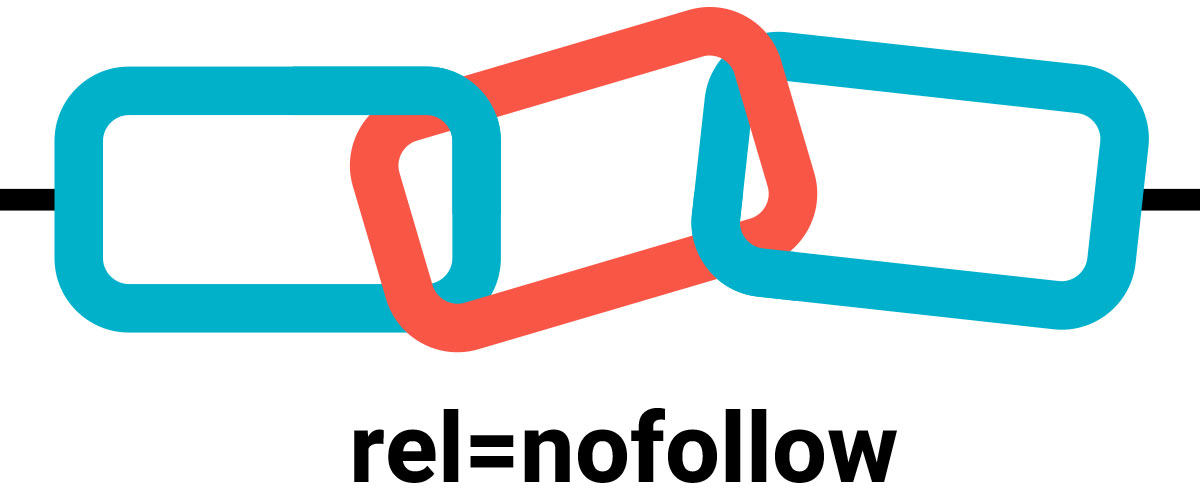
When we think about links, a no-follow link instructs search engines not to transfer ranking value or ‘link juice’ to the target page. In 2005, Google introduced this feature as a response to combating link spam, particularly in blog comments.

From a technical standpoint, a no-follow link is identified by the rel=”nofollow” attribute in the HTML markup. For example:

<a href=”https://example.com” rel=”nofollow”>Example</a>

To a user, the link looks and behaves like any other link—they can click on it and navigate to the target page. 

To search engines, however, it acts as a special indicator that states, “I am linking to this page, but I neither endorse it nor wish to pass any ranking credit to it.”

This feature, of course, doesn’t imply that no-follow links do not have a purpose. Like any other links, no-follow links continue to drive referral traffic and enhance brand visibility while also improving your backlink profile. 

As the two types of links function differently, we are going to analyze the no-follow links in comparison to the follow (dofollow) links.  

Key Differences Between DoFollow and Nofollow Links In SEO

linking-in-seo

Photo Source: SEOptimer

We begin by looking at these three key differences that set these two links apart:

Impact on SEO (Link Equity)  

This factor is, by far, the most critical difference.  

Follow (DoFollow) Links: Unlike others, these generate SEO value (commonly referred to as link juice) for other websites. 

If an influential site links to your blog with a follow link, it acts as an “endorsement” in the eyes of the search engines. This process is particularly good for your ranking.  

For example, imagine Forbes linking to your small business with a follow link. Google promotes your visibility by considering the link as “Forbes trusts this site.”

Nofollow Links: These links do not pass on link equity and therefore do not have any direct impact on your search ranking. 

However, Google has changed its perspective over the years, and the “nofollow” tag is no longer a strict instruction but a “hint” to be considered. 

Therefore, nofollow links may have some indirect benefits for search engine optimization, especially if they originate from authoritative websites.

Example: A nofollow link from Wikipedia may not pass SEO juice, but it can still generate enormous referral traffic and, in a way, signal relevance to the search engines. 

If you want to improve search rankings, you need follow links. However, nofollow links should not be ignored—they contribute to authority-building, traffic-driving, and enhancing a website’s backlink profile.

link-chain

Photo Source: LinkedIn

Use Cases: When to Use Each Type

Both follow and nofollow links are necessary. The issue is not about selecting one, but about knowing when to apply each.

When to Use a Nofollow Link

Nofollow links are suitable for use when there is no intention to pass SEO credit to another page. Some examples include:

  • Sponsored Content: Google requires that all paid advertisements or sponsored content include the rel=”sponsored” or nofollow attribute. These tags serve as a barrier to advertising firms buying rank through ads. 
  • Blogs, Forum Postings, and Other UGC (User-Generated Content) Submissions: Blog comments, forum posts, and other forms of user-generated content generally acquire nofollow tags automatically to combat spam. 
  • Low-Quality Sites: Use no-follow links to cite websites that you do not trust, thereby avoiding any association between your site and the low-quality site. 
  • Irrelevant or Duplicate Pages: Do you have off-topic or duplicate content to link to? If so, using nofollow makes it safer. 

Example: Imagine you have a fashion blog, and someone comments with a link to their unrelated cryptocurrency site. Since you make it no-follow, you do not automatically award them any SEO credit. 

When to Use a Follow Link

Follow links serve as a go-ahead signal—they are to be used when authority needs to be passed. Some of the common use cases include:

  • Internal Links: Using follow links to link your pages to one another not only allows easier crawling of your site by search engines but also helps distribute ranking power. 
  • Credible External Sources: Linking to and citing well-known sites (government sites, research papers, or reputable blogs) improves your own site’s trustworthiness.

Example: If you’re writing a healthcare blog and link to a CDC study, the follow link indicates that you are referencing a reliable source.  

Protect your site’s SEO reputation with nofollow links. With follow links, you can share trust and authority.  

Appearance: How They Look in HTML  

To a regular user, follow and nofollow links look exactly the same, or at least identical. The reason is that they are both clickable, blue texts. The difference is in the HTML.  

Example of a Follow Link:  

<a href=”https://example.com”>Example</a>

Example of a Nofollow Link:  

<a href=”https://example.com” rel=”nofollow”>Example</a>

This tiny addition to the code changes how search engines see the link.

How to Identify Follow and Nofollow Links  

follow-and-nofollow-links

Photo Source: Reliablesoft

How do you easily determine if a link is a dofollow or nofollow? Here are a few techniques to make sure:

Inspect with Developer Tools:

  • Right-click on a webpage and select Inspect.
  • Look at the link’s HTML. If you see rel=”nofollow”, it’s a nofollow. If not, it’s a follow link by default.

Check Page Source:

  • Press Ctrl + U (Windows) or Command + Option + U (Mac).
  • Search for the link in the code and check if “nofollow” is present.

Browser Extensions:

  • Tools like NoFollow Simple (Chrome) or SEO Minion highlight follow vs nofollow links on all pages..

SEO Tools:

  • Tools like Ahrefs, SEMrush, and Moz show detailed backlink reports, including whether links are follow or nofollow.

Regularly check your backlink profile to confirm that your site has a healthy mix of both link types.

The Importance of Follow and Nofollow Links  

seo-linking

Photo Source: SEO Siren

Some people assume that nofollow links are “worthless” because they don’t pass link juice. That’s not true.  

Here’s the distinction: 

  • Visit & Exposure: A nofollow link on a popular page (think Reddit or Wikipedia) can generate a surge of visitors.  
  • Authentic Link Profile: To Google, a well-balanced backlink profile consists of a blend of follow and nofollow links. Having all follow links can raise a red flag.  
  • Brand Awareness: Although nofollow links may not transfer authority, they still effectively showcase your brand to the target audience.  

Think of follow links as your SEO currency, and nofollow links as your brand visibility and equilibrium—both matter.  

Final Thoughts   

linking-hands-together

Photo Source: Andrius Budrikas on Unsplash

In SEO, links labeled ‘follow’ and ‘nofollow’ might have a well-defined but minor difference. A simple tag in HTML is all it takes to differentiate, but the two have widely different impacts.  

In SEO, follow links pass value and help you rank higher than your competitors; therefore, link-building campaigns should be focused on acquiring such links.  

While nofollow links do not pass any link juice, they still offer brand visibility, traffic, and balance to your backlink profile.

Savvy SEOs understand the importance of both types of SEO links and the nuances in their application. Use follow links to improve your search engine positions and use nofollow links to maintain compliance, prevent search engine penalties, and access new markets. 

FAQs on Follow and Nofollow Links

Do nofollow links have a negative impact on SEO? 

NO.
Nofollow links do not harm SEO. They do not contribute to link juice, but they are crucial for maintaining a credible link profile, especially for large enterprises. 

Does Google crawl nofollow links? 

Yes, Google can crawl nofollow links; however, the search engine may decide not to pass link authority to them.

What is the SEO difference between dofollow and nofollow links?

Follow links pass on SEO value (ranking power), but nofollow links do not.

What is the difference between a nofollow link and a nofollow meta tag? 

A nofollow link is applied for a single link, a nofollow meta tag instructs search engines to ignore all outbound links on the webpage.

Want to get the most out of your website’s links? DM us on Instagram — we’ll help you grow your link profile the right way.

READ MORE: INTERNAL LINKING FOR SEO – 9 BEST PRACTICES AND TIPS – SARMLife 

how-to-create-content-buckets-that-converts-SARMLife

HOW TO CREATE CONTENT BUCKETS THAT CONVERT FOR BLOGS [2025]

Have you ever felt overwhelmed by the constant need to create content? If yes, you’re not alone. This is a common challenge, and in the rush to keep the consistent flow, many bloggers jump from one random idea to another without a clear plan.

The major problem is a lack of direction, which makes it harder to build authority, attract the right audience, and improve SEO rankings. This is where creating content buckets comes in.

Creating content buckets provides a structured approach to content creation. They help you organize your blog, making it easier to plan, create, and maintain a steady flow of valuable posts that align with your niche and audience needs.

This post will examine how to create content buckets, how they work, and why they’re essential for a solid blogging strategy.

RELATED BLOG POSTS

What Are Content Buckets?

Content buckets are subcategories or themes within a content pillar. They help you break down broad topics into more specific blog post ideas. 

Content Buckets vs. Content Pillars

Content pillars are a concept from the hub-and-spoke model. They are core themes or overarching topics on which a brand wants to focus its content and communicate with its audience. Think of them as a broad category of specific and specialized topics your blog consistently focuses on.

Content pillars serve as the foundation or building blocks of a content strategy, ensuring the creation of relevant, valuable, and consistent content that resonates with the audience.  

For example, if your blog is about digital marketing, your content pillars (categories) might be:

  • SEO
  • Social media marketing
  • Content marketing

Each pillar represents a significant aspect of your blog’s niche.

With content buckets, developing new ideas and organizing content into more specific angles is easy. This allows for covering various topics while staying within a structured framework.

Under the SEO pillar, your content buckets (subcategories) might include:

  • Keyword research
  • On-Page SEO
  • Technical SEO
  • Link building
abstract-networking-concept-still-life-composition

Photo by Freepik on Freepik

Importance of Content Buckets for Your Blog

Here are some major reasons why you should learn how to create content buckets for your content:

Content ideation

One of the biggest struggles for beginners in blogging is creating content that resonates with their audience. Visibility in blogging isn’t just about writing; it’s about consistently creating high-quality, high-value content. However, you can’t achieve this without proper content ideation.

This stage might seem easy, but your content will automatically suffer if your ideas are weak. Poor content ideas lead to poor engagement, poor SEO performance, and a struggling blog.

With content buckets, brainstorming becomes easier, and content creation becomes less time-consuming. You’ll always have a structured list of core topics and subtopics to write about, ensuring your content stays focused, consistent, and aligned with your marketing goals and audience’s needs.

Improves content organization

Learning and implementing how to create content buckets ensure your blog follows a structured and organized approach instead of randomly selecting ideas. Without this structure, your blog can feel scattered, making it hard for your audience to navigate or understand what your brand is truly about.

Content pillars also act as a blueprint, preventing inconsistency and topic overload. This helps you avoid publishing unrelated or disconnected blog posts.

Boosts SEO strategy

Content buckets play a significant role in SEO, impacting how search engines like Google view and categorize your content. Search engines prioritize structured content because it’s easier to crawl, index, and understand.

By organizing your blog subtopics under well-defined buckets, you position your content for higher visibility. This improves your search rankings, attracts organic traffic, strengthens your online presence, and, over time, increases conversions.

Search engines also reward websites with in-depth, well-researched, and interconnected content. Structuring your blog around supporting subtopics makes your content more authoritative, increasing its chances of ranking higher.

white-scrabble-tiles-on-a-black-surface-with-the-word-seo

Photo by FreeBoilerGrants on Pexels

Improves audience engagement

When visitors land on your blog and find multiple pieces of well-structured content covering the topic they are interested in, they are likelier to stay on your site.

Learning how to create content buckets prevent redundant content, ensuring you’re not creating multiple posts with the same format, angle, or message that could bore your readers. Instead, they help you diversify your content while keeping it interconnected, encouraging visitors to explore more of your blog.

By mapping out content buckets strategically, you can create a content journey that keeps your audience engaged and encourages repeat visits (a critical factor for building a loyal audience).

How to Create Content Buckets for Your Blog

1. Define the blog’s niche.

Before anything else, you need to establish your blog’s niche. This gives you a clear direction and prevents you from writing about unrelated topics. It also provides a starting point for generating content pillars that align with marketing goals, positions your blog as an authority in your space, and makes it easier to attract the right audience.

To do this effectively, ask the following questions:

  • What is the purpose of my blog?
  • What does my blog stand for?
  • What differentiates my blog from competitors?
  • How do I want my audience to perceive my content?
  • What problems does my blog solve?

For instance, let’s say you’re starting a personal finance blog. Instead of covering every financial topic, you might choose a niche like “budgeting and saving for young professionals.”

This ensures your content remains consistent and attracts young people looking for specific financial advice tailored to their lifestyle.

2. Conduct audience research.

You are not writing for yourself; your audience is the main focus. Without knowing who your audience is, you might create content that doesn’t resonate or post on platforms where your audience isn’t even present.

Audience research helps you identify:

  • Who they are: their demographics, interests, and pain points.
  • Where they are: the platforms they engage with most (e.g., Instagram, LinkedIn, or YouTube).
  • The content they prefer: long blog posts, step-by-step tutorials, infographics, or short blog posts.

Use tools like AnswerThePublic to analyze competitors’ strategies and identify content gaps. This will help you tailor your content and fill content gaps accordingly.

how-to-create-content-buckets

Photo by Tima Miroshnichenko on Pexels

3. Perform keyword research.

Once you’ve identified your niche and audience, keyword research is next. This ensures your blog posts align with what people are searching for, helping you rank higher on search engines.

Use tools like Ubersuggest, Semrush, or Google Keyword Planner to analyze:

  • high-volume search terms related to your niche
  • low-competition keywords you can easily rank for
  • long-tail keywords that target more specific queries

For a personal finance blog, instead of targeting the broad keyword “budgeting,” a keyword research tool may recommend more focused queries such as “how to budget on a low income” or “50/30/20 budget rule for beginners.”

4. Choose three to five core content pillars.

Based on your keyword research, you should already have a sense of the pillar themes that can serve as the basis for your blog. It is crucial to keep these pillars to three to five main themes

For a personal finance blog, your content pillars might be:

  • Budgeting and saving
  • Investing for beginners
  • Debt management
  • Side hustles and passive income

5. Break each pillar into content buckets.

The next stage is to divide your arching themes into content buckets, which are your subcategories that enable you to delve further into each subject.

Example (for the “Budgeting & Saving” pillar):

  • Budgeting Methods: 50/30/20 rule
  • Savings Challenges: No-spend months, 52-week savings challenge
  • Expense Tracking: Best apps for tracking spending

6. Map out blog topics for each bucket.

Now that you have your content buckets, it’s time to generate blog topics under each bucket. You’re no longer stuck thinking about what to write at this stage. You already have a blueprint of content ideas.

Example (for the “side hustles & passive income” pillar):

  • Best side hustles for college students
  • How to make passive income with digital products

7. Create high-quality content.

After carefully outlining content pillars and buckets, you must ensure that each blog post contains well-researched, valuable, engaging, easy-to-read content optimized for SEO and, most importantly, actionable.

Avoid writing weak content.

8. Repurpose content.

This is key to getting the maximum value from your blog post. Your blog post must not be sitting in the corner of the archives, collecting dust. Repurposing content allows you to reach a wider audience across different platforms.

9. Optimize for internal linking.

Internal linking is often overlooked in blogging, yet it’s a powerful SEO strategy that encourages visitors to stay on your site longer.

Every new blog post should include at least two or three links to relevant posts on your website. This helps to:

  • improve site structure and make it easier for Google to index your content
  • keep readers engaged, which reduces bounce rates
  • drive more traffic to older blog posts, ensuring they remain valuable over time
person-writing-on-a-notebook-beside-macbook

Photo by Judit Peter on Pexels

Final Thoughts

Building a successful blog goes beyond writing random posts. It requires a clear and structured strategy, and this is where learning how to create content buckets comes in. 

This concept helps you stay organized, consistently create high-quality content, and improve your blog’s SEO and audience engagement.

Apply this concept today, and watch your blog become a valuable resource for your readers!

Are you having trouble creating your content bucket? Send us a DM on Instagram.

READ MORE: 5 Importance of Blog Marketing for Business Growth – SARMLife