CRAWLABILITY OF A WEBSITE

CRAWLABILITY OF A WEBSITE: 7 CRITICAL ISSUES THAT BLOCK BOTS

A few weeks ago, I published an optimized blog post that I was confident would perform well in search results. The content was solid, the on-page SEO was properly structured, and everything looked ready to rank. But after a few days, I searched for the post and realized something was wrong. I couldn’t find the page anywhere on the SERPs.

When I checked the indexing report in Google Search Console, I discovered that the URL was not on Google, which meant the page had not been crawled or indexed yet.

I submitted the URL manually for crawling and indexing, and within five days, the page started gaining visibility. It appeared on page one, was cited in AI Overviews, and even showed up in Google Images.
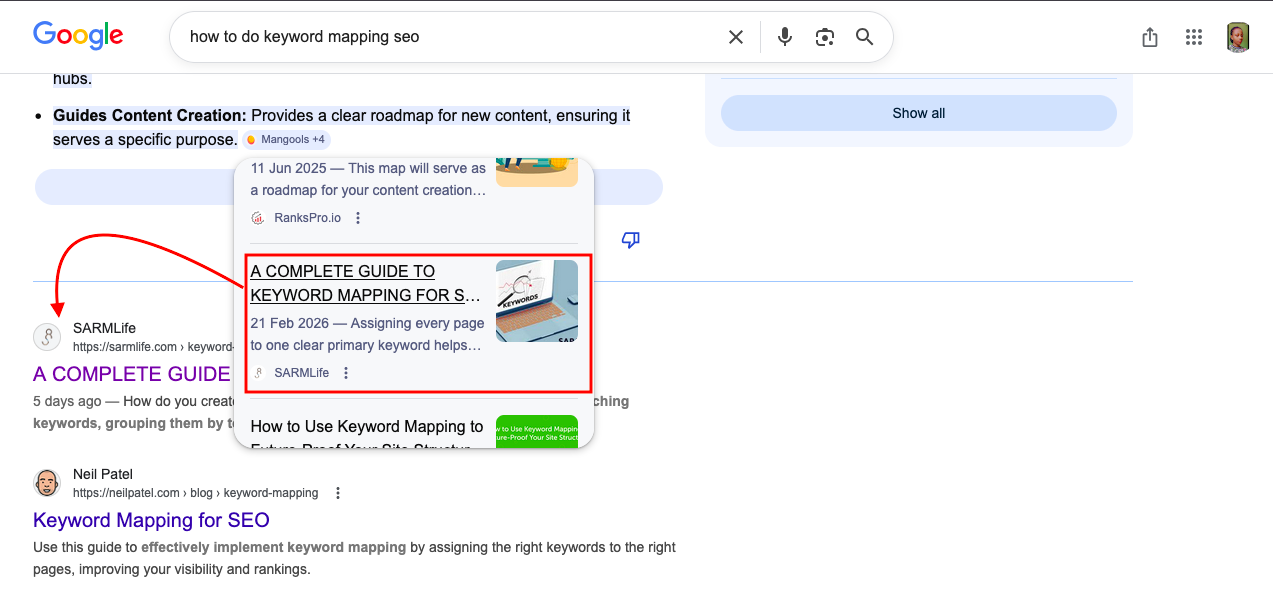
SARMLife-Keyword-Mapping-post-in-AI-Overview-after-5-days

That experience reinforced something many website owners overlook. No matter how well a page is optimized, it cannot rank if search engines cannot properly access it. This is where the crawlability of a website becomes critical.

The crawlability of a website determines how easily search engines can discover, access, and understand the pages on your site.

Search engines like Google rely on automated bots called crawlers to scan websites and index their content. If those crawlers struggle to navigate your pages, important content may never appear in search results.

When technical issues block crawlers or make navigation difficult, search engines may miss valuable pages. This can limit your visibility even if your content is high quality.

Improving the crawlability of a website ensures that search engines can properly explore your content, understand your site structure, and include your pages in relevant search results.

At SARMLife, improving crawlability is often one of the first steps in our technical SEO audits because even the best content strategies struggle to perform.

What Is the Crawlability of a Website?

The crawlability of a website refers to how easily search engine crawlers can discover and access the pages on a site.

Search engines like Google use automated bots to scan websites and follow links between pages. If those crawlers encounter blocked pages, broken links, slow loading speeds, or confusing site structures, they may struggle to explore the site properly.

When crawlability is strong, search engines can efficiently navigate the website, understand its content, and index important pages.

When crawlability is weak, some pages may never appear in search results even if the content is valuable.

RELATED BLOG POSTS

Why Crawlability Matters for SEO

The crawlability of a website directly affects how well search engines can index and rank your pages.

If crawlers cannot access important content, that content cannot appear in search results.

Good crawlability helps search engines:

  • Discover new pages faster
  • Understand website structure
  • Update search indexes efficiently
  • Allocate crawl budget effectively

For this reason, improving crawlability is a core part of technical SEO optimization.
crawlability of a website

Photo by Growtika on Unsplash

How the Crawlability of a Website Works

Before a page appears in search results, it usually goes through three key stages: crawling, indexing, and ranking.

The process begins when a search engine crawler discovers a page. This discovery often happens through:

  • Internal links
  • Backlinks from other websites
  • Submitted XML sitemaps

Once a crawler lands on a page, it scans the content and follows the links it finds. In doing so, it gradually builds a map of your website’s structure.

However, crawlers also follow specific instructions provided by the website. Files like robots.txt, meta directives, and canonical tags help search engines understand which pages they should crawl and which ones they should ignore.

If the crawlability of a website is strong, search engines can easily navigate through the entire site and index important pages. But when technical barriers exist, crawlers may stop exploring early or fail to reach deeper pages.

This is why improving crawlability is a critical part of technical SEO services and website optimization strategies.

7 Factors That Can Affect the Crawlability of a Website

Several technical and structural issues can interfere with how search engines crawl your site. 

Understanding these factors helps you identify and fix problems before they affect your search visibility.

Here are some common factors that can affect the crawlability of your website:

1. Broken Links (404 Errors)

Broken links act like dead ends for search engine crawlers.

When a crawler follows a link that leads to a 404 error page, the exploration path stops there. If many broken links exist across a website, crawlers may struggle to discover deeper pages.

Broken links are often caused by:

  • deleted pages
  • incorrect URL formatting
  • outdated content
  • website migrations
  • typing errors in internal links

Over time, a large number of broken links can weaken the crawlability of a website and reduce overall SEO performance.

Regular site audits help identify and fix these errors before they accumulate.
404-error-code

Photo by visuals on Unsplash

2. Incorrect Robots.txt Rules

The robots.txt file acts as a guide for search engine crawlers. It tells them which sections of a website they are allowed to access and which ones they should avoid.

When configured properly, robots.txt helps search engines focus on important content. However, incorrect settings can accidentally block valuable pages from being crawled.

For example, a misconfigured rule could prevent search engines from accessing:

  • blog posts
  • product pages
  • category pages
  • service pages

When this happens, the crawlability of a website suffers because search engines cannot properly explore the site.

3. Poor Site Structure

Poor website structure can affect how easily crawlers navigate your pages.

If your website has too many layers or confusing navigation paths, crawlers may struggle to find important content.

Ideally, pages should be organized within a clear hierarchical structure, allowing both users and search engines to move logically from one section to another.

A well-structured website usually includes:

  • logical navigation menus
  • organized categories
  • strong internal linking
  • shallow click depth

Improving site architecture not only strengthens the crawlability of a website but also improves user experience and SEO performance.

This is why site structure optimization is a core part of SARMLife’s technical SEO and website design/optimization services.

4. Server Errors

Server errors occur when a website fails to properly respond to a crawler’s request.

These errors usually appear as 5xx status codes, which indicate that something went wrong on the server side.

Common causes include:

  • server overload
  • hosting configuration problems
  • maintenance issues
  • software conflicts

If server errors occur frequently, crawlers may temporarily stop visiting the website. This prevents pages from being crawled or updated in search indexes.

Stable hosting infrastructure and regular monitoring are essential for maintaining the crawlability of a website.

5. Redirect Chains and Redirect Loops

Redirects are useful when moving or updating pages, but they can cause problems when overused.

A redirect chain occurs when a URL redirects to another URL, which then redirects again to another page.

A redirect loop happens when pages redirect endlessly between each other.

Both issues confuse crawlers and waste crawl resources. Instead of reaching the final page quickly, crawlers must follow multiple steps, which reduces efficiency.

To protect the crawlability of a website, redirects should be minimized and always point directly to the final destination.

6. Slow Page Load Speed

Page speed is important not only for users but also for search engines.

Search engine crawlers have a limited amount of time and resources when scanning websites. This is often referred to as the crawl budget.

When pages load slowly, crawlers spend more time processing each page. As a result, fewer pages are crawled during each visit.

Improving site speed helps search engines crawl more content and improves the crawlability of a website overall.

Performance improvements may include:

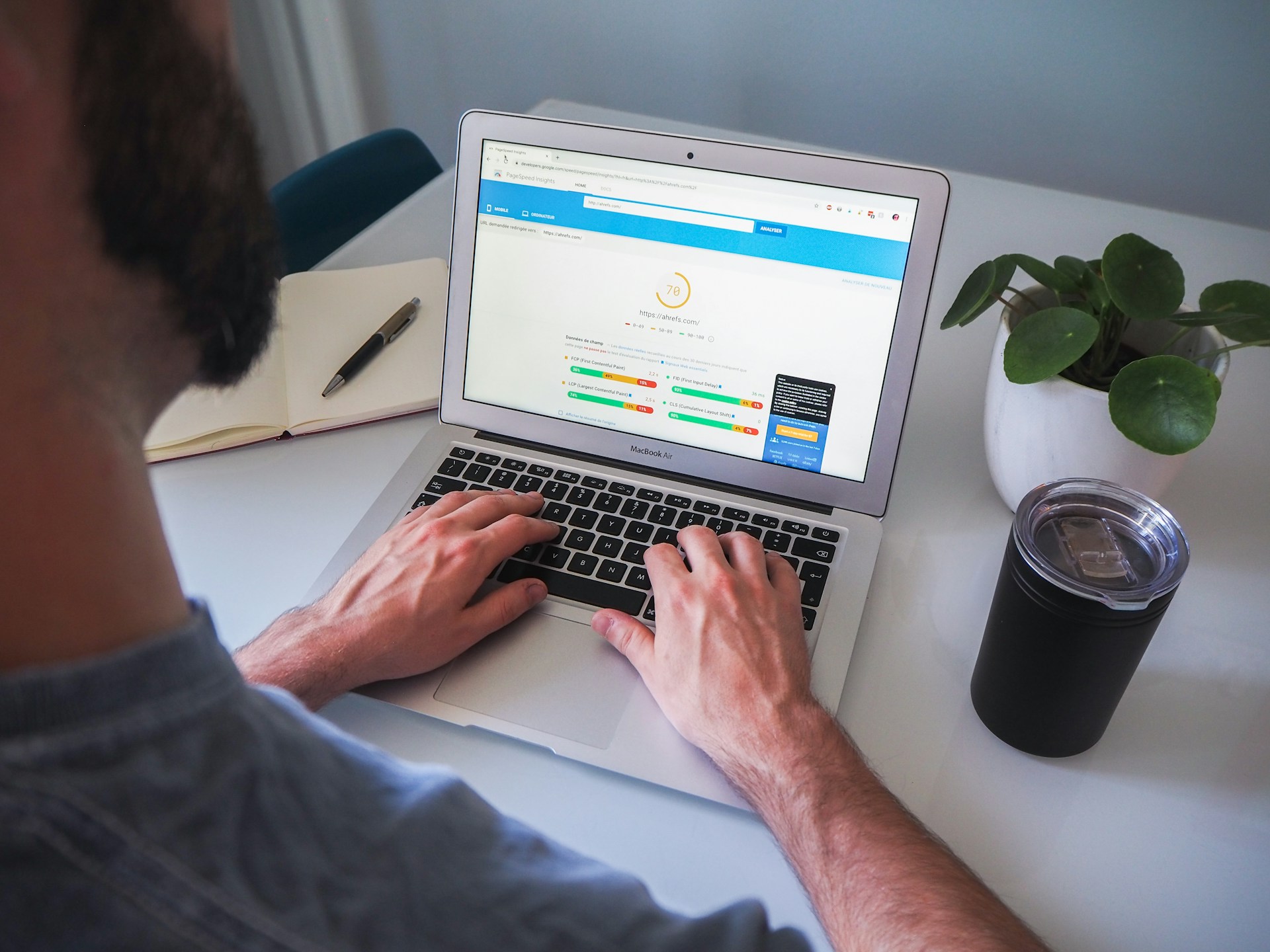
slow-page-load-speed

Photo by Myriam Jessier on Unsplash

7. Duplicate and Thin Content

Duplicate content occurs when the same or very similar information appears on multiple pages.

When this happens, search engines struggle to determine which version of the page should be indexed and ranked. This confusion can weaken link equity and reduce crawl efficiency.

Thin content presents a different challenge. Pages with very little useful information provide limited value, so search engines may crawl them less frequently.

Maintaining high-quality, unique content across your website improves both search visibility and the crawlability of a website.

How to Improve the Crawlability of a Website

Improving the crawlability of a website usually involves a combination of technical optimization and structural improvements.

Some effective strategies include:

  • Submitting an optimized XML sitemap
  • Strengthening internal linking
  • Fixing broken links and redirect chains
  • Improving site speed and performance
  • Configuring robots.txt correctly
  • Optimizing for mobile-first indexing
  • Implementing structured data
  • Performing regular technical SEO audits

Many of these improvements are typically handled during a technical SEO audit, which evaluates how search engines interact with your website.

Final Thoughts

The crawlability of a website plays a foundational role in SEO because search engines cannot rank pages they cannot properly access.

Issues like broken links, server errors, redirect loops, poor site structure, and slow page speed can all prevent crawlers from discovering important content.

By fixing technical errors, improving site architecture, and monitoring crawl performance regularly, you make it easier for search engines to explore your website and index the pages that matter most.

Over time, strengthening the crawlability of a website leads to better visibility, faster indexing, and stronger overall search performance.

If you want to identify crawlability issues on your site, the team at SARMLife can perform a technical SEO audit to uncover hidden problems and help ensure search engines can fully access and understand your website.

Frequently Asked Questions

  1. What is the difference between crawlability and indexability?

    The crawlability of a website refers to how easily search engines can access and explore its pages. Indexability refers to whether those pages are allowed to be stored in a search engine’s index.
    A page must first be crawled before it can be indexed.

  2. How do I check the crawlability of a website?

    You can evaluate the crawlability of a website using tools such as:
    Google Search Console
    Screaming Frog SEO Spider
    Ahrefs Site Audit
    Semrush Site Audit
    These tools identify crawl errors, broken links, blocked pages, and technical issues that may prevent search engines from accessing your content.

  3. What blocks search engine crawlers from accessing a website?

    Several technical issues can prevent crawlers from accessing pages, including:
    – Incorrect robots.txt rules
    – Broken internal links
    – Redirect loops
    – Server errors
    – Slow page loading speed
    – Poorly structured navigation
    Fixing these issues helps improve the crawlability of a website and increases the likelihood of pages being indexed.

  4. Does page speed affect crawlability?

    Yes. Slow pages can reduce the crawl budget search engines allocate to your website.
    If pages take too long to load, crawlers may scan fewer pages during each visit, which can delay indexing.

READ MORE: INTERNAL LINKING FOR SEO – 9 BEST PRACTICES AND TIPS – SARMLife 
HOW-TO-REDUCE-YOUR-BOUNCE-RATE

HOW TO REDUCE YOUR BOUNCE RATE: 9 PROVEN FIXES IN 2026 

Understanding how to reduce your bounce rate has become one of the most important skills for website owners and marketers today.

Bounce rate is no longer just a metric sitting inside an analytics dashboard. It reflects something much deeper. It shows whether your website loads quickly, communicates value clearly, satisfies the visitor’s intent, and encourages them to continue exploring your content.

When bounce rate decreases, engagement improves. Visitors stay longer, interact with more pages, and are far more likely to convert into leads or customers.

Search engines are also paying closer attention to user behavior. Platforms like Google increasingly evaluate how people interact with pages after clicking a result. If users leave immediately, it can signal that the page did not meet their expectations.

That is why learning how to reduce your bounce rate is closely connected to improving search visibility, increasing conversions, and building a website that truly serves your audience.

RELATED POSTS

What is Bounce Rate?

Bounce rate refers to the percentage of visitors who land on a page and leave without taking another action.

This means they do not:

  • Click to another page
  • Scroll deeply
  • Fill out a form
  • Watch a video
  • Interact with any element on the page

Essentially, they arrive and then exit.

For example, if 100 visitors land on a page and 60 leave without interacting further, the bounce rate would be 60%.

In modern analytics tools like Google Analytics 4, bounce rate is closely tied to engagement rate, which measures whether a session lasts longer than 10 seconds, includes multiple page views, or triggers a meaningful interaction.

Because of this shift, understanding how to reduce your bounce rate is no longer about forcing users to click randomly. It is about creating content and experiences that naturally keep them engaged.

What is a Good Bounce rate?

Bounce rate varies depending on the type of website, industry, and user intent.

For example, a blog post answering a quick question may naturally have a higher bounce rate because the visitor finds the answer and leaves.

However, transactional pages or service pages usually aim for deeper engagement.

Bounce RateInterpretation
25–40%Excellent engagement
40–55%Average for many websites
55–70%Needs improvement
70%+Potential usability or content issues

Instead of focusing on the number alone, it is more useful to analyze why visitors leave.

Once you understand the reasons, you can apply targeted strategies on how to reduce your bounce rate and keep visitors exploring your site longer.

How is your bounce rate measured in 2026?

Google Analytics (GA4) completely redefined bounce rate. Instead of counting a “bounce” simply as a single-page visit, GA4 calculates bounce rate as the inverse of Engagement Rate.

This means a session is considered engaged if it lasts longer than 10 seconds, includes a conversion event, or records at least two page views.

As a result, understanding how to reduce your bounce rate now focuses more on improving user engagement rather than just forcing additional page clicks.

Why do visitors bounce your website?

Before discussing how to reduce your bounce rate, it is important to understand the common reasons users leave quickly.

Some of the most common causes include:

Slow Page Load Speed 

In 2026, 53% of mobile users abandon a website if it takes longer than three seconds to load. Even a one-second delay can reduce customer satisfaction and trigger instant distrust and frustration.

Increasing the page speed of your website can directly impact the bounce rate significantly.

SARMLife - Best SEO Company | Jacksonville, Florida

Photo by Mike van den Bos on Unsplash

Poor Mobile Experience

About 60% of all web searches now happen on phones. Sites that have tiny buttons which are hard to tap or text that forces horizontal scrolling are not optimized for mobile devices.

This will put users off, and no matter how valuable your website/content is, they will likely not stay and move on to other websites.

Irrelevant or Misleading Content 

If someone searches for “best local bakery” and lands on a page selling wholesale flour, they leave instantly. This is a search intent mismatch.

When creating content for your pages, it is important for you to do an intent research to help you understand the primary and secondary intent of the keyword, and optimize based on it.

When the intent is satisfied, engagement increases but if not, bounce rates spike and visibility falls.

Confusing Navigation / Poor UX Design 

About 61% of users abandon websites with confusing navigation. If completing a task requires too many steps, 67% of users leave.

People don’t want to think about where to go, they want the site to guide them.

Messy menus, hidden links, or unclear paths are going to keep people away from your website.

Intrusive Pop-Ups / Ads 

Here is the truth: if your Ads or pop-ups are going to affect a user’s interaction with your content, take them off!

Aggressive monetization destroys the reading flow.

Users don’t separate ‘content’ from ‘ads’, they judge the experience as one thing. If that experience feels hostile, they will close the tab.

pop-up-ads

Photo by Julian Hochgesang on Unsplash

Low-Quality or Unengaging Content

Readability is the foundation of trust. Thin copy, generic stock text, or dull visuals signal low value, and visitors won’t stay to read.

Technical Errors (404s, broken links, etc.)

We’ve all experienced it; you try to tap a button, then an ad loads, the page jumps, it led you to a different page, and you end up leaving the site. 

Broken pages, missing images, and server errors instantly destroy trust and drive people away from your site.

If your website has any of these issues, get it fixed as soon as possible. Remember, a single broken page can undo months of optimization.

9 Proven Ways to Reduce your Bounce Rate

Now, let’s explore the strategies that consistently help websites improve engagement and reduce bounce.

1. Improve Page Load Speed

One of the fastest ways to increase bounce rate is to increase page loading speed.

Research shows that users expect websites to load within a few seconds. When pages take too long, many visitors leave before the content even appears.

Improving speed is therefore one of the most effective ways to reduce your bounce rate.

Some simple improvements include:

  • Compressing large images
  • Using quality image formats ike AVIF
  • Enabling browser caching
  • Reducing unnecessary CSS and JavaScript
  • Using a reliable hosting provider
  • Activating lazy loading for lower pages
  • Implementing a content delivery network (CDN)

Faster pages reduce frustration and allow visitors to immediately engage with your content.

user-generated-content

Photo by Walls.io on Unsplash

2. Match Your Content with Search Intent

Many websites experience high bounce rates because the content does not match what users expected when they clicked the search result.

For example, if a user searches for “how to reduce your bounce rate” but lands on a page that only explains what bounce rate is, they may leave quickly.

To reduce bounce rate, your content must clearly satisfy the intent behind the search query.

This means:

  • Answering the main question early
  • Structuring content logically
  • Delivering the value promised in the headline

When visitors feel that the page immediately solves their problem, they are more likely to continue reading and exploring.

3. Improve Readability and Content Structure

Even valuable information can cause visitors to bounce if the page is difficult to read. Large blocks of text create friction and make it harder for users to quickly scan the content.

Improving readability is an important step when learning how to reduce your bounce rate.

Best practices include:

  • Short paragraphs
  • Clear subheadings
  • Bullet points
  • Visual spacing
  • Relevant images or illustrations

These elements make content easier to navigate and encourage visitors to stay longer.

4. Optimize for Mobile Users

Mobile traffic now represents the majority of web visits globally. If a website is difficult to use on smaller screens, visitors often leave within seconds.

Optimizing for mobile is therefore essential when improving bounce rate. Important mobile improvements include:

  • Responsive design
  • Easy-to-tap buttons
  • Readable text sizes
  • Fast mobile loading speeds
  • Minimal intrusive pop-ups

When users can navigate your site comfortably on any device, engagement naturally increases.

5. Improve Site Navigation & Page Structure

Visitors often leave when they feel lost or unsure where to go next. 

A clear page structure helps guide users through your website and encourages them to explore more content. 

When navigation is simple and logical, visitors can easily find related information, which naturally helps reduce your bounce rate and improve engagement.

SARMLife - Best SEO Company | Jacksonville, Florida

Photo by NEW DATA SERVICES on Unsplash

How to Improve your Page Structure and Navigation:

  • Simplify your menus so key pages are easy to find
  • Add breadcrumbs to help users understand where they are on your site
  • Show related content to encourage further reading
  • Group similar articles into topic clusters
  • Ensure important pages are reachable within two clicks

6. Use Clear Calls-to-Action

Another reason why visitors bounce websites is because they are unsure what to do next. Clear calls-to-action (CTAs) guide them toward the next step in their journey.

A strong CTA could invite visitors to:

  • Read another related article
  • Download a resource
  • Contact your team
  • Explore a service page

You can use action-focused wording and micro CTAs. When used correctly, CTAs help reduce bounce rate by turning passive readers into active participants.

They also help reinforce the purpose of your content and move visitors closer to conversion.

7. Reduce Annoying Pop-Ups & Improve Readability

Intrusive pop-ups and cluttered layouts can quickly push visitors away, especially on mobile devices. 

When users land on a page and immediately face interruptions, they are more likely to leave instead of engaging with the content.

If you are looking for how to reduce your bounce rate, creating a smooth reading experience is essential. 

Pages should load cleanly, remain visually stable, and allow visitors to focus on the content without distractions. 

How to Improve Readability and Reduce Annoying Pop-Ups

  • Replace aggressive pop-ups with inline calls-to-action
  • Use exit-intent pop-ups sparingly
  • Improve typography, contrast, and spacing for easier reading
  • Minimize layout shifts to keep the page visually stable

8. Improve Visual Engagement

Visual elements help capture attention and break up long sections of text. Pages that rely entirely on text can feel overwhelming and cause users to leave quickly.

Adding visuals such as:

  • Infographics
  • Charts
  • Screenshots
  • Videos
  • Illustrations

can significantly increase engagement.

When visuals support the content rather than distract from it, they make information easier to understand and keep visitors interacting with the page longer.

9. Enhance Internal Linking

Internal linking helps visitors move naturally from one page to the next instead of hitting a dead end. Your internal links guide them towards the next piece of relevant content.

Without them, visitors may finish reading a section and leave simply because they do not know where to go next.

Strategic internal linking helps reduce bounce rate by extending the visitor’s journey.

For example, a blog post about how to reduce your bounce rate could naturally link to related topics such as:

  • Page speed optimization
  • Landing page optimization
  • Content engagement strategies

Each link creates another opportunity for deeper engagement.

How do you Enhance Internal linking and Use Analytics:

how-to-reduce-your-bounce-rate

Photo by ChatGPT

Final Thoughts

Learning how to reduce your bounce rate is not about manipulating analytics metrics. It is about building a website experience that genuinely keeps visitors interested.

When your pages load quickly, answer the right questions, guide visitors through clear navigation, and present information in a readable way, people naturally stay longer.

Reducing bounce rate ultimately comes down to removing friction. The easier it is for visitors to find value, the more likely they are to explore additional pages, interact with your content, and trust your brand.

Over time, these improvements compound. Engagement grows, conversions increase, and your website becomes the kind of resource both users and search engines are more likely to recommend.

Need hands-on help? SARMLife offers personalized packages to take your site from high-bounce to high-engagement.

Check out SARMLife’s services here.

FAQS on how to reduce your bounce rate

Can I reduce bounce rate without a full redesign?

Yes, you can reduce bounce rate without a full redesign. Changes to site speed, content structure, CTAs, and Ads reduce bounce rate significantly without the need to redesign.

Does bounce rate directly affect SEO rankings?

Bounce rates indirectly affect SEO rankings as Search engines use engagement signals and bounce rates as reflectors of user experience which is crucial to rankings.

Which pages need the most attention for bounce rate optimization?

The pages that need the most attention are your high-traffic and conversion pages. For example, your landing pages, blog posts and product pages (for eCommerce websites).

What tool should I use to track bounce and user behavior?

The tools you can use to track bounce rates and user behavior are Google Analytics 4 and complementary tools with heatmap analysis like Hotjar, Microsoft Clarity, etc.

READ MORE: HOW TO QUICKLY IMPROVE PAGE SPEED FOR YOUR WEBSITE