
Your customers are already searching for businesses like yours. The real question is: “are they finding you, or your competitors?”
Learning how to set up a Google business profile successfully is one of the most powerful ways to capture that demand. A well-optimized profile places your business directly in front of high-intent users on Google Search and Maps right at the moment they are ready to take action.
But here’s where most businesses get it wrong:
They treat their profile as a simple listing instead of what it actually is: a local SEO engine built for visibility, trust, and conversions.
With nearly half of all Google searches tied to local intent, your ability to show up in the Local Pack can determine whether your business gets the click, the call, or gets ignored entirely.
RELATED POSTS
- 7 Common Mistakes Small Business Owners Make When Using SEO
- A SIMPLE GUIDE TO LOCAL SEO FOR SMALL BUSINESSES IN 2026
- SARMLife SEO TECHNIQUE TO INCREASE WEBSITE TRAFFIC BY 1447.39% IN 10 DAYS
- 11 Proven SEO Writing Tips for Higher Ranking
What is Google Business Profile (GBP)?
Google Business Profile is a free online tool provided by Google that business owners use to manage their online presence across search.
The tool displays key information about their business, including business hours and available stock to active searchers.
This helps customers find and interact with the business.
Your Google Business Profile listing can be accessed by searchers when:
- Users search for your business on Google
- Users search for queries related to your business on Google
- When customers look on Google Maps
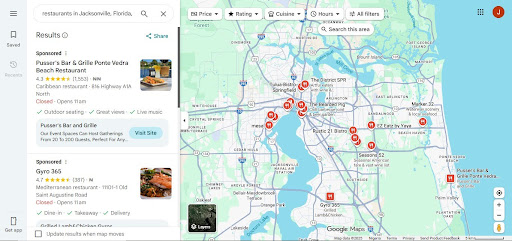
Photo by SARMLife
Why Google Business Profile matters for local search and customers
To set up a Google business profile goes beyond just being an online business card, but it is also a lead generator tool that helps your business increase visibility, trust, and engagement with your customers.
This visibility, trust and engagement can be exchanged for leads and sales.
1. Visibility
Google Search and Maps are the most commonly used tools for local search with more than 50% of consumers searching for information about local businesses.
The problem with this however, is that local search behavior is heavily skewed toward immediacy – searchers are in a state of urgency.
So, when users search for services “near me” or within a specific location, Google prioritizes highly relevant, optimized business profiles in the Local Pack (the top 3 listings shown before organic results) which is the first thing a user would see when searching for a business online.
If you are able to optimize your business and content to show up in this local pack results, this will grant you:
- Prime position on search results pages
- Visibility above traditional website rankings
- Direct exposure on both Google Search and Google Maps
2. Trust
Once users see your business, the next filter is trust, and this is where your profile comes in.
Your Google Business Profile builds credibility through:
- Customer reviews and star ratings (social proof)
- Real photos and videos (visual validation)
- Accurate, consistent business information (reliability signals)
These elements act as micro-conversion triggers that can influence the purchasing decision of the searcher.
Before a user visits your website, they’ve already formed an opinion:
- “This business looks active.”
- “People trust them.”
- “They seem legit.”
Or the opposite:
- “No reviews?”
- “Outdated info?”
- “No real photos?”
At that point, the decision is already made.
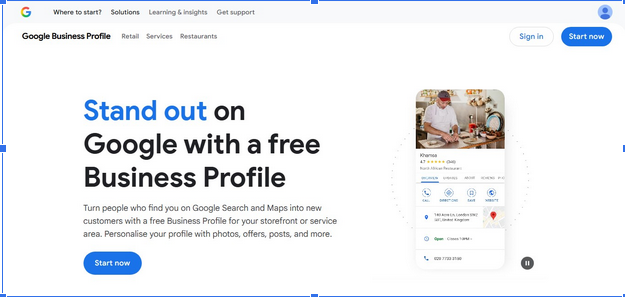
Photo by SARMLife
3. Customer Engagement
Your profile can also increase search engagement with your business because it acts as a mini-website that comes with built-in conversion features, allowing users to:
- Call your business instantly
- Get directions in one tap
- Visit your website
- Book appointments
- Send messages
- Ask and read questions through Q&A
This removes friction from the customer journey.
Instead of:
Search → Click website → Browse → Decide
Users now:
Search → Trust → Action
How to set up a Google Business Profile
Here is a breakdown of the steps to set up a Google business profile successfully:
Step 1 – Find or claim your listing
Checking if a listing already exists before creating a new one is the best way to avoid a “Suspended” or “Duplicate” status from Google.
Here is how you can claim your listing:
- Search Google and Google Maps for your exact business name + city.
- If a profile exists, click “Own this business?” or “Claim this profile” and request ownership
- If you don’t find this you might already be the owner.
- If no profile exists, go to Google Business Profile Manager and create one.
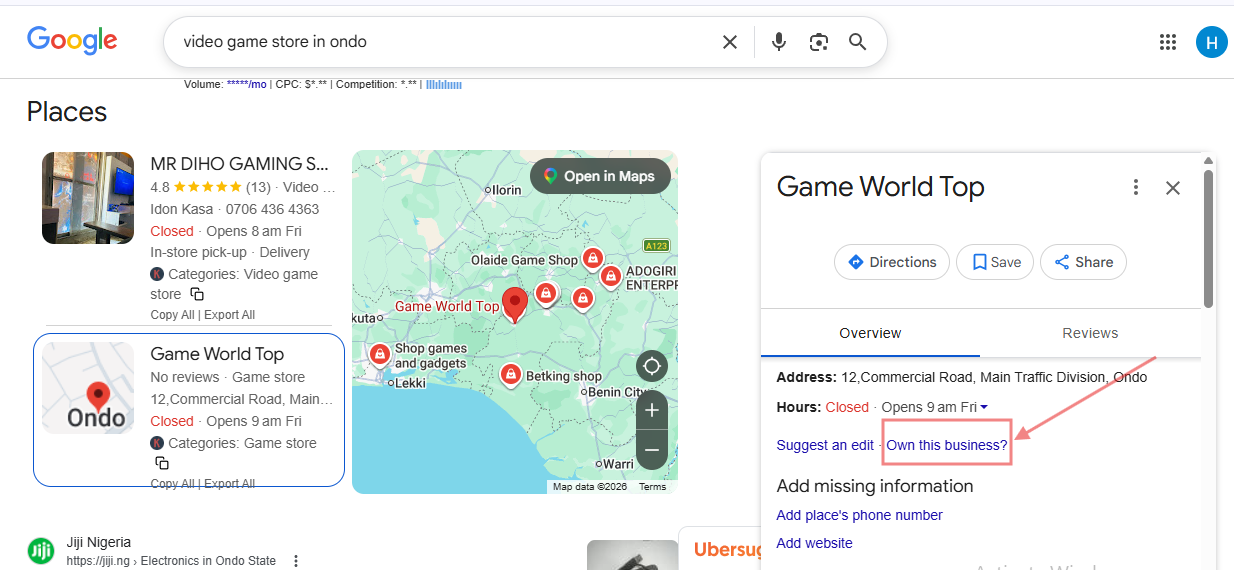
Photo by SARMLife
Duplicates kill your ranking and fragment reviews. Always check and claim first before you create.
Step 2 – Create your profile
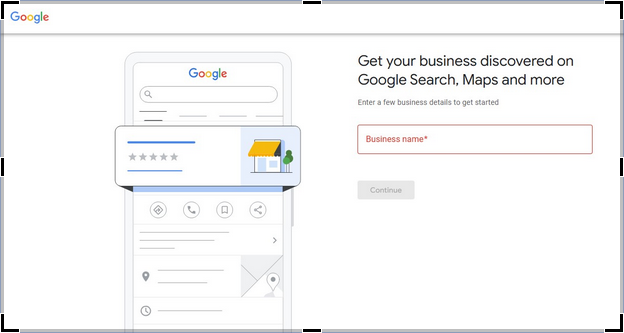
Photo by SARMLife
- Go to business.google.com and sign in with a Google account dedicated to the business. (Don’t use a personal shared account.)
- Enter business name and business type: Your business name should match the exact name you use offline and on your website. This should also match business signage and invoices.
- Ensure consistency
Step 3 – Pick categories carefully
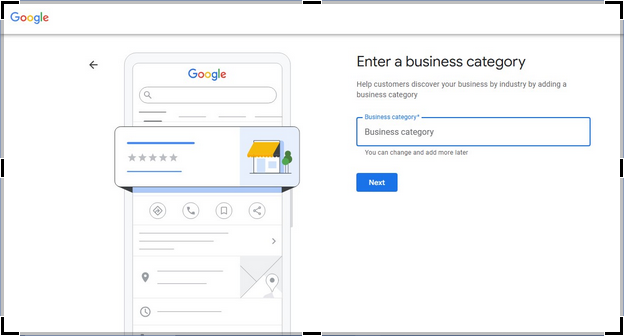
Photo by SARMLife
Choosing the right Google business profile category is one of the most important decisions to make when you want to set up a Google business profile.
Categories are critical for local search ranking because they signal to Google what queries your business should appear for.
Picking the wrong category can prevent you from showing up in the Map Pack or local results, even if your listing is complete.
Types of Categories
- Primary Category
This is the main category that best describes your business and only one primary category is allowed.
Example:
Business: Coffee Shop
Primary Category: “Coffee Shop”
- Secondary Category:
These are optional categories that describe additional services your business provides, but you can only add them if they truly apply.
Example:
Business: Coffee Shop:
Secondary Category: “Bakery” (If you sell baked goods)
Tips for Choosing the Right Category
- Be specific
Always pick the category that most accurately describes your main business activity. Generic or broad categories can hurt ranking
- Use Google’s official category list
Make sure to check Google Business Categories to see what applies to your business
- Limit secondary categories
Only add relevant services to avoid diluting your profile’s relevance.
- Think like a customer
What would they search for? The answer to this should guide your primary category.
Step 4 – Add Business Address
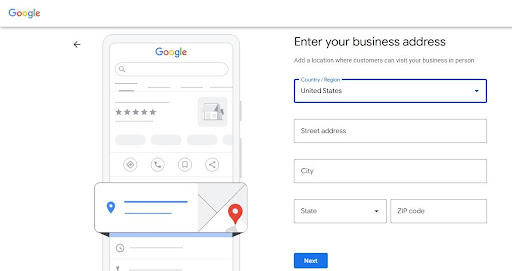
Photo by SARMLife
For local businesses, an address is needed for ranking. Your physical address lets search engines know when to showcase your business to searchers.
Service-based businesses use service area addresses instead of a specific physical location. This service area is an area where they can provide services.
Step 5 – Set Business hours & special hours
When you want to set up a Google business profile, you have to include normal business hours and special hours.
Special hours like appointment-only or seasonal hours provide clarity to searchers and can showcase your business in a positive light.
- Add regular hours and add special/holiday schedule
- If you offer appointment-only hours, add them.
- Don’t wait until the holiday is live.
- You can add phrases like “Closed on Sundays, Appointment-Only Services” to your profile.
Step 6 – Add your Business description
Your business description is an essential part of your profile. It highlights what you do, your target audience, and your unique selling points.
The business description is about 750 characters long, but you want to make sure that the first quarter of the description already summarizes your major strengths.
Step 7 – Upload images & logo
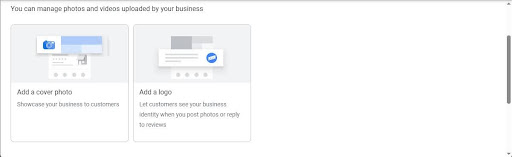
Photo by SARMLife
Visuals not only increase engagement, but also help you gain trust from searchers.
According to Google’s data, businesses with images experience 42% direction requests and 35% more clicks to their websites.
Your logo can help searchers recognize your brand instantly across search and maps; real photos (not stock images) can also significantly increase engagement and conversion.
Short videos can also do wonders in showcasing the atmosphere of your business, helping you connect emotionally to searchers. Showing the behind-the-scenes can also make searchers feel like a part of your business, leading to conversion.
NOTE: All photos should be in PNG or JPG formats while videos should be in MOV or MP4 formats.
Here are some important notes for visual uploads when you want to set up a Google business profile:
- Required: logo (square), cover photo (landscape).
- Recommended: 8–12 photos showing exterior, interior, team, product/service action shots.
- Keep images between 10 KB – 5MB and 720 x 720 pixels.
- Keep videos at around 30 seconds, 75 MB and at 720p minimum resolution.
Step 8 – Verify your profile
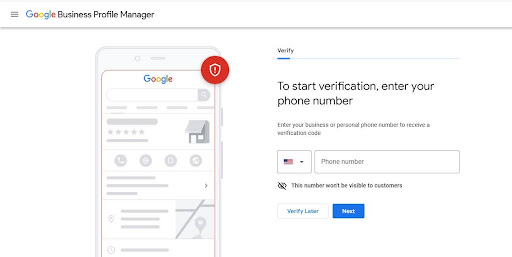
Photo by SARMLife
Google’s verification process is stricter than it used to be, and this is done to prevent spammy profiles.
There are different verification methods, and Google automatically assigns one to you based on the type of services you offer.
However, if you have initially verified your business website through Google Search Console using the same Google account, you may be able to qualify for “instant verification”
NOTE:
- Do not edit your business information while waiting for verification.
- Do not skip verification as unverified profiles have limited features and poor visibility
- Postcards typically arrive in 5–14 business days.
- If the postcard doesn’t arrive after 14 days, request another and double-check the address. If still failing, try to switch to phone/email if offered.
Step 9 – Review everything & publish
- Do a final sweep
- Confirm name, categories, phone, website, hours, photos.
- Screenshot the completed listing as backup.
- Hit Publish.
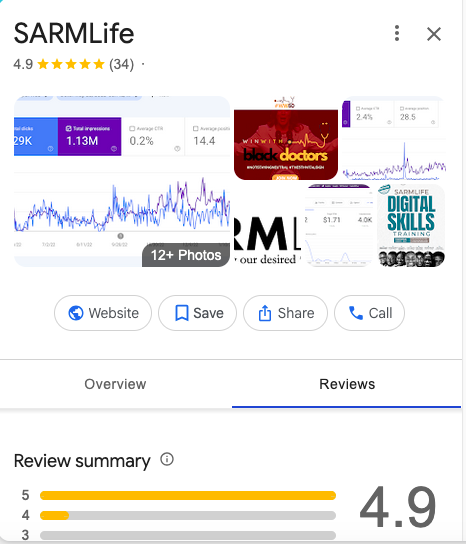
Photo by SARMLife
FAQs On How to Set Up A Google Business Profile
Do I need a physical address to set up a Google business profile?
No, you do not need a physical address to open a Google Business Profile.
However, if you serve customers at a physical location, you need a real, verifiable address.
If you’re a service-based business, you can list a service area instead.
Is Google Business Profile free?
Yes, Google Business Profile is 100% free.
How do I verify my business?
You can Verify your business usually through postcard, phone, video recording, or live video call. However, Google chooses the method, not you.
How long does verification take?
Verification usually takes anywhere from a few minutes to 14 business days depending on the verification method.
Can I manage multiple business locations under one Google account?
Yes, you can manage multiple business locations under one Google account as one dashboard can handle multiple locations.
Can I change my business name or category after setup?
Yes, you can change your business name or category after setup but avoid doing it too often because frequent changes may trigger re-verification or ranking drops.
Final thoughts
When you want to set up a Google Business Profile is not the goal, but building it into a high-performing conversion machine.
When done correctly, your profile becomes more than a listing.
Every detail matters. From your category selection to your images, your description, and your verification process. This information determines whether your business shows up or gets left behind.
Most businesses lose visibility because their foundation is incomplete, inconsistent, or poorly optimized. And without a strong foundation, no amount of marketing can compensate.
This is exactly where SARMLife comes in.
We don’t just help businesses set up a Google business profile, we also build fully optimized local search systems designed to rank, attract, and convert. From profile optimization to content alignment and review management, we focus on what actually drives long-term growth.
If your goal is not just to exist on Google, but to compete and win in local search, then your Google Business Profile needs to be treated like the growth channel it truly is.
Get our Local SEO Service and watch your business get to the top of local listings on traditional and AI-powered search
READ MORE: 23 LOCAL SEO RANKING FACTORS EVERY BUSINESS MUST KNOW (2026) – SARMLife
Add a Comment