
Over 90% of consumers use Google to find local businesses with businesses highlighted in Google’s local 3-pack enjoying a 44% click-through rate
This shows that Google business profile optimization is one of the highest-impact marketing activities any local business can invest in as it’s the main way businesses can get featured on the local map pack.
If your Google business profile optimization is not standard, you are not just missing traffic, but handing customers directly to competitors.
Most business owners claim their Google business profile and then treat it like a “set it and forget it” asset. As if the profile would work on its own without the need for continuous input.
That approach no longer works.
To rank businesses higher, Google now evaluates real-world engagement, activity, freshness, and trust signals to decide which businesses deserve visibility.
This means your profile’s performance is tied directly to how often you update it, how customers interact with it, and how clearly Google understands your relevance and authority in your local market.
RELATED BLOG POSTS
- A SIMPLE LOCAL SEO GUIDE FOR SMALL BUSINESSES (2026) – SARMLife
- 23 LOCAL SEO RANKING FACTORS EVERY BUSINESS MUST KNOW (2026) – SARMLife
- 7 Common Mistakes Small Business Owners Make When Using SEO – SARMLife – Best SEO Company | Jacksonville, Florida
- 5 Importance of Blog Marketing for Business Growth – SARMLife
What is Google Business Profile Optimization?
Google Business Profile optimization is the process of fine-tuning your Google business profile so that Google shows it to more people and those people are more likely to choose you over a competitor.
The goal of Google business profile optimization is to make your profile as complete, accurate and engaging as possible.
You do this by filling every field thoughtfully, using relevant keywords naturally, posting fresh content, managing reviews, tracking results, and fixing anything that confuses Google or people.
In short, make your profile useful to humans and clear to Google.
Your Google Business Profile isn’t completely optimized when there are incomplete information/missing fields, lack of keywords in your content, and unmaintained data (e.g. unanswered reviews, no GBP posts, dead photos, etc.)
What most Google Business Profile Guides Don’t Tell You
Most articles on Google business profile optimization give you checklists, basic steps and screenshots.
Although helpful, they quietly leave out the parts that actually determine whether your profile wins or disappears.
Here’s what they don’t spell out about Google business profile optimization:
1. Google business profile optimization is not optional, it’s a ranking filter
Most guides frame Google business profile optimization as “best practice”. However, the reality is that Google uses engagement and activity as a legitimacy test.
If your profile looks inactive, thin or abandoned, Google slowly removes its trust in your listing.
What that causes:
- You lose your local pack position
- Competitors with weaker websites outrank you
- Your impressions collapse without any alert
This is why businesses say: “My Google business profile optimization was working, then it just stopped”.
It didn’t stop, it failed the attention test.
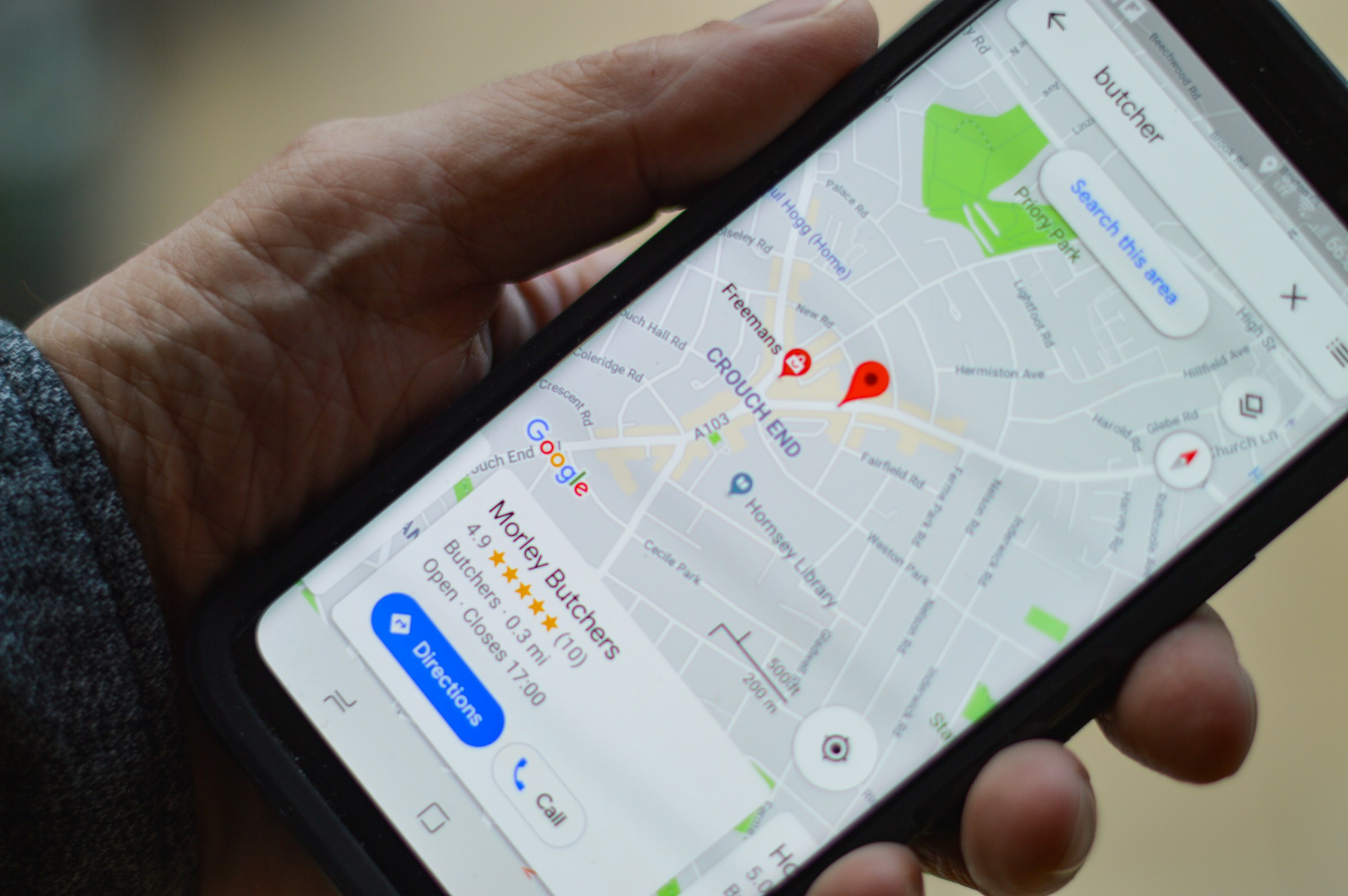
Photo by henry perks on Unsplash
2. Google judges your business like a human would
Google ranks businesses using the same decisions humans use before purchasing goods and services.
Google’s local ranking factors revolves around:
- Relevance
- Distance
- Prominence
What most articles don’t explain is that prominence is largely behavioural. Google takes note of:
- Photo views
- Reviews activity
- Post engagement
- Response speed
- Direction requests
- Call clicks
- Message behavior
If users ignore your profile, Google assumes others would and they should too. Your profile/business ranking is not just about the information shared, but also how people react to that information.
3. Inactivity is a ranking penalty without a warning label
Inactivity is commonly a product of a neglected Google business profile optimization. Your Profile is inactive when it shows:
- No recent posts
- No new photos in months
- Unanswered reviews
- Outdated services
Google doesn’t punish you outright, it simply stops prioritizing you. Your profile will keep moving down the ranks and if Google deems your account as abandoned, it quietly disables the account.
A disabled account will no longer be accessible to the owner for editing and may require a reinstatement appeal to recover.
4. Most guides ignore the systems that keep you ranking
Most Google business profile optimization guides would rather have you tailored to short-term fixes like:
- Upload photos
- Write a description
- Get reviews
Although all of this is good advice and can actually increase your rankings, they are often short-lived. To survive long term, your business needs sustainable solutions, or as I like to call them – systems.
Control systems that work for GBP:
- Review request workflow
- Review management strategies
- Photo update schedule
- GBP Post calender
- Competitor monitoring routine
Without systems, your Google business profile optimization becomes a random effort or a task done when remembered.
5. Your GBP is now feeding AI search engines
This is where the Google business profile optimization game quietly changed. Search is no longer just blue links, it is now AI-generated answers and local search are not excluded.
When people ask:
- “Best emergency dentist near me”
- “Where can I repair my laptop today”
- “Best SEO agency to hire”
AI systems compile reality from trusted sources across the internet including websites, review platforms, directories, social media pages, and so on.
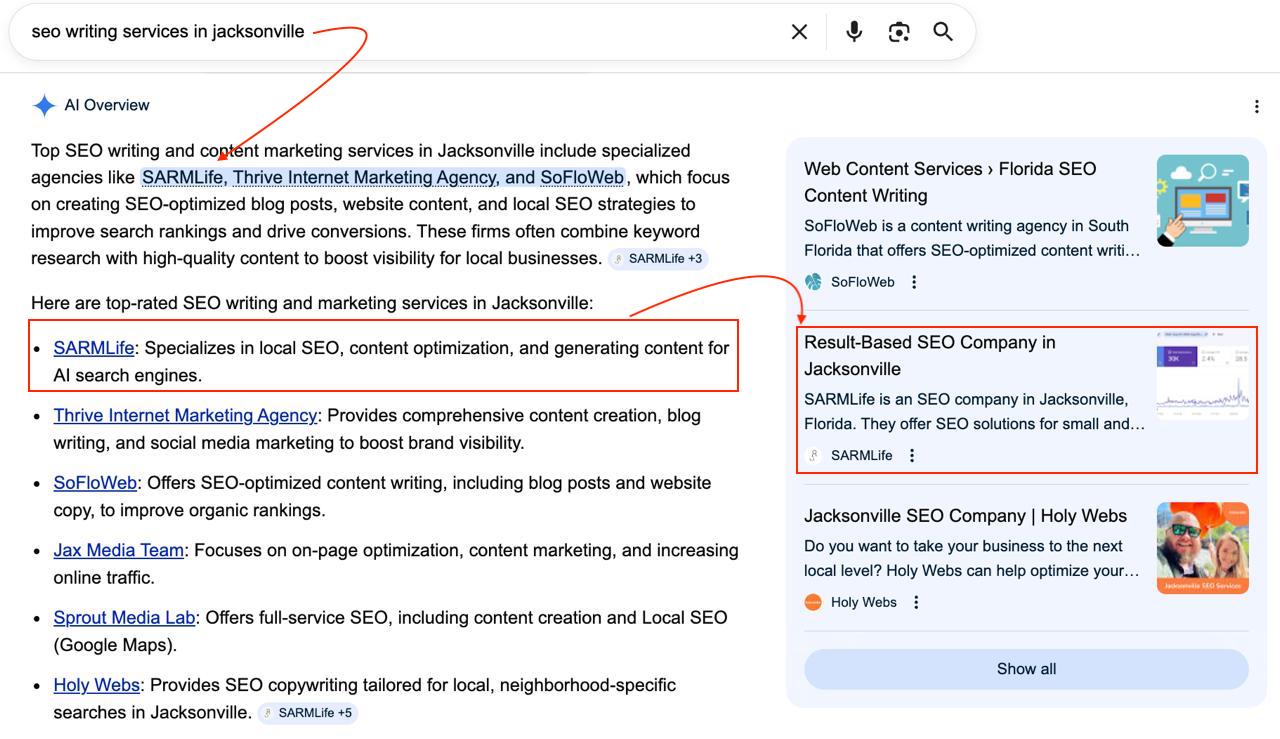
Photo by SARMLife
Your Google business profile is one of such sources used by AI models to determine the authenticity of your business.
This is because your GBP contains:
- Verified business identity
- Real-world location data
- Customer behavior signals
- Review activity
- Service and category data
- Operating hours and availability
- Continuous engagement patterns
AI treats this as ground truth.
Because of the information available on your GBP and the emerging trend of AI search enquiries, your GBP signals now influence:
- AI Overviews
- Voice assistants
- Conversational search results
- Zero-click recommendations
If your Google business profile optimization is thin or inactive, AI systems avoid recommending your business entirely.
This is no longer just about rankings, it is about whether AI believes your business is real, active and worth suggesting.
Poor GBP optimization is now visibility risk
Before, SEO failure meant lower rankings in searches. However, in the age of AI searches and integration, failure means total exclusion in AI answers.
This means:
- No mention
- No recommendation
- No discovery
Your competitors become the default business in AI’s mind. That perception sticks and I don’t have to spell out what it does to your business.
Google Business Profile Optimization Steps
Here are some of the best curated Google business profile optimization steps you will see on the internet.
These steps have proven to be effective over the years, and when you want to implement them, do these in order (first week: 1–6, then keep cycling the rest regularly).
1. Review Generation and Response
Businesses in the top three local search results have nearly 250 reviews on average, far more than businesses ranking lower.
Google itself notes that both review count and quality (as part of “prominence”) are important ranking signals.
Review generation means proactively encouraging satisfied customers to leave feedback on your Google Business Profile (GBP), while review response means replying to both positive and negative reviews.
How to generate and manage reviews correctly?
An average business needs about 10-20 reviews (at minimum) to start earning trust and an active business typically gains 2-5 reviews each month.
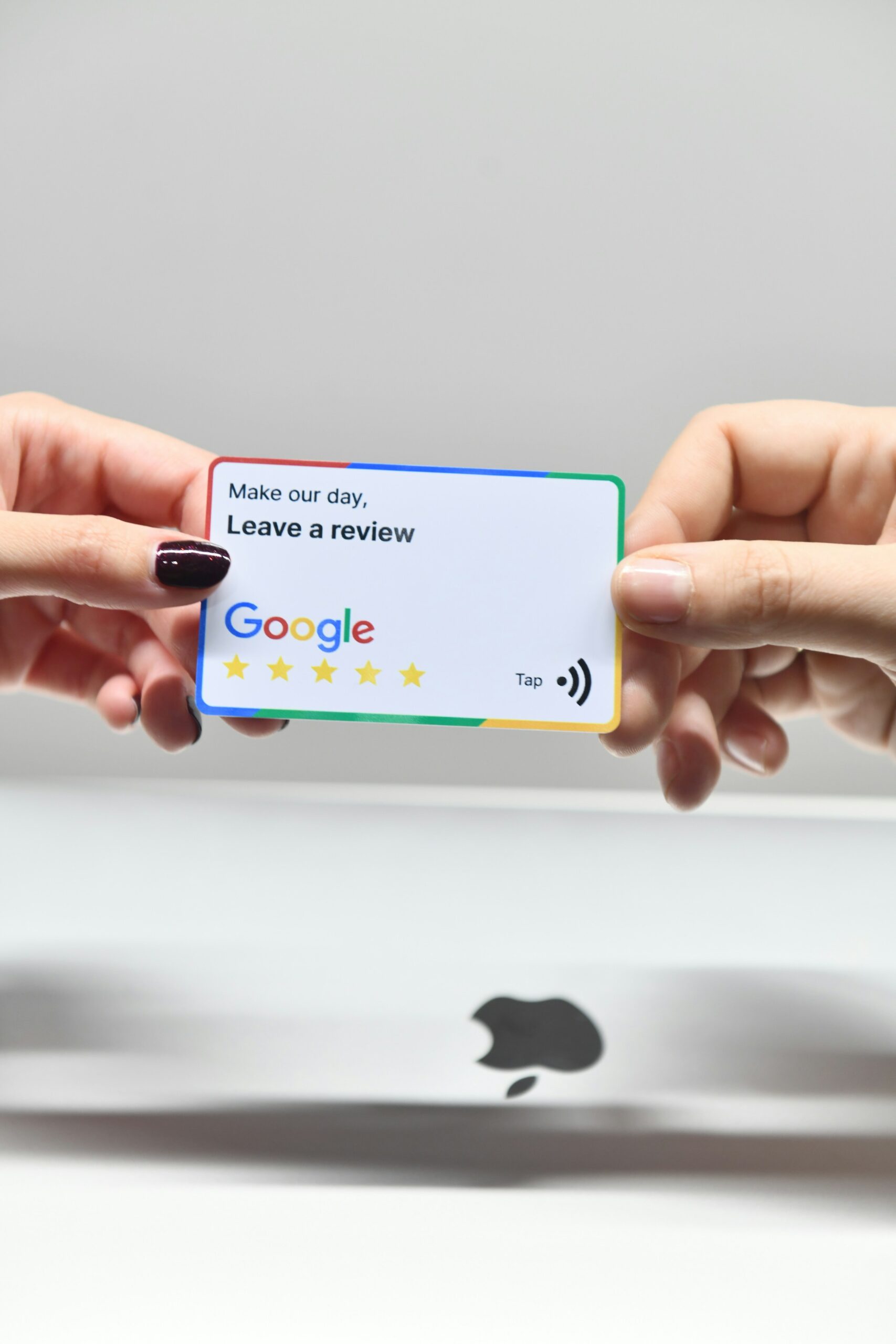
Photo by EmbedSocial on Unsplash
High review volume (and average rating above 4.2) can boost conversion like calls and visits.
Now here’s how to do this correctly:
- Claim your review link
In your Google Business Profile dashboard, copy the direct review link or QR code.
- Ask at the right time
It’s best to ask immediately after a successful service or sale. Appreciate the customer for their purchase and invite them to leave a review.
For example, email them the link or hand them a business card with a QR code to your GBP.
NOTE: Focus on genuine feedback.
- Make it easy and personal
Now you have their attention, send a friendly follow-up message (via text or email). Avoid generic mass requests.
For example, personalize it (“Hello [Name], thanks for visiting us!)
- Train staff
Ensure every team member mentions reviews during in-person or phone interactions.
A simple line like “If you enjoyed our service, we’d appreciate your review on Google” works.
- Prompt, Sincere response
Make sure to monitor your profile (turn on email notification or use the mobile app) and reply to every review promptly (especially within a day).
Here you should:
- Thank 5-star reviewers enthusiastically
- Address 1-2 star reviews with empathy and willingness to fix the issue.
For example:
For a bad review , you can reply with “We’re sorry to hear about your experience. Please call us at [phone] so we can resolve the issue”.
Handling negative reviews well impresses customers.
2. Weekly Photo Uploads
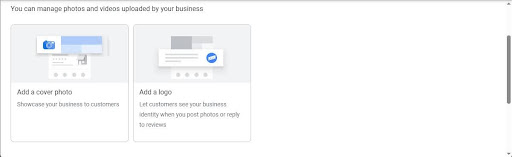
Photo by SARMLife
Google profiles with photos earn 45% direction calls than those without and having 10+ photos can double your engagement (calls, messages).
I recommend regularly updating photos weekly, but if this feels too frequent, schedule a monthly photo session.
Uploading photos regularly also shows Google your listing is active – a factor that improves local pack rankings, increases visibility, shapes first impressions, and builds trust with both users and Google’s algorithms.
How to maintain an updated and acceptable gallery?
Specifically uploading good photos increases photo views, which correlates with better visibility.
Here’s how to maintain an updated and acceptable gallery:
- High quality images
Use a good camera or smartphone to take your images.
Ensure photos are clear and accurately represent your business. Google accepts JPG or PNG formats for images.
Aim for at least 720 * 720 pixels or larger. Avoid blurry or over-edited images and keep file size reasonable (under 10 MB)
- Variety of shot types
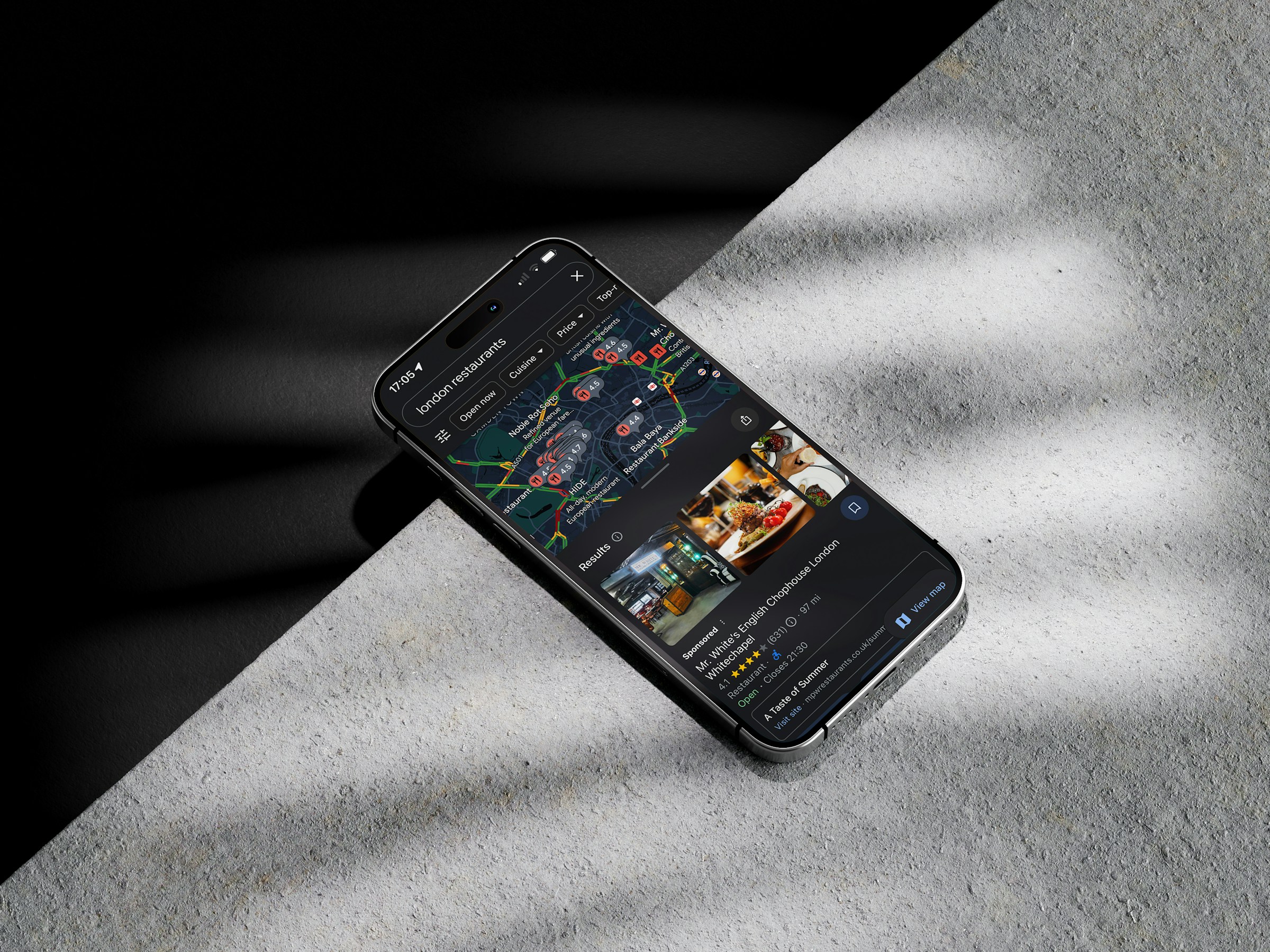
Include exterior shots so customers can recognize your building from outside, inside shots to show ambiance, products/service shots, key offerings or menu items ,and team shots of friendly staff.
Google specifically recommends at least 5 interior/exterior, 5 product/service and 3 staff photos.
- Follow guidelines
Don’t upload logos or marketing images as photos.
Avoid group shots with unrelated people, focus on your business. Each photo should follow Google’s policies like no nudity, violence, etc.
- Geotag and captions
This is optional but necessary for SEO.
When uploading, use clear filenames (e.g. “Min’s bakery interior.jpg”).You may also add simple descriptions to include relevant keywords.
This helps Google understand the image context and purpose.
- Encourage user photos
User-generated photos (under your profile) also boost authenticity. So, encourage customers to share their own pictures with incentives.
For example:
“Tag us on Instagram for a chance at free pies!”.
And if customers post irrelevant or inappropriate business photos, you can flag them in Google Maps to be removed.
3. Set up messaging & bookings
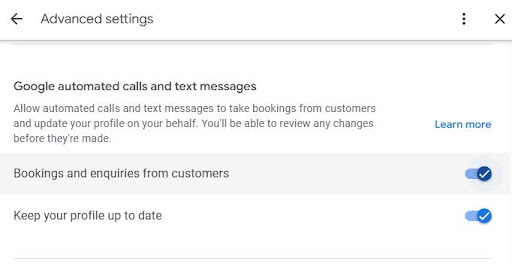
Photo by SARMLife
89% of consumers prefer texting with businesses over calls.
Enabling messaging and bookings in your GBP gives customers direct ways to engage with you through the listing.
Messaging lets customers send text questions to your business via Google. Bookings allow customers to schedule appointments via integrated booking providers right from your profile.
Activating these features turn your GBP into a mini-contact center. Although these features don’t directly improve SEO ranking, it greatly improves user experience and can increase foot traffic or appointments from your GBP
How do I enable messaging and set up bookings?
Here’s how you enable messaging and set up bookings:
- Enable Messaging
In your Google Business Profile dashboard under “Messages”, turn on the toggle.
Set up the welcome message and notification.
Google will assign you a private number to receive texts. Make sure you or a team member responds quickly. Aim for a high response rate (80%+) and under 1-hour response time.
- Set up Bookings
If your business takes appointments (salon, classes, clinics, etc) sign up with a Google-approved booking partner. Then connect that account in the “Bookings” section of GBP.
Once enabled, a “Book” button with your schedule appears on your profile.
- Train staff
During business hours, have a designated person who handles messages if you don’t have the time. Make sure they promptly reply during business hours.
Google automatically sends the welcome message once the customer starts a conversation after business hours.
- Monitor performances
Check the “Messages” and “Bookings” tabs in Insight.
Track how many messages you get and how quickly responses are sent. Optimize when need be by adjusting your staffing or auto-replies.
For bookings, watch to see if customers use it and if you need to expand available slots.
4. Monitor Insights
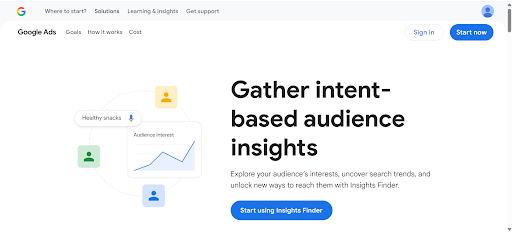
Photo by SARMLife
Google’s Insights for GBP is a free analytics tool that shows how customers find and interact with your profile.
It reports data like number of views and customer actions (calls, website clicks, direction requests, message/ bookings) on your profile. It also shows what search queries triggered your profile.
Continual monitoring of Google business profile optimization metrics (search, views, actions) is part of improving “prominence” in Google’s algorithm.
In contrast to Google Analytics (which tracks your website) or Search Console (which shows Google search data), GBP Insights is focused solely on your profile’s user engagement.
How to effectively use Google Insights?
While Google’s algorithmic formula is private, active management of GBP (which Insights quantifies) correlates with better local visibility.
Here’s how to do it effectively:
- Accessing Insights
In the new Google Business Profile manager or mobile app, click the “Performance” tab.
You can view up to 6 months of data (or bulk-download for multiple locations via Google’s interface).
- Review key metrics
Regularly check monthly views on Search vs Maps and how many actions.
- Analyze search queries
Look at the list of queries that show your profile.
If you see important items missing, it signals a need to improve your description or website SEO for those keywords.
- Track trends
Compare month-to-month and plan for necessary action.
For example, if phone calls spike in spring, you might ramp up staff readiness then. If certain posts or promotions coincide with lifts, note that success and plan more.
- Benchmarks
Use Industry standards as a guide.
For example, WebFX benchmarks suggest typical GBP click-to-call rates are 5-8%. If your rate is far below that, investigate why.
5. Use GBP Posts weekly
On average, Google Business Profile posts achieve a 1-3% engagement rate and posts about events or special offers get double that engagement.
GBP allows you to share news, offers, events and updates directly on your profile. These function like mini-social media updates on your GBP.
Strong GBP posts can help you get noticed. While the direct SEO impact is debated, GBP posts keep your profile fresh, give customers timely information and boost engagement.
How to create a Google Business Profile Post
With a well-maintained post strategy showing Google that you’re active and can capture searchers’ attention, you can see an increase in engagement.
Here’s how to create a GBP post the right way:
- Consistency and timing
Publish a new post at least once a week. Also post for events or offers when they arise. Treat your GBP like a mini blog.
- Choose the right content
Use posts to announce promotions like “10% off” sales, special events like “Live music Friday”, new products “Just arrived:[ Product]” or helpful tips.
Make it relevant to your audience.
Avoid only posting generic information that customers can find elsewhere on your site
- Add images and CTAs
Each post should include a high-quality image or video that illustrates the message.
Always add a call-to-action button if available.
For example: “Call now”, “Book” or “Learn more” to increase the post’s impact and drive actions.
- Watch the expiration
Posts on GBP typically show for 7 days. Keep track and update old posts. You can pin your best posts using the pin icon in the GBP admin.
- Use keywords naturally
While writing your post, use terms that customers might search for. Relevant keywords in your GBP content help it match user queries.
6. Keep citations consistent and earn local backlinks
Local citations are online listings of your business’s name, address and phone number (NAP) on third-party websites like Yelp, Yellow Pages, local directories or social profiles.
Surveys of local SEO experts confirm citations remain one of the top-five local ranking factors.
After setting up your GBP, maintaining consistent citations is critical.
Citation monitoring for Google business profile optimization means regularly checking that your NAP is accurate across the web. For customers, correct citations mean they find you easily and can call or visit without obstacles thus directing customers along the path to purchase.
Reliable citations encourage people to click or call.
How to create and monitor your citations efficiently?
When NAP information is uniform across sources, Google confidently shows it in maps and search.
Even for service-based businesses, although your service area setting won’t appear publicly, you should focus on any directories that would list your contact number or website as the principle of consistency still applies.
This is the efficient way to create and monitor your citations:
- Audit your citations
Use a citation tracker like paid tools like Yext or BrightLocal’s Citation Tracker or manually search for your business name.
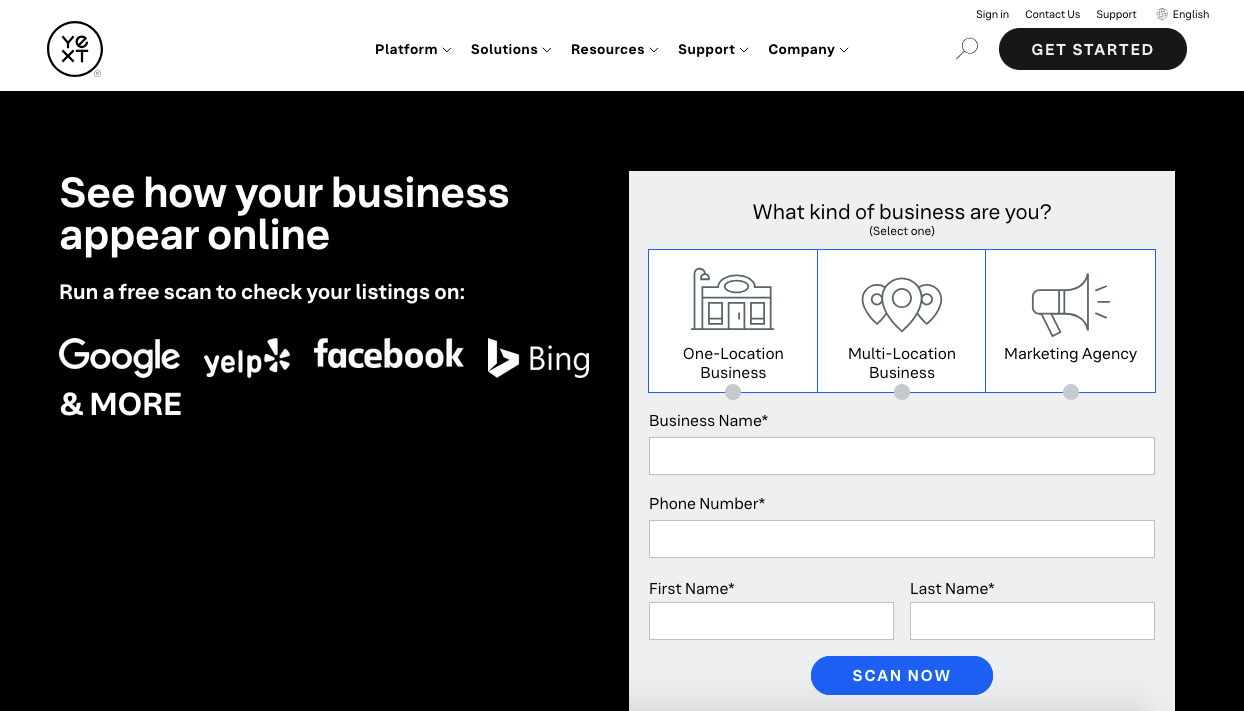
Photo by SARMLife
Identify all directories and reviews sites where you are listed like Facebook, Yelp, Bing, Apple Maps, etc, and also consider popular local directories or industry-specific sites.
- Fix inconsistencies
For each listing, ensure the exact same name, address and phone numbers are used. For example,if your URL changed, update it everywhere.
All differences should be standardized.
- Remove duplicates
If you find duplicate entries on major platforms, remove the inactive one or merge them (Google and Yelp allow suggestions or claims).
- Use authoritative sources first
Start with high-impact citation sites: Google itself, Facebook, Yelp, Apple Maps, Bing, Foursquare, etc.
Ensure these are 100% correct, then move on to relevant industry directories or local sites.
- Keep directories updated
Whenever your business information changes like a new address, new phone number or updated hours, update it on all listings immediately.
Ideally, update Google first then push changes to others.
- Monitor periodically
Set a quarterly reminder to re-audit citations.
7. Competitor and Geo-Performance Tracking
This is another important aspect of Google business profile optimization.
Competitor tracking involves monitoring how your Google Business Profile performs relative to your local competitors.
By analyzing competitors’ GBP entries and your own “rank” across areas, you can identify opportunities to improve your presence.
Competitor analysis is crucial for local SEO success. It lets you observe the competition: If a rival is ranking higher, see what they’re doing differently on their GBP.
Actively tracking performance and rivals sharpens your local SEO strategy and can directly improve your rankings.
Geo-performance tracking helps you find “blind spots”. You could be visible downtown but not on the city’s outskirts. This helps you to know which areas to target to expand your reach.
How to perform proper Competitor and Geo-performance tracking?
Here’s how to perform proper competitor and Geo-performance tracking:
- Identify true competitors
Use a rank tracker like BrightLocal, SEMrush or Local Falcon or Google yourself for relevant keywords.
For example: “lawn care [Your city] using incognito Google search (with location on)” and you may be surprised at the businesses listed.
- Track local ranking (geo-grid)
Use relevant tools like Local Falcon (or similar rank-tracking software) to map your GBP’s rank across a city grid.
This shows where you appear in local pack for each neighborhood. For example, you might rank #1 downtown but #5 in the suburbs.
- Compare profiles
Look at competitors’ GBP pages side-by-side.
What categories do they list? Do they have more photos or reviews? Do they post often?
For instance, if a competitor ranks above you and you notice they selected an extra relevant category (like “Green Lawn Service”), consider adding that category on your profile.
- Benchmark performance
Every quarter, check how many reviews and what rating your competitors have vs. you.
If they have significantly more positive reviews, it’s a sign you should ramp up review generation as previously discussed.
- Adjust strategy
Based on findings, optimize, target keywords where you’re weak, run localized ads or posts in underperforming areas and improve your profile according to what’s working.
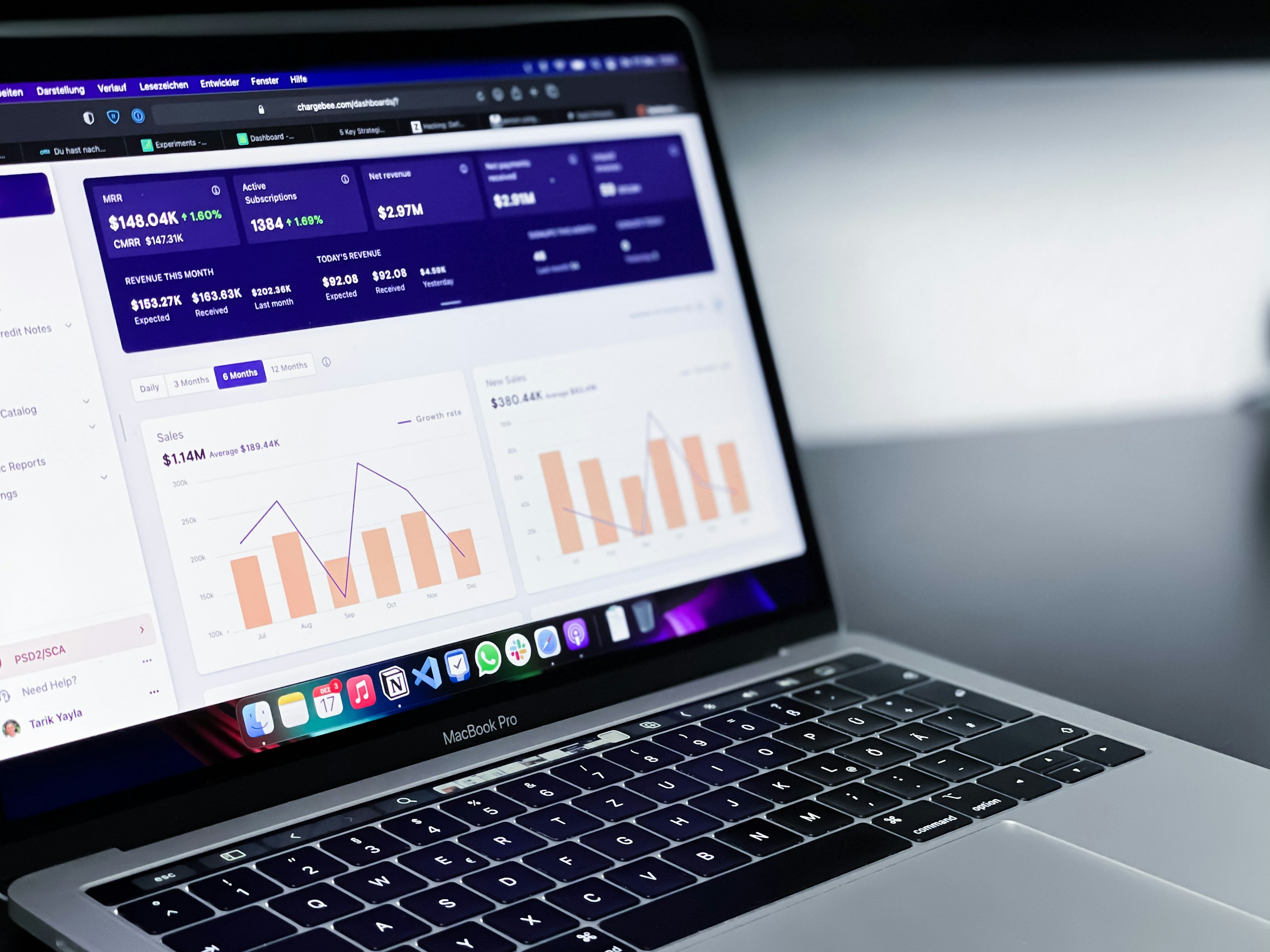
Photo by path digital on Unsplash
8. Seed Q&A with common customer questions
Google’s Questions & Answers feature lets anyone (customers or owners) ask and answer questions about your business directly on Maps and Search.
Q&A is often overlooked, but it can take up a lot of prime space on your profile.
Managing this section means monitoring incoming questions and providing accurate answers promptly.
How do I manage my Q&A properly
Since Q&A appears prominently in the Local Pack and knowledge panel, good Q&A management can improve your GBP’s usefulness and attractiveness to both users and Google.
- Enable notifications
In your GBP settings, turn on email or mobile alerts for Q&A, go to “Settings” > ”Notifications” and ensure “Questions & answers” emails are enabled.
- Answer promptly and accurately
When you see a question, answer it as soon as possible. Be polite and informative.
Even if the answer seems obvious on your profile, state it clearly.
For example “Yes, our store hours are 8am-5pm, Monday- Friday”. Make sure to answer each question accurately.
- Use the owner account
Make sure you are signed into your Google profile that is the GBP owner or manager. Then your answer will show as from the business (with “Owner” tag), not a random user.
This is helpful when a customer gets an incorrect answer from a random person as Google shows owners answers first using the owner account.
You can also flag the incorrect answer for removal.
- Ask and answer your own FAQs
You as an owner can plant useful questions and answer them.
For example:
“Question: What are your holiday hours?”
“Answer: We’re open 9am -1pm during holidays”
This pre-fills the Q&A with key information.
- Keep answers evergreen
If answers change, for example, menu prices, hours, policies, etc. Update that as outdated answers confuse people.
9. Add Products/Services with clear descriptions and prices
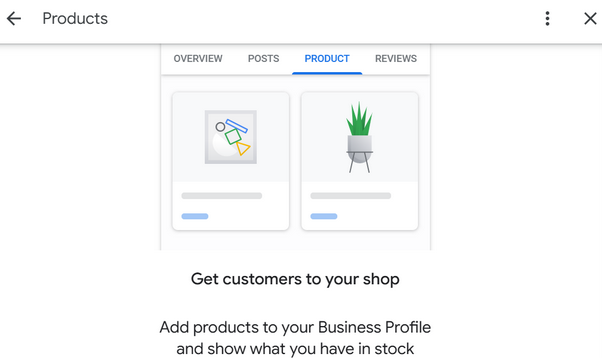
Photo by SARMLife
Businesses that use the GBP Products feature see 40% higher conversion rates compared to those that do not.
Your Products & Services section on your Google Business Profile lets you display what you sell, what it costs, and why people should choose you, directly on Search and Maps.
It’s one of the highest-impact Google business profile optimization strategies, and yet many businesses leave it empty. This section acts as your visual menu, price list, mini sales page on Google.
When optimized, it answers buyer questions before they even click your website.
How do I manage my Products & Services properly?
Here’s how you properly manage your products and services section properly:
- Separate & Map Your Offerings
Go to your GBP dashboard:
- Edit Profile > Business Information > Products / Services.
- List every major product and service individually
- Write Ranking-Driven Descriptions
Each description must answer:
- What it is
- Who is it for?
- What problem does it solve?
And include keywords naturally.
Example:
Service: SEO Optimization:
Description: Improve your website’s ranking on Google through keyword research, technical fixes, and content optimization to increase traffic, leads, and sales.
- Add Transparent Pricing
Use real numbers and make sure never leave it blank. Make sure to choose the format based on the nature of your product or services.
Pricing formats are:
- “Fixed Pricing”
Use for standard products or services with consistent cost.
- “Starting At”
Use for scalable or variable services to anchor expectations without overpromising.
- “Price Ranges”
Best for services where cost varies based on intensity, size or customization.
FAQs on Google Business Profile Optimization
How long before I see results after optimizing GBP?
Usually 2–8 weeks for local visibility improvements; bigger changes can take 2–3 months. Consistency matters more than speed.
Do GBP posts directly affect ranking?
No, but posts signal activity and improve engagement, which indirectly helps local visibility and clicks.
How many photos should I have?
Aim for 8–12 at minimum and refresh often. More is better (real, quality photos).
How often should I respond to reviews?
Within 48 hours if possible. Fast, calm replies build trust.
Do I need a website to rank for local searches?
A website helps. GBP + a good local landing page = best results.
How do I report fake reviews?
Flag in the GBP dashboard and follow Google’s removal process. Document everything and don’t engage publicly beyond a calm reply.
Who should have access to GBP?
Limit owners; give managers task-specific access. Use a shared business account with 2FA and document who has control.
Can I recover a suspended profile?
Yes, submit a reinstatement request and provide proof (license, utility bill, photos of storefront). Follow the appeals process
Final thoughts
At this point, one thing should be clear, Google business profile optimization is not a one-time task, it’s an ongoing system.
The businesses that win in local search are not necessarily the biggest, but the most consistent. They treat Google business profile optimization as a continuous process, refining their profile, maintaining activity, and aligning every detail with how customers search and make decisions.
From reviews and photos to posts, messaging, and insights, each element plays a role in how Google evaluates your business and how customers respond to it. Ignore it, and your visibility fades.
Execute it properly, and your profile becomes a reliable source of traffic, leads, and sales.
If your goal is long-term growth, then your Google Business Profile should not be managed casually, it should be strategically optimized, monitored, and improved over time.
At SARMLife, we turn proven strategies into results through our professional local SEO services.
We design complete optimization systems, implement ongoing management, monitor performance, and continually improve your local visibility so you can focus on running your business while your profile attracts customers every day.
If your goal is sustainable local dominance, our team is built to help you achieve it.
Explore SARMLife’s Local SEO Services and discover new ways to improve your on page SEO
READ MORE: HOW TO SET UP A GOOGLE BUSINESS PROFILE SUCCESSFULLY IN 2026
Add a Comment